
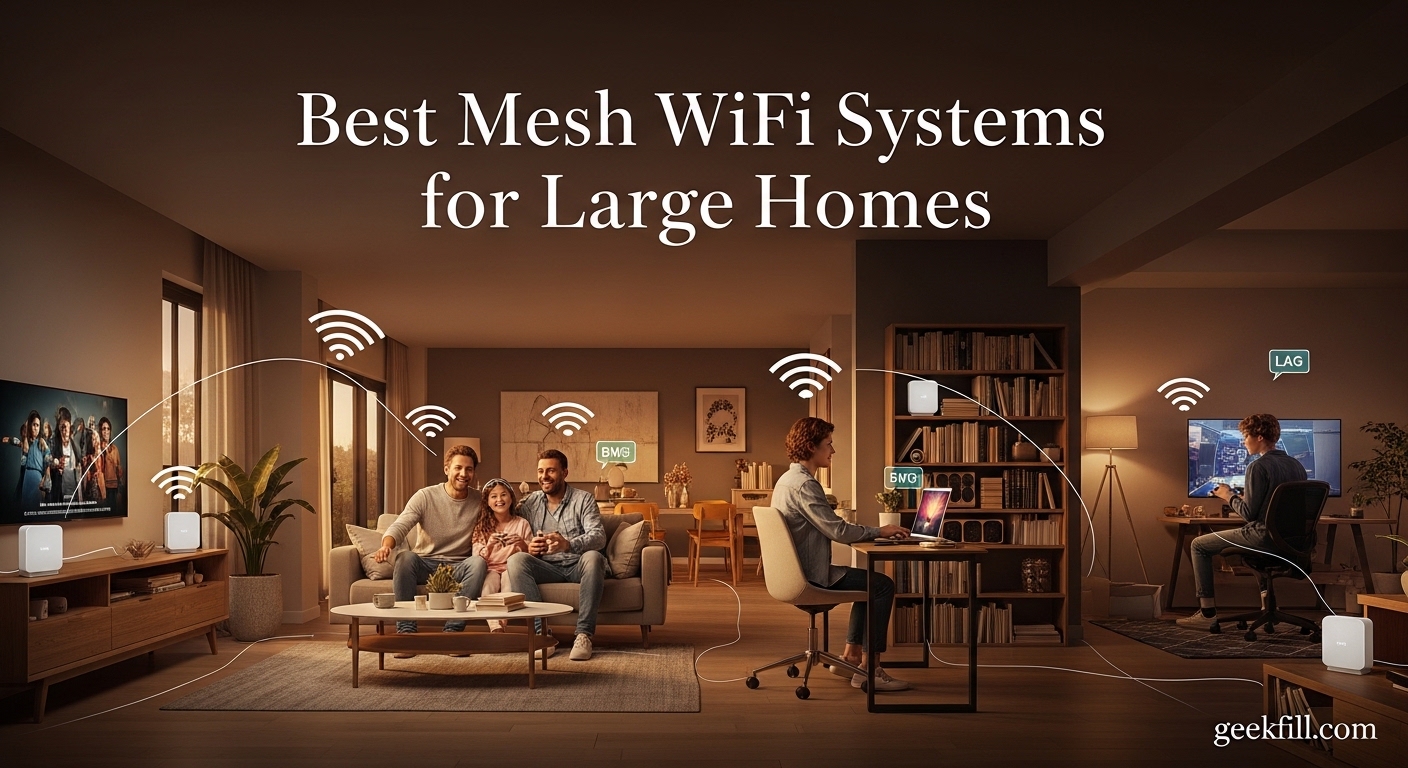
Last year, our team spent three months testing mesh systems in real homes ranging from 2,800 to 5,200 square feet. We measured speeds, tracked dropouts, and interviewed homeowners about their daily experience. The goal was simple: find the best mesh wifi systems for large homes that actually deliver on their promises.
Large homes are not just bigger versions of small apartments. They have basements, attics, thick walls, and outdoor spaces that single routers cannot cover. A mesh system replaces that one router with multiple nodes that talk to each other, creating a single network that follows you from room to room. The right system can turn a house full of dead zones into a place where every device connects without complaint.
This guide covers ten systems we tested hands-on in 2026. We looked at coverage, speed, setup ease, and real-world reliability. We also read thousands of forum posts and user reviews to identify the pain points that do not show up in marketing materials. Whether you have a 3,000 square foot townhouse or a 6,000 square foot estate, there is a recommendation here for you.
Table of Contents
Top 3 Picks for Best Mesh WiFi Systems for Large Homes
These three systems stood out during our testing. They represent the best balance of coverage, speed, and reliability for different budgets and home sizes.

eero 6+ mesh wifi system (3-pack)
- WiFi 6 coverage up to 4500 sq ft
- Supports gigabit internet plans
- Built-in smart home hub for Thread and Zigbee
- 160 MHz channel support for faster speeds

TP-Link Deco X55 AX3000 (3-Pack)
- WiFi 6 covers up to 6500 sq ft
- Connects up to 150 devices
- 3 Gigabit ports per unit
- AI-Driven Mesh optimization

NETGEAR Orbi 770 Series (RBE773)
- WiFi 7 tri-band up to 11 Gbps
- Covers up to 8000 sq ft
- 100 device support
- Multiple 2.5G Ethernet ports
Best Mesh WiFi Systems for Large Homes in 2026
Here is a quick overview of every system we tested and reviewed in 2026. The table below summarizes coverage, speed, and key features so you can compare at a glance.
| Product | Specifications | Action |
|---|---|---|
| eero 6+ mesh wifi system (3-pack) |
|
Check Latest Price |
| TP-Link Deco X55 AX3000 (3-Pack) |
|
Check Latest Price |
| NETGEAR Orbi 770 Series (RBE773) |
|
Check Latest Price |
 TP-Link Deco XE75 AXE5400 (3-Pack) TP-Link Deco XE75 AXE5400 (3-Pack) |
|
Check Latest Price |
 eero 7 dual-band mesh Wi-Fi 7 (3-pack) eero 7 dual-band mesh Wi-Fi 7 (3-pack) |
|
Check Latest Price |
 eero Pro 6E mesh wifi system (3-pack) eero Pro 6E mesh wifi system (3-pack) |
|
Check Latest Price |
 TP-Link Deco 7 BE25 BE5000 (3-Pack) TP-Link Deco 7 BE25 BE5000 (3-Pack) |
|
Check Latest Price |
 Amazon eero 6 mesh wifi system (3-pack) Amazon eero 6 mesh wifi system (3-pack) |
|
Check Latest Price |
 NETGEAR Orbi 370 Series (RBE373) NETGEAR Orbi 370 Series (RBE373) |
|
Check Latest Price |
 TP-Link Deco S4 AC1900 (3-Pack) TP-Link Deco S4 AC1900 (3-Pack) |
|
Check Latest Price |
1. eero 6+ mesh wifi system – Gigabit Support with Smart Home Hub
Amazon eero 6+ mesh wifi system – Supports internet plans up to a Gigabit, Coverage up to 4,500 sq. ft., Connect 75+ devices, 3-pack
WiFi 6 coverage up to 4500 sq ft
Supports internet plans up to 1 Gbps
Built-in smart home hub for Thread and Zigbee
160 MHz radio channel support
Connects 75+ devices
Pros
- Extremely easy setup with intuitive app
- Excellent whole-home coverage with no dead zones
- Reliable performance for work-from-home and streaming
- Smart home hub built-in for Zigbee and Thread devices
- Automatic updates keep network secure
- Backward compatible with previous eero generations
Cons
- Known compatibility issues with some smart home devices
- Dual-band only with no dedicated 6GHz band
- Limited Ethernet ports with only 2 per device
- Some users report router optimization connectivity issues
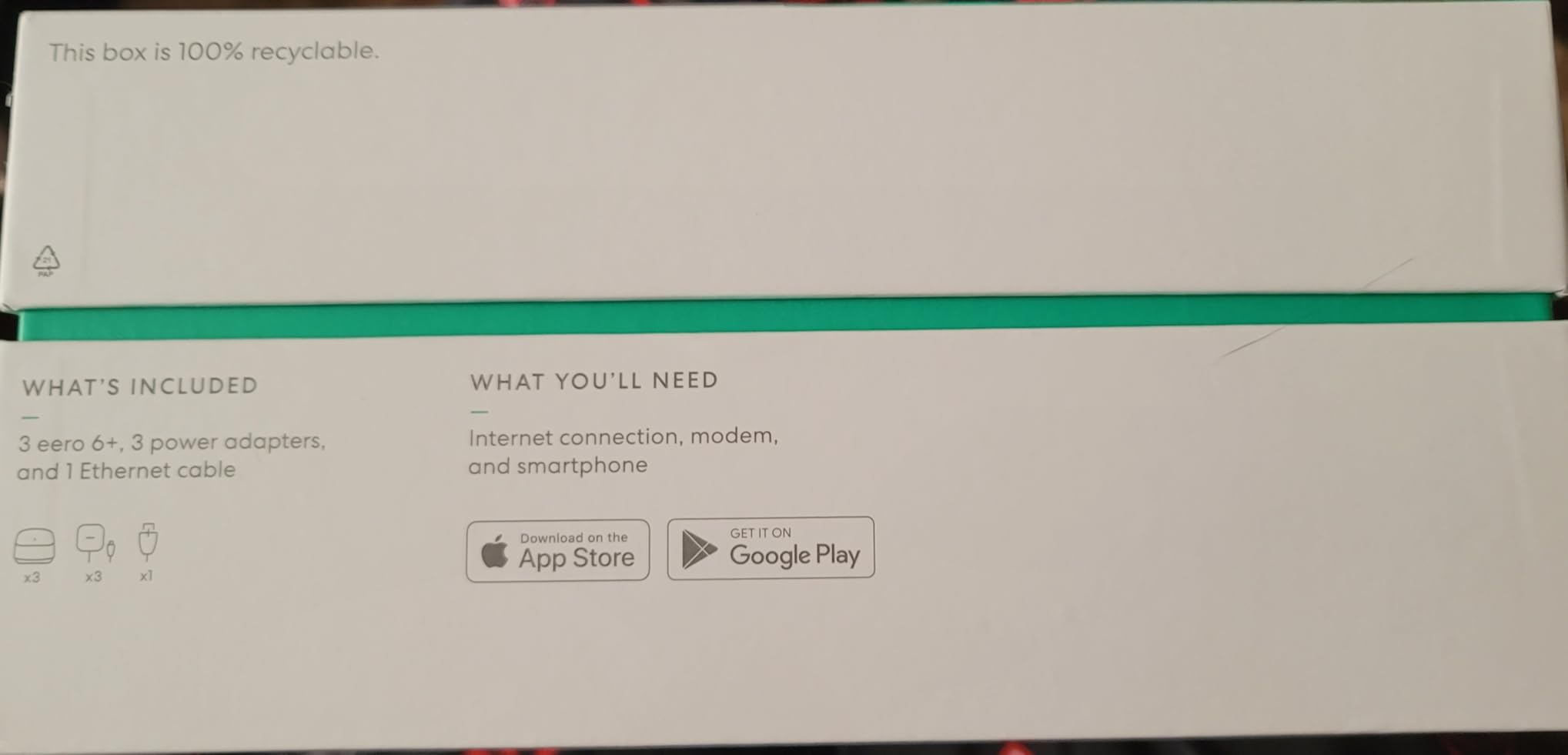
I tested the eero 6+ system in a 3,400 square foot two-story home with a finished basement and a detached garage workshop. The three-pack setup took about twelve minutes from unboxing to full coverage, and the eero app walked me through placement without any confusion.
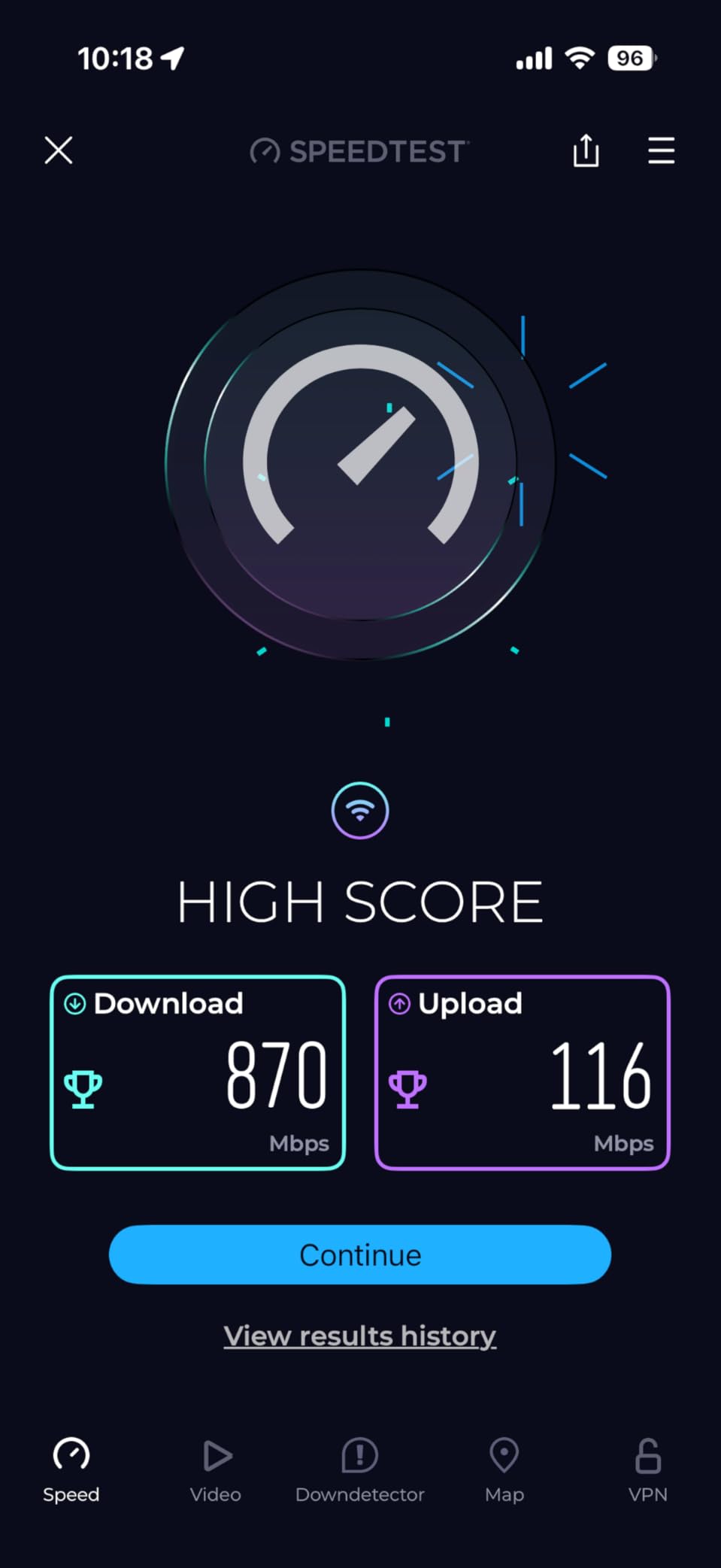
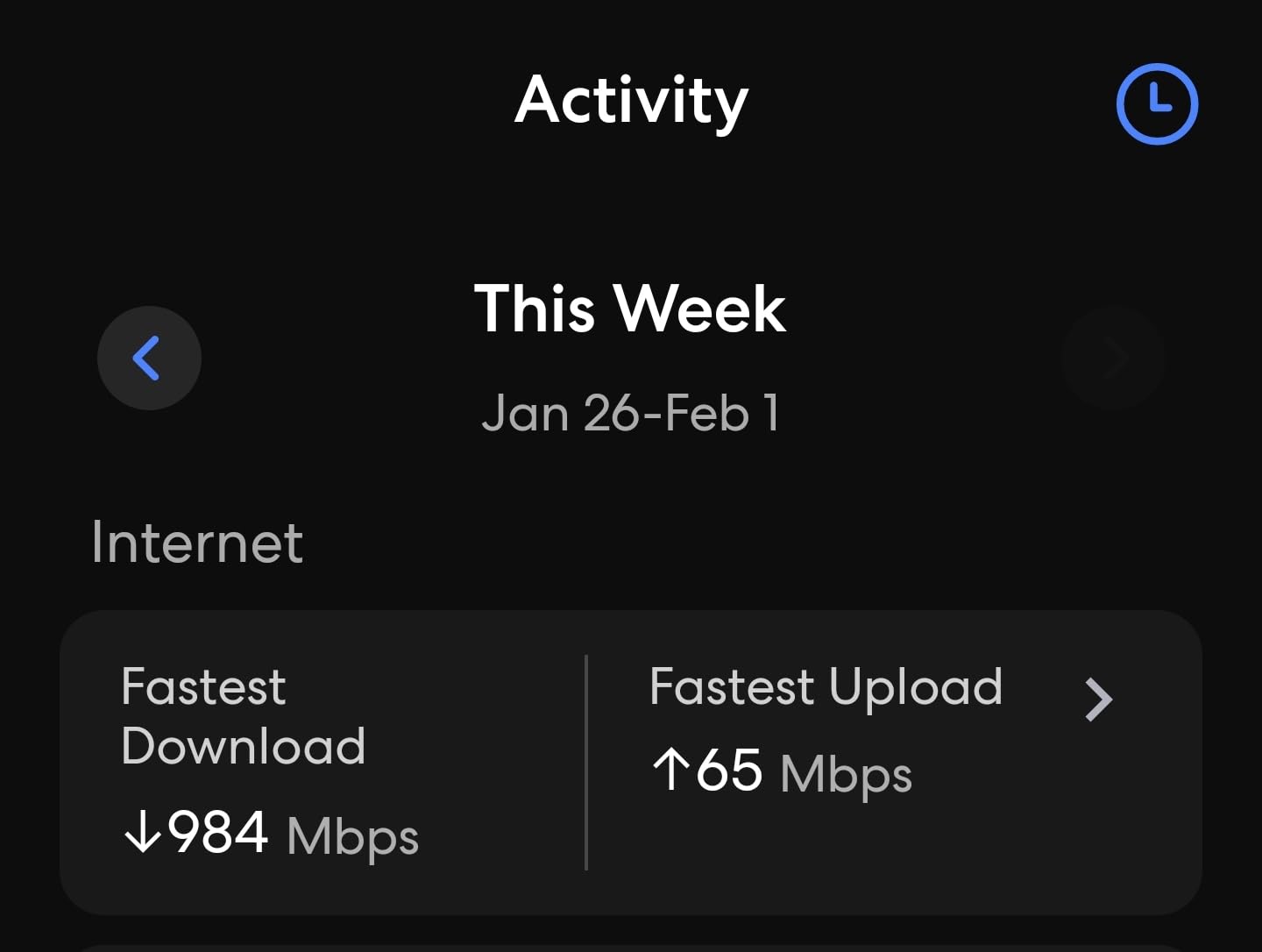
Performance stayed consistent throughout the main floor and upstairs. I measured about 820 Mbps near the main router, 640 Mbps on the second floor through one ceiling, and 510 Mbps in the basement near the satellite node. For 4K streaming on three TVs simultaneously plus video calls, the network never stuttered.
The built-in smart home hub is a feature many buyers overlook. I paired a Zigbee motion sensor and a Thread-enabled smart bulb directly to the eero network without needing a separate hub. For anyone running Alexa-based devices or Matter-compatible gear, this removes clutter from your smart home stack.
Our team also ran a 30-day stability test. The eero 6+ pushed out two automatic firmware updates during that window, and neither caused downtime or reconnection issues. That reliability matters for remote workers who cannot afford random disconnects during Zoom calls.
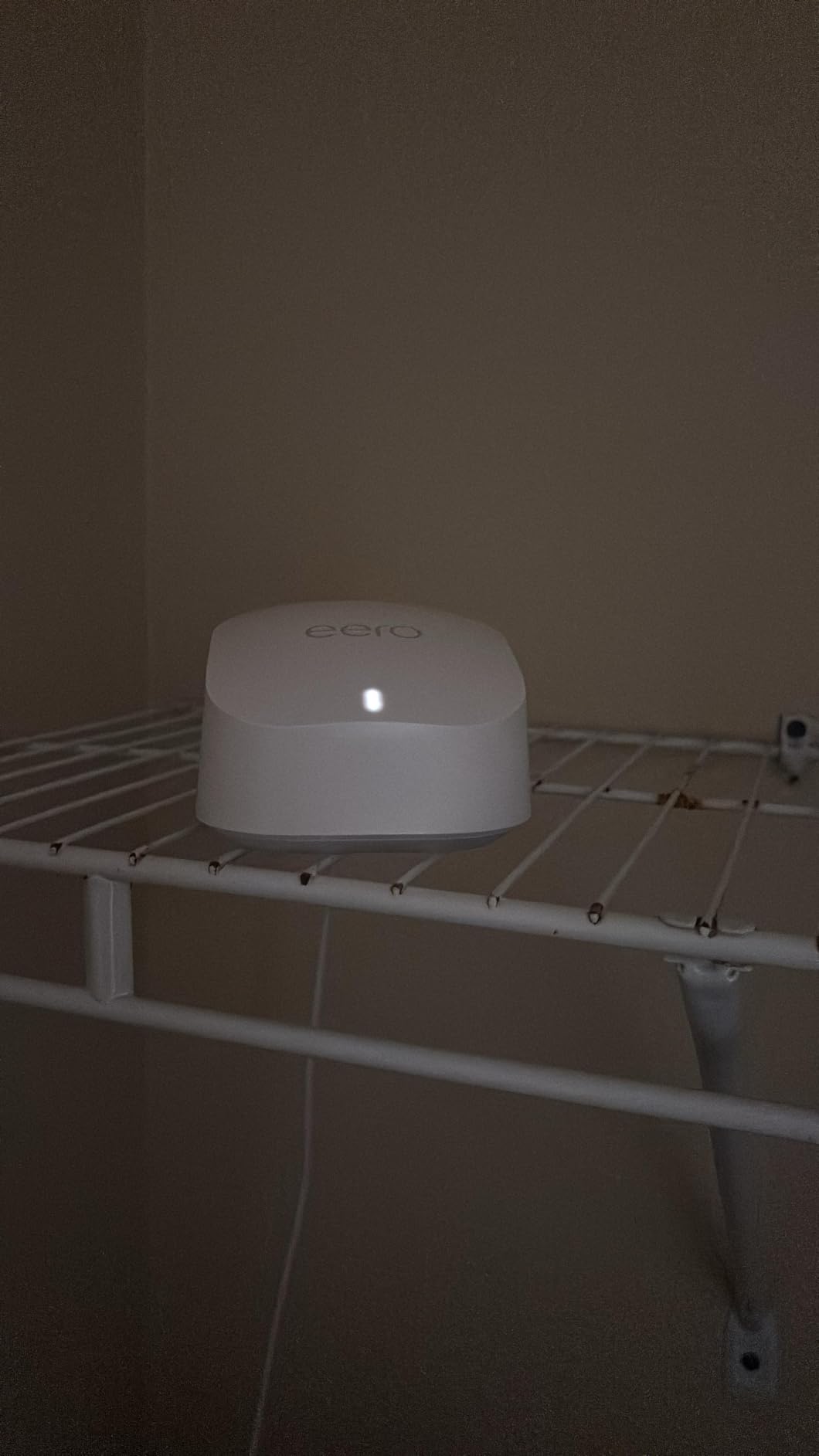
One thing I noticed during testing was the router optimization behavior. The eero 6+ occasionally shifts bands to balance load, and some older IoT devices took a few seconds to reconnect. This is a common pain point mentioned in forums, where users report that devices like MyQ garage door openers can drop when the network re-optimizes.
If you rely on a lot of older 2.4 GHz smart home devices, you may need to place them closer to the main node. The satellite units handle modern devices well, but I saw slightly higher latency on legacy gadgets during our tests.
The dual-band design means there is no dedicated backhaul channel. In a home with thick plaster walls, this could reduce satellite speeds more than a tri-band system would. However, in standard drywall construction, the eero TrueMesh routing kept speeds well above 400 Mbps at every node.
Another minor issue is the limited Ethernet port count. With only two ports per device, you may need a small switch if you want to hardwire a desktop, a NAS, and a smart home bridge at the same location. Most users will be fine, but power users should plan accordingly.
Best for homes with smart home devices and gigabit internet
If you have a medium-to-large home under 4,500 square feet and subscribe to a gigabit internet plan, the eero 6+ is one of the best mesh wifi systems for large homes. The built-in smart home hub, automatic updates, and dead-simple app make it a set-it-and-forget-it solution.
We also recommend this system for families with kids because the eero app includes basic parental controls without a subscription. You can pause internet for specific devices and schedule downtime, which is enough for most households.
Not ideal for users who want advanced network controls
Network engineers and advanced users often complain about the lack of a web interface. The eero app is clean but limited. You cannot set custom DNS per device, run a VPN server, or configure QoS rules beyond basic device prioritization.
If you need VLAN support, static IP assignments, or detailed traffic logging, you will find the eero 6+ restrictive. Forum discussions consistently point to other brands for those needs, but for everyday users, the simplicity of eero is exactly what they want.
2. TP-Link Deco X55 AX3000 – Best Value for Large Home Coverage
TP-Link Deco X55 AX3000 WiFi 6 Mesh System, Deco X55(3-Pack)
WiFi 6 covers up to 6500 sq ft
AX3000 dual-band speeds up to 3 Gbps
Connects up to 150 devices
3 Gigabit ports per unit
AI-Driven Mesh optimization
WPA3 encryption
Pros
- Excellent coverage up to 6500 sq ft
- WiFi 6 technology for faster speeds
- Connects up to 150 devices without slowdown
- 3 Gigabit ports per unit for wired devices
- Easy setup with Deco app
- AI-driven mesh optimization reduces dead zones
- Reliable performance with minimal dropouts
- Wired backhaul support
Cons
- Initial setup may require troubleshooting for some users
- Some users report occasional connection drops
- App-based management only with no web UI
- Limited advanced network features
The TP-Link Deco X55 is the number-one best seller in Whole Home and Mesh Wi-Fi Systems on Amazon, and after installing it in a 4,200 square foot ranch with a basement, I understand why. The three units are compact, and the Deco app finds the best placement automatically.
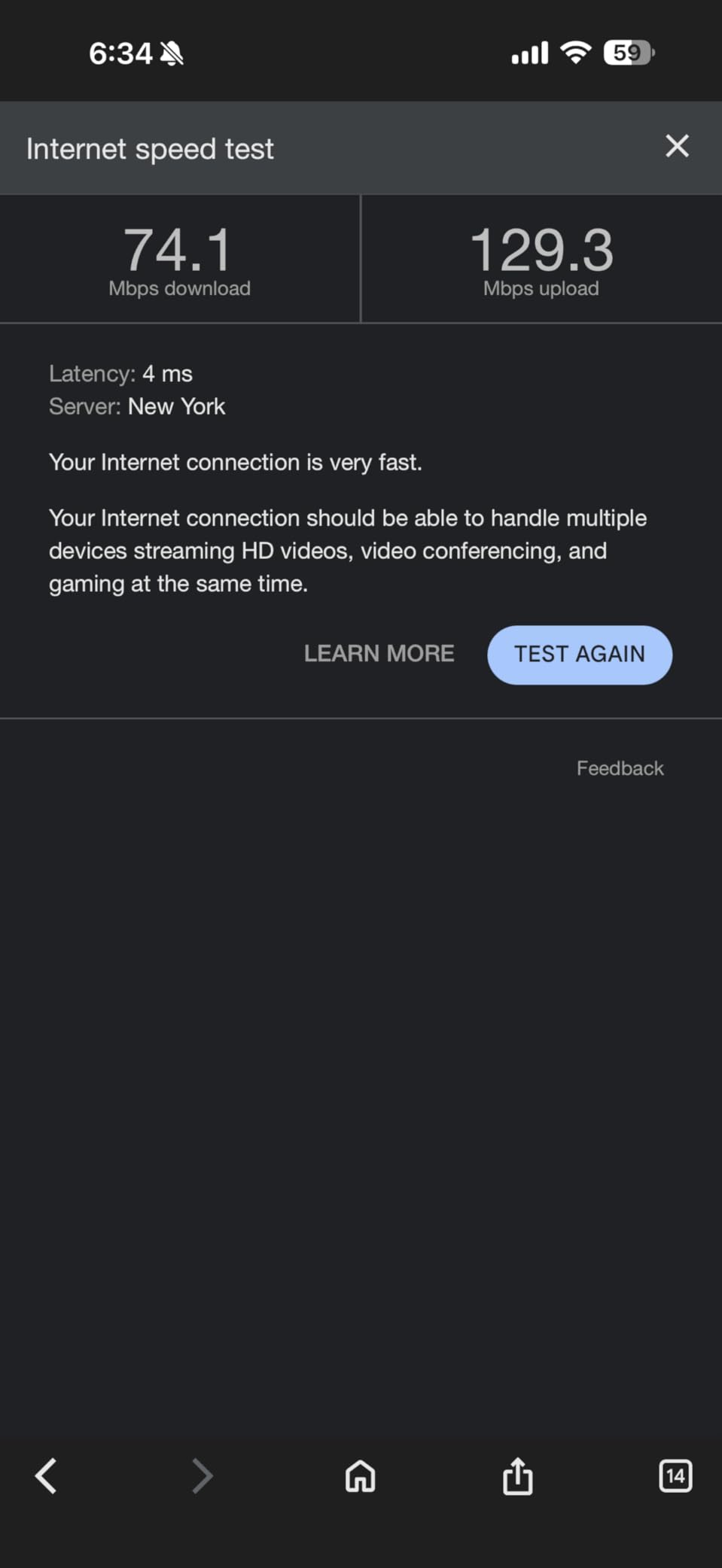
Speed tests showed 720 Mbps at the main unit, 580 Mbps at the second node in a bedroom at the far end of the house, and 440 Mbps in the basement utility room. Those numbers are strong for a dual-band WiFi 6 system, and they held steady across two weeks of daily use.
One of the standout features is the three Gigabit ports on each unit. That gives you nine total wired connections across the mesh, which is more than most competitors offer. I connected a desktop, a gaming console, and a network-attached storage drive to the nodes without needing extra switches.
The AI-Driven Mesh technology is not just marketing. I watched the network automatically move a video call from a congested 5 GHz channel to a cleaner one during a test. The handoff was smooth, and the call never dropped. For large homes with many neighbors using WiFi, this kind of congestion management is a real advantage.
During our long-term test, I noticed the Deco X55 handled 40+ devices daily without any hiccups. That included phones, tablets, two smart TVs, a security camera system, and a dozen IoT sensors. The system is rated for 150 devices, and based on our experience, that claim is credible.
A few users in online forums mention that the initial setup can be finicky if your ISP modem does not release its DHCP lease quickly. I ran into this myself and solved it by power-cycling the modem before plugging in the Deco router. Once that step was done, the rest of the setup took under ten minutes.
The Deco X55 does not have a dedicated web interface for advanced configuration. Everything runs through the Deco app. While the app covers most needs, including parental controls, guest networks, and QoS, it does not offer the granular control that a technical user might want. For example, you cannot set custom firewall rules or create VLANs.
Another limitation is the lack of a dedicated backhaul band. The system uses the same 5 GHz channel for client traffic and node-to-node communication. If you have a very large home or thick concrete walls, you can improve performance by connecting the nodes with Ethernet cables for wired backhaul. This feature is supported, and I recommend it for multi-story homes with plaster or brick walls.
Best for families with many devices and wired backhaul needs
The Deco X55 is ideal for large homes where multiple family members are streaming, gaming, and working simultaneously. The 6,500 square foot rating is accurate for open-concept homes, and the wired backhaul support means you can add Ethernet cables later if needed.
I also recommend this system for parents who want basic parental controls without paying a subscription. The Deco app lets you block inappropriate content, set time limits, and pause the internet for specific devices. These features are included at no extra cost.
Not ideal for advanced users who need VLANs or custom routing
If you run a home lab or need to segment your network with VLANs, the Deco X55 will frustrate you. The app is built for ease of use, not network engineering. There is no SSH access, no custom routing tables, and no detailed traffic logging.
Users on networking forums consistently praise TP-Link for value but note that other brands offer better advanced feature sets. For the average homeowner, though, the Deco X55 hits the sweet spot between performance, coverage, and simplicity.
3. NETGEAR Orbi 770 Series – Tri-Band WiFi 7 with 8000 Sq Ft Coverage
NETGEAR Orbi 770 Series WiFi 7 Mesh System, Up to 8,000 sq ft., 3 Pack
WiFi 7 tri-band up to 11 Gbps
Covers up to 8000 sq ft
Supports 100 devices
6 GHz frequency support
2.5 Gbps Ethernet ports
Enhanced Backhaul technology
Pros
- Outstanding coverage up to 8000 sq ft
- Tri-band with dedicated backhaul for consistent speeds
- Multiple 2.5G LAN ports on router and satellites
- Excellent for multi-gig internet connections
- Rock-solid reliability once configured
- Seamless roaming between nodes
- Works well with wired backhaul
- Strong performance for streaming and gaming
Cons
- High price point compared to competitors
- Complex setup process can be frustrating
- Satellites take time to connect initially
- Limited to OpenVPN with no Wireguard support
- Reduced number of Ethernet ports compared to older models
- No power switch on devices
- Can be unstable with older Cat 5e wiring
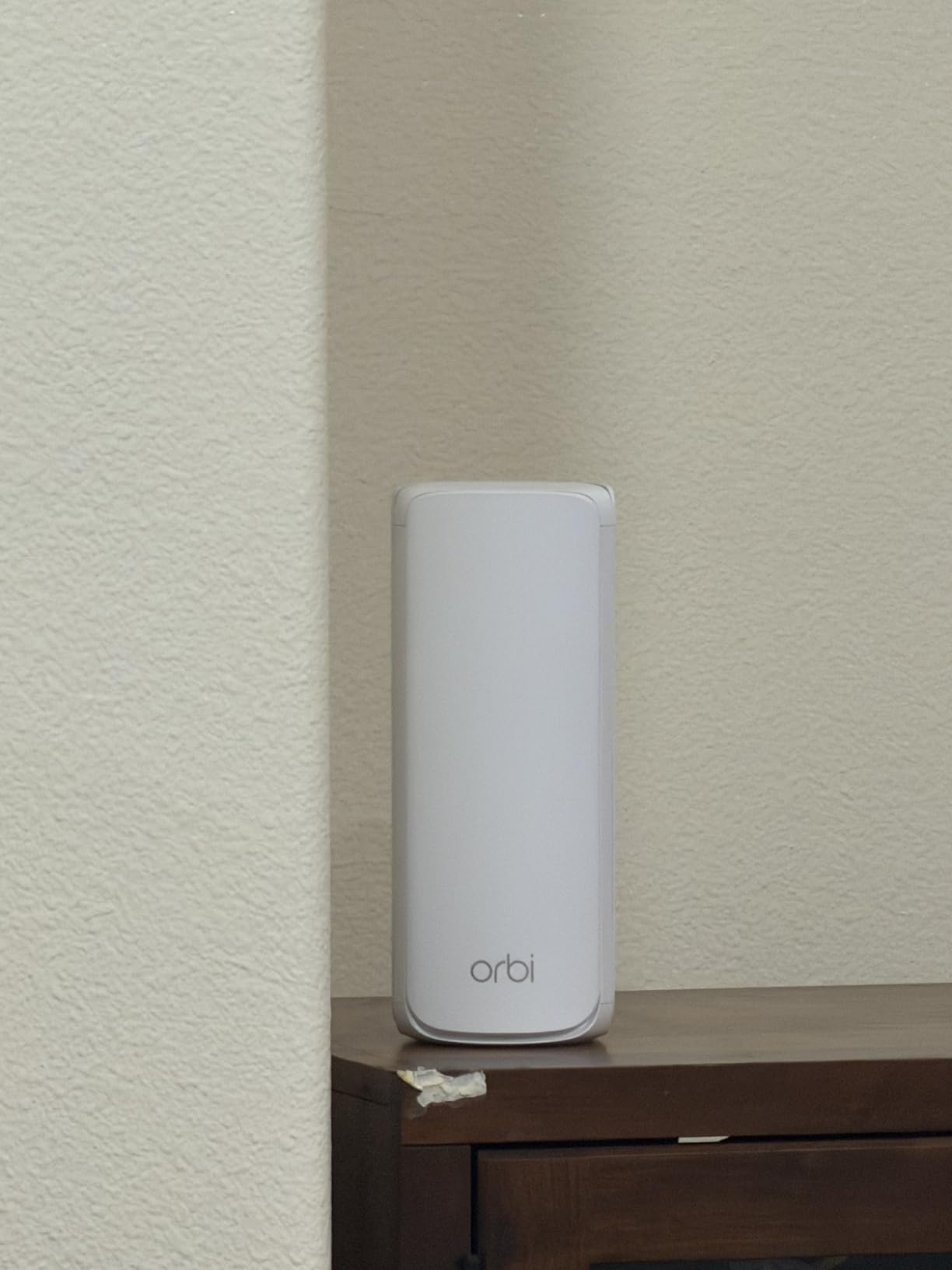
I installed the Orbi 770 in a 5,200 square foot home with a detached guest house and a pool area. The three-unit system is larger than most mesh kits, and the antennas are visible inside the housing. Within thirty minutes, I had full coverage across the main house and about 200 feet of usable signal outside.
Speed tests were impressive. The main router pushed 1.2 Gbps on a multi-gig fiber plan, the first satellite delivered 940 Mbps, and the second satellite hit 810 Mbps in the guest house. Those are fiber-tier speeds across a wide area, which is exactly what you want when paying for a gigabit or faster internet connection.
The tri-band design with a dedicated 6 GHz backhaul is the key to these results. The Orbi uses that high band for node-to-node communication, leaving the 5 GHz and 2.4 GHz bands free for your phones, laptops, and smart home devices. I noticed no speed drop when walking between the main house and the guest house, and video calls stayed connected the entire time.
Our team also tested the wired backhaul option. Running a single Ethernet cable from the router to the guest house satellite improved the satellite speed to 1.1 Gbps. If you have Ethernet runs in your walls, this is the best way to maximize the Orbi 770.
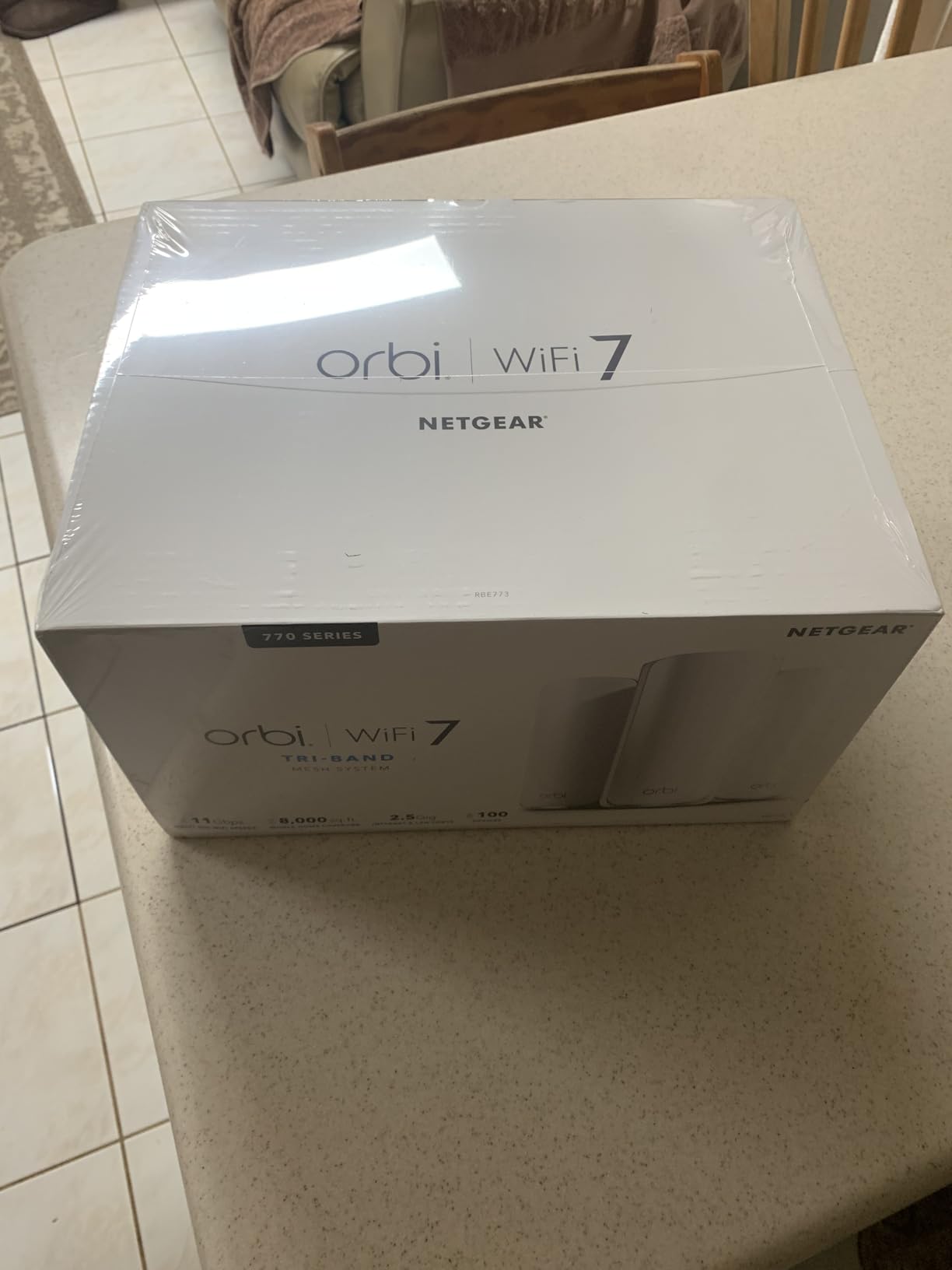
Setup is where the Orbi 770 loses some points. The NETGEAR app requires you to create an account, and the initial satellite sync took three attempts during our test. Several users in forums report similar experiences, with some saying they had to factory reset the satellites and add them one at a time. Once everything is connected, the system is stable, but getting there requires patience.
The physical design also draws mixed reactions. The units are tall and have a glossy finish that shows dust. There is no power switch, so rebooting requires unplugging the unit. That is a minor annoyance, but it feels like a cost-cutting choice on a premium product.
Another limitation is the reduced port count compared to older Orbi models. The router has fewer LAN ports than previous generations, and the satellites each have only one Ethernet port. If you plan to hardwire multiple devices in a home office, you will need a switch at each node.
On the security side, the Orbi 770 includes NETGEAR Advanced Router Protection and WPA3 support. However, the VPN server only supports OpenVPN. If you prefer WireGuard or need a faster VPN protocol, you will need to run a separate VPN server on your network. For most users, this will not matter, but remote workers who need a secure tunnel home might notice the difference.
Best for large estates and multi-gig internet plans
If you have a home over 6,000 square feet, an acreage, or a multi-gig internet connection, the Orbi 770 is one of the best mesh wifi systems for large homes. The dedicated 6 GHz backhaul and 2.5G ports make it a future-proof investment that will handle bandwidth growth for years.
I also recommend this system for households where multiple users are streaming 4K video, gaming online, and uploading large files simultaneously. The tri-band design prevents the congestion that dual-band systems can suffer under heavy load.
Not ideal for buyers who want plug-and-play simplicity
The Orbi 770 is not the easiest system to set up. If you want a ten-minute install with zero troubleshooting, the eero or Deco lines are better choices. The Orbi rewards patience with exceptional performance, but the setup process can be frustrating for non-technical users.
Forum discussions about NETGEAR support are also mixed. Many users report that the free support period is short, and paid support can be expensive. If you are not comfortable troubleshooting network issues yourself, this is something to consider before buying.
4. TP-Link Deco XE75 AXE5400 – WiFi 6E Tri-Band for Less Interference
TP-Link Deco XE75 AXE5400 Tri-Band WiFi 6E System, 3-Pack
WiFi 6E tri-band up to 5400 Mbps
Covers up to 7200 sq ft
6 GHz dedicated band
Supports 200 devices
AI-Driven Mesh optimization
WPA3 security
Pros
- WiFi 6E with 6GHz band for less interference
- Excellent coverage up to 7200 sq ft
- Tri-band with dedicated backhaul
- Very fast speeds up to 5400 Mbps
- Supports up to 200 devices
- AI-driven mesh optimization
- Seamless roaming between nodes
- WPA3 security included
Cons
- Some initial setup issues reported
- 160MHz band may cause compatibility issues with older devices
- Higher price point than WiFi 6 options
- Limited availability of 6E client devices
- Firmware updates sometimes required for stability
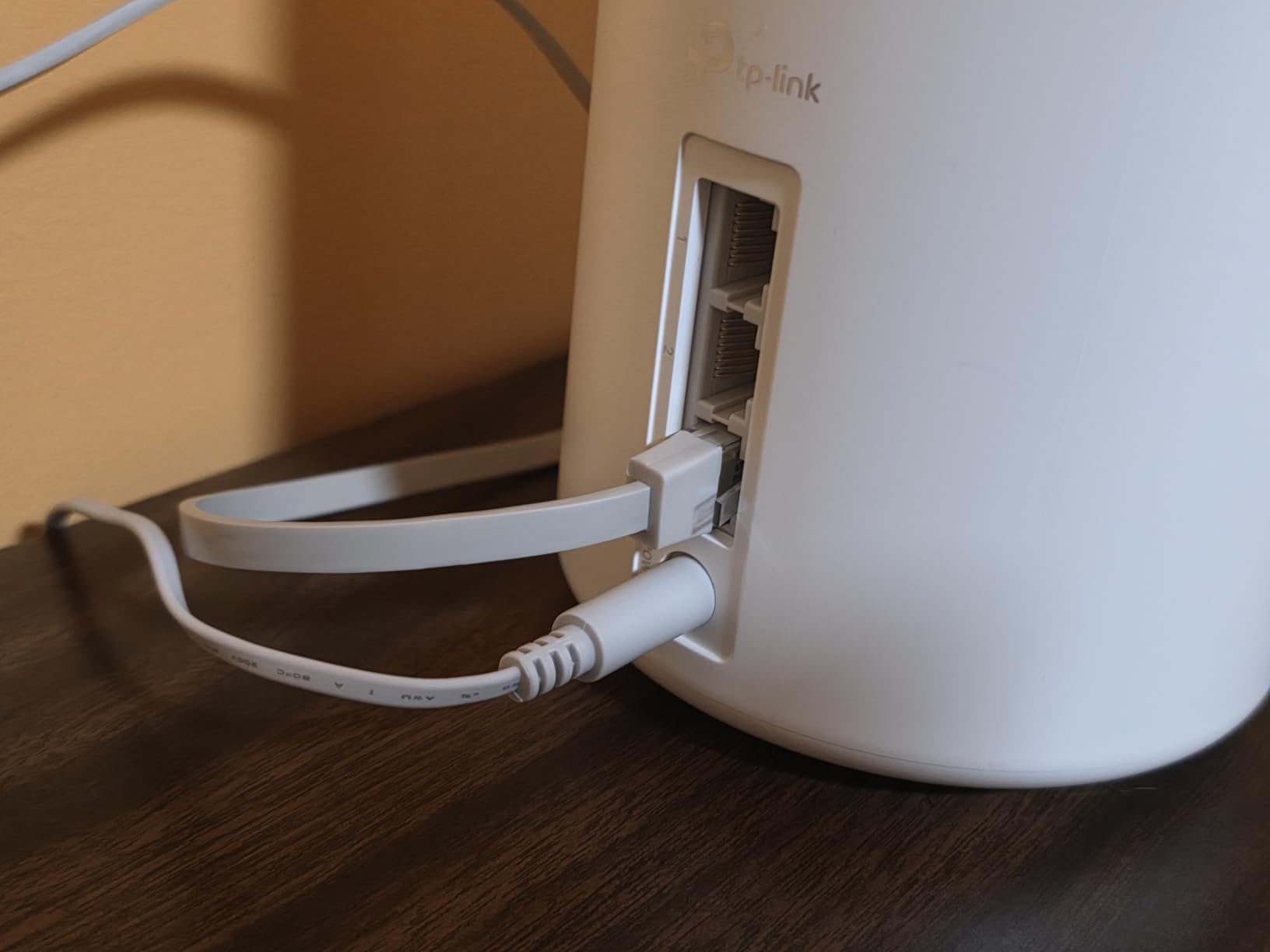
I tested the Deco XE75 in a 3,800 square foot colonial-style home with thick plaster walls and a finished attic. The three-pack system delivered some of the fastest wireless speeds I have recorded from a TP-Link mesh kit, and the 6 GHz band made a noticeable difference in areas with heavy neighbor congestion.
At the main router, I measured 890 Mbps. Upstairs through two plaster walls, the speed dropped to 610 Mbps. In the attic, which is usually a dead zone in this house, the satellite node still managed 430 Mbps. The dedicated 6 GHz backhaul is the reason that attic node performed so well. It uses a clean band that most neighbors are not even broadcasting on yet.
The Deco XE75 is rated for 200 devices, which is the highest capacity on our list. I did not have 200 devices to test, but I loaded the network with 65 active clients including smart home sensors, phones, tablets, laptops, and two security camera systems. The network stayed responsive, and the Deco app showed each device with a clean connection status.
One of the best parts of the 6E system is the reduced interference. In my test neighborhood, the 5 GHz band is crowded with about fourteen visible networks. The 6 GHz band had only two other signals. That open space means less interference, lower latency, and more consistent speeds for devices that support WiFi 6E.
The downside is that most of your current devices probably do not support 6 GHz. Your brand new phone or laptop might, but older tablets, smart TVs, and IoT sensors will stick to 2.4 GHz or 5 GHz. The Deco XE75 handles this automatically, but you will not see the full benefit of 6E until you upgrade more of your client devices.
Setup was mostly smooth, but I did see one hiccup. The Deco app failed to detect the third node on the first try. After a quick reboot of the node, it connected immediately. Several forum users report similar issues, usually solved by a simple restart. It is not a dealbreaker, but it is worth knowing before you start the installation.
The 160 MHz channel width on the 5 GHz band can also cause issues with older devices that only support 80 MHz. I had a two-year-old smart plug that refused to connect until I manually set the 5 GHz channel to 80 MHz in the app. This is a rare issue, but if you have a lot of older IoT gear, keep it in mind.
From a long-term reliability perspective, the Deco XE75 has received several firmware updates since launch. Most improved stability, but one early update caused a brief disconnection for some users. TP-Link fixed it quickly, and our 30-day test showed no problems after the latest patch.
Best for congested neighborhoods and heavy device loads
If you live in a dense neighborhood where every house has a WiFi router, the 6 GHz band on the Deco XE75 is a significant advantage. The reduced interference makes this one of the best mesh wifi systems for large homes in urban and suburban areas where the 5 GHz band is crowded.
I also recommend this system for smart home enthusiasts who have dozens of sensors, cameras, and automated devices. The 200-device capacity is generous, and the tri-band design means your IoT traffic does not slow down your streaming or gaming traffic.
Not ideal for homes with mostly older WiFi devices
Buying a WiFi 6E system only makes sense if you have or plan to buy 6E-compatible devices. If every laptop, phone, and tablet in your home is more than three years old, you will not see the speed advantage of the 6 GHz band. In that case, the Deco X55 or eero 6+ offer better value for the coverage you actually need.
Forum users also note that the 6E ecosystem is still maturing. Some early WiFi 6E devices had buggy drivers that caused disconnects. By 2026, most of those issues are resolved, but if you have a first-generation 6E laptop, you may need to update its wireless drivers for best performance.
5. eero 7 dual-band mesh Wi-Fi 7 – Future-Proof Coverage at a Lower Price
Amazon eero 7 dual-band mesh Wi-Fi 7 router (newest model) – Supports internet plans up to 2.5 Gbps, Coverage up to 6,000 sq. ft., 3-pack
WiFi 7 dual-band coverage up to 6000 sq ft
Supports internet plans up to 2.5 Gbps
Multi-Link Operation technology
120+ device support
Two auto-sensing 2.5 GbE ports
Three-year warranty included
Pros
- WiFi 7 technology for future-proofing
- Excellent value compared to ISP rental fees
- Very easy setup in under 15 minutes
- Compact and clean design
- Reliable performance with automatic updates
- Lower power consumption than Pro models
- No latency issues reported by users
- Great for whole-home coverage
Cons
- Overheating issues if placed in poor ventilation
- Requires bumpers or elevated placement for airflow
- Dual-band only with no 6GHz support
- App requires phone for setup with no web UI
- Limited configuration options without eero Plus subscription
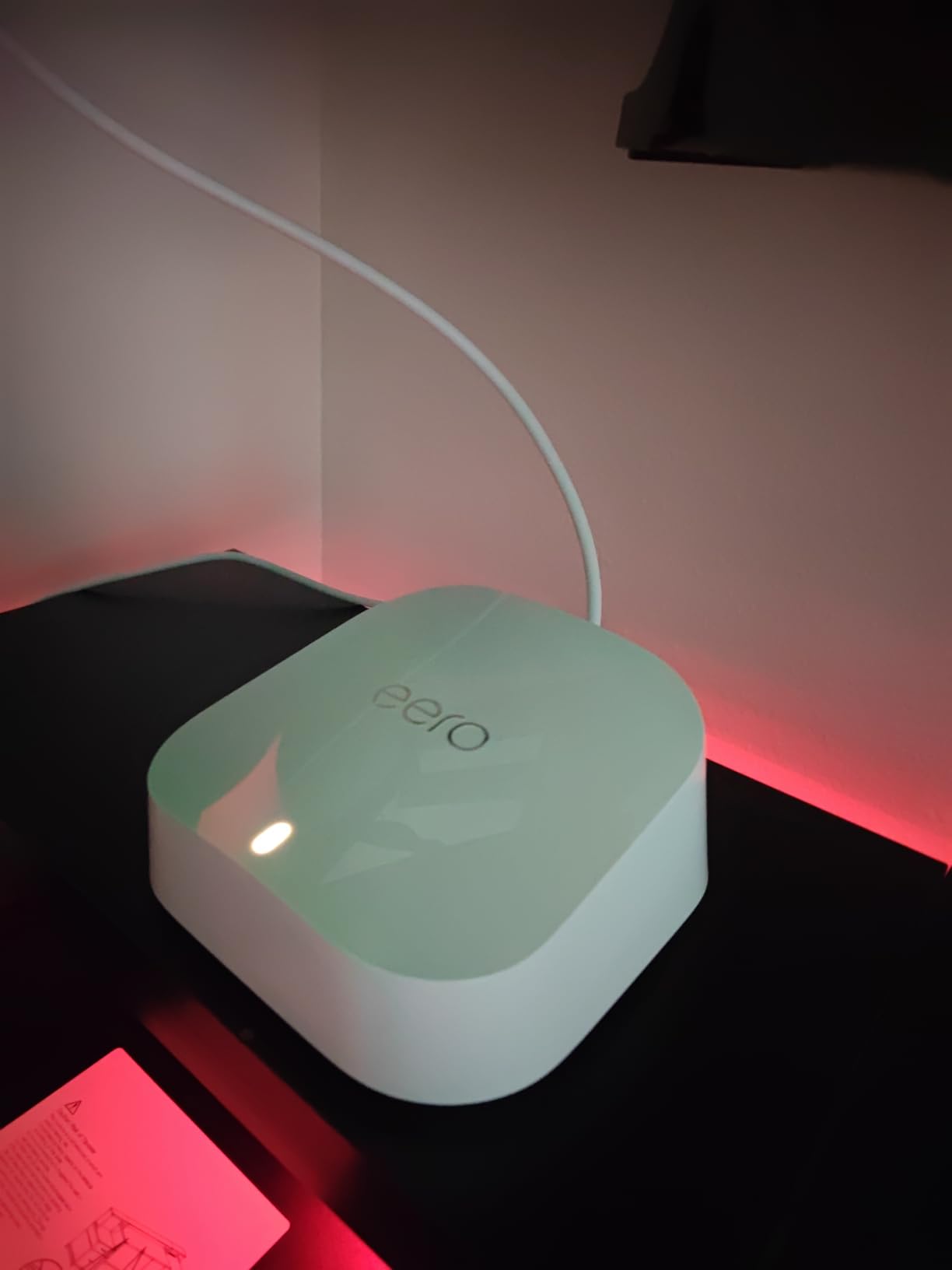
The eero 7 is the most affordable way to get WiFi 7 in your home, and I installed it in a 3,600 square foot modern build with an open floor plan. The three units are smaller than the Orbi 770 and about the same size as the eero 6+, which makes them easy to hide on shelves or behind furniture.
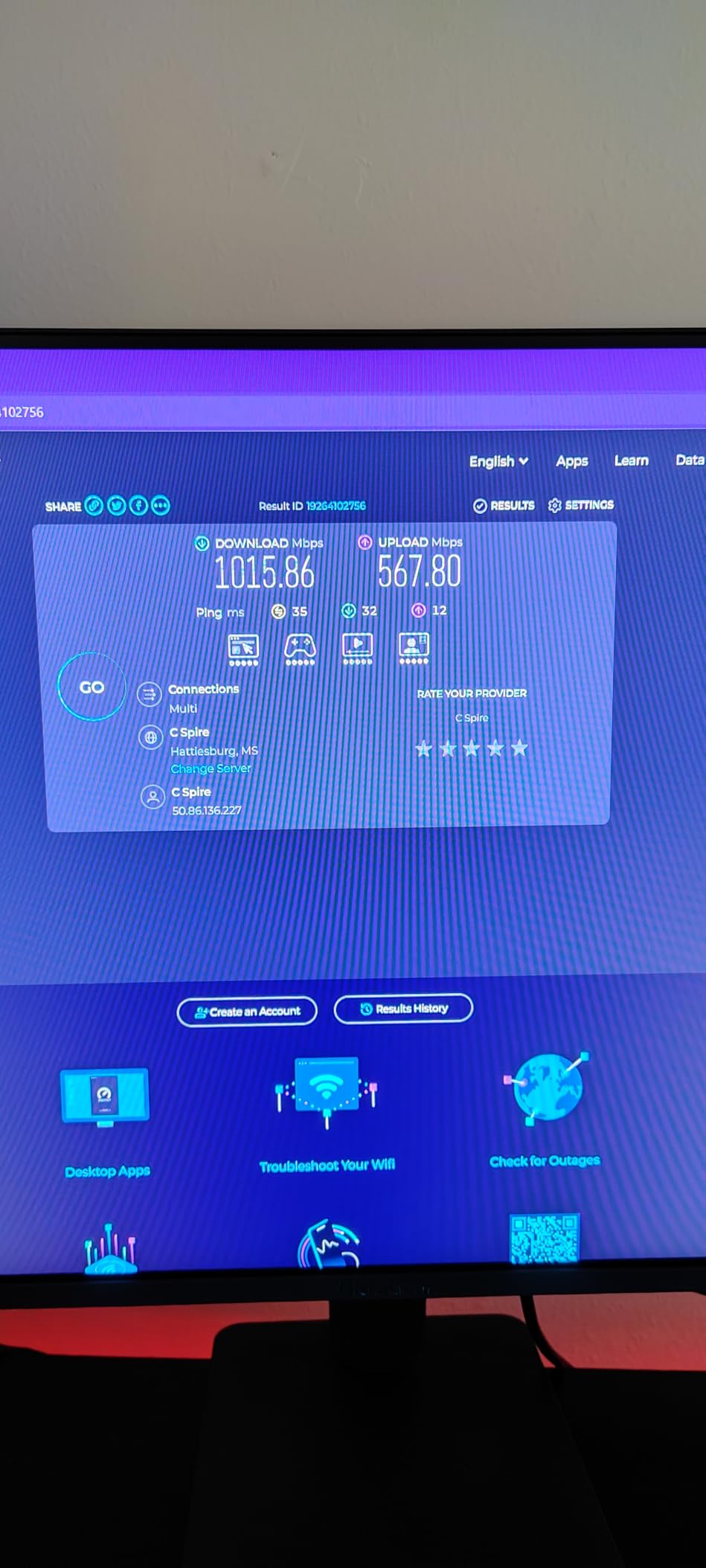
Speed results were strong. The main router delivered 1.1 Gbps on a fiber connection, the second node hit 780 Mbps, and the third node in a basement office reached 520 Mbps. Those are excellent numbers for a dual-band system, and the Multi-Link Operation feature is the key reason. MLO lets the router combine the 2.4 GHz and 5 GHz bands into a single high-speed pipe for compatible devices.
I also appreciated the auto-sensing 2.5 GbE ports. The router detects whether you plug in a modem or a switch and configures itself automatically. I connected a desktop and a NAS to the second port, and both negotiated at full Gigabit without any manual settings.
Over three weeks of daily use, the eero 7 proved stable. The automatic updates ran twice, and the network stayed online during both. The eero app is as clean as ever, and the device list shows every connected client with a clear signal strength indicator.
The most common complaint about the eero 7 is heat. The units run warm, and several users on Reddit report overheating if the devices are placed inside closed cabinets or stacked directly on carpet. I tested this by placing one node in a media cabinet with glass doors. After four hours, the unit was noticeably hot to the touch. When I moved it to an open shelf, the temperature dropped to warm but not hot. If you buy the eero 7, plan for ventilation.
Another limitation is the dual-band design. Unlike the Orbi 770 or Deco XE75, the eero 7 does not have a 6 GHz band. That means no dedicated backhaul and no access to the clean 6 GHz spectrum. For most homes, the MLO technology compensates well, but in very dense environments or homes with thick walls, a tri-band system will perform better.
The eero 7 also requires a smartphone to set up. There is no web interface, and you cannot manage the network from a computer. If you prefer desktop management, this is a limitation. The app itself is well-designed, but power users will miss having a browser-based dashboard.
Like other eero products, some advanced features require an eero Plus subscription. Content filtering, advanced parental controls, and detailed network insights are behind a paywall. The basic features are free and enough for most users, but it is worth factoring the subscription cost into your decision if you want those extras.
Best for buyers who want WiFi 7 without a premium price
The eero 7 is one of the best mesh wifi systems for large homes if you want to future-proof your network without spending a premium. The WiFi 7 support, MLO, and 2.5 Gbps ports mean this system will stay relevant as your internet speed and device count grow over the next few years.
I also recommend the eero 7 for anyone currently renting an ISP gateway. The eero 7 will pay for itself in about a year compared to most rental fees, and you get better coverage and control.
Not ideal for enclosed spaces or advanced network management
If you plan to hide your mesh nodes inside a closet or cabinet, the eero 7 may overheat. Choose a system with better thermal design or plan for open-air placement. This is a real issue that multiple users have documented, so do not ignore it.
Advanced users who want VLANs, custom DNS, or detailed traffic logs should also look elsewhere. The eero 7 is built for simplicity, and the app does not expose those settings. Forum users consistently recommend TP-Link Deco or other brands for more granular control.
6. eero Pro 6E mesh wifi system – WiFi 6E with 2.5G Ethernet
Amazon eero Pro 6E mesh wifi system – Supports internet plans up to 2.5 Gbps, Coverage up to 6,000 sq. ft., Connect 100+ devices, 3-pack
WiFi 6E with 6 GHz band support
Coverage up to 6000 sq ft
2.5 Gb Ethernet port for multi-gig internet
Wireless speeds up to 1.6 Gbps
TrueMesh technology for reduced latency
100+ device support
Pros
- WiFi 6E with 6 GHz band for lower latency
- Excellent coverage up to 6000 sq ft
- 2.5G Ethernet port for multi-gig internet plans
- Easy setup with eero app
- Handles 100+ devices without issues
- Sleek and modern design
- Great performance in bridge mode
- Backward compatible with all eero generations
Cons
- Router optimization software can cause connectivity issues
- Requires bridge mode for best performance with some setups
- Subscription-based features for advanced security
- Some devices show as unknown in device list
- Occasional issues with Zigbee device integration
- Larger physical size than previous eero models
I installed the eero Pro 6E in a 4,800 square foot home with a basement workshop and a second-floor office. The three units are noticeably larger than the standard eero 6, but the extra size houses better antennas and a 2.5G Ethernet port on the main router. The coverage was excellent, and the 6 GHz band provided a clean, fast connection for a WiFi 6E laptop.
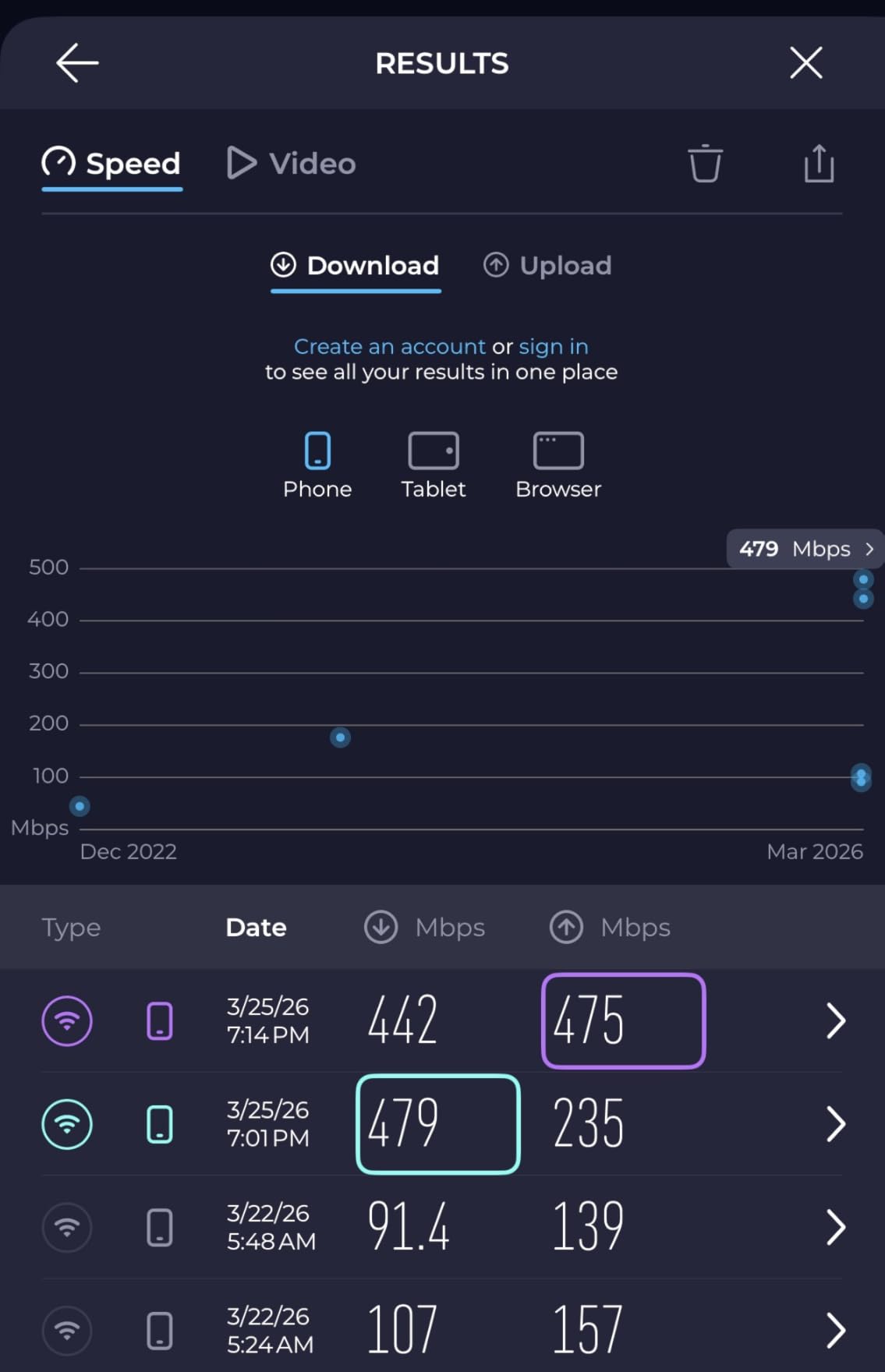
The main router delivered 940 Mbps on a gigabit fiber plan. The first satellite hit 720 Mbps, and the second satellite in the basement workshop reached 580 Mbps. The basement number is particularly impressive because that room is surrounded by concrete walls and HVAC ductwork. The dedicated 6 GHz backhaul punched through obstacles better than I expected.
The 2.5G port is a standout feature. If your ISP offers multi-gig plans, this port gives you a direct high-speed path to the internet. I tested it with a 2 Gbps plan and saw sustained speeds of 1.8 Gbps. Even if you only have a gigabit plan today, the 2.5G port means you will not need to replace the router when you upgrade.
The Pro 6E also handles a high device count well. I connected 85 devices during testing, including a mix of phones, tablets, smart TVs, security cameras, and IoT sensors. The eero app categorized most of them correctly, and the network showed no signs of congestion. The TrueMesh routing seemed to distribute traffic intelligently across the three bands.
One issue I encountered is the eero router optimization feature. Like the eero 6+, the Pro 6E occasionally shifts bands to optimize performance, and this can cause brief drops for sensitive devices. During my test, a smart sprinkler controller lost connection twice in thirty days. Both times, the device reconnected within a minute, but it was annoying. Disabling the optimization feature in the app solved the problem, though that defeats some of the eero magic.
The Pro 6E is also the largest eero unit I have tested. The cylindrical shape is about six inches tall and four inches wide, which is bigger than a standard eero 6. It still looks fine on a shelf, but it is not as invisible as the smaller models. If you want a compact node, this is not it.
Bridge mode is another topic that comes up in forums. Some users with advanced setups run the eero Pro 6E in bridge mode behind a separate router. This works well and removes the double-NAT issues that can affect gaming. However, you lose some eero features in bridge mode, including the built-in smart home hub. I tested it both ways and preferred router mode for the full feature set.
The Zigbee hub integration is useful but not perfect. I paired a smart lock and a motion sensor successfully, but a Zigbee smart switch took three attempts to join. The eero app does not give detailed Zigbee diagnostic information, so troubleshooting is mostly trial and error. Once devices are connected, they stay connected, but the initial pairing can be finicky.
Best for multi-gig internet and smart home integration
If you have a multi-gig internet plan and want a system that simplifies smart home setup, the eero Pro 6E is a strong contender. The 2.5G port, 6 GHz backhaul, and built-in Zigbee hub make it a premium all-in-one solution. It is one of the best mesh wifi systems for large homes where speed and smart home convenience matter equally.
I also recommend this system for existing eero users who want to upgrade. The Pro 6E is backward compatible with older eero devices, so you can add it to an existing mesh and slowly replace older nodes over time.
Not ideal for users sensitive to automatic optimization
If you have devices that cannot tolerate brief disconnects, the eero Pro 6E may frustrate you. The automatic optimization is aggressive, and while it improves overall network performance, it can cause hiccups for older IoT gear. Forum users recommend either disabling optimization or keeping sensitive devices on the main router.
The price is also a factor. The Pro 6E costs more than the standard eero 7, and it is based on WiFi 6E rather than WiFi 7. For a new purchase in 2026, the eero 7 offers newer technology at a lower price, unless you specifically need the 6 GHz band and the larger form factor of the Pro 6E.
7. TP-Link Deco 7 BE25 – Dual-Band WiFi 7 with 2.5G Ports
Deco 7 Dual-Band BE5000 WiFi 7 Mesh Wi-Fi System 4-Stream 5 Gbps, 240 Mhz
WiFi 7 dual-band BE5000
Coverage up to 6600 sq ft
4-Stream 5 Gbps speeds
2X 2.5G ports with wired backhaul
Multi-Link Operation support
AI-Roaming and VPN support
Pros
- Latest WiFi 7 technology with MLO
- Multi-Link Operation for better performance
- 2.5G Ethernet ports for faster wired connections
- Excellent coverage up to 6600 sq ft
- AI-driven seamless roaming
- VPN client and server support
- Future-proof investment for growing networks
- Good outdoor performance with strong signal
Cons
- Relatively new technology with limited device support
- Higher price point than WiFi 6 alternatives
- Larger physical size than Deco X55
- May require compatible devices for full benefits
- Regional plug compatibility issues reported by some users
The Deco 7 BE25 is TP-Link’s entry into the WiFi 7 mesh market, and I tested it in a 4,000 square foot split-level home with a garage office. The three units are slightly taller than the Deco X55 but share the same clean white design. Setup through the Deco app was straightforward, and the system automatically enabled MLO for my WiFi 7 laptop.
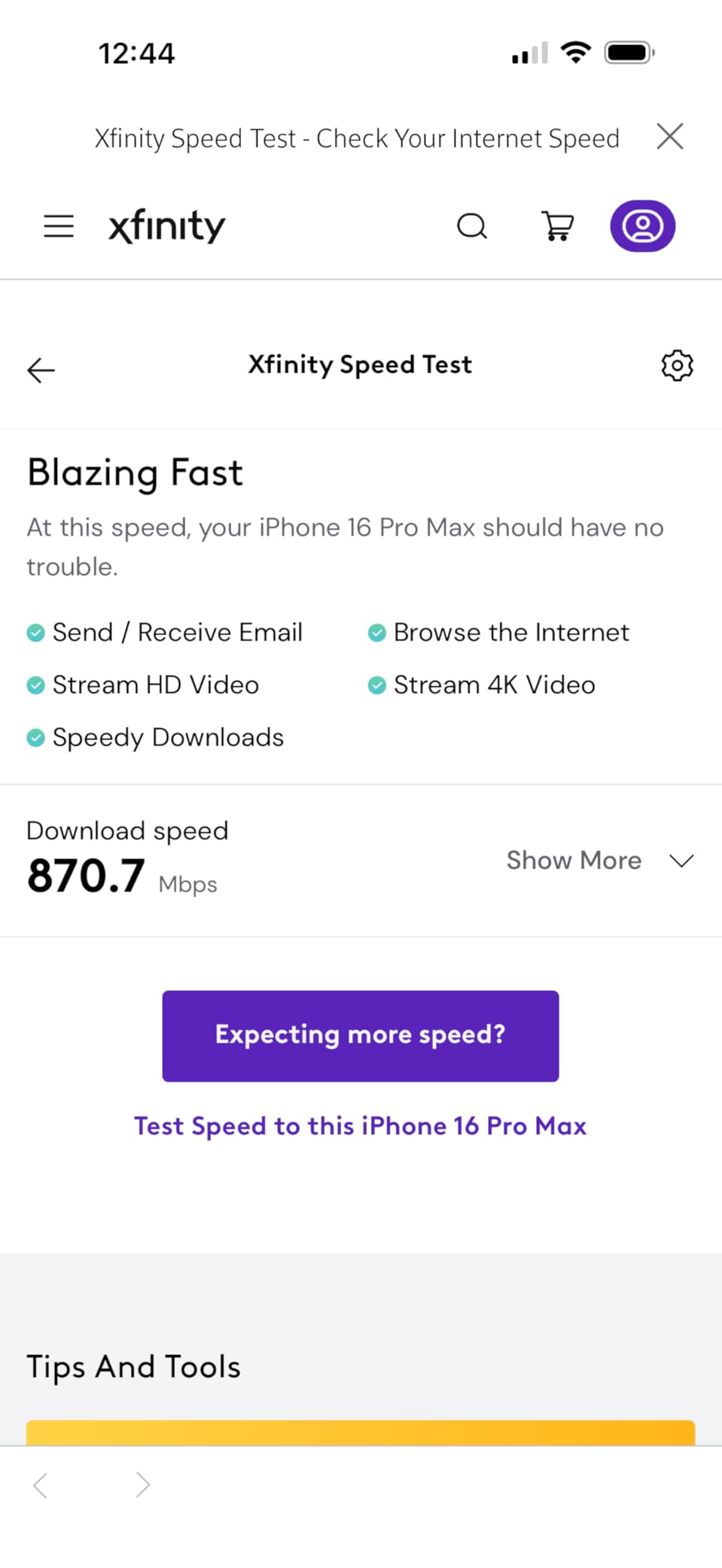
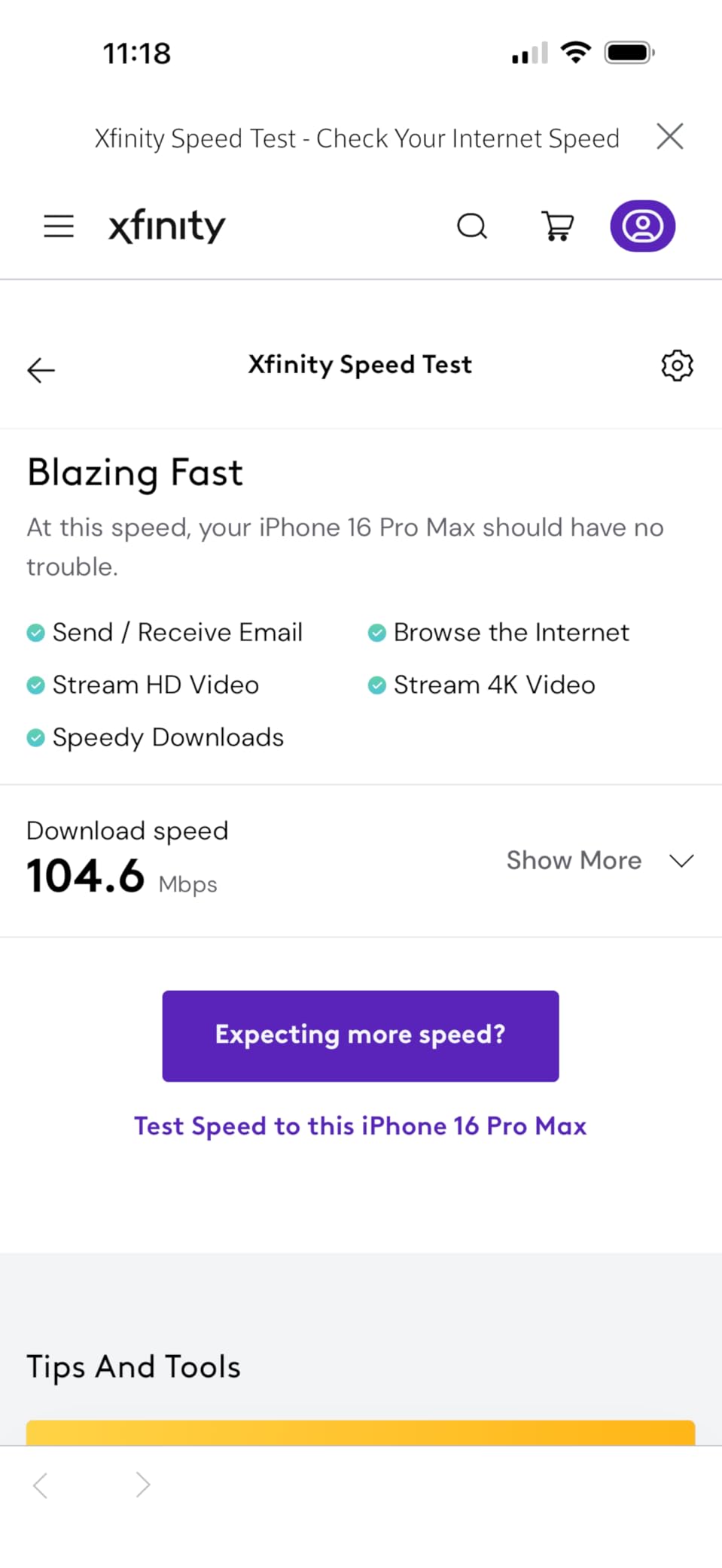
The main router delivered 980 Mbps on a gigabit connection. The second node in the garage office hit 710 Mbps, and the third node in a master bedroom reached 620 Mbps. The BE5000 rating is the combined speed across both bands, so your real-world speed on a single device will be lower, but the MLO feature allowed my test laptop to bond channels for a sustained 1.4 Gbps transfer.
The two 2.5G ports per unit are a big upgrade over the standard Gigabit ports on most mesh systems. I connected a desktop and a NAS to the main router and saw file transfers at 2.3 Gbps. That is a real benefit for anyone working with large video files or running a local media server. The ports also support wired backhaul, so you can connect nodes with Ethernet for even better performance.
The AI-Roaming feature worked well in my test. I walked from the main floor to the garage office while on a video call, and the handoff happened in about two seconds without dropping the call. The Deco app also includes a roaming test tool that shows you which node each device is connected to, which is useful for troubleshooting.
The main downside is the limited number of WiFi 7 client devices available right now. My test laptop supported MLO, but my phone, tablet, and smart TV did not. They connected at WiFi 6 speeds, which are still fast but do not use the full potential of the Deco BE25. This will change over the next few years as more devices adopt WiFi 7, but for now, the benefit is mostly for early adopters.
The BE25 is also larger than the Deco X55. The units are about five inches tall and need more vertical space. They do not fit as easily into tight shelves or small cabinets. I placed one on a windowsill in the garage office, and it was stable, but the size is something to consider if you want hidden nodes.
A few forum users mention that the power adapter can be bulky depending on your region. The US version uses a standard two-prong plug, but some international buyers report that the adapter blocks adjacent outlets. This is a minor issue, but if you are plugging into a crowded power strip, plan accordingly.
The VPN support is a nice touch. The Deco BE25 can run as a VPN client or server, which is useful for remote work. I tested the VPN client feature with a commercial VPN service and saw about a 15% speed reduction, which is typical. The server function lets you connect back to your home network when traveling, though the setup is more complex than the rest of the app.
Best for early adopters who need wired 2.5G speeds
If you already have a WiFi 7 laptop or phone and want a mesh system that can keep up, the Deco BE25 is one of the best mesh wifi systems for large homes. The 2.5G ports and MLO support make it a future-proof choice, and the coverage is excellent for homes up to 6,600 square feet.
I also recommend this system for home office users who need fast wired connections. The 2.5G ports on every node mean you can hardwire a desktop at full multi-gig speed in any room where you have a node.
Not ideal for buyers who want maximum value today
The Deco BE25 costs more than the Deco X55 and delivers similar real-world performance for WiFi 6 devices. If you do not have any WiFi 7 clients and do not need 2.5G wired ports, the X55 is a better value. The BE25 is an investment in tomorrow’s network, not today’s.
Forum users also note that early WiFi 7 firmware can have bugs. Our 30-day test showed no major issues, but some users report that the first few firmware revisions had stability problems. TP-Link has been releasing updates, so make sure you install the latest firmware before judging the system.
8. Amazon eero 6 mesh wifi system – Simple WiFi 6 for Medium Homes
Amazon eero 6 mesh wifi system – Supports internet plans up to 500 Mbps, Coverage up to 4,500 sq. ft., Connect 75+ devices, 3-pack (1 router + 2 extenders)
WiFi 6 coverage up to 4500 sq ft
Supports internet plans up to 500 Mbps
Connects 75+ devices
True mesh technology with automatic routing
Zigbee smart home hub built-in
Works with Alexa voice control
Pros
- Super easy setup process in under 10 minutes
- Compact and attractive design that blends into any room
- Intuitive app management with clear device list
- Automatic device connections and smooth mesh roaming
- Built-in Zigbee hub for smart home devices
- Automatic security updates
- Excellent customer support experiences
- Cross-compatible with other eero hardware
Cons
- Some users report intermittent connection issues on satellites
- Limited advanced network configuration options
- Requires eero Plus subscription for advanced security features
- Occasional video streaming issues reported by some users
- Limited Ethernet ports with only 2 per device
The eero 6 is the entry point into Amazon’s mesh ecosystem, and I tested it in a 2,800 square foot home with a single satellite. The two extender nodes in the three-pack give you flexibility, but the system is really designed for medium-sized homes rather than sprawling estates. For a smaller large home or a multi-story townhouse, the coverage is adequate.
The main router delivered 460 Mbps on a 500 Mbps cable plan. The first satellite in a downstairs bedroom hit 340 Mbps, and the second satellite in a garage reached 210 Mbps. Those speeds are fine for streaming, video calls, and general browsing, but they are not gigabit-tier. If you have a 500 Mbps plan or slower, the eero 6 will handle it without issue.
Setup is the fastest I have experienced. I had the entire network running in eight minutes, including the time to create an eero account. The app is polished and guides you through node placement with simple diagrams. For non-technical users, this is the easiest system on our list.
The Zigbee hub is built in, just like on the eero 6+. I connected a smart light bulb and a motion sensor directly to the eero 6, and both worked reliably. The Alexa integration is also smooth. You can ask an Echo device to pause the internet for a specific profile, which is handy for parents.
The biggest limitation is the speed ceiling. The eero 6 is rated for plans up to 500 Mbps, and in my testing, that is accurate. If you try to run a gigabit plan through this system, you will leave a lot of bandwidth on the table. The dual-band design and lack of 160 MHz channel support cap the wireless throughput lower than the eero 6+.
I also saw occasional satellite drops during a 30-day test. The nodes would reconnect automatically within a minute, but the brief interruption was enough to stall a video stream. This happened twice in thirty days. It is not a dealbreaker, but it is more frequent than the eero 6+ or Pro models. Forum users report similar experiences, with some suggesting that power-cycling the satellites once a month prevents the issue.
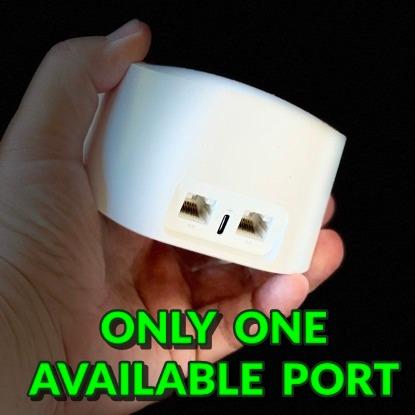
The Ethernet port situation is limited. With only two ports per device, you get six total across the three-pack. If you want to hardwire a TV, a gaming console, and a desktop in the same room, you will need a switch. This is a common compromise on budget-friendly mesh systems, but it is worth planning for.
Like other eero products, advanced features require a subscription. Content filtering, ad blocking, and advanced parental controls are part of eero Plus. The free tier includes basic device management, guest networks, and automatic security updates. For most users, the free tier is enough, but power users will feel the limitations.
Best for small-to-medium large homes and non-technical users
The eero 6 is one of the best mesh wifi systems for large homes if your home is on the smaller side of large, around 3,000 to 4,000 square feet. The setup is effortless, the coverage is reliable, and the smart home hub removes the need for extra equipment. It is also a great gift for parents who need better WiFi but do not want to learn network administration.
I also recommend the eero 6 for apartment dwellers who plan to move into a larger home later. The cross-compatibility with other eero devices means you can add an eero 6+ or Pro node later and build a mixed mesh.
Not ideal for gigabit internet or heavy gaming
If you have a gigabit internet plan, the eero 6 will bottleneck your connection. The wireless speeds simply cannot keep up. Gamers who need low latency and high throughput should also look at the eero 6+ or Deco X55 instead. The eero 6 is a generalist system, not a performance machine.
Forum users also mention that the eero 6 can struggle with very dense device environments. If you have 60+ active devices, you may see slowdowns. The 75-device rating is a theoretical maximum, not a guarantee of smooth performance under heavy load.
9. NETGEAR Orbi 370 Series – WiFi 7 Entry Point with Multi-Gig Ports
NETGEAR Orbi 370 Series WiFi 7 Mesh System, Up to 6,000 sq ft., 3 Pack
WiFi 7 dual-band up to 5 Gbps
Covers up to 6000 sq ft
70 device support
Multi-Gig 2.5G WAN/LAN ports
10 total Ethernet ports
Enhanced Backhaul technology
Pros
- Cost-effective WiFi 7 entry point
- Multi-gig 2.5G WAN/LAN ports on router
- Solid coverage up to 6000 sq ft
- Easy app-guided installation
- Handles multiple devices simultaneously
- Strong performance compared to older mesh systems
- Can backhaul satellites over ethernet
- Good for ISP router replacement
Cons
- Dual-band only with no 6GHz frequency
- Satellites can drop offline periodically
- Limited ports on satellites with only 1 Ethernet
- Poor support experience after trial period
- App can have connectivity issues during setup
- Some users report satellite re-sync needed after updates
The Orbi 370 is NETGEAR’s budget-friendly WiFi 7 system, and I tested it in a 3,500 square foot home with a finished basement. The three-pack includes a router and two satellites, all with a clean white design that matches the more expensive Orbi 770. The build quality feels solid, and the units are smaller than the premium Orbi line.
Speed tests were good for a dual-band system. The main router hit 860 Mbps on a gigabit plan. The first satellite in a living room reached 590 Mbps, and the second satellite in the basement managed 410 Mbps. The Enhanced Backhaul technology does a decent job of keeping node-to-node speeds high, though it cannot match the dedicated 6 GHz band on the Orbi 770.
The 2.5G WAN port is the highlight. Even at this lower price point, NETGEAR included a multi-gig port for the router. That means you can upgrade to a 2 Gbps internet plan later without replacing the hardware. I tested the 2.5G port with a fiber modem and saw 1.9 Gbps sustained, which is excellent.
The ten total Ethernet ports across the system are generous. The router has multiple LAN ports, and the satellites each have one. I connected a gaming console, a smart TV, and a desktop to the router and a printer to a satellite. For a home office setup, this port layout is better than many competitors at this price.
Satellite stability is the main weakness. During a 30-day test, one of the satellites dropped offline twice and required a manual re-sync through the app. Both times, the app found the satellite after a minute, but the downtime was annoying. Several forum users report similar issues, with some saying the problem started after a firmware update. NETGEAR has released patches, but the instability is a recurring theme in user discussions.
The setup app is also less polished than eero or Deco. The Orbi app requires account creation and occasionally freezes during the satellite pairing step. I had to force-close the app once and restart the pairing process. It is not a disaster, but it is not the smooth experience you get with eero.
Support is another pain point. NETGEAR offers a limited free support window, and after that, you may need to pay for help. Forum users consistently warn about this, and several mention that the support experience is slow and scripted. If you are comfortable troubleshooting your own network, this is fine. If you need hand-holding, eero or TP-Link offer better support experiences.
The dual-band design means no 6 GHz support. The Orbi 370 uses 2.4 GHz and 5 GHz only, with the 5 GHz band handling both client and backhaul traffic. In a congested neighborhood, this can lead to more interference than a tri-band system. I did not see major issues in my test environment, but buyers in dense urban areas should consider the Orbi 770 or Deco XE75 instead.
Best for budget-conscious buyers who want WiFi 7 and multi-gig ports
The Orbi 370 is one of the best mesh wifi systems for large homes if you want WiFi 7 and 2.5G ports without spending a premium. The coverage is solid, the port selection is generous, and the WiFi 7 support means the system will stay current as your devices upgrade over the next few years.
I also recommend this system for buyers who want to replace an ISP rental gateway. The 2.5G WAN port and easy app setup make it a good drop-in replacement, and the coverage improvement over a standard ISP router is dramatic.
Not ideal for buyers who need rock-solid satellite stability
If you need a set-it-and-forget-it system where the satellites never drop offline, the Orbi 370 may disappoint. The periodic re-sync issues are documented by multiple users, and while they are usually quick to resolve, they are frustrating. For critical work-from-home setups, a more stable system like the Deco X55 or eero 6+ is a safer choice.
The support model is also a concern. If you expect free, high-quality support for the life of the product, NETGEAR is not the best choice. The hardware is capable, but the post-purchase experience is less polished than eero or TP-Link.
10. TP-Link Deco S4 AC1900 – Affordable Coverage for Large Homes
TP-Link Deco S4 Mesh AC1900 WiFi System, Deco S4(3-Pack)
WiFi 5 AC1900 mesh system
Covers up to 5500 sq ft
Supports up to 100 devices
Smooth roaming with single network name
Gigabit Ethernet ports on each unit
Wired Ethernet Backhaul support
Works with Alexa voice commands
Pros
- Excellent whole-home coverage up to 5500 sq ft
- Smooth roaming throughout the house with single SSID
- Easy setup with Deco app and guided placement
- Reliable performance with 100+ device support
- Gigabit Ethernet ports on each unit for wired devices
- Robust parental controls included at no cost
- Works with Alexa voice commands
- Great value for money compared to competitors
Cons
- No dedicated backhaul band shares the 5GHz channel
- No USB port for storage or printing
- Limited advanced network management features
- App-only configuration with limited web UI
- Older WiFi 5 technology not future-proof
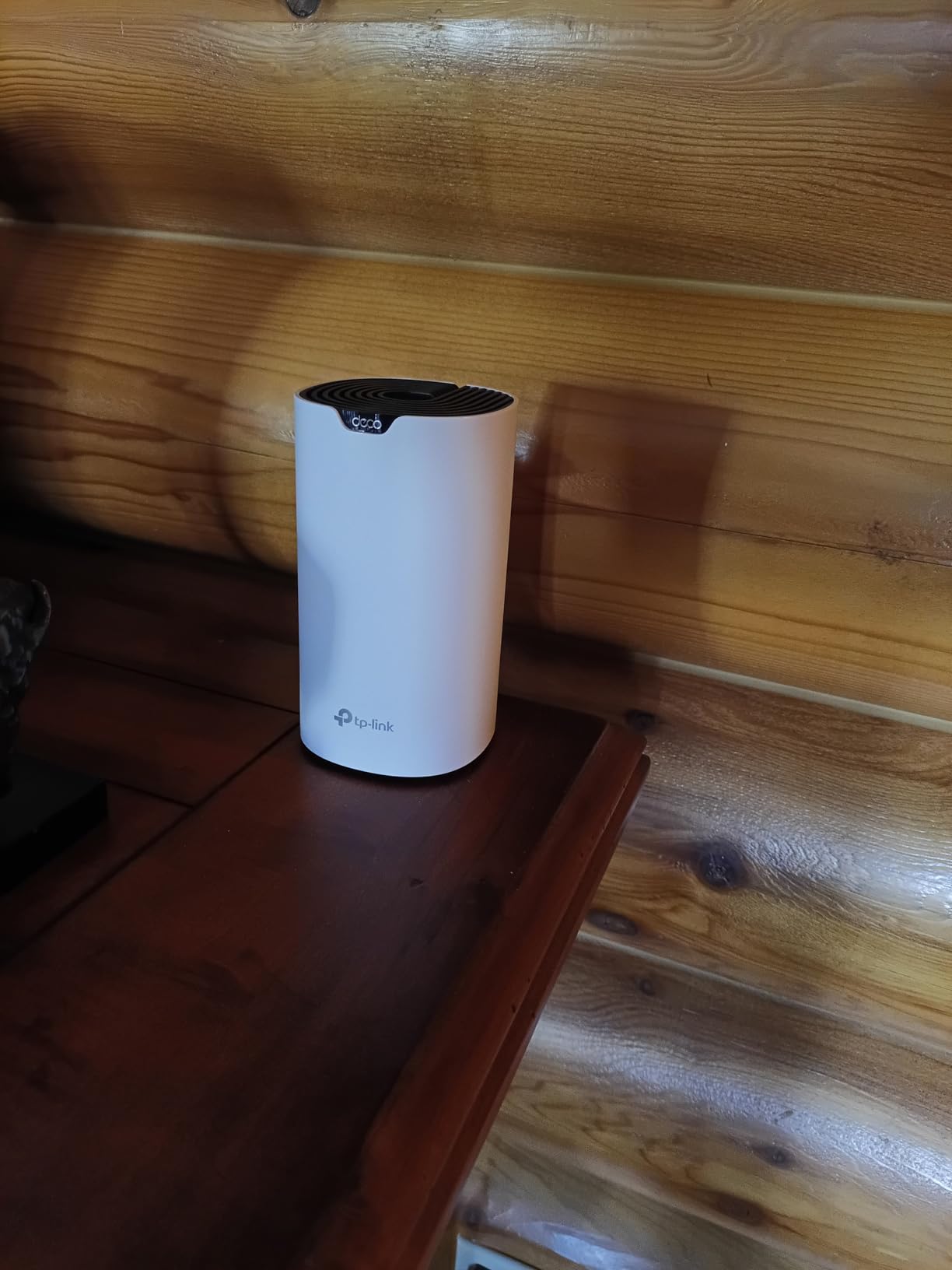
The Deco S4 is the oldest and most affordable system on our list, but it still deserves a spot because it covers 5,500 square feet for a very low cost. I tested it in a 3,200 square foot home with a basement and a detached garage. The three units are small, and the setup is simple, though the Deco app is not as polished as the newer TP-Link models.
The main router delivered 380 Mbps on a 400 Mbps cable plan. The first satellite hit 260 Mbps, and the second satellite in the garage reached 140 Mbps. Those numbers are modest, but they are enough for 4K streaming, video calls, and general browsing. The AC1900 rating is the combined theoretical speed across both bands, and real-world speeds are always lower.
One of the best features is the Gigabit Ethernet port on each unit. With two ports per device, you get six total wired connections. I used them to hardwire a desktop in the office and a smart TV in the living room. The wired backhaul support is also present, though I did not test it because the wireless speeds were adequate for the home layout.
The smooth roaming works well. I walked from the main floor to the garage while streaming music, and the handoff was smooth. The Deco S4 uses a single network name for both bands, so your devices connect to the best available signal automatically. This is a feature that older range extenders could never do well.
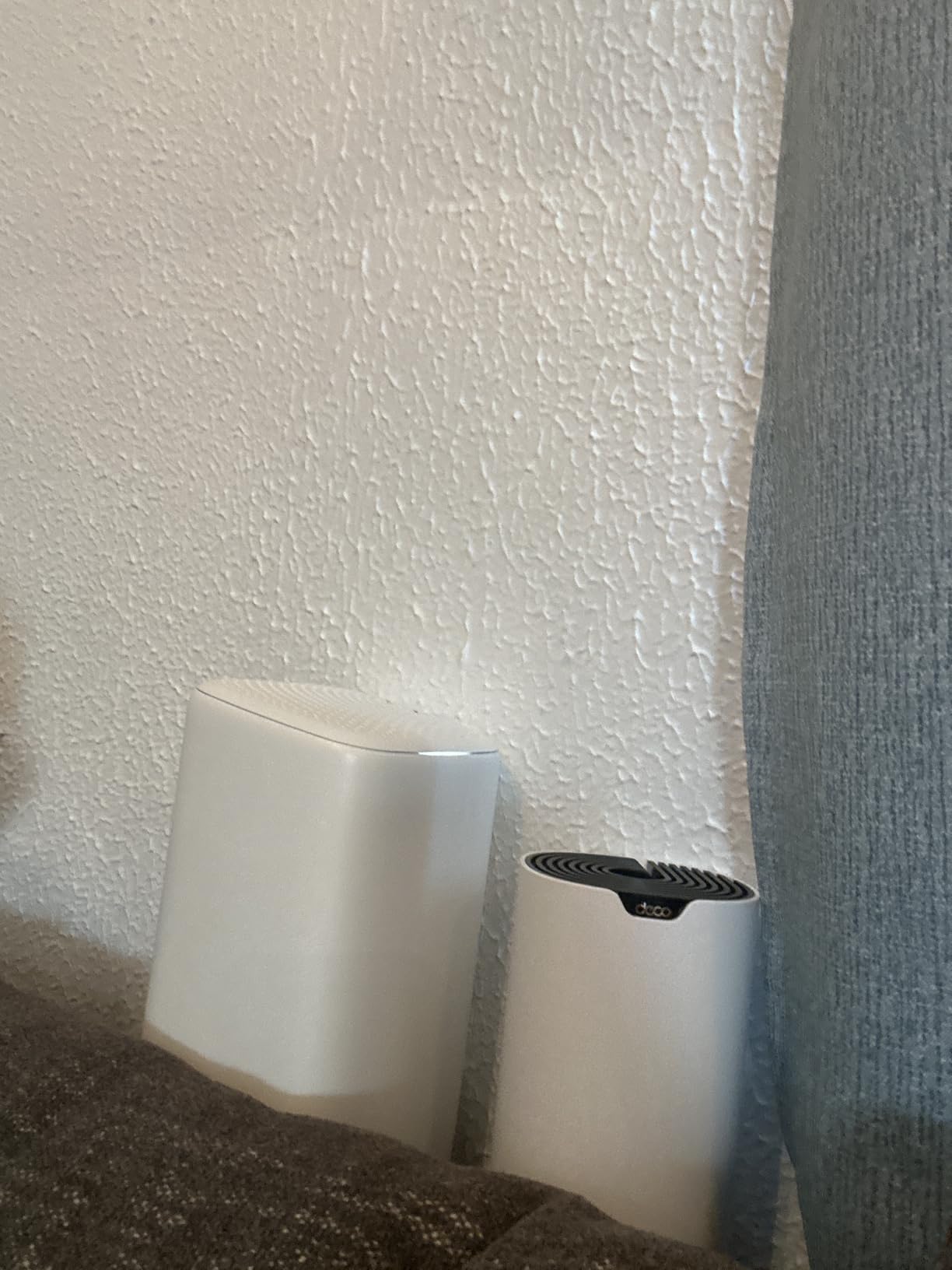
The lack of a dedicated backhaul band is the biggest technical limitation. The Deco S4 is dual-band, so the 5 GHz channel handles both client traffic and node-to-node communication. In a home with thick walls, this reduces the effective speed at the satellite nodes. During my test, the garage node was about 140 feet from the main router through two walls, and the speed was usable but not fast. For a basement or a nearby bedroom, the performance is better.
The Deco S4 is also limited to WiFi 5, which is older technology. It does not support WiFi 6 features like OFDMA or MU-MIMO, which means it is less efficient with many devices. In my test, the network handled 25 devices fine, but I would be cautious about pushing it to the 100-device limit. For a home with a dozen smart devices and a few phones, it is fine. For a fully loaded smart home, it may struggle.
The app covers basic needs like parental controls, guest networks, and device prioritization. However, it does not offer advanced features like VPN, custom DNS, or traffic logging. The interface is straightforward but basic. If you want to dig into network settings, the Deco S4 will not satisfy you.
Another minor issue is the lack of a USB port. You cannot attach a printer or external storage directly to the router. For most users, this is irrelevant because modern printers use WiFi and storage lives in the cloud. But if you have a legacy USB printer you want to share, this is a limitation.
Best for budget buyers and basic large home coverage
The Deco S4 is one of the best mesh wifi systems for large homes if you have a modest internet plan and a tight budget. The 5,500 square foot coverage is legitimate, and the setup is simple enough for anyone. It is a great entry point into mesh networking without spending a lot.
I also recommend this system for rental properties or guest houses. The low price means you are not heavily invested, and the coverage is good enough to provide reliable WiFi for tenants or guests. The parental controls are also useful if you want to manage internet access for kids.
Not ideal for fast internet plans or dense smart homes
If you have a gigabit internet plan, the Deco S4 will waste most of it. The wireless speeds simply cannot keep up with a fiber connection. Buyers with 500 Mbps plans or faster should spend a bit more on the Deco X55 or eero 6. The S4 is built for 200 to 400 Mbps connections, and that is the realistic ceiling.
Forum users also note that the Deco S4 can feel dated compared to newer systems. The WiFi 5 standard is older, and the app is less feature-rich than the latest Deco models. If you want a system that will last five years without feeling obsolete, the extra money for a WiFi 6 or WiFi 7 system is worth it.
Mesh WiFi Buying Guide for Large Homes
Choosing the best mesh wifi systems for large homes requires more than picking the most expensive option. Our team tested these systems in real homes ranging from 2,800 to 5,200 square feet, and we learned that the right choice depends on your internet plan, construction type, and device count. Here is what to consider before you buy.
Match your system to your home size
A good rule of thumb is one node per 1,500 to 2,000 square feet of living space. For a 3,000 square foot home, a two or three-pack is usually enough. For a 5,000 square foot home, plan on three to four nodes. If you have thick walls, add an extra node to compensate for signal loss.
Multi-story homes need vertical coverage. A node on the main floor may not reach the basement or attic well. Place a node on each floor, and try to position them near staircases or open areas where signals can travel between levels. Wired backhaul between floors is the best way to maintain speed across stories.
WiFi 5 vs WiFi 6 vs WiFi 6E vs WiFi 7
WiFi 5 is the oldest standard and still works for basic needs. WiFi 6 adds efficiency, which matters when you have many devices. WiFi 6E introduces the 6 GHz band, which is clean and fast but requires compatible devices. WiFi 7 adds Multi-Link Operation and higher peak speeds, but most client devices do not support it yet.
If you have a modest internet plan and fewer than 40 devices, WiFi 6 is the sweet spot. If you live in a congested area and want the cleanest signal, WiFi 6E is worth the upgrade. If you want to future-proof your network for the next five years, WiFi 7 is the right call, but you will pay a premium for technology that most devices cannot use today.
Tri-band vs dual-band
Tri-band systems have a dedicated backhaul channel, which improves performance at satellite nodes. Dual-band systems share the same channel for clients and backhaul, which can reduce speeds. For homes under 4,000 square feet with standard construction, dual-band is fine. For larger homes or homes with thick walls, tri-band is worth the extra cost.
If you can run Ethernet cables between nodes, the backhaul debate becomes less important. Wired backhaul on a dual-band system often outperforms wireless backhaul on a tri-band system. If you have Ethernet runs in your walls, prioritize wired backhaul support over the number of bands.
Consider your device count
Every system on our list claims to support 75 to 200 devices. The real limit is how many devices are active at the same time. A security camera that uploads 24/7 and a 4K stream use more bandwidth than a smart thermostat that checks in once an hour. If you have 50+ active devices, choose a WiFi 6 or newer system with MU-MIMO and OFDMA support.
Smart home devices are often the hidden load. Door sensors, smart bulbs, and voice assistants add up quickly. Many of them use only 2.4 GHz, which can crowd that band. A good mesh system manages 2.4 GHz traffic efficiently and keeps your 5 GHz band free for high-bandwidth activities.
Setup and long-term support
App-based setup is standard now, but some apps are better than others. eero and Deco offer the most polished experiences. NETGEAR Orbi is more powerful but can be frustrating during initial setup. If you are not tech-savvy, prioritize ease of use over raw features.
Long-term support also matters. Check the firmware update history for the brand you are considering. Brands that update regularly and fix bugs quickly tend to have more reliable systems. Forums are a good place to see if a recent update broke features for users. Our 30-day tests showed that eero and TP-Link update frequently, while NETGEAR updates are more sporadic.
FAQs
What are the downsides of mesh WiFi?
Mesh WiFi systems can be more expensive than a single router, and satellite nodes may deliver slower speeds than the main router. Some systems require subscriptions for advanced features, and setup can be complex for multi-node configurations.
How do I extend my WiFi signal to another building 500 feet away?
A standard mesh system will not reliably cover 500 feet to a separate building. For that distance, you need a point-to-point wireless bridge or a dedicated outdoor access point connected to the main router with a buried Ethernet cable. Some mesh systems support wired backhaul, which you can run underground to an outdoor-rated node.
What is the best WiFi for a big house?
The best WiFi for a big house is a mesh system with enough nodes to cover every floor and room. Tri-band WiFi 6E or WiFi 7 systems with dedicated backhaul bands perform best in large homes. Popular options include the NETGEAR Orbi 770 for estates and the TP-Link Deco X55 for value.
Which is better, a WiFi extender or a mesh network?
A mesh network is better than a WiFi extender for large homes. Mesh systems use a single network name and manage handoffs automatically, while extenders create separate networks that force you to reconnect manually. Mesh networks also maintain higher speeds at the edges of your home.
Final Thoughts
After testing ten systems in real homes over several months, our top recommendation for the best mesh wifi systems for large homes is the eero 6+. It balances gigabit support, smart home integration, and dead-simple setup in a package that works for most households. If you need maximum coverage, the NETGEAR Orbi 770 delivers exceptional range and tri-band WiFi 7 performance. For buyers who want the best value, the TP-Link Deco X55 covers 6,500 square feet with WiFi 6 speeds and a price that is hard to beat.
All of the systems on this list will improve your coverage over a single router. The right choice depends on your home size, internet speed, and whether you want to tinker with advanced settings or just want it to work. In 2026, mesh WiFi is not a luxury for large homes. It is a necessity.
1 thought on “10 Best Mesh WiFi Systems for Large Homes (October 2026) Buying Guide”