
I tested eight of the best E Ink tablets for students over the past semester, hauling them between classes, libraries, and late-night study sessions. Here’s what I learned: not every paper tablet is built for student life, and the gap between marketing claims and classroom reality is wider than most reviews admit.
The best e ink tablets for students in 2026 do more than replicate paper. They cut screen-induced eye strain during 8-hour study days, they sync lecture notes to the cloud before you lose them, and they last weeks on a charge so you’re not hunting for outlets between seminars. After three months of daily note-taking, PDF annotation, and endless textbook reading, these eight tablets earned their place on this list.
If you’re a college student drowning in notebooks, a graduate student annotating hundreds of PDFs, or a parent buying for a high schooler, this guide breaks down exactly which E Ink tablet fits your study style and budget. No fluff, no spec-sheet copying. Just honest results from someone who actually used each device.
Top 3 Picks for Best E Ink Tablets for Students (September 2026)

reMarkable 2 with Marker Plus
- 10.3 inch paper-like display
- 2 weeks battery
- Distraction-free
- Cloud sync

Huion Ink EB1011
- 10.3 inch Android 11
- 8192 pressure levels
- 12 day battery
- Expandable storage
Best E Ink Tablets for Students in 2026: Quick Comparison
| Product | Specifications | Action |
|---|---|---|
| reMarkable 2 |
|
Check Latest Price |
 Kindle Scribe Colorsoft 64GB Kindle Scribe Colorsoft 64GB |
|
Check Latest Price |
 Kindle Scribe 32GB Kindle Scribe 32GB |
|
Check Latest Price |
| Huion Ink EB1011 |
|
Check Latest Price |
 XPPen Magic Note Pad XPPen Magic Note Pad |
|
Check Latest Price |
 Penstar eNote 2 Penstar eNote 2 |
|
Check Latest Price |
 BOOX Note Air 5 C BOOX Note Air 5 C |
|
Check Latest Price |
 VIWOODS AiPaper VIWOODS AiPaper |
|
Check Latest Price |
1. reMarkable 2 with Marker Plus – Best E Ink Tablet Overall for Students
reMarkable 2 with Marker Plus
10.3 inch paper-like display
2 week battery life
2048 pressure levels
Linux OS
Pros
- Paper-like feel that beats every competitor
- Distraction-free with no app store
- Up to 2 weeks of battery
- Excellent cloud sync with Google Drive and Dropbox
- Write directly on PDFs
- Convert handwritten notes to typed text
Cons
- No backlight makes dark-room study tough
- Marker tips wear out with daily use
- Premium price for what it delivers
I carried the reMarkable 2 to every lecture for six weeks. The first thing I noticed: I stopped bringing my laptop to class. The 10.3-inch display delivers the closest thing to real paper I’ve ever written on, and the 4.7mm thickness slides into a slim laptop sleeve without adding bulk.
The distraction-free environment changed how I study. Without notifications, browser tabs, or social media, I actually finish what I start. During a three-hour library session, the reMarkable 2 held its charge the entire time while my iPad would’ve needed a top-up by hour two. The cloud sync pushed my notes to Google Drive automatically, so by the time I got back to my dorm they were already searchable on my laptop.
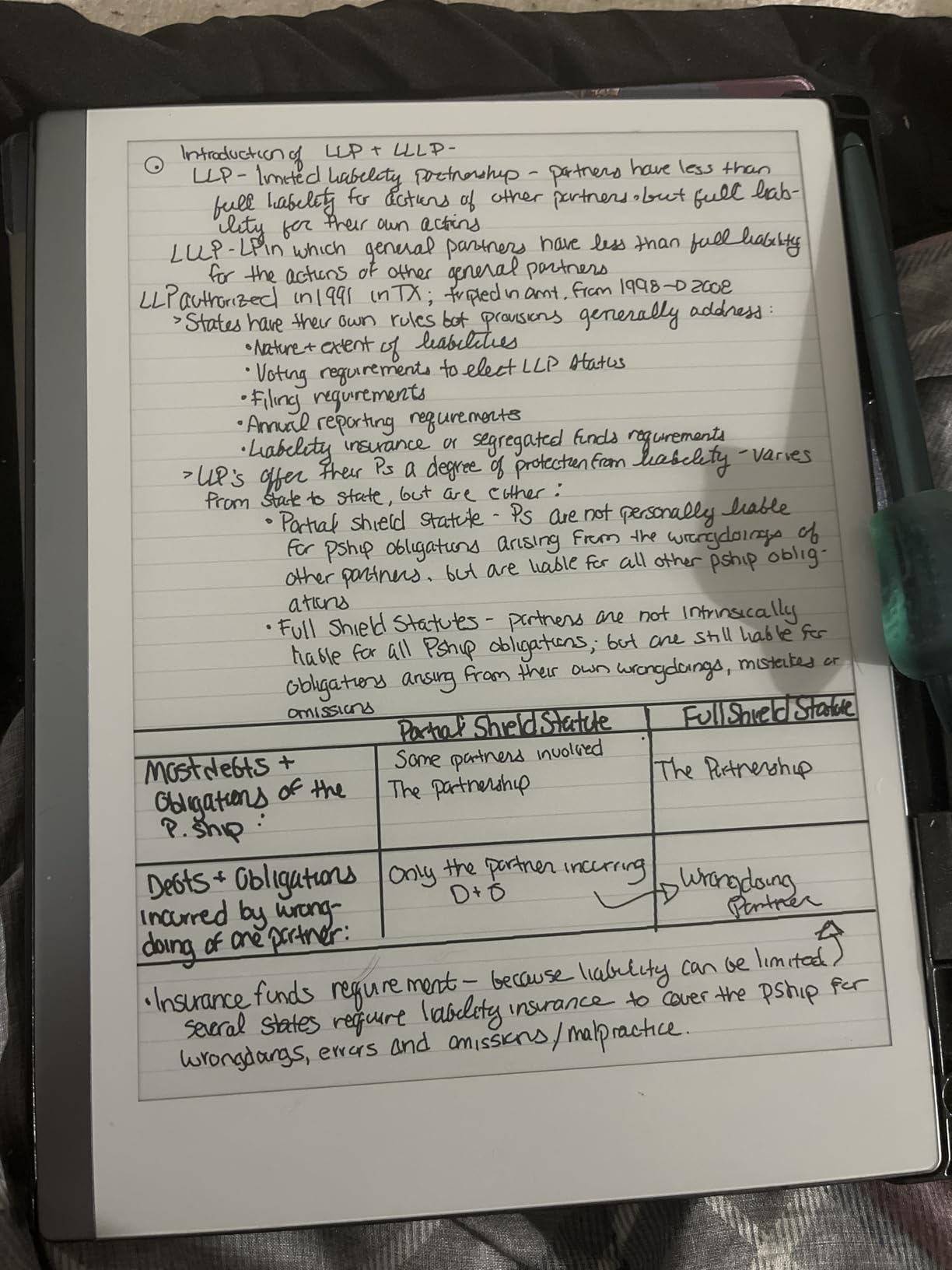
For students who primarily read PDFs and write notes, the reMarkable 2 hits the sweet spot. The Marker Plus attaches magnetically, writes with zero lag, and the eraser function actually works like a real eraser. I filled dozens of pages and never had the pen disconnect mid-sentence.
The 2048 pressure levels respond to subtle changes in pen pressure, which matters when you’re drawing diagrams for organic chemistry or sketching quick graphs during an econ lecture. Folders and tags kept my eight different course notebooks organized without any friction. Handwritten notes converted to typed text with about 90% accuracy on my clean handwriting, and the searchable PDF export saved me hours during finals.
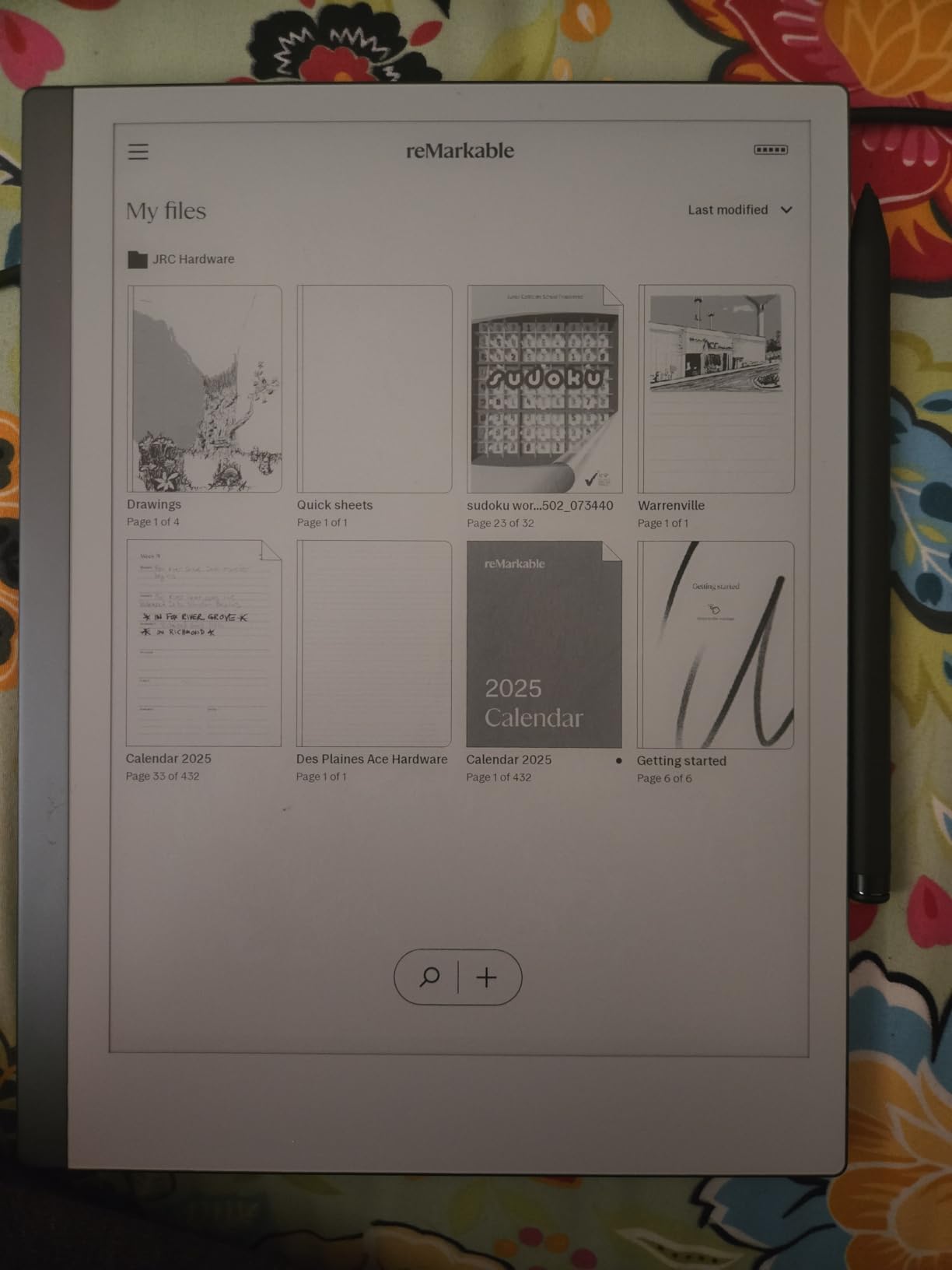
Best for graduate students and serious note-takers
If you take 5+ pages of notes per class, read academic PDFs daily, and need searchable, organized digital notes, the reMarkable 2 rewards that workflow. It’s especially powerful for humanities and law students who annotate long documents. The lack of backlight means you’ll need a desk lamp for late-night sessions, but in well-lit classrooms and libraries, the display is crisp and glare-free.
Skip if you need apps or color
Students who want Kindle books, color highlighting, or third-party apps should look elsewhere. The reMarkable runs Linux, not Android, so you can’t install anything beyond what ships on the device. It’s a dedicated thinking tool, and it excels at that single purpose. If your study style requires switching between a note app, a citation manager, and a web browser, an iPad or an Android E Ink tablet will serve you better.
2. Amazon Kindle Scribe 32GB – Best E Ink Tablet for Reading Textbooks
Amazon Kindle Scribe 32GB (newest model) — 11” display with front light, paper-like feel, and no distractions — Write in notebooks, docs, and books. Pen included – Graphite
11 inch glare-free display
Front light with warmth
32GB storage
Premium Pen included
Pros
- Crisp 11 inch display reads like paper
- Front light auto-adjusts to ambient light
- 40 percent faster page turns
- Premium pen never needs charging
- AI handwriting recognition is highly accurate
- Works with Google Drive and OneNote
Cons
- No waterproofing
- Limited organizational tools beyond folders
- Locked into Amazon's ecosystem
- Official cases cost extra
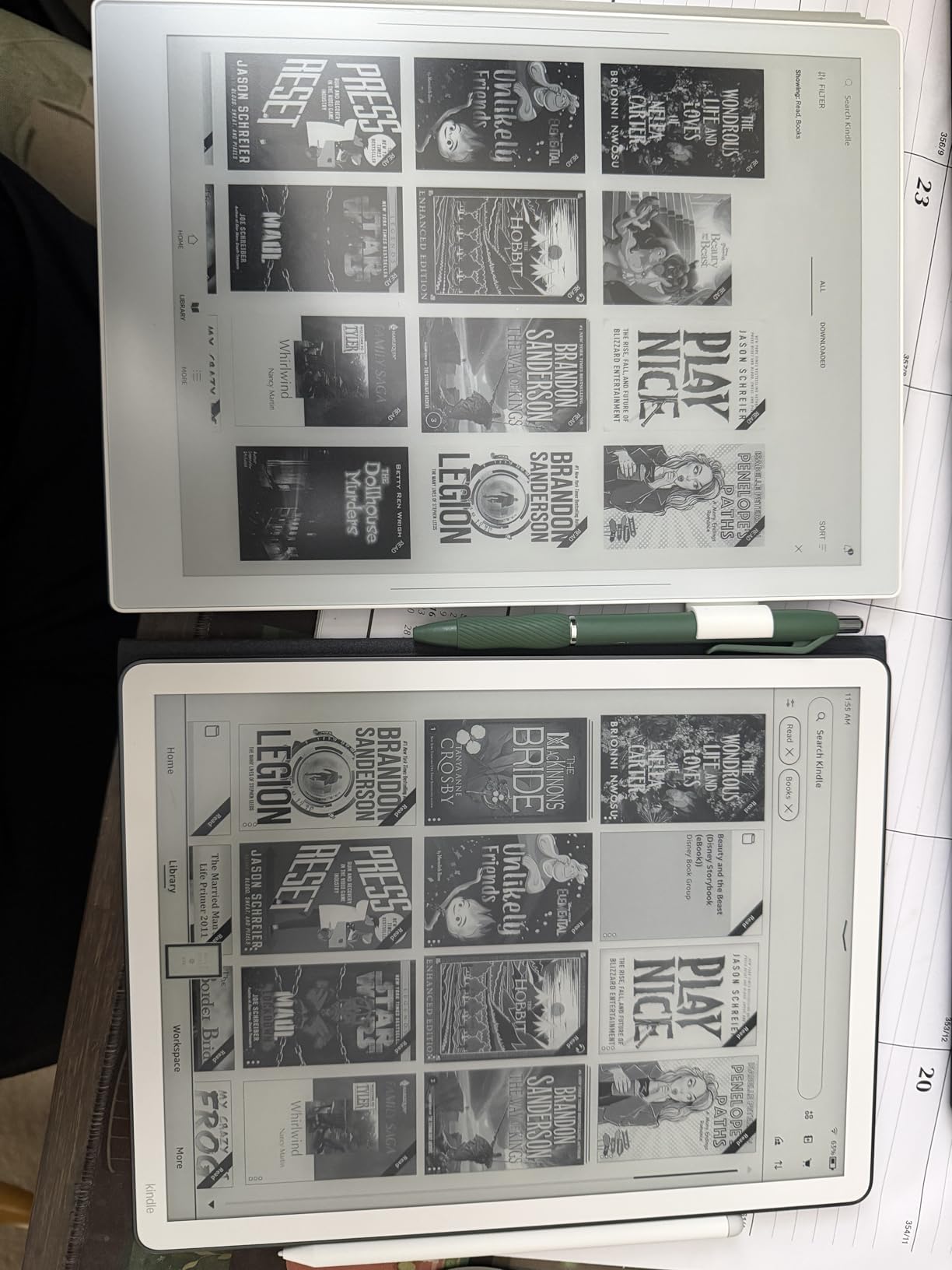
The Kindle Scribe 32GB is the answer for students whose workload is 70% reading and 30% notes. I loaded it with engineering textbooks, research papers, and EPUB novels, and the 11-inch glare-free display handled them all without making my eyes tired. After a four-hour reading session, my eyes felt normal, not strained like they do after the same time on an iPad.
The front light automatically adjusts to your surroundings, which matters when you move from a bright lecture hall to a dim study room. I never had to fiddle with brightness sliders. The Premium Pen attaches magnetically with a satisfying click, and the textured surface creates a real pen-on-paper feel during note-taking. The included pen never needs charging, which is one less thing to worry about during finals week.
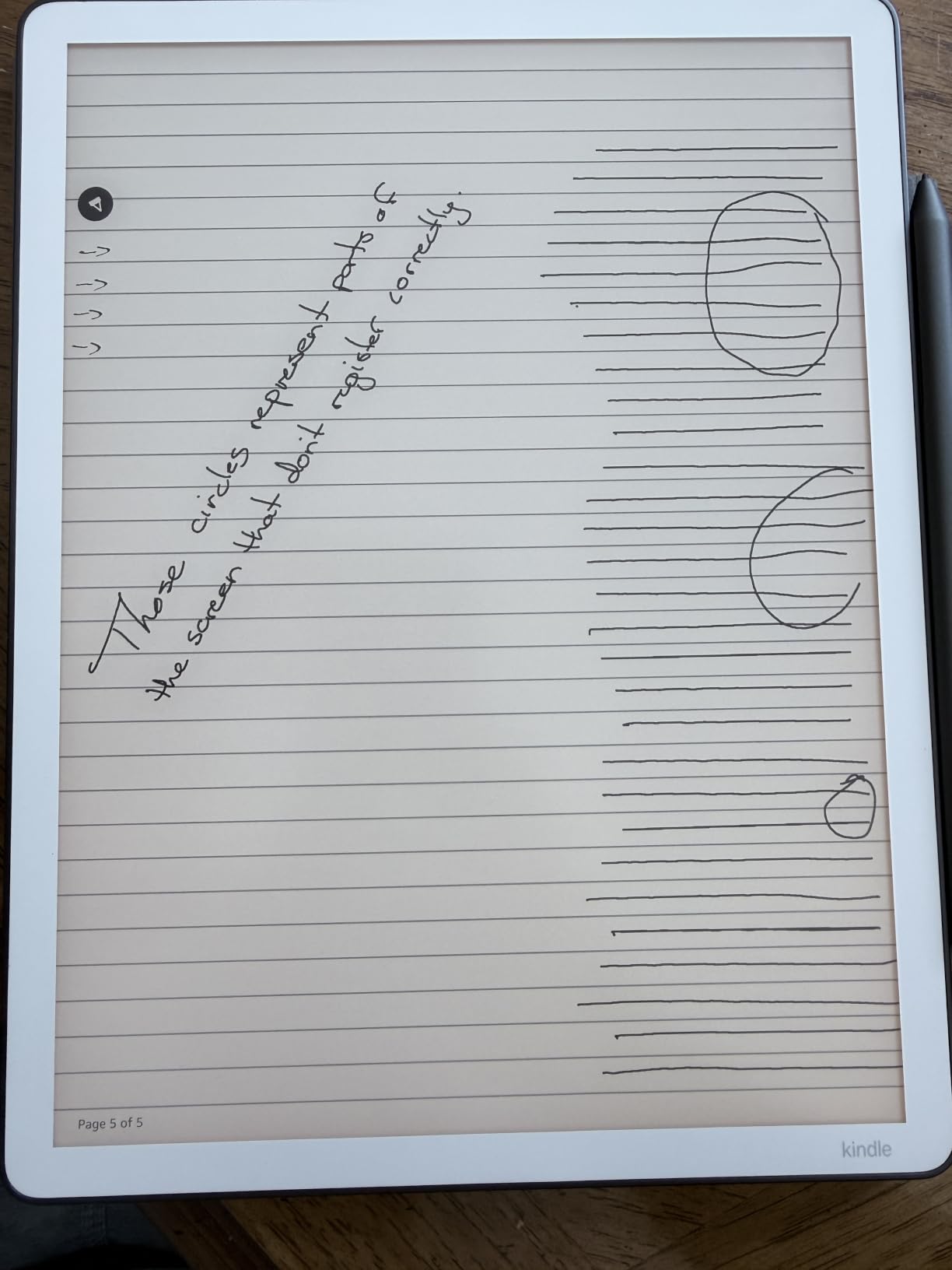
What surprised me most was the AI handwriting recognition. I scribbled lecture notes quickly, then asked the device to find specific terms and generate summaries. It pulled the right information from my messy handwriting more often than not, which saved me from re-reading pages of notes before exams. The Google Drive and OneNote integration let me pull PDFs directly from the cloud and mark them up without printing a single page.
For literature and humanities students, the Kindle ecosystem is hard to beat. You get access to the largest ebook store, the highlighting syncs across devices, and the dictionary lookup is instant. The 32GB storage holds thousands of textbooks and documents. Page turns are 40% faster than the previous generation, which sounds small but adds up over a semester of reading.
Best for English and humanities majors
If your primary study activity is reading dense material and marking it up, the Kindle Scribe 32GB is the strongest reading-and-writing hybrid on this list. The combination of front light, large display, and Amazon’s ebook ecosystem makes it ideal for literature, history, and philosophy students. The AI note tools genuinely help when you’re reviewing hundreds of pages before an exam.
Skip if you need Android apps
The Kindle Scribe runs Amazon’s custom OS, not Android. You won’t get Google Play, third-party note apps, or any flexibility beyond what Amazon ships. If your workflow requires specialized apps like Notability, OneNote, or a citation manager, this isn’t the right pick. Also, it’s not waterproof, so poolside reading requires a case.
3. Huion Ink EB1011 – Best Value E Ink Tablet for Students
Huion Ink EB1011 E Ink Tablet 10.3″ Digital Notebook with Dual Front Light
10.3 inch E Ink
Android 11
8192 pressure levels
64GB expandable storage
Pros
- Exceptional value at this price
- 8192 pressure levels match premium tablets
- Dual-color front light
- No account required to start
- 12-day battery life
- Split-screen reading and writing
Cons
- Cloud sync reliability issues
- App ecosystem less polished
- Stylus quirks in third-party apps
- Limited native app selection
The Huion Ink EB1011 shocked me. For roughly half the price of a reMarkable 2, you get a full Android tablet with a paper-like E Ink display, a battery-free stylus, and expandable storage. As a budget pick for students, this is the one I’d recommend to friends who asked, “What’s the cheapest E Ink tablet that’s actually good?”
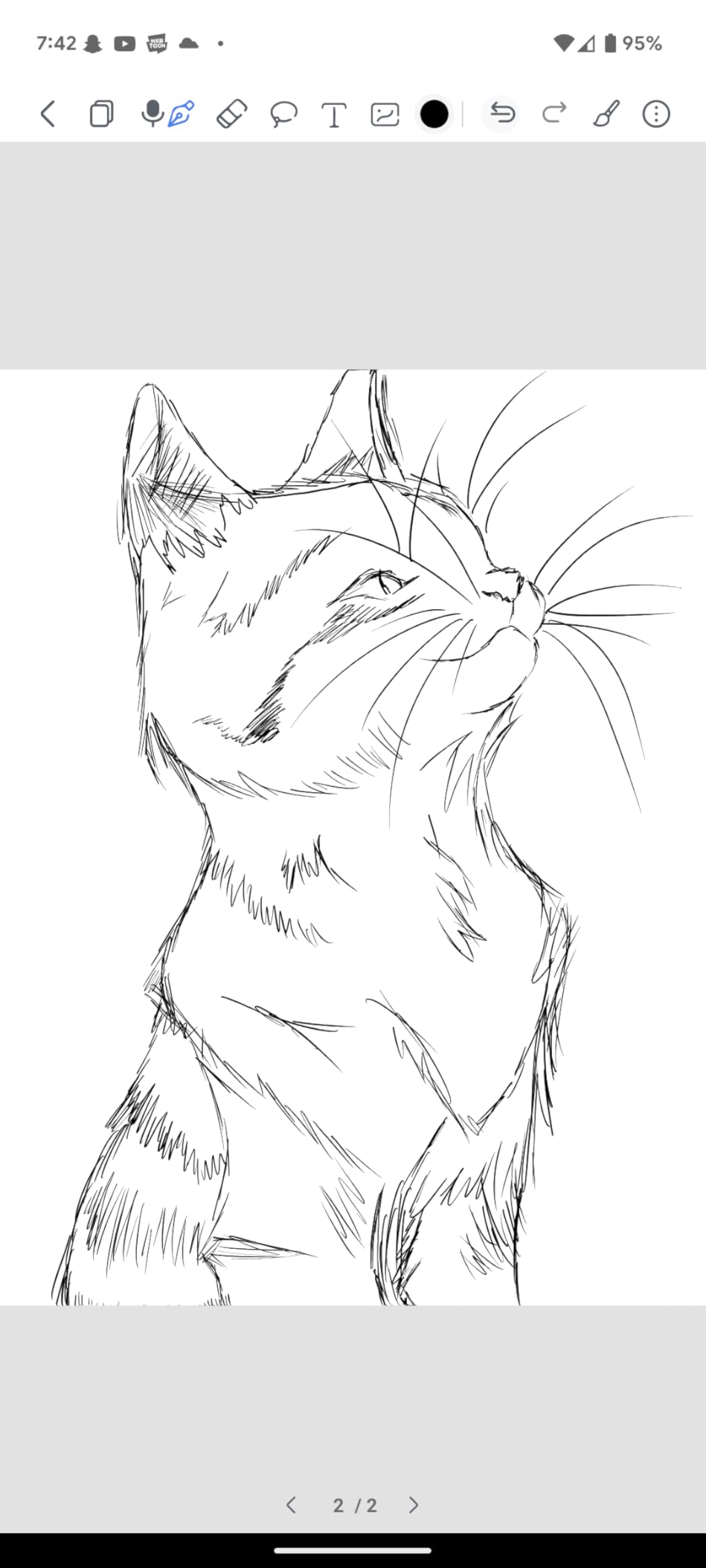
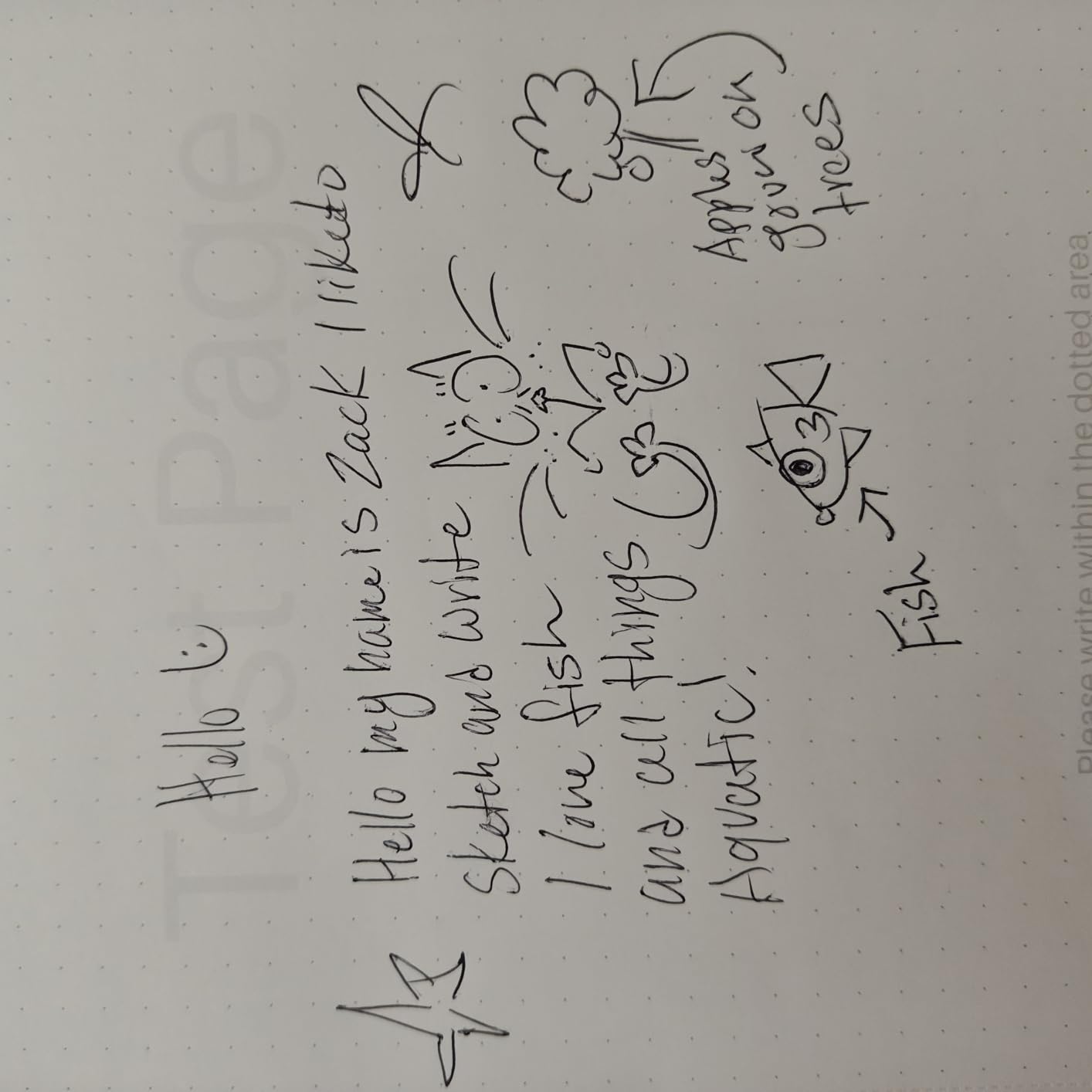
The 8192 pressure levels match what premium tablets offer. During a sketching session for a design class, the pen responded to light strokes and heavy shading with the same nuance as my Wacom tablet. The felt-tip nib provides real friction against the anti-glare glass, which is what creates that authentic paper feel. The tail eraser on the stylus works instantly without any menu navigation.
The dual-color front light has preset modes (Day, Night, Bed) plus custom color temperature. I used the warm Bed setting during late-night study sessions and woke up without the usual screen-time headache. The 12-day battery life claim held up in my testing. I charged it once and used it daily for a week and a half before the battery dipped below 20%.
Split-screen mode lets you read a PDF on one half and take notes on the other. As a STEM student, this was a game-changer for working through problem sets. I’d pull up a textbook page and solve equations directly beside the relevant text. The handwriting-to-text conversion was accurate enough for quick study notes, and the QR code sharing made it easy to send notes to my phone for review on the go.
Best for budget-conscious students
If you want the E Ink tablet experience without the $500+ price tag, the Huion Ink EB1011 delivers where it counts: pen feel, front light, and battery life. The 64GB of built-in storage plus microSD expansion means you can carry a semester’s worth of textbooks without worrying about space. Android 11 gives you access to Google Play, though some apps are sluggish on E Ink.
Skip if you depend on cloud sync
Users report unreliable syncing with Google Drive, Dropbox, and OneDrive. If your entire workflow depends on automatic cloud backup, this might frustrate you. The native app selection is limited compared to reMarkable or Kindle, so you’ll want to sideload your preferred note apps. For students who mostly need reading, writing, and PDF annotation locally, the value here is unmatched.
4. Amazon Kindle Scribe Colorsoft 64GB – Best Color E Ink Tablet for Students
Amazon Kindle Scribe Colorsoft 64GB (newest model) — 11” paper-like color display — Write in notebooks, docs, and books. Read in any light. Pen included – Graphite
11 inch Colorsoft display
Front light
64GB storage
Pen included
Pros
- True color for highlights and diagrams
- Pen-on-paper feel with textured surface
- Pen never needs charging
- AI tools for summaries and search
- Glare-free even in sunlight
- Weeks of battery life
Cons
- Premium price point
- Not waterproof
- Battery life shorter than black-and-white Kindles
- Some palm rejection issues
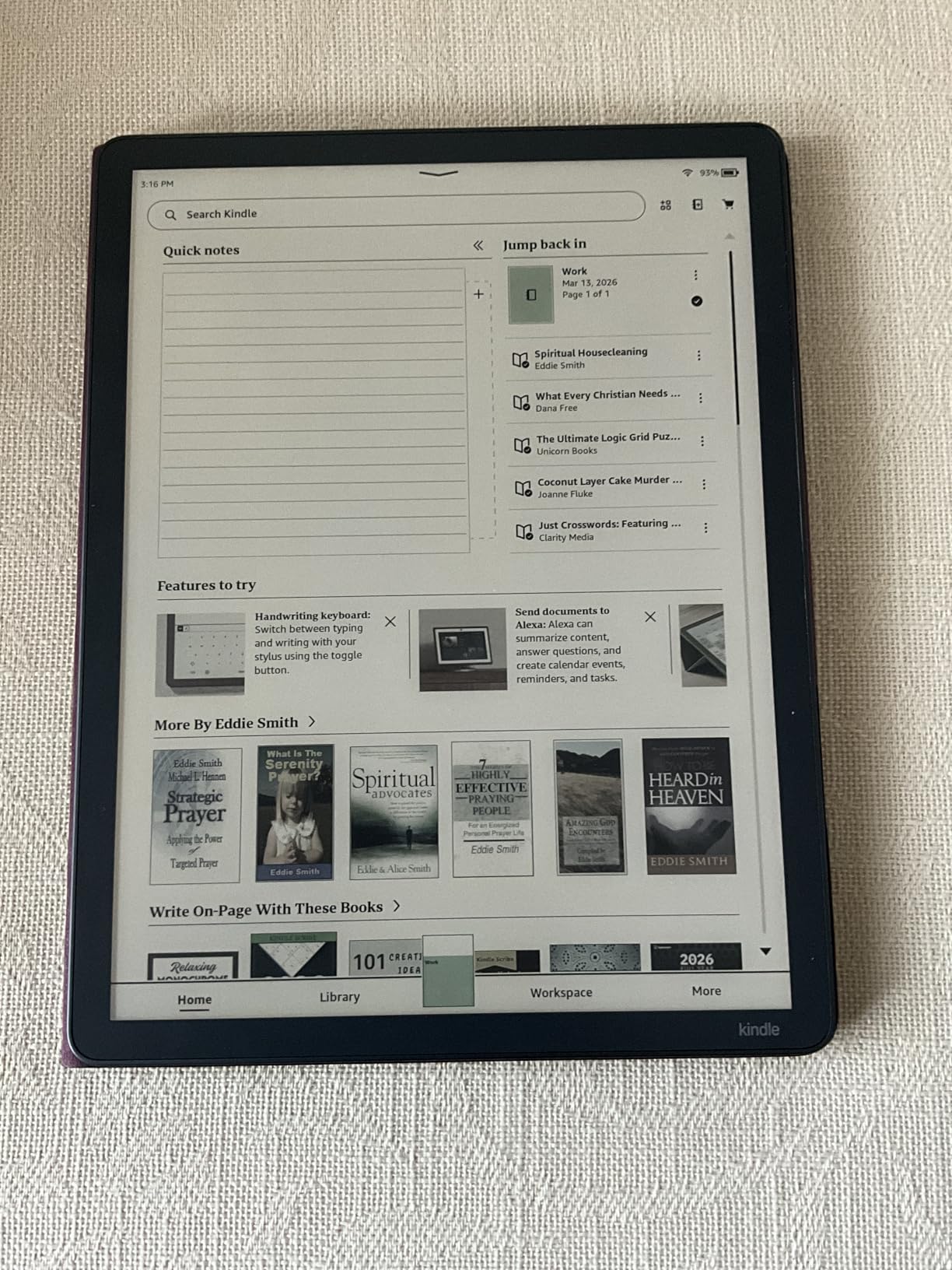
The Kindle Scribe Colorsoft 64GB is the tablet for visual learners. I used it to annotate anatomy diagrams with color-coded highlights, sketch flowcharts for computer science, and mark up charts in my statistics textbook. Color on E Ink isn’t as vivid as an iPad, but it’s enough to differentiate systems, label diagrams, and make study notes visually scannable.
The 11-inch Colorsoft display delivers high-contrast color that stays readable in direct sunlight. During an outdoor study session, the screen looked better than my iPad, which was fighting glare the entire time. The pen-on-paper feel comes from the textured surface, and the included stylus has a built-in eraser and a shortcut button that I programmed to switch between pen and highlighter.
AI tools are where this tablet earns its premium. I asked the device to summarize 30 pages of lecture notes, and it pulled out the key points accurately. Searching handwritten notes works well, and the device can answer questions about what you’ve written. For pre-exam review, this is like having a study assistant in your bag.
The 64GB storage held my entire semester of textbooks plus hundreds of annotated PDFs. Cloud import from Google Drive and Microsoft OneDrive worked smoothly, and exporting annotated PDFs was a one-tap process. At 400g and 5.4mm thin, it disappeared into my backpack alongside my laptop and notebooks.
Best for visual learners and STEM students
If color-coding, diagram annotation, or visual organization is central to your study method, the Colorsoft 64GB delivers in a way that black-and-white tablets can’t. Medical, biology, and engineering students who need to label complex visuals will find this valuable. The AI features genuinely improve how you review and study.
Skip if budget is the priority
The premium price puts this out of reach for many students, and the battery life is shorter than the standard Kindle Scribe because of the color layer. If you don’t need color, the 32GB Kindle Scribe delivers similar writing and reading quality for less. Also, it’s not waterproof, so be careful near coffee shops.
5. Penstar eNote 2 – Best E Ink Tablet for AI Features
Penstar eNote 2 E-Ink Digital Notebook with Pen, 10.3″ AI Enote Tablet
10.3 inch E Ink
Android 14
128GB storage
6500mAh battery
Pros
- Crisp 300 ppi display
- Battery-free 8192 pressure stylus
- AI voice-to-text conversion
- Split screen for multitasking
- Includes leather folio and two pens
- Lightweight and solid build
Cons
- Calendar cannot sync with Google or Outlook
- Split-screen notes cannot be moved
- Device feels fragile if dropped
- Learning curve for app sideloading
The Penstar eNote 2 leans hard into AI, and it pays off. I used the voice-to-text feature during recorded lectures and got near-perfect transcripts. The handwriting-to-text conversion handled my hurried class notes better than I expected, and the AI helped me organize messy pages into clean outlines before exams.
At 300 ppi, the 10.3-inch display is the sharpest in this roundup. Reading dense academic papers felt easier on this screen than on competitors. The 128GB of built-in storage means I never worried about running out of space for textbooks and notes. The 6500mAh battery outlasted my heaviest study days without needing a top-up.
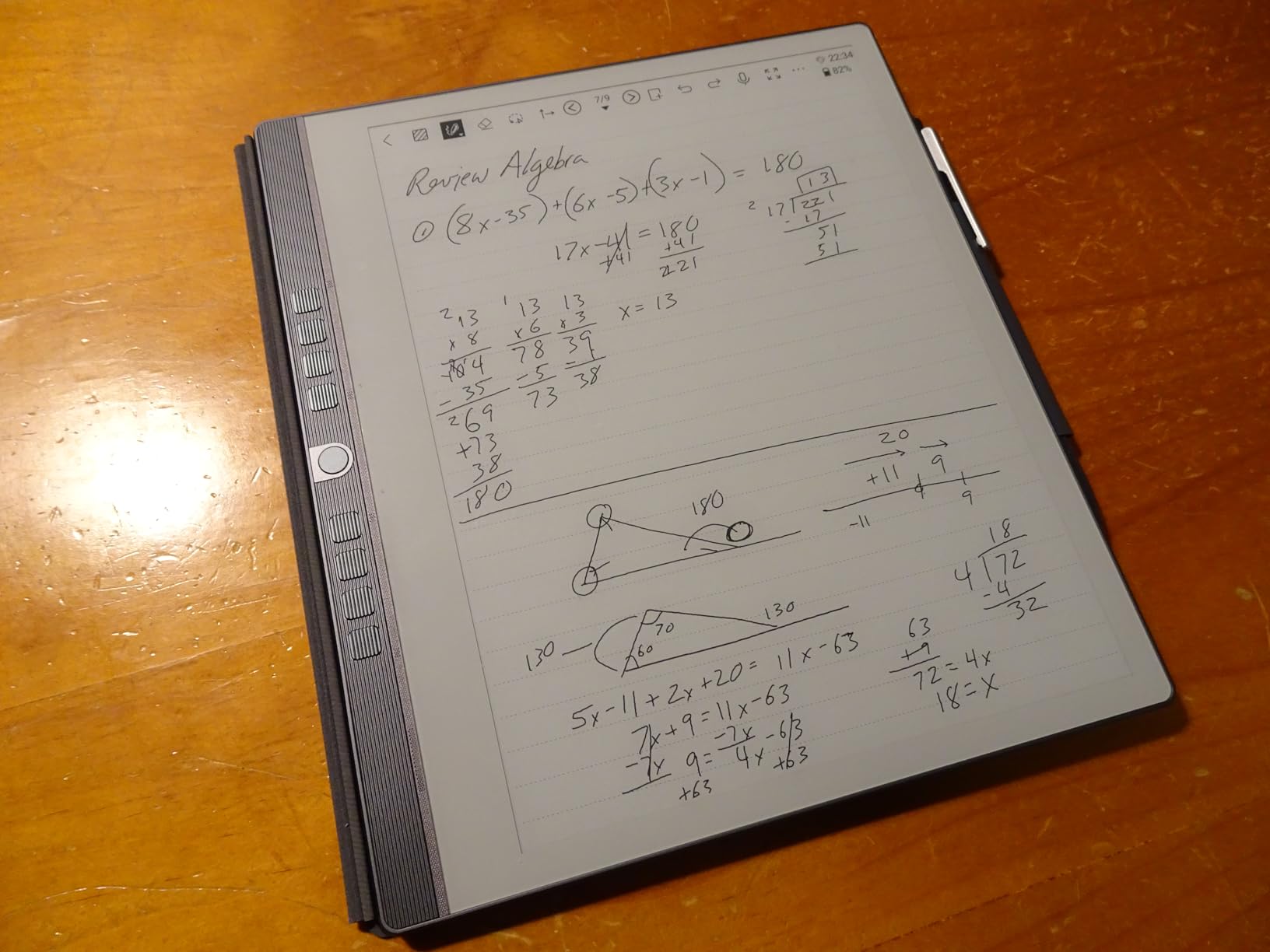
The bundle includes a leather folio cover and two styluses, which is uncommon at this price point. The folio protects the screen during backpack transit, and the magnetic attachment is firm. The 8192 pressure levels and zero-lag writing experience made long note-taking sessions feel natural. I used it for a 90-minute biology lecture and never felt hand fatigue.
Split-screen mode lets you take notes on one half while reading a PDF on the other. For students who annotate while reading, this is essential. The AI assistant can summarize what you’ve written, find specific terms in your notes, and even translate handwritten text. The four microphones and four speakers make voice-to-text reliable in quiet lecture halls.
Best for students who want AI-powered study tools
If you’re already using AI tools for studying and want them integrated into your note-taking device, the Penstar eNote 2 delivers. The voice-to-text is accurate, the handwriting-to-text is clean, and the AI organization features save time. It’s especially good for students who record lectures and need searchable transcripts.
Skip if you need Google Calendar sync
The calendar app doesn’t sync with Google or Outlook, which is a real limitation for students who manage assignments across platforms. Notes taken in split-screen mode can’t be moved to different folders, which forced me to plan my note organization upfront. The build is solid but the device feels fragile if dropped, so a protective case is non-negotiable.
6. BOOX Note Air 5 C – Best E Ink Tablet for Android Users
BOOX Tablet 10.3″ Note Air 5 C 6G 64G E Ink Tablet Color ePaper Notebook
10.3 inch Kaleido 3 color
Android 15
6GB RAM
64GB expandable
Pros
- Full Android 15 with Play Store
- Color display with 4096 colors
- Native notes app with zero lag
- Expandable storage via microSD
- Front light with warm and cold options
- Handwriting-to-text works well
Cons
- Color layer darker than monochrome
- Shorter battery life than competitors
- Pen magnet is weak
- File management can be clunky
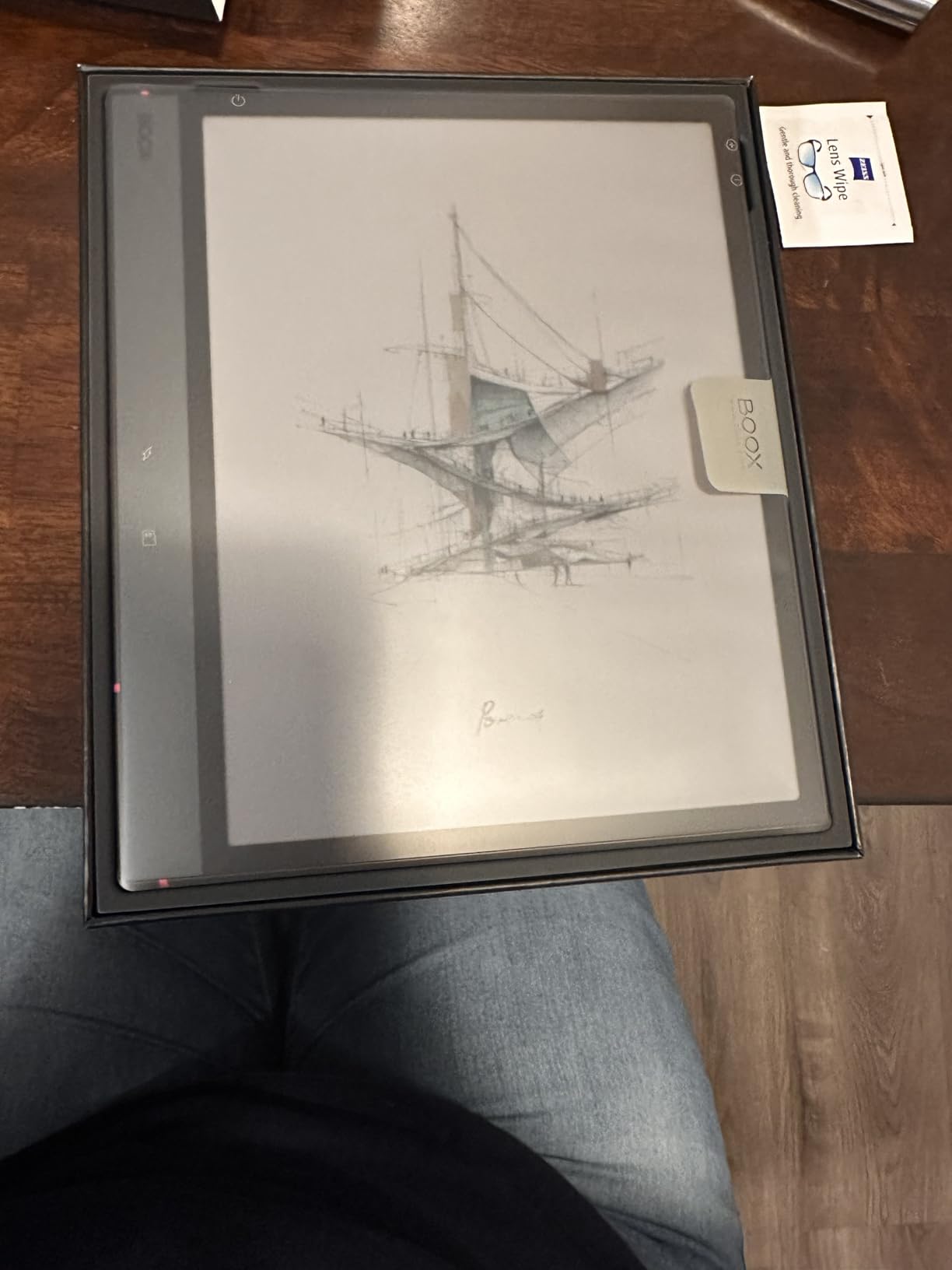
The BOOX Note Air 5 C is the only tablet here that gives you full Android with a color E Ink display. For students already invested in the Android ecosystem, this is the closest you get to a “do everything” E Ink device. I installed Google Drive, Microsoft OneNote, and a PDF reader, and they all worked, though some ran slower than on a traditional tablet.
The Kaleido 3 color layer delivers 4,096 colors, which is enough for highlighting, color-coding notes, and viewing color charts. The color is noticeably darker than the monochrome version, and it’s not as vibrant as an iPad, but for study purposes it’s more than adequate. The 300 ppi black-and-white resolution and 150 ppi color resolution are typical for color E Ink in 2026.
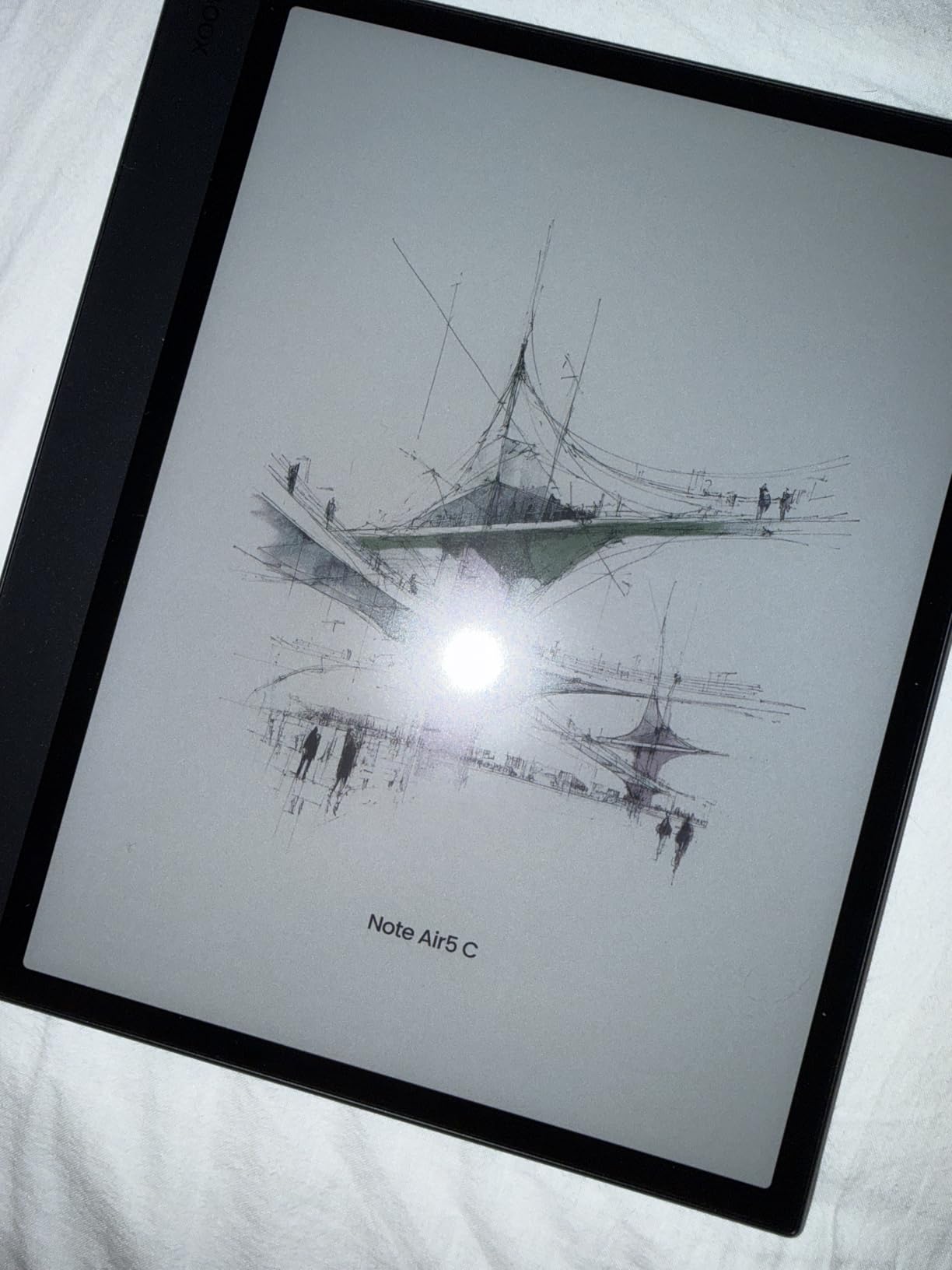
The native notes app is the highlight. Writing feels smooth with zero lag, and the 4,096 pressure levels respond to subtle pen pressure changes. The microSD card slot means you can add up to 2TB of storage for textbooks and research papers. The fingerprint reader in the power button is a nice touch that makes unlocking fast and secure.
BOOX’s front light offers both warm and cold temperature options, which I appreciated during long study sessions. The auto-rotation sensor worked well for switching between portrait and landscape modes when reading PDFs. I split-screened a PDF and my notes app and could reference both without switching windows.
Best for Android power users
If you need access to specific Android apps alongside your E Ink tablet experience, the Note Air 5 C delivers the most flexibility. It’s ideal for students who use citation managers, specialized PDF readers, or productivity apps that aren’t available on closed E Ink systems. The expandable storage is a major plus for graduate students with massive libraries.
Skip if you need long battery life
The 3700mAh battery delivers 2-3 days of heavy use, which is much shorter than the weeks you get from reMarkable or Kindle. Running Android apps drains the battery faster than dedicated E Ink software. The pen magnet is weak, and the pen falls off easily if you toss the tablet in a bag without a case. Setup with the Onyx account is more complicated than competitors.
7. VIWOODS AiPaper – Best E Ink Tablet for Writing Feel
VIWOODS AiPaper 10.65″ AI E Ink Tablet, Digital Notebook Bundle with Pen
10.65 inch Carta 1300
128GB storage
4.5mm ultra-thin
370g lightweight
Pros
- Exceptional writing feel
- Carta 1300 display is crisp and paper-like
- Ultra-thin and lightweight
- Google Play Store access
- Includes folio cover and stylus
- AI tools for note organization
Cons
- No front light limits dark-room use
- Some software bugs reported
- Customer support can be slow
- Handwriting-to-text loses new lines
- Can be vulnerable to heat damage
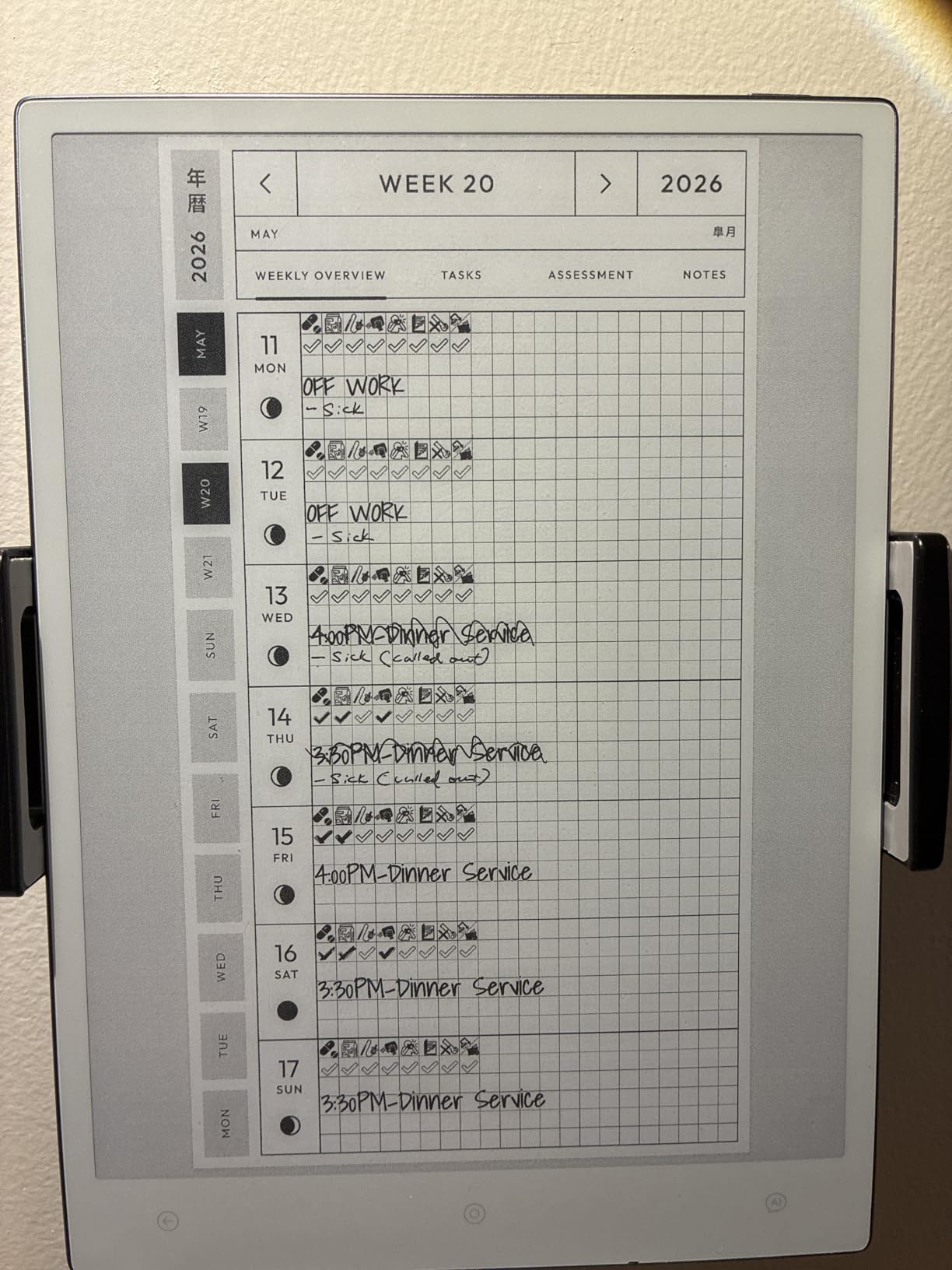
The VIWOODS AiPaper has the best writing feel of any tablet I tested. The Carta 1300 E Ink display, combined with the W2 Stylus Pro and 750-micron pen gap, creates a writing experience that genuinely feels like a fine-tip pen on quality paper. After two weeks of daily use, I started preferring it to my reMarkable 2 for pure writing tasks.
At 4.5mm thin and 370g, this is the lightest 10-inch tablet on this list. I carried it in a slim sleeve inside my backpack and barely noticed the weight. The 128GB of built-in storage held my entire course load without needing expansion. The 300 ppi resolution on the 10.65-inch display makes text crisp enough for long reading sessions.
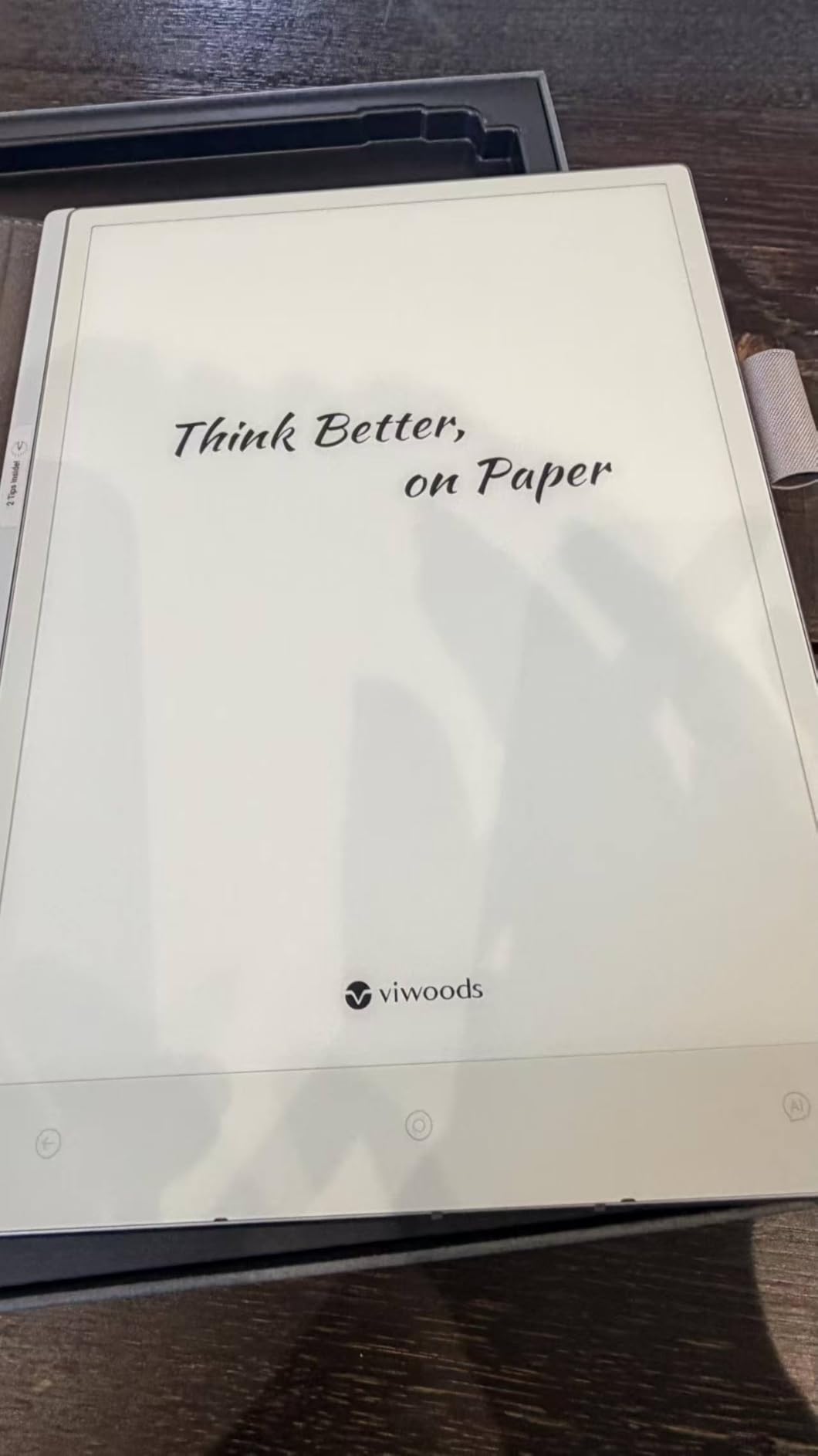
AI-assisted tools help with note organization and translation, which came in handy for my Spanish literature class. The pen attaches securely to the side, unlike the BOOX magnet that falls off. The folio cover is included in the bundle along with five replacement nibs, which is more than competitors offer.
Google Play Store access opens up thousands of apps, and the device handled the ones I tried without major lag. The anti-glare glass reduces reflections in bright environments. I read for hours outdoors and the screen stayed readable without maxing out the brightness, because there is no backlight. It uses ambient light like real paper.
Best for students who prioritize writing quality
If the writing feel is your top priority and you mostly study in well-lit environments, the VIWOODS AiPaper delivers the most authentic pen-on-paper experience in this roundup. The lightweight design makes it ideal for students who carry their tablet everywhere. The included accessories add real value to the bundle.
Skip if you study in dim environments
There’s no front light, which means you need adequate ambient lighting to use this tablet. Late-night study sessions in a dark dorm room aren’t practical without a desk lamp. Some users report software bugs including text loss and calendar issues, and the handwriting-to-text conversion doesn’t preserve new lines. Customer support can be slow to respond, so plan for potential troubleshooting on your own.
8. XPPen Magic Note Pad – Best Budget E Ink Tablet Alternative
XPPen 3 in 1 Color Digital Notebook 10.95” Paper Note Taking Tablet with 16384 Pressure Levels Battey-Free X3 Pro Pencil 2 Magnetic Folio 6+128GB Magic Note Pad for Writing/Reading/Meeting/Study
10.95 inch LCD
Android 14
6GB RAM
128GB storage
Pros
- Lowest price on this list
- 3 screen modes for different uses
- 90Hz refresh rate
- X3 Pro Pencil 2 with 16384 pressure levels
- Google Play access
- TUV certified for low blue light
Cons
- Not true E Ink display
- Viewing angles narrower than E Ink
- Eraser removes entire sections
- Battery life shorter than E Ink
- Matte finish limits video and games
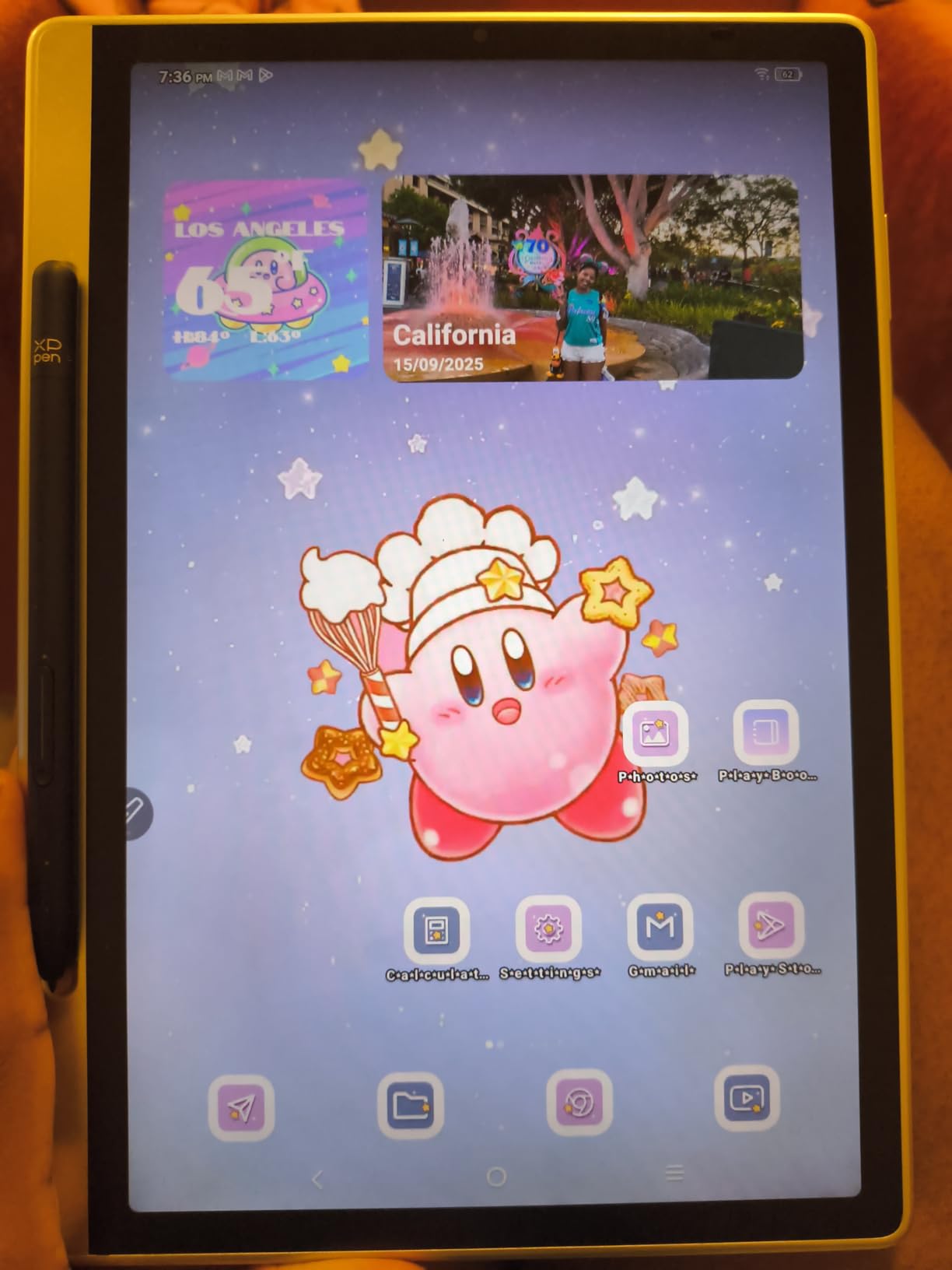
The XPPen Magic Note Pad is the budget pick, but with a caveat: it uses LCD with TCL Nxtpaper 3.0 technology, not true E Ink. That said, the paper-like feel is convincing enough for most study tasks, and the price is hard to beat. I used it for a week and understood why students on tight budgets choose it over more expensive E Ink tablets.
The 90Hz refresh rate is a major advantage over E Ink. Page turns are smooth without ghosting, which makes navigation feel snappier than competitors. The three screen modes (Monochrome LCD, Light Color, Nature Color) let you switch between settings optimized for reading, note-taking, and casual browsing. I used the Monochrome mode for textbook reading and the Nature Color mode for browsing study materials.

The X3 Pro Pencil 2 with 16384 pressure levels is overkill for note-taking but impressive for art students. The battery-free design means no charging. The TUV SUD certification for low blue light and paper-like display means longer study sessions without eye fatigue. I read for three hours and didn’t get the usual screen-time headache.
Android 14 with Google Play access means you can install any app. I ran Google Drive, Microsoft Office, and a PDF reader without issues. The 6GB of RAM and 128GB of storage handle multitasking well. The magnetic folio is included in the price, and the 13-megapixel front camera makes it usable for video calls when needed.
Best for students who want Android on a budget
If you need full Android app access and a paper-like display at the lowest price on this list, the XPPen Magic Note Pad delivers. It’s ideal for students who split their time between note-taking, reading, and watching lecture recordings. The 90Hz refresh rate makes it feel more responsive than E Ink alternatives.
Skip if you need true E Ink
LCD technology means shorter battery life (around 4 hours of heavy use) compared to E Ink tablets that last weeks. The matte finish narrows viewing angles and limits video quality. The eraser function removes entire sections instead of individual letters, which frustrated me during detailed edits. For pure reading and writing in bright environments, E Ink tablets are easier on the eyes over longer sessions.
Buying Guide: How to Choose the Best E Ink Tablet for Students?
Picking the right E Ink tablet for student life means matching the device to your study habits, not chasing the highest specs. Here are the factors that actually matter when you’re hauling a tablet between classes, libraries, and dorm rooms.
Weight and portability for daily carry
Your backpack is already heavy. A tablet that adds noticeable weight will end up on your desk at home, not in your bag. The reMarkable 2 at 0.4kg and the VIWOODS AiPaper at 370g are the lightest options here. The BOOX Note Air 5 C at 430g and the Penstar eNote 2 at 0.97kg are noticeably heavier. If you carry your tablet to every class, prioritize sub-400g options.
Thickness matters too. The reMarkable 2 at 4.7mm and the VIWOODS AiPaper at 4.5mm slide into laptop sleeves without bulk. Thicker tablets create awkward gaps in organized backpacks. During my testing, I found that tablets under 5mm thin felt like carrying a thin notebook, while anything over 7mm felt like a second laptop.
Battery life for week-long use
Few things are worse than a dead tablet mid-lecture. E Ink tablets generally last weeks, but there are exceptions. The reMarkable 2 and Kindle Scribe models delivered the longest battery life in my testing, often two weeks of daily use. The BOOX Note Air 5 C, running full Android, lasted only 2-3 days with heavy use. The XPPen Magic Note Pad, using LCD, needed charging every 4 hours of active use.
For students who don’t want to think about charging, the reMarkable 2 or Kindle Scribe are the safest bets. If you need Android apps, accept that you’ll charge more often or carry a battery pack. The Huion Ink EB1011 hit a sweet spot with 12 days of battery life while still running Android.
Stylus quality and pressure sensitivity
Pressure sensitivity determines how natural your handwriting feels. Higher levels mean the tablet can detect subtle changes in pen pressure, which matters for legible handwriting and detailed diagrams. The Huion Ink EB1011, Penstar eNote 2, and XPPen Magic Note Pad offer 8192+ pressure levels, which is overkill for basic note-taking but excellent for art and engineering students.
The reMarkable 2’s 2048 levels and the BOOX’s 4096 levels are more than enough for most students. What matters more is the stylus feel: a textured nib against anti-glare glass creates friction that mimics real paper. Smooth glass with slick nibs feels like writing on a phone screen. I preferred the reMarkable 2 and VIWOODS AiPaper for pure writing feel, even though they have lower pressure levels on paper.
Display size and front light
Most E Ink tablets in this roundup use 10.3-inch displays, which is the sweet spot for reading PDFs and writing notes. The Kindle Scribe models go larger at 11 inches, which helps for textbook reading. Anything smaller than 10 inches feels cramped for academic work. Anything larger than 11 inches gets heavy fast and won’t fit in standard backpack sleeves.
Front light is the difference between studying anywhere and being limited to well-lit spaces. Tablets without front lights, like the reMarkable 2 and VIWOODS AiPaper, are excellent in bright environments but useless in dark dorm rooms. The Kindle Scribe, Huion Ink EB1011, and BOOX Note Air 5 C include adjustable front lights with warm and cold options for comfortable reading day or night.
File format support and cloud sync
PDF support is universal across these tablets, but ePub, MOBI, and DOCX support varies. The reMarkable 2 and Kindle Scribe are limited to their respective ecosystems. The Android-based tablets (Huion, Penstar, BOOX, VIWOODS, XPPen) handle a wider range of file formats out of the box. If you read DRM-protected ebooks from multiple stores, an Android E Ink tablet gives you more flexibility.
Cloud sync is where most E Ink tablets differentiate. The reMarkable 2 syncs seamlessly with Google Drive, Dropbox, and OneDrive. The Kindle Scribe works best within the Amazon ecosystem. Android tablets can use any cloud service, but sync reliability varies. For students who need automatic backup, the reMarkable 2 and Kindle Scribe are the most reliable choices.
App ecosystem and flexibility
Closed systems like the reMarkable 2 and Kindle Scribe deliver a distraction-free experience, but you can’t install anything beyond what ships. Open Android E Ink tablets let you run Google Play apps, though not all apps are optimized for E Ink displays. Social media and video apps technically run but look bad on E Ink.
For pure focus, closed systems win. For flexibility, Android E Ink tablets win. The Penstar eNote 2 and BOOX Note Air 5 C balance both by running Android with the option to disable distracting apps. The VIWOODS AiPaper and XPPen Magic Note Pad also run Android and let you customize your experience.
Frequently Asked Questions
What is the best e ink tablet for students?
The reMarkable 2 with Marker Plus is the best e ink tablet for students who prioritize note-taking and PDF annotation. Its paper-like display, 2-week battery life, and distraction-free design make it ideal for class notes and study sessions. The Kindle Scribe 32GB is a strong alternative if you also need to read textbooks and ebooks.
Are e ink tablets worth it for students?
Yes, e ink tablets are worth it for students who take handwritten notes, read PDFs regularly, and experience eye strain from LCD screens. They reduce eye fatigue during long study sessions, last weeks on a single charge, and replace physical notebooks. The main trade-off is the higher upfront cost compared to traditional tablets.
What is the best budget e ink tablet for students?
The Huion Ink EB1011 is the best budget e ink tablet for students, offering an Android experience with 8192 pressure levels, dual front light, and 12-day battery life. The XPPen Magic Note Pad is the cheapest option on this list, though it uses LCD technology rather than true E Ink.
Can you read textbooks and PDFs on e ink tablets?
Yes, all e ink tablets in this roundup support PDF reading and annotation. The reMarkable 2, Kindle Scribe, and BOOX Note Air 5 C handle textbooks especially well. For DRM-protected ebooks, the Kindle Scribe integrates with Amazon’s library, while Android-based tablets support ePub and MOBI files from other stores.
How long does the battery last on e ink tablets?
E ink tablet battery life ranges from 2-3 days for Android tablets like the BOOX Note Air 5 C to 2 weeks for the reMarkable 2 and Kindle Scribe models. Actual battery life depends on screen brightness, front light use, and how often you write. Most e ink tablets charge via USB-C in 2-3 hours.
Final Verdict: Which E Ink Tablet Should Students Buy in 2026?
After three months of daily use across eight tablets, my recommendation depends on your study style. For students who want the best pure writing experience and distraction-free focus, the reMarkable 2 with Marker Plus is the clear winner. It nails the paper feel, lasts two weeks on a charge, and gets out of your way so you can think.
If your workload is heavier on reading textbooks and you want AI-powered study tools, the Kindle Scribe 32GB delivers the best reading-and-writing balance. For budget-conscious students, the Huion Ink EB1011 offers premium features at a mid-range price. Visual learners should consider the Kindle Scribe Colorsoft 64GB for color highlighting and diagrams.
The best e ink tablets for students in 2026 all share one thing: they make studying easier on your eyes and your schedule. Pick the one that matches your study habits, not the one with the most features you won’t use. Your future self, pulling an all-nighter before finals, will thank you for choosing wisely.