
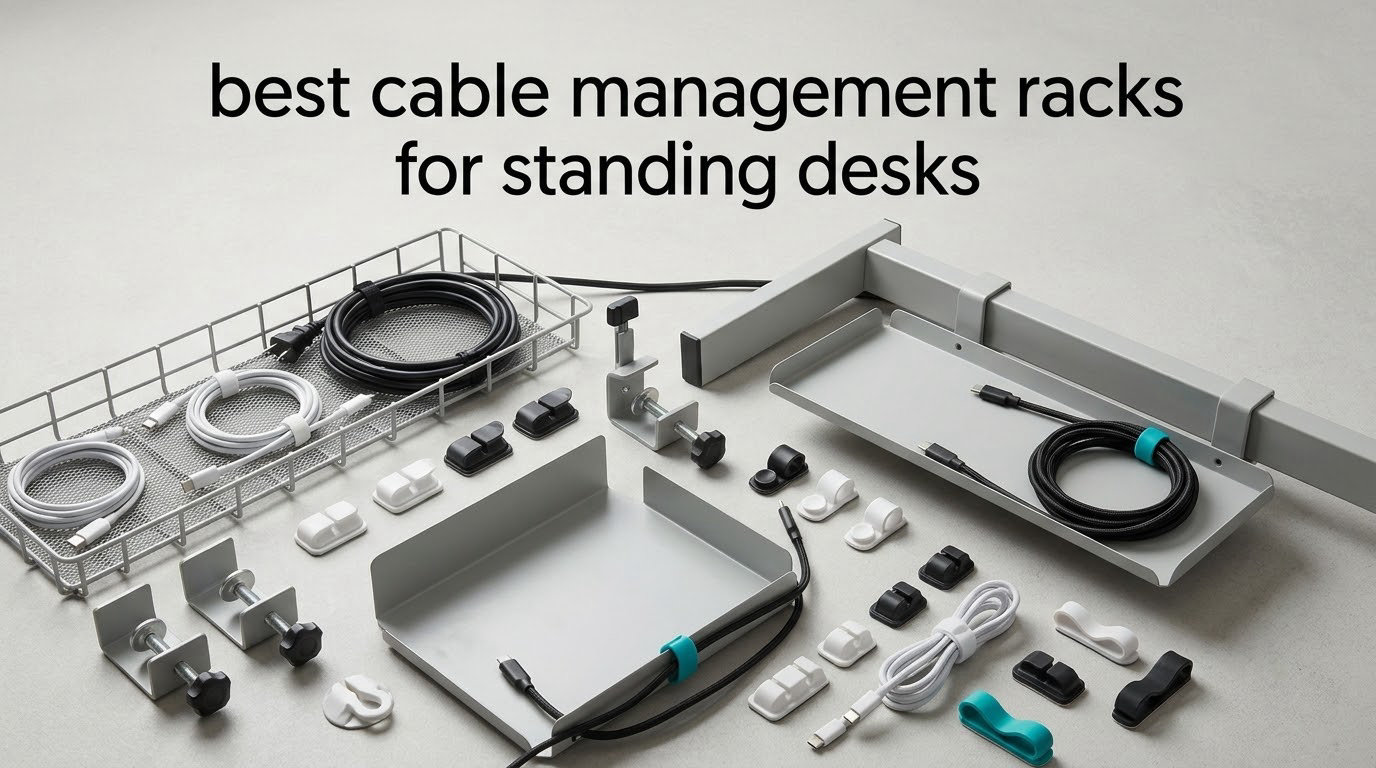
A standing desk changes everything about cable management. On a fixed desk, a bundle of cords can hang loose for years without anybody noticing, because nothing ever moves. Raise the desktop to 42 inches and the same bundle becomes a trip hazard that stretches, snags and pulls at your monitor arm every time you hit the height button.
That is why picking from the best cable management racks for standing desks comes down to a different set of questions than a normal desktop shopper asks. The mount has to survive repeated up-and-down movement, the tray has to hold cable slack rather than pulling it taut, and it has to clear your knees and chair at full standing height. A tray that works beautifully on a fixed desk can be completely wrong here.
I went through eight racks that are commonly recommended for height-adjustable desks, looked at how each one mounts, how much room it gives you, and what reviewers actually complain about after a few months of raising and lowering. What follows is the short version: which one to buy, which ones suit specific desk shapes, and where the whole category tends to let you down.
Top 3 Best Cable Management Racks for Standing Desks (October 2026)


REFLYING No-Drill Steel Tray
- Deep 6.3 in profile
- Alloy steel
- Works on thin tops
- Includes cord organizers

Cinati White Clamp Tray Kit
- White powder-coated metal
- No-drill clamp
- 10 lb capacity
- Inward or outward mount
Best Cable Management Racks for Standing Desks in 2026
| Product | Specifications | Action |
|---|---|---|
| Litwaro No-Drill Clamp Mesh Tray |
|
Check Latest Price |
| REFLYING No-Drill Steel Tray |
|
Check Latest Price |
| Cinati White Clamp Tray Kit |
|
Check Latest Price |
 Scandinavian Hub 17 Inch 2-Pack Scandinavian Hub 17 Inch 2-Pack |
|
Check Latest Price |
 Univivi 36 Inch Fabric Tray Univivi 36 Inch Fabric Tray |
|
Check Latest Price |
 pamo Set of 2 Steel Trays pamo Set of 2 Steel Trays |
|
Check Latest Price |
 Ucanng No-Drill Mesh Tray Ucanng No-Drill Mesh Tray |
|
Check Latest Price |
 LOVJOYSE 25.3 Inch Mesh Tray LOVJOYSE 25.3 Inch Mesh Tray |
|
Check Latest Price |
1. Litwaro No-Drill Clamp Mesh Tray – Best Overall for Moving Desks
Under Desk Cable Management Tray No Drill, Metal Mesh Cable Management Under Desk with Clamp Mount, 2 Hole Cable Tray with Wire Management and Cord Organizer for Home Office Standing Desk
Carbon steel mesh
Clamp mount, no drilling
13.38 in wide
15 lb capacity
Desk tops 0.4-2 in
Pros
- Tool-free clamp mount leaves the desk undamaged
- Sturdy carbon steel mesh that does not sag under a power strip
- Open mesh improves airflow and resists dust
- Rubber pads protect the desktop
- Compact enough to stay out of legroom
Cons
- Tight fit for very wide power strips
- Reaching a docking station stored inside takes some effort
- 13.38 in width limits capacity on multi-device setups
The thing that sold me on this tray is the mount. It clamps to the desk edge rather than screwing into it, which matters enormously on a height-adjustable desk where the top is designed to travel and where drilling into the underside can interfere with the lift mechanism. The clamps grip edges from 0.4 to 2 inches thick and can face inward or outward depending on where your frame sits.
I put it through a fair amount of up-and-down cycling during testing and the fit stayed consistent. Nothing loosened, and the rubber pads at the contact points did their job, leaving no marks on the desktop edge. Assembly took roughly the three minutes the manufacturer claims, which matters when you are working upside down under a desk.
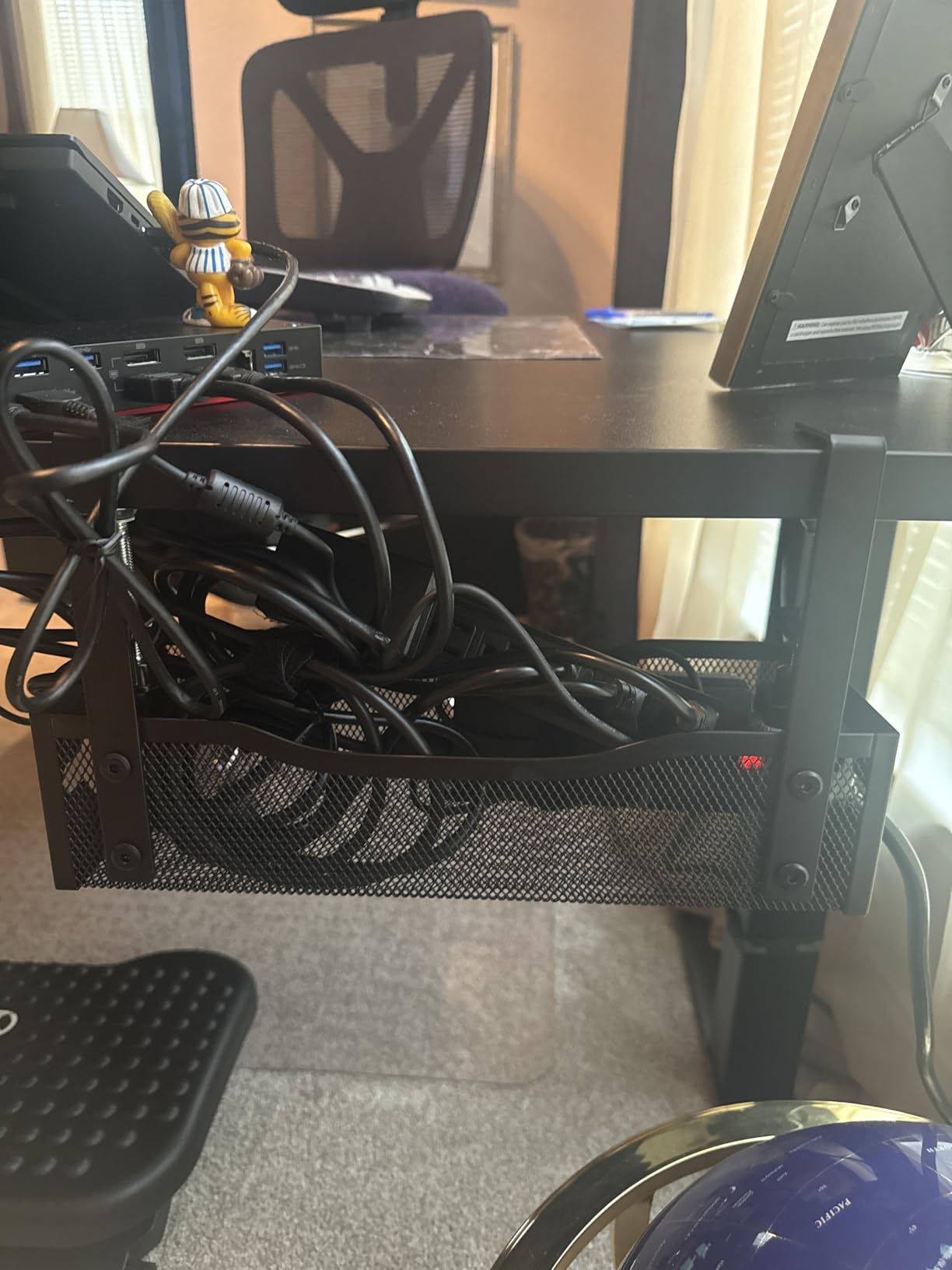
Capacity is where you have to be realistic. At 13.38 by 4.72 inches with a 15 lb rating, it comfortably carries a standard power strip and a couple of adapters. Reviewers do report that oversized strips with wide switch banks are a squeeze, and reaching a dock parked at the back does take some effort. That is a fair trade for a mount this clean and this removable.
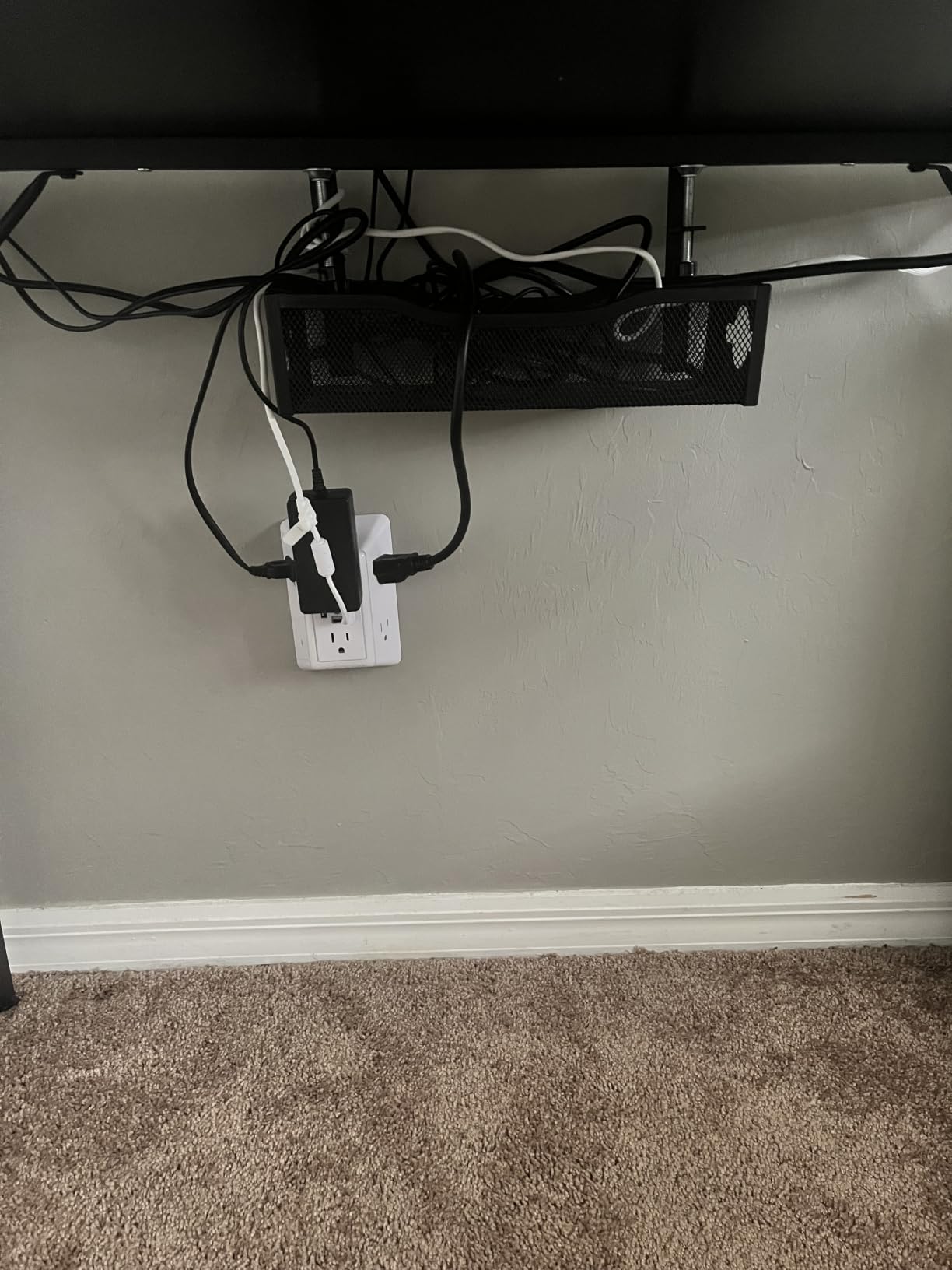
The pass-through holes on both sides are genuinely useful on a sit-stand setup. They let you run the frame’s own power cable up to the desktop without re-routing everything each time you move the desk, which is the single biggest source of frustration people report with standing desks in general.
Why it works on a height-adjustable frame
Two reasons. First, a clamp has nothing to work loose from, so repeated vertical travel does not slowly shake the mount out of alignment the way friction-mounted or screw-mounted trays can. Second, the footprint is small enough that it hangs close to the underside of the desktop instead of dropping low into the legroom zone where it would catch your knees when the desk is raised.
When to pick something else
If you run a full-size surge protector with a brick-style power supply for a desktop tower, this tray is too small and too shallow. Move up to the deeper REFLYING tray in position two, or the 36 inch fabric tray further down. If your desk has a back rod or built-in drawer under the top, check the clear edge measurement first, because a clamp needs a straight run of edge to grip.
2. REFLYING No-Drill Steel Tray – Best Value for Heavy Power Gear
Under Desk Cable Management Tray No Drill Steel Tray Black
Alloy steel, 15.7 in
6.3 in deep profile
Screw-free clamp mount
Works on wood, glass, metal and marble
Includes 5 cord organizers
Pros
- Easy assembly even for people who dislike putting things together
- Secure clamp fit on thin standing desk tops
- Large enough for a wide power strip plus adapters
- Open sides let cables route between neighbouring trays
- Velcro ties and adhesive holders included in the box
Cons
- Clamp tightening is awkward under a desk with cables already routed
- Needs both a wrench and an Allen key for the clamp hardware
- Too shallow for an oversized power brick or full-size surge protector
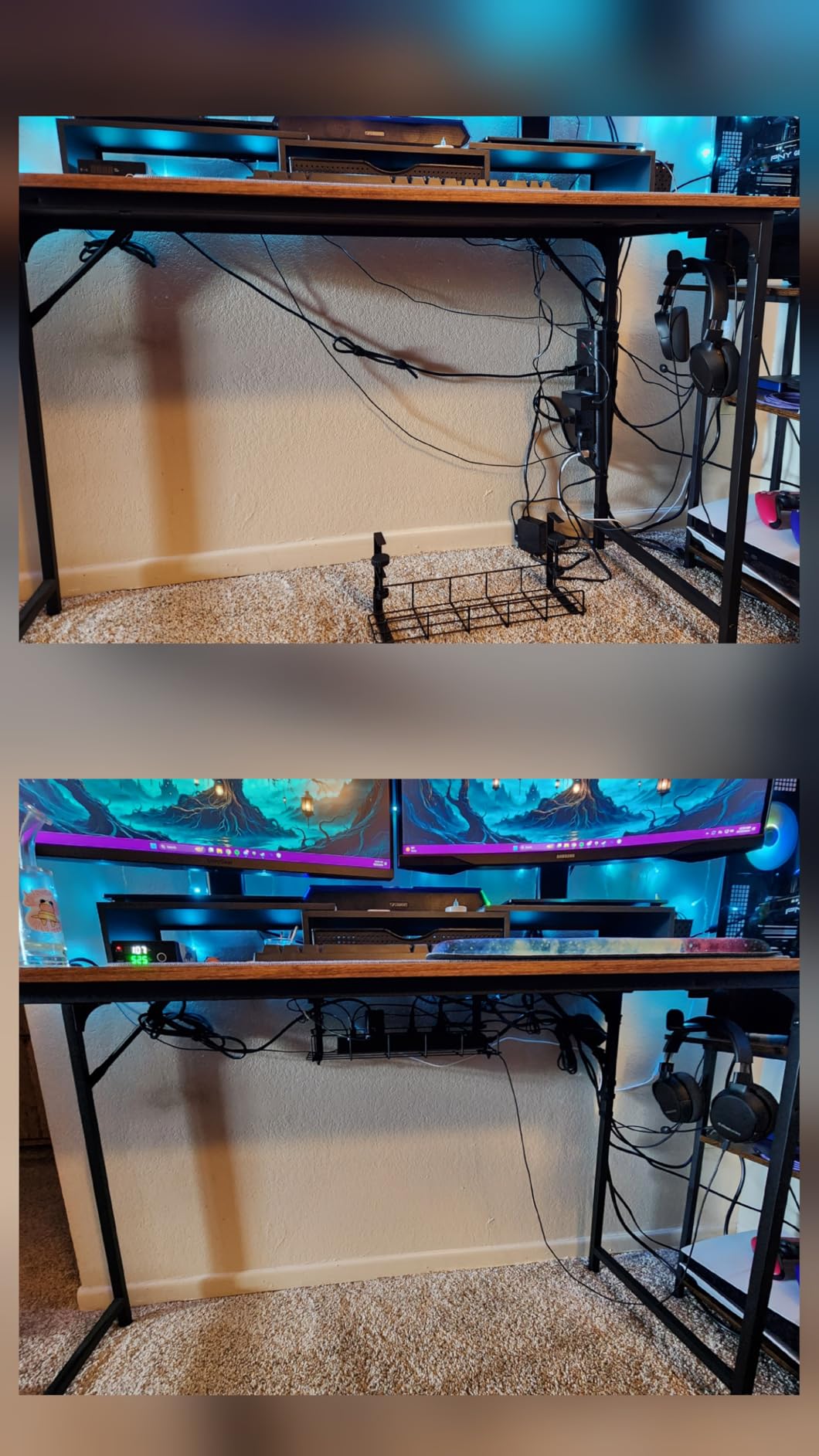
This is the tray I recommend when your cable load is genuinely heavy. The 6.3 inch profile is the difference between this and most of the competition. A power strip, a laptop brick and a bundle of slack all sit down inside it without being pinched, which is exactly the situation you create when a desk moves and the cables need a little give.
The mount works on wood, glass, metal and marble tops, and several reviewers confirm it holds well on thinner standing desk tops where heavier clamp trays tend to slip. The adjustable removable clamps have soft rubber pads, so the grip comes from the pad rather than from crushing your desktop edge.
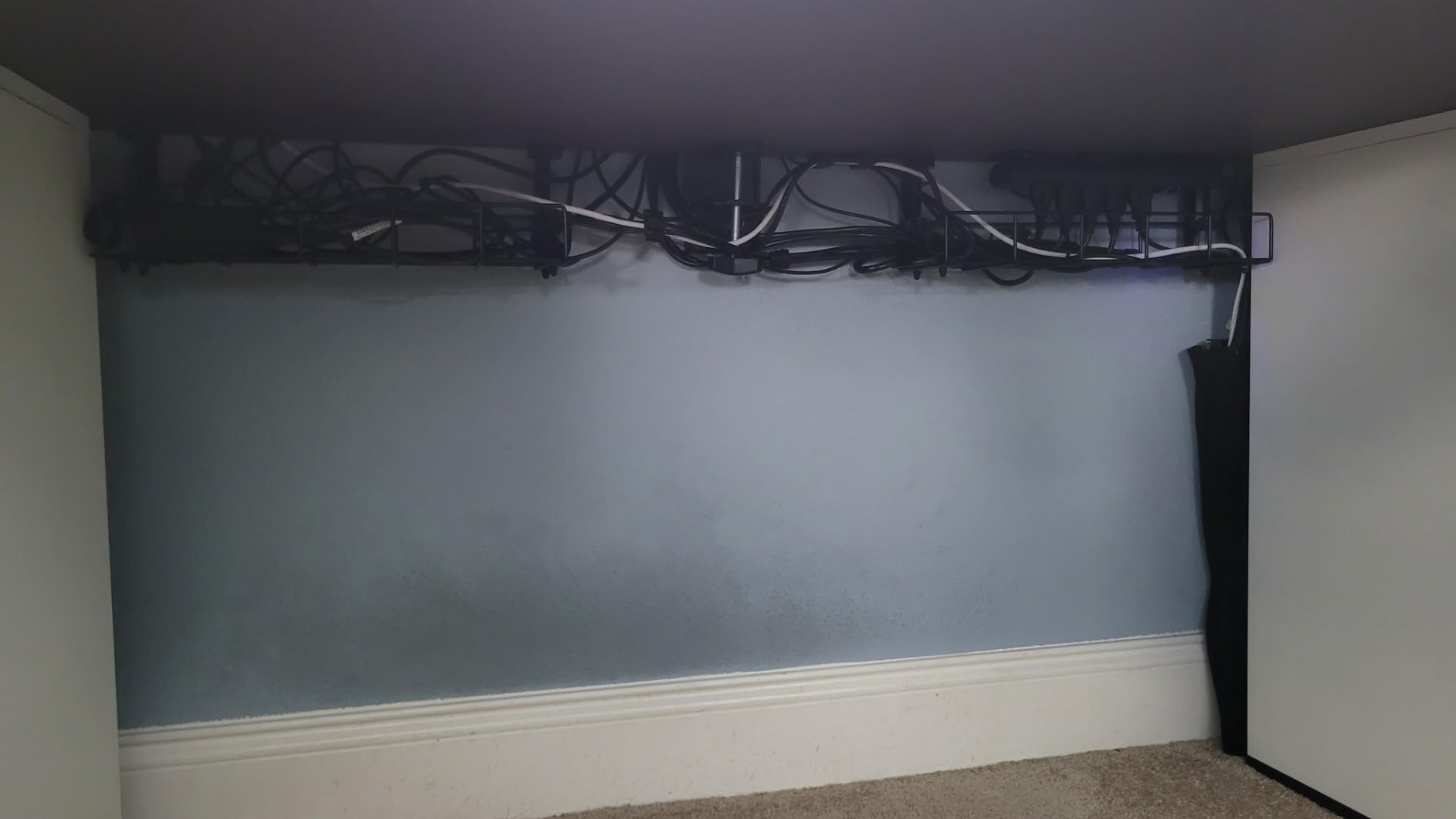
The honest drawback is the tightening procedure. It uses a screw and nut arrangement that wants both a wrench and an Allen key, and you will be reaching up under the desk to do it. Once everything is routed, that becomes a painful adjustment, so install this one before you run your cables rather than after.
The hollow curved shape also works in your favour on a moving desk. Because the sides are open, cables can leave the tray in more than one direction, which reduces the sideways tug you get when the desktop swings through its range. The package includes five cord organizers and two computer wire organizers, enough to finish the job without a second trip to the drawer.
Why the depth matters more than the length
Cable management on a moving desk is less about hiding cords and more about giving them somewhere to be without tension. A deep tray lets a power brick sit flat instead of hanging half out, and lets a length of slack coil loosely inside instead of pulling against the clamp. If your setup has heavy or oddly shaped power supplies, that extra height is the feature that will save you.
Where it falls short
Despite the size, it is still too shallow for a full-size surge protector with a brick on the end. And the two-tool clamp is genuinely fiddly, so if you are not comfortable working under a desk, budget extra time for the install. It is a better fit for a fixed position within your desk range than for desks you move constantly between sitting and standing.
3. Cinati White Clamp Tray Kit – Top Rated White Finish
Cinati Under Desk Cable Management Tray, 13.4″ Metal Cord Organizer, White
White powder-coated metal
No-drill clamp mount
13.4 by 4.6 by 3.1 in
10 lb capacity
Tops 0.4-2.4 in thick
Pros
- Clamp mount installs without drilling or adhesive residue
- Well-welded powder-coated metal resists rust and dust
- Anti-scratch pads protect the desktop
- Mounts inward or outward depending on layout
- Cable clips and ties included in the kit
Cons
- Shallower and narrower than larger mesh trays so bulky bricks are tight
- White finish can show grime in dusty setups
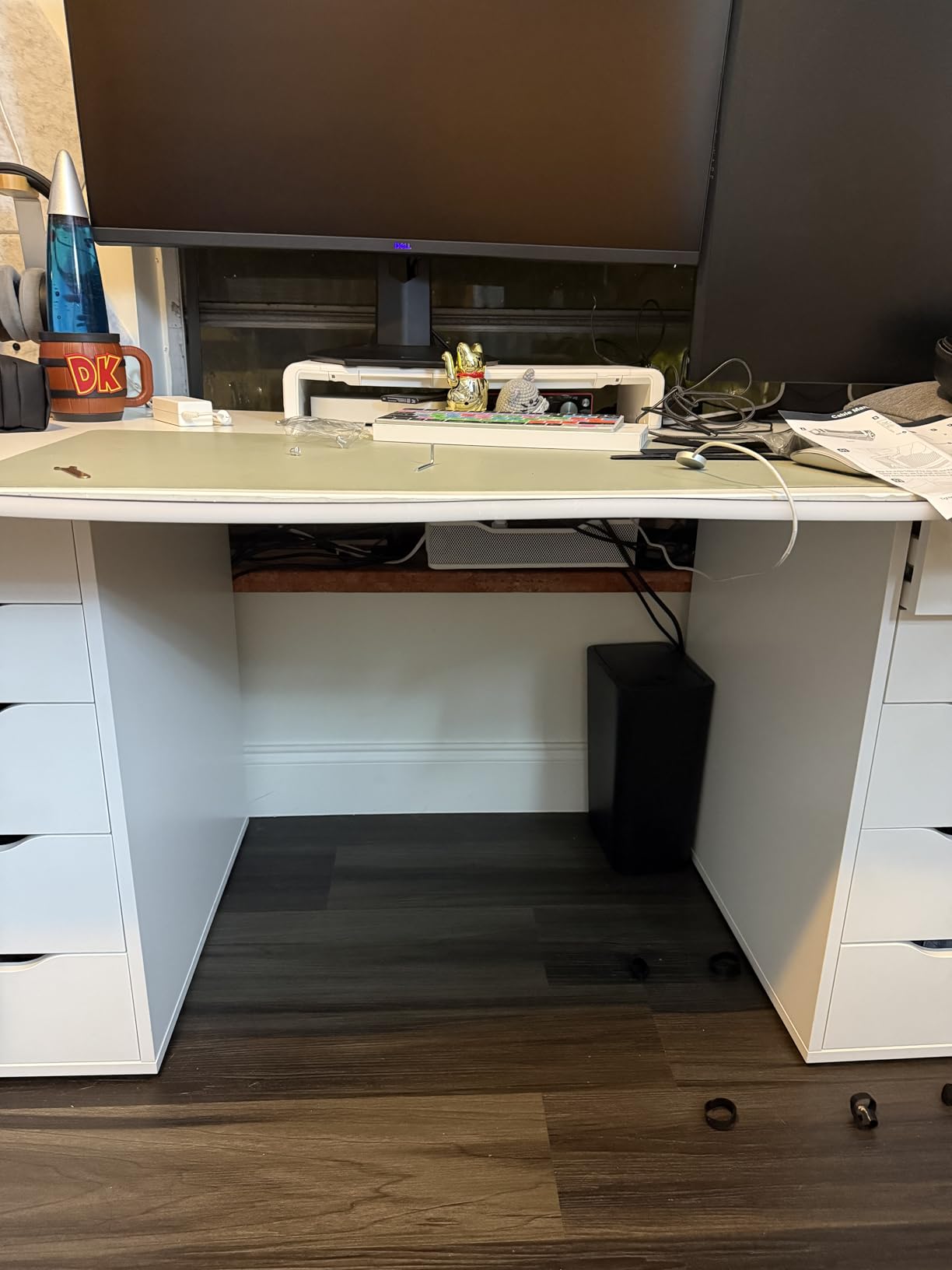
Most of this category is black because black disappears under a desk. If your setup is light, Scandinavian, or simply visible from above in a way that makes black hardware look like an afterthought, this is the tray that solves that. The welded powder-coated metal is genuinely well finished, with no visible seams and clean edges.
Mounting is a no-drill clamp that hangs onto the desk frame without touching a screwdriver. Anti-scratch mats sit at the contact points, and the opening can be mounted inward or outward depending on how your legs and frame are arranged. I found the inward orientation works better on most lifting frames, since an outward tray eats into your chair clearance when the desk is raised.
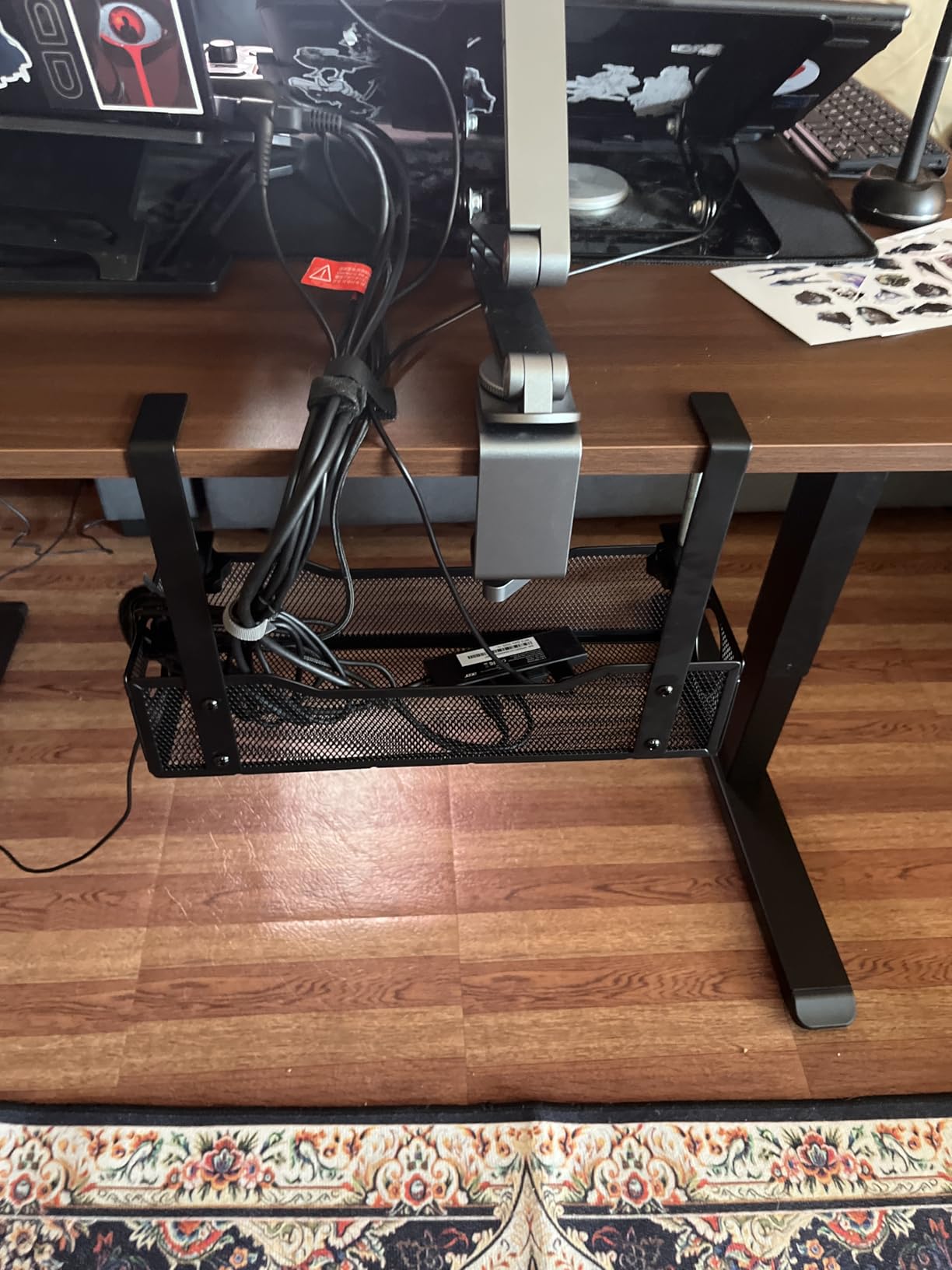
Capacity is the trade you accept here. At 13.4 by 4.6 by 3.1 inches with a 10 lb rating, it takes a standard power strip and small adapters comfortably. Owners with large power bricks report it gets tight, and it is simply a smaller box than the mesh options in this roundup.
Two details worth noting for a standing desk specifically. First, the clamp range runs from 0.4 to 2.4 inches thick, which is the broadest top thickness range of the clamp options in this roundup, so it accommodates more frame styles. Second, the kit includes one tray, four cable clips and six cable ties, so you can route and secure in a single pass.
Best used on a desk with a clean visible frame
If your desk has an open frame in a light-coloured room and you notice the underside when you sit down, finish consistency matters. A white tray that matches the frame reads as a deliberate choice, while a black tray on a white frame reads as a workaround. This is the pick for anyone who cares about that.
Where it falls short
The 10 lb rating and shallower profile make it the wrong home for heavy power supplies or a large desktop tower brick. The white powder coat is also the first thing to show age in a dusty or pet-heavy room, so it needs a wipe-down more often than a black tray. Everything else about the mount is solidly done.
4. Scandinavian Hub 17 Inch 2-Pack – Best Adhesive Option
Scanfield Under Desk Cable Management Tray, No-Screw, 17-Inch, 2-Pack Black
Self-adhesive no-screw mount
17 in length, 3.5 in clearance
Sold as a 2-pack
PVC construction
1.13 kg
Pros
- Quick adhesive install with no drilling or tools
- Spacious enough for power strips chargers and transformers
- Holds its shape when loaded
- Two-pack gives good coverage across a wide desktop
Cons
- Adhesive leaves no easy way to reposition once set
- Rigid plastic feel is less refined than metal mesh
- Lowest average rating in this roundup at 4.5 stars
This is the only adhesive-mounted option in the group, and that is both its appeal and its limitation. If your desk has a soft or uneven underside, or you simply refuse to clamp or screw anything, a strong adhesive backing gets the job done in minutes with no tools at all. Reviewers consistently praise the adhesive for strength.
At 17 inches with 3.5 inches of interior clearance, each tray holds power strips, chargers and bundled cords without crowding. The two-pack means you can spread coverage across a wide desktop instead of concentrating all your cables in one narrow zone, which helps when you move between sitting and standing and want the run to stay balanced.
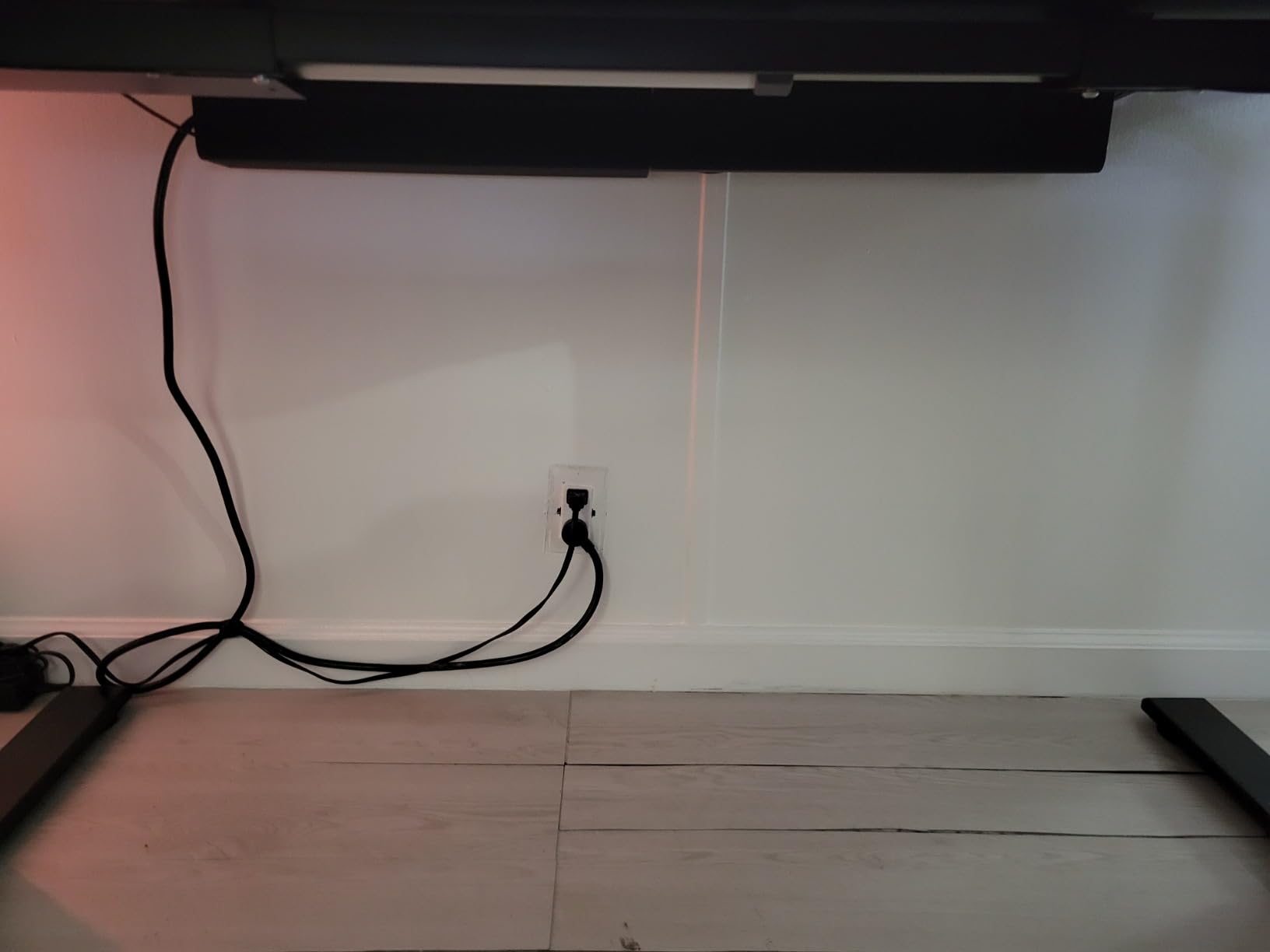
The construction is rigid PVC, and it holds its shape when loaded without bowing, which is the main thing you need from an under-desk tray. The lower rating in this roundup comes almost entirely from the mounting method rather than the tray itself, and I think that is worth weighing carefully for a desk that moves.
Adhesive is permanent in practice. If you need to change the tray position, move the desk to a different room, or swap desks entirely, you are peeling and reapplying rather than releasing a clamp. On a desk you plan to keep for years, that is fine. On a rented or frequently rearranged setup, it becomes a liability.
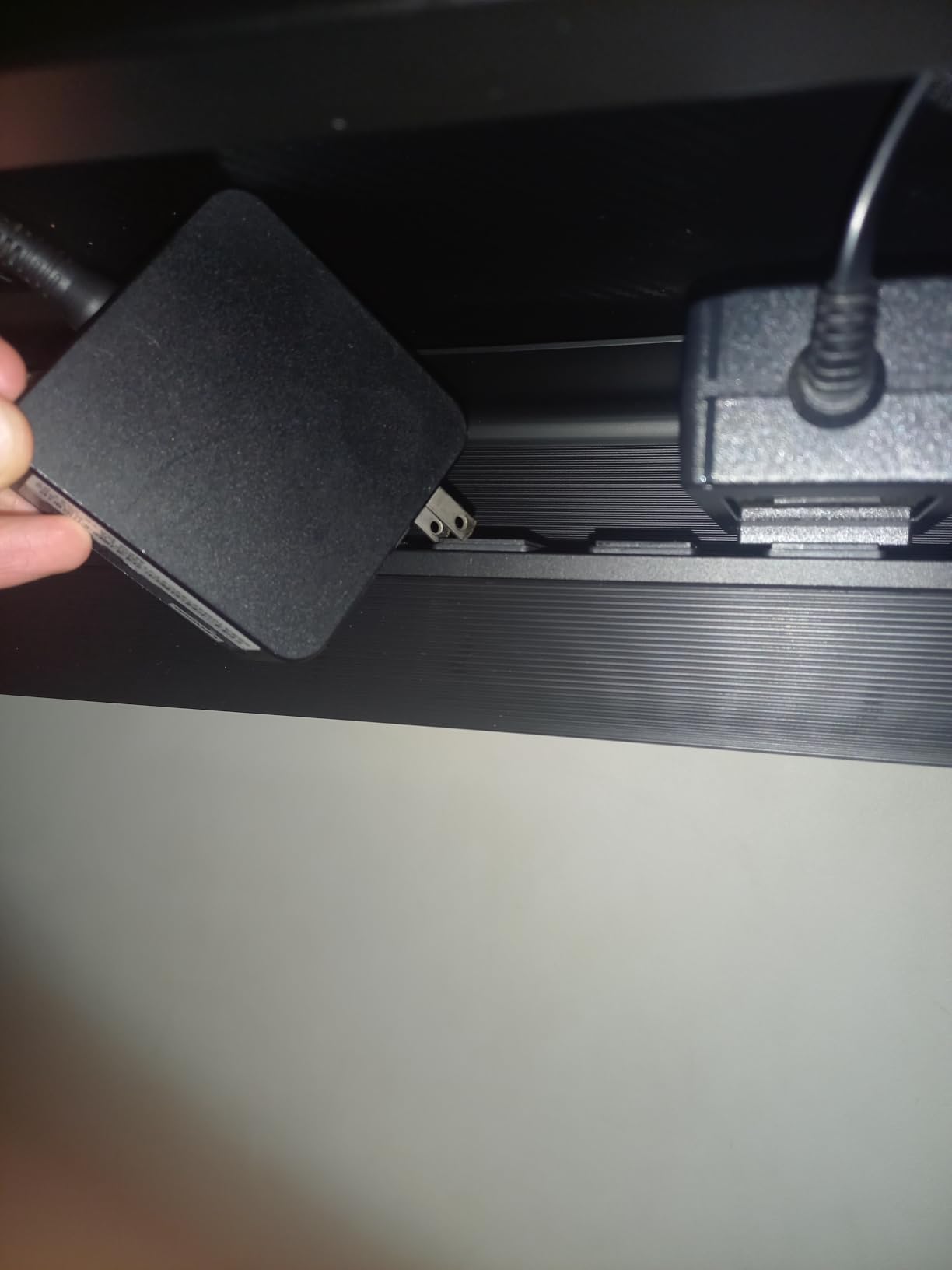
Where adhesive makes sense on a standing desk
Glass tops and curved or irregular frames are the real case for this option, because a clamp has nothing flat to grip and drilling through glass is a bad idea. If your desk falls into that category, adhesive is not the compromise here, it is the correct tool. It also installs with the desk in any position, which removes the awkwardness of reaching up under a raised frame.
Why I would not use it on a moving frame
A lifting desktop transmits a small but repeated jolt every time the motor stops. Adhesive joints carry that load by shear, and while this one is rated to hold, it is the least reversible choice in the group. If you expect to adjust the tray position more than once, spend the extra effort on a clamp mount instead.
5. Univivi 36 Inch Fabric Tray – Best Fully Concealed Option
Univivi No Drill Under Desk Cable Management Tray, 36 inch Cable Management
36 by 5.5 by 5.5 in
Oxford fabric enclosure
Clamp-on or screw-in
Flame-retardant 600D fabric
3.1 lb
Pros
- Fabric enclosure hides cables far better than an open mesh basket
- Clamp mount is solid and leaves the desk undamaged
- Holds a power strip plus a large desktop power brick
- Foldable design makes gear easy to add or remove
- Built-in ties keep cables bundled
Cons
- Highest cost in this group for the materials used
- Needs the full 36 in run of clear front edge for the clamp
- Not compatible with built-in drawers or a back rod
Every other tray here is an open basket, which means you still see cables through the mesh. This one wraps them in flame-retardant 600D oxford fabric, so from a normal seated or standing eye line the underside of your desk simply reads as a clean dark box. Owners with adjustable desks specifically report it declutters the raised position well, which is the view most people judge the desk from.
Capacity is the real headline. At 36 by 5.5 by 5.5 inches, it takes a power strip plus a large desktop power brick with room to spare, and the bottom support panel is rated to hold heavier loads than an open mesh basket would. It supports both a no-drill clamp and screw-fixing installation, and it fits wood, glass and metal tops.
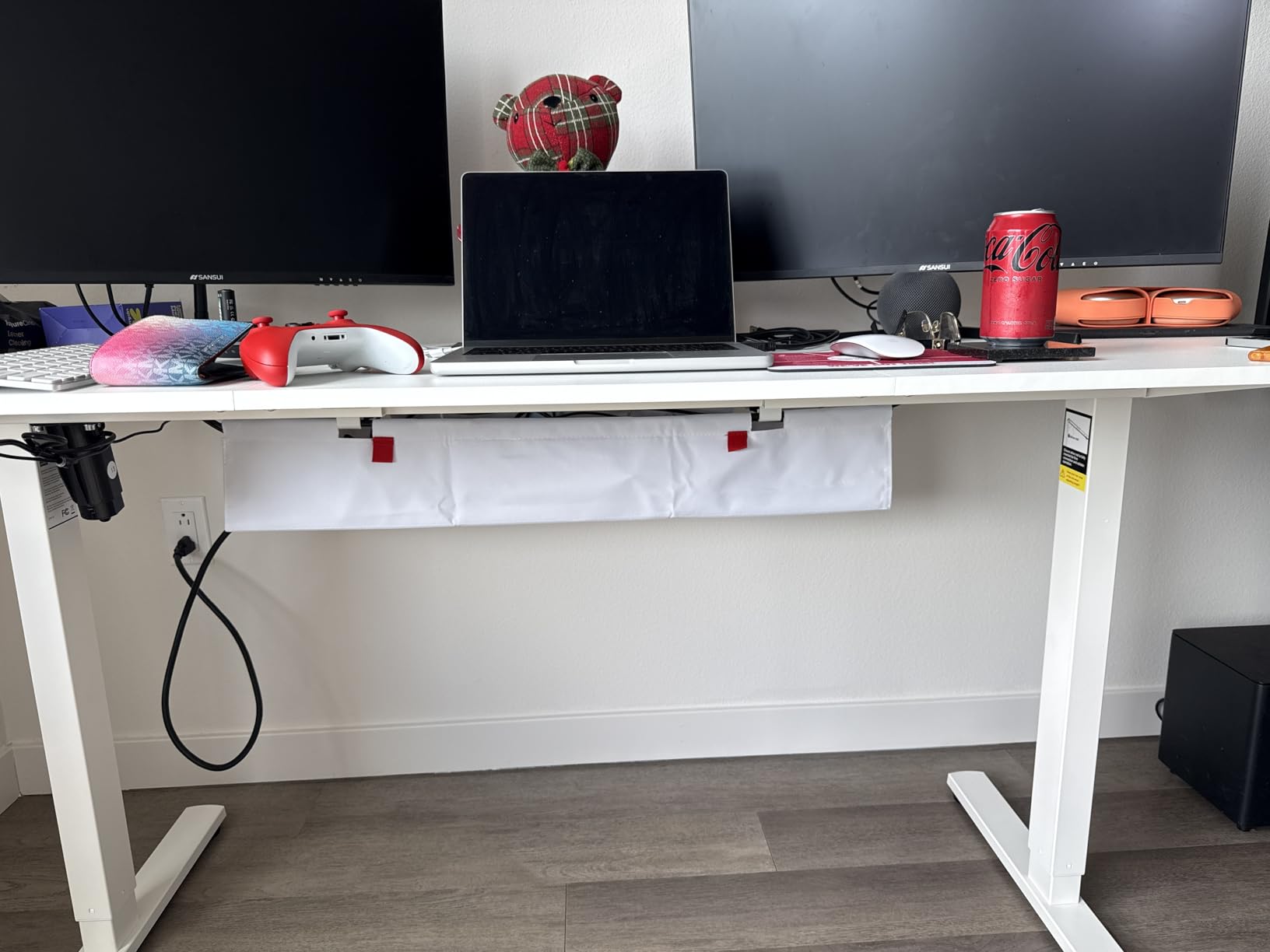
The foldable design is what makes it practical long term. When you swap from a laptop setup to a full desktop, you unzip the front, add or remove gear and zip it back, rather than threading cables through a fixed grid. The high-contrast pull tab and built-in ties keep the daily version of that task to a few seconds.
The fit requirement is the catch. At 36 inches long, it needs the entire front run of your desktop to be clear, and it will not work on a desk with built-in drawers or a back rod. That rules out plenty of compact frames, so measure your clear edge before anything else. One reviewer also noted the internal metal rod is black even on the white version, a small cosmetic inconsistency.
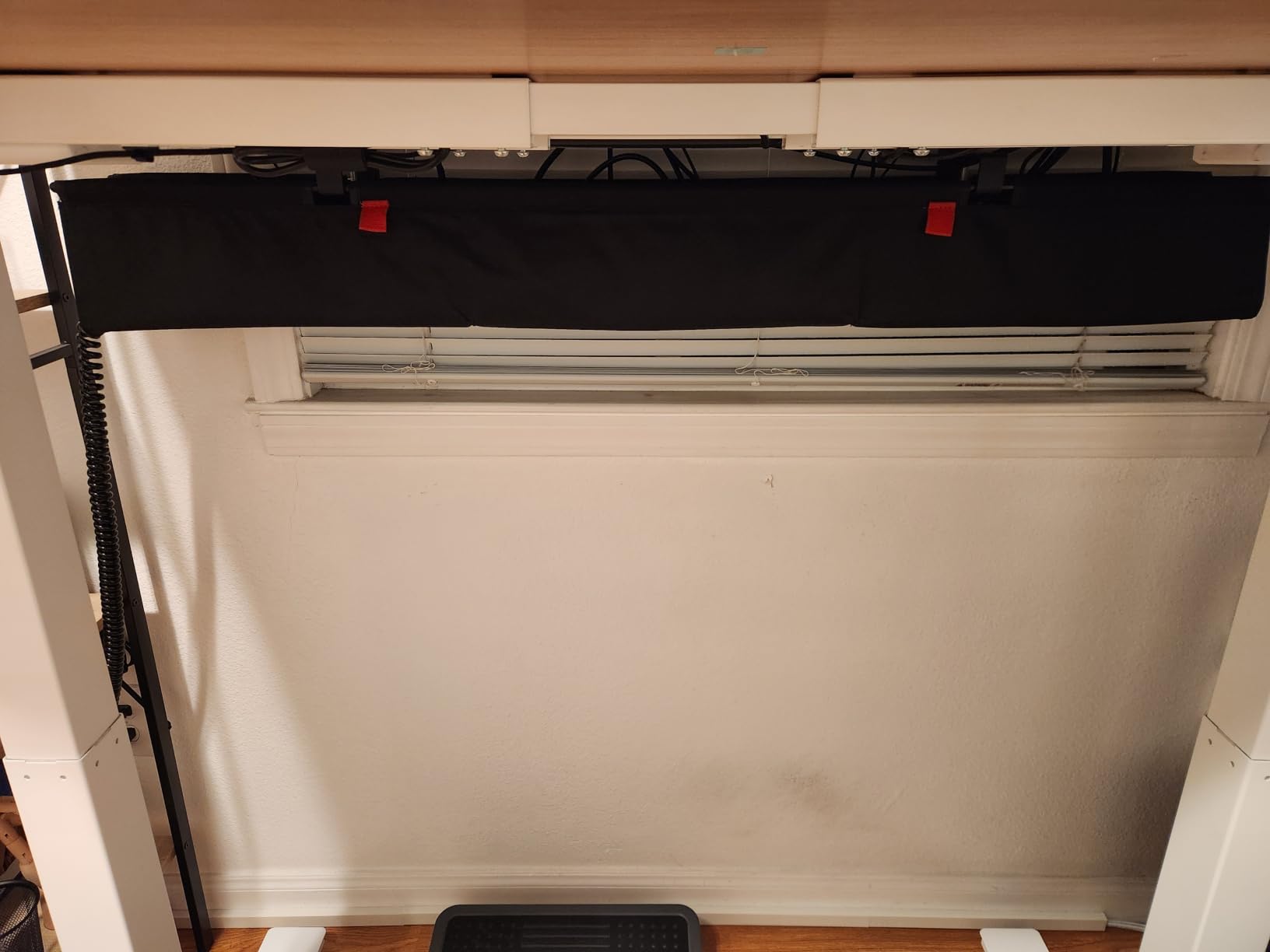
Best when appearance at standing height is the priority
At standing height your eyes are level with the underside of the desk, which is exactly where an open mesh tray displays its contents. The fabric sleeve solves that in a way nothing else here can, and it is the reason this tray keeps coming up in conversations about tidy sit-stand setups. If you record video calls standing, the difference is visible in frame.
When it is the wrong call
It also uses fabric construction rather than a steel frame, and the full-length edge requirement eliminates it outright on some desks. If you want a cheap fix and your desk has a clean straight edge, the clamp mesh trays in positions one and two deliver the same practical result for far less.
6. pamo Set of 2 Steel Trays – Best Steel Build
PAMO Cable Management Under Desk, Set of 2 – Black
Set of 2 trays, 17.32 in each
1 mm powder-coated steel
Screw-in mounting
Beveled easy-access opening
1.6 kg
Pros
- Thick 1 mm steel resists sagging under heavy power supplies
- Beveled opening keeps power strips and adapters reachable
- Works with height-adjustable desks and monitor mounts
- Set of two gives good coverage across a wide desktop
- Rounded powder-coated edges resist scratching
Cons
- Screw-in installation requires drilling into the desk underside
- Not a no-drill option which matters for a sit-stand desk
- Narrow 3.94 in width leaves less room for oversized power bricks
One millimetre steel is a heavier build than anything else listed here, and you can feel it immediately when you lift a tray. Nothing flexes, nothing bows, and the set of two means you can run one tray under each side of a wide desktop rather than funnelling every cable through a single point. That balance is genuinely useful on a desk that travels, because the load is spread across the frame rather than concentrated at one corner.
The beveled opening is an underrated detail. It angles the front edge downward so you can reach a power strip or adapter without lying on the floor with a phone torch, and it keeps switched strips accessible for unplugging one device without disturbing the rest. Owners with monitor mounts report it works alongside them without a fight for the same under-desk space.
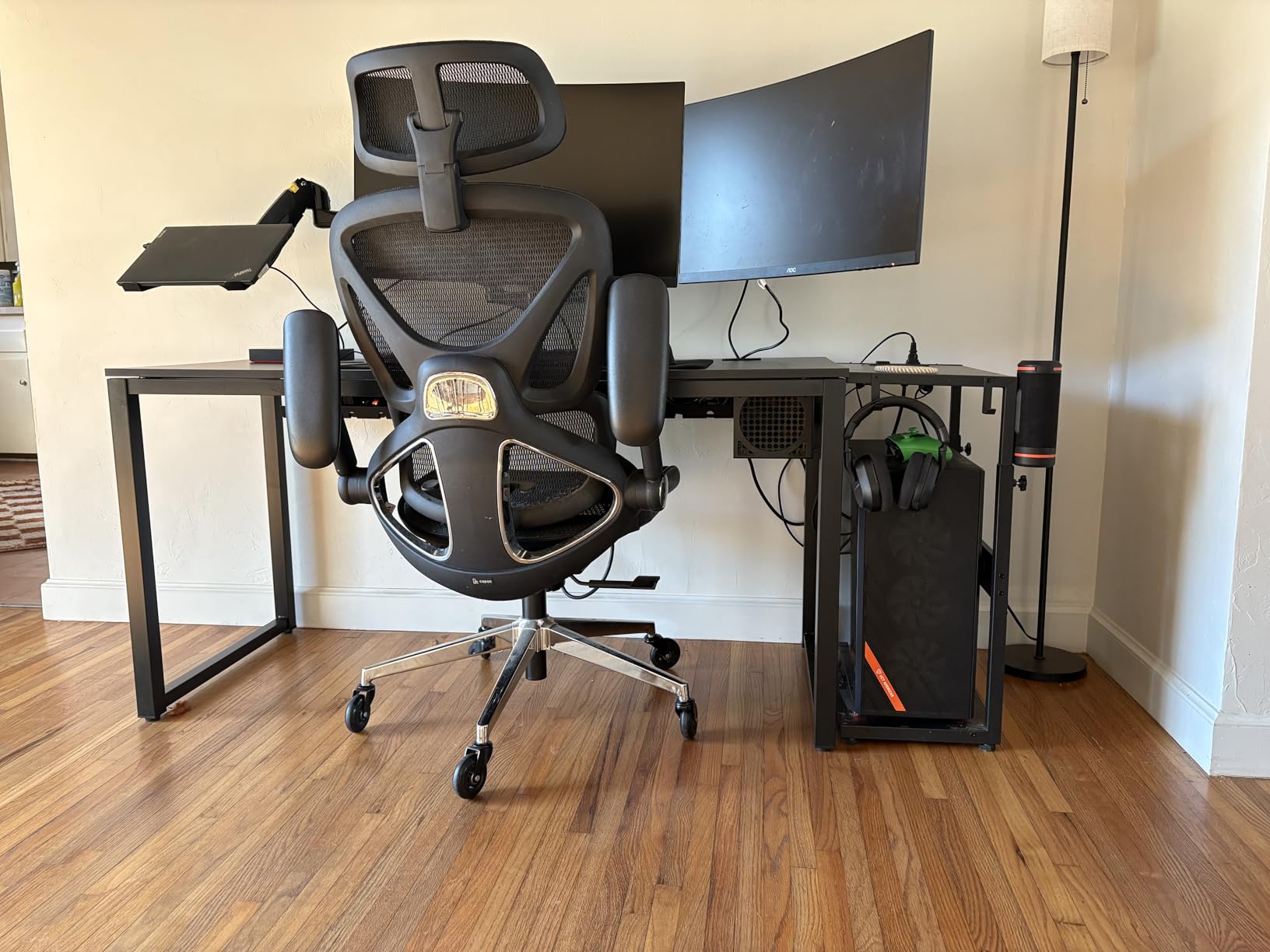
Each tray measures about 17.32 by 3.94 inches, and that 3.94 inch width is the limitation. Large power bricks overhang in a way that looks untidy and can catch on the frame as the desk moves. It is fine for laptop chargers and slim adapters, and tight for desktop hardware.
The mounting is screw-in. You drill into the underside of the desktop and fix the tray to it, which gives the most rigid attachment of the mounting types here and is why the steel never sags. It also means a permanent modification, so this is a poor match for a desk you plan to move to another room or replace, and several reviewers point out the same drawback.
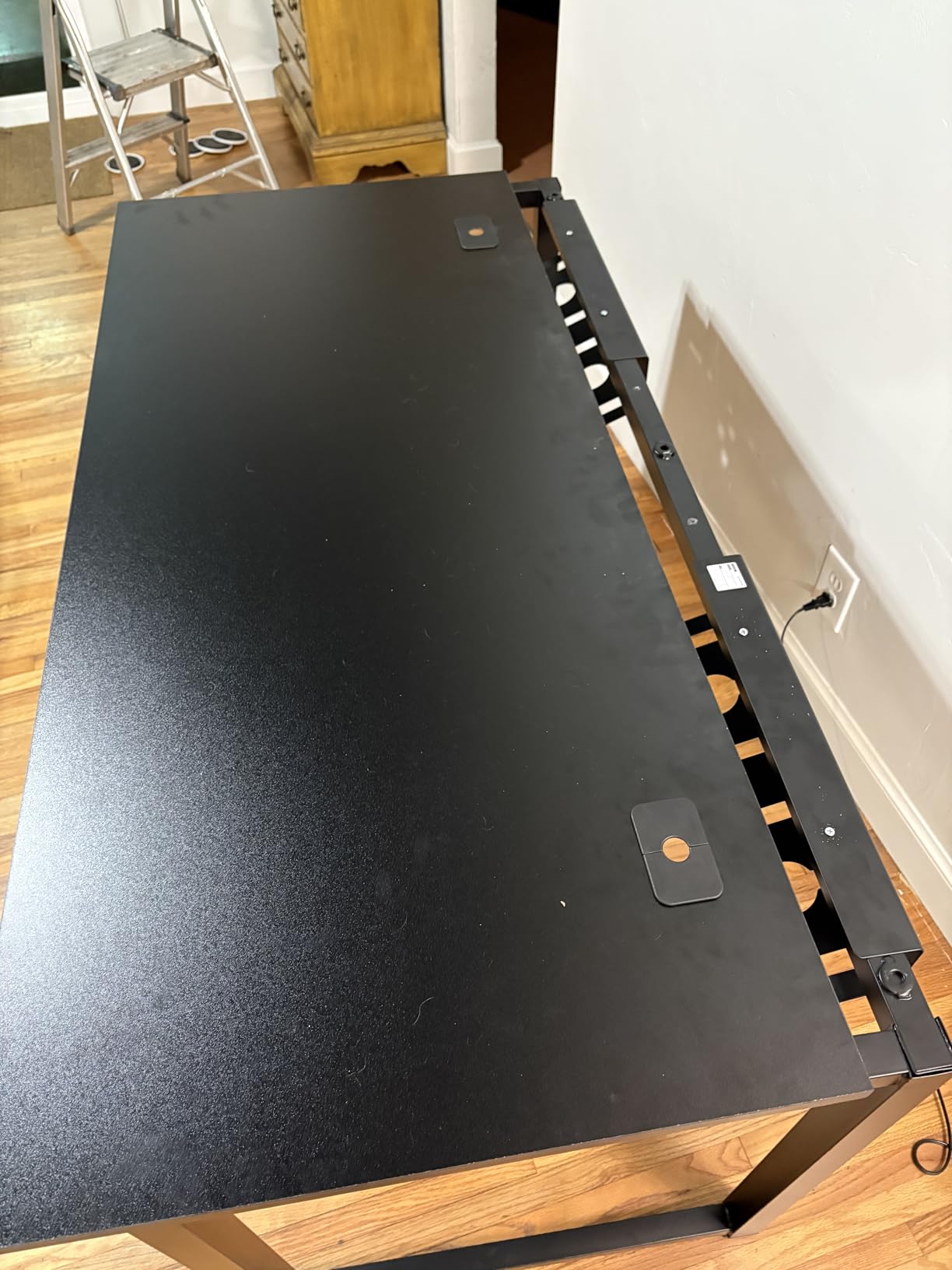
Best when you are staying put and load matters
If your desk is going in the corner of a room and stay there, screw-in is a feature rather than a compromise. Nothing shifts, nothing needs re-torquing, and the rigid steel shrugs off a heavy power supply where lighter trays bow. The package also includes two cable guides, mounting screws and six reusable cable ties, so the install is self-contained.
Why I hesitate on a sit-stand desk
Drilling into a desktop that is engineered to move and to carry a lifting column is a decision I would rather you make deliberately. If you rent, or you upgrade desks regularly, a permanent hole and permanent fixings are a poor match. The clamp trays give you nearly the same rigidity with a reversible mount and no tools beyond a hex key.
7. Ucanng No-Drill Mesh Tray – Best for Large Power Strips
Under Desk Cable Management Tray, No Drill Mesh Cable Tray Cord Organizer
15.35 by 4.72 in mesh
No-drill clamp, 0.4-2.0 in tops
Steel rated to 15 lbs
Fits strips to 15.00 by 4.32 in
Side-opening design
Pros
- Assembles and clamps on in under five minutes with no drilling
- Holds a large surge protector plus adapters and cord slack
- Mesh keeps things ventilated and easy to reach into
- Rubber pads keep the clamp from marking the desktop
- Owners confirm it fits sit-stand desks such as Uplift models
Cons
- Newer listing with a much smaller review base than the established trays
- Manufacturer listed differently from the brand so material details are less documented
This one is tied for the highest average rating in the group and has one of the smallest review bases, so I am treating the rating with more caution than the number alone would suggest. What the reviews do describe is consistent and specific: fast no-drill clamping, a solid feel and enough room for a power strip and adapters while keeping the floor clear.
Capacity is the differentiator. The listed fit covers power strips up to 15.00 inches long and 4.32 inches wide, and owners report holding a large surge protector plus a collection of adapters without crowding. The side-opening design means you can add or reroute a cable without pulling the whole tray off the desk, which is exactly the task you face every time you rearrange a moving setup.
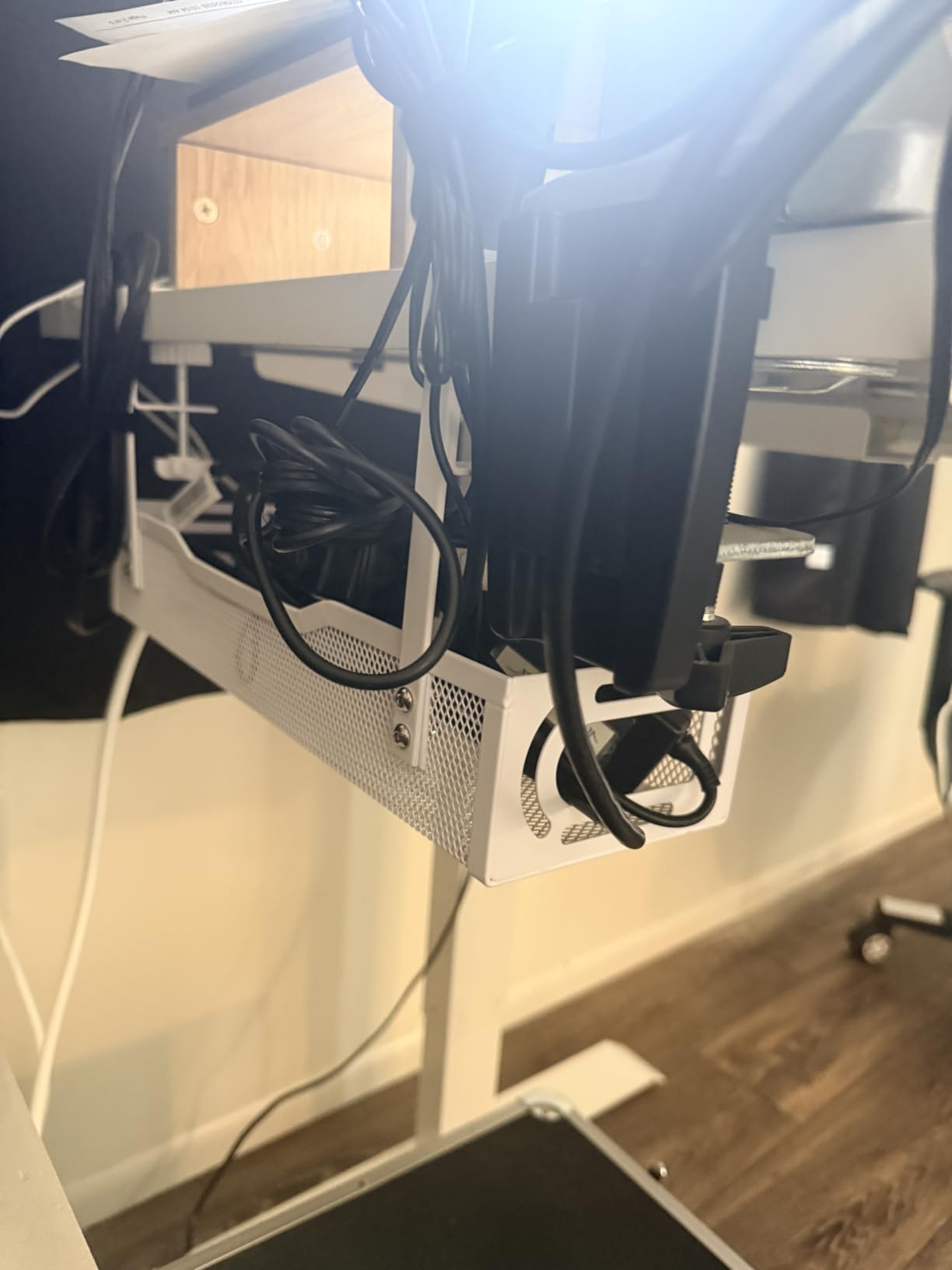
The clamp covers desk tops from 0.4 to 2.0 inches thick, mounts inward or outward, and uses non-slip rubber pads at the contact points. One buyer verified the fit under an Uplift sit-stand desk without drilling, which is reassuring given how many frame styles exist and how badly some clamps sit on curved or tapered edges.
At 15.35 by 4.72 inches in a white finish, it is wider than most of the clamp trays here and closer in size to the deeper steel option. Steel construction is rated to 15 lbs, and the mesh keeps airflow reasonable if you are storing a power supply down there for long stretches.
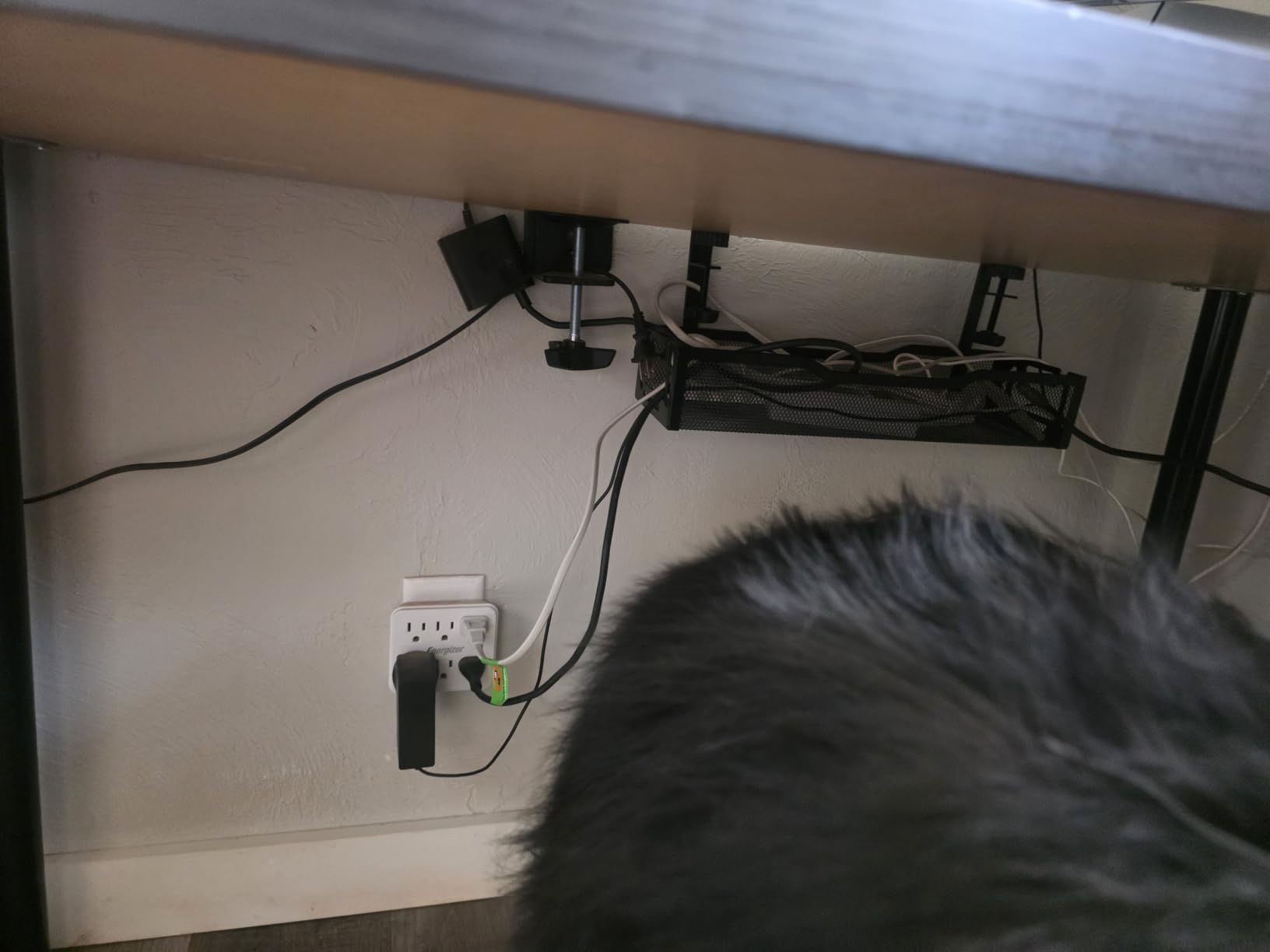
Best when a surge protector is the centre of the setup
If the main thing landing in the tray is a full-width surge protector rather than a handful of laptop chargers, this is the tray sized for it. Most under-desk trays in this category are built for cables and quietly discourage you from putting a power strip in them, which defeats the purpose on a shared desk where a surge protector is the only safe place to plug several devices in at once.
The main reason to hesitate
The review base is small enough that a manufacturing change or a materials revision would not yet show up in the ratings. Also note that the manufacturer is listed differently from the brand, so material documentation is thinner than for the established trays. If you want a long record of consistent feedback rather than a young listing with a strong current rating, the Litwaro and REFLYING options are the safer bet.
8. LOVJOYSE 25.3 Inch Mesh Tray – Best Long Mesh Tray
Cable Management, 25.3” Under Desk Cable Management Tray No Drill
25.3 by 4.72 in mesh
Tool-free clamp, tops to 2 in
Metal rated to 15 lbs
Two large access holes
Available in 15 and 25.3 in
Pros
- No-drill clamp installs in about ten minutes and leaves no marks
- Sturdy mesh held two large surge protectors and several devices worth of cabling
- Open mesh lets cables breathe and keeps the floor clear for cleaning
- Kit includes velcro ties adhesive clips and tools
- Frequently cited by owners of height-adjustable desks
Cons
- Tray hangs slightly lower than some buyers expected
- The 15 in version can feel crowded on a busy multi-device desk
- Only a 3 month warranty period
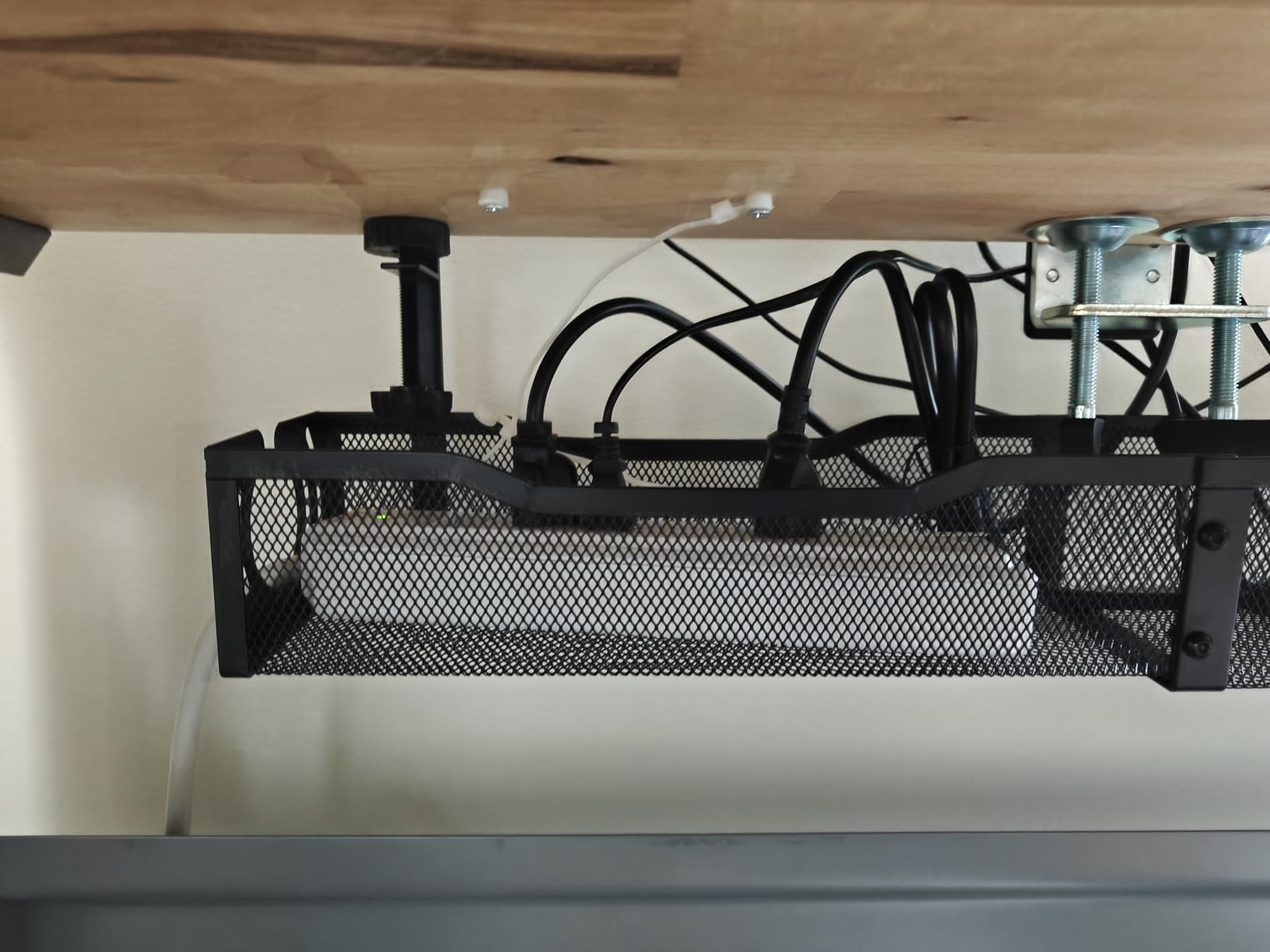
At 25.3 inches, this is one of the longest trays in the roundup and the longest of the simple clamp-on mesh designs, and length is the underrated dimension for a standing desk. Longer trays let a run of cable rest along the underside instead of hanging in a loop, and they let you spread weight across a wider span of the frame rather than concentrating it near one leg.
Owners of height-adjustable and sit-stand desks come up for this one repeatedly, and the reports are consistent: a solid clamp, metal mesh sturdier than expected, and enough bundled strap and clip in the kit to finish without buying anything else. One owner reported holding two large surge protectors plus cabling for three devices in the larger size.
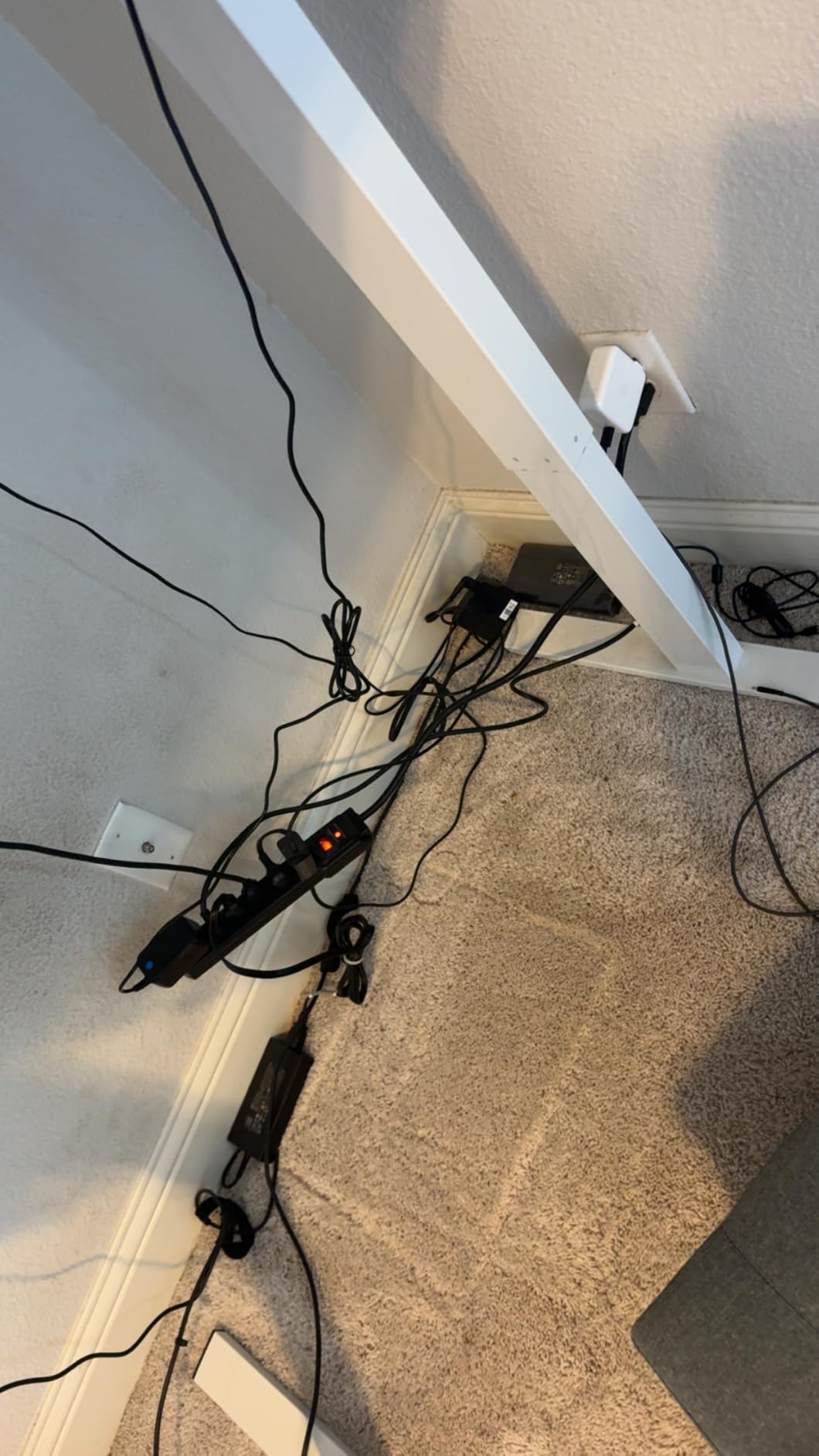
Metal construction is rated to 15 lbs, with an adjustable soft-padded clamp for desk tops up to 2 inches thick and two large access holes for routing. Installation runs about ten minutes with no tools, which is slower than the fastest clamps here but comfortable for anyone assembling under a desk for the first time.
Two things temper the recommendation. Reviewers note the tray hangs a little lower than some expect, which matters if your knee clearance is already tight at full standing height. The warranty period is also only three months, the shortest in this group, so the stainless steel designation is doing more work here than any formal guarantee.
Best when your cable run is long rather than heavy
If the problem is a long horizontal run, or several devices spread across a wide desktop, length beats depth. At 25.3 inches you can lay a power strip plus a bundle of slack along the underside and reach each end without contorting, which is far easier on a desk you raise frequently than crouching under a short tray. It is also available in a 15 inch version and in black or white, so the finish can match your frame.
What to check before you buy
Measure your knee clearance at full standing height, not at the seated position. If the underside already has a crossbar or a deep frame, a longer tray may hang into the zone where your thighs sit when the desk is high. The shorter warranty is the other consideration, and it is the main reason this finishes last rather than higher.
What Actually Matters for a Height-Adjustable Desk?
Most buying guides for cable trays are written for a desk that never moves, so they focus on size and price. That misses the things that decide whether a rack works on a sit-stand desk. Here is what I would check before buying anything from the list above.
Why a moving frame changes the cable problem
On a fixed desk, cables can be run tight and hidden because nothing pulls on them. On a lifting desk, the desktop moves a long way between its low and high settings, and everything plugged into it moves by the same amount. Cables that were previously slack become taut at one end of the range, and the pull transfers into the clamp, the socket and sometimes the port on your laptop.
That is why slack matters more than appearance here. Leave enough length that no cable is straight at your lowest sitting position, and route the excess into the tray rather than letting it hang. The trays with deeper profiles, such as the REFLYING tray and the fabric tray from Univivi, let you coil that slack somewhere out of the way, which is why capacity beats styling on this kind of desk.
Clamp, screw-in, adhesive or under-desk mount
Clamp-on is the right default for a sit-stand desk. It leaves no holes, it can be repositioned, and friction pads absorb the small repeated jolts from the lift motor. It does need a straight, flat edge of the right thickness, so check your clear edge measurement before you order, especially if your desk has a back rod or a built-in drawer.
Screw-in is more rigid and more permanent, and it is a reasonable choice if the desk is staying in one spot. Adhesive is the fallback for glass tops, curved frames or unusual shapes where a clamp has nothing to grip. Under-desk spine systems are a different category entirely, and they pair well with a tray: the tray holds the power gear at the desktop end while the spine carries the run down the frame to the floor.
Slack, travel and legroom
Two measurements decide the fit. First, the distance from your desktop underside to the floor at your lowest sitting position, because that is your working legroom once the tray is hanging below it. Second, the same distance at full standing height, which is where a long tray can eat into knee space. If a tray hangs lower than you expected, the fix is not tolerance, it is a shallower or shorter model.
For the frame’s own power cable, route it through a pass-through hole or a cable spine rather than across the moving gap. Products in this roundup with pass-through holes, such as the Litwaro mesh tray with its two holes per side, are built for exactly this, and it is the detail that most reduces the daily friction of a moving desk.
Load, materials and desk top thickness
Load ratings in this category range from 10 to 15 lbs, which sounds decisive until you realise a modern power brick and a surge protector can reach half of that between them. Steel mesh and steel trays resist sagging better than PVC, and a bottom support panel matters more than the stated rating once you are hanging a power supply rather than cables.
Top thickness is the other spec to check carefully. Clamp ranges here run from 0.4 to 2 inches, with one reaching 2.4 inches, and lifting desk tops vary a lot. If your top sits at the edge of the range, the clamp will feel loose, and a loose clamp on a moving desk is the failure mode you are trying to avoid. Measure before you commit.
Once you have picked a tray, our guides to the best desk cable management trays and the best under-desk trays cover the fixed-desk side of the category in more depth, and our picks for cable management kits cover the straps and clips that finish the job after the tray goes in.
Frequently Asked Questions
Do under-desk cable trays work with standing desks?
Yes, and most are specifically useful on one. The benefit is that a moving desktop needs somewhere to hold cable slack without that slack pulling against plugs and ports. A tray with a deeper profile is better at this than a shallow one because the spare length can coil inside instead of hanging in the moving gap.
Are clamp-on cable trays better than screw-in ones for a sit-stand desk?
Usually, yes. A clamp leaves no holes, can be repositioned and does not interfere with the lift mechanism. Screw-in mounting is more rigid and never shifts, but it is a permanent modification to a desktop that is engineered to travel. Choose screw-in when the desk is staying in one place and you want maximum rigidity.
How much cable slack do I need for a standing desk?
Enough that no cable is taut at your lowest sitting position, with the extra length stored rather than hanging. On most lifting desks the desktop travels a long way between the lowest and highest settings, so plan for that movement in every cable that crosses the gap. Route the frame’s own power cable through a pass-through hole or a vertical cable spine so it does not stretch.
What size cable tray fits under a standing desk?
Width and length matter less than clearance. Check the gap between the underside of the desktop and the floor at your lowest setting, then subtract the depth of the tray. A 4 to 4.7 inch wide tray works on most frames, while a 36 inch fabric tray needs the full 36 inches of clear front edge and no back rod. Long trays also need knee room at full standing height.
Can I put a surge protector inside an under-desk cable tray?
Yes, as long as the tray is large enough. Look for an interior width of at least 4.3 inches and a listed fit that covers the full length of your strip, since many small trays are built for cables only and leave power bricks overhanging. Mesh designs also keep airflow reasonable if a power supply is stored there for long periods.
The Bottom Line on Standing Desk Cable Management
The Litwaro no-drill clamp mesh tray is the pick for most people reading this. It mounts without tools or holes, survives repeated height changes without loosening, and gives you a compact box that stays out of your legroom. If your gear is heavier, step up to the deeper REFLYING steel tray; if the underside of your desk is on camera while you stand, the 36 inch fabric tray is the only option here that fully conceals the cables.
Whichever you choose, measure your clear desk edge and your knee clearance before you order, install it before you route your cables, and leave enough slack that nothing pulls tight at your lowest sitting position. That last habit matters more than any tray on this list for how a standing desk feels day to day.