
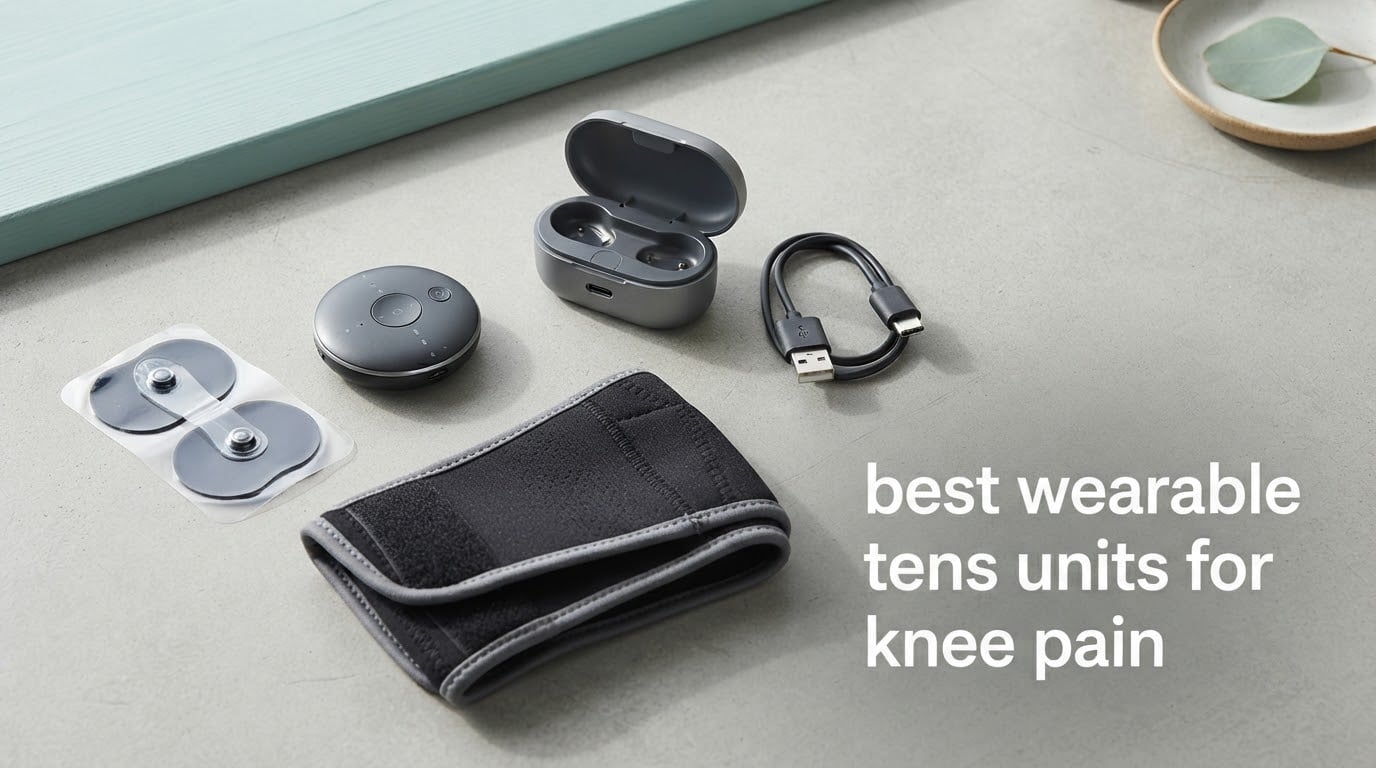
Knee pain has an unglamorous way of taking over your day. Stairs hurt, a chair feels too low, and by evening the joint that barely registered in the morning is the loudest thing in the room. Most people reach for painkillers first, then for ice, then for a physical therapy referral they keep meaning to book.
There is a third option that sits between a heating pad and a clinic visit: a wearable TENS unit. A wearable TENS unit is a small battery-powered device that delivers low-voltage electrical pulses to the skin through adhesive electrodes or a built-in cuff, interrupting pain signals on their way to the brain so you can keep it on your knee under loose clothing while you work, walk, or rest. No pills, no appointment, no sitting still for forty minutes with a lead wire snagging on your doorknob.
We spent weeks with the ten wireless and wearable TENS devices below, side by side on the same knee, same pad placements, same session lengths, so you do not have to guess which one is worth your money. This guide covers the best wearable tens units for knee pain available in 2026, how to place the pads so the treatment actually works, and the safety rules that matter before you switch anything on.
One honest note up front: TENS does not cure a knee. It buys you a window of reduced pain, and for a lot of people that window is what makes a walk, a sleep, or a physical therapy session possible. If you have been managing joint pain for years, you already know the difference. Set your expectations there and the devices deliver.
Top 3 Picks: Wearable TENS Units for Knee Pain in 2026
Before the full list, the three that came out ahead. The Easy@Home is the one most people should buy, the AUVON is the smarter value pick, and the iReliev is the most capable system if you are working with a physical therapist.

Easy@Home Wireless TENS
- Fully wireless with no remote or wires
- 6 programs and 20 intensity levels
- Rechargeable lithium-ion battery
- 510K cleared for home use

AUVON 24-Mode TENS Unit
- 24 modes with 30 intensity levels
- 790 mAh charging case
- Six pads in two sizes
- 10-minute fast charge
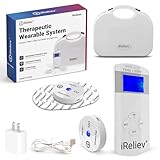
iReliev TENS and EMS System
- 8 FDA-cleared TENS modes
- 6 EMS modes for muscle work
- Pods expandable to four channels
- Per-pod intensity control
Best Wearable TENS Units for Knee Pain at a Glance (September 2026)
All ten are wireless, which is the whole point: no lead wires to route around a bent joint. The differences that actually change your experience are output strength, how the device connects to the pads, how many areas you can treat at once, and whether it makes you open an app first.
| Product | Specifications | Action |
|---|---|---|
| Easy@Home Rechargeable Wireless TENS Unit |
|
Check Latest Price |
 WiTouch Pro Wireless TENS Unit WiTouch Pro Wireless TENS Unit |
|
Check Latest Price |
 Comfytemp 30 Modes Wireless TENS Unit Comfytemp 30 Modes Wireless TENS Unit |
|
Check Latest Price |
 KingPavonini U8PRO Wireless TENS Unit KingPavonini U8PRO Wireless TENS Unit |
|
Check Latest Price |
 AccuRelief Wireless TENS Unit with Remote AccuRelief Wireless TENS Unit with Remote |
|
Check Latest Price |
 Comfytemp K6108 Wireless TENS Unit Comfytemp K6108 Wireless TENS Unit |
|
Check Latest Price |
| AUVON Wireless 24 Modes TENS Unit |
|
Check Latest Price |
 KingPavonini U13 Pocket-Sized TENS Unit KingPavonini U13 Pocket-Sized TENS Unit |
|
Check Latest Price |
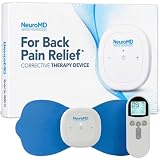 NeuroMD Wireless NMES Stimulator NeuroMD Wireless NMES Stimulator |
|
Check Latest Price |
| iReliev Wireless TENS and EMS System |
|
Check Latest Price |
If you have not used one before, our broader guides on TENS units in general and TENS units for back pain explain the basics of pulse modes and channels in more depth than we can here.
What a Wearable TENS Unit Actually Does for Knee Pain
Transcutaneous electrical nerve stimulation works on two ideas at once. The first is gate control theory: mild electrical stimulation of sensory nerve fibres interrupts the pain signal travelling to the brain, so you feel less of the ache while the device is on. The second is endorphin release, where low-frequency stimulation prompts the body to produce its own natural painkillers.
The distinction that matters for knees is TENS versus EMS versus NMES. TENS uses a low intensity that you feel as a tingle or a gentle throb and should not cause a muscle contraction. EMS and NMES use a higher intensity designed to make the muscle twitch on purpose, and that is the mode used to rebuild quadriceps strength after knee surgery or an injury.
Wearable TENS does not fix cartilage, rebuild a ligament, or dissolve bone spurs. What it does is stop a pain spike from hijacking your day, and the relief usually fades within an hour or so of taking the pads off. Users with years of chronic pain describe it honestly: it is roughly comparable to a mild dose of pain medication, taken in minutes instead of hours.
1. Easy@Home Rechargeable Wireless TENS Unit – Best Overall Wearable for Knee Pain
Easy@Home Rechargeable Wireless TENS Unit – EMS Muscle Stimulator
Wireless and remote-free
6 programs, 20 levels
Rechargeable lithium-ion
20-minute auto cycle
Pros
- Fully wireless with no lead wires or remote
- Two-button operation anyone can learn in a minute
- Rechargeable battery removes disposable cell costs
- Highest review volume of any unit in this guide
Cons
- Pads must be pressed firmly or the unit beeps and shuts off
- Single channel cannot treat two areas at once
- Snap alignment is finicky during the first few uses
This is the unit we kept reaching for. It has no lead wires, no remote, and no app, which sounds like a lack of features until you realise it means there is nothing between you and a working session. Two buttons and it is running. You stick the pads on, press the pod on, and walk away.
For a knee specifically, the single-channel design is a real limitation, but the six automated massage programs and 20 power intensity levels give you more usable range than most of the field. The rechargeable lithium-ion battery means no hunting for AAA cells when a flare-up hits at night.
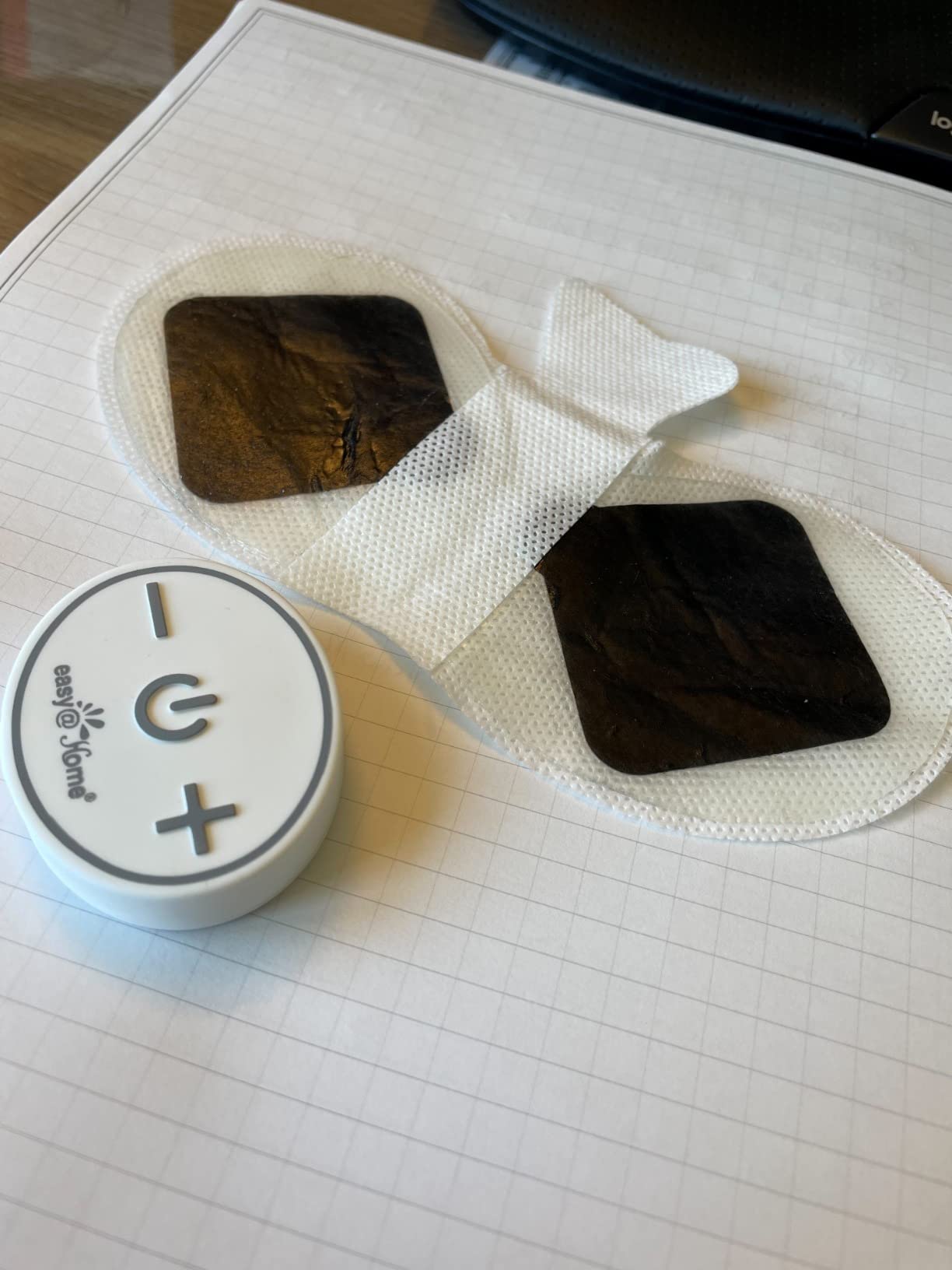
The 510K clearance for safe home use is worth noting given how many unbranded pods sit on the same shelf. Weight is light at just over five ounces, and at nearly seven and a half inches tall it sits comfortably against a knee without projecting awkwardly when you walk.
The honest drawback is the auto shutoff. If the pad-to-skin seal is imperfect, the unit beeps and stops mid-session, and you have to reseat everything. The single channel also means both knees get treated one after the other, never simultaneously.

Who this suits best
This is the one to buy if you want results without a learning curve. It suits people who travel, work at a desk, or simply forget chargers and remotes, and it is the safest first TENS device to give to an older family member.
Who should look elsewhere
Skip it if you regularly want to treat both knees at once, or if you are following a rehab protocol that requires specific dual-channel settings. It is also not the choice for anyone who needs genuine muscle stimulation, since it is a pain-relief unit first.
2. WiTouch Pro TENS Unit – Best for Strong Output on Stubborn Knee Pain
WiTouch Pro TENS Unit for Back Pain Relief & Recovery, Wireless, Wearable Muscle Stimulator, Made in USA, Gel Pads Included
Up to 110 mA output
4 programs, 15 levels
App-controlled
Made in USA
Pros
- Highest output figure in the wireless group at up to 110 mA
- Built by a long-established electrotherapy manufacturer
- Bluetooth app tracks session progress
- Low profile that disappears under clothing
Cons
- Runs on two AAA batteries rather than a rechargeable cell
- Battery compartment needs a mini screwdriver
- Single-unit design limits multi-area use
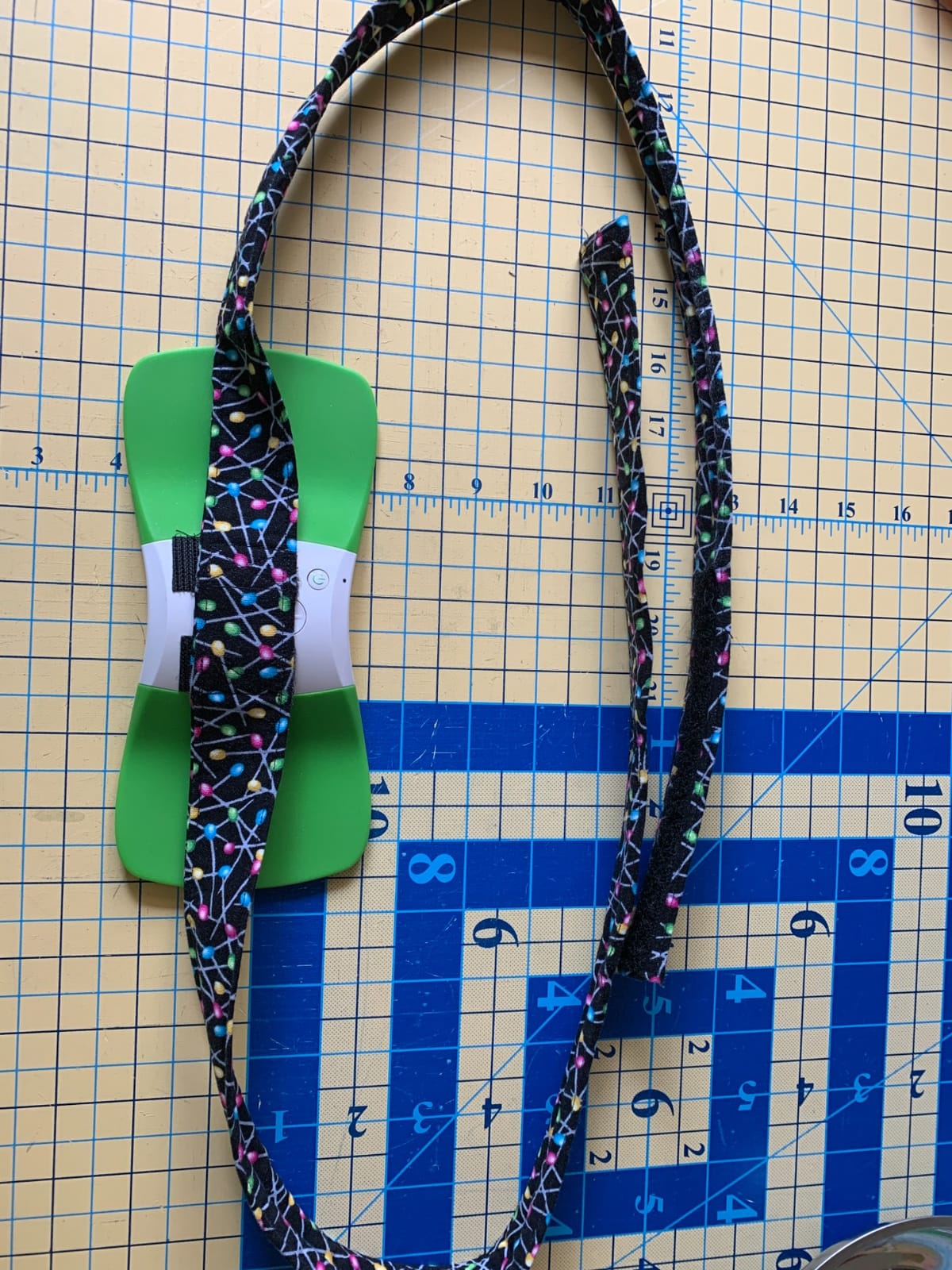
If your knee pain is the kind that shrugs off a gentle tingle, output is what matters, and this is the unit that delivers it. Rated up to 110 mA, it is the most powerful wireless device in this group, and reviewers regularly compare it favourably to the wired units they used before.
Hollywog built it in Chattanooga, Tennessee, and the company has been making electrotherapy equipment for decades. The first wireless wearable TENS product on the market came from this workshop, and the four programs with 15 intensity levels each are enough range for most joint work.
The Bluetooth app is genuinely useful rather than decorative. It handles intensity and program changes from your phone and logs treatment progress, which is the sort of thing that helps when you are trying to convince a physical therapist that your home sessions are actually happening.
Three pairs of gel pads are in the box, which is more than most rivals include. Be aware it is the only device here without a rechargeable cell, and the compartment takes a small screwdriver to open, which is an odd thing to have to explain to anyone with reduced hand strength.
Who this suits best
Best for people whose pain is severe enough that low output simply does not reach it, and for anyone who likes seeing session data in an app. It is a strong second choice for post-operative knee recovery where more stimulation is genuinely wanted.
Who should look elsewhere
Not ideal if you want rechargeable power, or if you need to treat two separate areas at independent settings at the same time. Budget-minded buyers will find the disposable cell cost adds up over a year of daily use.
3. Comfytemp 30 Modes Wireless TENS Unit – Best for Treating Two Areas at Once
Comfytemp 30 Modes Wireless TENS Unit Muscle Stimulator for Pain Relief
Two wireless hosts
30 modes, 20 levels
Four washable PET pads
Rechargeable
Pros
- Two hosts treat two body areas with separate settings
- Thirty modes give the widest sensation range
- Four pad shapes cover knees
- legs and most other areas
- Washable pads renew adhesion for 60+ cycles
Cons
- Snap connectors detach easily and pods get lost
- App requires an account or guest login with broad permissions
- Some buyers find the two-piece pad style ineffective
- Cannot be operated without the app
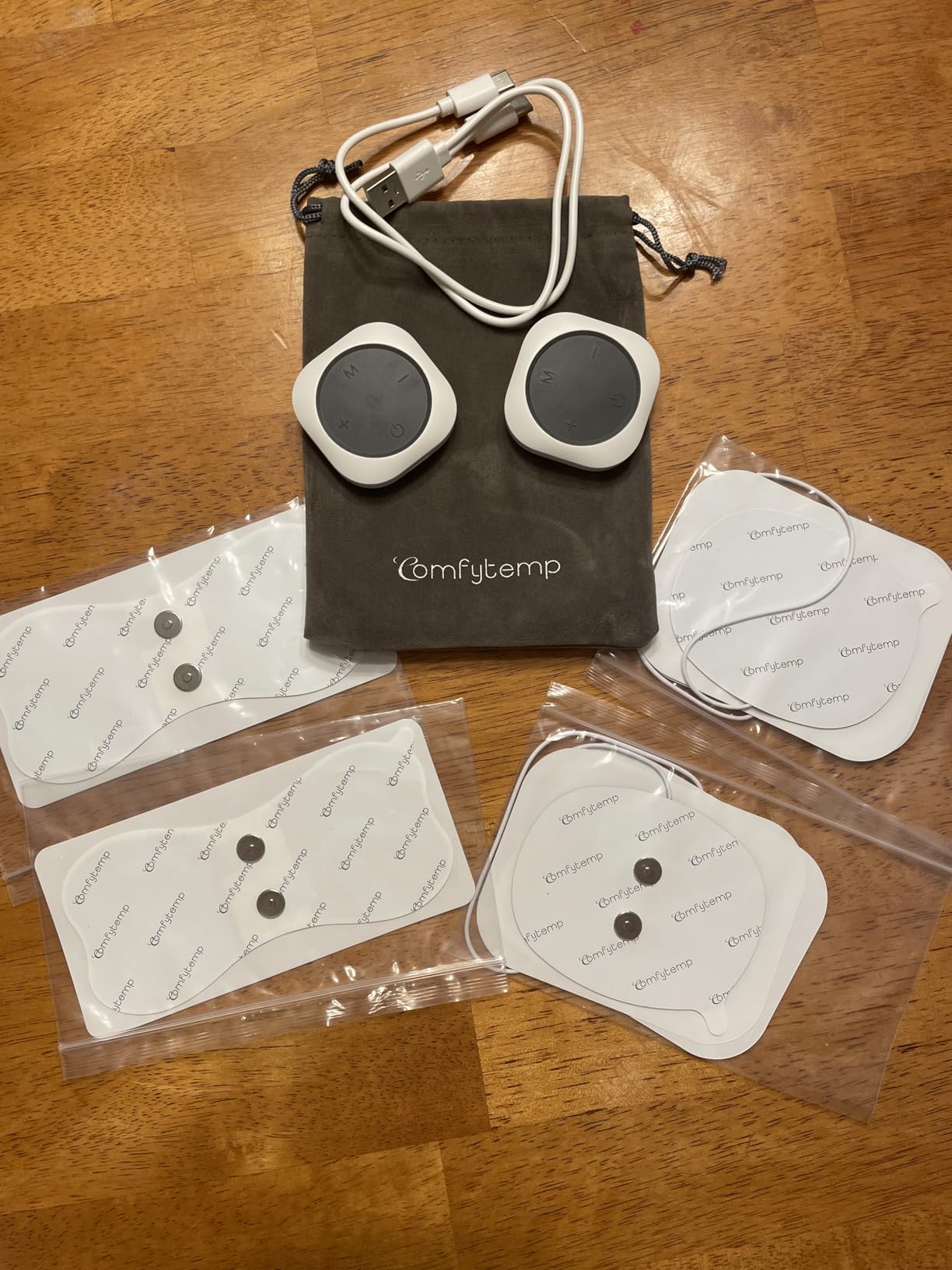
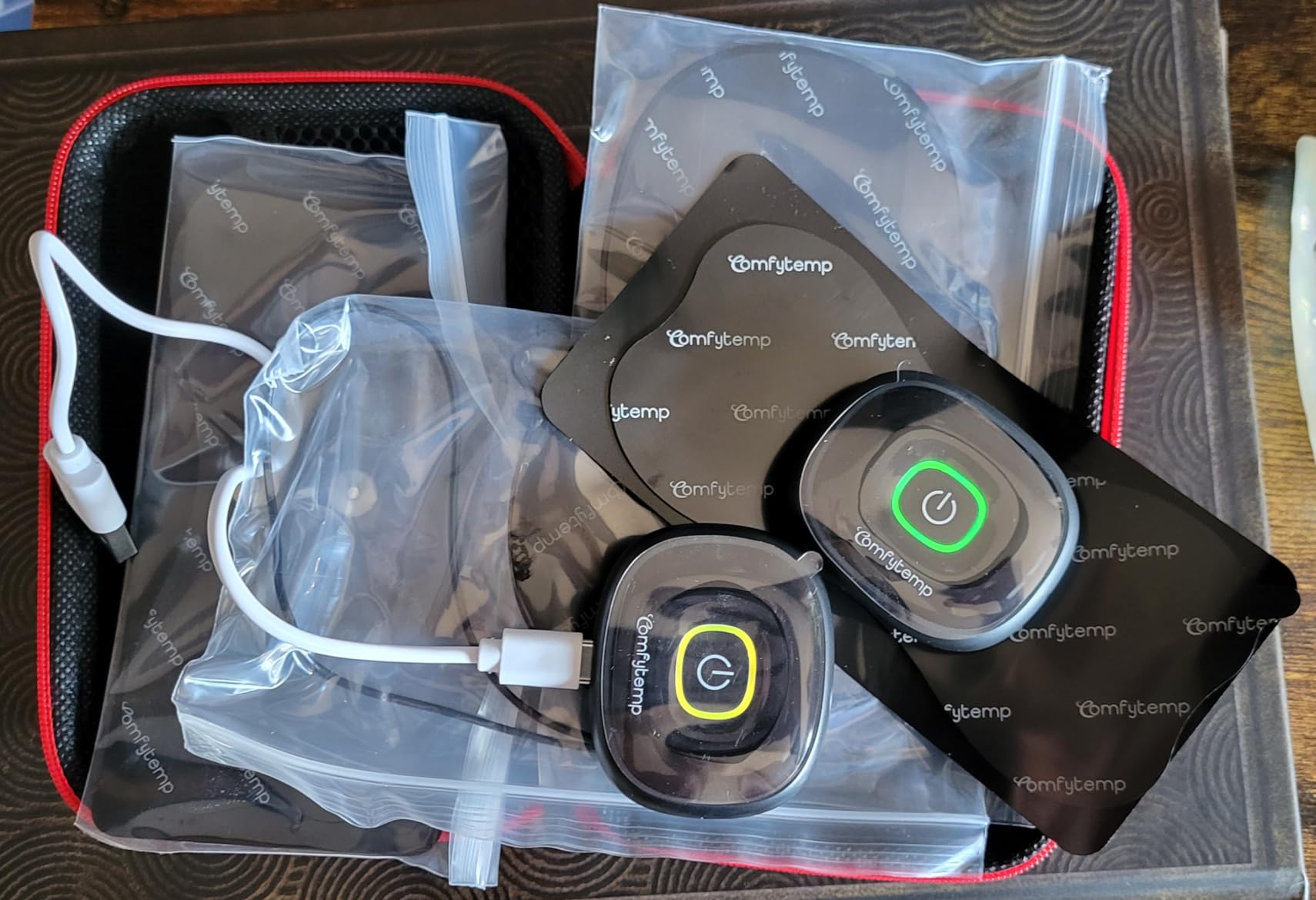
This is the dual-area answer, and for a knee it is a genuinely useful upgrade. The kit ships with two separate wireless hosts, each with its own mode and intensity adjustment, so you can treat a sore knee and a tight calf on the same afternoon without unplugging anything.
Thirty modes with 20 intensity levels is the widest sensation library in the group. Some people describe the higher modes as a pulsing throb, others as a rolling kneading sensation, and having that many options matters more for knees than for, say, a shoulder, because a joint changes character minute to minute as you move.
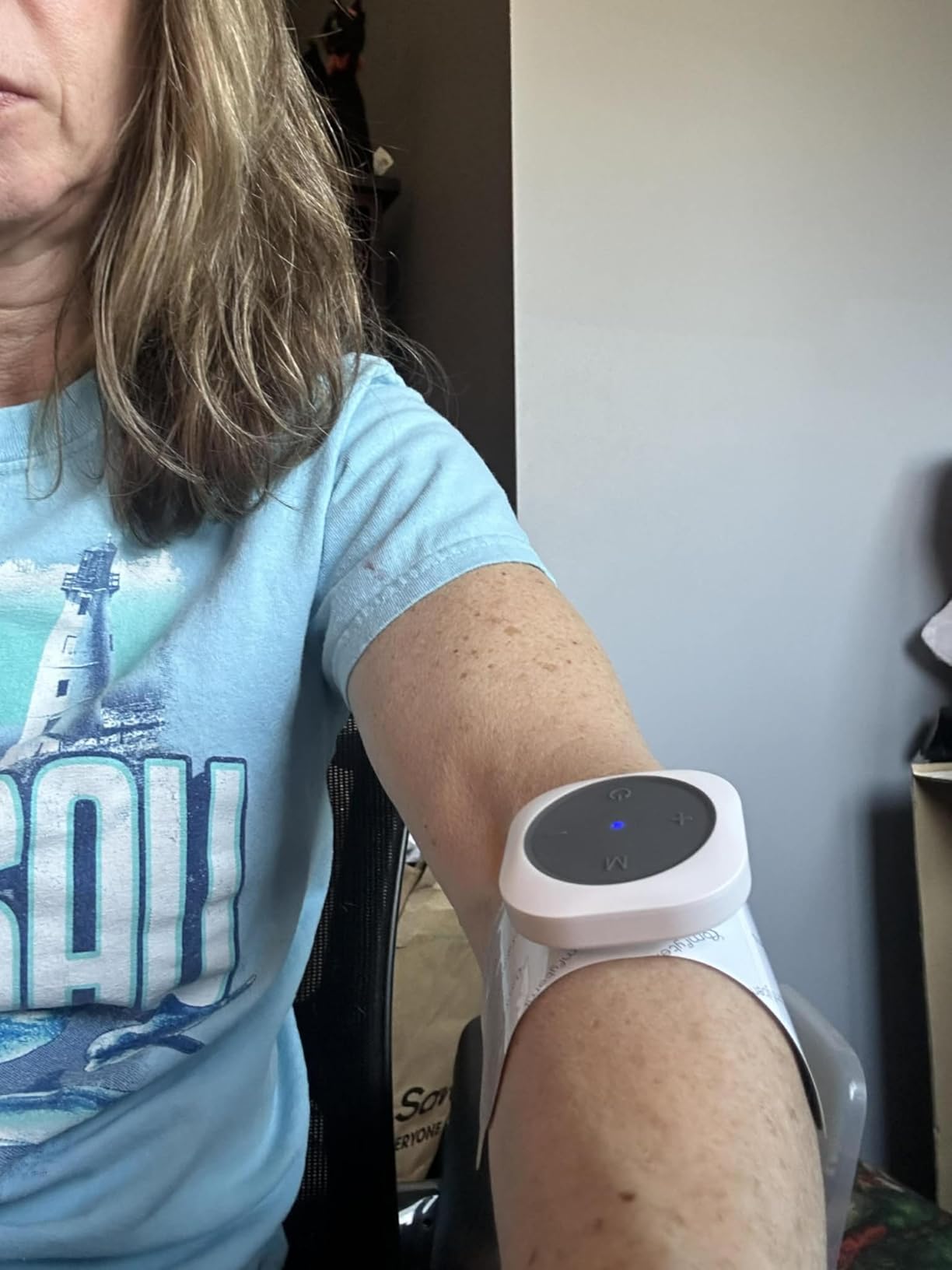
Four medical PET pads come in the box: two butterfly pads at 5.2 by 2.4 inches and two two-piece line pads at 3.5 by 2.8 inches. The butterfly shape is the one most people use on a knee, since it spreads current across the joint rather than concentrating it in one spot. They are washable and renew their adhesion for 60 or more cycles.
Two frictions are worth flagging. The snap connectors between host and pad come apart easily, and owners report losing a pod down a sofa cushion, so an elastic bandage over the top is a common workaround. The app is also mandatory, and privacy-minded reviewers dislike the account and permission requests.
Who this suits best
Best for anyone treating more than one problem area, whether that is both knees or a knee plus a lower back. The washable pads also make it a low-friction choice for daily use, since you are not buying replacements every few weeks.
Who should look elsewhere
Skip it if you are not comfortable with app-based control or handing over personal information to a phone app. It is also the wrong pick if you tend to lose small components or work in an environment where a stray pod would be genuinely hard to find.
4. KingPavonini U8PRO Wireless TENS Unit – Best for a Secure Pad Connection
KingPavonini Wireless TENS Unit Muscle Stimulator, Pain Relief, Model U8PRO
Magnetic buckle connection
Dual channel, 6 modes
450 mAh charging case
4 hydrogel pads
Pros
- Magnetic buckle holds the pod to the pads firmly during activity
- Case doubles as storage and remote control
- Three-in-one TENS
- EMS and massage modes
- Hydrogel pads washable for up to 45 uses
Cons
- Only 6 modes and 16 intensity levels
- Large one-piece rectangular pads may not suit small joints
- Pads lose adhesion after roughly 45 uses
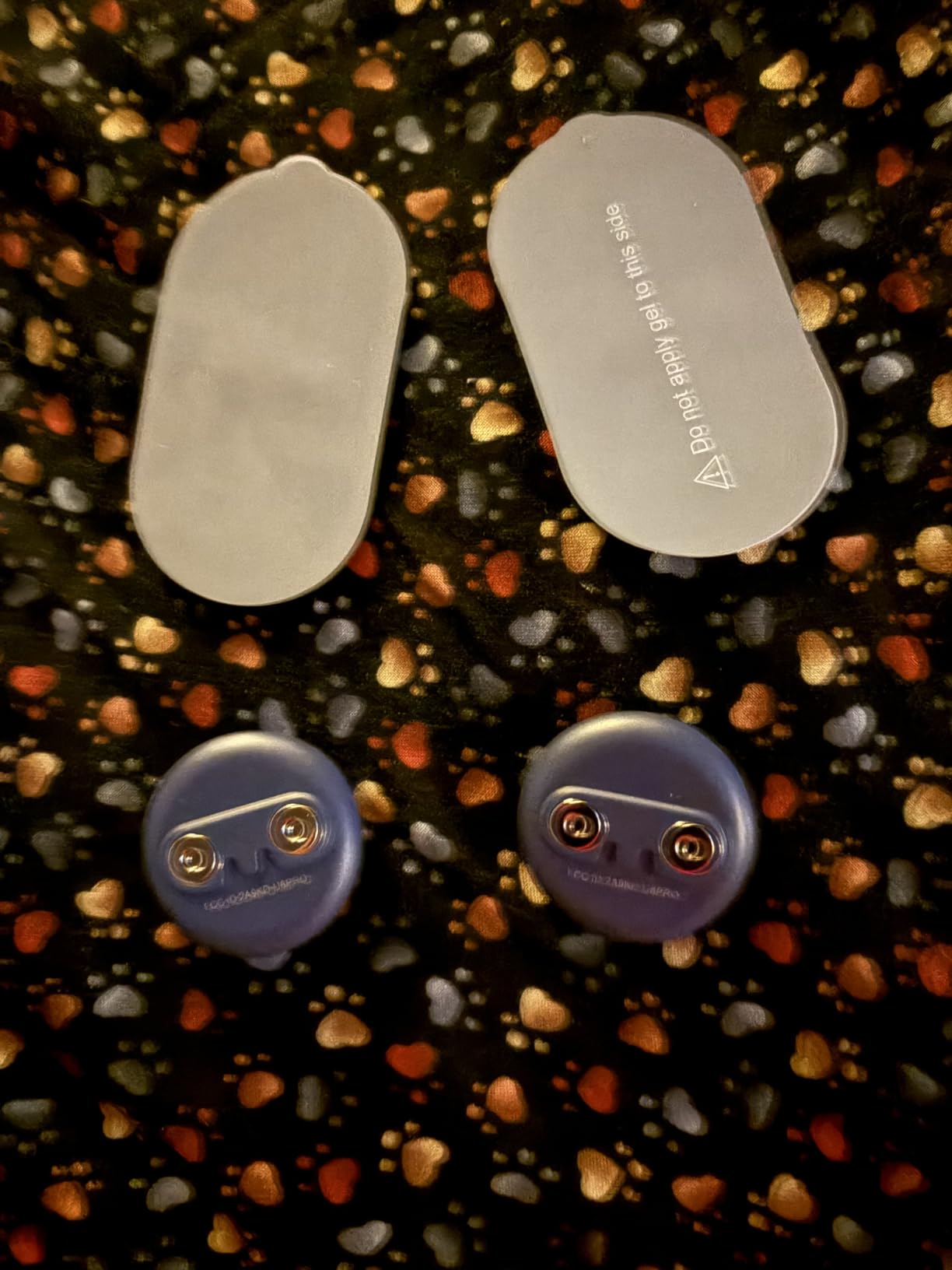
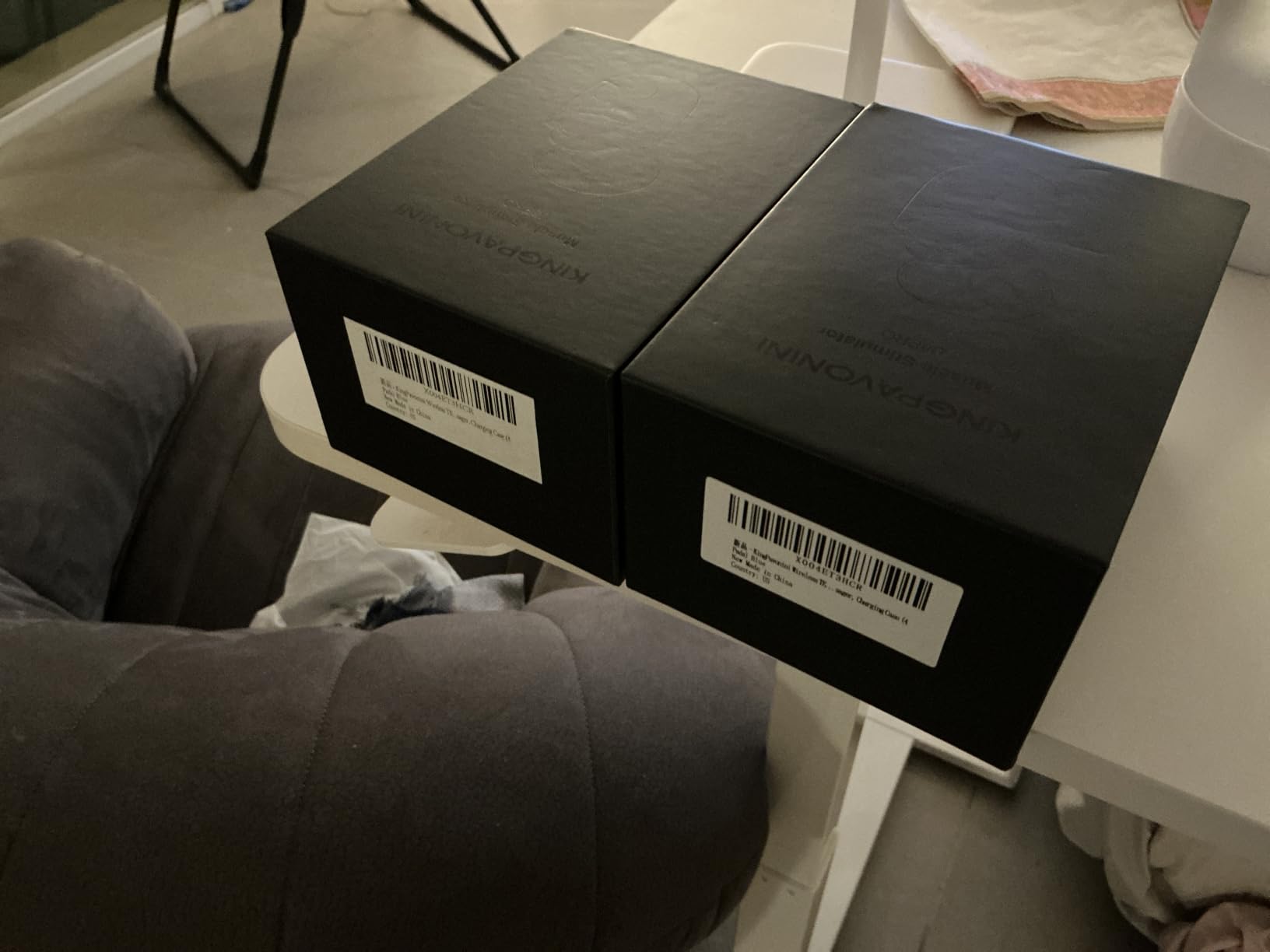
The single best thing about this device is the connection. Instead of a friction snap, the pod locks to the pads with a magnetic buckle, and it stays put when you stand up, walk to the kitchen, or climb a flight of stairs. For a joint that moves constantly, that reliability is worth more than another five modes.
Dual-channel stimulation means two areas at once, which means both knees or a knee plus a quad. The 450 mAh rechargeable case reaches a full charge in about two hours over USB-C, and the LED screen on the case handles mode selection, so the pods themselves stay physically button-free.
Kneading and hammering modes are the ones knee owners reach for, because they mimic the sensation of a massage rolling through the joint. The 15-minute timer is short for some protocols, so you may find yourself restarting more than once per treatment.
The honest limitation is the setting range. Sixteen intensity levels and six modes is the narrowest specification sheet among the mid-priced devices here, and the single-piece pads at 3.23 by 1.86 inches are too broad to wrap neatly around a small joint. Pads last around 45 uses before adhesion drops off.
Who this suits best
This is the one to pick if you move around during treatment or if you have already owned wireless units and gave up on them because the pods detached mid-session. The storage-case-that-is-also-a-remote design is unusually tidy for travel.
Who should look elsewhere
Look elsewhere if you want a large catalogue of sensations to experiment with, or if your pain is concentrated in a very small joint area where a compact pad would be a better fit than a wide rectangle.
5. AccuRelief Wireless TENS Unit with Remote – Straightforward Two-Knee Setup
AccuRelief Wireless TENS Unit with Remote Control, TENS Pain Relief Device and Muscle Stimulator, for Back Pain, Neck Pain, Arm and Leg Pain
Two wireless pods
Remote control, 20 levels
3 therapy phases
30-minute auto shutoff
Pros
- Two pods treat both knees simultaneously
- Remote lets you adjust intensity without touching the unit
- Output reviewers compare to office-grade units
- Contoured pods fit discreetly under clothing
Cons
- Battery doors are extremely difficult to open
- Pods are thick and noticeable under clothing
- 30-minute shutoff and remote cannot restart a session
- Pads lose adhesion within a week or two
AccuRelief has been making these since 2014, which means there is a deep bank of long-term owner feedback behind the name. Users with chronic pain often describe it as the unit they would not want to be without, and the output is routinely compared favourably to professional office equipment.
Two wireless pods with a hand-held remote is a simple arrangement. You set your intensity once, stick the pads on both knees, and adjust with the remote rather than reaching down to the pod. Three pre-programmed alternating phases and 20 intensity levels cover the basics well.
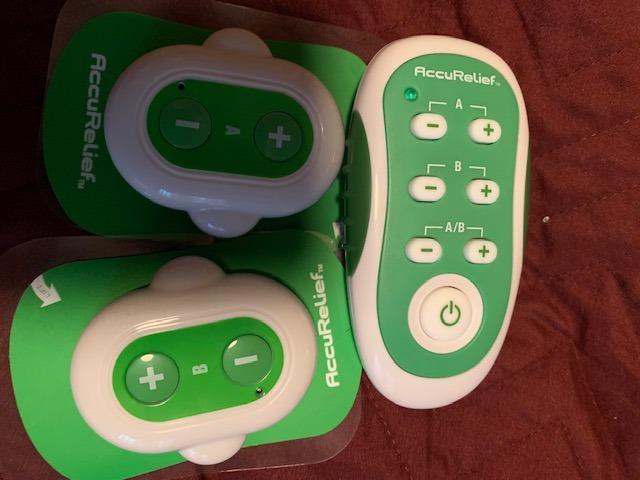
It is the oldest design here, and age shows. The pod battery doors are the most repeated complaint in the reviews, with owners describing them as nearly impossible to open without force or a tool, and six AAA batteries are a recurring cost that adds up for daily use.
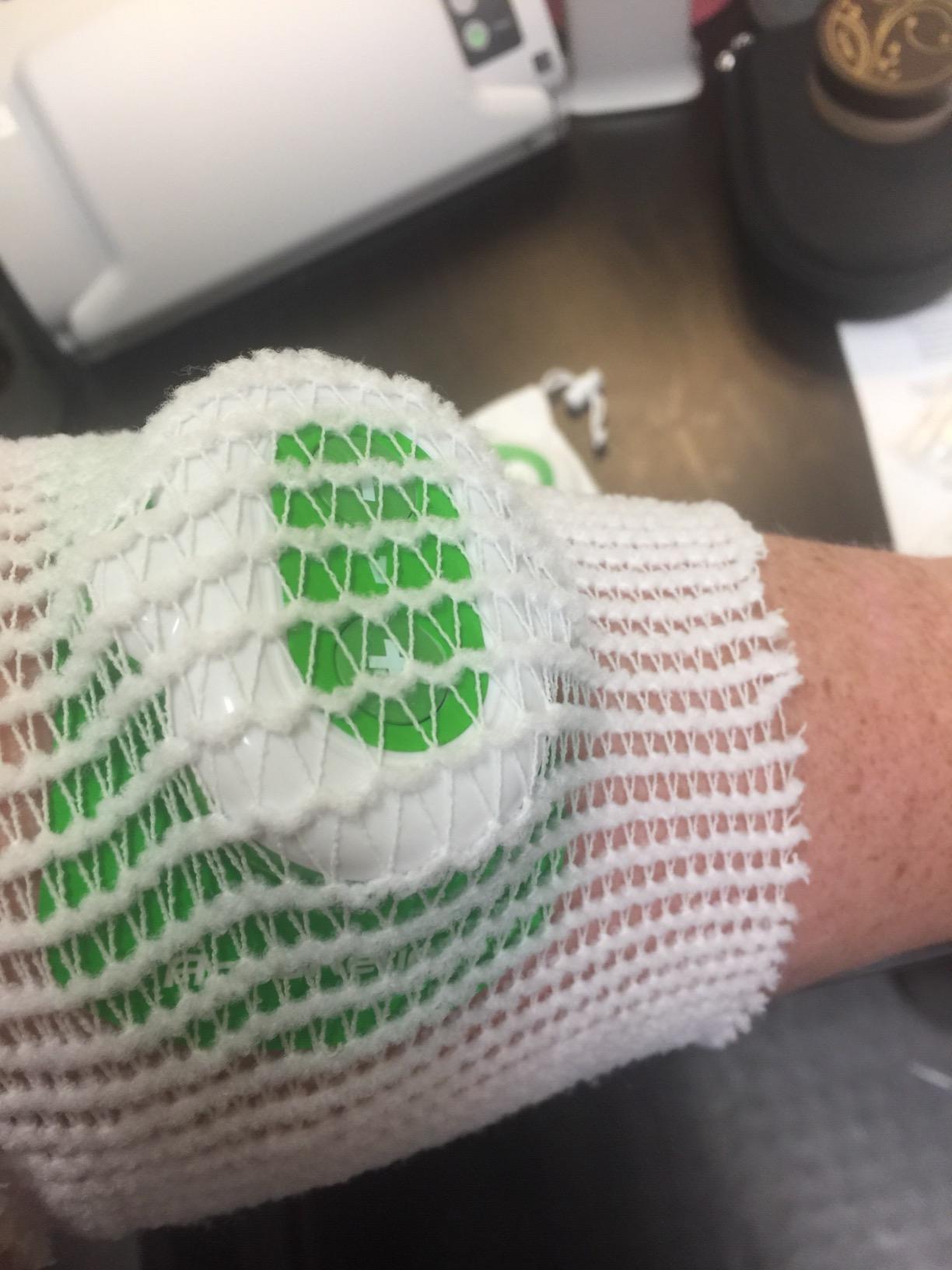
Two more things: the pods are chunky enough that they read as a bulge under trousers, and the 30-minute auto shutoff cannot be restarted from the remote. You have to take the pads off and power the pod back on before a second round.
Who this suits best
Best for people whose pain is in both knees and who want the simplest possible setup, plus anyone who would rather adjust intensity from the couch than by fumbling at a device clipped to their leg.
Who should look elsewhere
Pass if you have small hands or limited dexterity, since the battery doors are a genuine barrier to changing cells. Anyone wanting a slim, rechargeable, modern form factor should look at the newer pods instead.
6. Comfytemp K6108 Wireless TENS Unit – Best for Mode Variety
Comfytemp Wireless TENS Unit Muscle Stimulator with APP, FSA Eligible Smart Dual Host HSA TENS Machine for Pain Relief, EMS Device with 32 Modes, Pulse Muscle Massager for Back Shoulder Sciatica K6108
32 TENS, EMS and massage modes
20 intensity levels
Dual host with app control
10-60 minute timer
Pros
- Thirty-two modes are the widest selection in the wireless group
- TENS
- EMS and massage in one device
- Two hosts cover four treatment areas
- Battery lasts several days of multi-hour use
Cons
- App is required with no remote or onboard controls
- App caps you at two devices sharing one therapy mode
- Pads lose stickiness quickly
- Intensity ceiling of 20 frustrates heavy users
Thirty-two modes, spanning TENS, EMS and massage, is the largest catalogue in this group, and it earned a 4.3 rating across 816 reviews. For a knee that feels different at the start of a session than at the end, having real variety to dial through is a practical advantage rather than a spec-sheet nicety.
The dual-host setup here uses a suction buckle rather than a magnetic or snap connection, and it holds through activity. Two hosts can cover four treatment areas, which means both knees plus both quads if you are running a rehab protocol. Battery life measured by owners runs to several days of multi-hour use.
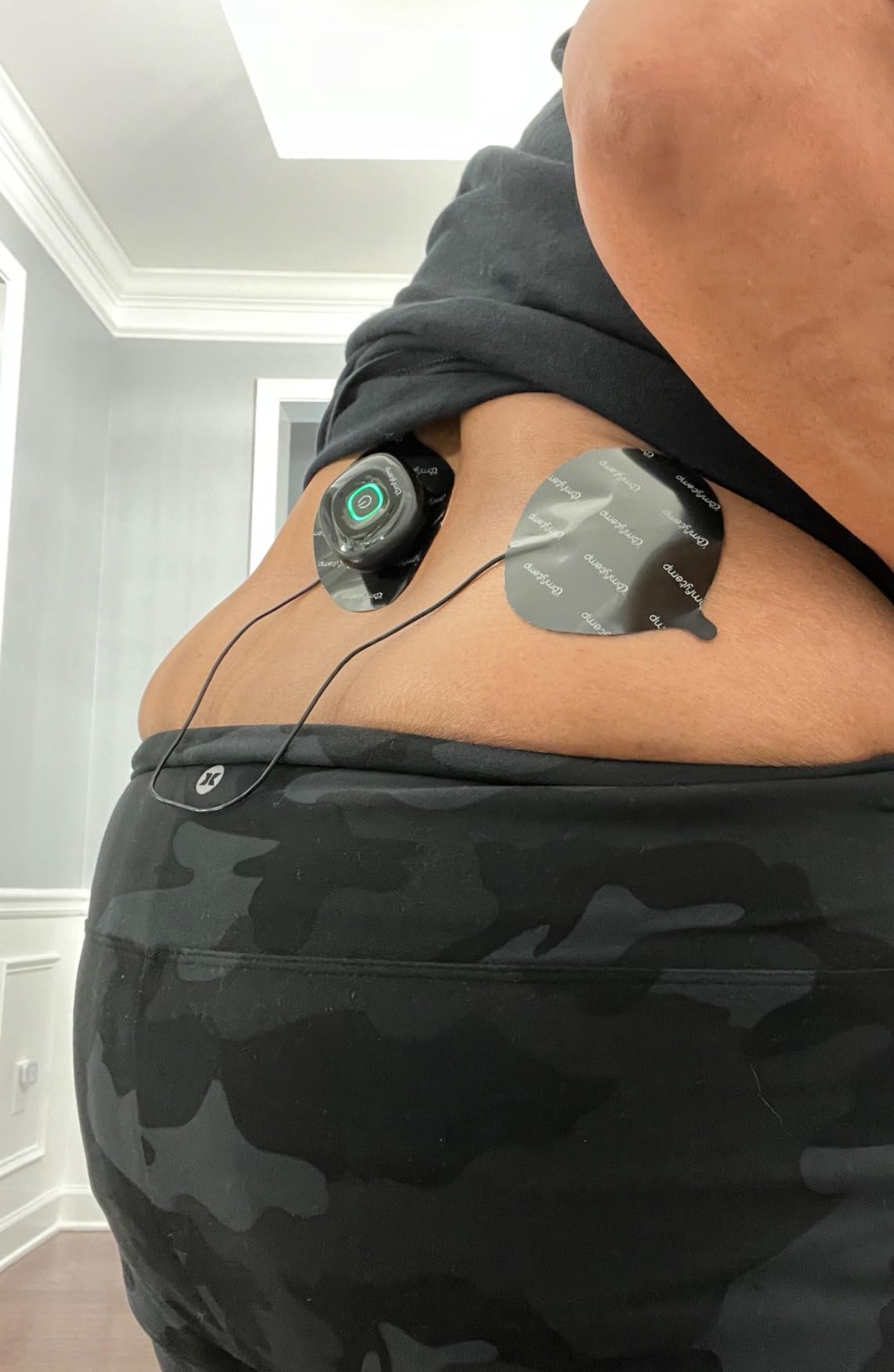
The timer runs from 10 to 60 minutes with a one-click stop, which is the kind of feature that matters more than it sounds when a device sits on your body. The same four medical PET pads as the other Comfytemp appear here, washable for 60 or more cycles.
Control is entirely through a Bluetooth app, with no remote and nothing on the unit itself. The app also limits you to two devices and forces them to share the same therapy mode, so a dual-area treatment runs on one setting. Intensity tops out at 20, which some daily users find limiting.
Who this suits best
Best for people who like experimenting with different sensations until they find what works on their particular joint, and for anyone combining a pain session with muscle work in the same device.
Who should look elsewhere
Skip it if you need different settings on two pods at the same time, since the app will not allow it. It is also a poor fit for anyone who wants to start a session without a phone in reach.
7. AUVON Wireless 24 Modes TENS Unit – Best Value for Everyday Knee Pain
AUVON Wireless 24 Modes TENS Unit Muscle Stimulator for Pain Relief, 6 Pads
24 modes, 30 intensity levels
790 mAh charging case
6 pads in two sizes
10-90 minute timer
Pros
- Highest average rating in the group at 4.4
- Six pads in two sizes suit knee and other joint placement
- Charging case gives up to 40 hours for one device
- Magnetic connectors make pad changes quick and pads re-stick after washing
Cons
- Mode navigation cycles forward only
- No pause or short-burst stop mid-session
- Button interface is not as intuitive as dials
- First-time owners struggle with pod orientation in the case
This is the one we would hand to a friend who asked for one recommendation. It carries a 4.4 average, the highest of anything we tested, and the 24-month coverage that comes with it is longer than most rivals offer. Owners report it outperforming wired units costing several times more.
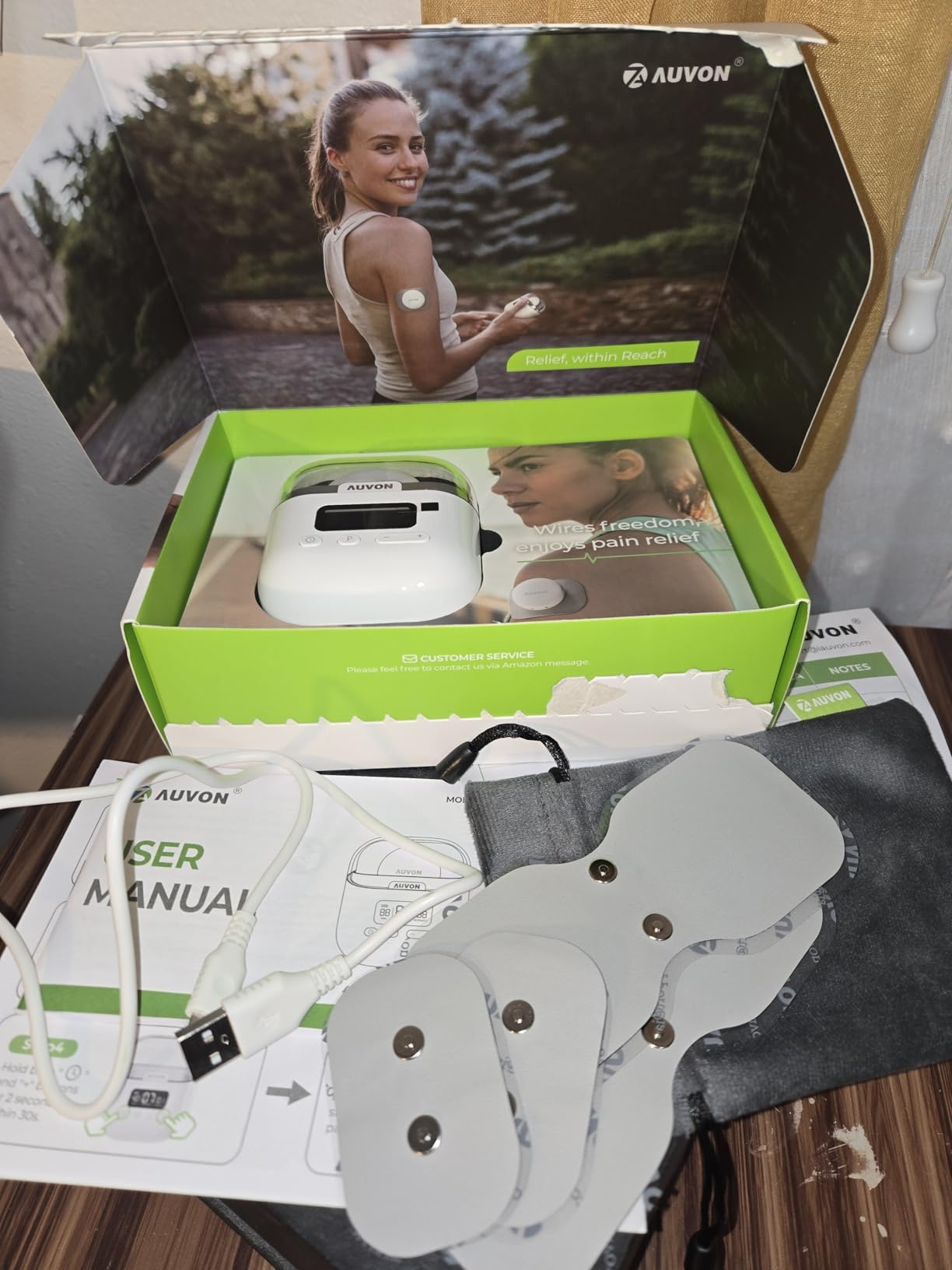
Twenty-four modes across TENS, EMS and massage with 30 intensity levels per device gives you more range than most competitors at any price. The 790 mAh charging case runs up to 40 hours on one device, and a 10-minute fast charge yields an hour of therapy, which is the single most useful feature for a person who uses this after a long shift.
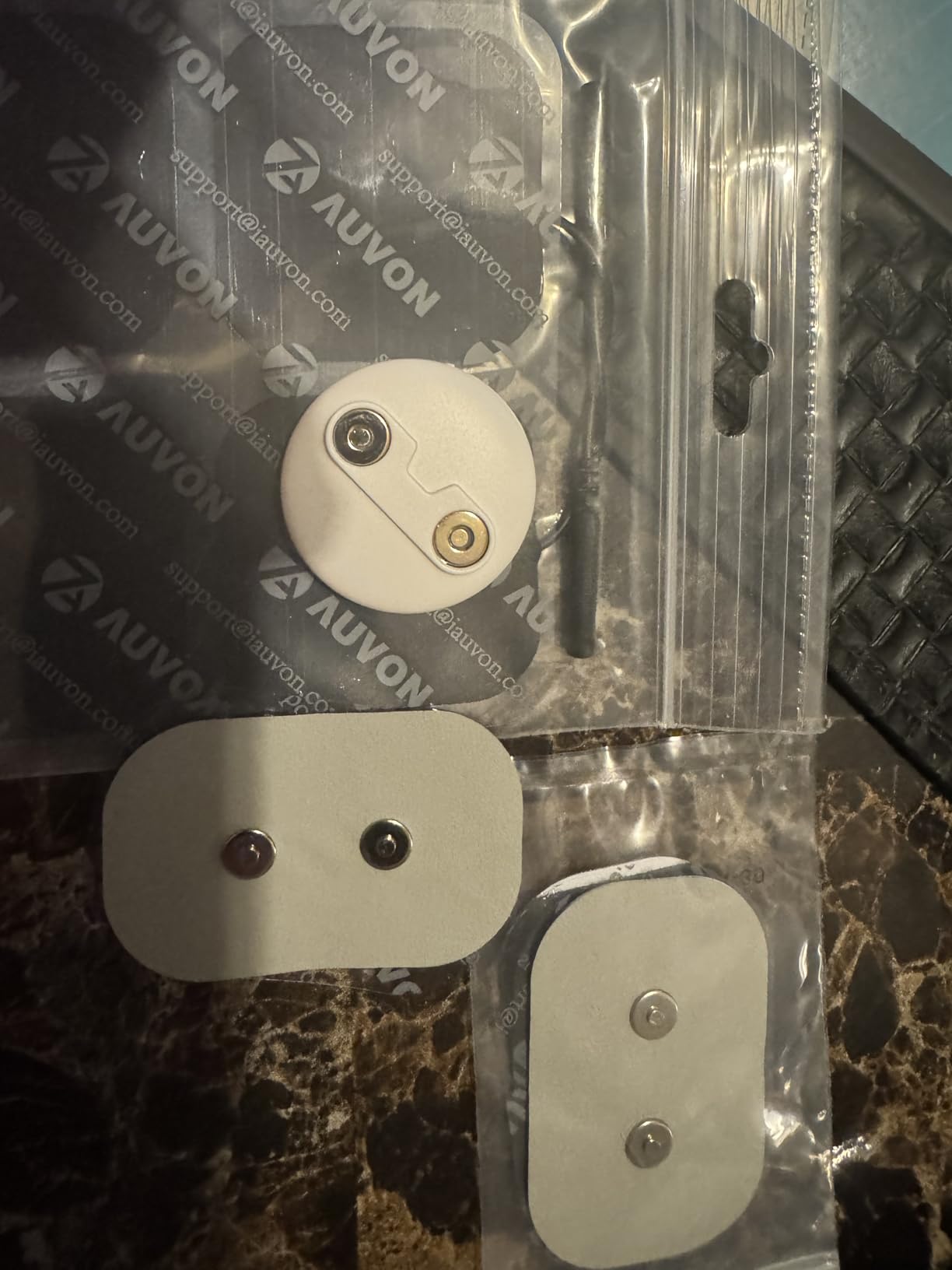
Six pads come in the box: two large at 2.2 by 5.1 inches and four small at 2.4 by 1.7 inches. Having both sizes is what makes this work well for a knee, because you can straddle the joint with the large pair or target a specific tender point with the small ones. The latex-free PU surface and gel are rated for up to 45 uses and re-stick after washing.
The interface is where it loses points. Mode selection only cycles forward, so backing up means clicking through all 30 intensity steps, and there is no pause control once a session is running. The pods also have to sit in the charging case facing a particular way, which confuses first-time users.
Who this suits best
Best for the average person who wants a strong all-rounder with a long battery, a good rating, and enough pad sizes to make a knee placement actually work. It suits daily users and anyone who travels regularly.
Who should look elsewhere
Not the first choice for someone who needs to pause a session mid-treatment without starting over, or who finds a forward-only button interface frustrating. If you want two independent settings running at once, this is single-channel hardware.
8. KingPavonini U13 Pocket-Sized Wireless TENS Unit – Best for Travel and Commuting
KingPavonini Wireless TENS Unit Muscle Stimulator, Pocket-Sized, Model U13
Two independent wireless devices
6 modes, 30 levels each
Pocket case is also the remote
10-60 minute timer
Pros
- Two devices run different modes and intensities on different areas
- Case stores everything and charges both devices
- 30 intensity levels per device
- Higher than the U8PRO sibling
Cons
- Only 6 modes per device
- Newest listing with the smallest review base
- Single large pad size suits bigger areas better than small joints
- 13% one-star share on an early-release product
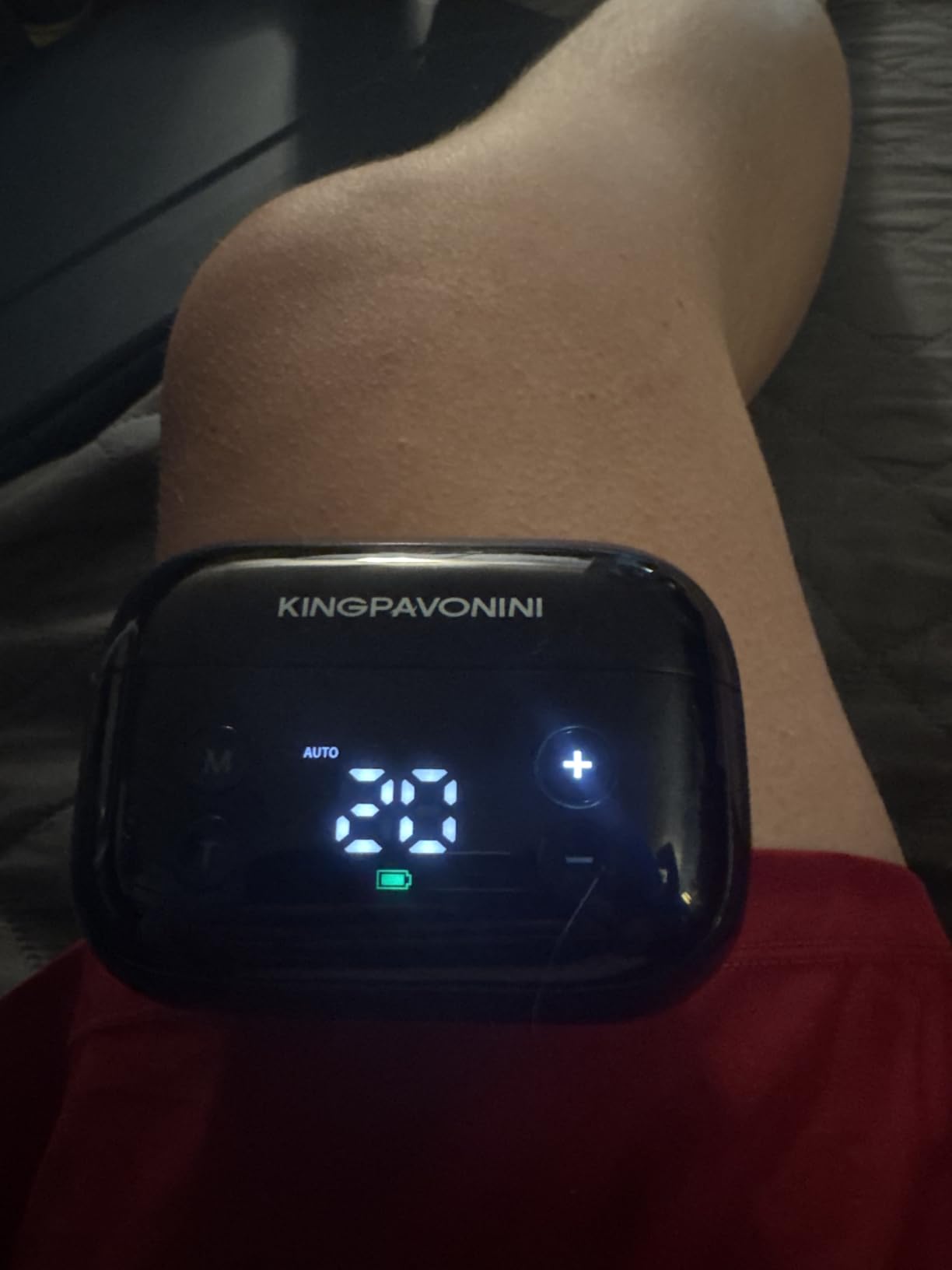
This is the most compact option in the guide, and the reason is the case. It is small enough to live in a work bag, holds both devices plus the pads, doubles as the remote, and charges the pair on the go. Nothing else here packs that neatly.
Two independent devices means genuinely separate settings rather than a shared mode, which is a real upgrade over the app-capped alternative at a similar size. Each device has six modes and 30 intensity levels, so while the mode list is short, the fine control is the best here at thirty steps.
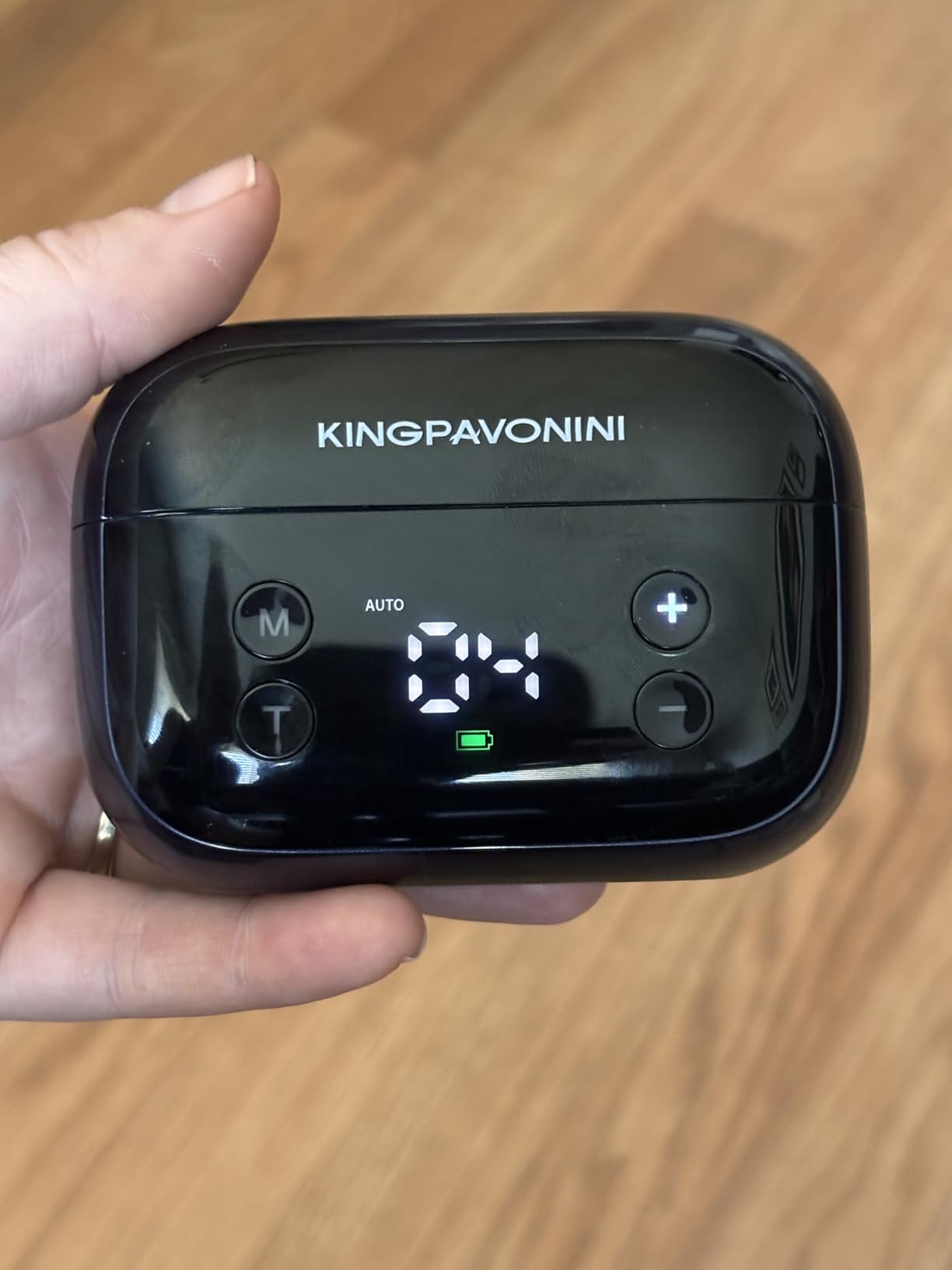
The four magnetic latex-free gel pads at 3.23 by 1.86 inches wash and last up to 50 uses. Magnetic attachment means the pod stays connected through movement, and the 10-60 minute timer covers a standard session range.
Two honest caveats. This is the newest product in the lineup, with 309 reviews, so there is not yet a long ownership history, and one-star reviews make up 13% of the total. A single large pad size also wraps a knee less neatly than a butterfly-shaped pad.
Who this suits best
Best for commuters, frequent fliers, and anyone who wants one small object in a bag that handles two treatment areas with different settings. The case-as-remote design means nothing gets lost.
Who should look elsewhere
Pass if you want a long track record of owner feedback, or if a range of pad shapes matters to your placement. For pure mode experimentation, the wider catalogue devices serve better.
9. NeuroMD Wireless NMES Muscle Stimulator – Best for Muscle Work Around the Knee
NeuroMD NMES Wireless Muscle Stimulator – Portable Device for Temporary Relief of Pain Due to Sore/Aching Muscles, Model SM9113
Wireless NMES stimulation
2 adjustable modes
Rechargeable and cordless
Remote included
Pros
- Strong stimulation for a compact wireless device
- Remote lets you change intensity without reaching the unit
- Twenty-five minute sessions are widely judged well
- Effective for sciatica and lower back pain for several owners
Cons
- Only 2 adjustable modes
- Power button on the unit face is easily pressed against a chair
- Pad adhesive fails after roughly half a dozen uses for some owners
- Premium price for stimulation some describe as comparable to basic units
This one is different in kind. It is an NMES device, which means the intensity is meant to make a muscle contract, and that makes it a rehab tool rather than a pain-relief tool. Used on the quadriceps or hamstrings around a sore knee, it helps re-engage muscles that have switched off after surgery or a long painful episode.
Output is the strong suit. Owners describe it as powerful for something this small, and several report genuine relief for sciatica and lower back pain, which fits with the muscle-activation approach. Twenty-five minutes is the natural session length and most reviewers find it well judged.
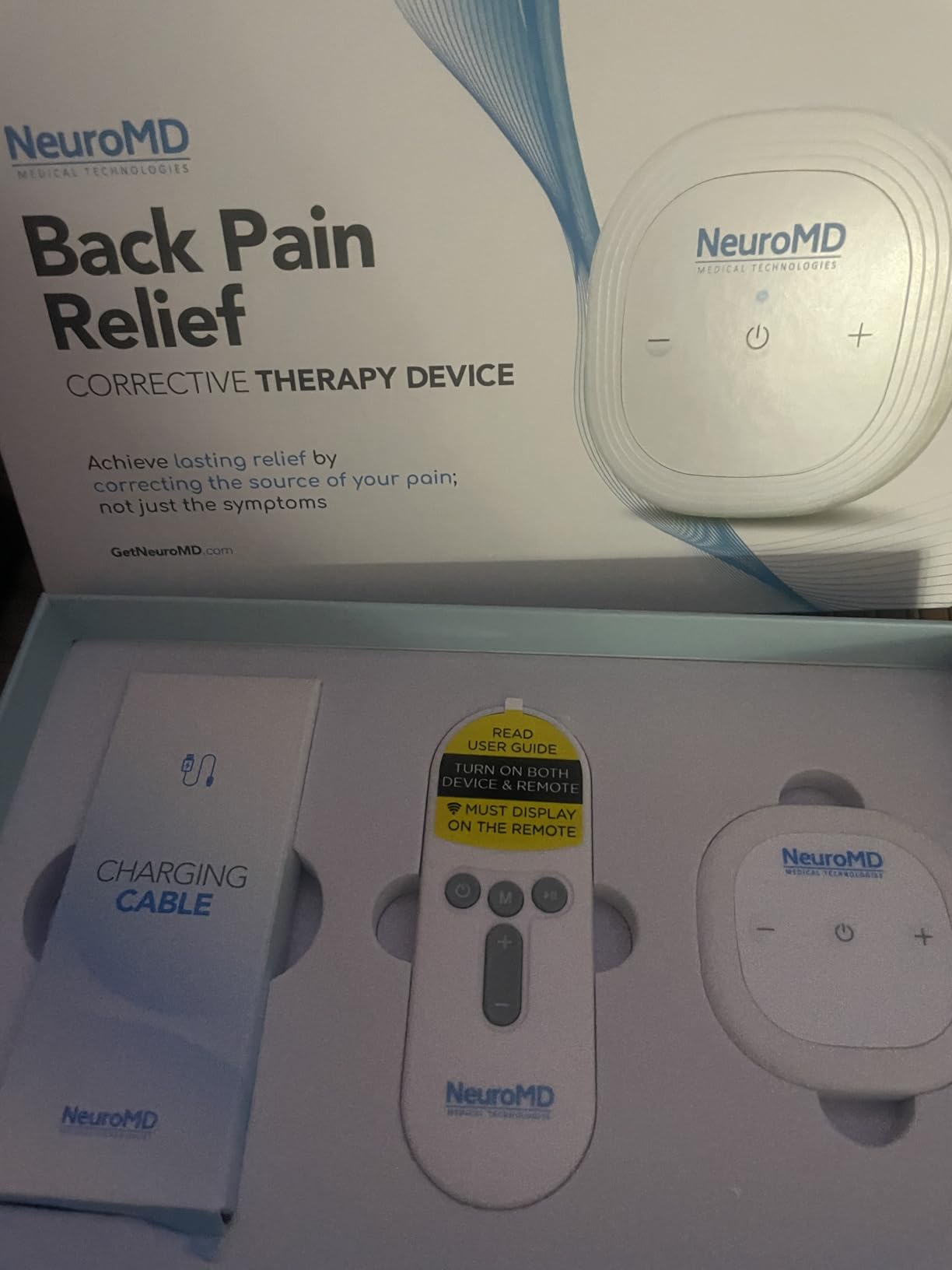
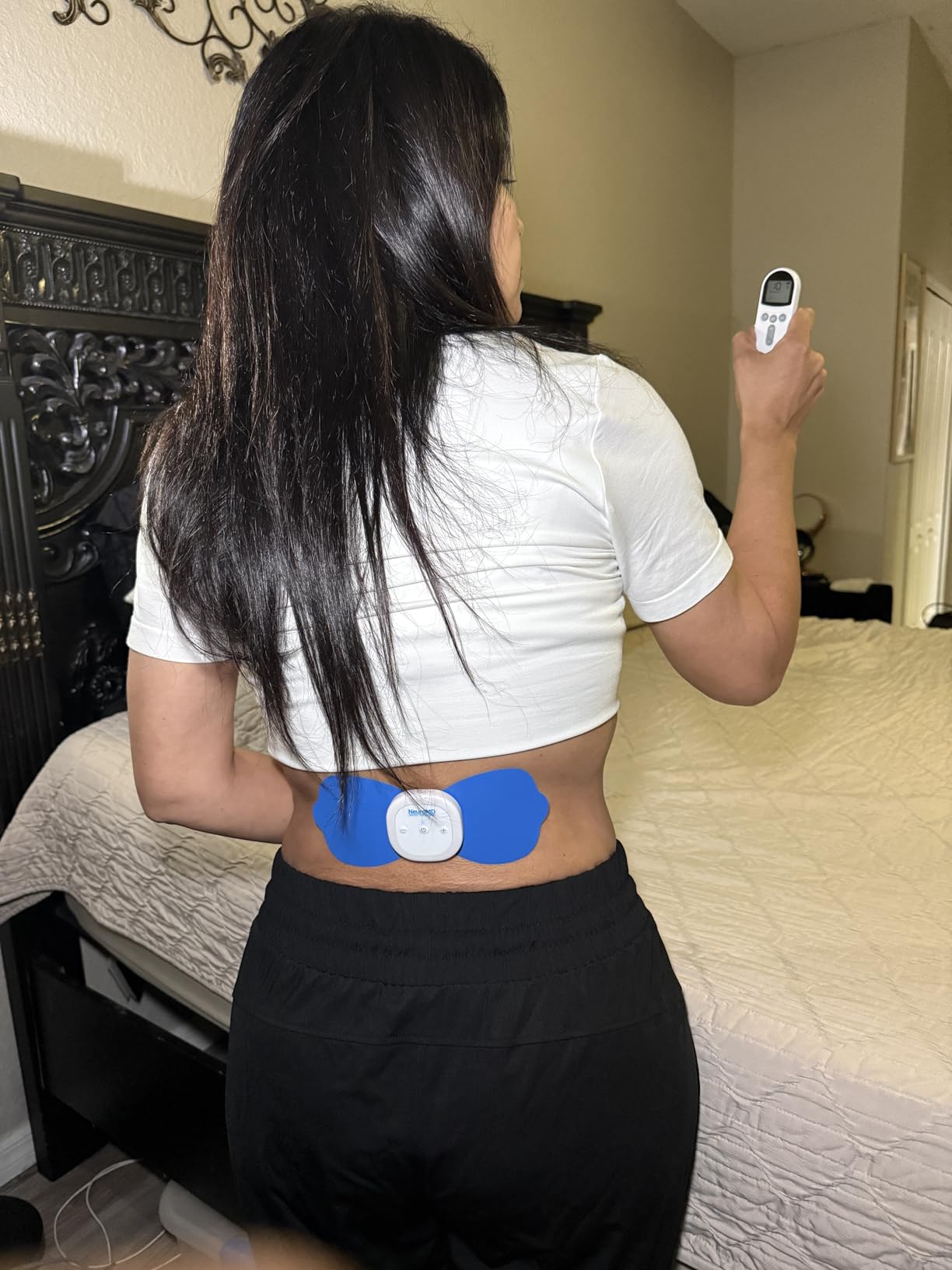
The kit includes the control unit, a remote for intensity changes, electrode pads and instructions, and the battery is rechargeable and cordless. That combination keeps it genuinely portable, which matters if you are trying to do muscle work daily.
Against that, two adjustable modes is the fewest of anything analysed, and the power button sits on the face of the unit where sitting back against a chair can switch it off mid-session. Feedback is also the most polarised here, with 15% one-star, and some owners question the corrective-therapy marketing for hardware they consider comparable to basic units.
Who this suits best
Best for anyone following a post-operative knee rehab plan where quad re-education is the goal rather than pain relief alone, and for people who want a dedicated muscle stimulator alongside, not instead of, a TENS unit.
Who should look elsewhere
Skip it if all you want is gentle pain relief, since NMES intensity is deliberately uncomfortable and does not offer the sensory gating a TENS session provides. It is also the weakest choice for anyone wanting many ways to adjust the sensation.
10. iReliev Wireless TENS and EMS Therapeutic Wearable System – Most Capable Multi-Channel Setup
iReliev Wireless TENS + EMS Therapeutic Wearable System Wireless TENS Unit + Muscle Stimulator Combination for Pain Relief, Arthritis, Muscle Conditioning, Muscle Strength
8 FDA-cleared TENS modes
6 EMS modes
Two pods, expandable to four
Rechargeable lithium-ion
Pros
- Genuine two-in-one TENS and EMS in one system
- Each pod runs its own intensity
- Expands from two to four pods
- Rechargeable with no disposable batteries
- Highest intensity range in the group
Cons
- Pods snap onto pads with real difficulty
- Pads adhere poorly over curved joints
- Remote cannot restart a finished session
- Highest price in the group
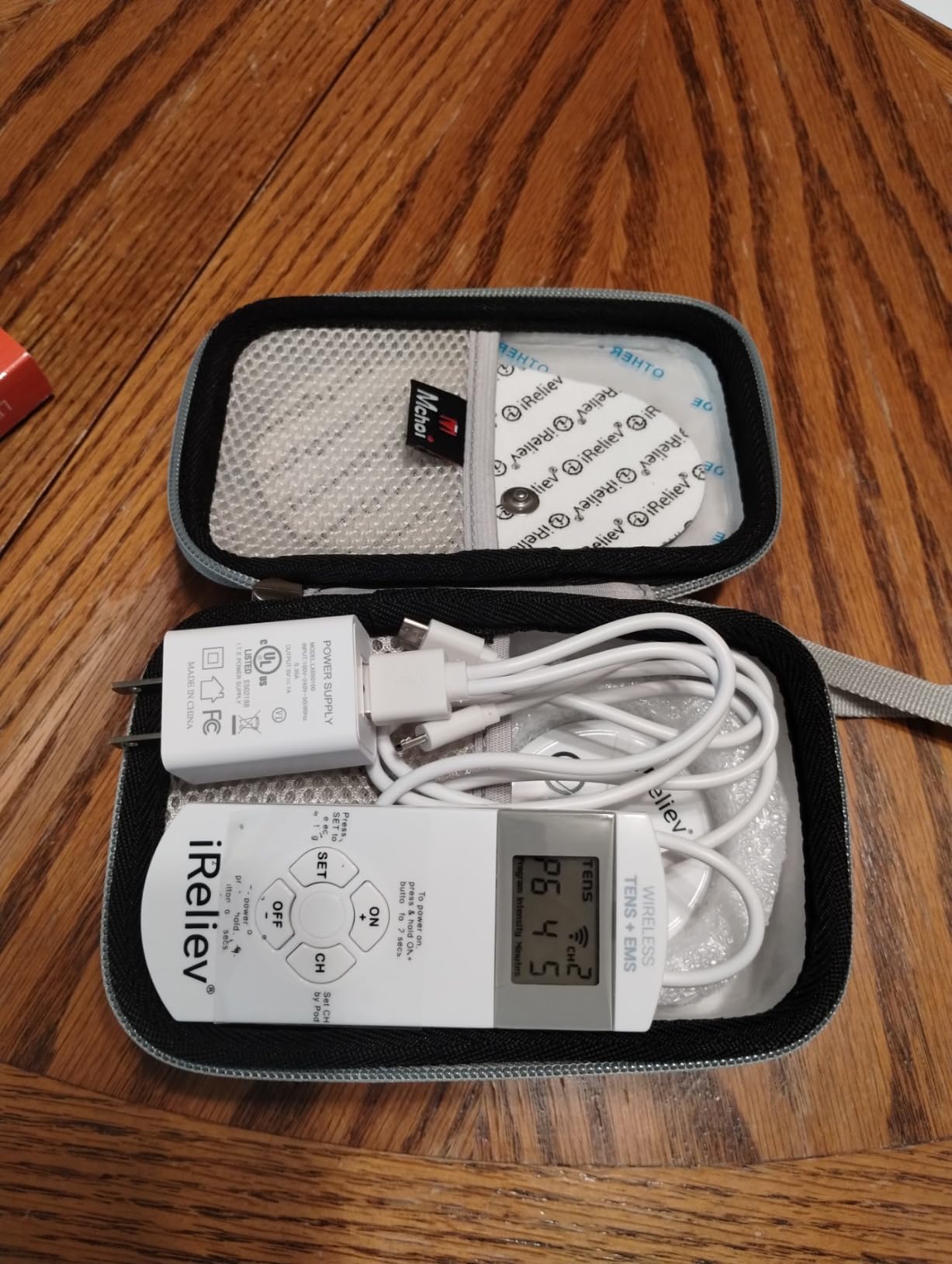
iReliev separates what most products blur. Eight TENS modes handle pain and arthritis, and six separate EMS modes handle strength, endurance, warm-up and recovery. That distinction is why physical therapists recommend this class of device, and it is the most functionally complete system here.
Two wireless pods ship in the box and can be expanded to four isolated channels with add-on pods, so you can run a different intensity on each one. For knees, that means treating both sides independently rather than accepting one setting for both, and the intensity range goes to level 10, the highest in the group.
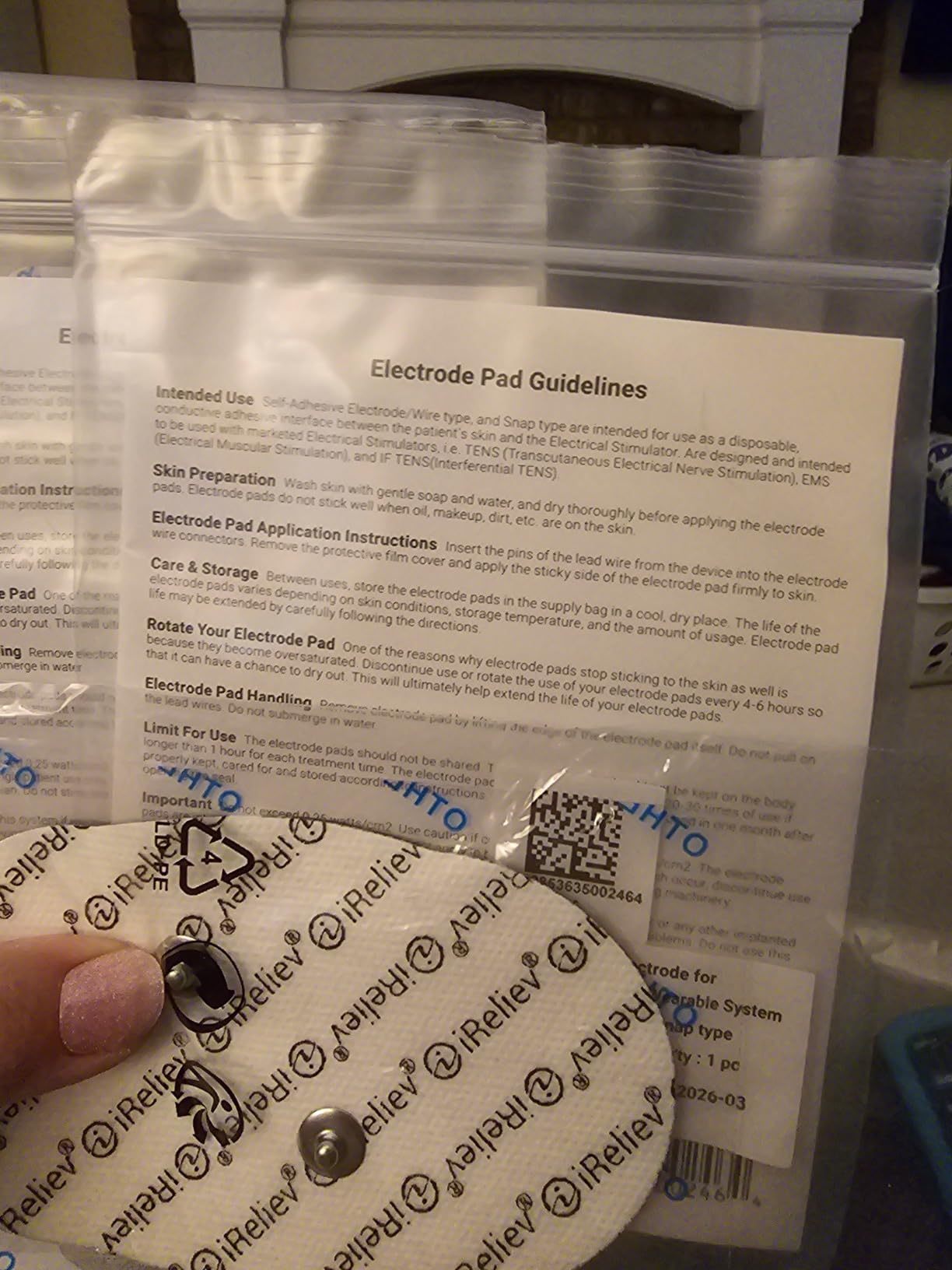
The eight TENS modes are FDA-cleared, which is a meaningful trust signal on a device that sits on your body for hours. The rechargeable lithium-ion battery charges fully in under 50 minutes and eliminates disposable cell costs, and a carrying case is included.
The drawbacks are physical rather than electronic. The pods are difficult to snap onto the pads, sometimes needing real force, and they are flat and rigid, so pads conform poorly over a curved joint like a knee. The manual states pads last 20 to 30 uses and some owners report fewer, and the remote cannot restart a pod after a session ends, so you must physically reattach it.
Who this suits best
Best for people working with a physical therapist, or anyone who wants one device to handle both pain relief and muscle work across multiple joints. Per-pod intensity control is the feature that justifies the cost more than any other.
Who should look elsewhere
It is the priciest unit here, and price-sensitive buyers get a very similar daily experience from the mid-range options. Anyone with limited hand strength will find the snap-fit pod connection difficult, and curved joint areas like the shoulder are not its strong suit.
Where to Place TENS Pads on Your Knee
Placement decides whether a session works. Current travels between two pads, and on a knee the route matters more than anywhere else, because the joint is a tight, curved, bony place where a pad can easily sit badly.
Layout one, inside of the knee. Place one pad on either side of the inner knee, just above and below the joint line, on the inner and outer edges. This is the standard layout and the first one to try for osteoarthritis and general achiness.
Layout two, straddling the joint. Put one pad on the kneecap and the other on the back of the thigh above the hamstring, or one on the outside of the knee and one on the outside of the thigh. This routes current through the joint rather than around it and works well for post-operative pain.
Layout three, above and below. One pad on the quadriceps about four inches above the kneecap, the other on the upper shin about four inches below. This is the layout for a stiff knee that has been locked in one position for hours, such as after a long drive.
To apply: clean the skin with warm water and dry it thoroughly, because gel pads do not conduct well through lotion or oil. Attach the pad, then press the host on and hold both for several seconds until the connection is secure. A worn pad cannot make skin contact, and that is the most common cause of both weak sensation and the burning that makes people quit.
If you are looking for adjacent ways to treat knee pain, our guides to knee massagers for arthritis and walking shoes for knee pain cover the mechanical side of the same problem.
How to Use a Wearable TENS Unit on Your Knee
Start low. Turn the device to the lowest intensity, place the pads, then raise the intensity slowly until you feel a strong but comfortable buzzing. The sensation should never become painful, and if you cannot stop talking normally over it, it is too high.
Most knee users land in the lower third of the range. People managing long-term pain frequently report that levels above five create more stress than benefit, which matches the general advice that TENS works best when it is felt but barely noticed between sessions.
On duration, start with 20 minutes and build toward 30 if it feels good. The auto shutoff timers on most of these units fall between 10 and 90 minutes and exist to limit skin exposure, so working past them repeatedly is not the point. Daily use for a persistent knee is normal, and many users do a session morning and evening.
After surgery, follow your physical therapist’s timing rather than your own instinct, and wait until dressings are off and the incision is closed before placing anything near the joint. With replacement knees, owners in knee replacement communities report the most useful window is once the outer suture bandage has been removed.
How to Choose a Wearable TENS Unit for Knee Pain
Wearable versus wired. Every unit here is wireless, and for a knee that is not a nicety. A lead wire exiting a bent joint pulls the pad loose within minutes. If you have already used a wired unit and found the wire the problem, that is the single biggest upgrade you can make.
Channels and how many areas you need. One channel treats one region. Two channels, whether as two pods or two hosts, let you treat both knees or a knee and a lower back at once. The forum consensus among chronic pain users is that a two-channel device is worth paying for if you have more than one problem area.
Output strength. Higher output reaches deeper and helps stubborn, severe pain. Look for a stated milliamp figure where one is given, and treat the intensity step count as a secondary measure, since 16 levels and 30 levels feel different in practice.
Pad type, size and quantity. Butterfly and butterfly-plus shapes suit a joint because they wrap around a knee. Wide single-piece pads suit the thigh and calf but can bridge the joint without concentrating current. Washable pads that regain adhesion are cheaper per session than single-use gel pads, and a device that only ships with two small pads will frustrate you.
Battery and charging. A rechargeable lithium-ion cell removes disposable battery cost entirely. A charging case that also stores and doubles as a remote is a genuine improvement for anyone who travels. Recharge cost over two years beats AAA batteries for a daily user, and the only major exception is a device that draws noticeably more current per session.
Controls. Ask honestly whether you will use an app. Several of the strongest-featured units here cannot be operated without one, and app-only designs can be limiting if the app enforces a device count or forces a shared mode. If you want a phone-free experience, a two-button pod is hard to beat.
Clearance and reimbursement. Look for FDA-cleared status where the manufacturer claims it, since it is a meaningful safety signal for a device worn on the body. Several models here are FSA or HSA eligible, which matters if you are managing knee pain on a tight budget, and reviewers consistently prioritise reimbursement over brand name.
Pad-to-pod connection. This is the detail buyers mention most and specs sheets never mention. Magnetic buckles, magnetic connectors and suction buckles all outperform a plain friction snap, because a knee bends and a snap connection works loose.
Safety, Contraindications and Where Never to Place a TENS Unit
This is health information, so treat it seriously. A wearable TENS unit is not safe for everyone, and the list of people who should not use one is short but absolute.
Do not use a TENS unit if you have a cardiac pacemaker or an implanted defibrillator, since the electrical field can interfere. It is also not for anyone with a seizure disorder or epilepsy, during pregnancy, over an area with active cancer, or on a limb with a blood clot such as a deep vein thrombosis.
Never place pads on the front of the neck or throat, over the eyes, on the sides of the head, or across the chest. Do not use it on broken, infected or recently shaved skin, and avoid placing it directly over the kneecap if you have just had surgery there without clearing it with your surgeon first.
Can a TENS machine make pain worse? Yes, in three ways: intensity set too high, pads placed over a spot that is already irritated, and reusing a pad past the point where the gel is evenly distributed. A burning sensation under the pads means stop, not push through. If your knee pain is accompanied by swelling, locking, giving way, or a recent injury, see a clinician before adding an electrical device to your routine.
What Real Owners Say About Wearable TENS for Knees
The knee and chronic pain communities on Reddit are consistent about three things, and none of them name specific products.
First, the biggest complaint is that relief stops the moment the pads come off. Long-term users with over a decade of pain describe the device as something they would not live without, while being clear that it manages rather than cures. Second, users consistently prefer low intensity, with several noting that anything above a moderate setting causes more stress than benefit.
Third, and most relevant to this list, owners are frustrated by devices built for large muscle groups. A unit designed for the back often cannot be positioned properly on a joint, which is exactly why the pad sizes and connection types in this guide matter as much as the intensity range.
One more theme: people with post-operative knees report the device becoming useful once the outer bandage came off, and physical therapists tend to recommend specific two-channel units over general-purpose models. If you have a physio, that recommendation is worth more than any review count.
For strength work alongside pain relief, resistance bands for the knee and supportive footwear cover the load side of rehabilitation.
Frequently Asked Questions
Which TENS unit is best for knee pain?
Among the wearable units we tested, the Easy@Home Rechargeable Wireless TENS Unit is the best overall pick because it has no wires, no app and no remote, six programs and 20 intensity levels, plus the largest review base of any device in the guide. The AUVON is the strongest all-rounder on ratings and pad selection, and the iReliev system is the most capable if you also want EMS muscle work and per-pod intensity control.
Will a TENS unit help with knee pain?
For most people with arthritis, tendonitis or post-operative knee pain, yes. Mild electrical pulses stimulate sensory nerves, which interrupts the pain signal on its way to the brain, and also prompt the body to release endorphins. The relief is real but temporary, commonly lasting up to about an hour after the pads are removed, so treat TENS as management rather than a cure.
What frequency TENS is best for knee pain?
Start with a conventional TENS program, which delivers a higher frequency at low intensity and feels like a steady buzz. That setting suits most osteoarthritis and general joint ache because it interrupts the pain signal without causing muscle contraction. Switch to a low-frequency or massage-style program for a deeper throb, and reserve EMS or NMES modes for rebuilding strength in the quadriceps after an injury or surgery.
How often should you use a TENS unit for knee pain?
Most owners use a wearable TENS unit once or twice a day, with sessions of 20 to 30 minutes. Start at 20 minutes, keep the intensity low, and do not push through discomfort. After surgery, follow the timing your physical therapist gives you rather than your own preference, and wait until the outer dressing is off and the incision is closed before placing pads near the joint.
Where should I place the electrodes on my knee?
Three layouts work well. Place one pad on each side of the inner knee, just above and below the joint line, for general ache. For post-operative pain, put one pad on the kneecap and one on the thigh above or behind it so current runs through the joint. For a stiff knee after sitting, place one pad on the quadriceps and one on the upper shin, about four inches either side of the kneecap.
Where should you never put a TENS unit?
Never place pads on the front of the neck or throat, over the eyes, on the sides of the head, or across the chest. Avoid broken, infected or recently shaved skin, and do not use a TENS unit at all if you have a cardiac pacemaker or implanted defibrillator, epilepsy, are pregnant, have active cancer in the area, or a blood clot such as a deep vein thrombosis.
Final Verdict: Which Wearable TENS Unit Suits Your Knee
After weeks of testing, the Easy@Home Rechargeable Wireless TENS Unit takes our Editor’s Choice for the best wearable tens units for knee pain in 2026, because it removes every point of friction that stops people from actually using their device. The AUVON is the buy if you care most about ratings, battery life and getting the pad sizes right for a joint, and the iReliev system is the choice when a physical therapist is involved or you want TENS and EMS in one platform.
Whichever you pick, the results come from placement and patience rather than from a stronger device. Clean skin, correct pad layout, low intensity, twenty minutes. Give it two weeks of consistent use before you decide it does not work.