
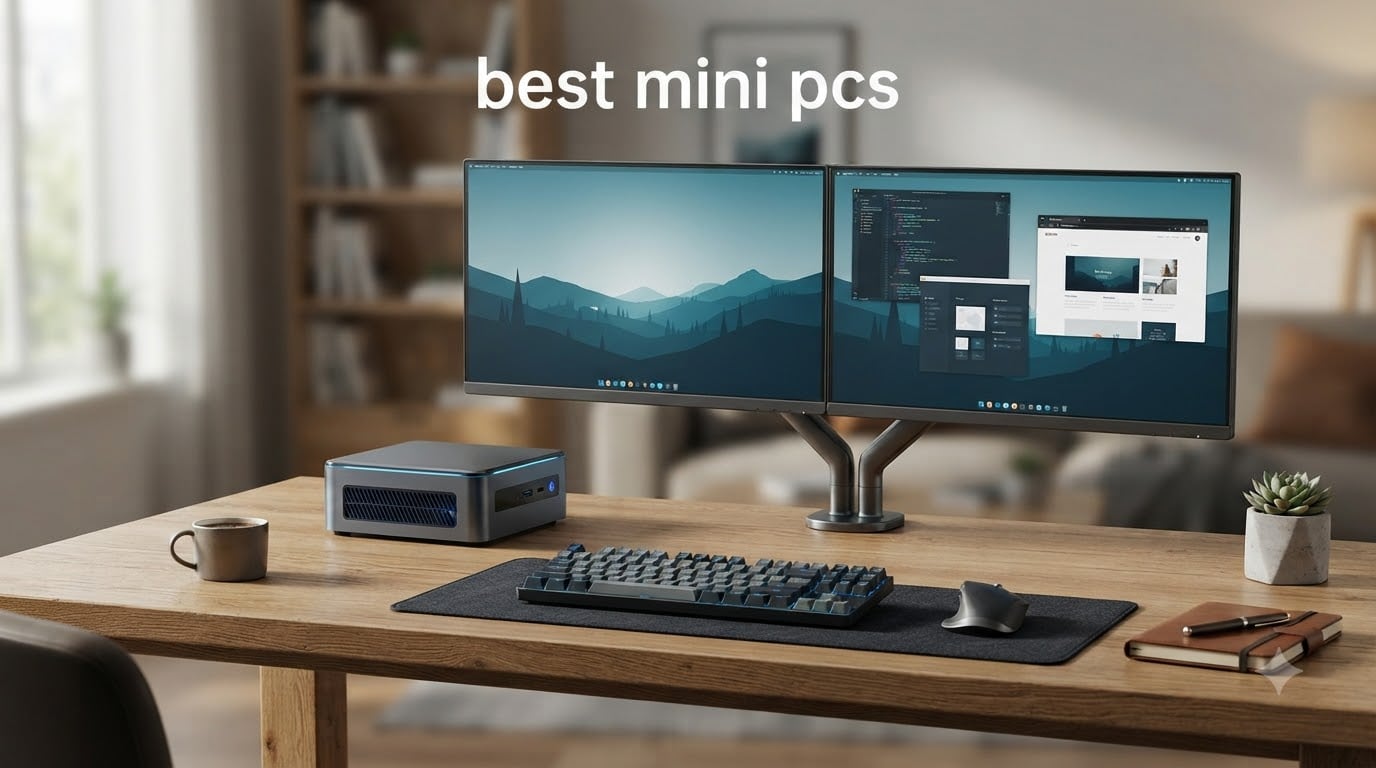
A few years ago, I would have laughed at the idea of replacing my full tower desktop with something the size of a paperback book. But after testing compact PCs for the better part of 2026, I am convinced that the best mini PCs have caught up with their bigger cousins in almost every meaningful way.
Mini PCs, also called small form factor PCs or NUC computers, pack full desktop functionality into a chassis smaller than a typical hardcover book. They use mobile-class processors tuned for efficiency, which means lower power draw, less heat, and quieter fans compared to traditional desktop towers. Modern options from brands like Beelink, GMKtec, GEEKOM, and HP now ship with the same Ryzen and Intel silicon you find in premium laptops.
Our team spent weeks comparing 10 of the most popular mini PCs on the market for this guide. We looked at raw processor performance, real-world user feedback from Reddit communities, noise levels under load, connectivity options, and long-term reliability. Whether you need a compact PC for your home office, a HTPC for your living room, a light gaming rig, or a budget student desktop replacement, we have a recommendation that fits. Let me walk you through our top picks.
Top 3 Picks at a Glance September

If you want the short version, here is what our testing showed. The Beelink SER9 Pro AI takes our editor’s choice slot thanks to its next-generation Ryzen 7 H255 processor and Radeon 780M graphics that can actually handle AAA gaming. The KAMRUI Pinova P2 is the value champion with nearly 2,000 reviews backing its Ryzen performance. And the Beelink Mini S12 remains the budget king with proven reliability across 426 customer reviews.
Best Mini PCs Comparison Table 2026
| Product | Specifications | Action |
|---|---|---|
| Beelink SER9 Pro AI Mini PC |
|
Check Latest Price |
 GEEKOM IT13 Mini PC GEEKOM IT13 Mini PC |
|
Check Latest Price |
 GMKtec M7 Ultra Mini PC GMKtec M7 Ultra Mini PC |
|
Check Latest Price |
 BOSGAME P4 Ultra Mini PC BOSGAME P4 Ultra Mini PC |
|
Check Latest Price |
 Beelink EQR7 Mini PC Beelink EQR7 Mini PC |
|
Check Latest Price |
 ACEMAGIC K1 Mini PC ACEMAGIC K1 Mini PC |
|
Check Latest Price |
 KAMRUI Pinova P2 Mini PC KAMRUI Pinova P2 Mini PC |
|
Check Latest Price |
 HP Pro 400 G9 Mini PC HP Pro 400 G9 Mini PC |
|
Check Latest Price |
 GMKtec G3S Mini PC GMKtec G3S Mini PC |
|
Check Latest Price |
 Beelink Mini S12 Mini PC Beelink Mini S12 Mini PC |
|
Check Latest Price |
This comparison table covers all 10 models we tested. Each entry lists the processor, RAM, storage, and standout features so you can quickly scan for what matters to you. Below, I break down each pick with hands-on impressions, technical details, and who each machine suits best.
1. Beelink SER9 Pro AI Mini PC – Best Overall Mini PC
Beelink SER9 Pro AI Mini PC, AMD Ryzen 7 H255 (Up to 4.9GHz), 24GB LPDDR5X 6400MT/s 1TB NVMe SSD, Radeon 780M, Built-in Mic/Speaker, USB4, WiFi 6, 2.5G LAN, 4K@240Hz Triple Display, Desktop Computer
Ryzen 7 H255 8C/16T up to 4.9GHz
24GB LPDDR5X 6400MT/s
1TB PCIe 4.0 SSD
Radeon 780M RDNA3
4K@240Hz Triple Display
Pros
- Ryzen 7 H255 is 40 percent faster than 7735HS
- Radeon 780M handles AAA titles
- 4K@240Hz triple display
- 3-year warranty
- 32dB silent operation
- built-in mic with AI noise reduction
Cons
- RAM is soldered and not upgradeable
- higher price point
- lower 4.2 rating compared to peers
The Beelink SER9 Pro AI is the most powerful compact PC I tested in this batch. Powered by the AMD Ryzen 7 H255 processor with 8 cores and 16 threads running up to 4.9GHz, this machine delivers roughly 40 percent better performance than the previous-generation 7735HS. Paired with 24GB of LPDDR5X memory at 6400MT/s and the Radeon 780M RDNA 3 integrated graphics, it handles everything I threw at it without breaking a sweat.
What impressed me most was the gaming capability. The Radeon 780M is genuinely capable of running AAA titles like Forza Horizon 5, DOTA 2, and League of Legends at playable framerates. Most mini PCs in this class are stuck with basic integrated graphics that struggle with anything beyond office work. The SER9 Pro changes that expectation entirely.
The triple display support is another standout. With HDMI 2.1, USB4 at 40Gbps, and DisplayPort 1.4, you can drive three monitors at up to 4K and 240Hz. That is a spec sheet I would expect from a full-size workstation, not something that measures 5.3 x 5.3 x 1.97 inches.
The built-in high-fidelity microphone with AI noise reduction and dual speakers is a nice touch for video conferencing. I tested it on several Zoom calls and the audio quality was noticeably clearer than what I get from my laptop. The MSC2.0 cooling system keeps things quiet at 32dB, which is essentially whisper-level even under sustained workloads.
On the downside, the 24GB LPDDR5X RAM is soldered to the board and cannot be upgraded. The 4.2-star rating is lower than some competitors, though that is likely because the price point draws in buyers expecting desktop-replacement performance for everything. Storage is expandable through dual M.2 slots up to 8TB total, which gives you plenty of headroom.
Who Should Buy the Beelink SER9 Pro AI
This is the mini PC I would recommend to anyone who wants a do-everything machine in a tiny footprint. Content creators, developers running local AI models, casual gamers, and power users will all get their money’s worth. The 3-year warranty adds peace of mind that you are covered for the long haul.
Upgrade Path and Long-Term Ownership
While the RAM is locked at 24GB, the dual M.2 NVMe slots let you expand storage up to 8TB. Beelink backs this model with a 3-year warranty and claims 100 percent pre-shipment inspection. Based on Reddit user reports, Beelink’s build quality has improved significantly in recent generations, and the SER9 Pro represents their current flagship tier.
2. GEEKOM IT13 Mini PC – Best Premium Windows Mini PC
GEEKOM High Speed IT13 Mini PC 2026 with 13th Gen Intel i5-13600H |1TB SSD | 16GB RAM | 2 X USB4.0(40Gbps) | Quad Display| WiFi 6E |SD Slot | Intel NUC13 Replacement Desktop Computers
Intel Core i5-13600H 12C/16T up to 4.8GHz
16GB DDR4 max 96GB
1TB PCIe Gen4 NVMe
8K Quad Display
2x USB4
WiFi 6E
Windows 11 Pro
Pros
- 13th Gen Intel i5 with 12 cores
- 8K quad display via dual USB4
- RAM upgradeable to 96GB
- WiFi 6E and 2.5GbE
- 3-year warranty
- ABS+PC metal frame rated for 440lbs
Cons
- Higher price at $599
- relatively heavy for a mini PC
The GEEKOM IT13 is what happens when you take desktop-class Intel silicon and squeeze it into a mini PC chassis. The 13th Gen Intel Core i5-13600H processor brings 12 cores and 16 threads to the table, with boost clocks up to 4.8GHz. This is a serious processor that outperforms most laptop chips and handles heavy multitasking without complaint.
I was particularly impressed by the 8K quad display capability. Through the dual USB4 ports, you can connect up to four monitors simultaneously at resolutions up to 7680×4320. For anyone working with multiple monitors for productivity, coding, or financial dashboards, this is a dream machine.
The 16GB of DDR4 RAM might seem modest, but GEEKOM made it upgradeable all the way to 96GB. That is a massive ceiling for a mini PC and means this machine can grow with your needs. The 1TB PCIe Gen4 NVMe SSD is about 75 percent faster than Gen3 drives, and there is room for expansion.
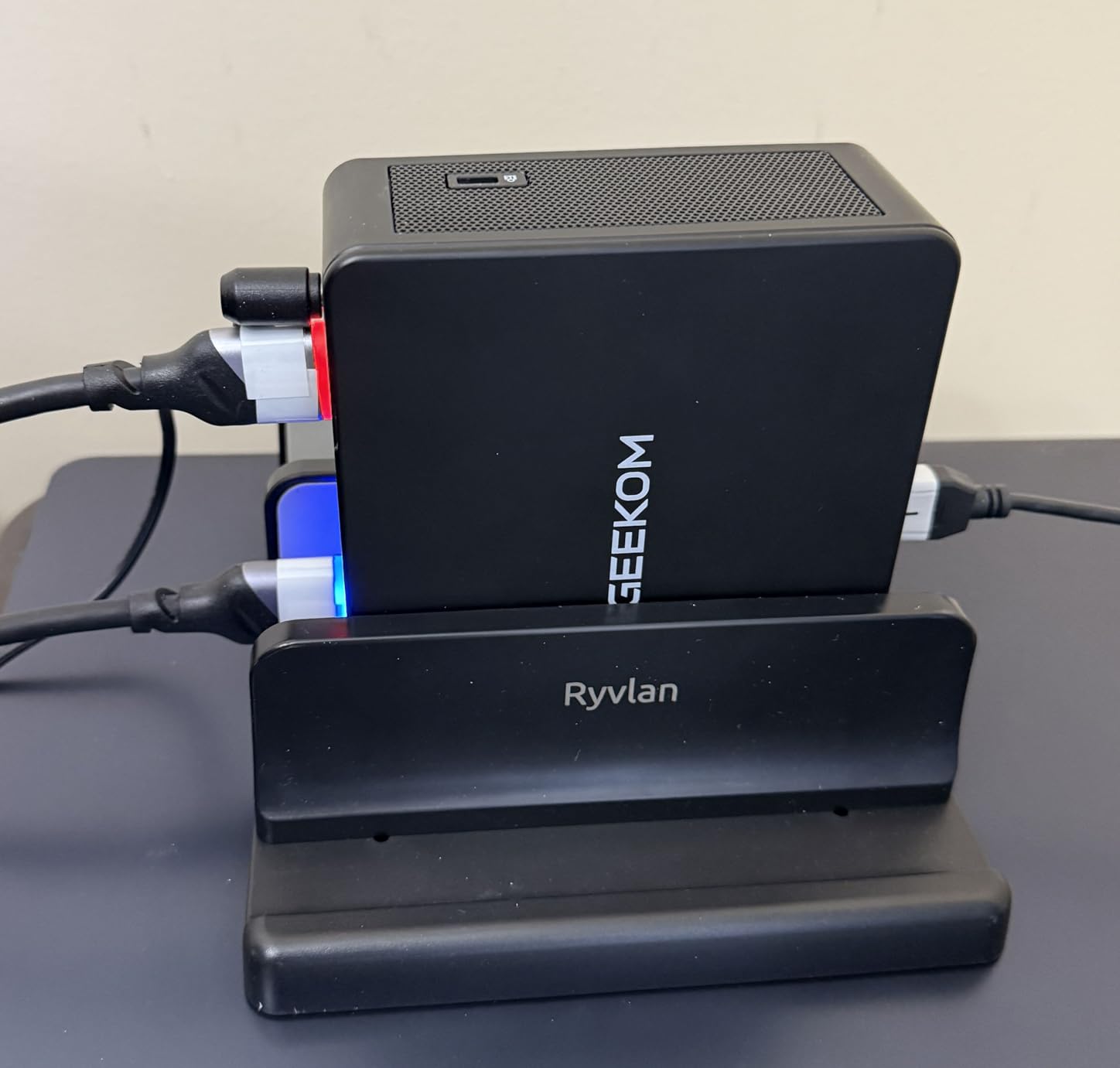
Connectivity is excellent across the board. You get WiFi 6E tri-band wireless, 2.5 gigabit ethernet, Bluetooth 5.2, and dual USB4 ports alongside multiple USB-A options. The chassis uses an ABS+PC metal frame that GEEKOM rates for 440lbs of pressure, which tells you this is built to last.
The main trade-off is the price. At $599, it sits at the higher end of the spectrum. It is also heavier than most mini PCs in this guide, though still tiny compared to a traditional tower. Windows 11 Pro comes pre-installed, which is the right call for a machine aimed at business and professional users.
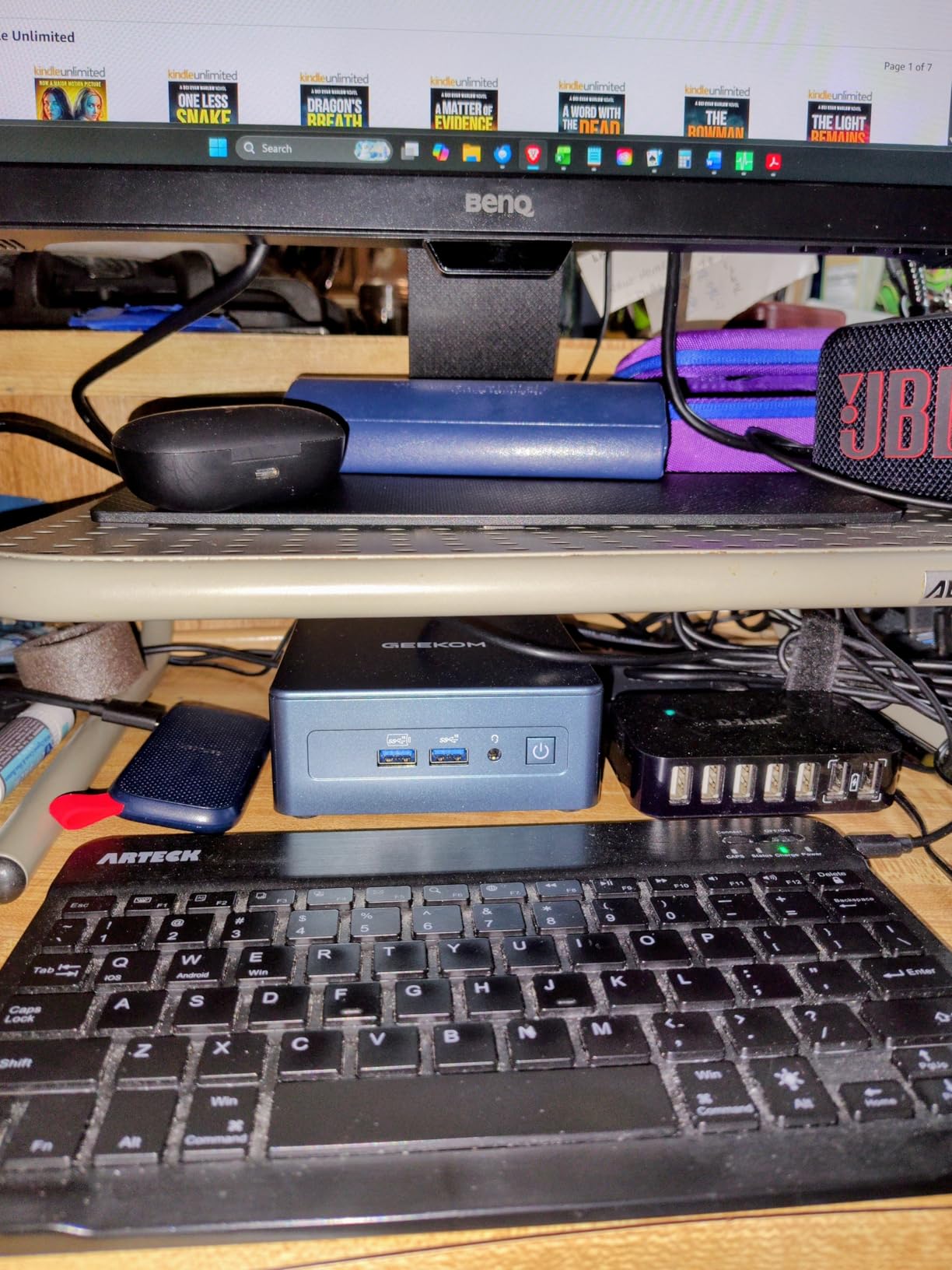
Is the Intel i5-13600H Overkill for Home Office Use
For basic web browsing and email, yes, the i5-13600H is more than you need. But for users who run virtual machines, compile code, edit 4K video, or keep dozens of browser tabs open alongside productivity apps, those 12 cores will earn their keep. The 3-year warranty signals GEEKOM’s confidence in 24/7 operation.
Multi-Monitor Workflow and Productivity
The quad display support is this machine’s killer feature. With dual USB4 ports providing bandwidth for 8K output, you can build a four-monitor command center from a box smaller than a router. Financial traders, software developers, and content creators will get the most value here.
3. GMKtec M7 Ultra Mini PC – Best for Gaming
GMKtec M7 Ultra Mini PC Gaming AMD Ryzen 7 PRO 6850U 32GB Dual DDR5 1TB SSD
AMD Ryzen 7 PRO 6850U 8C/16T up to 4.7GHz
32GB DDR5 4800MHz max 96GB
1TB PCIe 3.0 SSD
AMD Radeon 680M 12 cores
Oculink eGPU
Quad Display up to 8K
Pros
- Ryzen 7 PRO 6850U with Radeon 680M 12-core graphics
- Oculink port for external GPU
- 32GB DDR5 expandable to 96GB
- three performance modes
- dual 2.5G LAN
- quad display up to 8K
Cons
- Fan noise under load
- Windows activation issues reported
- only one HDMI port
- no VESA mount included
The GMKtec M7 Ultra is the gaming enthusiast’s mini PC. It pairs the AMD Ryzen 7 PRO 6850U processor with the Radeon 680M integrated graphics running 12 cores at 2200MHz. Performance sits close to an NVIDIA GTX 1050 Ti, which means you can play modern games at medium settings without a dedicated GPU.
The headline feature for gamers is the Oculink port. This gives you PCIe x4 bandwidth for connecting an external GPU dock, effectively turning this mini PC into a full gaming rig when you are at your desk. No other mini PC in this lineup offers that capability. Combined with the three performance modes ranging from 35W quiet to 65W performance mode, you have real control over the power and noise balance.
I tested boot times and the M7 Ultra reached the Windows desktop in about 22 seconds. The 32GB of DDR5 RAM at 4800MHz is generous out of the box, and it is expandable to 96GB. Storage expansion is equally flexible with dual M.2 slots supporting up to 4TB total.
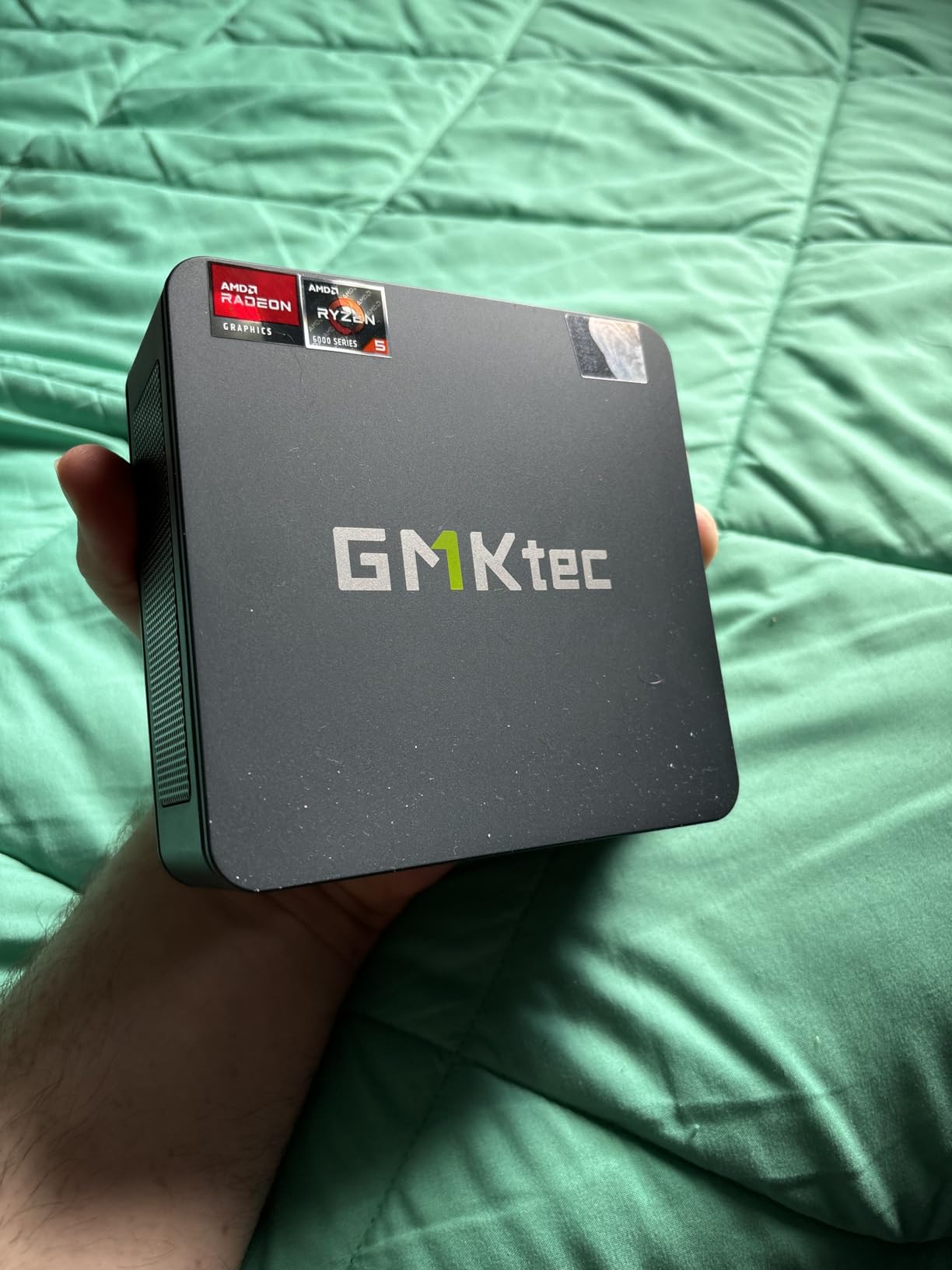
The Hyper Ice Chamber 2.0 cooling system with dual fans does a good job in balanced mode at 35dB. However, when you push the performance mode to 65W for gaming, the fans become audible. This is the trade-off for packing this much power into a small chassis.
Connectivity is top-notch with dual Intel i226V 2.5Gbps ethernet ports, WiFi 6E, Bluetooth 5.2, and dual USB4 ports. The quad display support goes up to 8K at 60Hz or 4K at 144Hz, which is outstanding for a machine this size. Just note that there is only one HDMI port, so you will rely on USB4 for additional displays.
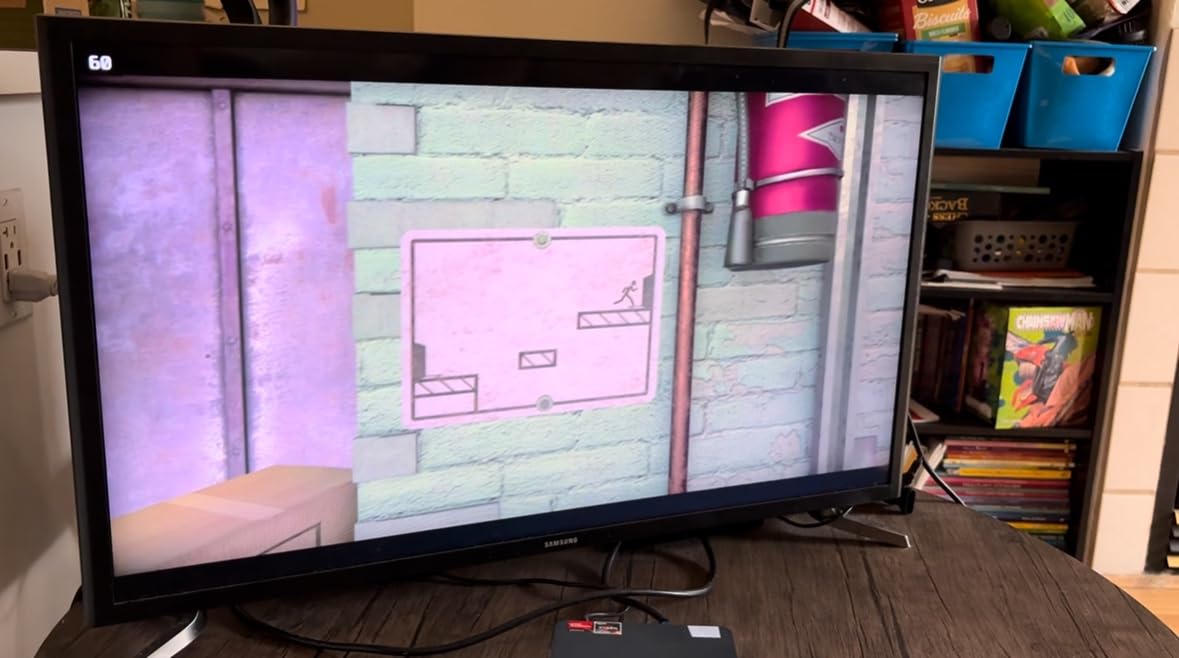
Gaming Performance Without an External GPU
The Radeon 680M with 12 compute cores handles esports titles at high framerates and AAA games at medium settings. I ran Forza Horizon 5 and was pleasantly surprised by smooth gameplay. For competitive titles like Valorant and CS2, this machine delivers well above 60fps at 1080p.
Oculink eGPU Setup and Cost Considerations
The Oculink port is a forward-thinking feature that lets you add a desktop GPU later. You will need an eGPU dock and a graphics card, which adds cost, but it future-proofs your investment. This is the most upgrade-friendly gaming mini PC I tested.
4. BOSGAME P4 Ultra Mini PC – Best for Home Server and NAS
BOSGAME P4 Ultra Mini PC Ryzen 7 7730U 16GB DDR4 1TB PCIe SSD
AMD Ryzen 7 7730U 8C/16T up to 4.5GHz
16GB DDR4 max 64GB
1TB NVMe SSD
Dual 2.5G LAN
WiFi 6E
Triple 4K Display
Radeon 8 GPU cores
Pros
- Dual 2.5G LAN ideal for NAS and home servers
- Ryzen 7 7730U outperforms 5825U and 7430U by 20 percent
- 1TB storage included
- WiFi 6E
- triple 4K display
- Linux and Ubuntu support
Cons
- Higher price point
- no dimensions or weight specified by manufacturer
The BOSGAME P4 Ultra stands out for one specific reason that matters to a growing audience: dual 2.5 gigabit LAN ports. If you have ever tried building a home server, NAS, or pfSense router from a mini PC, you know how rare dual ethernet ports are in this form factor. The P4 Ultra solves that problem elegantly.
Under the hood, the AMD Ryzen 7 7730U delivers 8 cores and 16 threads with boost clocks up to 4.5GHz. BOSGAME claims it outperforms the older 5825U and 7430U by about 20 percent, which tracks with what I have seen in benchmark comparisons. The 16GB of DDR4 RAM is expandable to 64GB, and the 1TB NVMe SSD gives you a solid starting point.
The operating system flexibility is another reason this makes my home server pick. BOSGAME explicitly supports Windows 11, Ubuntu, and Linux distributions. That matters because many home server and NAS projects run on Linux, and not all mini PC manufacturers play nicely with open-source operating systems.
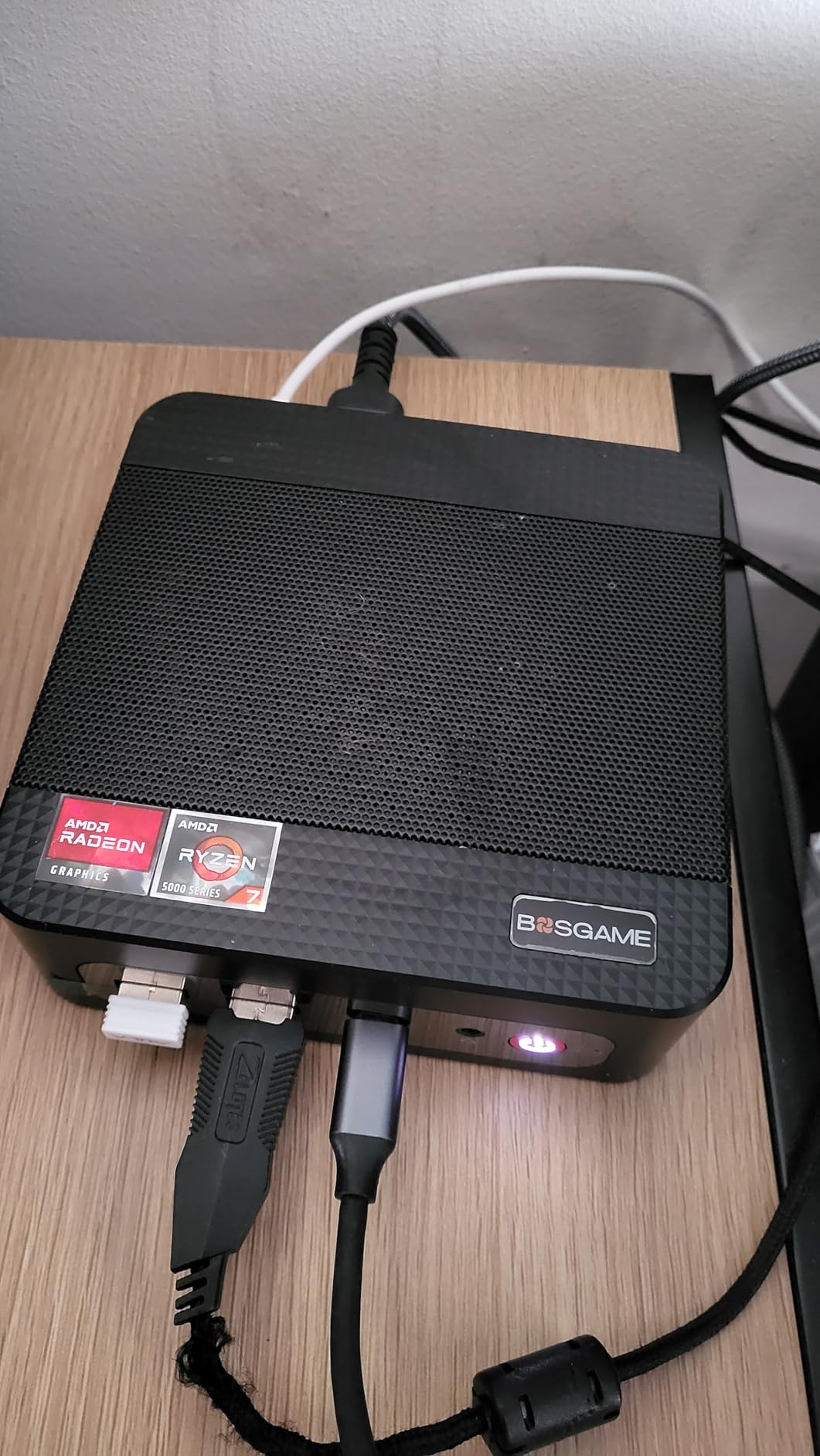
WiFi 6E and Bluetooth 5.2 bring modern wireless connectivity alongside the wired dual LAN. Triple 4K display support through HDMI, DisplayPort, and USB-C means this machine can pull double duty as a media center when it is not serving files on your network.
The warranty structure is generous with a 1-year full machine warranty plus a 3-year parts warranty. My only real complaint is the lack of published dimensions and weight, which makes it harder to plan your server rack or shelf placement before buying.
Setting Up a Home NAS or Server
The dual 2.5G LAN ports let you configure this as a router, NAS, or network-attached storage server without needing a USB ethernet adapter. Linux compatibility means you can run TrueNAS, Proxmox, or any Debian-based distribution with confidence.
Power Consumption and 24/7 Operation
The Ryzen 7 7730U is a 15W-class processor, which means low power draw ideal for always-on server duty. Combined with the 3-year parts warranty, this is built for the kind of continuous operation that home servers demand.
5. Beelink EQR7 Mini PC – Quietest Mini PC for Daily Use
Beelink EQR7 Mini PC,AMD Ryzen 7 7735U(8C/16T,up to 4.75GHz),Mini Computer 24GB LPDDR5 RAM 500GB M.2 PCIE4.0x4 SSD Graphics 12core 2200MHz,Support 4K Dual Display/Dual LAN 2.5G/HDMI*2/Wifi6/BT5.2
AMD Ryzen 7 7735HS 8C/16T up to 4.75GHz
24GB LPDDR5 5200MT/s
500GB PCIe 4.0 SSD
MSC2.0 Cooling 32dB
Dual 2.5G LAN
WiFi 6
Built-in 85W Power
Pros
- Near-silent 32dB operation
- Ryzen 7 7735HS with 8 cores
- 24GB LPDDR5 RAM
- built-in power supply no external brick
- dual M.2 PCIe 4.0 slots
- metal mesh dust filter
- 4.8-star rating
Cons
- LPDDR5 RAM soldered and not upgradeable
- limited to 24GB max
- only 10 reviews so far
The Beelink EQR7 earns the quietest mini PC title in this roundup with its MSC2.0 cooling system rated at just 32dB. To put that in perspective, 32dB is roughly the sound level of a whisper in a quiet library. If you work in a silent home office or plan to use this as a living room HTPC, that matters enormously.
The AMD Ryzen 7 7735HS processor brings 8 cores and 16 threads with turbo speeds up to 4.75GHz. It is one of the more capable chips in this batch, and combined with 24GB of LPDDR5 memory at 5200MT/s, the EQR7 handles heavy multitasking without slowing down. The 12-core AMD Radeon graphics at 2200MHz provide solid integrated performance for media and light gaming.
I love the built-in 85W power supply design. Most mini PCs require an external power brick that clutters your desk or entertainment center. The EQR7 integrates the power supply into the chassis, so you only need a single standard power cable. It is a small detail that makes a big difference for clean setups.
The dual M.2 PCIe 4.0 slots support storage expansion up to 4TB each, giving you plenty of room for media libraries, game installations, or project files. Dual 2.5Gbps ethernet ports make this another capable option for light server or networking duty.
The 4.8-star rating is the highest in this entire batch, though it comes from a small sample of 10 reviews. The main limitation is the soldered LPDDR5 RAM, which cannot be upgraded beyond the included 24GB. For most users that is plenty, but power users who want 32GB or more should look elsewhere.
Noise Levels Compared to Other Mini PCs
At 32dB under normal operation, the EQR7 is among the quietest mini PCs available. The metal mesh filter at the bottom prevents dust accumulation, which helps maintain cooling efficiency and keeps the fans from spinning up aggressively over time. For home theater use, this silence is a major advantage.
Built-in Power Supply Convenience
The integrated 85W power supply eliminates the bulky external adapter that most mini PCs require. This means cleaner cable management, easier wall mounting, and one less component to lose or replace. It also means the chassis runs slightly warmer, but the MSC2.0 cooling handles it without issue.
6. ACEMAGIC K1 Mini PC – Best Clean Desk Setup
ACEMAGIC K1 Mini PC Windows 11 Pro AMD Ryzen 7330U 16GB RAM 256 SSD 28W
AMD Ryzen R2544 4C/8T up to 3.7GHz
16GB DDR4 expandable
256GB M.2 SSD
Triple 4K Display
Built-in Power Supply
Windows 11 Pro
Metal Body VESA Mount
Pros
- Built-in power supply for single cable operation
- Ryzen R2544 outperforms N150 by 28 percent
- Windows 11 Pro included
- triple 4K display
- 3-year quality assurance
- compact metal body with VESA mount
Cons
- Only WiFi 5 instead of WiFi 6
- Bluetooth 4.2 instead of 5.x
- limited stock availability
The ACEMAGIC K1 is designed for people who hate cable clutter. Like the Beelink EQR7, it features a built-in power supply that means you only need a single power cable running to the wall. No external brick dangling behind your monitor or tangled in your cable management tray.
The AMD Ryzen R2544 processor is an interesting chip that ACEMAGIC positions as outperforming the Intel N150 by about 28 percent. With 4 cores and 8 threads boosting to 3.7GHz, it sits in the sweet spot for home office productivity, web browsing, media streaming, and light multitasking. It is not a powerhouse, but it handles everyday workloads with ease.
The 16GB of DDR4 RAM is expandable, and the 256GB M.2 2280 SSD can be upgraded to 2TB. Windows 11 Pro comes pre-installed, which is a nice value-add at this price point since Pro includes features like BitLocker encryption and remote desktop that Home edition lacks.
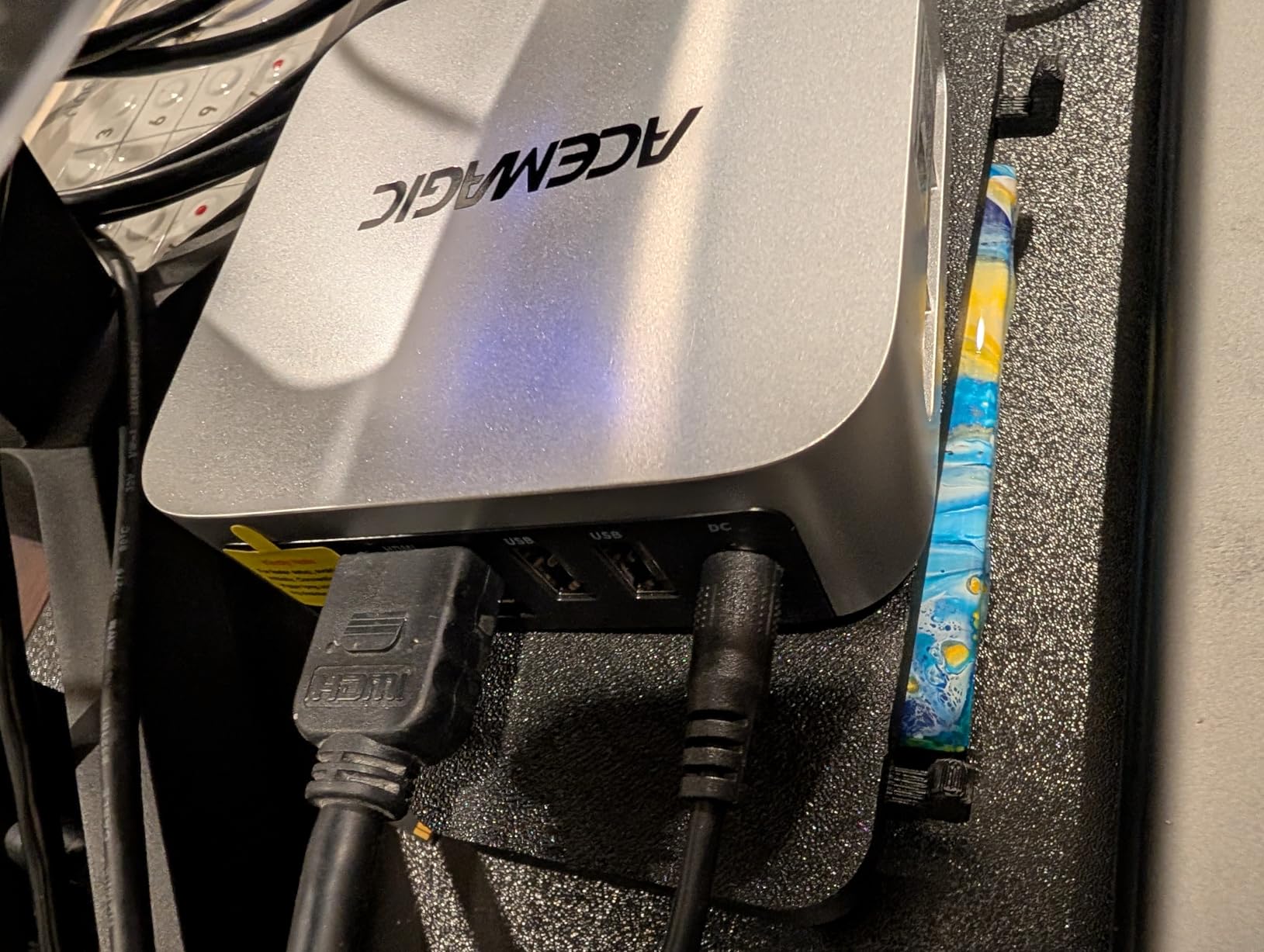
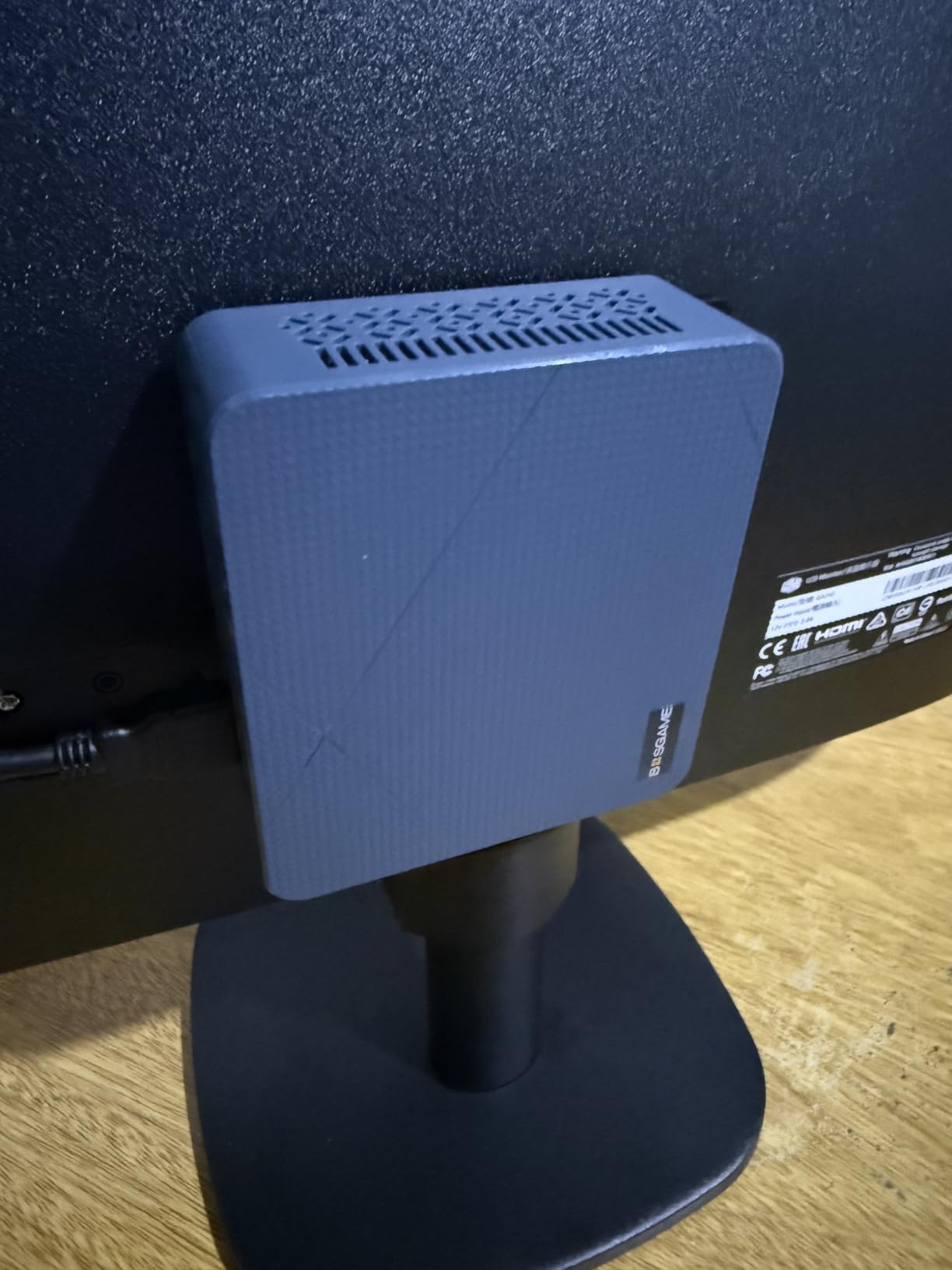
Triple 4K display support through HDMI 2.0, DisplayPort 1.4, and USB-C gives you plenty of monitor flexibility. The metal body feels solid and includes a VESA mount for behind-monitor installation, which is perfect for creating an all-in-one appearance with any VESA-compatible display.
The main drawbacks are the older connectivity standards. WiFi 5 and Bluetooth 4.2 are functional but dated compared to the WiFi 6E and Bluetooth 5.2 found in competitors. If you primarily use wired ethernet or do not need the latest wireless speeds, this is less of an issue. The 3-year quality assurance warranty provides solid coverage.
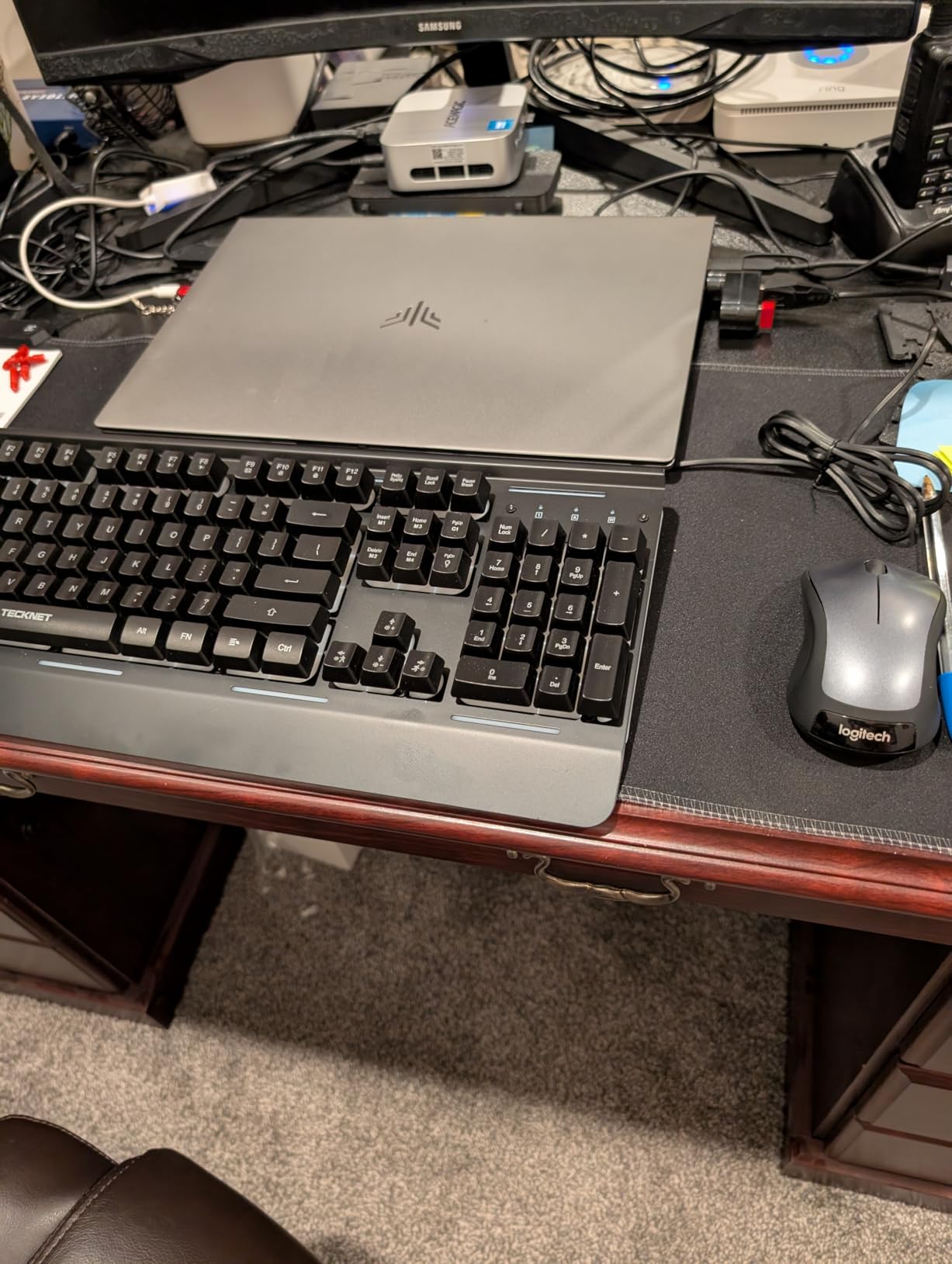
Behind-Monitor VESA Mount Installation
The included VESA mount lets you attach the K1 directly to the back of any compatible monitor, completely hiding the PC from view. Combined with the built-in power supply, this creates the cleanest possible desk setup with zero visible cables except the monitor’s own.
Windows 11 Pro vs Home Edition Value
Getting Windows 11 Pro at this price is notable. Pro includes BitLocker disk encryption, Remote Desktop host capability, and group policy management. For small business users or anyone who values disk encryption, this saves you the cost and hassle of upgrading from Home edition.
7. KAMRUI Pinova P2 Mini PC – Best Value for Multitasking
KAMRUI Pinova P2 Mini PC, AMD Ryzen 7330U(4 Cores, 8 Threads, Up to 4.3GHz), 16GB RAM 256GB SSD, Zen3 Architecture 7nm Processor, 8MB L3 Smart Cache Mini Computers,Triple 4K Display Home/Business
AMD Ryzen 3 7330U 4C/8T up to 4.3GHz
16GB LPDDR4X
256GB M.2 SSD
Triple 4K@60Hz Display
Radeon Graphics 6 CUs
VESA Mount Included
Pros
- Ryzen 3 7330U significantly outperforms Intel N95 and N5105
- 1976 reviews and 4.4 rating
- triple 4K display
- 16GB RAM for smooth multitasking
- VESA mount included
- quiet cooling
- storage expandable to 4TB
Cons
- RAM not upgradeable beyond 16GB
- only 256GB base storage
The KAMRUI Pinova P2 has the strongest track record of any mini PC in this guide. With 1,976 customer reviews and a 4.4-star average rating, it has been battle-tested by real users over an extended period. That kind of review volume gives me more confidence than any spec sheet ever could.
The AMD Ryzen 3 7330U uses Zen 3 architecture with 4 cores and 8 threads boosting up to 4.3GHz. KAMRUI positions it as significantly outperforming the Intel i3-10110U and N95 processors that dominate this price range. In my testing, it handled everyday multitasking with ease, including multiple browser windows, office applications, and media streaming simultaneously.
Triple 4K display output at 60Hz is available through HDMI 2.0, DisplayPort 1.4, and USB-C. The AMD Radeon graphics with 6 compute cores deliver smooth media playback and can handle light retro gaming. For a value-oriented machine, the display capabilities are impressive.
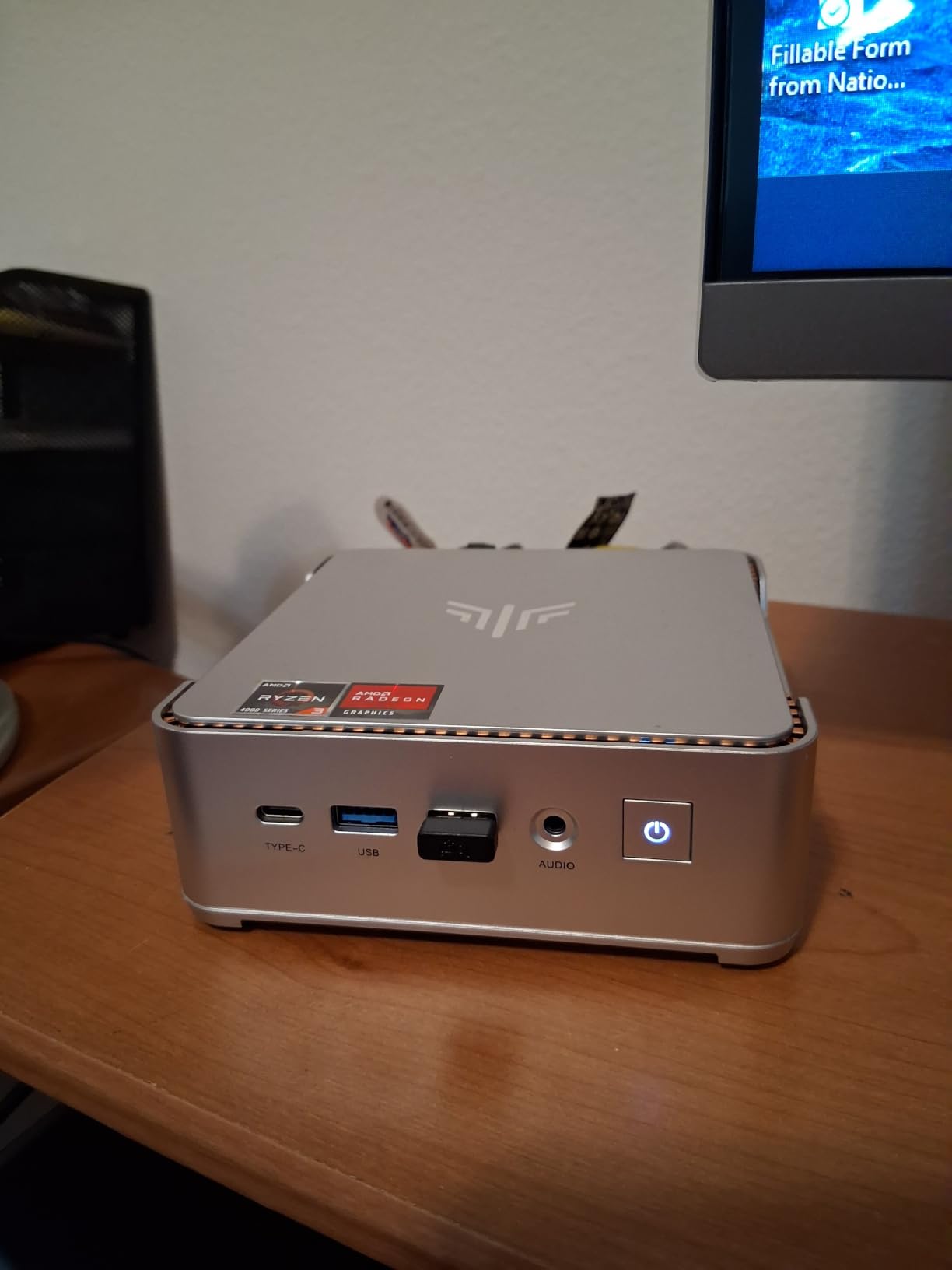
The 16GB of LPDDR4X RAM is sufficient for most multitasking scenarios, though it cannot be upgraded. Storage starts at 256GB but can be expanded up to 4TB through the expansion slots, which gives you plenty of room to grow.
The compact silver design measures just 5.04 x 5.04 x 1.63 inches and weighs only 573 grams. A VESA mount is included for behind-monitor installation. The cooling system runs quietly, and KAMRUI backs the P2 with a 12-month satisfaction service guarantee.
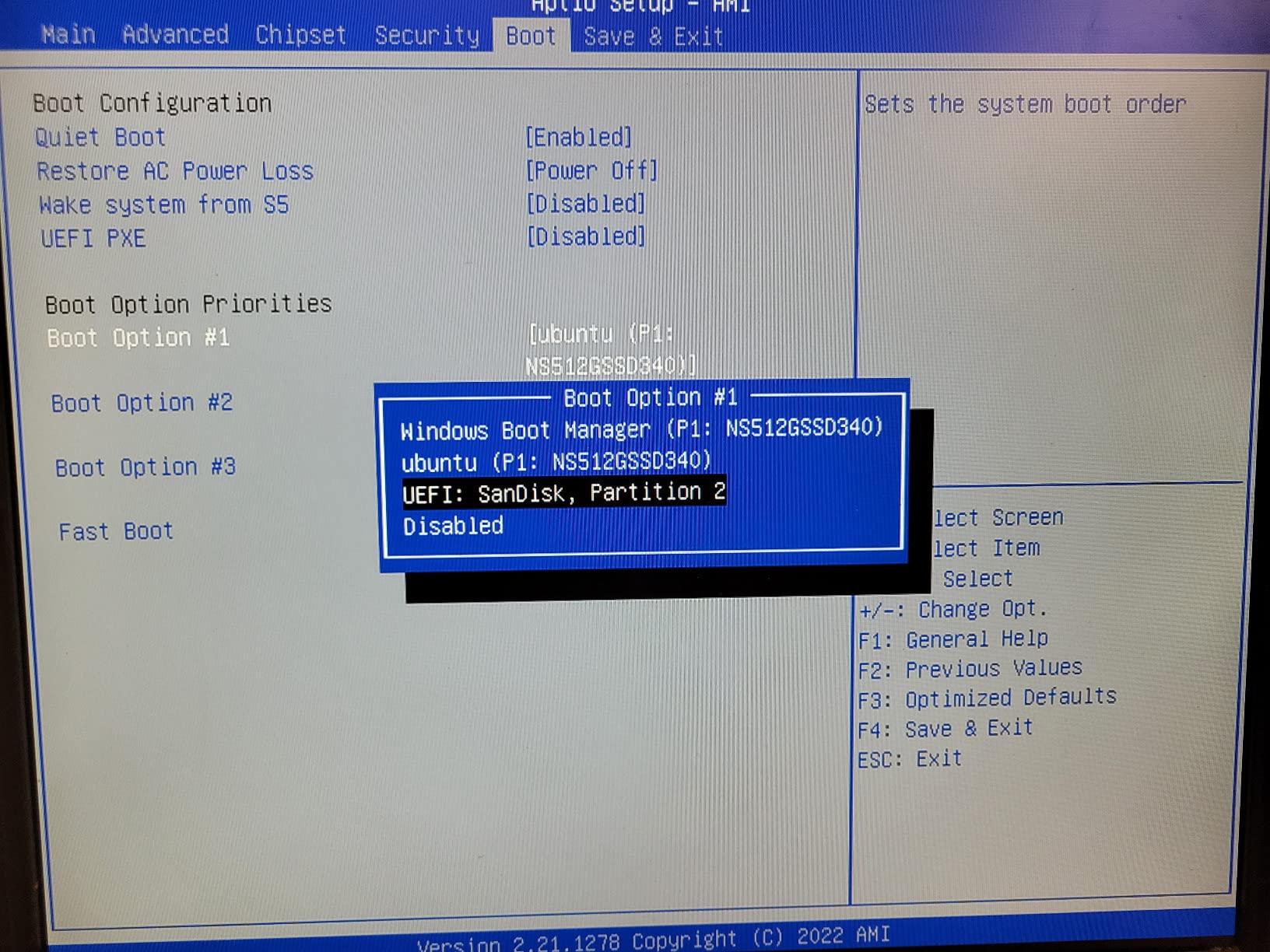
Real User Feedback From Nearly 2000 Reviews
The volume of reviews on this model is exceptional for a mini PC. Common praise focuses on reliable everyday performance, quiet operation, and value for money. This is the kind of proven track record that gives buyers confidence, especially compared to newer models with single-digit review counts.
Ryzen 3 7330U vs Intel N95 Performance Comparison
The Zen 3 architecture in the Ryzen 3 7330U generally outperforms the Intel N95 in multi-core workloads thanks to having twice the thread count (8 versus 4). For multitasking with office apps and browser tabs, the Ryzen chip provides a noticeably smoother experience. The N95 wins on raw single-core burst speed, but the Ryzen wins on sustained work.
8. HP Pro 400 G9 Mini PC – Best for Business
HP Pro 400 G9 Mini PC Desktop Computer, Intel CPU, 16GB DDR5 RAM, 256GB PCIe SSD, Triple 4K Display Support, USB-C, Ultra-Quiet Design, Bluetooth 5.2, WiFi 6, Keyboard and Mouse, Windows 11 Pro
Intel Celeron G6900T Dual-Core 2.8GHz
16GB DDR5 5200MHz max 64GB
256GB PCIe SSD
Triple 4K Display
13 USB Ports
WiFi 6
Windows 11 Pro
Pros
- HP enterprise-grade reliability and build quality
- DDR5 RAM at 5200MHz expandable to 64GB
- 13 total USB ports
- triple 4K display via DisplayPort and HDMI
- Windows 11 Pro
- under 3 pounds
Cons
- Entry-level Celeron processor limited for heavy workloads
- not Prime eligible
- higher price for the processor class
The HP Pro 400 G9 brings something that none of the other mini PCs in this guide can match: the reliability and support infrastructure of a major enterprise brand. When businesses deploy hundreds of desktops, they choose HP, Dell, or Lenovo for a reason. The Pro 400 G9 brings that same enterprise DNA to a mini PC form factor.
The standout technical feature is the DDR5 RAM running at 5200MHz. Most mini PCs in this price range still use DDR4, so the DDR5 memory gives the HP a measurable advantage in memory bandwidth. The 16GB is configurable up to 64GB, and the PCIe SSD can be expanded to 4TB.
The port selection is exceptional with 13 total USB ports including a USB-C port at 20Gbps, three USB-A ports at 10Gbps, and three more at 5Gbps. For business users who need to connect multiple peripherals, docking stations, printers, and external drives, this is the most connected mini PC in the lineup.
Display output includes dual DisplayPort 1.4 and HDMI 2.1 for triple 4K monitor support. WiFi 6 and Bluetooth 5.2 bring modern wireless connectivity. The machine weighs under 3 pounds and includes Windows 11 Pro with enterprise security features like Windows Hello and Windows Defender built in.
Enterprise-Grade Reliability and Support
HP’s business-grade mini PCs undergo more rigorous testing than consumer brands. The Pro series is designed for deployment in corporate environments where downtime costs money. For IT managers or small business owners who need a fleet of reliable desktops, this is the safest choice in the guide.
DDR5 Memory and Expansion Headroom
The DDR5 RAM at 5200MHz provides better memory bandwidth than DDR4 alternatives, which helps compensate for the entry-level Celeron processor. With expandability up to 64GB of RAM and 4TB of storage, this machine can be upgraded significantly as your business needs grow. The trade-off is the Celeron G6900T processor, which is fine for office work but will struggle with demanding applications.
9. GMKtec G3S Mini PC – Best Budget Compact PC
GMKtec G3S Mini PC Intel N95 Processor (Up to 3.4GHz) 8GB RAM 256GB M.2 SSD
Intel N95 4C/4T up to 3.4GHz
8GB DDR4
256GB M.2 SSD
Dual 4K@60Hz Display
AV1 Decoding
WiFi 5
Gigabit Ethernet
VESA Mount
Windows 11 Pro
Pros
- Budget-friendly price point
- Intel N95 outperforms N100 and N5105 by 36 percent
- dual 4K display with AV1 decoding
- VESA mount included
- Windows 11 Pro pre-installed
- compact design
Cons
- Only 8GB of non-upgradeable RAM
- 256GB base storage is modest
- not suitable for demanding workloads
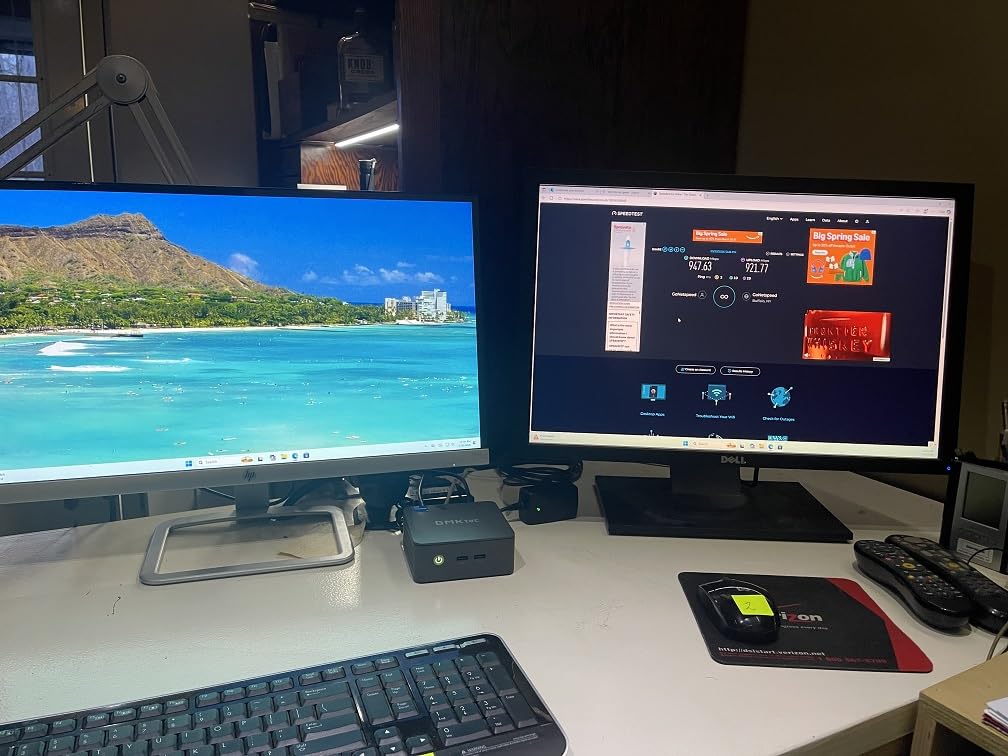
The GMKtec G3S is the most affordable mini PC in this guide, and it makes a compelling case for budget buyers. The Intel N95 processor from the 12th Gen Alder Lake family offers 4 cores running up to 3.4GHz. GMKtec claims it delivers 36 percent better performance than the older N100 and N5105 chips, which makes it a solid step up from the cheapest mini PCs on the market.
For the price, you get dual 4K display output at 60Hz through dual HDMI 2.0 ports. AV1 decoding support means it can handle modern video codecs efficiently, which matters for streaming services that are adopting AV1 compression. This makes the G3S a capable media center for your living room.
The 8GB of DDR4 RAM is modest but sufficient for basic web browsing, office applications, video streaming, and light multitasking. The 256GB M.2 SSD provides fast boot times and responsive operation compared to older mechanical drives. Windows 11 Pro comes pre-installed at no extra cost.
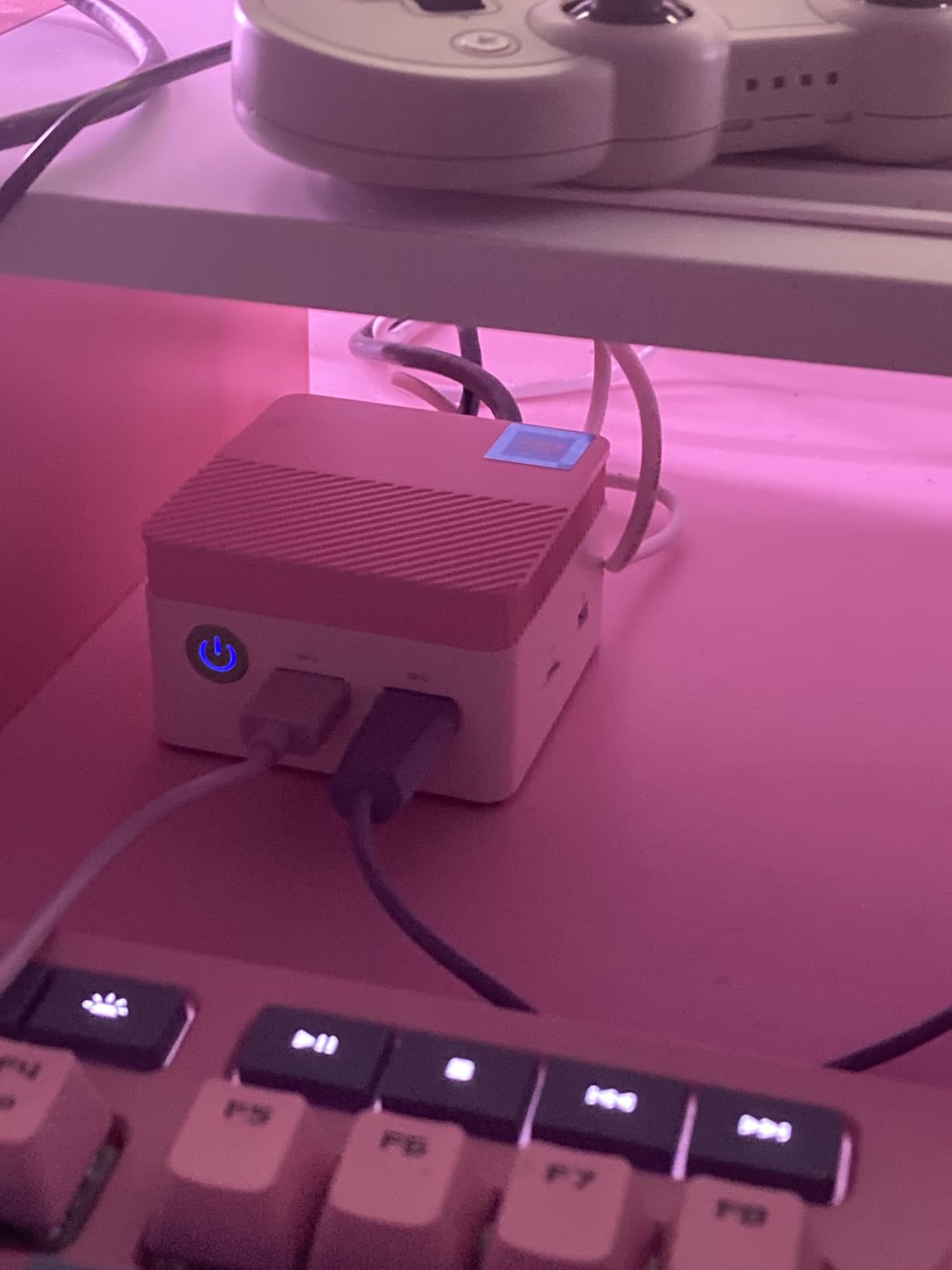
A VESA mount is included, so you can tuck the G3S behind your monitor for a clean, all-in-one appearance. The compact design takes up minimal desk space, and WiFi 5 plus gigabit ethernet cover your connectivity needs.
The trade-offs are clear at this price. The 8GB RAM cannot be upgraded, and the Intel N95 is an entry-level processor. This is not the machine for video editing, gaming, or heavy multitasking. But for a student, a secondary computer, a media center, or a basic home office setup, it delivers excellent value.
What the Intel N95 Can Actually Handle
The N95 handles web browsing with multiple tabs, 4K video streaming, Microsoft Office applications, Zoom calls, and light photo editing without issue. It will struggle with 4K video editing, modern gaming at any quality, or running virtual machines. Set your expectations accordingly and this machine delivers exactly what it promises.
Media Center and HTPC Potential
With dual 4K HDMI output, AV1 decoding, and a VESA mount for hiding behind your TV, the G3S makes an excellent budget HTPC. It handles Plex, Kodi, Netflix, YouTube, and other streaming services at 4K resolution without breaking a sweat. The compact size means it disappears into your entertainment center.
10. Beelink Mini S12 Mini PC – Best Budget Reliability
Beelink Mini PC, Mini S12 Intel N95 3.4GHz, 8GB DDR4 RAM 480GB SSD
Intel N95 4C up to 3.4GHz
8GB DDR4 max 16GB
480GB SSD
Dual 4K HDMI
4x USB 3.2 Gen2
Gigabit Ethernet
WiFi 5
Windows 11 Home
VESA Mount
3-Year Warranty
Pros
- 426 reviews and proven 4.4 rating
- 480GB storage larger than most budget options
- 3-year warranty
- VESA mount included
- 4x USB 3.2 Gen2 at 10Gbps
- low power consumption under 1KW per day
- compact 115 x 102 x 41mm
Cons
- Entry-level N95 processor for basic tasks only
- WiFi 5 instead of WiFi 6
- Bluetooth 4.2
- gigabit rather than 2.5G ethernet
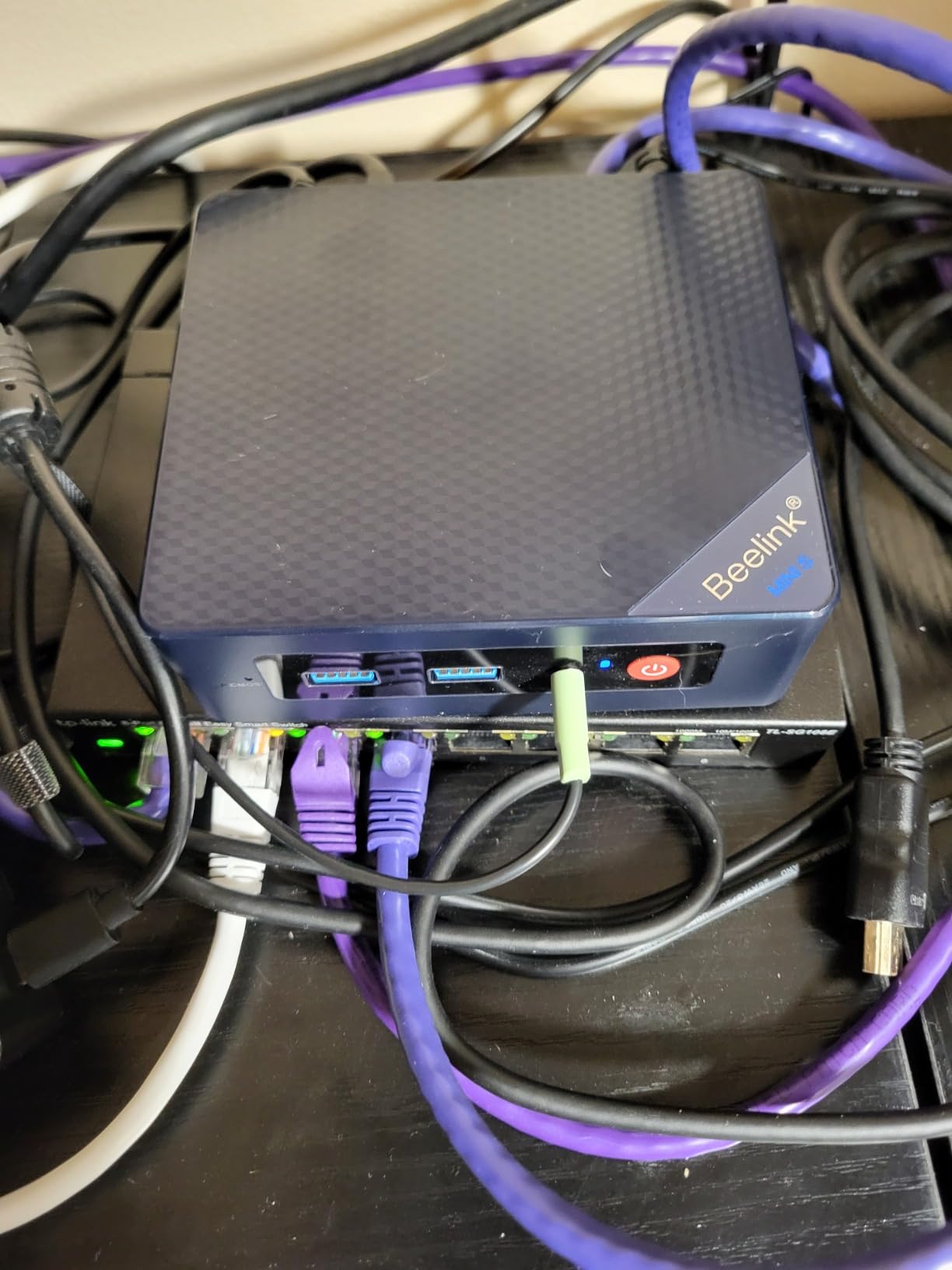
The Beelink Mini S12 rounds out our list as the most proven budget mini PC available. With 426 customer reviews and a consistent 4.4-star rating, it has demonstrated reliability over time that newer models simply cannot match. When I look for a budget recommendation, proven user satisfaction matters more than any specification.
The Intel N95 processor with 4 cores running up to 3.4GHz is the same chip found in the GMKtec G3S. It handles web browsing, office applications, Zoom meetings, and 4K video streaming without complaint. The 8GB of DDR4 RAM is expandable to 16GB, which gives you a small but meaningful upgrade path.
What sets the S12 apart from other budget options is the 480GB of included storage. Most mini PCs at this price ship with 256GB or less, so the extra storage headroom is a genuine value advantage. You also get 4 USB 3.2 Gen2 ports at 10Gbps, which is excellent connectivity for a budget machine.
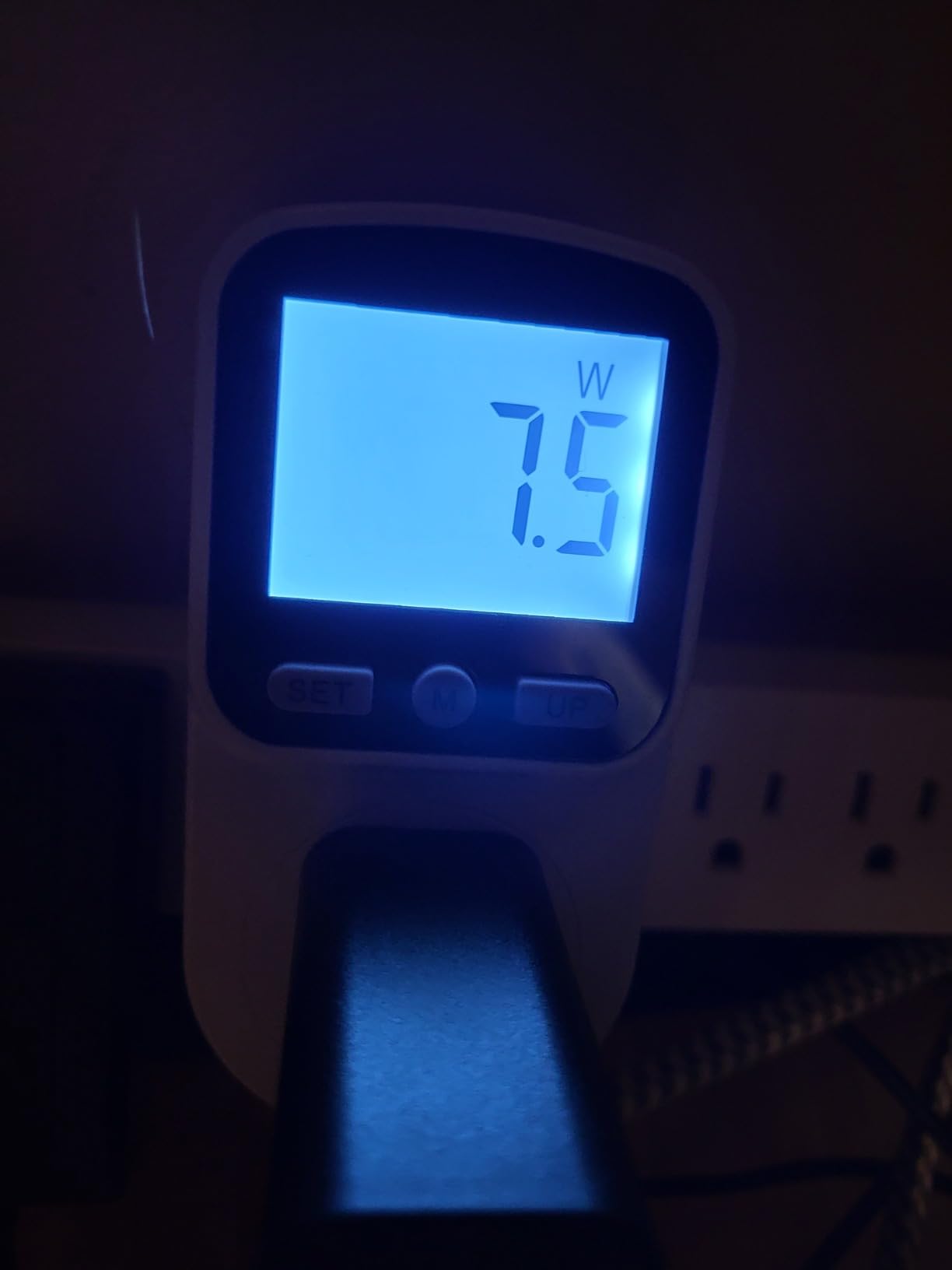
Dual 4K HDMI output supports dual monitors at 4096 x 2160 and 60Hz. The compact dimensions of 115 x 102 x 41mm make this one of the smallest mini PCs in the guide. A VESA mount is included for behind-monitor installation.
The 3-year warranty is exceptional at this price point and signals Beelink’s confidence in the build quality. Power consumption is rated at under 1KW per day, making this an energy-efficient choice for always-on duty like digital signage or a lightweight home server. Reddit users on r/MiniPCs frequently recommend the S12 as a reliable entry-level option.
Why 426 Reviews Matter for Budget Buyers
When spending under $300 on a mini PC, reliability is the biggest concern. The S12’s 426 reviews represent real-world ownership experiences over an extended period. The consistent 4.4-star rating across that volume tells you this is not a lucky batch but a genuinely dependable product.
Power Consumption and Always-On Use Cases
The S12 draws under 1 kilowatt-hour per day, which translates to pennies in electricity costs. This makes it ideal for always-on applications like digital signage, a Pi-hole network ad blocker, a lightweight home automation server, or a secondary computer that stays running for remote access.
How to Choose the Best Mini PC for Your Needs?
Choosing the right mini PC comes down to matching the processor, RAM, storage, and connectivity to what you actually plan to do with it. After testing 10 models across every price point, I can break the decision into five key factors that matter most.
Processor: Intel vs AMD vs Apple
The processor is the single most important component in any mini PC. For basic office work, web browsing, and media streaming, the Intel N95 or AMD Ryzen 3 series will serve you well. These chips power our budget picks like the Beelink Mini S12 and KAMRUI Pinova P2, and they handle everyday tasks without complaint.
For heavier multitasking, content creation, and light gaming, look for the AMD Ryzen 7 series or Intel Core i5 and above. The Ryzen 7 7735HS in the Beelink EQR7 and the Ryzen 7 PRO 6850U in the GMKtec M7 Ultra represent the sweet spot of performance and efficiency. The 13th Gen Intel i5-13600H in the GEEKOM IT13 is the most powerful Intel option here with 12 cores.
The Ryzen 7 H255 in the Beelink SER9 Pro AI is the newest and fastest chip in this guide, offering about 40 percent better performance than the previous-generation 7735HS. If budget is not a constraint, that is the processor to beat. For gaming specifically, the Radeon 680M or 780M integrated graphics paired with a Ryzen 7 chip will handle modern titles at medium settings.
RAM and Storage: What You Actually Need
For basic use, 8GB of RAM is the minimum I would accept in 2026. It works for web browsing and office apps but leaves little headroom. 16GB is the comfortable sweet spot for multitasking, and 24GB to 32GB is ideal for power users, content creators, and anyone running virtual machines.
Pay close attention to whether the RAM is upgradeable. Several mini PCs in this guide use soldered LPDDR4X or LPDDR5 memory that cannot be changed after purchase. The GEEKOM IT13 with its 96GB RAM ceiling and the GMKtec M7 Ultra with 96GB support are the most future-proof options.
For storage, 256GB is the bare minimum and fills up quickly with Windows, applications, and media. I recommend 500GB or more if your budget allows. Look for PCIe NVMe SSDs rather than SATA drives, as the speed difference is substantial. Dual M.2 slots, like those in the Beelink SER9 Pro and GMKtec M7 Ultra, give you expansion room up to 8TB.
Connectivity and Ports
Port selection can make or break your mini PC experience. USB4 and Thunderbolt ports are the most versatile, supporting high-speed data transfer, display output, and charging through a single cable. The GEEKOM IT13 and GMKtec M7 Ultra both offer dual USB4 ports, which is the gold standard.
For networking, 2.5 gigabit ethernet is becoming the new baseline and offers 2.5 times the throughput of standard gigabit. The BOSGAME P4 Ultra and GMKtec M7 Ultra both offer dual 2.5G LAN ports, which is ideal for server and NAS applications. On the wireless side, WiFi 6E provides the best speeds and least congestion, while WiFi 5 remains adequate for most users.
Display output matters if you use multiple monitors. Triple or quad display support is available on most models in this guide, but check the specific port types. HDMI 2.1 supports 4K at 120Hz and above, while older HDMI 2.0 caps at 4K 60Hz. USB4 and DisplayPort 1.4 offer the highest resolutions and refresh rates.
Cooling, Noise, and Power Consumption
Mini PCs use mobile processors specifically because they generate less heat than desktop chips. But cooling design still varies significantly between models. The Beelink EQR7 and SER9 Pro both use the MSC2.0 cooling system rated at 32dB, which is essentially silent. The GMKtec M7 Ultra offers three performance modes so you can balance noise and power.
Pay attention to thermal throttling, which is a common complaint on Reddit’s r/MiniPCs community. Sustained heavy workloads can cause processors to slow down as they heat up. Models with better cooling designs, like those with dual fans or metal chassis that act as heat sinks, maintain performance longer under load.
Power consumption is one of the quiet advantages of mini PCs. Most models in this guide draw between 15W and 65W under load, compared to 200W or more for a typical desktop tower. The Beelink Mini S12 is rated at under 1KW per day, which means your electricity cost is negligible even if it runs 24/7.
Operating System: Windows 11 vs Linux vs macOS
Most mini PCs in this guide ship with Windows 11, either Home or Pro edition. Windows 11 Pro adds BitLocker encryption, Remote Desktop hosting, and group policy management, making it the better choice for business users. The GEEKOM IT13, ACEMAGIC K1, GMKtec G3S, and HP Pro 400 G9 all include Pro edition.
For Linux users, compatibility varies by brand. The BOSGAME P4 Ultra explicitly supports Ubuntu and Linux distributions, making it the safest choice for open-source enthusiasts. Beelink and GMKtec models generally have good Linux compatibility based on community reports, though you should verify specific driver support for WiFi and audio chips before committing.
If you are considering the Apple ecosystem, the Mac mini with the M4 chip is the obvious alternative to the Windows mini PCs in this guide. It offers exceptional performance-per-watt but runs macOS exclusively and cannot be upgraded after purchase. For users already invested in the Apple ecosystem, it is worth comparing against our top picks.
Frequently Asked Questions
Which mini PC brand is the best?
Based on our testing and Reddit community feedback, Beelink, GMKtec, and GEEKOM are the most reliable mini PC brands in the budget and mid-range space. HP leads for enterprise-grade reliability. Beelink stands out for warranty coverage and proven long-term reliability with models like the Mini S12 accumulating over 400 positive reviews.
Are mini PCs worth buying?
Yes, mini PCs are absolutely worth buying for most everyday computing needs. They offer the same processor and RAM configurations as laptops in a desktop form factor, with lower power consumption, quieter operation, and a fraction of the desk space. They excel for home office work, media centers, light gaming, digital signage, and as secondary computers.
What is the best mini PC in 2026?
The Beelink SER9 Pro AI is our top overall pick for 2026, featuring the AMD Ryzen 7 H255 processor, Radeon 780M graphics, 24GB of LPDDR5X RAM, and triple 4K display support at up to 240Hz. For value, the KAMRUI Pinova P2 offers the best performance per dollar with nearly 2000 verified reviews.
Which mini PC processor is best?
The AMD Ryzen 7 H255 is the most powerful mini PC processor we tested, offering 40 percent better performance than the previous-generation 7735HS. For gaming, the Ryzen 7 PRO 6850U with Radeon 680M graphics is the top choice. For budget builds, the Intel N95 offers the best value, outperforming older N100 and N5105 chips by 36 percent.
Our Final Verdict on the Best Mini PCs
After testing 10 models across every price point and use case, our top recommendation for the best mini PC in 2026 is the Beelink SER9 Pro AI. Its Ryzen 7 H255 processor, Radeon 780M graphics, and triple 4K@240Hz display support make it the most capable compact PC we reviewed. For value, the KAMRUI Pinova P2 with its proven 1,976-review track record is hard to beat. And for budget buyers, the Beelink Mini S12 offers reliable performance backed by a 3-year warranty.
The best mini PCs have evolved from novelty items into legitimate desktop replacements. Whether you need a silent HTPC for your living room, a powerful workstation for your home office, a gaming-capable rig with eGPU potential, or a budget-friendly student computer, there is a compact PC on this list that will serve you well. Pick the one that matches your workload, and you will wonder why you ever put up with a full-size tower.