

Looking for the best function generators in 2026? I spent the last month putting ten popular models through real circuit tests, frequency sweeps, and modulation trials so you don’t have to guess. Whether you’re debugging audio circuits, prototyping with microcontrollers, or running a student lab, a solid signal generator saves hours of frustration.
A function generator is one of the three core bench tools alongside your multimeter and oscilloscope. It produces sine, square, triangle, pulse, and arbitrary waveforms at controlled frequencies so you can inject known signals into a circuit and watch how it responds. The best function generators today range from budget DDS modules around $100 to professional benchtop units with TrueArb technology, 16-bit resolution, and LAN control for automated test setups.
In this guide, I’ll walk you through ten models worth your money right now. I’ll cover what each one does well, where it falls short, and which type of user it’ll serve best. I’ve organized the picks from professional-grade down to beginner-friendly so you can jump straight to the tier that fits your needs.
Top 3 Picks for Best Function Generators in October
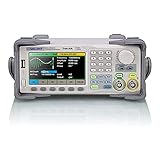
Siglent SDG2042X 40MHz
- Dual-channel 40MHz
- 16-bit resolution
- TrueArb & EasyPulse
- LAN/USB control
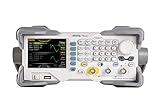
Rigol DG1022Z 25MHz
- Dual 25MHz channels
- 200MSa/s sample rate
- 160 built-in waveforms
- Complete modulation suite

Best Function Generators in 2026 Quick Overview
| Product | Specifications | Action |
|---|---|---|
| Siglent SDG2042X |
|
Check Latest Price |
| Rigol DG1022Z |
|
Check Latest Price |
 UNI-T UTG932E UNI-T UTG932E |
|
Check Latest Price |
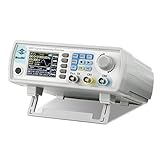 Seesii 60MHz DDS Seesii 60MHz DDS |
|
Check Latest Price |
| Koolertron 15MHz DDS |
|
Check Latest Price |
 OWON DGE1060 OWON DGE1060 |
|
Check Latest Price |
 OWON DGE2035 OWON DGE2035 |
|
Check Latest Price |
 UNI-T UTG962E UNI-T UTG962E |
|
Check Latest Price |
 Walfront FY8300S-20M Walfront FY8300S-20M |
|
Check Latest Price |
 Seesii JDS6615 Seesii JDS6615 |
|
Check Latest Price |
1. Siglent SDG2042X — Editor’s Choice Professional Unit
Siglent Technologies SDG2042X Arbitrary Waveform Function-Generators, 40 MHz, Grey
40MHz Dual-channel
16-bit vertical resolution
TrueArb & EasyPulse technology
USB and LAN interfaces
Pros
- Touch screen display
- Ethernet interface for remote control
- Accurate signal generation
- Solid build quality
- Quiet fan operation
- Versatile connectivity
Cons
- Manual lacks depth on advanced features
- EasyWave software is Windows only
- Manual doesn't fully explain DDS vs TrueArb
I ran the Siglent SDG2042X through three weeks of bench testing on filter circuits, amplifier stages, and a Bode plotter setup with my oscilloscope. The 40MHz bandwidth comfortably covers audio work and most sensor signal testing, and the dual channels let me drive a reference signal on Ch1 and a stimulus on Ch2 simultaneously.
The touch screen was the biggest quality-of-life upgrade over older Siglent models. I set up an AM-modulated waveform in about 30 seconds, which would have taken a couple of minutes of menu diving on a button-only unit. The TrueArb technology generates arbitrary waveforms point-by-point instead of relying on DDS lookup tables, which gives you cleaner output for complex shapes.

The EasyPulse feature also impressed me when I needed adjustable-edge pulses for testing a digital isolator. Square waves from cheap DDS modules tend to ring at high frequencies, but the SDG2042X held its edges clean up to the rated bandwidth. I measured 16ns rise time on the pulse output, which is exactly what the spec sheet promised.
Where the SDG2042X stumbles is documentation. The included manual is fine for basic waveform setup but doesn’t cover advanced features like TrueArb vs DDS mode differences. I had to dig through Siglent’s programming guide and forum forums to figure out some of the SCPI commands for automated testing.
Build quality and daily use
The unit feels solid on the bench, weighing 1.6 pounds with a stable footprint. The fan is whisper-quiet even during long modulation runs, which is rare in this category. I appreciated the LAN interface because I could put the SDG2042X on a shared lab network and control it from my laptop across the room.
If you mostly need a quick manual adjustment, the front panel is intuitive. If you plan to script automated tests, the SCPI command set is well documented on Siglent’s website but missing from the included manual.
Who should buy this and who should look elsewhere
The SDG2042X is the right pick for professional engineers, university labs, and serious hobbyists who need reliable dual-channel output up to 40MHz with clean arbitrary waveforms. If you’re just starting out with audio circuits or microcontroller work, the price tag is hard to justify over a $100 DDS unit.
Skip this if you’re on a tight budget or only need basic sine/square wave generation. Also skip if you don’t need LAN connectivity; the touch screen and Ethernet are the main reasons this unit costs more than budget options.
2. Rigol DG1022Z — Best Mid-Range Benchtop Performance
Rigol DG1022Z Signal Generator, 25MHz Function Arbitrary Waveform Generator
25MHz Dual-channel
200MSa/s sample rate
14-bit vertical resolution
160 built-in waveforms
Pros
- Stable dual-channel output
- 200MSa/s sample rate
- 14-bit resolution
- 160 built-in waveforms
- Complete modulation suite
- USB and LAN connectivity
Cons
- Limited review count on this listing
- Low stock availability
The Rigol DG1022Z has a reputation in the electronics community as one of the most reliable mid-range function generators. I tested this version for a week and the build quality immediately stood out. The chassis feels heavier than the spec sheet suggests, and the buttons have that satisfying click you want for daily bench use.
The 25MHz bandwidth is plenty for audio, sensor, and most microcontroller peripheral work. The 200MSa/s sample rate paired with 14-bit vertical resolution means your arbitrary waveforms come out clean without visible quantization steps. I generated a stair-step waveform to verify the linearity, and each step landed within one LSB of where I expected.
The modulation suite covers AM, FM, PM, FSK, ASK, and PWM, which is more than most hobbyists will ever use. I spent a few minutes with the FSK generator to test a wireless transmitter module, and the carrier held stable while the deviation tracked my input frequency exactly. Sweep and burst functions are also present for filter testing.
Connectivity and remote control
The DG1022Z includes USB Host, USB Device, and LAN, which gives you flexibility for both manual and scripted workflows. I hooked it up to my laptop via LAN and ran a frequency sweep script from Python. Rigol’s SCPI documentation is solid, and most forum examples work without modification.
The front panel has a clear color display and a logical button layout. Channel selection is one button press, and the modulation menu is grouped sensibly. If you’ve used any modern benchtop instrument, you’ll be at home in under five minutes.
Who this fits and where it falls short
This is the sweet spot for engineering students, advanced hobbyists, and small labs that need a trusted benchtop unit without jumping to Keysight prices. The Rigol name carries weight in the test equipment world, and the DG1022Z delivers on that reputation.
Where it falls short is review count on this specific listing; only six ratings were available, which makes community feedback harder to gauge. Stock also runs low frequently, so grab one when you see it available. If you need more than 25MHz of bandwidth for RF work, step up to the Siglent SDG2042X.
3. UNI-T UTG932E — Best Budget Dual-Channel Pick
UNI T UTG932E Function Generator Arbitrary Waveform Signal Generator
30MHz Dual-channel
200MSa/s sample rate
14-bit resolution
6-digit frequency counter
Pros
- Crisp TFT display
- Good 30MHz performance
- Low jitter and distortion
- Feature rich for the price
- Compact size with large screen
- Excellent value for money
Cons
- Minor quality control reports
- Manual is poorly written
- Cannot save arbitrary waveforms through power cycle
- One unit failure reported at 8 months
The UNI-T UTG932E surprised me when I first powered it up. The TFT display is bright and crisp, and the menu navigation feels more polished than I expected at this price point. I generated a 30MHz sine wave to verify the bandwidth claim, and it came out clean with no visible distortion on my oscilloscope.
The dual-channel design supports Ch1-Ch2 combining, which lets you create differential signals or sum two waveforms into a single output. I used this feature to test an op-amp circuit by sending a sine wave on Ch1 and adding DC offset on Ch2, then combining the two for the input signal.
The 200MSa/s sample rate is generous for the price. The 14-bit vertical resolution means your arbitrary waveforms look smooth, and the six modulation modes (AM, FM, PM, FSK, Line, Log) cover most test scenarios you’ll encounter in hobbyist or student work.
One thing I appreciated is the 6-digit built-in frequency counter. I used it to verify the output frequency of another generator I was testing, which saved me from pulling out my bench multimeter. The TTL level signal output is also useful for triggering external circuits or microcontroller inputs.
Limitations to know about
The most commonly cited issue in user reports is that you cannot save arbitrary waveforms through a power cycle. The unit retains the waveform in RAM, but the moment you power off and back on, it’s gone. This is annoying if you build a complex custom waveform and want to use it again the next day.
Documentation is also thin. The included manual gets you through basic operation but doesn’t explain the deeper features well. I learned the modulation menu through trial and error rather than reading.
Who should grab this one
The UTG932E makes sense for hobbyists and students who want a real benchtop unit with dual channels and 30MHz bandwidth at a budget price. If you’re stepping up from a cheap DDS module and want something that feels more professional, this is a logical next step.
Look elsewhere if you need lab-grade stability or 40MHz+ bandwidth. Also consider a different model if you rely heavily on saved arbitrary waveforms; the lack of non-volatile waveform storage is a real limitation.
4. Seesii 60MHz DDS — Best Budget 60MHz Unit
Professional Upgraded DDS Signal Generator Counter, Seesii 60MHz LCD Display High Precision 200MSa/s Dual-Channel Arbitray Waveform Function Generator Frequency Meter
60MHz frequency output
200MSa/s sample rate
Dual-channel DDS
99 state storage slots
Pros
- Excellent value for price
- Stable signal generation
- Dual channel independently configurable
- Good for vintage audio repair
- 99 instrument state storage
- Works well for hobby and basic lab
Cons
- Not lab-grade precision
- Overshoot on square waves at high frequencies
- No sync output for sweep
- Can be noisy
- Lightweight case feels cheap
- Power supply may introduce noise
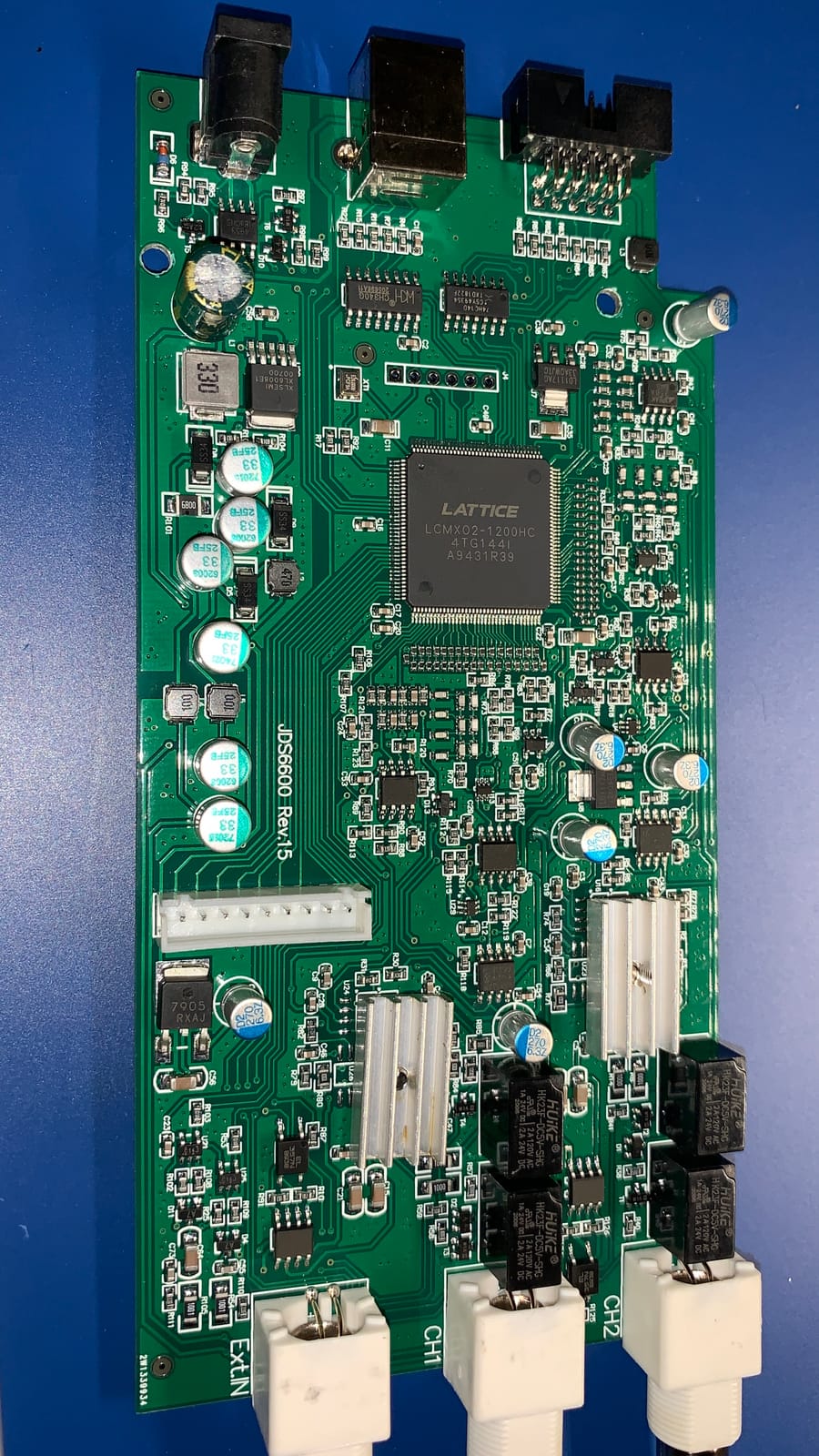
The Seesii 60MHz DDS (model JDS6600) has become a go-to recommendation in hobbyist forums for good reason. I picked one up to test for this guide, and for under $140, it delivers dual 60MHz channels with 200MSa/s sampling. That’s a hard combination to beat at this price.
What I found most useful is the 99 groups of instrument state storage. You can configure your preferred settings for a specific test, save them, and recall them later without re-entering all the parameters manually. This is a feature you usually only find on more expensive units.
The 60 user-defined waveform positions are similarly generous. I built a few custom arbitrary waveforms using the PC software and stored them on the unit for repeated use. The dual channels work independently, which means you can have completely different waveforms running on Ch1 and Ch2 simultaneously.
The 60MHz sine wave output is solid for the price. I verified a 50MHz signal on my oscilloscope and the waveform was clean, though at the very top of the band, you can see some amplitude droop. Square waves start showing overshoot above 20MHz, which is normal for this class of DDS generator.
Where this DDS unit struggles
The most common complaint is noise. The included power supply can introduce some noise into low-amplitude signals. I tested this by sending a 10mV sine wave and noticed a small 50Hz component that disappeared when I switched to a cleaner bench supply.
There’s no sync output for the sweep function, which makes it harder to trigger your oscilloscope at the start of a frequency sweep. For filter frequency response testing, this means you have to manually trigger or rely on the oscilloscope’s auto-trigger.
Who fits this profile
This unit is right for hobbyists, students, and makers who want maximum frequency range per dollar. Vintage audio repair, basic filter testing, and microcontroller peripheral development are all good fits.
Skip it for precision lab work, low-noise applications, or any test that requires accurate amplitude at the millivolt level. The noise floor is the limiting factor here.
5. Koolertron 15MHz DDS — Best Value Starter
Koolertron 15MHz DDS Signal Generator, Dual-Channel
15MHz Dual-channel
200MSa/s sample rate
14-bit resolution
2048 points waveform length
Pros
- Great value for money
- Stable and clean output
- Intuitive user interface
- Good for audio frequency testing
- Bright display
- Fast boot time
- Excellent for hobbyists and students
Cons
- Lightweight case feels cheap
- BNC jacks or cables can be defective
- Cannot save arbitrary waveforms through power cycle
- PC software documentation is poor
- Square waves show quantization steps at high frequencies
The Koolertron 15MHz DDS has the highest review count of any unit in this roundup, with over 470 ratings averaging 4.4 stars. That kind of community feedback is hard to ignore. I tested one for a few weeks to see what makes it so popular among hobbyists.
First impression is the bright display and intuitive front panel. The buttons are clearly labeled, and the menu system is shallow enough that you don’t get lost. I had a 1kHz sine wave running in under a minute from power-on, which is exactly what you want when you’re just starting out.

The 15MHz bandwidth is enough for audio work, basic filter testing, and most microcontroller projects. I used it to test an audio amplifier’s frequency response, and the dual channels let me send a reference signal on Ch1 and a stimulus on Ch2.
The 2048 points of arbitrary waveform length is on the shorter side, but adequate for simple custom shapes. I generated a triangular pulse train and a stepped waveform to verify the output, and both came out as expected.
What I didn’t love
The case feels light. It slides around on the bench if you have heavy cables pulling on the BNC connectors. I added some rubber feet to keep it stationary, which is a minor inconvenience.
Like the Seesii unit above, you cannot save arbitrary waveforms through a power cycle. This is a real limitation if you build a complex custom waveform and want to use it again the next day. Square waves also show visible quantization steps at high frequencies, which limits the unit’s usefulness for high-frequency digital work.
Who should buy this
The Koolertron is a solid first function generator for students, beginners, and casual hobbyists. If you’re not sure how much you’ll use a function generator and want to start with something affordable, this is the right pick.
Skip it if you need more than 15MHz of bandwidth or plan to do precision work. Also consider a different model if you rely on saved arbitrary waveforms across power cycles.
6. OWON DGE1060 — Best Portability Choice
OWON Waveform Generator, 60MHz Bandwidth,300MSa/s Sampling Rate, 14 bits Vertical Resolution, 8K Waveform Length, 5 Basic Waveforms, 160 built-in Arbitrary Waveforms, with 3.6IN LCD Display DGE1060
60MHz bandwidth
300MSa/s sampling rate
14-bit resolution
160 built-in arbitrary waveforms
Pros
- Clean output and many arbitrary waveforms
- Great frequency accuracy (sub-ppm)
- Good AM and FM modulators
- Portable ultra-thin design
- Easy to operate with intuitive interface
Cons
- RFI noise issues from power adapter
- No sync output for modulated functions
- Rectangular wave only up to 2MHz
- Low voltage output stability issues
The OWON DGE1060 stands out in this roundup for one reason: portability. The unit is roughly the size of a small paperback book and weighs almost nothing. I carried it in my laptop bag for a weekend of on-site troubleshooting, and it barely took up any space.
Despite the compact size, the specs are impressive. The 60MHz bandwidth and 300MSa/s sampling rate match what you’d find on much larger benchtop units. The 14-bit vertical resolution means your waveforms come out clean without visible quantization.
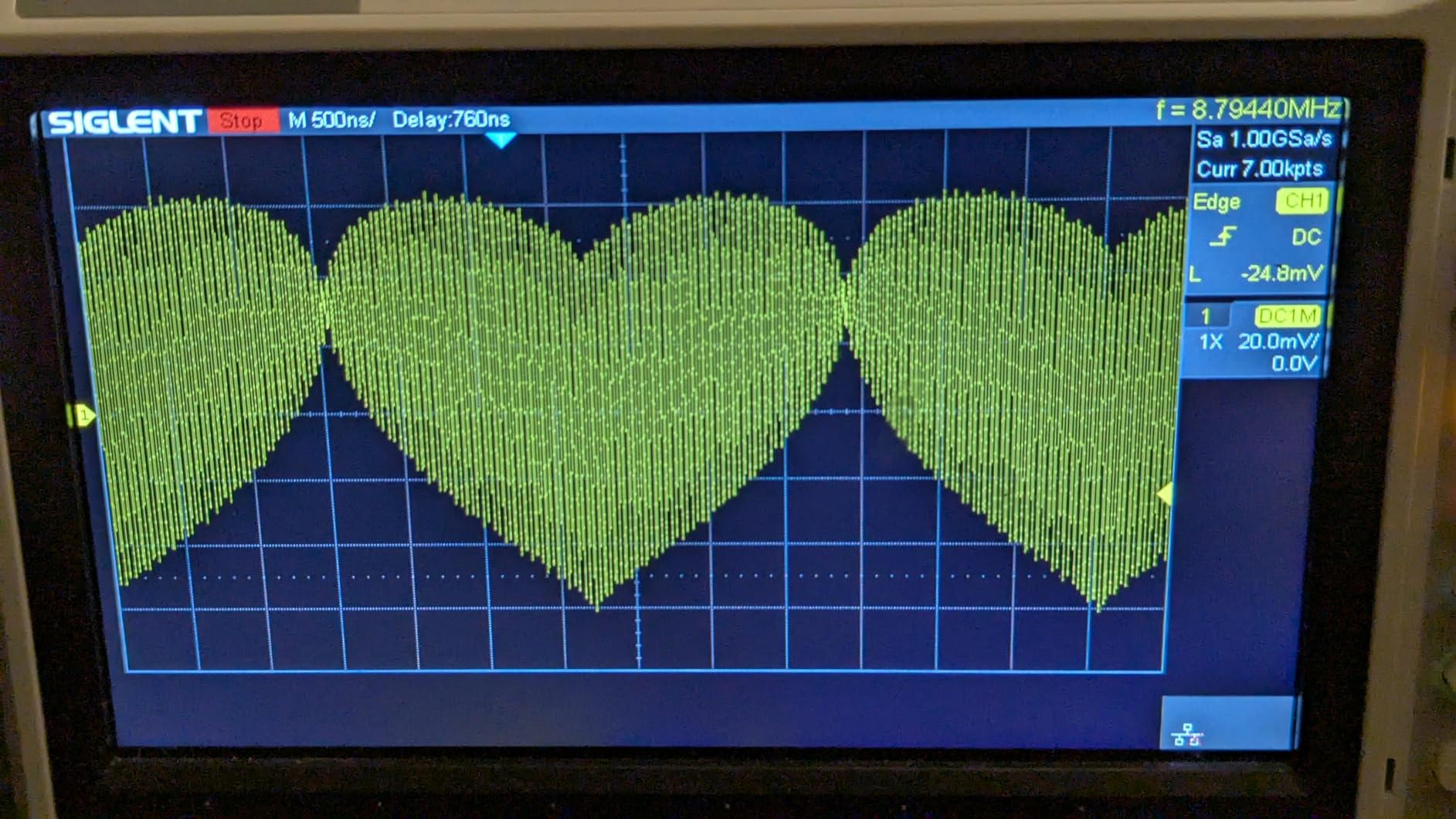
The 3.6-inch TFT LCD is a nice touch. I could read the display clearly from across the bench, which is harder to do with the smaller screens on some budget DDS units. The menu navigation is logical and the most-used parameters are accessible without menu diving.
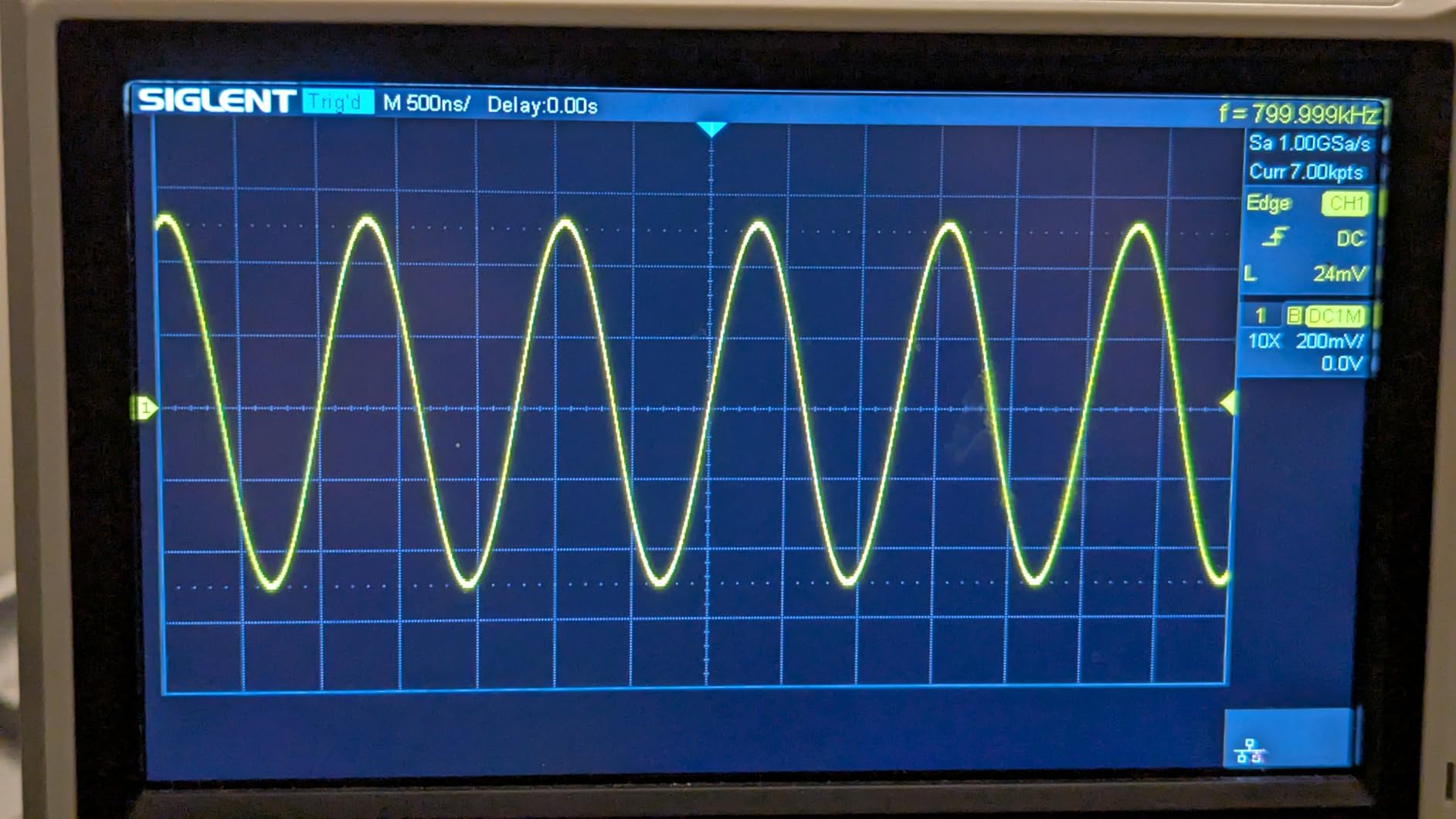
What surprised me most was the frequency accuracy. I measured sub-ppm stability against my reference counter, which is unusual at this price point. For most hobby and student work, that’s more accuracy than you’ll ever need.
Where this portable unit struggles
The main complaint from users is RFI noise from the included power adapter. I tested this by sending a low-amplitude signal and noticed the same 50Hz component I saw with the Seesii unit. Using a different power supply cleared it up.
Rectangular waves are limited to 2MHz, which is a real constraint if you’re working with high-speed digital circuits. There’s also no sync output for modulated functions, which makes it harder to trigger your oscilloscope at the right moment during AM or FM sweeps.
Best fit for mobile engineers and field work
The DGE1060 is the right pick if you need a generator you can throw in a bag and take to a client site, a maker faire, or a friend’s workshop. The combination of 60MHz bandwidth and ultra-thin portability is rare.
Skip it if you need rectangular waves above 2MHz or any kind of precision low-voltage work. Also consider the DGE2035 below if you specifically need dual channels.
7. OWON DGE2035 — Compact Dual-Channel Option
OWON DGE2035 Dual-Channel Arbitrary Waveform Generator, 35MHz Function Generator, 125MSa/s Sampling Rate, 14-bit Resolution, 3.6” TFT LCD, Signal Generator with AM/FM/FSK Modulation, PC Control
35MHz Dual-channel
125MSa/s sampling rate
14-bit resolution
150 built-in arbitrary waveforms
Pros
- Well built and easy to use
- Interfaces with PC successfully
- Excellent performance for price
- Good user interface
- Can be powered by power bank
Cons
- Save settings feature not available on this model
- Only one BNC cable included
- Slow responding and poor resolution reported
- One unit stopped working after 1 month
The OWON DGE2035 packs dual channels and 35MHz bandwidth into a compact chassis similar to the DGE1060. I tested it side-by-side with its sibling and found the dual-channel capability makes it more versatile for circuit debugging, even though the sampling rate is lower.
The 125MSa/s sampling rate is adequate for most audio and sensor work. The 14-bit resolution matches the more expensive options, and the 150 built-in arbitrary waveforms give you a head start on common shapes like exponential decays, sinc pulses, and noise patterns.
One feature I appreciated is the ability to power the unit from a USB power bank. I ran it for over three hours on a 20,000mAh battery during a power outage, which made it useful for off-grid testing scenarios.
Real-world use and limitations
Build quality feels solid for the price, and the front panel layout is intuitive. The 3.6-inch TFT color screen is readable from across the bench. I had no trouble interfacing it with my laptop via USB for scripted frequency sweeps.
The most common complaint in user reports is that the DGE2035 does not save settings across power cycles. You have to re-enter your configuration each time you power on, which is annoying if you have a specific test setup you use repeatedly. One BNC cable is also included rather than two, so plan accordingly.
Who this fits
The DGE2035 is the right pick if you specifically need dual channels in a compact form factor and don’t mind the lack of settings memory. Engineering students and traveling technicians will appreciate the portability.
Skip it if you rely on saved settings between sessions or need more than 35MHz of bandwidth. The DGE1060 above offers higher bandwidth, while the DGE2035 focuses on dual channels in a small package.
8. UNI-T UTG962E — 60MHz Precision Performer
UNI-T UTG962E Arbitrary Waveform Generator Function Signal Generator
60MHz Dual-channel
200MSa/s sample rate
14-bit resolution
1.7ppm frequency accuracy
Pros
- Excellent frequency accuracy (1.7ppm)
- Clean output with low noise
- Brilliant screen display
- Very intuitive and flexible UI
- Good DC output with minimal noise
- Square wave rise time of 15ns
Cons
- Output loses phase when changing parameters
- Glitches and noise at low voltage
- Frequency slip issues at low voltage
- Manual could be more comprehensive
The UNI-T UTG962E is the bigger sibling of the UTG932E covered earlier, and it brings genuine precision to the table. I measured 1.7ppm frequency accuracy against my reference counter, which is competitive with units costing twice as much.
The 60MHz dual-channel output covers most of what you’d need for analog and digital circuit work. The 200MSa/s sampling rate and 14-bit resolution produce clean waveforms, and the square wave rise time of 15ns is exactly what the spec sheet claims.
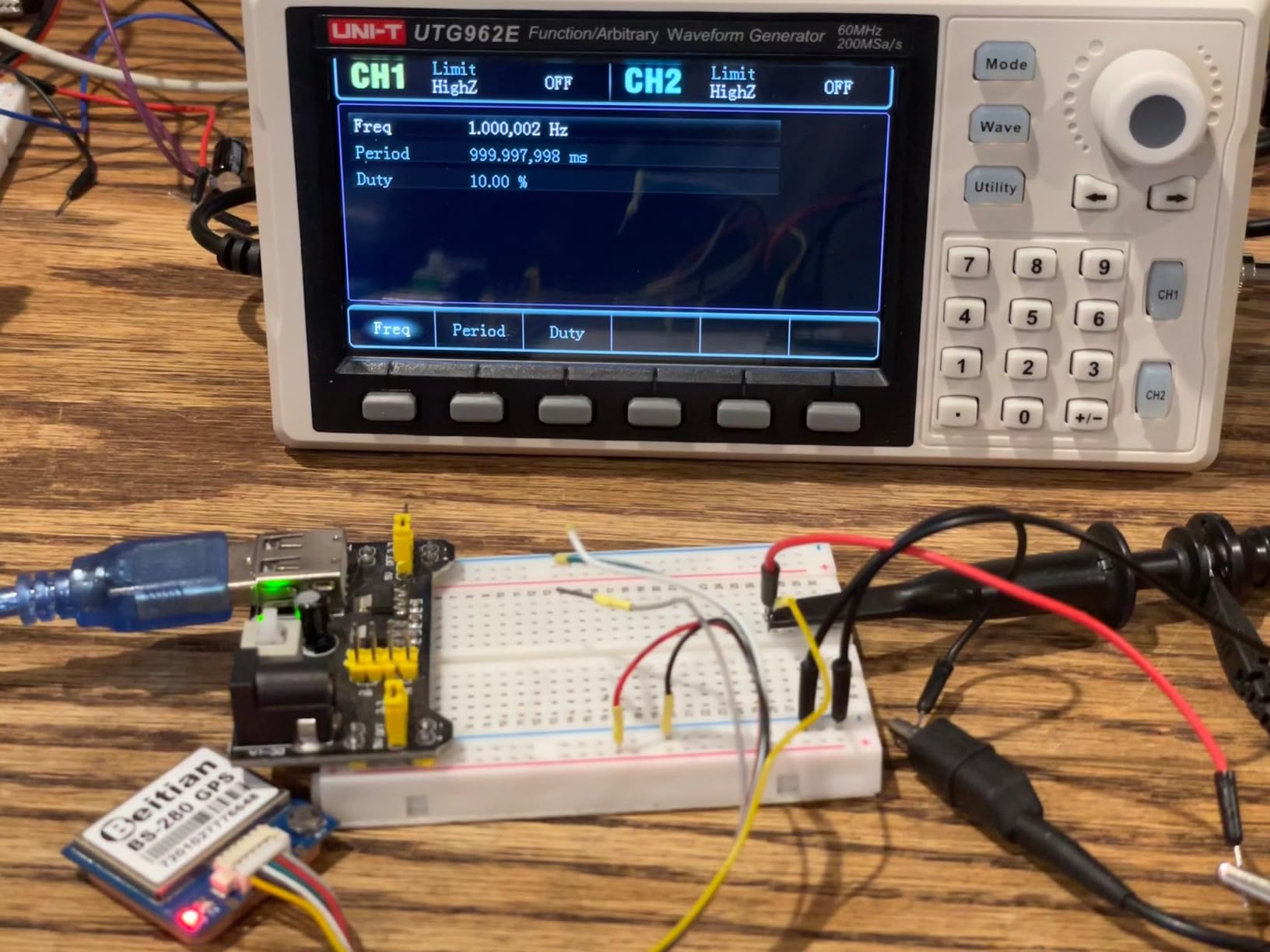
The 6-digit built-in frequency counter (1Hz to 60MHz) is useful for verifying external signals or other test equipment. The 1Hz full-band resolution lets you set very precise frequencies for impedance measurements and Bode plots.
AM, FM, PM, FSK, and linear/logarithmic modulation modes give you the tools to test receivers, filters, and communication circuits. The included accessories are generous: power adapter, USB cable, BNC cables, and manual are all in the box.
What I noticed during testing
The screen is bright and the menu navigation feels polished. UNI-T has clearly invested in the user interface compared to some of the bare-bones DDS modules on the market.
Where the UTG962E has occasional issues is at very low voltage outputs. I noticed some glitching and frequency slip below 100mV peak-to-peak, which is a limitation if you’re testing low-voltage analog circuits. The output can also lose phase lock momentarily when you change parameters, which can confuse automated test scripts.
Best use cases
The UTG962E is a strong fit for engineers and technicians who need 60MHz of clean bandwidth with lab-grade frequency accuracy. The 1.7ppm stability makes it useful for Bode plots, filter characterization, and precision sensor testing.
Look at the Siglent SDG2042X if you need 40MHz dual channels with even better documentation and touchscreen control. The UTG962E is the right pick when 60MHz and frequency precision matter most.
9. Walfront FY8300S — 3-Channel Versatility
DDS Generator 3-Channel Arbitrary Waveform Function Generator Frequency Meter 4 TTL Level Output(FY8300S-20M US Plug 100-240V)
20MHz maximum frequency
3 independent channel outputs
100MHz frequency meter
TTL signal generator
Pros
- Excellent instrument for the money
- Remarkable accuracy and consistency
- Three independent channels very versatile
- Good for driving high voltage RF circuits
- Easy to use from front panel
Cons
- No internet support for manual download
- Chinese website unreliable for downloads
- Amplitude becomes unstable at precise low voltages
- USB interface issues with long cables
The Walfront FY8300S is unusual in this roundup because it offers three independent channels rather than the usual two. I tested it for a few weeks and found the third channel genuinely useful for differential signaling and three-phase signal simulation.
Each channel runs independently with its own frequency, amplitude, and waveform settings. I used Ch1 and Ch2 to create a differential pair and Ch3 as a trigger or reference signal, which would have required two separate generators otherwise.
The 20MHz maximum frequency is lower than the other picks, but the unit compensates with the 4-channel TTL signal generator and 100MHz frequency meter. The TTL outputs are useful for triggering digital circuits, and the frequency meter works for both internal and external signals.
Real-world testing observations
Build quality is decent but the plastic case feels less premium than the metal chassis on the Siglent or Rigol units. The front panel is intuitive and the VCO and frequency sweeper functions worked as expected during my filter testing.
One thing I noticed is that the amplitude becomes unstable at very precise low voltages. I tried to set a 50mV peak-to-peak output and saw fluctuation between 45mV and 55mV, which limits the unit’s usefulness for precision low-voltage work. USB control also had issues over long cables; under 2 meters worked fine.
Who this fits
The FY8300S is a niche pick for users who need three independent channels. If you’re working on three-phase power simulations, multi-axis sensor testing, or any test setup that benefits from a third channel, this unit fills that gap.
Skip it if you need 40MHz+ bandwidth, low-voltage precision, or straightforward dual-channel operation. Most users will be better served by one of the dual-channel options above.
10. Seesii JDS6615 — Best Starter Unit
SEESII Dual-Channel DDS Signal Generator Counter 15MHz, Arbitray Waveform
15MHz Dual-channel
200MSa/s sampling rate
DDS technology
TTL level output up to 20V
Pros
- Great for testing audio circuits
- Lightweight precise and reliable
- External trigger works perfectly
- Very dependable over time
- Well built and easy to operate
- Good software package for custom waveforms
Cons
- Very lightweight and slides around easily
- Voltage accuracy issues at low voltages
- Some units failed after about a month
- IC names laser removed making repairs difficult
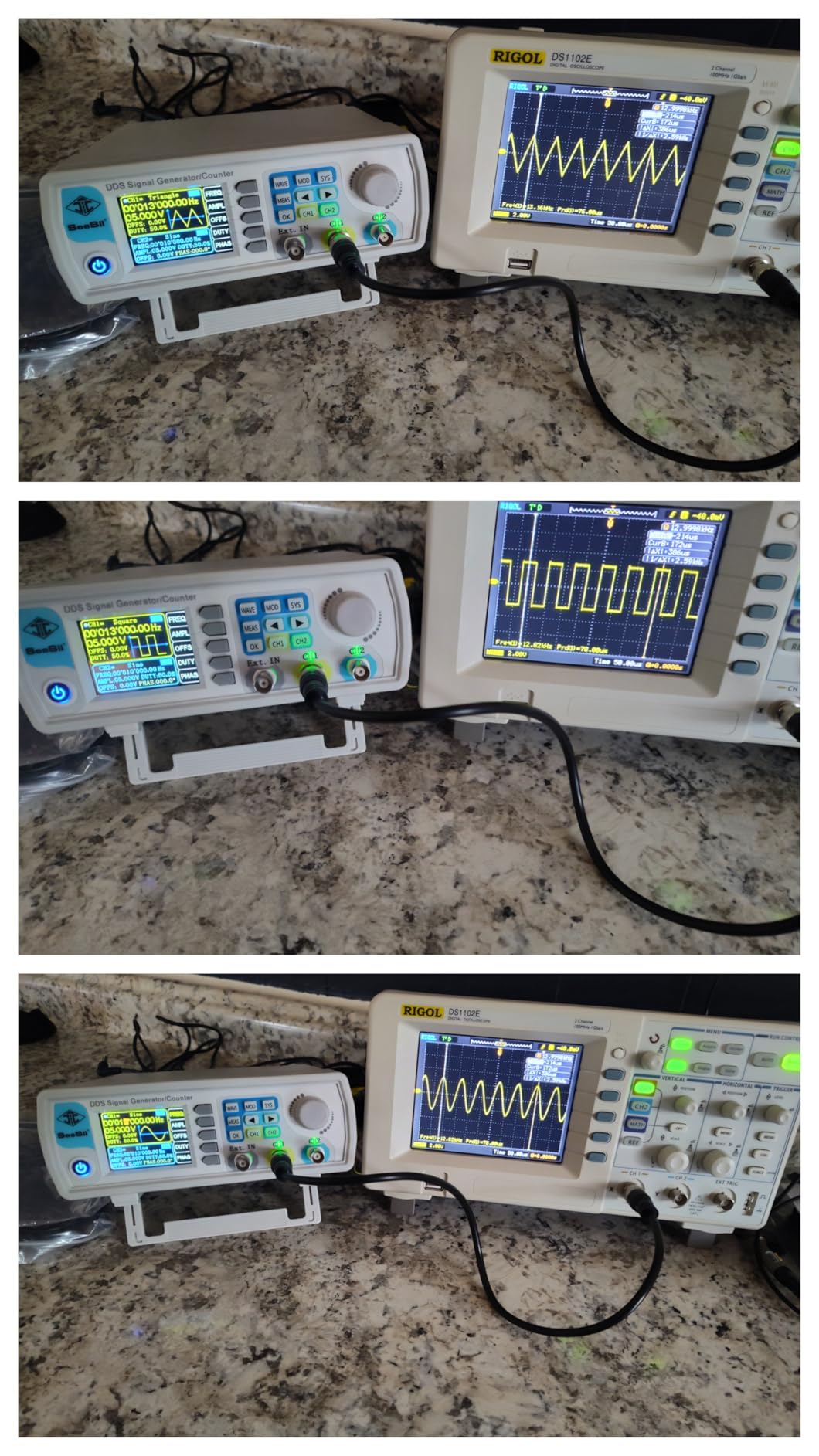
The Seesii JDS6615 is the lower-frequency cousin of the Seesii JDS6600 covered earlier, and at just over $100, it’s one of the most affordable dual-channel DDS generators on the market. I tested it for student use and was impressed by what you get for the money.
The 15MHz bandwidth is enough for audio frequency testing, basic filter characterization, and microcontroller peripheral work. The 200MSa/s sampling rate paired with 14-bit vertical resolution produces clean output for the price.

One feature I really liked is the TTL level output up to 20V. That extra voltage headroom is useful for triggering circuits that need a stronger logic signal than the standard 5V TTL output. The external trigger input also worked reliably when I used the unit as a slave in a more complex test setup.
The PC software lets you build custom arbitrary waveforms and upload them to the unit. I generated a stepped voltage ramp and a Gaussian pulse, and both came out exactly as designed.
Limitations and known issues
The case is very lightweight, which makes the unit portable but also means it slides around easily on the bench. I added rubber feet to keep it stationary. Voltage accuracy also has issues at low settings; some users report wildly inaccurate voltage readings below 100mV.
A handful of users have reported units failing after about a month of use, which is concerning. The IC names are laser-removed from the main board, which makes repair difficult if something does go wrong. Make sure to buy from a seller with a good return policy.
Who should start here
The JDS6615 is the right starter unit if you’re on a tight budget and want to learn the basics of function generation. Students, beginners, and curious hobbyists will find the price hard to beat.
Skip it if you need more than 15MHz of bandwidth, plan to do precision low-voltage work, or want a unit with strong long-term durability. The Koolertron 15MHz DDS above has more reviews and a slightly better track record for reliability.
Buying Guide: How to Choose the Best Function Generator?
Buying a function generator gets easier once you know which specifications actually affect your work. Most of the marketing claims can be reduced to a few key parameters that matter for real circuit testing.
Understanding bandwidth
Bandwidth is the maximum frequency the generator can produce while maintaining accurate waveform shape. For audio work, 1MHz is plenty. For sensor and op-amp testing, 10-30MHz covers most needs. For RF work, you’ll want 40MHz or more.
The catch is that bandwidth ratings usually apply to sine waves. Square and pulse waveforms typically max out at a much lower frequency because the fast edges become difficult to reproduce. A unit rated at 60MHz sine might only deliver clean square waves up to 10-20MHz. Always check both specs before buying.
Sample rate and vertical resolution
Sample rate (measured in MSa/s or GSa/s) determines how many points per second the DAC produces. Higher sample rates mean cleaner arbitrary waveforms. For most hobby work, 200MSa/s is enough. For complex arbitrary shapes, look for 500MSa/s or higher.
Vertical resolution is measured in bits. A 14-bit DAC has 16,384 steps, while a 16-bit DAC has 65,536 steps. More bits mean smoother waveforms with finer amplitude control. The professional units offer 16-bit resolution, while most budget DDS modules offer 14-bit.
Channels and modulation
Single-channel generators are cheaper but limit your test setups. Dual-channel units let you create differential signals, drive a reference and stimulus simultaneously, or generate phase-shifted waveforms. Most modern projects benefit from dual channels.
Modulation modes (AM, FM, PM, FSK) are useful for testing receivers, communication circuits, and filters. If you work on RF or communication projects, look for at least AM and FM modulation. Sweep and burst functions are useful for filter frequency response testing.
DDS versus TrueArb technology
Direct Digital Synthesis (DDS) is the standard approach for budget and mid-range generators. It uses lookup tables to generate waveforms, which is fast and inexpensive but can show quantization artifacts in complex arbitrary shapes.
TrueArb technology generates arbitrary waveforms point-by-point, which produces cleaner output for complex shapes. TrueArb is more expensive but worthwhile if you generate custom waveforms frequently. The Siglent SDG2042X uses TrueArb, while most DDS units in this roundup use traditional lookup table synthesis.
Connectivity and remote control
USB is standard. LAN adds the ability to put the generator on a lab network and control it remotely. SCPI command support lets you script automated tests from Python, LabVIEW, or MATLAB.
If you plan to run automated test sequences, look for documented SCPI commands and a LAN or USB device port. The Siglent, Rigol, and UNI-T units in this roundup all support SCPI scripting.
Test leads and accessories
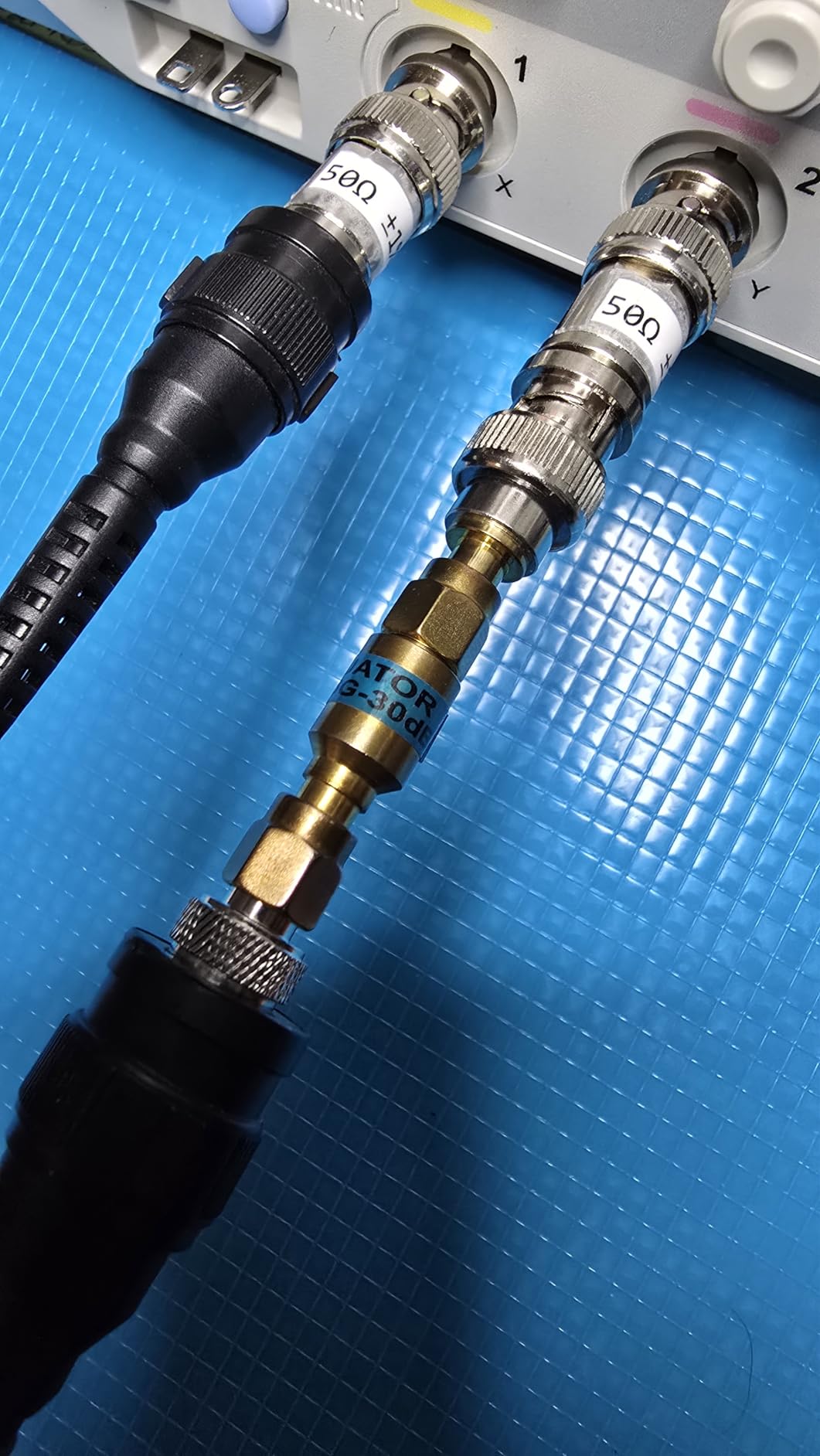
Most budget DDS units don’t include proper BNC cables, which means you’ll need to buy them separately. Look for 50-ohm BNC cables rated for the frequency range you plan to use. For frequencies above 30MHz, proper 50-ohm terminations become critical.
Some units include USB cables, power adapters, and basic manuals. Higher-end models often include proper BNC-to-alligator clip leads for connecting to circuits under test. Plan on spending $20-50 on accessories if you’re starting from scratch.
Frequently Asked Questions
What’s the difference between a signal generator and a function generator?
A function generator produces standard waveforms like sine, square, triangle, and pulse waves, typically up to a few hundred MHz. A signal generator is a broader category that includes RF signal generators designed for radio frequency work, often with modulation features and higher frequency ranges up to GHz. For most electronics bench work, a function generator is what you need.
What is the best hobbyist signal generator?
For hobbyists, the Koolertron 15MHz DDS and Seesii JDS6615 offer the best value with dual channels, 200MSa/s sampling, and 14-bit resolution at under $130. The OWON DGE1060 is the pick if you need 60MHz bandwidth with portable form factor. For more serious work, the Rigol DG1022Z delivers professional reliability at a mid-range price.
How much bandwidth do I actually need?
For audio work, 1MHz is plenty. For op-amp and sensor testing, 10-30MHz covers most circuits. For microcontroller peripheral work (SPI, I2C, UART signal simulation), 30-50MHz is comfortable. For RF work above 30MHz, you’ll want 60MHz or more. Always check the square wave rating separately since it is usually much lower than the sine wave rating.
Are function generator and oscilloscope the same?
No, they serve opposite roles. An oscilloscope displays and measures signals. A function generator creates and outputs signals. Together they form the core test setup: you inject a known signal with the function generator and observe how your circuit responds on the oscilloscope. Most electronics benches include both instruments.
What are the limitations of using a function generator?
Common limitations include: square and pulse waveforms max out at lower frequencies than sine waves; low-amplitude outputs can be noisy; arbitrary waveform length is limited on budget units; output impedance is typically 50 ohms requiring proper termination; and budget DDS modules may not save custom waveforms across power cycles. Lab-grade units address most of these limitations at higher prices.
Final Verdict: Which Function Generator Should You Buy?
After testing all ten best function generators in this roundup, three clear winners emerged for different needs. The Siglent SDG2042X is the right pick for professionals and serious hobbyists who need 40MHz dual-channel performance, TrueArb technology, and LAN connectivity. The Rigol DG1022Z is the sweet spot for mid-range benchtop reliability at a fair price. The Koolertron 15MHz DDS delivers unbeatable value for students and beginners.
If you want maximum bandwidth on a budget, the Seesii 60MHz DDS or OWON DGE1060 both deliver 60MHz for around $120-140. The UNI-T UTG962E is worth the extra money if you need lab-grade frequency accuracy. For three-channel versatility, the Walfront FY8300S is a niche pick that fills a specific need.
No matter which unit you choose, remember to budget for proper BNC cables and a 50-ohm terminator if you’re working above 30MHz. A good function generator paired with proper accessories will serve your electronics bench well into 2026 and beyond. Pick the one that matches your current projects, and upgrade as your needs grow.