
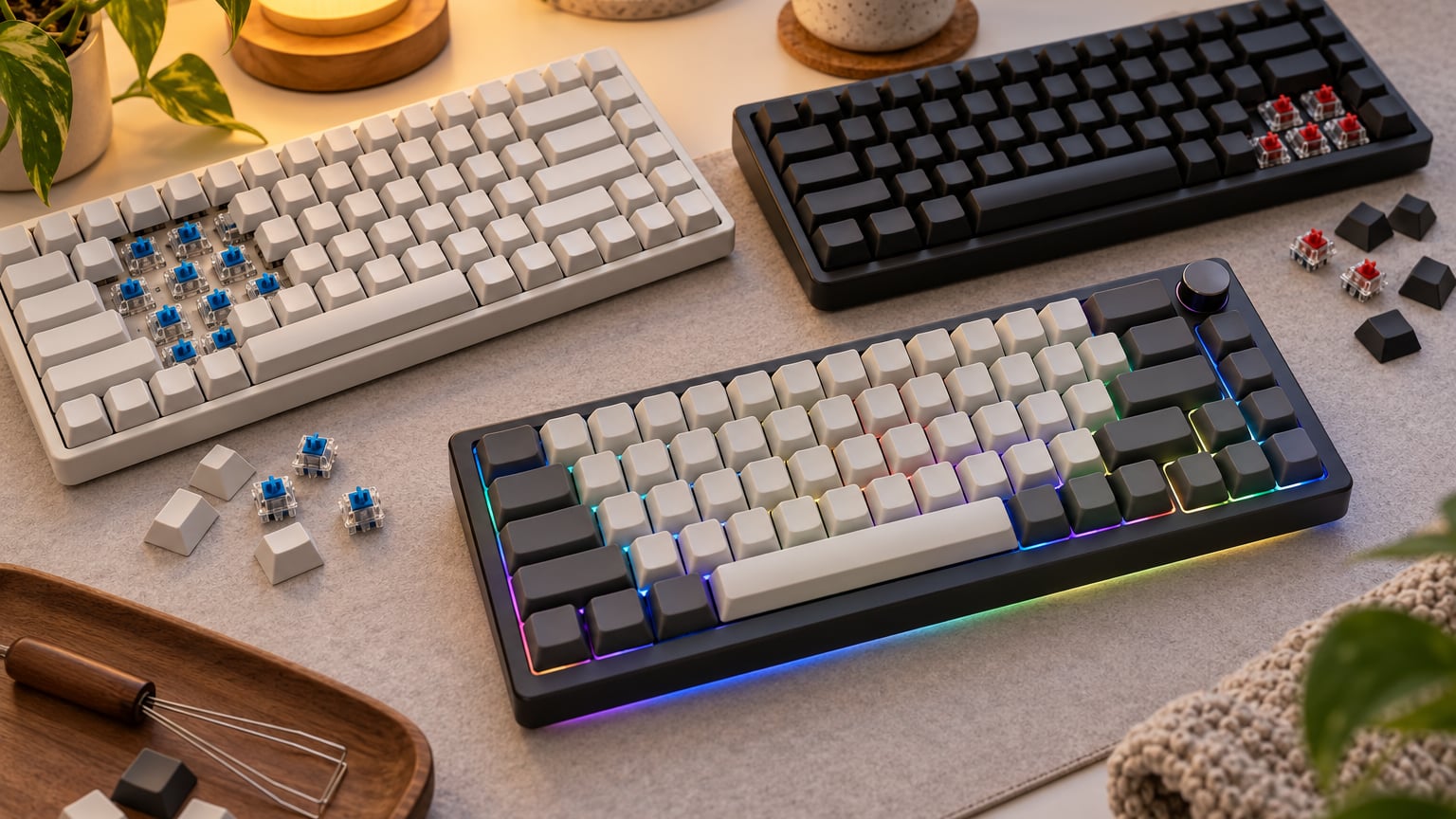
If you’ve been waiting for the right moment to grab a mechanical keyboard, Amazon’s Prime Big Deal Days sale runs October 6-7 in 2026, and our top pick worth watching is the Camiysn Typewriter. Its clicky blue switches, full-size 104-key layout and 26 anti-ghosting keys make it a strong match for sale shoppers who want a satisfying mechanical feel without overpaying.
The Redragon K671 is the runner-up worth watching for budget gaming, and the AULA F75 Pro stands out for anyone who wants a wireless 75% layout during the sale.
Table of Contents
Our Top 3 Picks for Amazon Prime Big Deal Days Mechanical Keyboard Deals

Amazon Prime Big Deal Days Mechanical Keyboard Deals Compared (October 2026)
| Product | Specifications | Action |
|---|---|---|
| Camiysn Typewriter |
|
Check Deal Price |
| Redragon K671 |
|
Check Deal Price |
 Redragon K617 Redragon K617 |
|
Check Deal Price |
 Redragon K582 Redragon K582 |
|
Check Deal Price |
 SteelSeries Apex 5 SteelSeries Apex 5 |
|
Check Deal Price |
 RisoPhy Mechanical RisoPhy Mechanical |
|
Check Deal Price |
 AULA F99 AULA F99 |
|
Check Deal Price |
 AULA F75 Pro AULA F75 Pro |
|
Check Deal Price |
 Logitech G413 SE Logitech G413 SE |
|
Check Deal Price |
 Razer BlackWidow V4 X Razer BlackWidow V4 X |
|
Check Deal Price |
How We Chose
We pulled current Amazon specs, owner ratings and review volume for mechanical keyboards worth watching during the sale, then matched each pick to the way people actually use one: typing, gaming, programming or a first mech that does not overpay. Data was checked in October 2026, so the picks reflect what owners are saying on the listing right now.
1. Camiysn Typewriter: Editor’s Choice for Prime Big Deal Days Mechanical Keyboard Deals
Camiysn Typewriter Style Mechanical Gaming Keyboard, Black Retro Punk Gaming Keyboard with RGB Backlit, 104 Keys Blue Switch Wired Cute Keyboards, Round Keycaps for Windows/Mac/PC
Layout: 104 keys full-size
Switches: clicky blue
Backlight: RGB
Connectivity: wired USB
Pros
- Retro typewriter look with unique round keycaps
- Satisfying clicky blue switches with tactile feedback
- RGB backlighting with multiple modes
- Durable two-color injection molding keycaps
- 26 anti-ghosting keys for gaming
Cons
- Clicky sound may be loud for office environments
- Round keycaps take some adjustment
The Camiysn Typewriter is the only board on this list that comes in a retro round-keycap shell, and the loud click of its blue switches is its personality. Out of 6890 owner reviews it lands at 4.3, the highest review count in the roundup, which is why it anchors the editor’s choice slot for the sale.
The 26 anti-ghosting keys cover the gaming essentials without overselling the spec sheet, and reviewers consistently call out the durable two-color injection-molded keycaps. The USB wired connection works with Windows, Mac and Linux out of the box, with adjustable rear feet for typing angle.
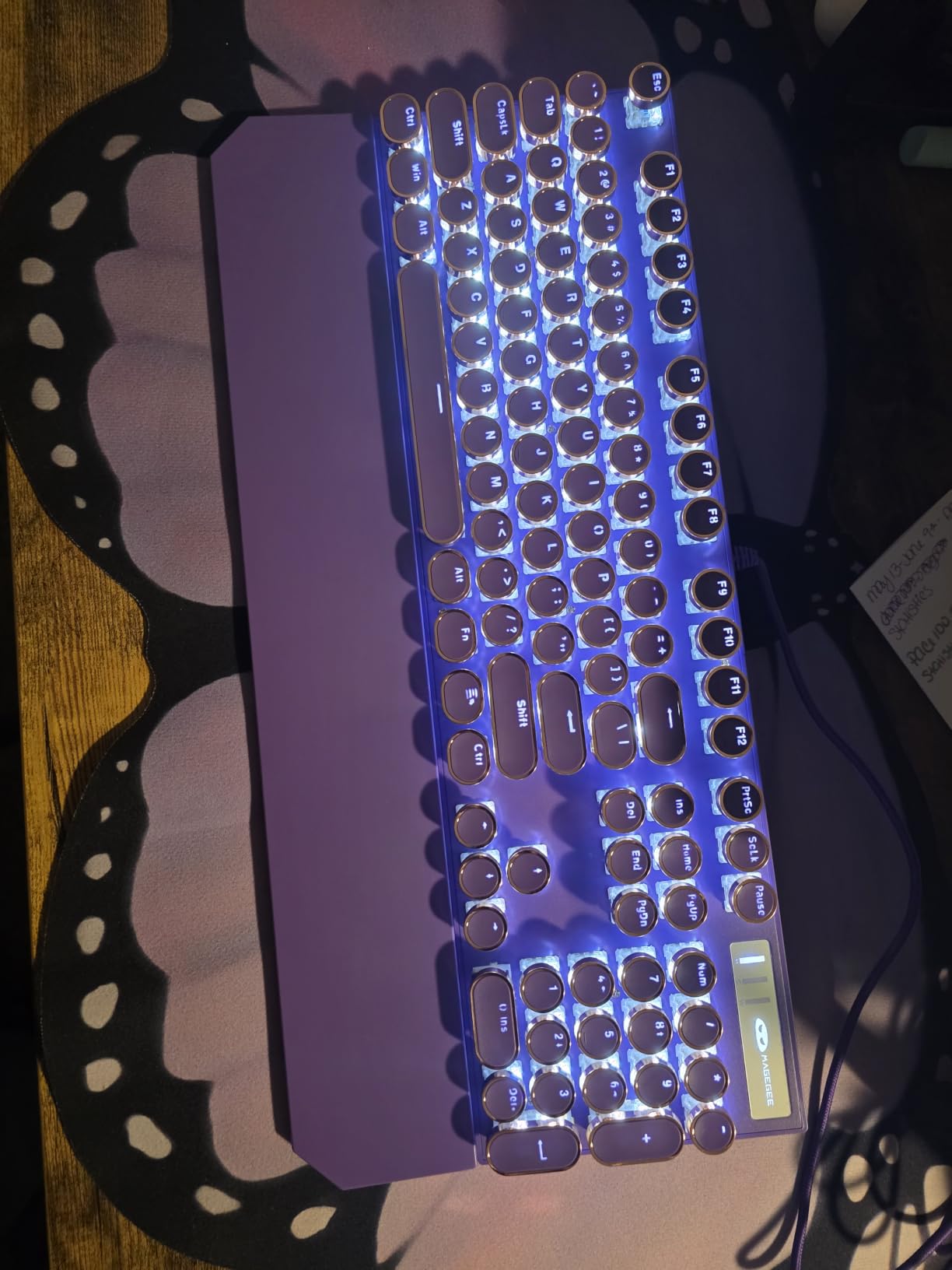
Against the Redragon K671, the trade is mostly aesthetic and tactile: the K671 ships smooth red linear switches and traditional keycaps, while the Camiysn gives you that click-and-bump feel in a package no other pick here matches. If you share a quiet office, the Logitech G413 SE is the calmer pick from this shortlist.
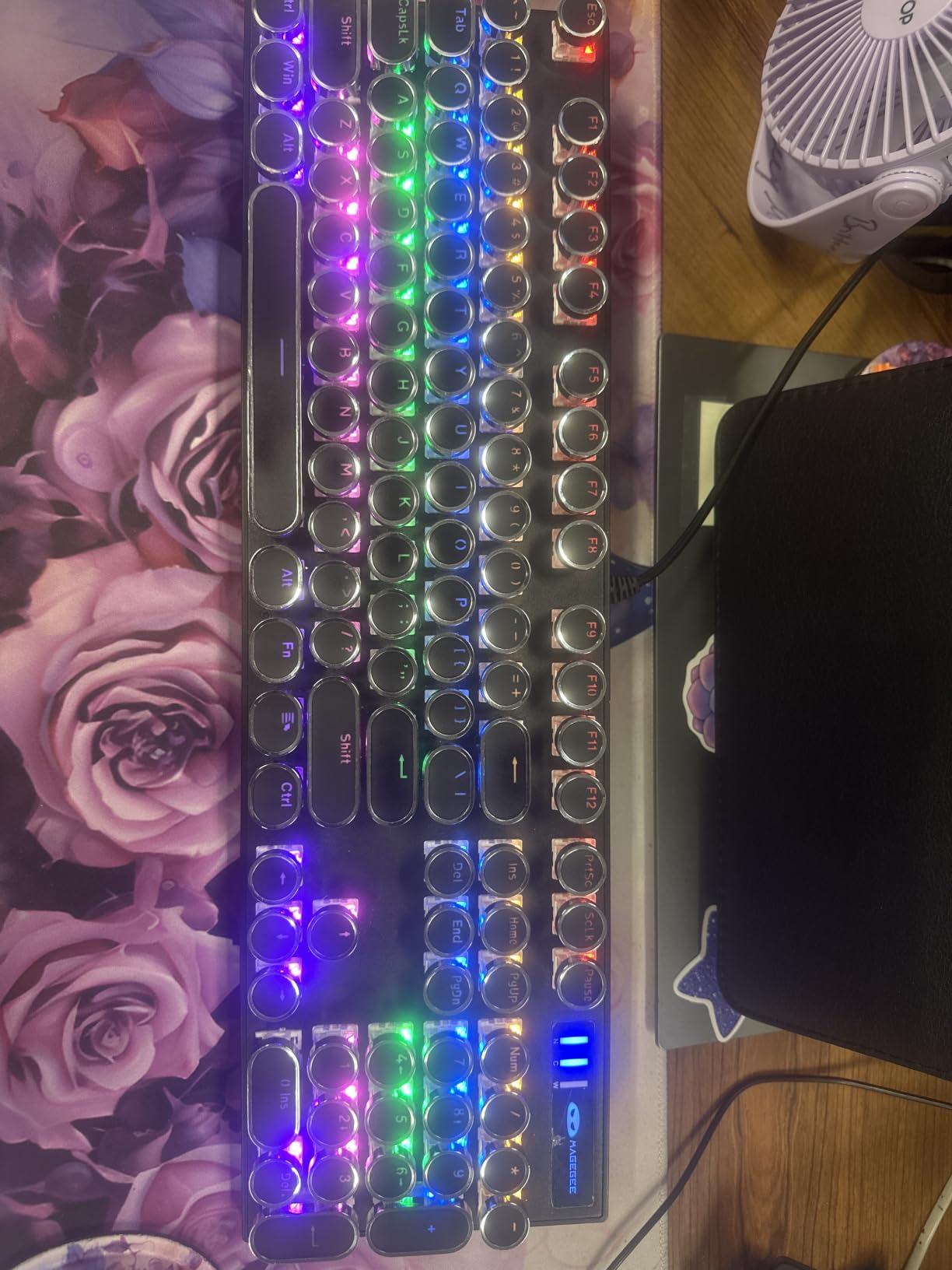
- Retro typewriter look with unique round keycaps
- Loud clicky blue switches for tactile feedback
- RGB backlighting with multiple modes
- 26 anti-ghosting keys for gaming combos
The round caps take some adjustment for typists used to flat profiles, and the blue switches are loud enough to fill a small room. Reviewers report the build holds up well for everyday typing and light gaming.
2. Redragon K671: Best Value Wired Gaming Keyboard
Redragon Mechanical Gaming Keyboard Wired, 11 Programmable Backlit Modes, Hot-Swappable Red Switch, Anti-Ghosting, Double-Shot PBT Keycaps, Light Up Keyboard for PC Mac
Layout: 104 keys full-size
Switches: hot-swap red
Backlight: 11 RGB modes
Connectivity: wired USB
Pros
- Hot-swappable switches for easy customization
- Multiple RGB lighting modes
- Smooth red switches good for gaming
- Includes extra switches and keycap puller
- Full keys anti-ghosting
Cons
- Color cannot be changed per key - fixed rainbow
- Software only Windows compatible
Gamers on a budget get a hot-swap PCB and full-size layout at a price most boards can’t match, which is the case the K671 makes. At 6805 reviews it lands just behind the Camiysn on raw volume, and the red linear switches feel smooth enough for FPS play without dropping frames.
The trade is the 60% compact footprint of the Redragon K617: this board carries 104 keys with a number pad, which matters for spreadsheet work. If your desk has the room and you use the numpad daily, the K671 wins. If you want to free up mouse space, the K617 stays the better pick.
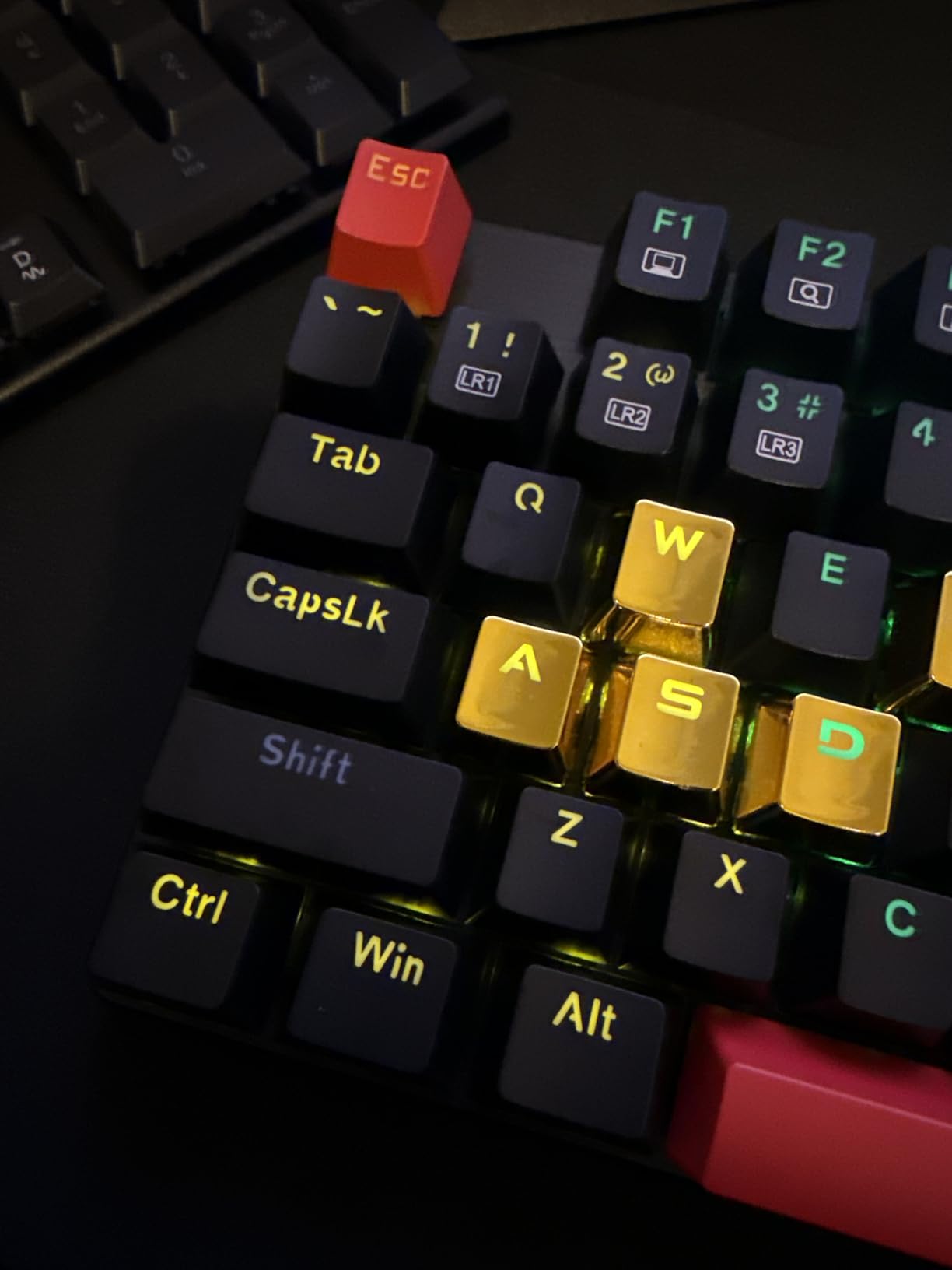
- Hot-swappable red linear switches with spare switches included
- Double-shot PBT keycaps
- 11 RGB backlight modes and 12 multimedia shortcuts
- Macro editing through Windows software
The RGB is fixed rainbow rather than per-key addressable, and the customization software is Windows only. Mac users will want to look at the Logitech G413 SE instead. Reviewers report the included keycap and switch puller make tinkering low risk.
3. Redragon K617: Top Rated 60% Compact Pick
Redragon K617 Wired 60% Compact Hot-Swap RGB Gaming Mechanical Keyboard
Layout: 61 keys 60%
Switches: hot-swap red
Backlight: 20 RGB modes
Connectivity: wired USB-C
Pros
- 60% compact size great for gaming
- Hot-swappable for easy switch customization
- Smooth linear red switches
- Vibrant RGB lighting with 20 modes
- Good value for the price
Cons
- No number pad or nav cluster
- Requires function key combos for some keys
The K617 ties the AULA F75 Pro for the highest rating on this list at 4.6 out of 5, but it earns the top-rated slot for one reason: 5818 owner reviews. That is the kind of review depth that backs up the compact 60% form factor for FPS gamers.
The board does the small things right. It carries a detachable USB-C cable, a 50-million-keystroke switch rating, and a hot-swap socket that takes both 3-pin and 5-pin switches. Owners consistently mention the 60% size frees up real mouse space during play.
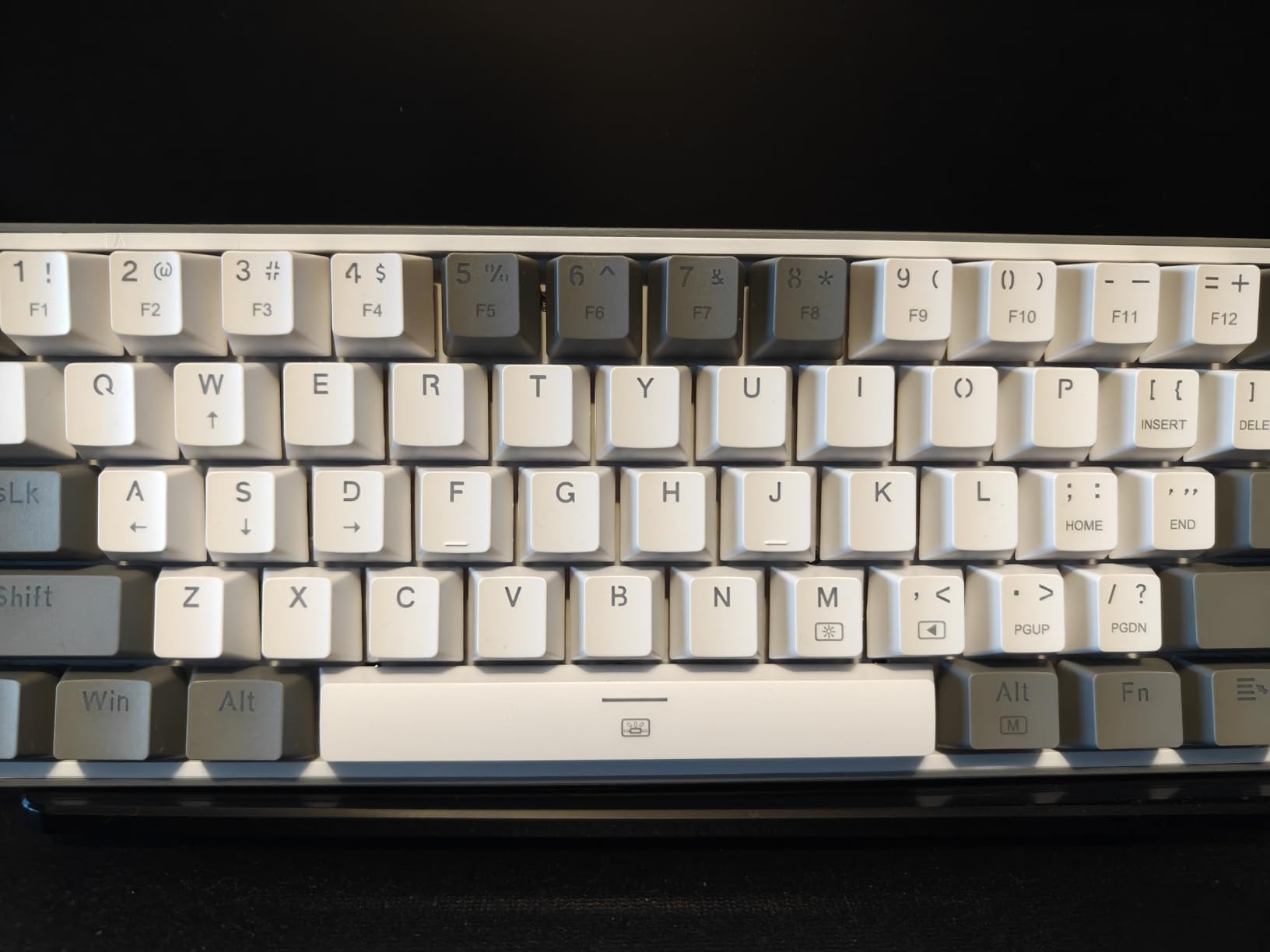
- Compact 61-key layout
- Hot-swap linear red switches
- 20 RGB lighting modes
- 50 million keystroke rating per switch
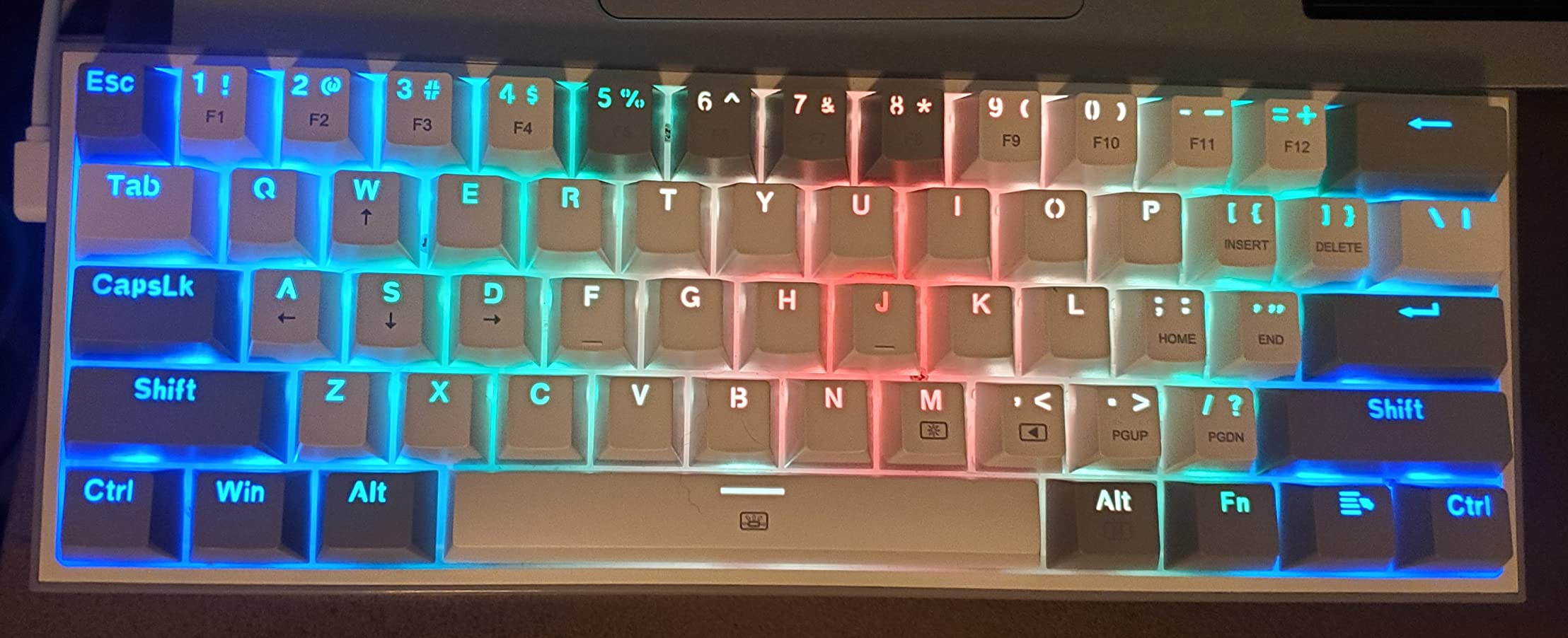
The 60% layout drops the number pad and arrow keys, so anything beyond typing and gaming means function-layer combos. Reviewers who live in spreadsheets usually end up at the Redragon K582 instead. The K617 ships with both a keycap puller and a switch puller, which makes swapping switches later a one-minute job.
4. Redragon K582: Best for Full-Size Setups
Redragon K582 Wired RGB Mechanical Gaming Keyboard, 104-Key Standard Layout
Layout: 104 keys full-size
Switches: linear red
Backlight: 16.8M RGB
Connectivity: wired USB
Pros
- Full-size 104-key layout
- Smooth red linear switches
- Extensive RGB customization options
- Durable construction
- Includes extra switches and key puller
Cons
- Red switches are linear without tactile bump
- May be noisy for shared spaces
The K582 leans hard into RGB: 16.8 million colors across 18 backlight modes, N-key rollover for gaming accuracy, and the same 50-million-keystroke switch rating the rest of the Redragon lineup carries. At 4.5 across 5241 reviews, it pulls in line with the K671 and behind the K617 on raw rating.
Owners report the build feels heavier than the rest of the Redragon family, which is a small plus for a full-size board. Every key is programmable through Redragon’s Windows software, with macros supported across the board.
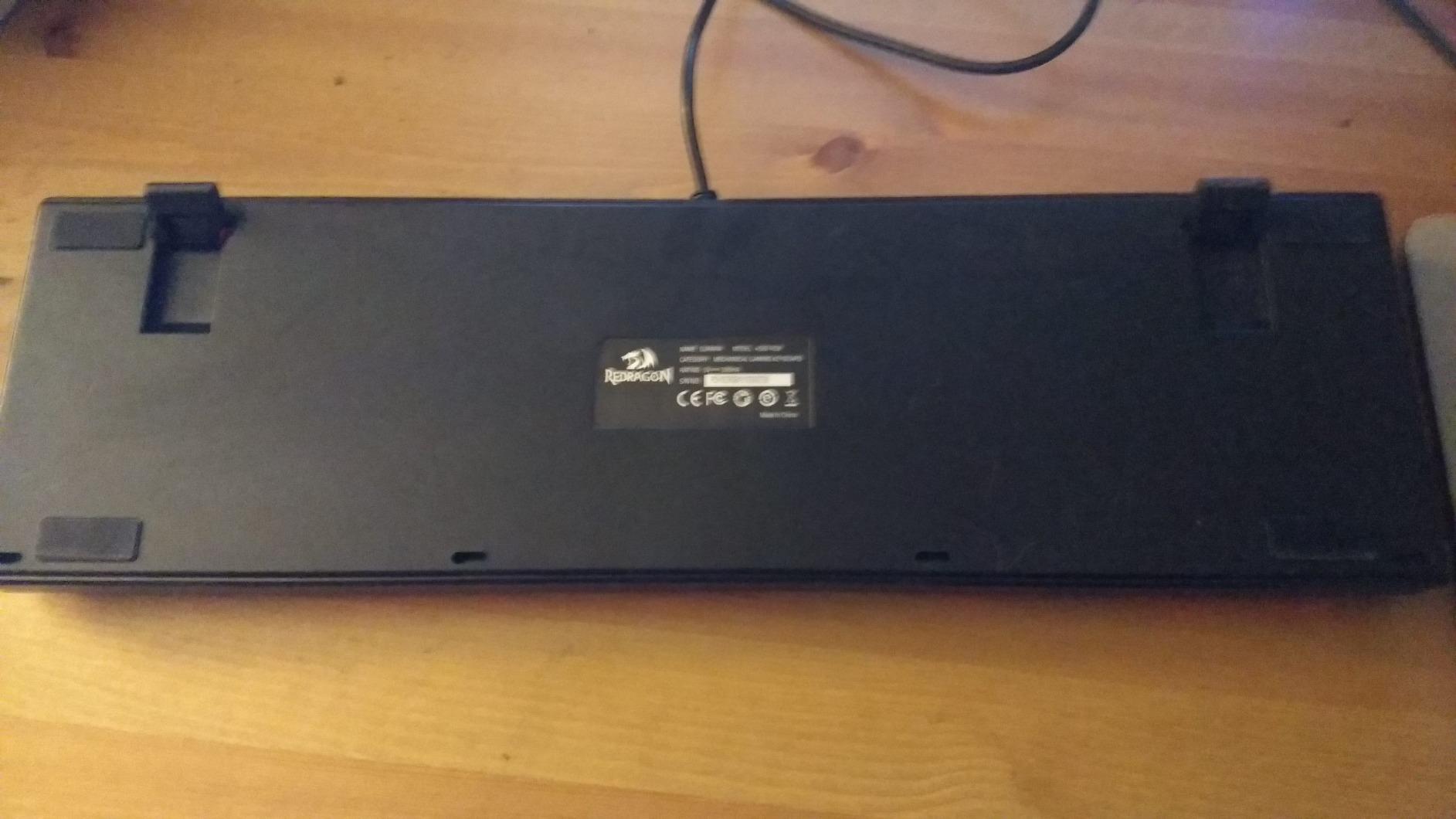
- Full-size 104-key layout with number pad
- Linear red switches for fast gaming
- 16.8 million color RGB across 18 modes
- N-key rollover for accurate combos
Where the RisoPhy breaks from this board is the switch feel: the K582 ships linear red, while the RisoPhy ships clicky blue. Programmers and competitive gamers usually land on linear; writers who want audible feedback pick the clicky. The trade is typing feel versus RGB control.
5. SteelSeries Apex 5: Premium Pick With OLED Display
SteelSeries USB Apex 5 Hybrid Mechanical Gaming Keyboard – Per-Key RGB Illumination – Aircraft Grade Aluminum Alloy Frame – OLED Smart Display (Hybrid Blue Switch)
Layout: 104 keys full-size
Switches: hybrid blue
Backlight: per-key RGB
Connectivity: wired USB
Pros
- OLED display for images and game info
- Premium aluminum frame
- Hybrid blue switches with satisfying click
- Per-key RGB customization
- Includes magnetic wrist rest
Cons
- Premium price point
- Switches are hybrid not full mechanical feel
Two things set the Apex 5 apart from the rest of this list: an OLED smart display you can put images and game info on, and an aircraft-grade aluminum alloy frame that nothing else here matches. Across 4212 reviews it lands at 4.6, on par with the Redragon K617.
The hybrid blue switches give the click-and-bump feel without the loud key rattle, and SteelSeries includes a magnetic wrist rest. Per-key RGB lighting is the only entry on the spec list this shortlist does not share with the cheaper Redragon boards.
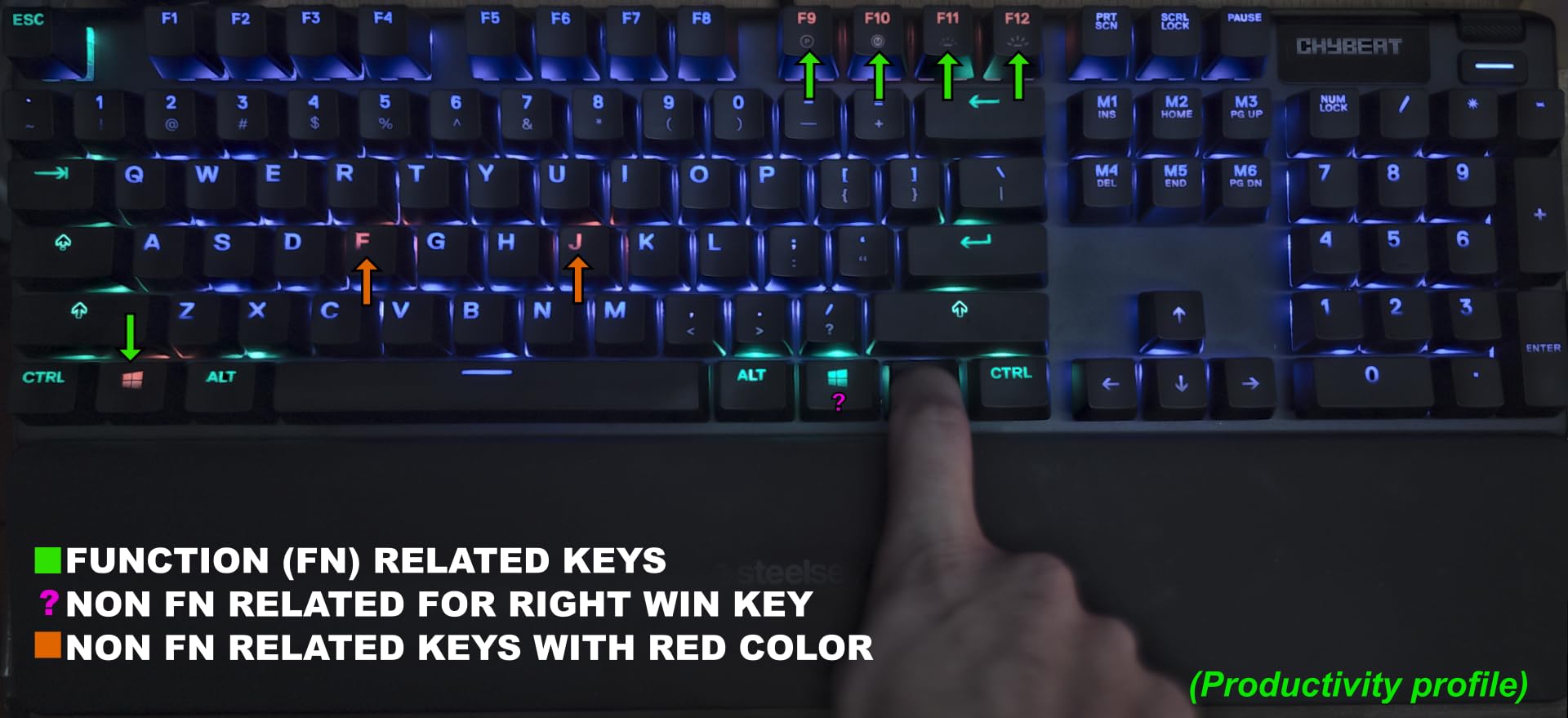
- OLED smart display
- Per-key RGB illumination
- Aircraft-grade aluminum alloy frame
- Magnetic wrist rest included
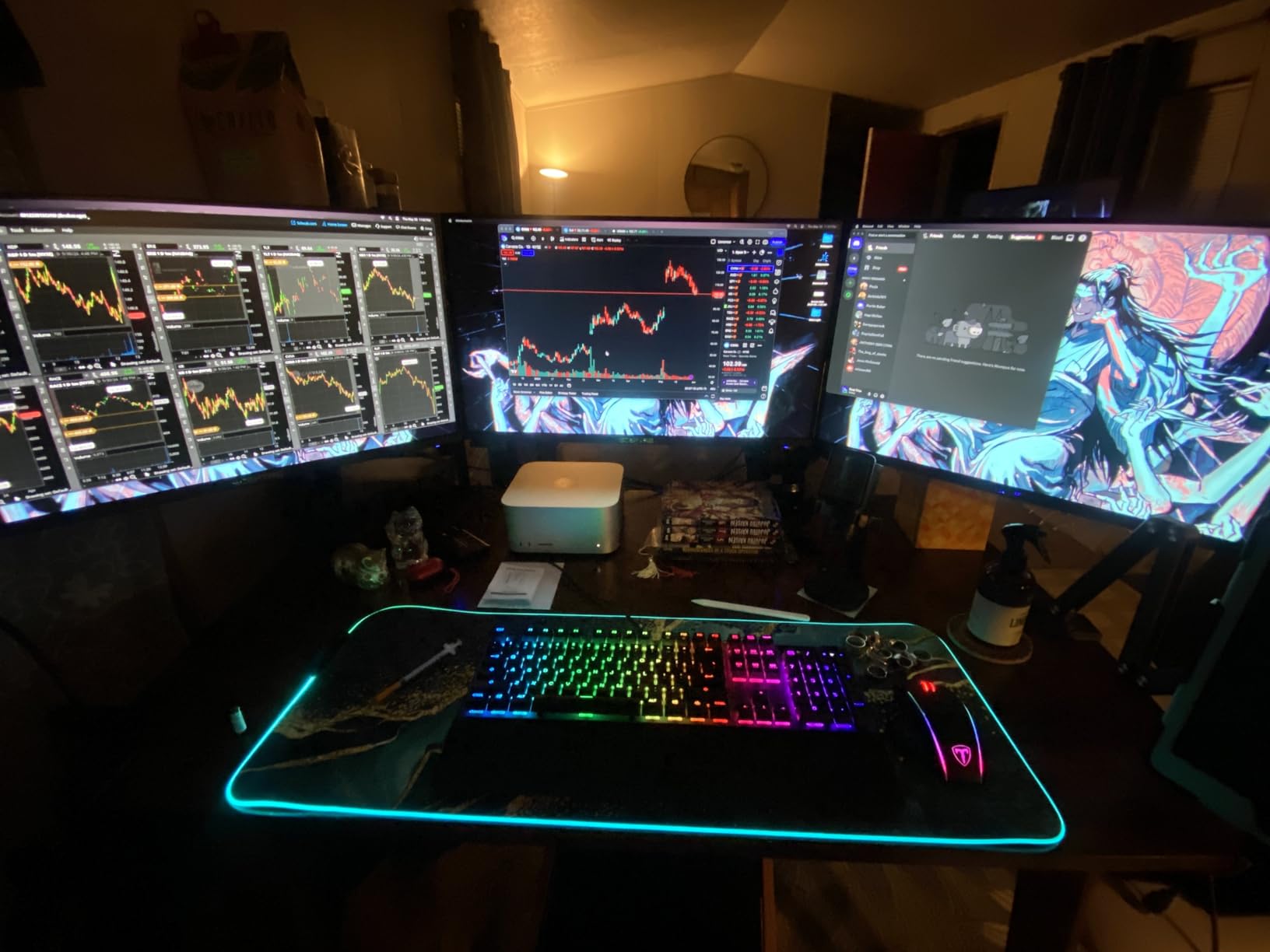
SteelSeries calls these hybrid switches, which is why reviewers note the feel is closer to a quality dome than a pure mech. The board works on Mac and Windows out of the box, with SteelSeries Engine for customization. Where the Razer BlackWidow V4 X pulls ahead is macro keys and yellow linear speed; the Apex 5 is the typing-and-display pick, not the competitive gaming pick.
6. RisoPhy Mechanical: Budget Pick With Spill Resistance
RisoPhy Mechanical Gaming Keyboard, RGB 104 Keys Ultra-Slim LED Backlit USB Wired Keyboard with Blue Switch, Durable Abs Keycaps/Anti-Ghosting/Spill-Resistant Computer Keyboard for PC Mac Xbox Gamer
Layout: 104 keys full-size
Switches: clicky blue
Backlight: 9 RGB modes
Connectivity: wired USB-A
Pros
- Satisfying clicky blue switches
- Multiple RGB backlight modes
- Full-size layout with number pad
- Spill-resistant design
- Ergonomic with adjustable kickstands
Cons
- Rainbow lighting cannot be changed to solid colors
- Keys are loud due to clicky switches
Spill resistance is the small thing that matters in a real home or shared desk, and the RisoPhy is the only board on this list that carries hydrophobic holes for it. At 3349 reviews it lands at 4.5, which makes it the lowest entry price on the roundup with enough owner feedback to back the rating.
The clicky blue switches feel snappy, the ergonomic stair-up keycap shape helps during long sessions, and the foldable rear kickstands adjust typing angle. It plugs into Mac and Windows with no software needed.
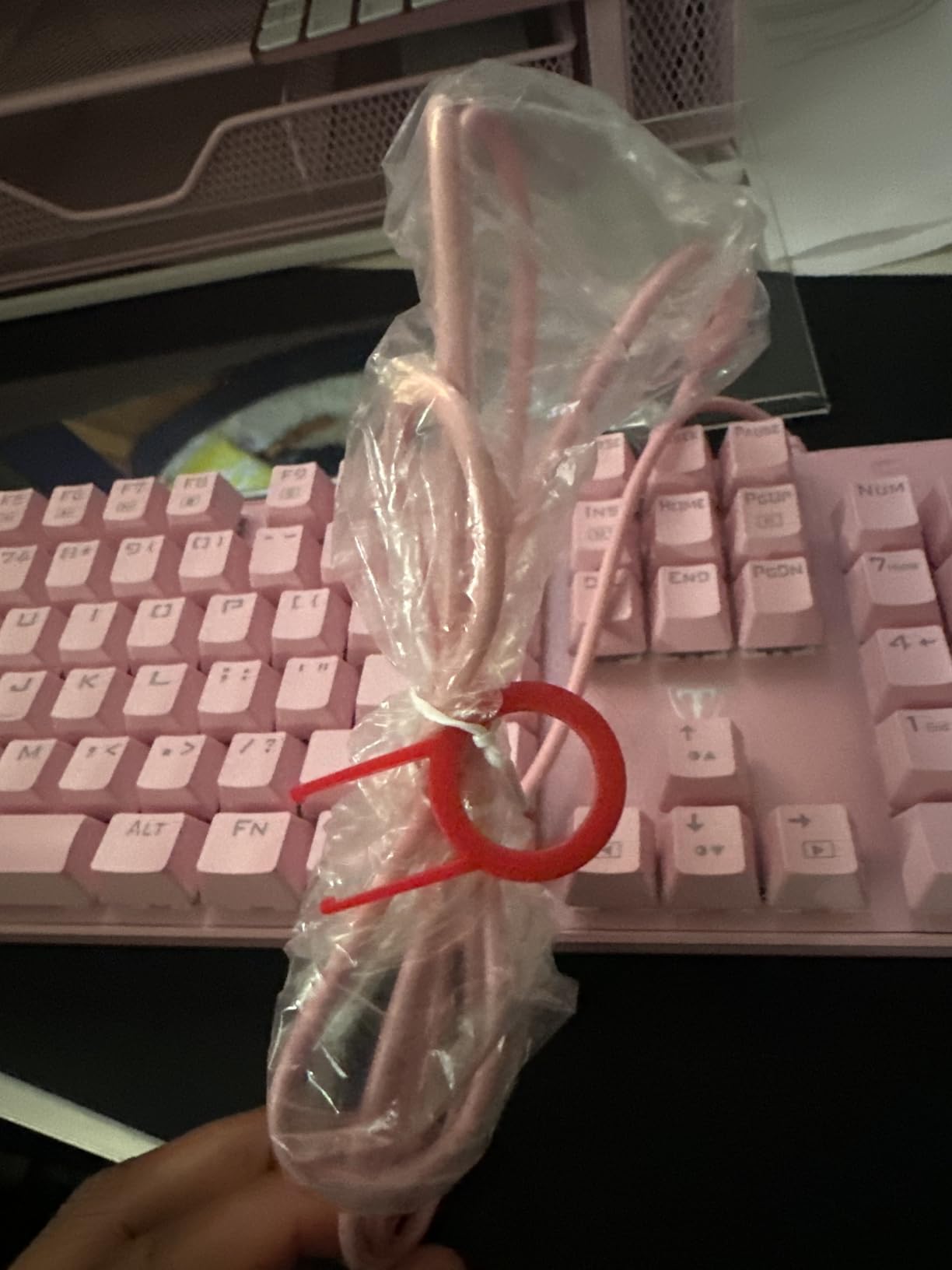
- Clicky blue switches with tactile feedback
- 9 RGB backlight modes with 5 brightness levels
- Spill-resistant hydrophobic design
- Foldable rear kickstands for angle
Both the RisoPhy and the Camiysn use clicky blue switches, but the RisoPhy trades the retro round caps for a more traditional layout with spill resistance. The Camiysn is the look pick; the RisoPhy is the safer pick around drinks.
7. AULA F99 Wireless: Best Wireless Mechanical Keyboard
AULA F99 Wireless Mechanical Keyboard,Tri-Mode BT5.0/2.4GHz/USB-C Hot Swappable Custom Keyboard,Pre-lubed Linear Switches,RGB Backlit Computer Gaming Keyboards for PC/Tablet/PS/Xbox
Layout: 99 keys 96%
Switches: pre-lubed linear
Backlight: 16 RGB
Connectivity: BT5.0/2.4GHz/USB-C
Pros
- Tri-mode connectivity for multiple devices
- Hot-swappable for customization
- Creamy smooth typing sound
- Large 8000mAh battery
- Gasket mount for better feel
Cons
- Keycaps not shine-through
- Some learning curve for layout
Tri-mode connectivity on a budget wireless board is rare, and the F99 pairs Bluetooth 5.0, 2.4GHz and USB-C in a single chassis. Reviewers consistently mention the gasket structure gives it a softer typing sound than a standard tray-mount board.
The 8000mAh battery is the largest on this list and supports up to five paired devices, which is the real reason a sale shopper on a laptop, tablet and console ends up here. The 99-key layout feels closer to full-size than 75%, with pre-lubed linear switches installed.
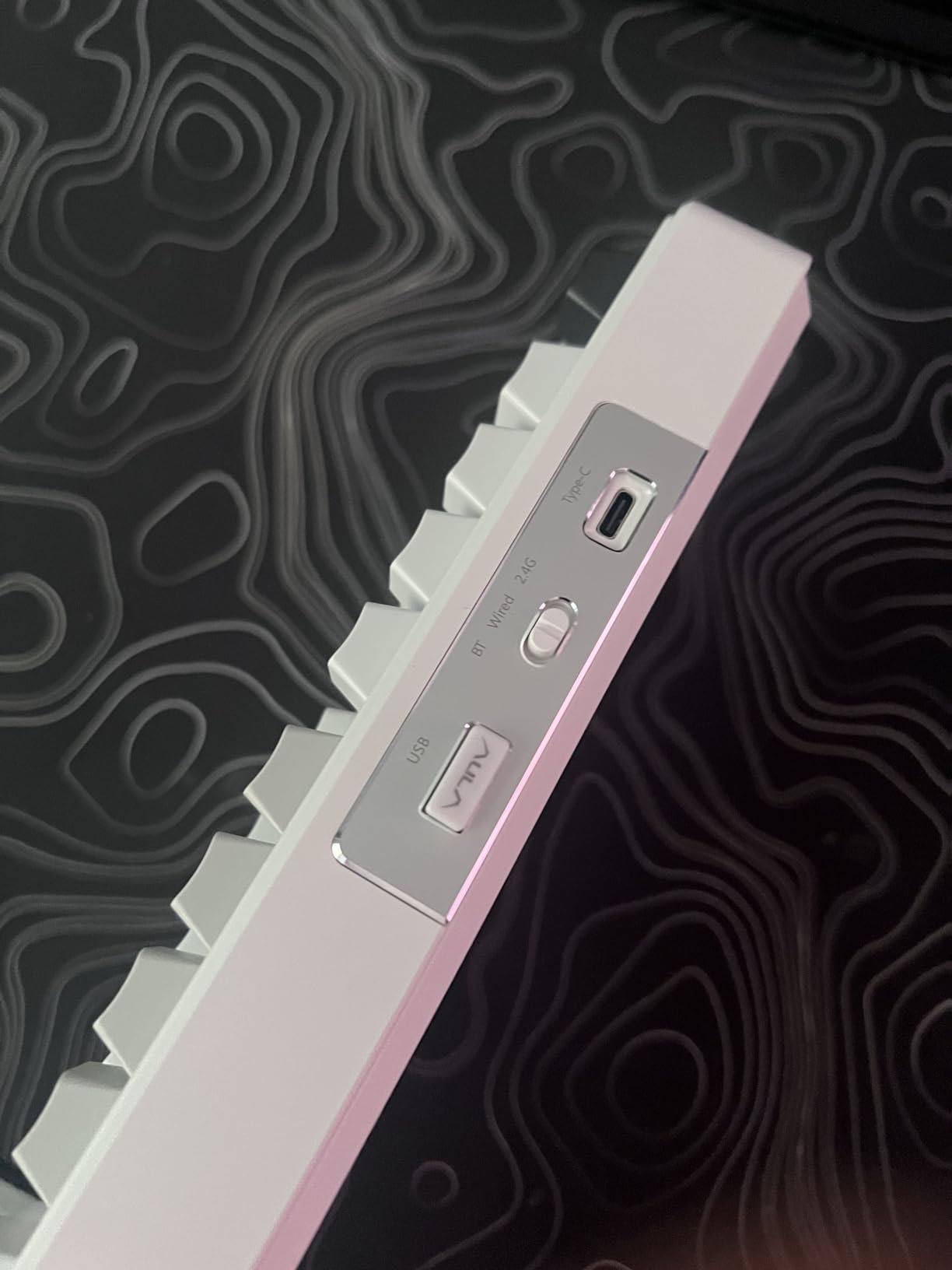
- BT5.0, 2.4GHz and USB-C tri-mode
- Up to 5 paired devices
- Pre-lubed linear switches
- 8000mAh battery
Where the AULA F75 Pro breaks from this board is the layout: the F99 carries 99 keys for a full-size feel, while the F75 Pro keeps the 75% footprint with a control knob. Pre-lubed linear switches come installed, but the hot-swap PCB lets you swap in your own 3-pin or 5-pin switches later.
8. AULA F75 Pro: Best 75% Layout With Knob
AULA F75 Pro Wireless Mechanical Keyboard,75% Hot Swappable Custom Keyboard with Knob,RGB Backlit,Pre-lubed Reaper Switches,Side Printed PBT Keycaps,2.4GHz/USB-C/BT5.0 Mechanical Gaming Keyboards
Layout: 81 keys 75%
Switches: pre-lubed Reaper
Backlight: 16.8M RGB
Connectivity: BT5.0/2.4GHz/USB-C
Pros
- Compact 75% layout with knob
- Versatile tri-mode connectivity
- Smooth pre-lubed switches
- Side-printed PBT keycaps
- Gaming and office mode knob
Cons
- 75% layout may need adjustment
- Limited keycaps shine-through
A multi-function control knob that handles volume, lighting modes and gaming/office profiles is the standout touch on this 75% board. The F75 Pro lands at 4.6 across 1812 reviews, tying the K617 as the highest-rated pick in the roundup, even though its review count sits well below the cheaper Redragon entries.
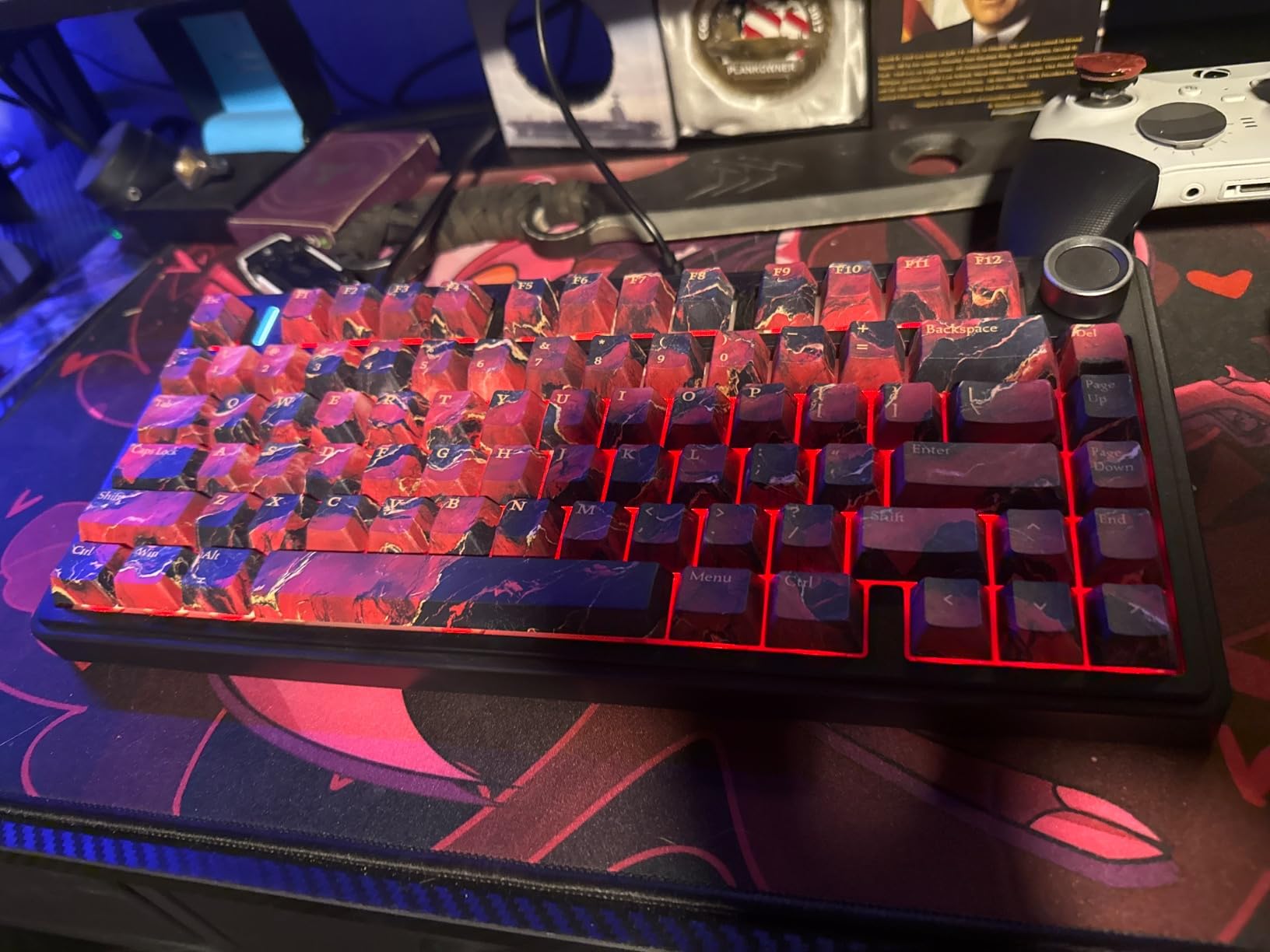
Side-printed PBT keycaps keep the legends from wearing off, and the pre-lubed Reaper switches are noticeably quieter than the clicky blue boards earlier in this list. The 16.8 million color RGB is per-key.
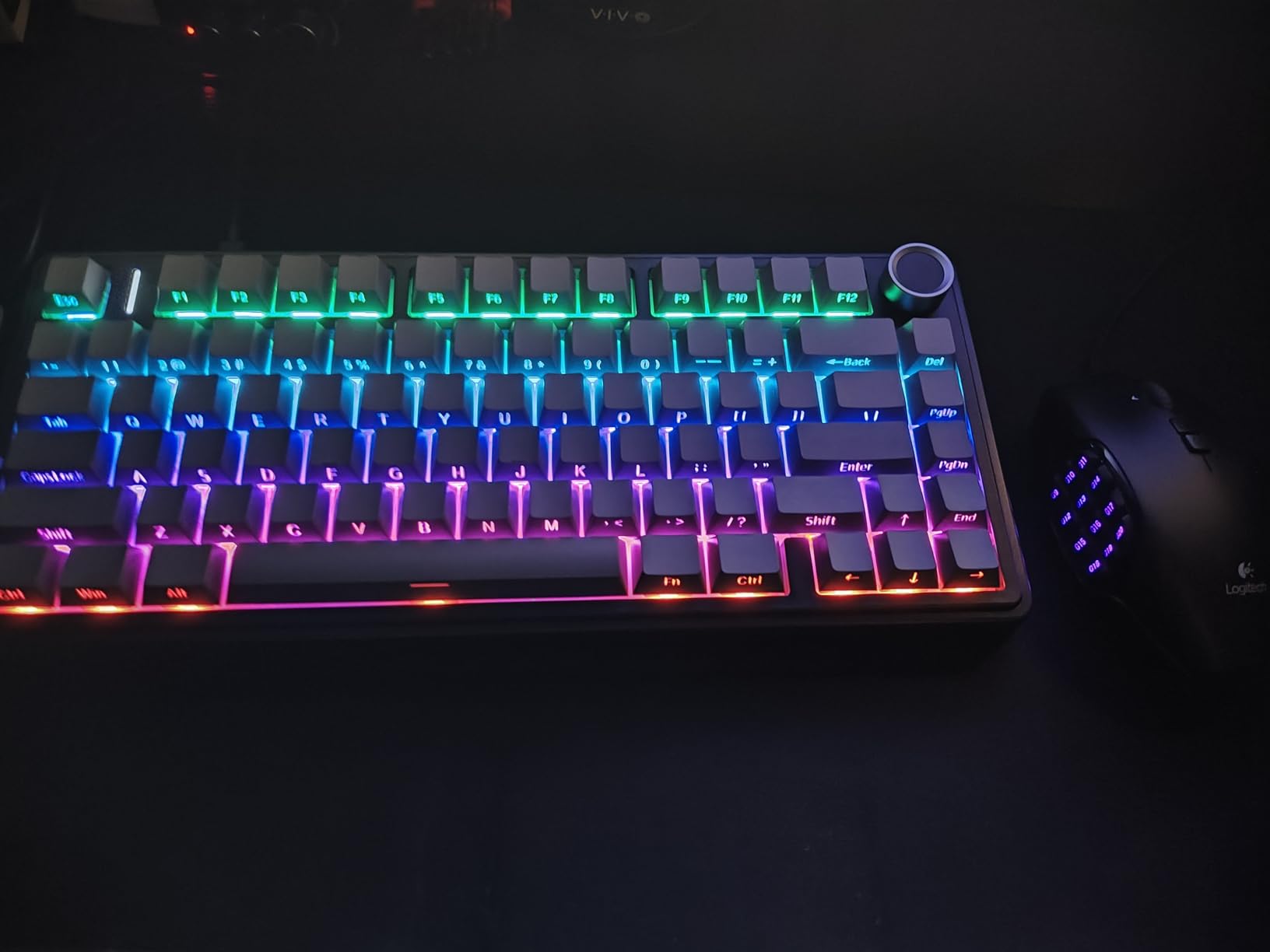
- 75% layout with 81 keys
- Multi-function control knob
- Side-printed PBT keycaps
- Pre-lubed Reaper switches
The 4000mAh battery is smaller than the AULA F99’s 8000mAh unit, but reviewers report the F75 Pro still lasts a full work week on a single charge with the backlight off. Tri-mode connectivity (Bluetooth 5.0, 2.4GHz, USB-C) is the same as the F99, and the 75% layout means no numpad, which is the trade for fitting the knob.
9. Logitech G413 SE: Best for Mac and Windows
Logitech G413 SE Full-Size Mechanical Gaming Keyboard – Black
Layout: 108 keys full-size
Switches: tactile
Backlight: white LED
Connectivity: wired USB 2.0
Pros
- Premium PBT keycaps
- Solid aluminum frame
- Tactile switches without being clicky
- Reliable anti-ghosting
- Mac and Windows compatible
Cons
- Single-color backlight only
- No dedicated media keys
Mac and Windows in one chassis with a brushed aluminum-magnesium alloy frame is a combination the G413 SE pulls off at this weight class, and tactile switches without the click make it the cleanest premium pick for shared offices. Owners consistently mention the PBT keycaps as the standout detail: they resist shine even after a year of daily typing.
Across 1652 reviews it holds a 4.5 rating, with 6-key rollover anti-ghosting and white LED backlighting instead of per-key RGB. The single-color backlight is a deliberate trade for the cleaner typing experience.
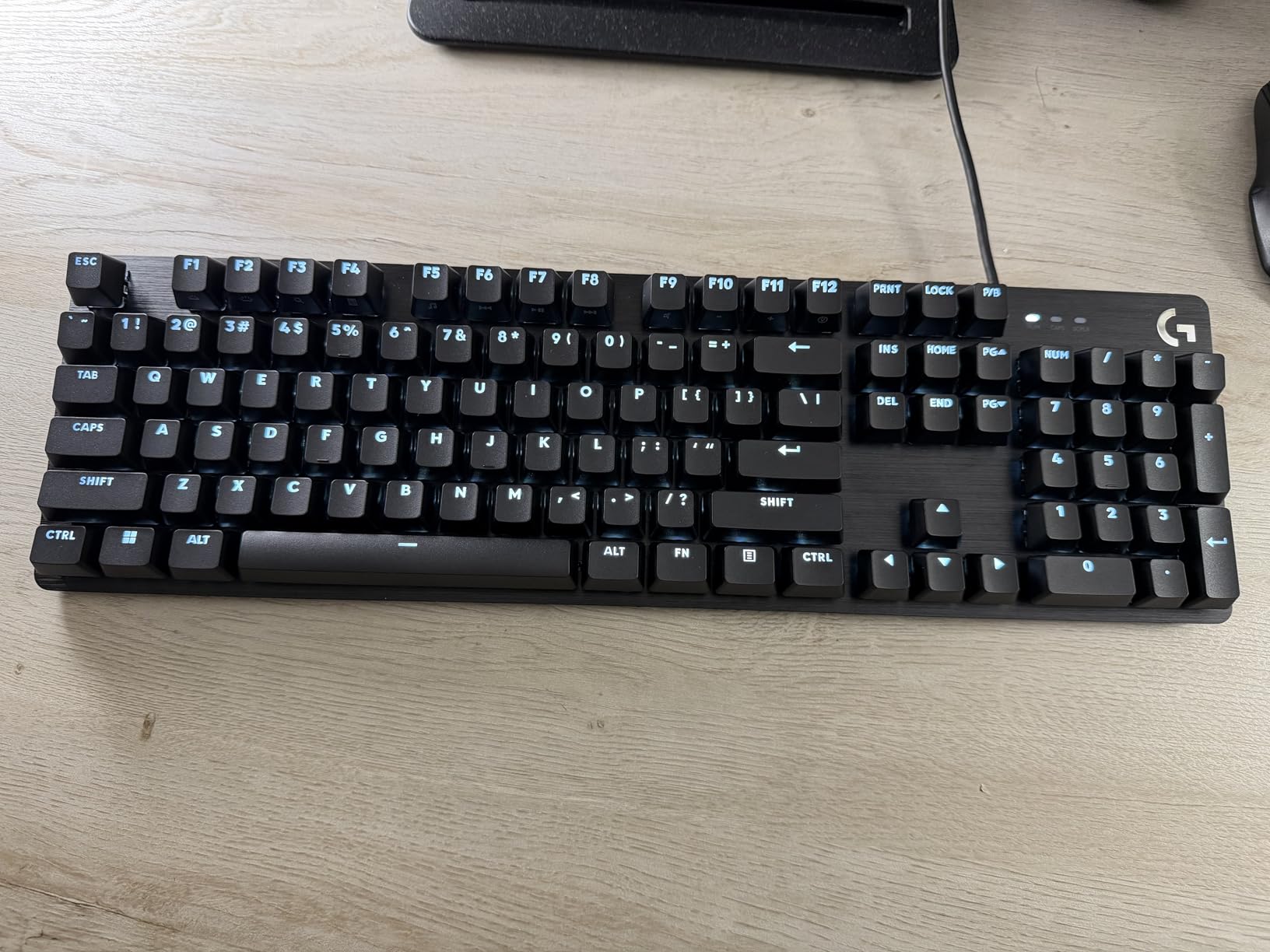
- Brushed aluminum-magnesium alloy frame
- Tactile mechanical switches (no click)
- PBT keycaps with white LED backlight
- FN key media controls
What the G413 SE gives up is the per-key RGB and the hot-swap PCB that the Redragon K671 has. Bouncing between a MacBook and a Windows desktop is where this board earns its slot, since no software is needed for either OS. The Redragon K671 is the more flexible alternative when per-key RGB matters more than cross-OS polish.
10. Razer BlackWidow V4 X: Best for Competitive Gaming
Razer BlackWidow V4 X Mechanical Gaming Keyboard, Yellow Switches, Black
Layout: 104 keys full-size
Switches: yellow linear
Backlight: Chroma RGB
Connectivity: wired USB
Pros
- Fast linear yellow switches
- 6 dedicated macro keys for customization
- Per-key Chroma RGB
- Quiet operation with dampening
- Premium doubleshot keycaps
Cons
- Premium price point
- Only wired connectivity
Razer yellow linear switches at a 1.2mm actuation point give the BlackWidow V4 X the shortest key travel on this list, which is the spec competitive FPS and MOBA players care about most. Sound dampening foam and lubed stabilizers keep the typing sound quieter than most fast linear boards.
Six dedicated macro keys on the left side give MMO players room to bind abilities without losing key real estate, and the multi-function roller handles media. Chroma RGB is per-key, and the doubleshot ABS keycaps hold up better than the standard ABS that most budget boards ship.
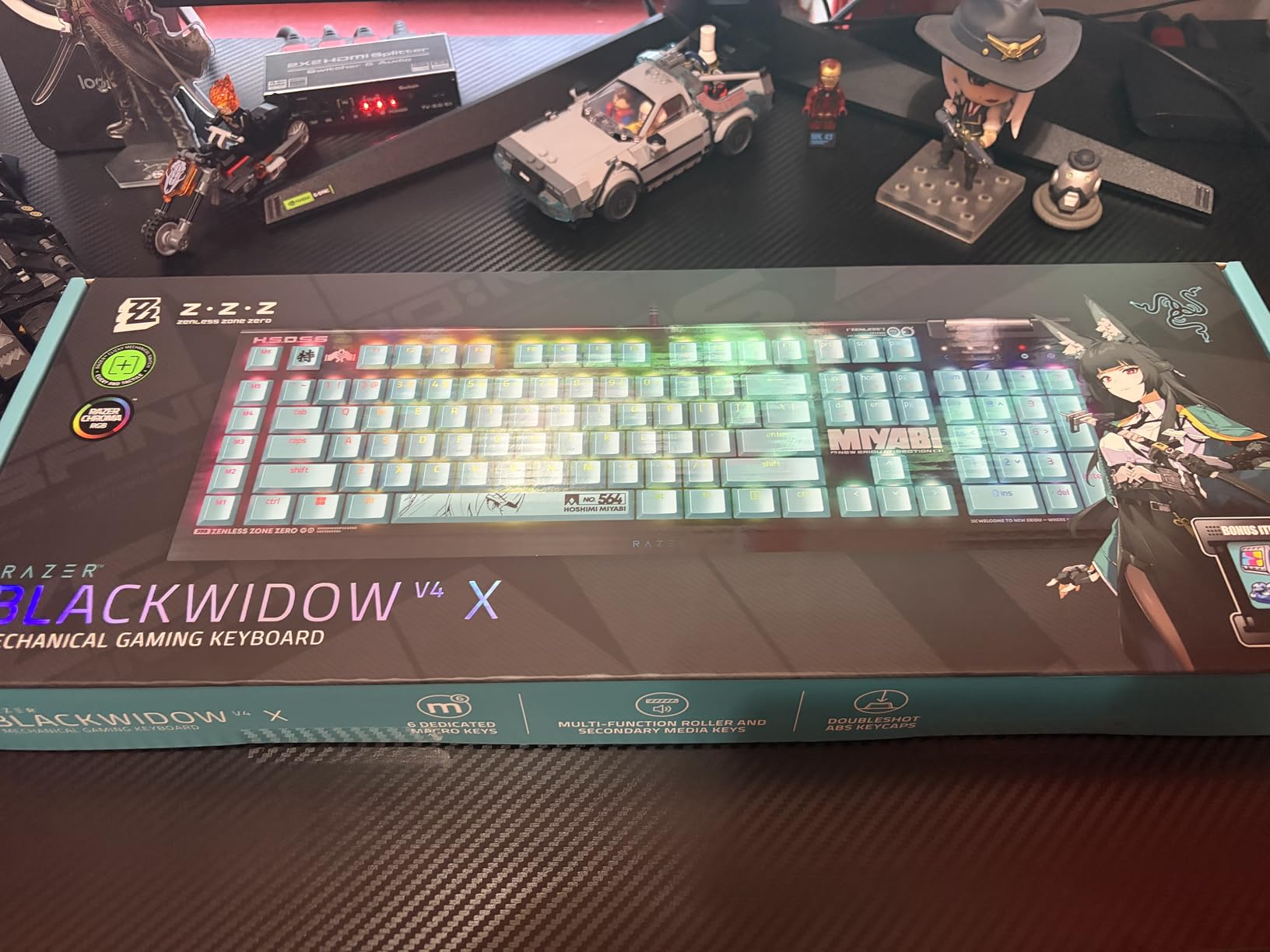
- Yellow linear switches, 1.2mm actuation
- 6 dedicated macro keys
- Per-key Chroma RGB lighting
- Multi-function media roller
What the board gives up against the SteelSeries Apex 5 is the OLED display and the aluminum frame. The Snap Tap feature is enabled through Razer Synapse, which is Windows-first. At 522 reviews it is the lowest review count on this list, but the 4.5 rating sits with the rest of the field.
How to Choose a Mechanical Keyboard During Prime Big Deal Days
Switch Type and Typing Feel
Linear switches (red) press straight down with no bump and are the fastest for gaming. Tactile switches (brown) have a small bump mid-press that gives typing feedback without the loud click. Clicky switches (blue) add an audible click on top of the bump and are the loudest. The Razer BlackWidow V4 X is the speed pick with yellow linear, the Logitech G413 SE is the calm tactile pick, and the Camiysn Typewriter and RisoPhy are the loud clicky picks. For a deeper switch guide aimed at competitive play, see our roundup of mechanical keyboards for gaming.
Layout and Size: 60%, 65%, TKL, or Full-Size
60% boards like the Redragon K617 drop the arrow keys and number pad to free desk space for mouse movement. 75% boards like the AULA F75 Pro keep the function row and arrows while staying compact. Full-size boards like the Camiysn, Redragon K671, K582, SteelSeries Apex 5, Logitech G413 SE, RisoPhy and Razer BlackWidow V4 X keep the numpad for work and spreadsheets. Match the layout to your desk: pick 60% if you want maximum mouse space, 75% if you want a balance, and full-size if you use the numpad daily. For programmer-focused sizing tips, see our guide to mechanical keyboards for programmers.
Wired vs Wireless and Battery Life
Wired boards have no latency concern and never need charging, which is why every competitive pick on this list (Redragon K617, K671, K582, SteelSeries Apex 5, Logitech G413 SE, Camiysn, RisoPhy, Razer BlackWidow V4 X) is wired. Wireless boards add the freedom to switch between devices, with the AULA F99 pairing up to five devices over Bluetooth 5.0, 2.4GHz or USB-C. The F99 carries an 8000mAh battery, while the F75 Pro carries a 4000mAh battery; both last at least a full work week on a charge with the backlight off. For a deeper dive on wireless options, see our roundup of the best wireless mechanical keyboards.
Build Quality, Hot-Swap, and Keycaps
Aluminum or aluminum-magnesium frames (SteelSeries Apex 5, Logitech G413 SE) feel heavier and resist flex better than all-plastic boards. Hot-swap PCBs let you change switches without soldering, which is why the Redragon K617 and K671, plus both AULA boards, stand out for tinkerers. PBT keycaps resist shine longer than ABS, and the Logitech G413 SE uses PBT while most others use ABS in this price range.
Software, Mac/Windows Support, and RGB
Per-key RGB and macro editing need Windows-friendly software on most picks here; the Logitech G413 SE is the cleanest cross-OS option on the list. The Redragon K671 software is Windows only, and the Razer Synapse app for the BlackWidow V4 X is also Windows-first. Mac users will be happiest with the G413 SE or any of the plug-and-play boards (Camiysn, RisoPhy, AULA F99, AULA F75 Pro).
How to Shop Mechanical Keyboard Deals During the Sale
Mechanical keyboard listings during the sale can vary by switch type, layout, and bundle contents, so read the model number and the variant line carefully before you check out. Some boards come with multiple switch options (red, brown, blue) under the same ASIN; confirm the listing title lists the switch you actually want. Hot-swap vs soldered matters if you plan to change switches later, and keycap profile (OEM, Cherry, OEM-profile PBT) affects typing feel more than most buyers expect. Sold-by is worth a glance too: third-party sellers sometimes undercut Amazon but take longer to deliver, and most of the steepest offers during Prime Big Deal Days require a Prime membership (a free trial counts) and shift through the event.
Quick checklist before you commit during the sale:
- Confirm the switch color (red linear, brown tactile, blue clicky, yellow linear) in the listing title
- Confirm the layout (60%, 75%, TKL, full-size) and that it matches your desk
- Check whether switches are hot-swap or soldered if you plan to customize
- Look for PBT keycaps if you type long hours and want the legends to last
- Confirm the keyboard supports your OS (Mac, Windows, Linux, Android)
- Have a Prime membership ready since most of the deepest offers need it
Frequently Asked Questions
When does Amazon Prime Big Deal Days 2026 run?
Amazon Prime Big Deal Days 2026 runs October 6-7, 2026. Most offers need a Prime membership, and a free trial counts if you do not already have one. The deals shift throughout the event, so checking back each day during the sale is worth it.
Do I need a Prime membership to get the best mechanical keyboard deals?
Most of the deepest mechanical keyboard offers during the sale need a Prime membership. A free trial works for the duration of the event, and many keyboards also drop without Prime, just usually to a smaller discount.
Do mechanical keyboards actually go on sale during Prime Big Deal Days?
Yes, mechanical keyboards are one of the more reliable categories for Prime Big Deal Days. Wired gaming boards at the entry-level price tier tend to drop the most, while premium boards like the SteelSeries Apex 5 see smaller percentage moves but bigger absolute savings.
What should I check on a mechanical keyboard listing before I buy during the sale?
Confirm the switch color, layout size, keycap material, and whether the switches are hot-swap or soldered. Also check whether the keyboard is Mac or Windows compatible and whether the customization software works on your OS. Sold-by and shipping matter too since third-party sellers can undercut but ship slower.
Are linear, tactile, or clicky switches better for typing and programming?
Tactile switches (brown) are usually the safest pick for typing and programming because the bump gives feedback without the loud click. Linear (red) is faster for gaming, and clicky (blue) is loudest and best for users who want audible feedback and do not share a workspace.
Is a wireless mechanical keyboard as good as a wired one for gaming?
Modern wireless mechanical keyboards with 2.4GHz dongles are close to wired for gaming latency, and Bluetooth is fine for typing and office work. For competitive FPS, a wired board like the Redragon K617 or Razer BlackWidow V4 X still removes any latency concern.
Final Verdict: Amazon Prime Big Deal Days Mechanical Keyboard Deals
Buy the Camiysn Typewriter if you want our editor’s choice pick with the loudest, most personality-driven board on this list. Buy the Redragon K671 if you want the best value full-size wired gaming board with hot-swap switches. Buy the Redragon K617 if you want the top-rated compact 60% for FPS and a clean desk. Buy the AULA F99 if wireless multi-device pairing matters most during the sale. Browse the remaining picks by need, pick the layout that matches your desk, and check the current price through the button below each board.