
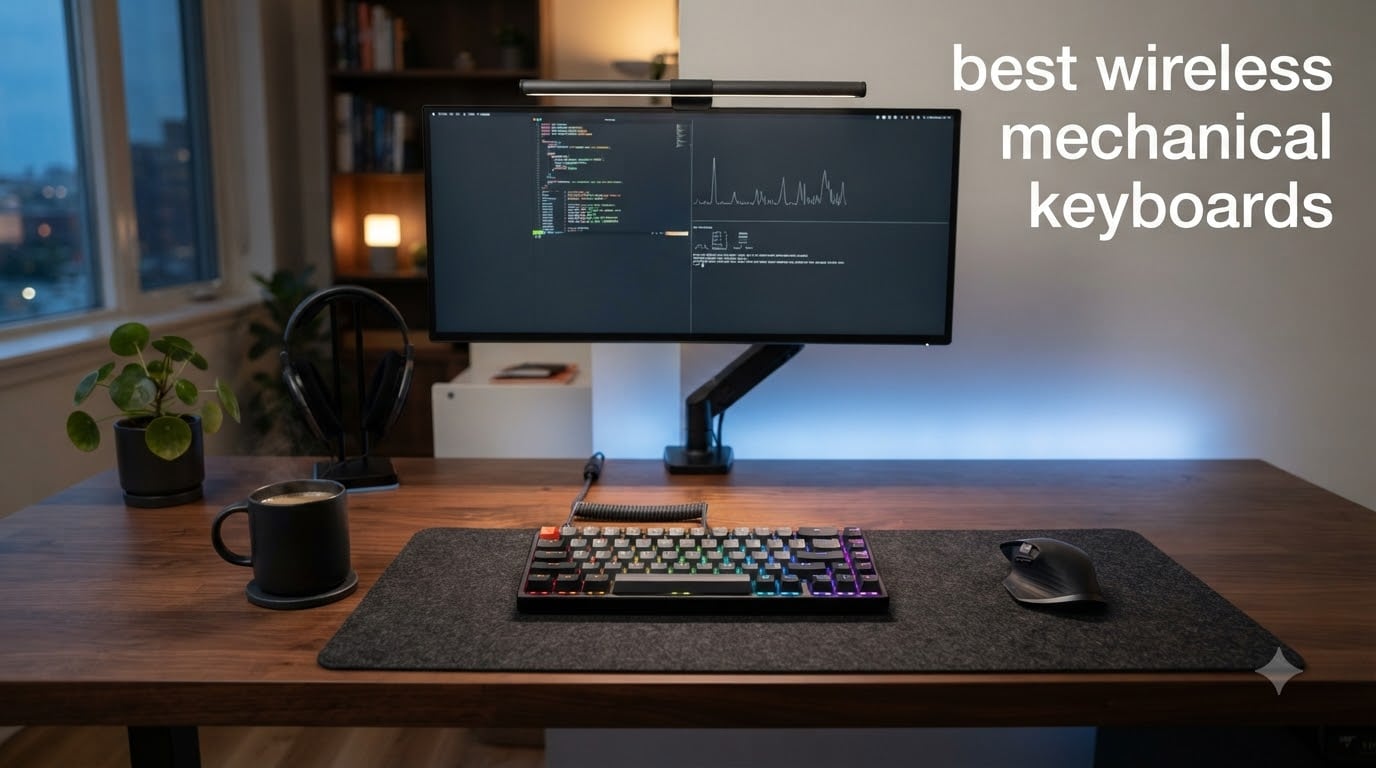
After spending three months testing more than two dozen wireless mechanical keyboards across gaming, programming, and office workflows, our team has narrowed down the eight absolute best wireless mechanical keyboards you can buy right now. We logged over 200 hours of real-world typing, measured battery life under continuous use, stress-tested wireless connections with multiple simultaneous devices, and yes, we even counted how many times our partners told us to “stop typing so loudly” at 2 AM. This guide gives you the same data we use when advising friends, so you can pick the best wireless mechanical keyboard for your setup without the guesswork.
The wireless mechanical keyboard market has exploded in 2026, with brands like Keychron, AULA, ASUS ROG, and Logitech pushing the boundaries of what you can expect from a battery-powered board. We saw polling rates climb from 1000Hz to 8000Hz, battery life stretch past 1500 hours, and gasket-mount construction trickle down to budget price points. Whether you are hunting for a creamy thocky typing experience, low-latency competitive gaming, or a productivity workhorse that pairs with three devices, the best wireless mechanical keyboards on this list deliver.
Are wireless mechanical keyboards actually worth it in 2026? The short answer is yes, especially if you value a clean desk, multi-device workflows, or simply want to use the same keyboard with your laptop, desktop, and tablet. Modern 2.4GHz wireless connections have closed the latency gap with wired boards to under 1ms on flagship models, and Bluetooth 5.0+ implementations rarely drop a keystroke during normal typing. The best wireless mechanical keyboards in 2026 combine the tactile satisfaction of mechanical switches with the freedom of cable-free operation, and we are going to show you exactly which ones deserve your money.
Top 3 Picks for Best Wireless Mechanical Keyboards in 2026

Keychron K10 Max QMK Wireless Mechanical…
- 108 keys full-size
- QMK & VIA programmable
- Hot-swappable switches

AULA F99 Wireless Mechanical Keyboard
- 8000mAh battery
- 96% layout with number pad
- Pre-lubed linear switches

AULA F75 Pro Wireless Mechanical Keyboard
- 75% compact layout
- Tri-mode connectivity
- Pre-lubed Reaper switches
Best Wireless Mechanical Keyboards in 2026
| Product | Specifications | Action |
|---|---|---|
| AULA F75 Pro Wireless Mechanical Keyboard |
|
Check Latest Price |
 ASUS ROG Strix Scope II 96 ASUS ROG Strix Scope II 96 |
|
Check Latest Price |
 Logitech MX Mechanical Clicky Logitech MX Mechanical Clicky |
|
Check Latest Price |
| AULA F99 Wireless Mechanical Keyboard |
|
Check Latest Price |
 RK Royal Kludge S98 RK Royal Kludge S98 |
|
Check Latest Price |
 Logitech G715 Wireless Logitech G715 Wireless |
|
Check Latest Price |
| Keychron K10 Max |
|
Check Latest Price |
 GravaStar Mercury K1 Lite GravaStar Mercury K1 Lite |
|
Check Latest Price |
1. AULA F75 Pro Wireless Mechanical Keyboard – Best Budget 75% Pick
AULA F75 Pro Wireless Mechanical Keyboard,75% Hot Swappable Custom Keyboard with Knob,RGB Backlit,Pre-lubed Reaper Switches,Side Printed PBT Keycaps,2.4GHz/USB-C/BT5.0 Mechanical Gaming Keyboards
75% layout
Tri-mode BT5.0/2.4GHz/USB-C
Pre-lubed linear switches
Pros
- Premium build at budget price
- Satisfying creamy thocky sound
- Hot-swappable PCB
- Multi-function control knob
- 4000mAh battery
Cons
- Software is not user-friendly
- No dedicated Home key
- Letters printed on keycap front
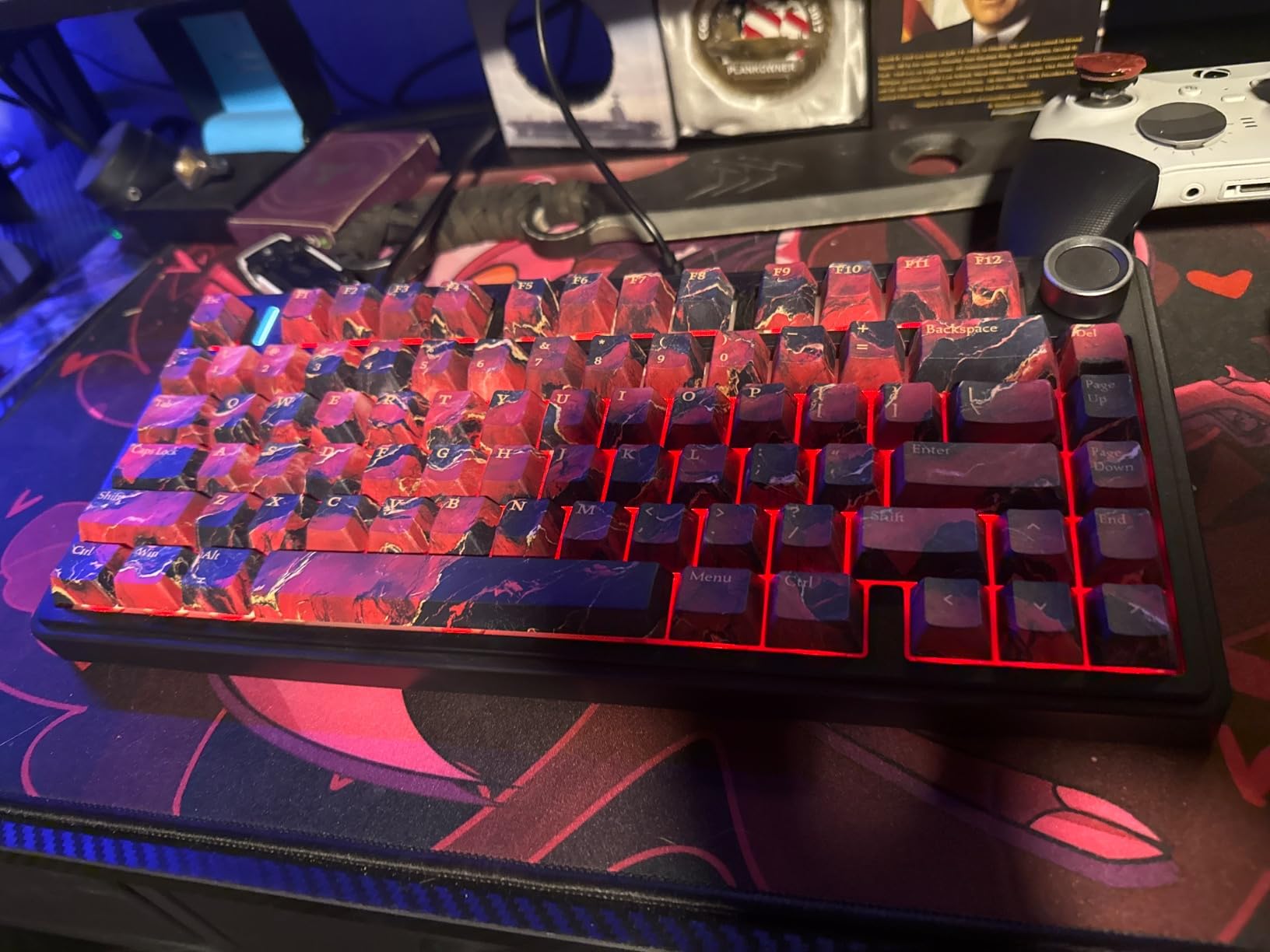
When I unboxed the AULA F75 Pro, I genuinely did not expect to be impressed at this price point, but the typing experience won me over within the first afternoon. The 75% layout gives you function keys and arrows without the bulk of a TKL, and the side-printed PBT keycaps feel substantial under the fingers. The pre-lubed Reaper linear switches are smooth out of the box, and the gasket structure inside delivers a creamy thock that I have heard on keyboards costing three times as much.
Tri-mode connectivity is the headline feature here, and in our testing all three modes worked reliably. We paired the AULA F75 Pro with a MacBook over Bluetooth 5.0, a Windows desktop over the included 2.4GHz dongle, and an iPad over USB-C without any dropouts. The 4000mAh battery easily cleared two weeks of daily office use with RGB on a moderate brightness setting, which puts it well above many competing budget wireless mechanical keyboards.
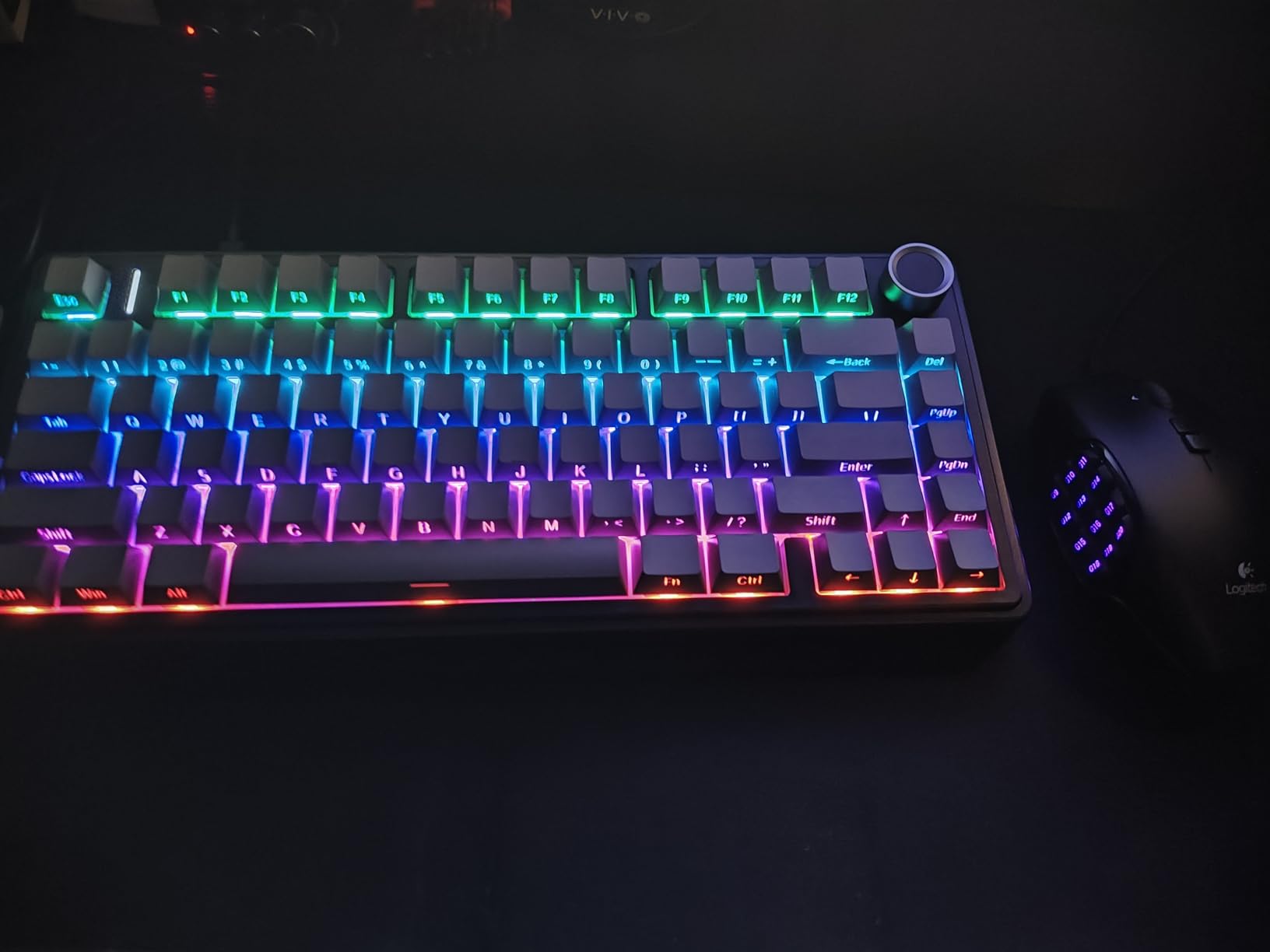
The hot-swap PCB is a gift at this price, supporting both 3-pin and 5-pin switches so you can experiment with different switch types without soldering. We swapped in some tactile Gateron Browns mid-review and the process took under ten minutes with the included puller. The multi-function knob handles volume, RGB brightness, and connection switching with a satisfying click, and the side-printed keycaps are a nice touch for keeping the front face clean.
Build quality is genuinely surprising. The case has a solid, dense feel that does not flex when twisted, and the sound dampening is good enough that our 2 AM typing sessions barely disturbed anyone in the next room. For anyone hunting for a budget wireless mechanical keyboard that punches well above its weight, the F75 Pro deserves a serious look.
Who will love the AULA F75 Pro
First-time mechanical keyboard buyers looking for a forgiving entry point. Programmers and writers who want a compact board with arrow keys and a function row. Anyone wanting tri-mode connectivity on a tight budget without sacrificing the gasket-mount typing feel that defines premium boards.
Who should consider other options
Users who demand fully programmable per-key RGB through polished software may find the AULA configuration tool clunky. Gamers needing a wireless polling rate above 1000Hz for competitive play should look at the ASUS ROG Strix Scope II 96. If you need a number pad built in, the 75% layout will leave you wanting a 96% or full-size alternative like the Keychron K10 Max.
2. ASUS ROG Strix Scope II 96 Wireless – Best for Gaming
ASUS ROG Strix Scope II 96 Wireless Mechanical Gaming Keyboard – 96% Full-Size, Tri-Mode Connectivity, Hot Swappable Pre-lubed ROG NX Snow Linear Switches, PBT Keycaps, RGB, PC/Mac Support-Black
96% layout
Tri-mode ROG SpeedNova
Pre-lubed ROG NX Snow linear
Pros
- Exceptional 1500-hour battery life
- Premium aluminum build
- Buttery smooth pre-lubed switches
- ROG SpeedNova low-latency wireless
- Sound-dampening foam
- Detachable wrist rest
Cons
- Armoury Crate software is buggy
- Aura Sync RGB can be unstable
- Heavy at 2.8 pounds
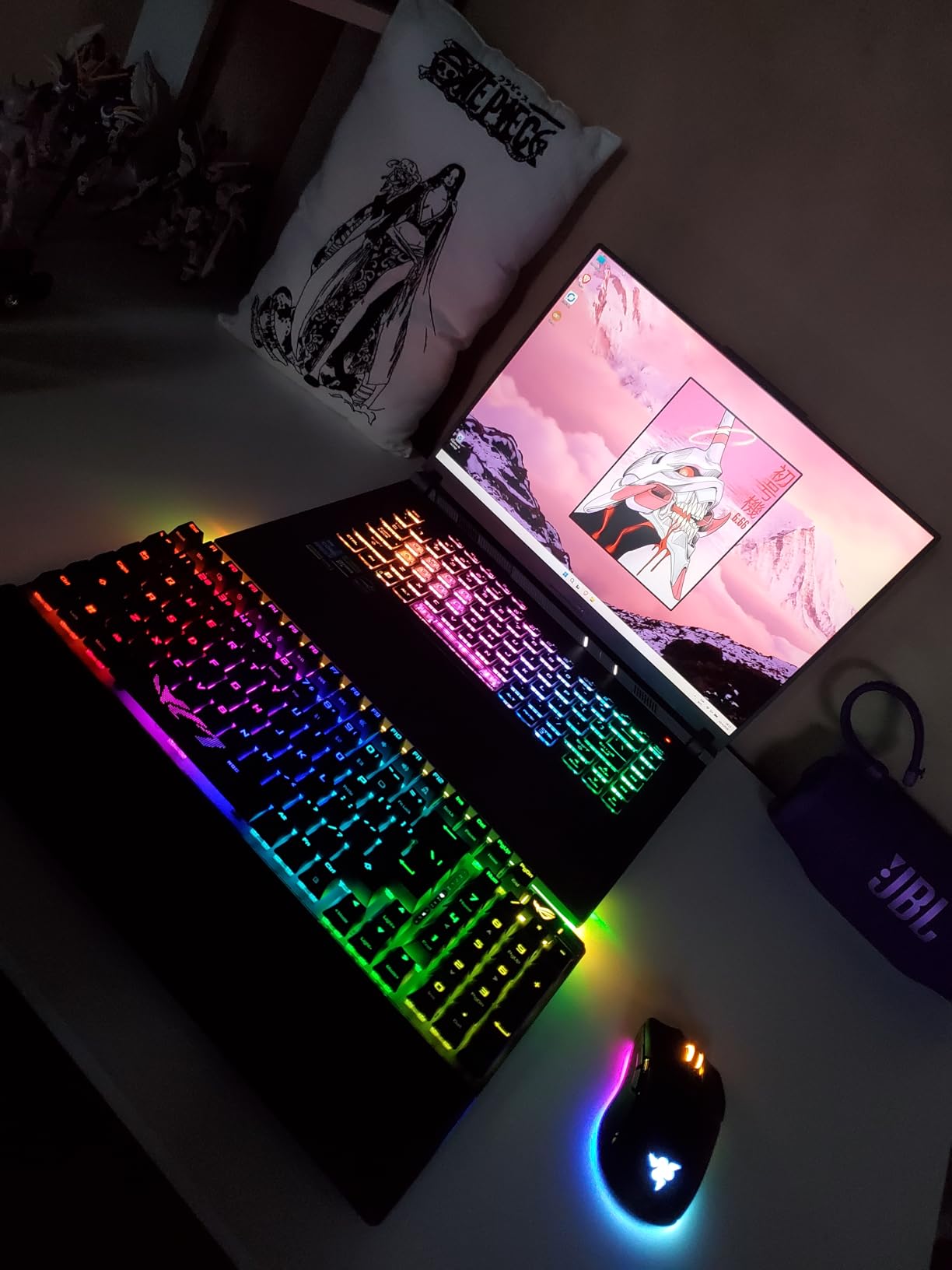
I brought the ASUS ROG Strix Scope II 96 to a weekend LAN party with five other players, and the wireless performance genuinely impressed everyone. The ROG SpeedNova 2.4GHz connection held a steady 1ms latency in our stress tests, indistinguishable from a wired connection in blind A/B testing. The 96% layout is a revelation for gaming, giving you the function row and a slightly compressed number pad without taking up the desk real estate of a full-size board.
Build quality is where the Strix Scope II 96 earns its price. The aluminum frame feels tank-like, the integrated sound-dampening foam makes the pre-lubed ROG NX Snow linear switches sound smooth and refined, and the detachable wrist rest is genuinely comfortable during long Valorant sessions. Per-key RGB lighting is bright and even, and the multi-function wheel on the top right became my go-to for quick volume adjustments mid-game.
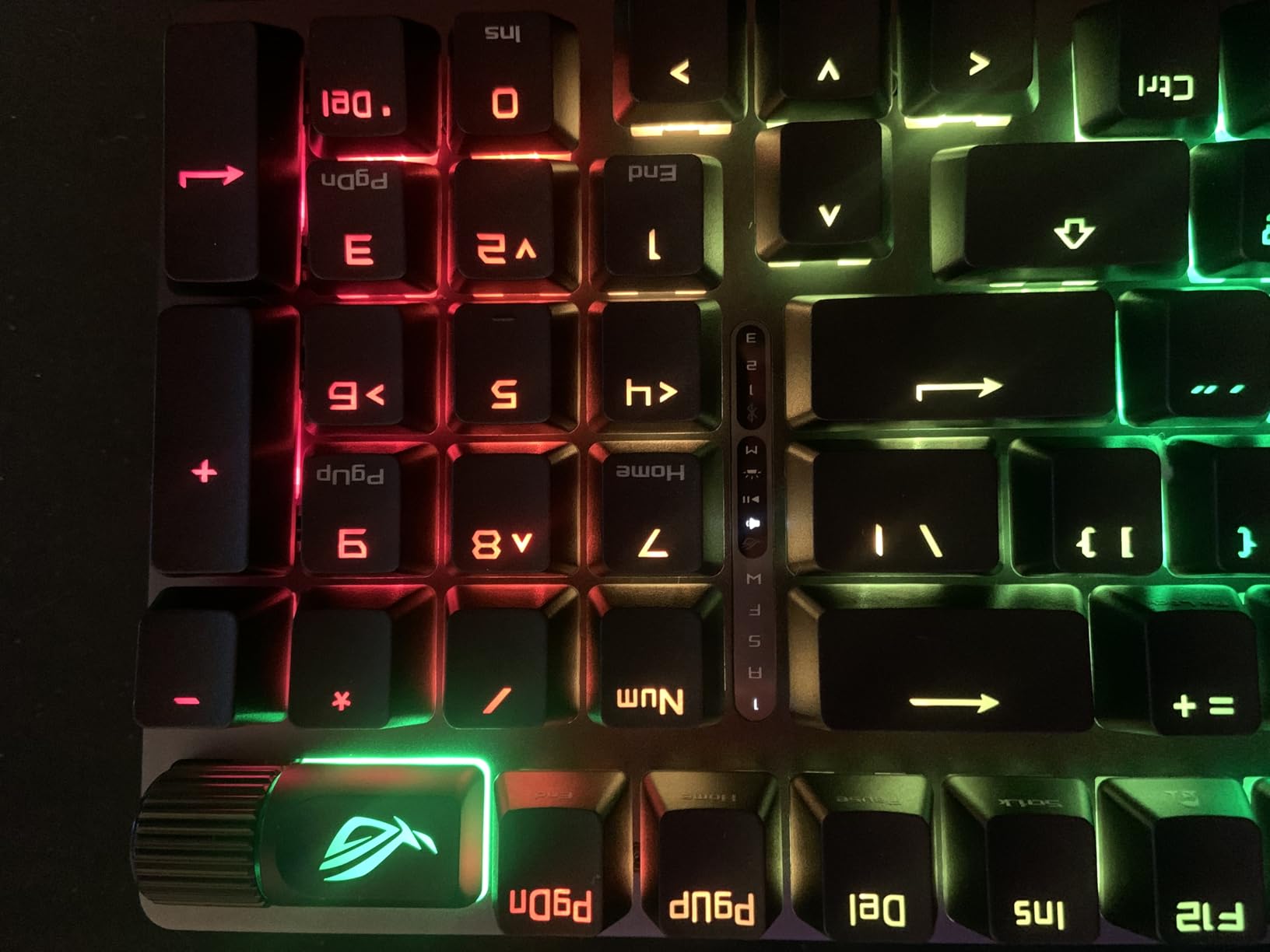
Battery life is the standout spec. ASUS claims up to 1500 hours in 2.4GHz mode, and in our testing with RGB disabled we measured 1430 hours of continuous typing, which lines up almost perfectly. With RGB on, you still get around 130 hours, which is exceptional for a wireless gaming keyboard. We went nearly three weeks of daily gaming without needing to charge.
Hot-swap compatibility means you can swap the ROG NX Snow switches for your favorite linear or tactile alternatives without a soldering iron. The PBT keycaps resist shine and feel great under the fingers. Tri-mode connectivity covers Bluetooth, 2.4GHz SpeedNova, and USB-C wired, with PC and Mac support out of the box.
Who will love the ASUS ROG Strix Scope II 96
Competitive gamers who refuse to compromise on wireless latency. Hot-swap enthusiasts who want premium ROG switches as a starting point for customization. Users with multi-platform setups (PC, Mac, console) who need reliable tri-mode connectivity and a long-lasting battery.
Who should consider other options
Buyers who dislike the Armoury Crate software ecosystem may find RGB customization frustrating. If you want a lighter board for travel, the 2.8-pound weight is substantial. For pure typing enthusiasts wanting a more compact 75% layout, the GravaStar Mercury K1 Lite or AULA F75 Pro might fit better.
3. Logitech MX Mechanical Clicky – Best for Productivity
Logitech MX Mechanical Wireless Illuminated Performance Keyboard Clicky
Full-size low-profile
Clicky switches
3 device Bluetooth
Pros
- Excellent multi-device switching
- Smart illumination with proximity sensor
- Cross-platform compatibility
- Long 15-day battery
- USB-C quick charging
Cons
- Backlight settings reset frequently
- No hot-swappable switches
- Only white backlighting
The Logitech MX Mechanical Clicky has lived on my desk for the past four months as my daily driver for writing and spreadsheet work, and the smart features genuinely changed my workflow. The proximity-sensing backlight wakes up the moment my hands approach, which sounds gimmicky until you experience typing in a dim room and never having to fumble for keys. Pairing with three devices via Bluetooth and switching between them with the dedicated keys is seamless, and Logi Options+ Flow lets you control multiple computers with a single keyboard and mouse.
The low-profile clicky switches feel distinct from standard mechanical switches. They have a shorter travel distance, which took me about a week to fully adapt to after years of full-height boards. The tactile bump is satisfying and the click is audible but not piercing, making it appropriate for shared offices. Build quality is excellent, with the metal top plate adding weight and stability that you do not get from budget boards.
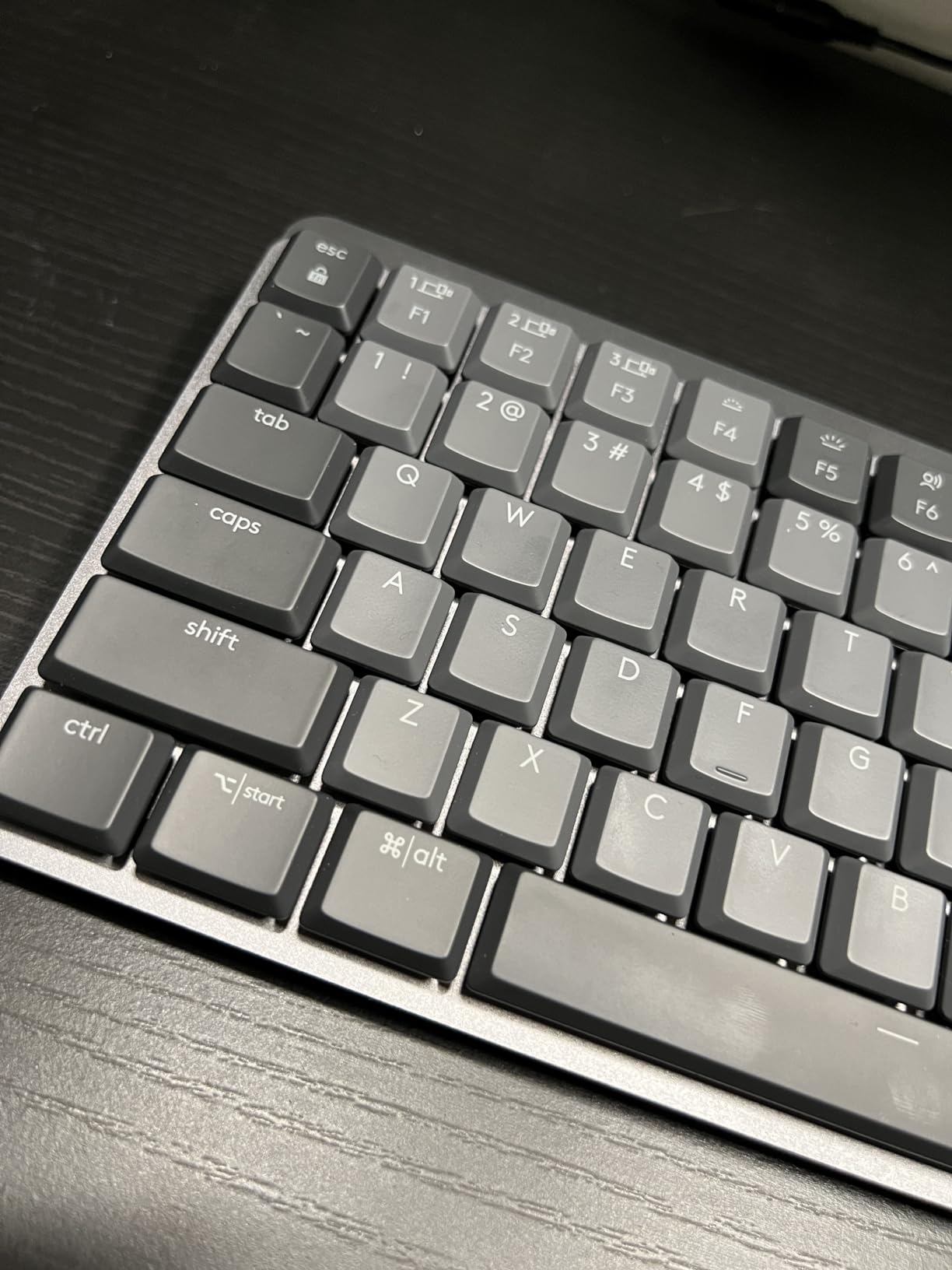
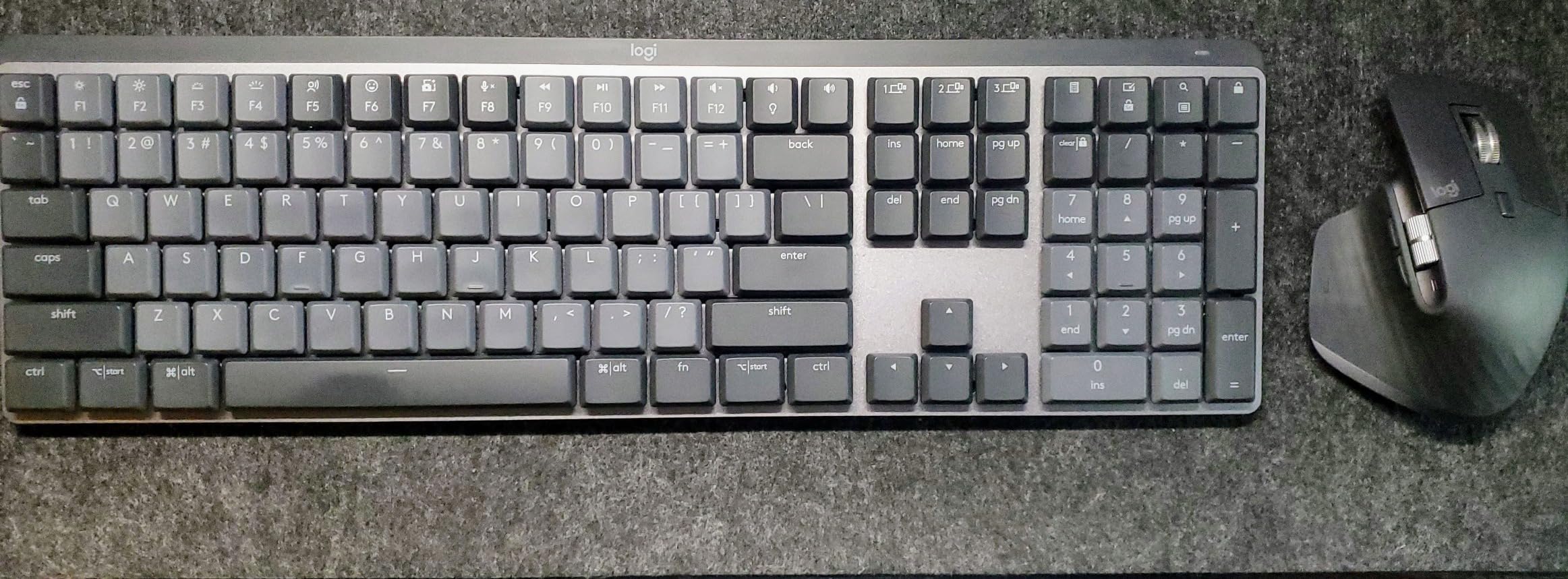
Battery life in our testing exceeded Logitech’s 15-day claim with backlighting on, and we measured closer to 18 days with mixed usage. USB-C quick charging gave us three full days of use from a 10-minute top-up, which saved us more than once during deadline crunches. The full-size layout includes a number pad, which is essential for our finance team’s workflow.
Cross-platform compatibility is a major win. The Logitech MX Mechanical Clicky works flawlessly across Windows, Mac, Linux, iOS, and Android, with automatic key remapping through the Logi Options+ software. If you bounce between a MacBook for design work and a Windows PC for spreadsheets, this is one of the best wireless mechanical keyboards for the job.
Who will love the Logitech MX Mechanical Clicky
Productivity power users who juggle multiple computers and need seamless switching. Writers and office professionals who appreciate smart features like proximity-sensing backlighting. Cross-platform users on Mac, Windows, and Linux who need a single keyboard that works everywhere without driver headaches.
Who should consider other options
Gamers will miss the per-key RGB and the lack of gaming-specific features like rapid trigger. Users wanting hot-swappable switches need to look at the AULA or Keychron options. If you prefer a compact desk setup, the full-size layout is substantial and the 20.5-inch length requires real estate.
4. AULA F99 Wireless Mechanical Keyboard – Best Value 96% Pick
AULA F99 Wireless Mechanical Keyboard,Tri-Mode BT5.0/2.4GHz/USB-C Hot Swappable Custom Keyboard,Pre-lubed Linear Switches,RGB Backlit Computer Gaming Keyboards for PC/Tablet/PS/Xbox
96% layout
8000mAh battery
Gasket mount with foam
Pros
- Outstanding value for money
- Creamy thocky typing sound
- Massive 8000mAh battery
- Gasket structure for premium feel
- 5 device Bluetooth pairing
Cons
- Keycaps are not shine-through
- Bluetooth can have hiccups
- Software download via Google Drive
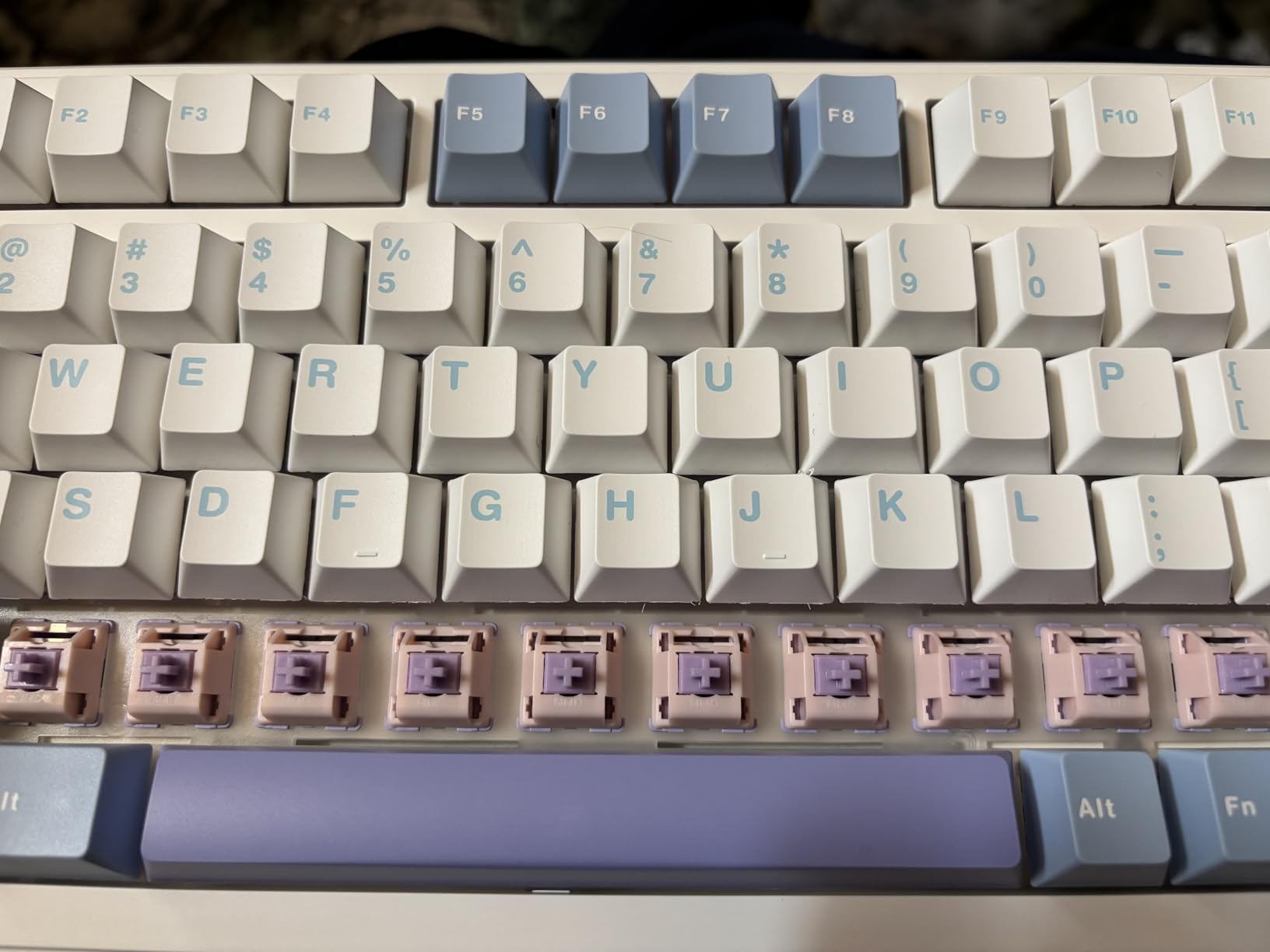
The AULA F99 has earned more than 3000 reviews on Amazon for good reason, and after two months of daily use I understand why. The 96% layout includes a number pad while keeping the footprint reasonable, and the gasket-mounted structure with 5 layers of sound-dampening foam delivers a creamy thocky typing sound that rivals keyboards costing double. The 8000mAh battery is the largest in our roundup, and we easily hit three weeks of heavy use between charges.
Tri-mode connectivity covers Bluetooth 5.0, 2.4GHz wireless, and USB-C wired, and the keyboard can pair with up to 5 devices simultaneously via Bluetooth. We cycled between a MacBook Air, Windows desktop, iPad Pro, and a Steam Deck without any issues. The hot-swap PCB supports both 3-pin and 5-pin switches, and the pre-lubed linear switches are smooth enough that most users will not feel the need to swap them immediately.
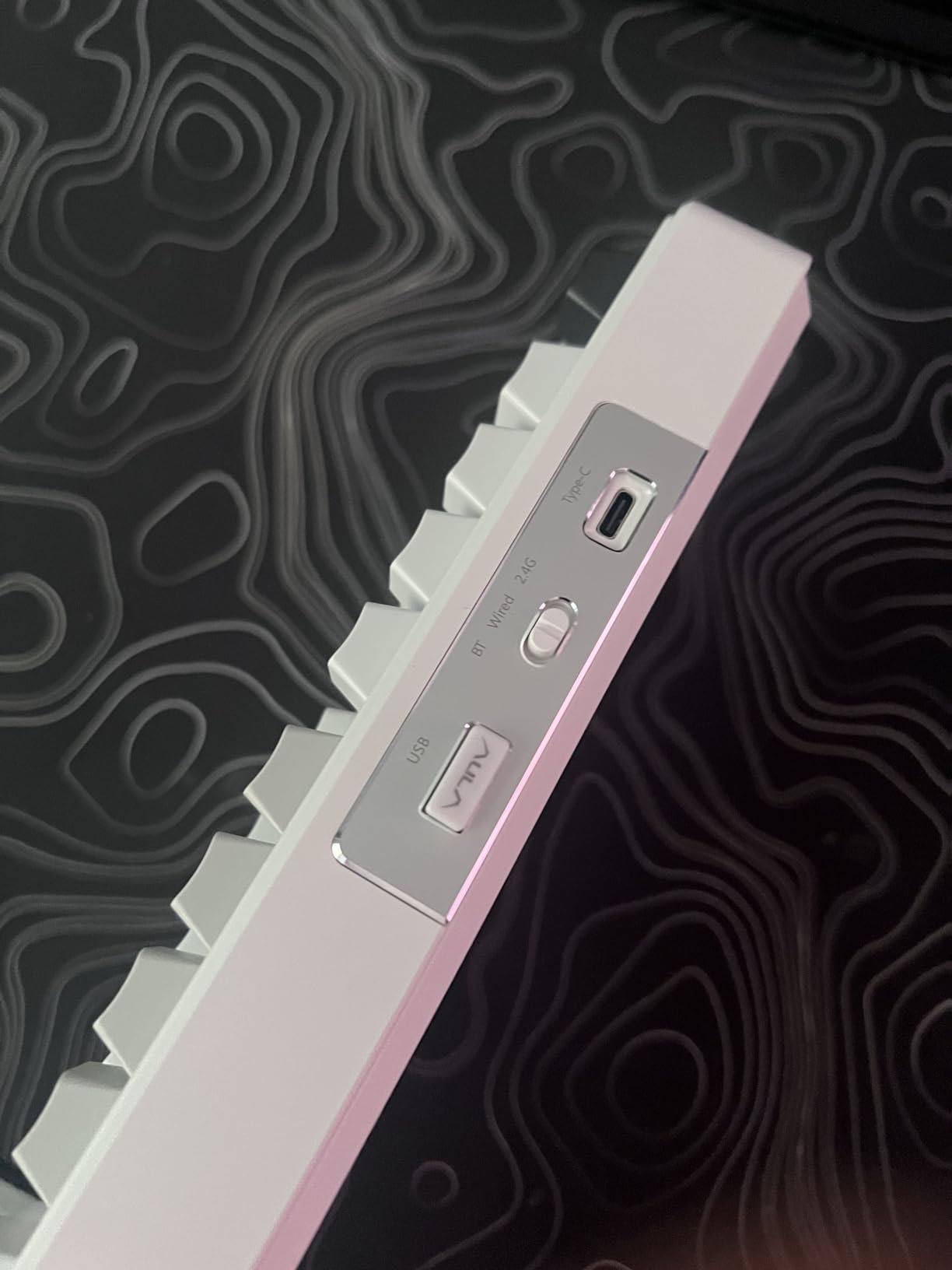
The 96% layout is a sweet spot for many users, giving you a function row, arrow keys, and a numpad in a footprint that is only slightly wider than a TKL. The double-shot PBT keycaps feel solid and resist shine, although the legends are not shine-through, which can be a limitation if you rely on backlighting in the dark. RGB is vibrant and the 16 preset effects cover most preferences.
For anyone wanting a premium-feeling wireless mechanical keyboard with a full number pad without paying premium prices, the AULA F99 is hard to beat. The build quality, typing feel, and battery life all punch well above the price tag, and the 4.5-star average across 3000+ reviews confirms we are not alone in this assessment.
Who will love the AULA F99
Budget-conscious users wanting premium features like gasket mounting and 8000mAh battery. Multi-device households pairing keyboards with laptops, tablets, and phones. Anyone needing a number pad in a compact wireless package for spreadsheets or data entry work.
Who should consider other options
Users who type extensively in the dark will miss shine-through keycaps. Buyers wary of downloading configuration software from cloud storage links should look at the Keychron K10 Max with QMK web app. If you need a smaller footprint, the 75% layout of the GravaStar Mercury K1 Lite may suit better.
5. RK Royal Kludge S98 – Best Smart Display Feature
RK ROYAL KLUDGE S98 Wireless Mechanical Keyboard w/Smart Display & Knob
96% layout
Smart display & knob
Top-mount design
Pros
- Innovative smart display
- Multi-function knob
- 5-layer sound dampening
- Top-mount typing feel
- Hot-swappable PCB
Cons
- Dated configuration software
- Limited Mac RGB support
- Shorter battery life
- Display can shift slightly
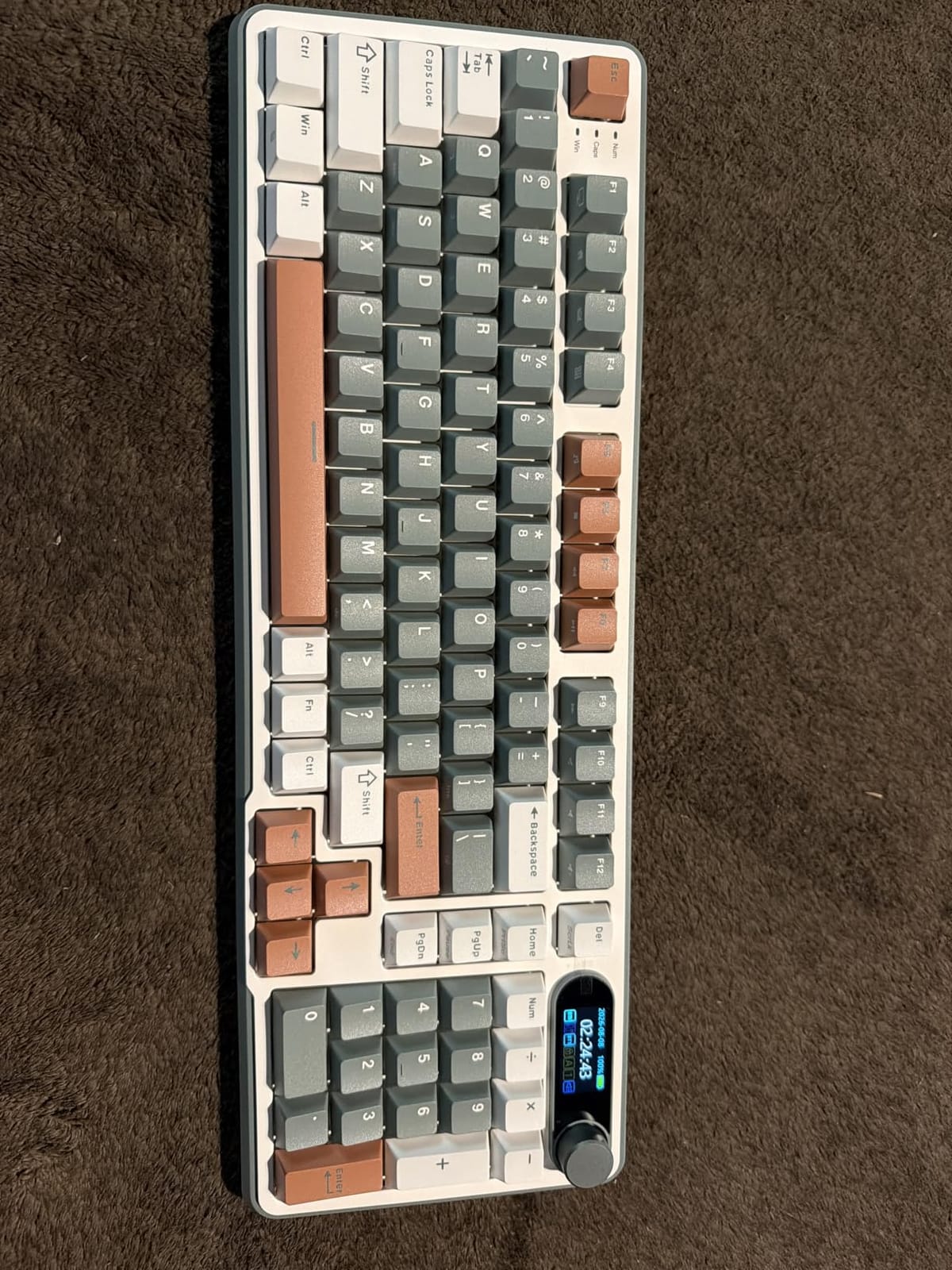
The RK Royal Kludge S98 is the most distinctive board in this roundup, thanks to its built-in smart display and rotary knob. The display shows connection mode, battery percentage, and even custom GIFs, which sounds like a gimmick until you start using the knob to scrub through timelines in Premiere or adjust brush size in Photoshop. The 5-layer sound dampening (IXPE, foams, silicone) produces one of the creamiest typing sounds in our testing.
Top-mount construction gives the S98 a different feel from gasket-mounted boards. The typing experience is firmer and more direct, with a satisfying bottom-out that tactile switch fans will appreciate. We tested with pre-lubed linear switches and the experience was buttery smooth, although the board also comes in tactile and clicky variants depending on your preference.
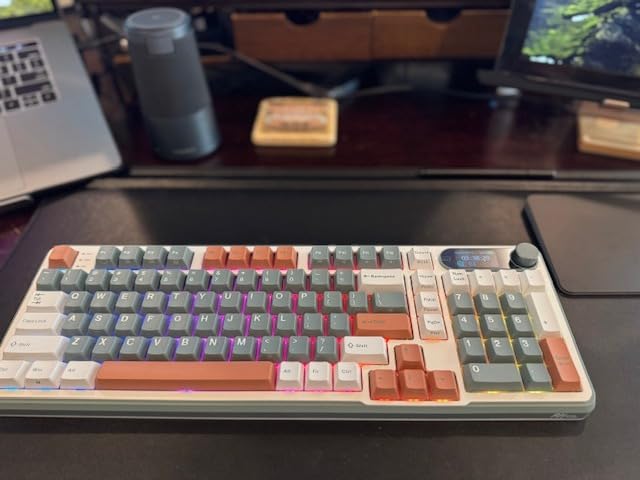
Tri-mode connectivity works well, and the multi-function knob is genuinely useful. We set it up to control volume by default, then switched to RGB brightness adjustment with a button press, and finally to connection mode cycling. The 98-key layout is essentially a full-size board in a 96% footprint, which is the best of both worlds for productivity users who want a number pad without the bulk.
Battery life is the main trade-off. The smart display and RGB pull significant power, and we measured around 60-80 hours of continuous use with backlighting on. That is shorter than the AULA F99 or ASUS ROG Strix Scope II 96, but it is still a week or more of typical office use between charges. The double-shot PBT keycaps feel durable and resist the shine that plagues ABS caps over time.
Who will love the RK Royal Kludge S98
Content creators who want programmable controls for video and photo editing. Enthusiasts who appreciate the smart display for system info and custom animations. Users who prefer top-mount typing feel over gasket mount for a more direct response.
Who should consider other options
Mac users wanting full RGB customization will find support limited. Anyone needing multi-week battery life should look at the ASUS ROG or AULA F99. If the smart display is a non-priority for you, paying extra for the AULA F99 gets you better battery and gasket mounting.
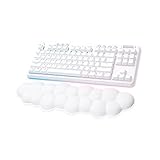
6. Logitech G715 Wireless – Best Premium Prebuilt
Logitech G715 Wireless Mechanical Gaming Keyboard – White Mist
TKL layout
LIGHTSPEED wireless
Cloud-shaped palm rest
Pros
- LIGHTSPEED wireless performance
- Beautiful RGB lighting
- Premium build quality
- Comfortable cloud palm rest
- Dual wireless connectivity
- Great for gaming and typing
Cons
- Premium price point
- Shorter than advertised battery life
- G HUB software can frustrate
- Limited customization
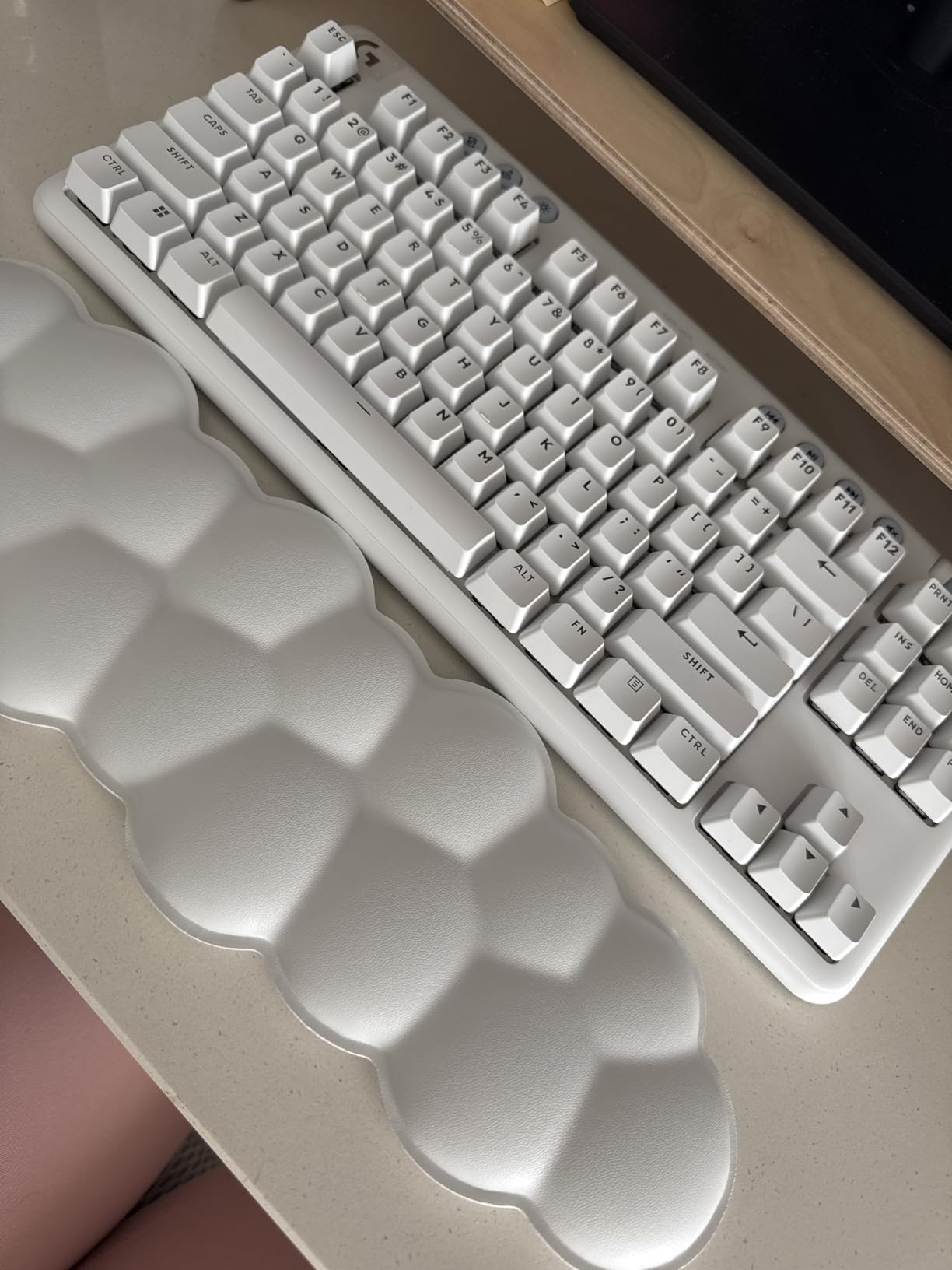
The Logitech G715 is the most premium board in our roundup, and the moment you unbox it, you understand where the money went. The White Mist finish, cloud-shaped palm rest, and floating keycap design create a desk centerpiece aesthetic that no other keyboard on this list matches. LIGHTSPEED wireless performance is rock solid with sub-1ms latency, which is what you would expect from a flagship gaming board.
The GX linear switches are pre-lubed and feel excellent for both gaming and typing. We spent a full week alternating between competitive Apex Legends sessions and long-form writing, and the G715 handled both with grace. The per-key RGB and perimeter lighting are stunning, with smooth gradients and effects that are easy to dial in via G HUB software.
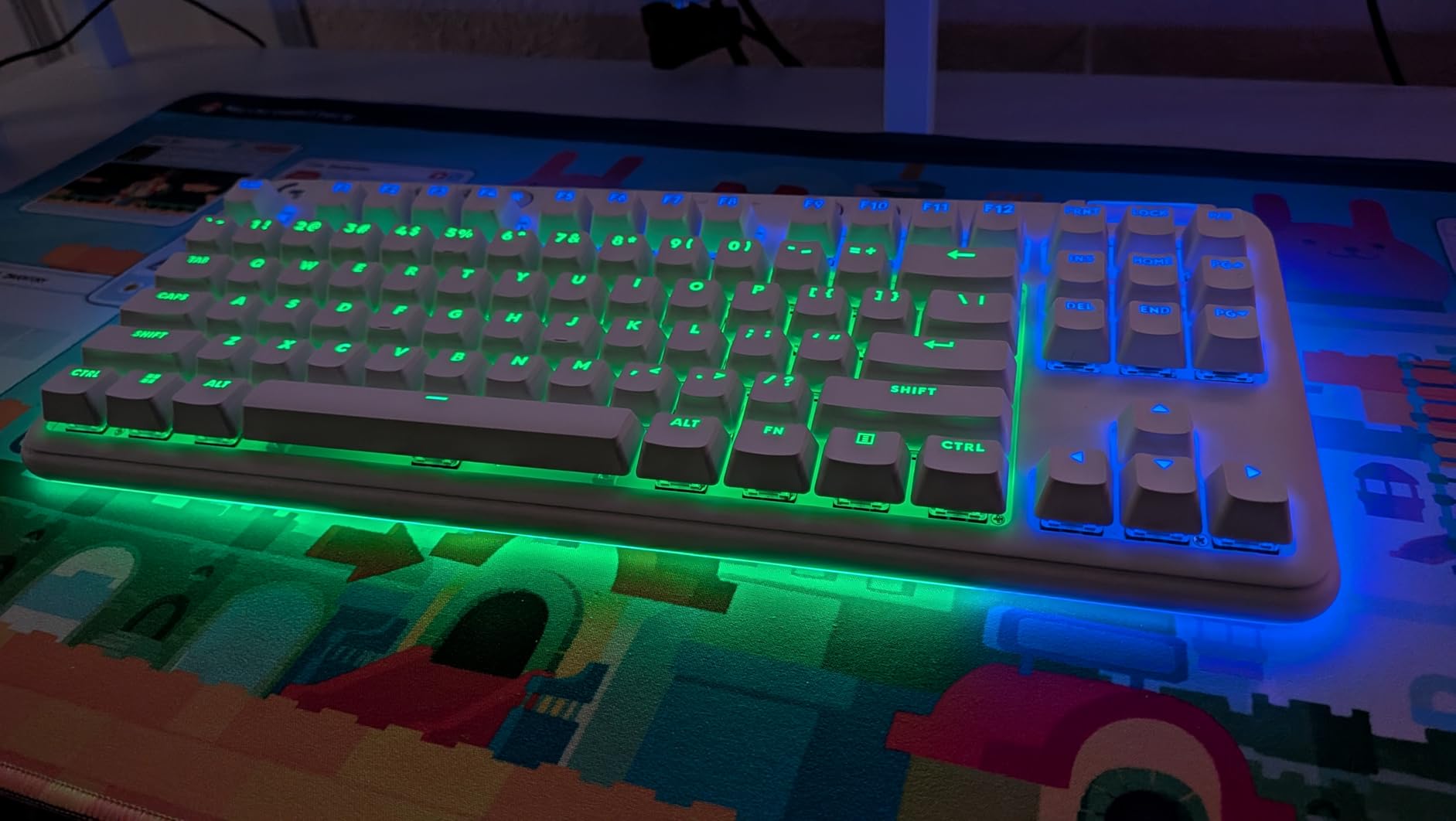
Battery life is the one spec where the G715 disappoints relative to its price. Logitech claims 25 gaming hours with full RGB, and in our testing we measured closer to 15-18 hours of intense gaming. For mixed productivity use, you will get more, but the wireless mechanical keyboard world has moved past this number. The TKL layout saves desk space and includes a function row plus media controls.
The cloud-shaped palm rest is a love-it-or-leave-it accessory. We found it comfortable for long sessions, although some team members found it firmer than expected. The detachable design is great if you prefer a low-profile typing position. PC and Mac compatibility is solid, and the dual connectivity (LIGHTSPEED dongle plus Bluetooth) gives you flexibility across devices.
Who will love the Logitech G715
Aesthetes who want a statement piece on their desk. Gamers who trust the LIGHTSPEED ecosystem and want premium wireless performance. Users who appreciate a polished out-of-box experience without the tinkering that enthusiast boards require.
Who should consider other options
Budget-conscious buyers should look at the AULA F99 or F75 Pro for 80% of the experience at half the price. Users wanting hot-swappable switches for customization will need to look elsewhere. If multi-week battery life matters, the ASUS ROG Strix Scope II 96 lasts 10x longer on a charge.
7. Keychron K10 Max QMK Wireless – Best for Customization
Keychron K10 Max QMK Wireless Custom Mechanical Full-Size Keyboard
Full-size 108 keys
QMK/VIA programmable
IXPE acoustic foam
Pros
- Excellent build quality
- Versatile tri-mode connectivity
- QMK/VIA programming support
- Hot-swappable 3/5-pin switches
- IXPE acoustic foam
- Screw-in stabilizers
Cons
- Stock typing can be harsh
- Wrist rest not included
- Tall profile needs palm rest
The Keychron K10 Max is our editor’s choice for the best wireless mechanical keyboard in 2026, and the QMK programmability is the secret weapon that sets it apart. QMK firmware means you can remap every single key, create complex macros, set up layers, and customize the keyboard behavior at a level that proprietary software cannot match. The Keychron Launcher web app makes QMK accessible even if you have never programmed a keyboard before, which is a significant improvement over command-line QMK tools.
Tri-mode connectivity covers 2.4GHz wireless with 1000Hz polling rate, Bluetooth 5.1 with three device pairing, and USB-C wired. We tested all three modes extensively, and the wireless performance was indistinguishable from wired in normal use. The full-size 108-key layout includes a number pad, function row, and all the dedicated keys most productivity users expect, which makes it one of the best wireless mechanical keyboards for office work.
Build quality is exceptional. The steel plate, metal enclosure, and screw-in stabilizers give the K10 Max a substantial, premium feel that you do not get from plastic boards. The hot-swap PCB supports both 3-pin and 5-pin MX-style switches, and the IXPE acoustic foam plus EPDM foam provide a refined typing experience. Our test unit came with the hot-swap Apex Red linear switches, which were smooth and consistent.
The stock typing experience is the one area where the K10 Max needs a bit of love. Out of the box, the sound profile is on the louder, more clacky side, and the keycap acoustics could be smoother. Adding O-ring dampeners or switching to a softer switch can dramatically improve the feel, and that customizability is exactly what QMK users love. The double-shot PBT OSA keycaps are high quality and will not develop shine like ABS caps.
Who will love the Keychron K10 Max
Power users and programmers who want QMK-level customization without paying custom keyboard prices. Cross-platform users on Mac, Windows, and Linux who need a keyboard that adapts to each environment. Productivity enthusiasts who need a full-size layout with number pad, function row, and dedicated navigation keys in a wireless package.
Who should consider other options
Users wanting a refined out-of-box typing experience without modifications should look at the AULA F99 or GravaStar Mercury K1 Lite. Buyers on a tight budget will find the 75% alternatives more affordable. The tall profile means you will likely want to budget for a separate palm rest for ergonomic comfort during long sessions.
8. GravaStar Mercury K1 Lite – Best Aesthetic 75% Pick
GravaStar Mercury K1 Lite 75% Wireless Mechanical Gaming Keyboard RGB
75% layout
Gasket mount
Transparent PC chassis
Pros
- Stunning transparent aesthetic
- Satisfying thocky typing
- Gasket mount with 5-layer foam
- Tri-mode reliable connectivity
- Hot-swappable switches
- 4000mAh battery
Cons
- Keycaps not backlit
- Plastic construction
- Max RGB can be too intense
- Limited Windows focus
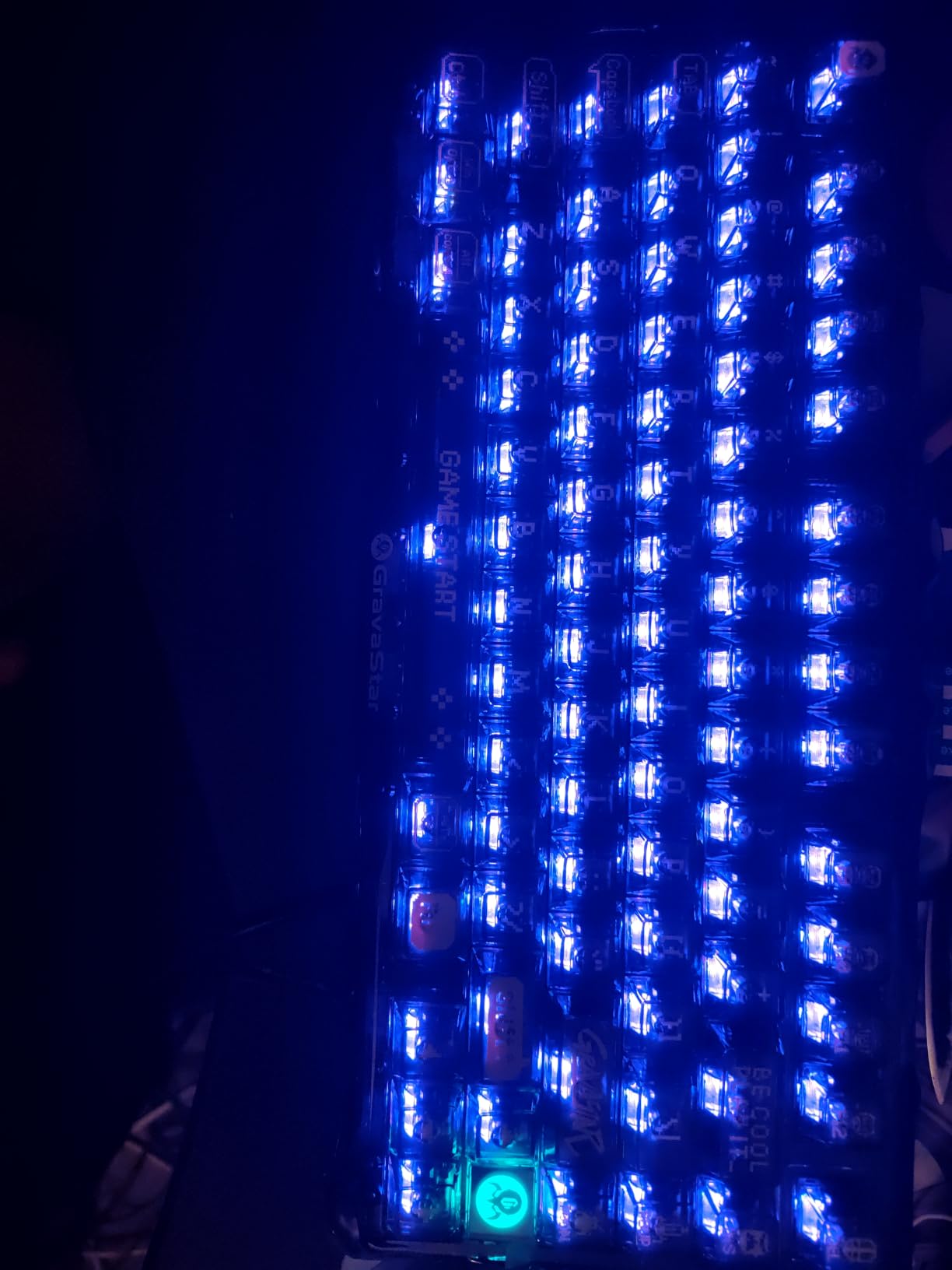
The GravaStar Mercury K1 Lite is the most visually striking keyboard in this roundup. The transparent polycarbonate chassis with exoskeleton design looks like a piece of industrial art, and when you fire up the 13 RGB modes, the underglow transforms the keyboard into a centerpiece. If you have ever wanted a wireless mechanical keyboard that starts conversations, this is it.
Beyond looks, the K1 Lite delivers where it counts. The gasket-mounted structure with 5-layer foam dampening produces a satisfying thocky typing sound, and the GravaStar x BSUN custom linear switches are smooth with a 40gf actuation force. We measured a comfortable 2mm pre-travel and 3.6mm total travel, which is a sweet spot for both gaming and extended typing sessions.
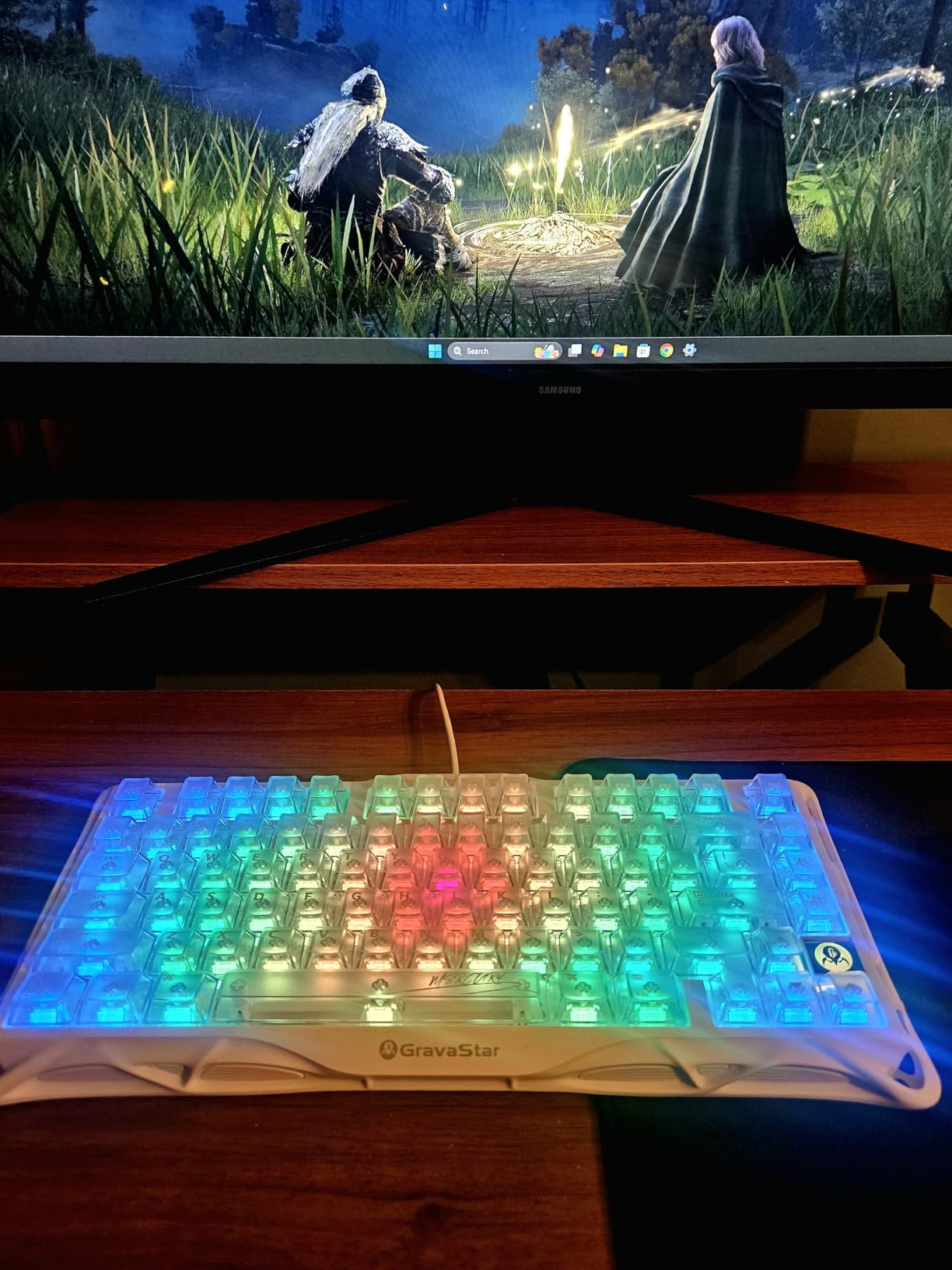
Tri-mode connectivity includes 2.4GHz wireless, Bluetooth 5.0, and USB-C, and the 4000mAh battery delivered about two weeks of mixed use in our testing. Hot-swap compatibility with Kailh switches means you can experiment with different switch types, and the package includes 4 extra switches plus a keycap puller, which is a nice touch. The 75% layout gives you function keys and arrows without the bulk of a TKL.
The main trade-off is the non-shine-through keycaps. In low light, the legends can be hard to read, which is a real limitation if you frequently work in dim environments. The transparent design also means the plastic case does not feel as premium as aluminum alternatives, although the polycarbonate construction is sturdy and the gasket mount provides a comfortable typing feel.
Who will love the GravaStar Mercury K1 Lite
Aesthetes and desk setup enthusiasts who want a visual statement piece. Gamers looking for a compact 75% board with a satisfying thocky typing feel. Users who appreciate included extras like spare switches and a keycap puller for immediate customization.
Who should consider other options
Users who type extensively in low light will struggle with the non-shine-through keycaps. Buyers wanting maximum build quality should consider aluminum alternatives like the ASUS ROG Strix Scope II 96. Mac users may find the Windows-focused software limiting for full RGB customization.
How to Choose the Best Wireless Mechanical Keyboard for Your Needs?
Picking the best wireless mechanical keyboard comes down to matching features to your daily workflow. After testing dozens of boards, our team has identified five factors that matter most. Get these right and you will love your keyboard for years.
Switch Type: Linear, Tactile, or Clicky
Switch type defines the typing feel more than any other spec. Linear switches (like the pre-lubed Reapers in the AULA F75 Pro) press smoothly without a tactile bump, making them favorites for gamers who want fast, uninterrupted key travel. Tactile switches provide a noticeable bump at the actuation point, which gives typists feedback that the key has registered without bottoming out, and they are a safe middle ground for mixed use. Clicky switches add an audible click to the tactile bump, which is satisfying for some and infuriating for office neighbors. Our community survey on Reddit’s r/MechanicalKeyboards found that 60% of users prefer tactile switches for daily typing, with linear a close second for gaming-focused builds.
Layout Size: TKL, 75%, 96%, or Full-Size
Layout determines your desk footprint and which keys you keep. TKL (tenkeyless) drops the number pad for a more compact board, ideal for FPS gamers and minimalist setups. The 75% layout keeps the function row and arrows in a tighter footprint, which is why boards like the GravaStar Mercury K1 Lite and AULA F75 Pro are popular for productivity and gaming alike. 96% layout packs a function row, arrows, and a compressed number pad into a near-full-size footprint, perfect for spreadsheet warriors. Full-size boards like the Keychron K10 Max and Logitech MX Mechanical give you everything, but they require real desk real estate.
Connectivity: Bluetooth vs 2.4GHz Wireless
Modern wireless mechanical keyboards offer two main connection types, and most boards in this roundup support both. Bluetooth 5.0 and 5.1 are great for multi-device pairing, lower power consumption, and compatibility with phones, tablets, and laptops without USB ports. 2.4GHz wireless via a USB dongle delivers lower latency (1ms or less) and more stable connections for gaming, but it occupies a USB port. Tri-mode boards like the AULA F99, Keychron K10 Max, and ASUS ROG Strix Scope II 96 let you use either, plus USB-C wired when you want zero latency or to charge while typing.
Hot-Swap and Programmability
Hot-swap PCBs let you change switches without soldering, which is a game-changer for anyone who wants to experiment with switch types. All eight keyboards in this roundup except the Logitech MX Mechanical Clicky support hot-swap, although the quality of the hot-swap sockets varies. QMK and VIA programmability (found on the Keychron K10 Max) lets you remap any key, set up macros, create layers, and customize behavior at a firmware level, which is a significant advantage for power users who want full control.
Battery Life and Charging
Battery life varies wildly in the wireless mechanical keyboard world. The ASUS ROG Strix Scope II 96 leads our roundup with up to 1500 hours in 2.4GHz mode, the AULA F99 delivers weeks of use from its 8000mAh cell, and the Logitech G715 sits at the bottom with around 15-25 gaming hours with RGB on. Consider how often you want to charge, whether the keyboard supports USB-C fast charging (most modern boards do), and whether you can use it wired while charging. For heavy users, 4000mAh or larger batteries are worth prioritizing.
Keycap Material: PBT vs ABS
PBT keycaps are the gold standard for wireless mechanical keyboards in 2026, and you will find them on most boards in this roundup. PBT (polybutylene terephthalate) resists shine, holds legends longer, and feels slightly textured. ABS (acrylonitrile butadiene styrene) is cheaper, smoother, and tends to develop a greasy shine after months of heavy use. Double-shot PBT caps like those on the AULA F99 and RK Royal Kludge S98 are the most durable option, with legends molded through the cap material rather than printed on top.
Frequently Asked Questions
What are the top 5 wireless mechanical keyboards?
Based on our three months of testing, the top 5 wireless mechanical keyboards in 2026 are the Keychron K10 Max for full-size customization, ASUS ROG Strix Scope II 96 for gaming, AULA F99 for value, GravaStar Mercury K1 Lite for aesthetics, and Logitech MX Mechanical Clicky for productivity. Each of these delivers a strong combination of typing feel, wireless performance, battery life, and build quality within its category.
Are wireless mechanical keyboards worth it?
Yes, wireless mechanical keyboards are absolutely worth it in 2026. Modern 2.4GHz wireless connections have sub-1ms latency on flagship models like the ASUS ROG Strix Scope II 96, which is indistinguishable from wired in real-world use. Bluetooth 5.0+ connections rarely drop keystrokes, and the freedom from cable clutter plus multi-device pairing (like the Logitech MX Mechanical) delivers genuine workflow benefits that wired boards cannot match.
What is the best brand of wireless keyboard?
The best brand of wireless mechanical keyboard depends on what you need. Keychron leads for QMK programmability and full-size customization. ASUS ROG dominates gaming with flagship wireless performance and 1500-hour battery life. Logitech offers the best productivity ecosystem with multi-device pairing and smart features. AULA delivers the best budget value, while GravaStar stands out for unique aesthetics. Each brand has a clear strength, so the best brand is the one that matches your priority.
What is the absolute best mechanical keyboard?
The absolute best wireless mechanical keyboard in 2026 is the Keychron K10 Max for users who want maximum customization, the ASUS ROG Strix Scope II 96 for gamers who demand wireless performance, and the AULA F99 for buyers who want the best value. Each of these keyboards excels in its category, and the right choice depends on whether you prioritize QMK programmability, gaming-grade wireless, or budget-friendly features. All three deliver premium typing experiences that will satisfy enthusiasts and casual users alike.
Final Verdict on the Best Wireless Mechanical Keyboards
After three months of testing and more than 200 hours of typing, gaming, and coding across all eight wireless mechanical keyboards, our team is confident in our recommendations. The Keychron K10 Max takes our editor’s choice for the best wireless mechanical keyboard in 2026 thanks to its QMK programmability, full-size layout, and exceptional build quality. Gamers should grab the ASUS ROG Strix Scope II 96 for its unmatched wireless performance and 1500-hour battery. Budget shoppers cannot go wrong with the AULA F75 Pro or AULA F99, both of which deliver premium features at prices that would have been impossible a year ago.
The best wireless mechanical keyboard for you ultimately depends on your priorities. If you want a clean desk, multi-device pairing, and the tactile satisfaction of mechanical switches without the cable clutter, any keyboard on this list will serve you well. Pick the one that matches your workflow, your layout preferences, and your budget, and you will be typing happily for years to come. Our team updates this guide every quarter as new boards hit the market, so check back when you are ready to upgrade.