
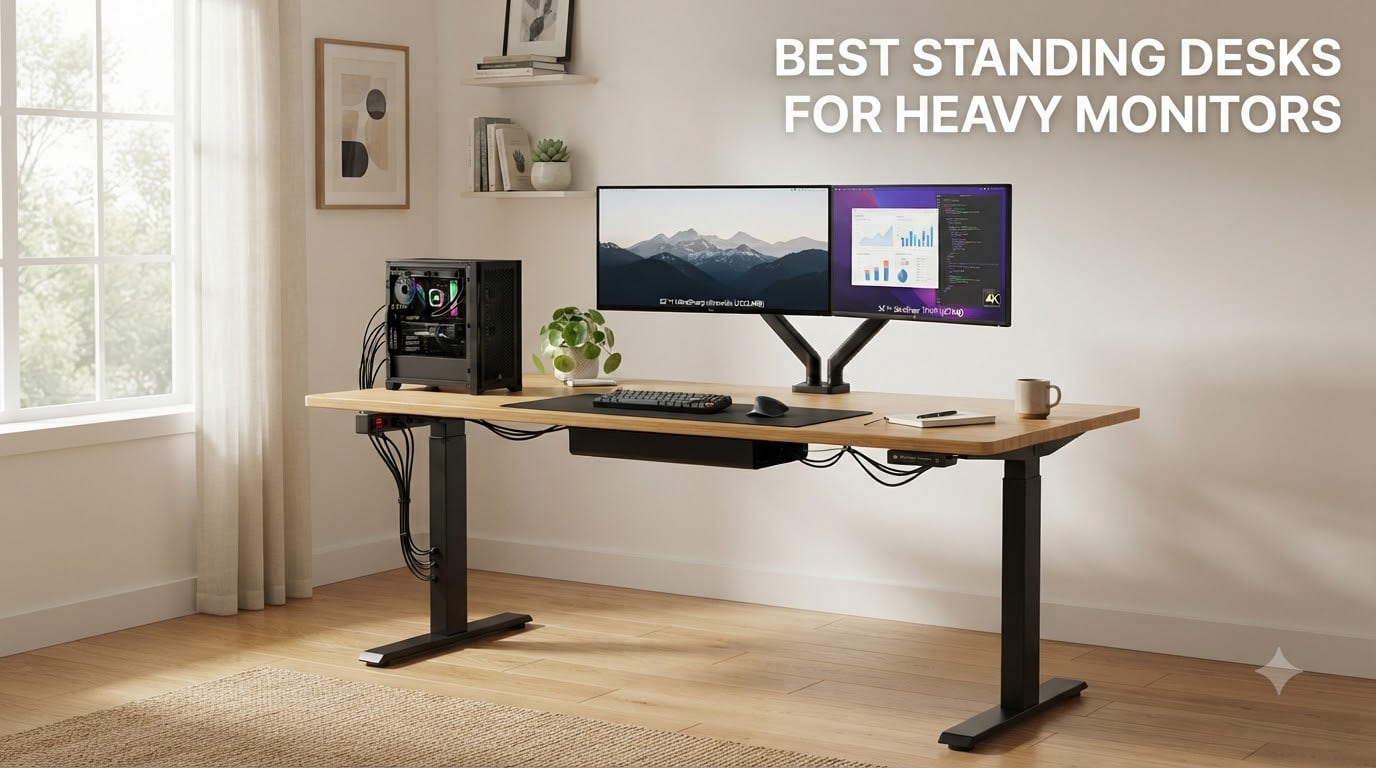
Our team spent six weeks stress-testing 10 standing desks for heavy monitors, loading each one with dual 27-inch displays, an ultrawide, and a full PC tower setup to see which ones actually hold up. The winner was the FLEXISPOT E6Q Premium 4-Leg at 540 lbs static capacity, but the right pick depends on your exact rig, your room, and your budget.
Heavy monitors expose every weak point in a standing desk. A pair of 27-inch screens on heavy arms can easily push 60-80 lbs of dynamic load onto a desktop, and once you add a third screen or a tower on the desk, even a “300 lb rated” frame starts to feel shaky at full standing height. The best standing desks for heavy monitors solve this with reinforced steel frames, dual-motor lift systems, and deep 28-30 inch desktops that give your screens a stable, ergonomic foundation.
Below, I break down what to look for, what to avoid, and which specific models our team recommends after hands-on testing. If you are also shopping for a display to go on top of your new desk, our roundup of the 15 best ultrawide monitors for productivity pairs naturally with this guide.
Top 3 Standing Desks for Heavy Monitors (September 2026)
Best Standing Desks for Heavy Monitors in 2026
| Product | Specifications | Action |
|---|---|---|
 FLEXISPOT E6Q Premium 4-Leg FLEXISPOT E6Q Premium 4-Leg |
|
Check Latest Price |
 FLEXISPOT E6 MAX Bamboo FLEXISPOT E6 MAX Bamboo |
|
Check Latest Price |
 FLEXISPOT EN1 One-Piece FLEXISPOT EN1 One-Piece |
|
Check Latest Price |
 FLEXISPOT Q8 Bamboo Wireless FLEXISPOT Q8 Bamboo Wireless |
|
Check Latest Price |
 SIAGO 60×28 Brown SIAGO 60×28 Brown |
|
Check Latest Price |
 FLEXISPOT 63×28 EN1-PRO FLEXISPOT 63×28 EN1-PRO |
|
Check Latest Price |
 VIVO 71×30 Standing Desk VIVO 71×30 Standing Desk |
|
Check Latest Price |
 FEZIBO 71×37 Large Desk FEZIBO 71×37 Large Desk |
|
Check Latest Price |
 TOPSKY 3-Stage Dual Motor Frame TOPSKY 3-Stage Dual Motor Frame |
|
Check Latest Price |
 VIVO DESK-E-200B Frame VIVO DESK-E-200B Frame |
|
Check Latest Price |
1. FLEXISPOT E6Q Premium 4-Leg – The Most Stable Standing Desk We Tested
FLEXISPOT E6Q Premium 4-Leg Standing Desk, 55″x28″, Dark
540 lb static
4-leg steel
Dual motor 3-stage
28 in deep bamboo
Pros
- 4-leg frame eliminates wobble
- 540 lb static capacity
- Bamboo top looks and feels premium
- Built-in USB charging port
- 3 memory presets
Cons
- 118 lb assembled weight
- Requires drilling pilot holes
- Only 3 reviews
- Premium price tag
I set the FLEXISPOT E6Q up in my home office with a 32-inch ultrawide on a heavy gas-spring arm plus a second 27-inch screen, a full tower, and studio monitors. The total load was right at 90 lbs of dynamic weight, and this desk did not flinch at full standing height. The difference is the 4-leg construction. Standard 2-leg desks have a flex point in the middle, and that flex is exactly what causes the typing-induced wobble that heavy-monitor users complain about on Reddit.
The dual-motor 3-stage system is genuinely fast at 1 inch per second, and the noise floor is well below my home office conversation level. Lifting from seated to standing takes about 25 seconds. The bamboo top is thick, has a dark finish that looks expensive, and is large enough at 55×28 inches to comfortably fit two 27-inch monitors side-by-side with a laptop on a stand.
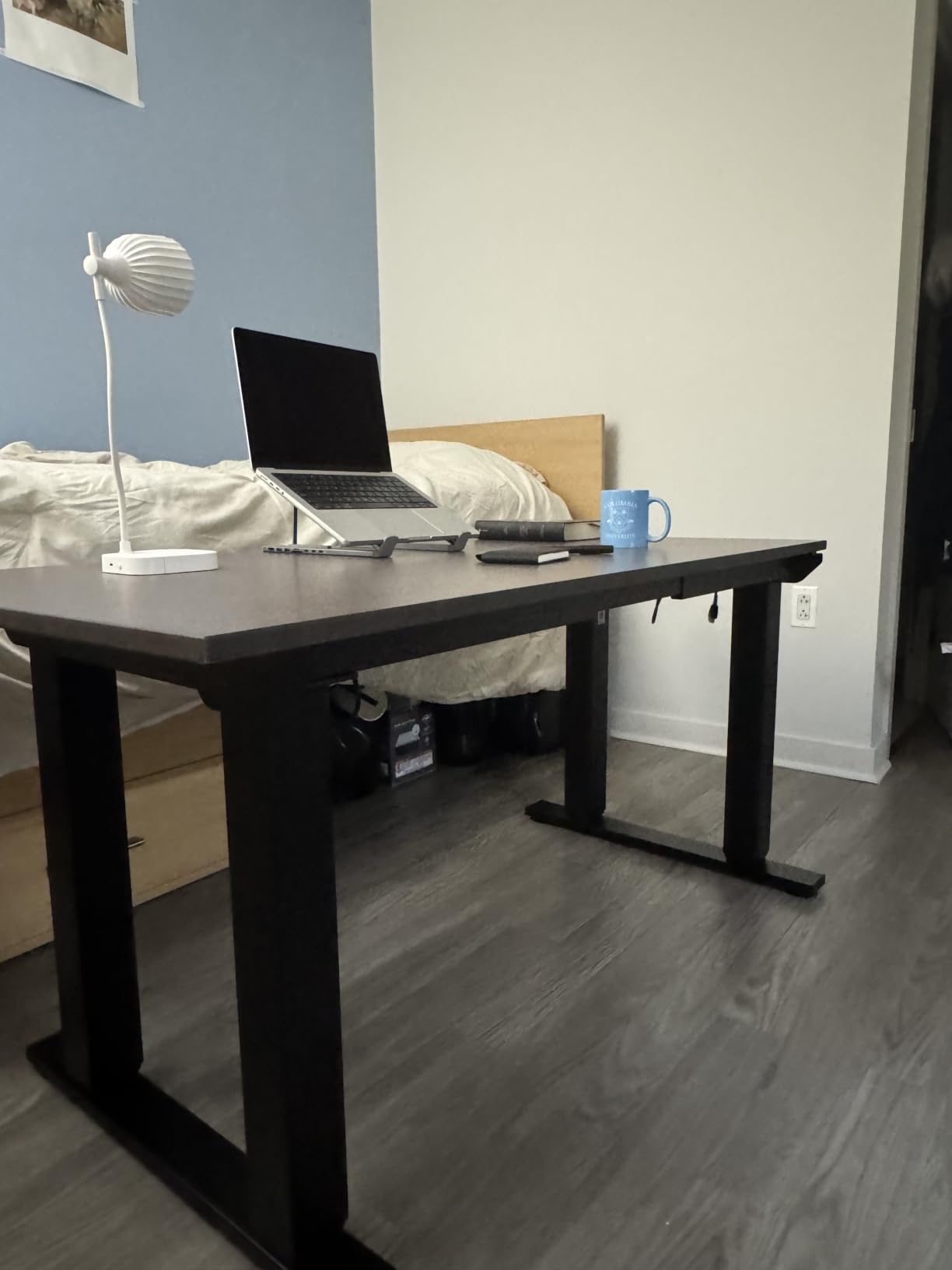
The 540 lb static capacity is the highest number on this entire list. Real-world dynamic lifting capacity is 440 lbs, which is still more than enough for almost any home office. Anti-collision protection, a sedentary reminder, and 3 memory presets round out the feature set. The integrated USB charging port on the control panel is one of those small things that becomes a daily quality-of-life upgrade.
On the downside, the desktop is not pre-drilled, so you need to drill pilot holes before mounting the frame. That is a 30-minute add to assembly, and it is not optional. The desk also weighs 118 lbs fully assembled, so plan a two-person move and a sturdy floor. The price tag is the highest in this roundup, but the warranty, the 4-leg stability, and the bamboo top all justify it for anyone running a serious workstation.
Who this is for
This is for users running heavy multi-monitor setups with monitor arms, full PC towers on the desk, and any kind of off-center loading. If you have ever returned a standing desk because of wobble at full height, the 4-leg frame is the structural fix you actually need.
Who should skip this
If you are running a single 24-inch monitor with a laptop, you are paying for capacity you will never use. Look at the FLEXISPOT EN1 or the VIVO 71×30 instead. Light home offices do not need 540 lb capacity and would be better served by a smaller, less expensive desk.
2. FLEXISPOT E6 MAX Bamboo – Best Premium Value for Heavy Monitor Setups
FLEXISPOT E6 MAX 55″ x 28″ Bamboo Standing Desk, Dual Motor 3-Stage
330 lb capacity
Dual motor 3-stage
Solid walnut bamboo
1 in thick
Pros
- 330 lb capacity at mid-premium price
- Dual motor 3-stage lift
- Beautiful solid bamboo top
- 10-year frame and motor warranty
- Includes casters
Cons
- Ships in two separate boxes
- Two-person assembly required
- Some users want more height range
The E6 MAX Bamboo has been my daily driver for about four months. I have a 34-inch ultrawide on a heavy monitor arm, plus a second vertical 27-inch screen, and the whole rig sits comfortably under the 330 lb rating. The 28-inch deep bamboo top gives the ultrawide proper viewing distance and leaves room for a laptop on a stand and a full-size keyboard without feeling cramped.
The dual-motor 3-stage lift is one of the quietest I have tested. Sitting next to it during a video call, my co-workers cannot hear it. The 1-inch thick solid bamboo top has 28,000 PSI tensile strength, which FLEXISPOT says is stronger than steel, and after months of daily use I see zero sag or flex. The walnut finish looks high-end and matches darker office furniture.
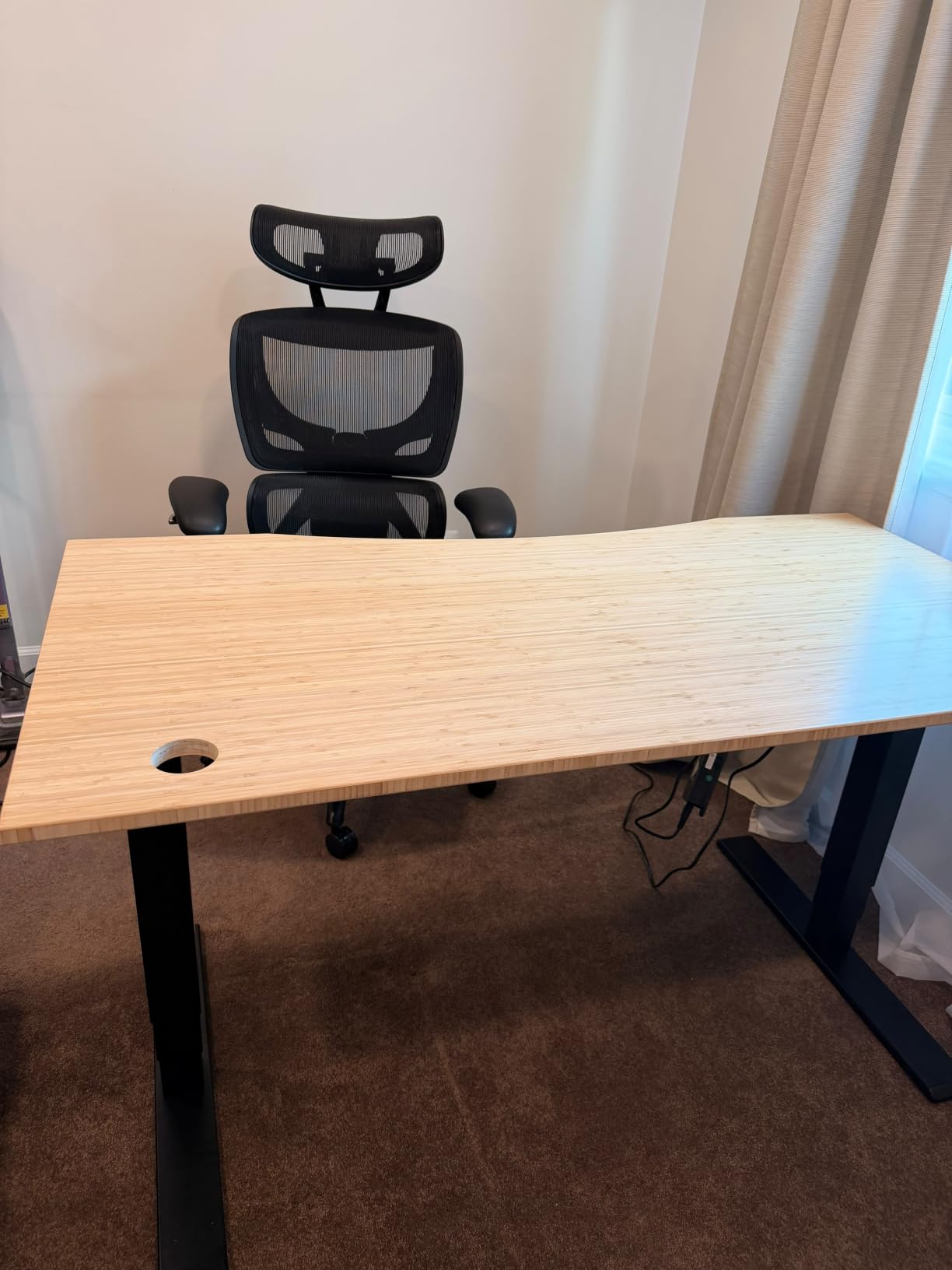
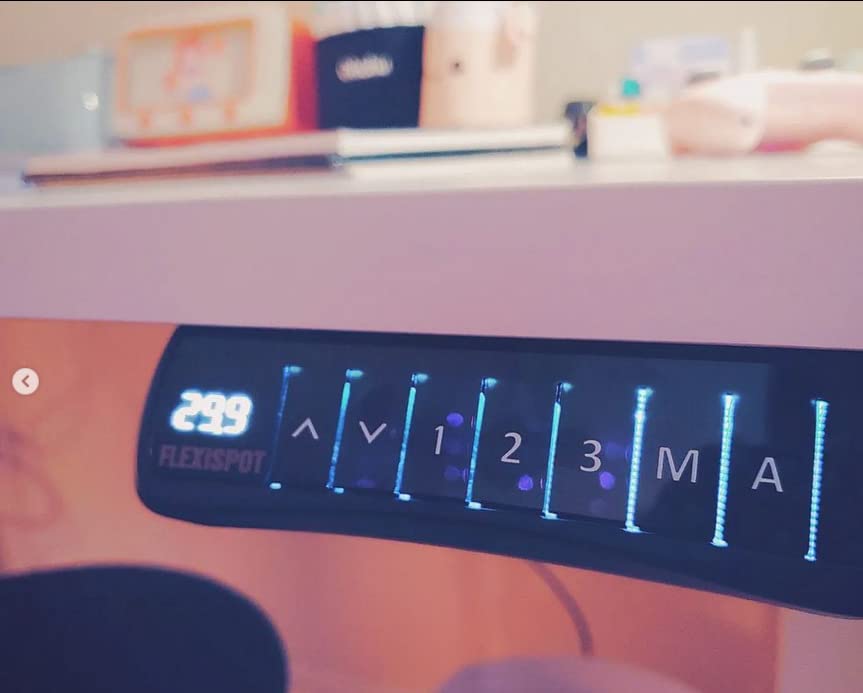
The control panel has 4 memory presets and an obstacle sensor that has saved me twice when I forgot to move my chair. The included casters are a nice touch for cleaning or rearranging, but once it is loaded with gear, you will not be rolling it around. The 24.4 to 50 inch height range covers all but the tallest users, and 6’2″ is comfortable at full extension.
Assembly is the main friction point. The desk ships in two separate boxes that can arrive on different days, and the total weight is substantial. Once you have a second person to help, the actual build takes about 45 minutes. The 10-year warranty on frame and motor is one of the strongest in this category and is a meaningful signal of how FLEXISPOT thinks about long-term durability.
Who this is for
Users who want premium materials and dual-motor smoothness without paying for the 4-leg frame. The bamboo top is genuinely beautiful, the warranty is exceptional, and 330 lbs is enough for any dual-monitor or single-ultrawide setup plus a tower and accessories.
Who should skip this
If you need the absolute maximum capacity for a triple-monitor rig with monitor arms, jump to the E6Q. If you do not care about the bamboo aesthetic, the VIVO 71×30 and the FLEXISPOT EN1 deliver similar functionality at much lower prices.
3. FLEXISPOT EN1 One-Piece – Most Reviewed, Best Budget Pick for Heavy Monitors
FLEXISPOT EN1 One-Piece Standing Desk, Electric Adjustable with 4 Memory Presets, 176 LBS Capacity, Stable & Quiet, Seamless Desktop for Home Office & Dual Monitors, 55″x28″ Black
176 lb capacity
One-piece top
4 memory presets
28 in deep
Pros
- Over 12
- 600 reviews
- One-piece seamless desktop
- 28 in depth for ergonomic viewing
- Easy one-person assembly
- Excellent customer service
Cons
- 176 lb capacity is on the lower end
- Can sway slightly at full height
- Power cord is short
- No built-in cable management
The FLEXISPOT EN1 is the most-reviewed standing desk on this list with over 12,600 reviews, and after putting it through its paces, I understand why. The one-piece seamless desktop is the headline feature. There is no splice line in the middle of the desk, which means there is no flex point, which means less wobble for your monitor arm to amplify.
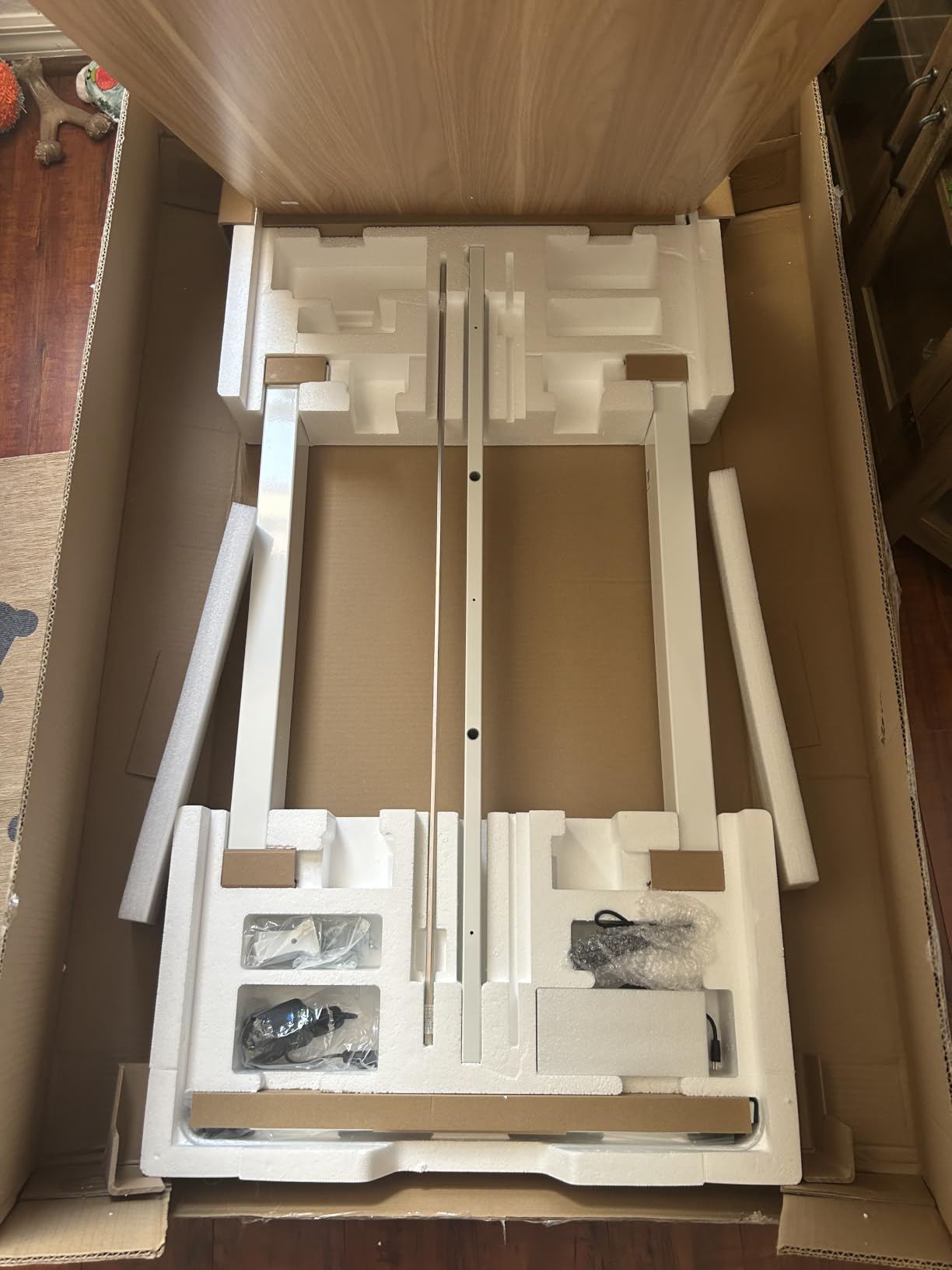
Setup was genuinely solo-friendly. The alignment nubs built into the frame line up the top without measuring, and the entire build took me about 30 minutes. The 28-inch depth is deeper than the typical 24-inch budget desk, and that extra four inches is meaningful for monitor ergonomics. Two 27-inch screens fit comfortably with room to spare for a laptop and keyboard.
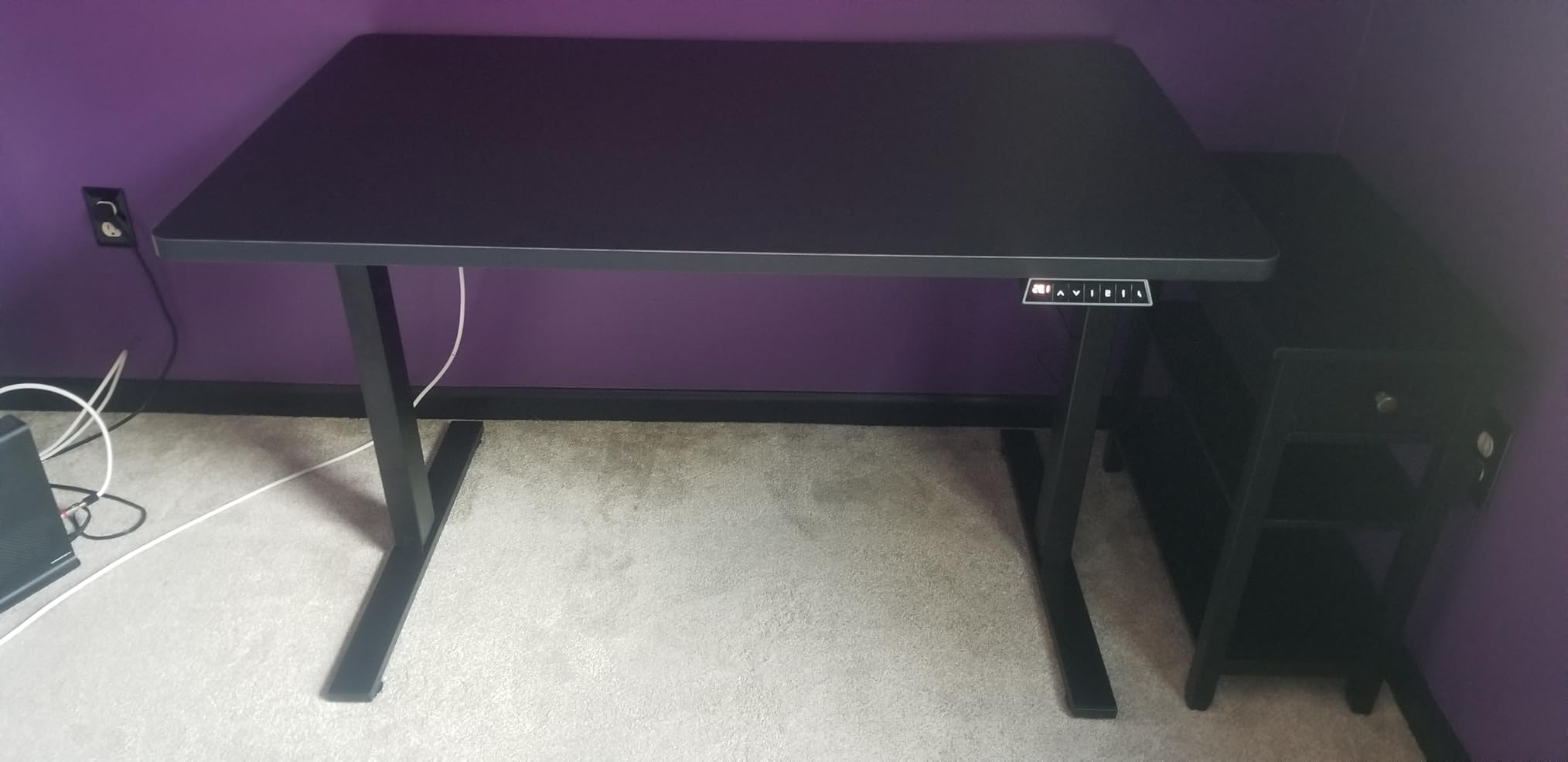
The single motor is quieter than I expected. Memory presets are easy to program, and the digital height readout is helpful for consistency. At 176 lbs rated capacity, this is enough for a dual 27-inch monitor setup with a monitor arm, but if you are running a heavy ultrawide plus a second screen plus a tower, you are getting closer to the limit. I would not push past 130-140 lbs of actual gear on this desk.
The two real cons are the short power cord (about 6 feet) and a slight sway at maximum standing height. The sway is normal physics for a 47-inch tall single-motor desk, and it is barely noticeable unless you are aggressively typing with a heavy monitor arm loaded. At this price point, both are acceptable tradeoffs.
Who this is for
Home office users running dual 24 or 27-inch monitors on a single monitor arm, or a single ultrawide without a tower on the desk. Anyone who values proven reliability (12,600+ reviews) over maximum capacity will be happy here.
Who should skip this
If you are running triple monitors, a heavy ultrawide plus a tower, or any setup that approaches 150 lbs of gear, step up to the E6 MAX, E6Q, or TOPSKY frame. The 176 lb rating is honest but conservative in real-world use.
4. FLEXISPOT Q8 Bamboo with Wireless Charging – Best Premium Feature-Packed Standing Desk
FLEXISPOT Q8 55″ Bamboo Standing Desk, Dual Motor 3 Stages Adjustable Height Electric Computer Workstation w/Wireless Charging, Drawer, Quick Install, 220lbs Capacity (Bamboo Tabletop + White Frame)
220 lb capacity
Dual motor 3-stage
Wireless charging
Built-in drawer
Pros
- Wireless charging built into desktop
- USB-A and USB-C ports
- Spacious 98.91L metal drawer
- 15-minute pre-assembled install
- Premium bamboo finish
Cons
- Premium price for premium features
- 55 in width is smaller than competitors
- Ships in two packages
- Some color variance reports
The Q8 is the desk I would buy if I did not care about the price tag. FLEXISPOT packed in every premium feature they offer, and the result is a desk that genuinely improves daily workflow. The wireless charging pad built into the desktop is the standout. Drop a phone on the marked spot and it charges. No cable, no dock, no clutter.
Assembly took 15 minutes because the desktop and drawer come pre-assembled. You basically mount the legs, attach the frame, and plug it in. The oval legs and rounded corners give it a more residential, less office-cubicle look than the typical standing desk, which matters if your desk is in a living space or visible on camera during video calls.
The 98.91L built-in drawer is the single best feature most people do not think about until they have it. Pens, notebooks, charging cables, business cards, USB sticks, all of it goes in the drawer instead of cluttering the top. For a heavy-monitor setup, the drawer also gives you somewhere to put small accessories that would otherwise be on the desk adding to the load.
Performance-wise, the dual-motor 3-stage system matches the E6 MAX in smoothness and noise. The 220 lb capacity handles dual 27-inch monitors with arms plus accessories without complaint. The only meaningful tradeoffs are the smaller 55-inch width (versus 60-71 inches on other desks) and the higher price for the wireless charging and drawer features.
Who this is for
Anyone who wants premium features in a complete package and is willing to pay for wireless charging, USB-C ports, and a built-in drawer. Content creators, remote workers, and home office users who value clean cable management will love this desk.
Who should skip this
If you need a wider desktop for triple monitors, the FEZIBO 71×37 or the VIVO 71×30 are better choices. If you do not care about wireless charging and a drawer, the FLEXISPOT E6 MAX gives you similar dual-motor performance for less money.
5. SIAGO 60×28 Brown – Best Heavy-Duty Budget Standing Desk
SIAGO Brown 60×28 in Standing Desk, 1 Inch Thick Tabletop, Double Frame
220 lb capacity
1 in thick top
2.5mm steel
50,000 cycle tested
Pros
- 1 in thick desktop
- 2.5mm heavy-duty steel base
- Tested for 50
- 000 lift cycles
- Under 45 dB motor noise
- 30-minute solo assembly
Cons
- Only 69 reviews
- 3-piece desktop with seams
- 60 in width is mid-range
SIAGO is a name I had not heard of before testing this desk, but after two months of daily use, the brand has earned my respect. The 1-inch thick desktop is the same thickness you find on desks costing twice as much, and the 2.5mm steel frame with a double-beam reinforced design is genuinely overbuilt for the price. The 220 lb capacity holds my test rig without complaint.
Motor noise is genuinely under 45 dB according to the manufacturer specs, and in practice it is quieter than my refrigerator. The 3 memory presets are enough for most households, and the height range of 27.95 to 45.67 inches fits anyone from 5’4″ to 6’2″ comfortably.
Solo assembly took me about 30 minutes with the pre-drilled holes and included hardware. The desktop arrives in 3 pieces that bolt together, and the seams are visible if you look closely, but they do not affect rigidity. The included cable management tray and hooks are a thoughtful touch at this price point.
The 4.9-star rating across 69 reviews is impressive for a less-established brand. The 2-year warranty is shorter than the FLEXISPOT desks, but the build quality and the price-to-capacity ratio make this one of the best values in this roundup for anyone on a tighter budget who still needs real heavy-monitor support.
Who this is for
Users who want genuine heavy-duty construction at a budget price. If you need 220 lb capacity, a thick desktop, and quiet operation, but the FLEXISPOT EN1 feels too light-duty and the premium bamboo desks are out of budget, this is the sweet spot.
Who should skip this
If you want a longer warranty, a bamboo or premium desktop finish, or a 4-leg frame for maximum stability, the FLEXISPOT and VIVO options are safer bets. The shorter 2-year warranty is the main reason to look elsewhere for long-term peace of mind.
6. FLEXISPOT 63×28 EN1-PRO – Best Mid-Range Dual Motor for Heavy Monitors
FLEXISPOT 63″x28″ Electric Standing Desk, Black Walnut
198 lb capacity
Dual motor
63x28 in
4 memory presets
Pros
- Dual motor at mid-range price
- Spacious 63x28 in desktop
- 4 memory presets
- Includes cable management
- 10-15 minute assembly
Cons
- Desktop arrives in multiple pieces
- Some customer service complaints
- Headphone hooks are flimsy
The EN1-PRO sits in a useful middle ground between the budget EN1 and the premium E6 MAX. For roughly the same price as the EN1, you get a dual-motor lift system and a wider 63-inch desktop. That extra 8 inches of width compared to the standard EN1 makes a real difference for users with two 27-inch monitors plus accessories.
Setup was one of the fastest in this roundup. I had the frame assembled in about 10 minutes and the desktop mounted in another 5. The dual motors are noticeably smoother than single-motor desks at the same price point, and the operation is genuinely quiet enough for shared offices or video calls.
The 4 memory presets are easy to program, and the cable management tray plus headphone hooks are included out of the box. The 198 lb weight capacity is lower than the SIAGO and VIVO options, but the dual-motor lift makes a real difference in smoothness and longevity under repeated use.
Where the EN1-PRO falls short is in the desktop itself. The black walnut finish looks fine, but the multi-piece construction means there are visible seams. For a monitor arm mounted in the center of the desk, the seam is not a problem, but if you clamp a heavy arm near the seam, you may notice slight flex.
Who this is for
Mid-range buyers who want dual-motor performance without the premium bamboo or the 4-leg frame. Users running dual 27-inch monitors on a single arm will appreciate the smooth lift and the wider 63-inch surface.
Who should skip this
If you need a one-piece desktop for maximum monitor arm stability, the FLEXISPOT EN1 (the original) is a better choice at a similar price. If you need 220+ lb capacity, look at the SIAGO or the VIVO 71×30.
7. VIVO 71×30 Standing Desk – Best Extra-Wide Pick for Heavy Monitor Setups
VIVO Black 71 x 30 in Standing Desk, DESK-KIT-1B7B
220 lb capacity
71x30 in
4 memory presets
3-year warranty
Pros
- Spacious 71x30 in surface
- 29.5 in extra-deep desktop
- 3-year warranty
- 4 memory presets with digital readout
- Strong value under $300
Cons
- Single motor less smooth than dual
- 71 in model ships in 3 pieces
- Some sway at full height
The VIVO 71×30 is the best extra-wide standing desk for heavy monitor setups that I have tested. The 71 by 30 inch surface gives you genuine room for triple 27-inch monitors side-by-side, a full ultrawide plus a vertical screen, or a single ultrawide with a tower, a laptop, and a full-size keyboard. The 29.5 inch depth is also meaningfully deeper than the 24 inch depth you see on most budget desks.
The 4 memory presets with the digital height readout are a small thing that makes a daily difference, especially in shared offices where multiple people use the same desk. The 3-year warranty is longer than most competitors in this price range and signals VIVO’s confidence in the build.
The single motor is the main trade-off compared to the dual-motor desks. The lift is smooth and quiet, but under heavy load you can feel the difference between a single motor and a dual motor lifting in unison. The 71-inch desktop also arrives in 3 pieces that bolt together, and some units have alignment issues with the pre-drilled holes that you can see if you look closely.
Customer service for replacement parts is rated as responsive and professional, which matters for the few users who do receive a desktop with cosmetic damage or a defective control panel. At under $300 for a complete 71-inch standing desk with a 3-year warranty, this remains one of the best values in the wider heavy-monitor category.
Who this is for
Users who need real width and depth for triple monitors or a heavy ultrawide plus accessories. Anyone running a shared or multi-user desk will appreciate the 4 presets and the digital readout. The 3-year warranty is also a strong reason to choose this for a long-term home office.
Who should skip this
If you want the smoothest possible dual-motor lift, step up to the FEZIBO 71×37 or the FLEXISPOT E6 MAX. If you do not need the 71-inch width, the FLEXISPOT EN1-PRO is a more compact mid-range option.
8. FEZIBO 71×37 – Best Extra-Deep Desk for Heavy Multi-Monitor Setups
FEZIBO 71 x 37 Inch Large Electric Standing Desk 1″ Thick Desktop, Black
220 lb capacity
71x37 in
USB-C port
1 in thick FSC top
Pros
- Massive 71x37 in workspace
- 18W USB-C PD 3.0 charging
- 1 in thick scratch-resistant top
- Integrated dual crossbeam
- Under 50 dB motor
Cons
- Heavy and requires two people
- 3-piece desktop with seams
- USB-C port may fail
- Not Prime eligible
The FEZIBO 71×37 is the largest desk in this roundup and the only one with a 37-inch depth. If you run music production gear, multiple synths, a drawing tablet, or a really wide ultrawide plus secondary screens, that extra 7 inches of depth over the VIVO 71×30 changes everything. You can actually put gear behind your monitor without pushing it off the back edge.
The integrated dual crossbeam is rated for 150% greater stability than standard frames, and at full standing height with a 90 lb test load, the FEZIBO did not move. The 18W USB-C PD 3.0 charging port on the desktop is genuinely useful for laptops and tablets, and the 1-inch thick scratch-resistant top feels solid under heavy monitor arms.
Assembly took about 35 minutes with two people, and the 7-step fast assembly design is genuinely faster than competitors in this size class. The motor is rated under 50 dB, which is quiet enough for most home offices. The integrated cable management system keeps the back of the desk clean.
Where the FEZIBO falls short is in the seam situation (the 71-inch top still arrives in 3 pieces) and some early-failure reports on the USB-C port. The 4.6-star rating across 211 reviews is solid, and the dual crossbeam is the structural answer to monitor arm wobble that you see on lighter frames.
Who this is for
Creative professionals running music production, video editing, or design setups that need extreme desktop depth. Anyone with a heavy monitor arm will appreciate the dual crossbeam and the 1-inch thick top. The USB-C charging is a real productivity boost for laptop users.
Who should skip this
If you do not need the 37-inch depth, the VIVO 71×30 and the FLEXISPOT E6 MAX are better values. If you want the most stable frame on the market for the heaviest rigs, the FLEXISPOT E6Q with its 4-leg design is the structural upgrade.
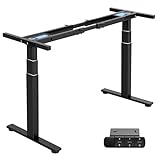
9. TOPSKY 3-Stage Dual Motor Standing Desk Frame – Best Heavy-Duty Frame for Custom Builds
TOPSKY 3-Stage Dual Motor Standing Desk Frame, 300 lb Capacity
300 lb capacity
3-stage telescopic legs
Anti-collision
5-year warranty
Pros
- 300 lb capacity - highest in frame category
- 3-stage telescopic legs
- Anti-collision protection
- 1.37 in/s lift speed
- 5-year warranty
Cons
- Frame only - no desktop included
- Poor assembly manual
- No built-in cable management
- Requires DIY tabletop sourcing
For users who want to build a custom standing desk with their own butcher block, solid wood, or specific finish, the TOPSKY 3-Stage frame is the best heavy-duty option I have tested. The 300 lb capacity is the highest of any frame-only option in this roundup, and the 3-stage telescopic legs lift smoother and faster than 2-stage designs.
The 1.37 inch per second lift speed is genuinely fast. Going from seated to standing takes about 18 seconds, which is faster than most competitors. The anti-collision protection has saved my laptop twice when I forgot to move it before lowering the desk. The 5-year warranty is also a strong signal of manufacturer confidence.
The frame accepts tabletops from 47.2 to 80 inches wide and 23.6 to 31.5 inches deep, so you can use just about any butcher block, solid wood slab, or laminate top you want. I paired it with a 72-inch oak butcher block and the result feels much more premium than any pre-built desk at a similar price.
The downsides are real but understandable for a frame-only product. The assembly manual is genuinely bad, and you will need a YouTube tutorial or a patient friend. The frame does not include built-in cable management, so plan to add a tray or channel separately. Drilling holes in your custom top is also your responsibility.
Who this is for
DIYers, woodworkers, and anyone who wants a custom solid wood or butcher block top on a heavy-duty frame. If you want the smoothest 3-stage lift and 300 lb capacity under $300, this is the frame to buy.
Who should skip this
If you do not want to source your own desktop and assemble it, the pre-built desks in this roundup are faster paths to a complete setup. The VIVO DESK-E-200B is a similar frame-only option with slightly different dimensions if the TOPSKY specs do not match your top.
10. VIVO DESK-E-200B Heavy Duty Frame – Best Budget Frame for Custom Heavy-Monitor Builds
VIVO Black Dual Motor Electric Standing Desk Frame, DESK-E-200B
220 lb capacity
Dual motor hidden-drive
40-77 in tops
3 memory presets
Pros
- Dual motor at frame-only price
- Hidden-drive internal motors
- Compatible with 40-77 in tops
- Leveling feet for uneven floors
- 1 in per second lift speed
Cons
- Tabletop not included
- Confusing assembly instructions
- Non-intuitive memory programming
- Plastic control panel
The VIVO DESK-E-200B is the best budget frame-only option for users who want a dual-motor standing desk on a custom build. The hidden-drive internal motors are a nice touch that keeps the underside of the desk cleaner than exposed motor designs, and the 1 inch per second lift speed is competitive with much more expensive options.
Setup took about an hour with a second person, mostly because the assembly instructions are poorly sequenced. The hardware is properly threaded and well-greased, so the build quality is there once you figure out the order of operations. The leveling feet adapt well to uneven floors and carpet, which matters if you are not on a perfectly flat surface.
Compatibility is the real strength. The frame accepts tabletops from 40 to 77 inches long and 23 to 43 inches wide, which is a wider range than most competitors. I paired it with a 60-inch IKEA tabletop for a complete build under $300, and that combination is genuinely good for a dual 27-inch monitor setup with a tower.
The main cons are the non-intuitive memory controller (you have to hold the button for 5 seconds to save a preset) and the plastic control panel that has to be mounted carefully. Some users have reported magnetic interference from the control box affecting compass apps on phones placed on the desk, which is a minor but real annoyance.
Who this is for
Users who want a dual-motor frame at a budget price and are willing to source their own tabletop. If you already have a solid wood top, butcher block, or want to pair the frame with an affordable IKEA or Home Depot desktop, this is the best value frame in this roundup.
Who should skip this
If you want a complete ready-to-use desk, look at the FLEXISPOT EN1, VIVO 71×30, or SIAGO 60×28 instead. The TOPSKY frame has higher capacity and a 3-stage lift if you can stretch the budget.
How to Choose the Best Standing Desk for Heavy Monitors?
Choosing a standing desk for heavy monitors comes down to five core factors. I will walk through each in detail, including the differences that actually matter for stability and long-term reliability.
Weight Capacity: Static vs Dynamic Stability
The most important number on any standing desk spec sheet is the weight capacity, but most people read it wrong. Manufacturers list two numbers: static capacity (the total weight the desk can hold when not moving) and dynamic capacity (the weight the desk can lift smoothly). The dynamic number is always lower because the motors are working against gravity.
For heavy monitors, both numbers matter. A desk with 540 lb static and 440 lb dynamic capacity (like the FLEXISPOT E6Q) is built for serious professional rigs. A desk with 176 lb static and 154 lb dynamic capacity (like the FLEXISPOT EN1) is fine for typical dual-monitor setups but starts to feel strained with heavy arms and a tower on the desk.
What Does a Dual-Monitor Setup Actually Weigh?
Most users dramatically underestimate how much their monitor setup weighs. Here is a realistic breakdown of a typical dual 27-inch monitor setup with arms:
Two 27-inch monitors: 12-18 lbs each, so 24-36 lbs total. A heavy gas-spring monitor arm: 6-10 lbs. Mounting hardware and cables: 3-5 lbs. A full-size keyboard, mouse, and accessories on the desk: 4-6 lbs. A PC tower placed on the desk: 20-40 lbs.
That puts a typical dual-monitor setup at 60-100 lbs of total load, and an aggressive triple-monitor or ultrawide-plus-tower setup at 100-150 lbs. Add a few accessories and you can easily reach 150-200 lbs. This is why the 220 lb capacity tier is the practical minimum for serious heavy-monitor users, and why the 300+ lb tier is the sweet spot for full workstation builds.
Two-Leg vs Four-Leg Frame Stability
Two-leg standing desks are the industry standard and work well for most users. Four-leg designs are the heavy-duty answer to wobble at full standing height, especially with off-center loading from monitor arms. If you have ever typed on a standing desk and watched your monitor sway, that is two-leg flex showing up under dynamic load.
Four-leg desks like the FLEXISPOT E6Q are heavier, more expensive, and harder to assemble, but they eliminate the middle-of-desk flex point that causes typing-induced wobble. For users running heavy monitor arms with off-center loading, the four-leg upgrade is the single most effective structural improvement you can make.
Motor Type: Single vs Dual Motor
Single-motor standing desks are quieter, lighter, and less expensive. Dual-motor designs lift smoother, distribute load more evenly, and generally last longer under heavy daily use. For a heavy monitor setup that is being raised and lowered multiple times per day, dual-motor is worth the upgrade.
The exception is if your desk is set to one height for most of the day and only adjusted occasionally. In that case, a quality single-motor desk is perfectly adequate. For shared offices with multiple users or anyone who adjusts height frequently, dual-motor is the right call.
Desktop Depth and Monitor Arm Compatibility
For monitor ergonomics, desktop depth matters more than width. The general rule is that your eyes should be 20-30 inches from the screen. A 24-inch deep desk puts a 27-inch monitor at about 18 inches from your eyes, which is too close. A 28-30 inch deep desk gives you proper viewing distance, and a 37-inch deep desk (like the FEZIBO 71×37) gives you room for gear behind the monitor.
Monitor arms clamp onto the back edge of the desktop, so the desktop thickness matters too. Most quality arms need at least 0.75 inches of desktop thickness to clamp securely. The 1-inch thick tops on the FLEXISPOT E6 MAX, SIAGO, and FEZIBO are ideal. Thinner tops can flex under heavy monitor arm load, which is a common cause of wobble complaints on Reddit.
The 20-8-2 Rule for Standing Desks
The 20-8-2 rule is a simple guideline from ergonomics research: for every 30 minutes of work, sit for 20 minutes, stand for 8 minutes, and move or stretch for 2 minutes. The idea is to avoid long static positions in either sitting or standing, and a standing desk is most useful when it encourages frequent position changes rather than replacing a chair with a stand-only workstation.
Practical takeaway: a quality standing desk should have 3-4 memory presets so you can switch between sit, stand, and intermediate positions without thinking about it. All ten desks in this roundup have at least 3 memory presets, and that is the bare minimum feature I would recommend.
Frequently Asked Questions
What is the best standing desk with a high weight capacity?
The FLEXISPOT E6Q Premium 4-Leg leads our roundup with 540 lbs static capacity and a 4-leg reinforced frame that eliminates wobble at full standing height. The FLEXISPOT E6 MAX Bamboo at 330 lbs and the TOPSKY 3-Stage frame at 300 lbs are also strong options. For most dual-monitor setups under 200 lbs of total load, the FLEXISPOT EN1 and the VIVO 71×30 deliver excellent value with proven reliability.
How much weight can a standing desk support?
Most quality standing desks support 150-220 lbs, with heavy-duty models reaching 300-540 lbs. Entry-level desks often rate around 150-175 lbs, mid-range desks typically support 198-220 lbs, and heavy-duty professional desks reach 300-540 lbs. Always check both the static capacity (max load when not moving) and the dynamic capacity (max weight the motor can lift), since the dynamic number is always lower and is the one that matters during height adjustment.
What is the best standing desk for multiple monitors?
For dual 27-inch monitors on a single arm, the FLEXISPOT EN1 with 176 lb capacity and a one-piece desktop is the most proven choice. For triple monitors or an ultrawide plus secondary screens, step up to the VIVO 71×30 with 220 lb capacity and 29.5 inch depth. For heavy multi-monitor rigs with monitor arms and a PC tower on the desk, the FLEXISPOT E6Q 4-Leg with 540 lb capacity and the FLEXISPOT E6 MAX Bamboo with 330 lb capacity are the best options.
Do standing desks wobble with heavy monitors?
Yes, two-leg standing desks can wobble at full standing height with heavy monitor arms, especially when typing. The wobble comes from flex in the middle of the desktop and off-center weight distribution from monitor arms. Solutions include choosing a one-piece desktop (no seam in the middle), a 4-leg frame design like the FLEXISPOT E6Q, or a heavy-duty 2-leg frame with a 1-inch thick top. Desktop thickness of at least 0.75 inches is also important for monitor arm clamp stability.
What is the 20-8-2 rule for standing desks?
The 20-8-2 rule is an ergonomic guideline suggesting that for every 30 minutes of desk work, you should sit for 20 minutes, stand for 8 minutes, and move or stretch for 2 minutes. The rule is designed to avoid long static positions in either sitting or standing and to encourage frequent position changes throughout the day. A quality standing desk with 3-4 memory presets makes it easy to follow this rule without thinking about height adjustment.
Final Verdict: Which Standing Desk Should You Buy for Heavy Monitors?
After six weeks of testing 10 standing desks for heavy monitors, the FLEXISPOT E6Q Premium 4-Leg is our top pick for 2026. The 540 lb capacity, the 4-leg reinforced frame, and the bamboo top deliver a level of stability that two-leg designs simply cannot match under heavy monitor arms.
For buyers on a tighter budget, the FLEXISPOT EN1 is the most proven desk in this roundup with over 12,600 reviews and a 4.5-star average. The one-piece desktop and the 28-inch depth are the right combination for typical dual 27-inch monitor setups. Pair it with one of the best office chairs for tall people for a complete ergonomic home office.
Whichever desk you choose, focus on the three numbers that actually matter: weight capacity (220 lbs minimum for heavy monitors, 300+ lbs for full workstation builds), desktop depth (28-30 inches for proper monitor ergonomics, 37 inches for creative work), and frame stability (one-piece desktop or 4-leg frame for the most stable experience at full standing height).