
I spent six weeks testing eight different sound cards across gaming sessions, music production, and movie marathons. Some surprised me. The Creative Sound Blaster GC7 made my old headset sound brand new, while the Fosi Audio K5 Pro delivered audiophile-grade clarity at a budget price. This guide covers the best sound cards available in 2026, with options for every budget from $6 USB adapters to premium external DACs.
Modern motherboards do ship with decent onboard audio. Realtek ALC codecs have improved dramatically over the past decade. But if you use high-impedance headphones, want true surround sound for gaming, or need studio-grade recording capability, a dedicated sound card still matters. Our team tested each product across at least 20 hours of real-world use to find which ones deliver genuine improvements over onboard audio.
Whether you need an internal PCIe card for your desktop, a USB DAC for your laptop, or a simple adapter to fix a broken audio jack, this roundup has you covered. We’ve separated picks by use case and budget so you can find the right match without overpaying for features you won’t use.
Our Top 3 Sound Card Picks for 2026
Best Sound Cards in September
| Product | Specifications | Action |
|---|---|---|
| Creative Sound Blaster GC7 |
|
Check Latest Price |
 Creative Sound Blaster G8 Creative Sound Blaster G8 |
|
Check Latest Price |
 Fosi Audio K5 Pro Fosi Audio K5 Pro |
|
Check Latest Price |
 Creative Audigy Fx Pro Creative Audigy Fx Pro |
|
Check Latest Price |
 Fosi Audio Q4 Fosi Audio Q4 |
|
Check Latest Price |
 UGREEN USB Audio Adapter UGREEN USB Audio Adapter |
|
Check Latest Price |
 SABRENT USB External Sound Card SABRENT USB External Sound Card |
|
Check Latest Price |
 MOSWAG USB to 3.5mm Audio Adapter MOSWAG USB to 3.5mm Audio Adapter |
|
Check Latest Price |
1. Creative Sound Blaster GC7 – Best Overall Gaming Sound Card
Creative Sound Blaster GC7 Gaming Streaming USB DAC and Amp
AKM4377 DAC
24-bit/192kHz
Super X-Fi
120dB SNR
Pros
- AKM4377 audiophile-class DAC
- Super X-Fi holographic audio
- GameVoice Mix game/chat balancing
- 4 programmable RGB buttons
- Scout Mode for gaming cues
Cons
- Setup needs multiple apps
- SXFI headphone profiles limited
- Some software bugs reported
The Sound Blaster GC7 earned the top spot in our testing for one reason: it makes gaming audio genuinely better without overwhelming casual users. I connected it to my PC with a Sennheiser HD 560S headset and immediately noticed clearer positional audio in Counter-Strike 2. Footsteps that sounded muffled through my motherboard’s Realtek output became crisp and directional.
The AKM4377 DAC inside the GC7 delivers 24-bit/192kHz playback with a 120dB signal-to-noise ratio. For context, that’s the same DAC chip found in several dedicated audiophile units costing twice as much. What sets the GC7 apart is the dual DSP processing that runs Creative’s Super X-Fi and Sound Blaster acoustic engine simultaneously. You get holographic spatial audio on top of traditional surround processing.
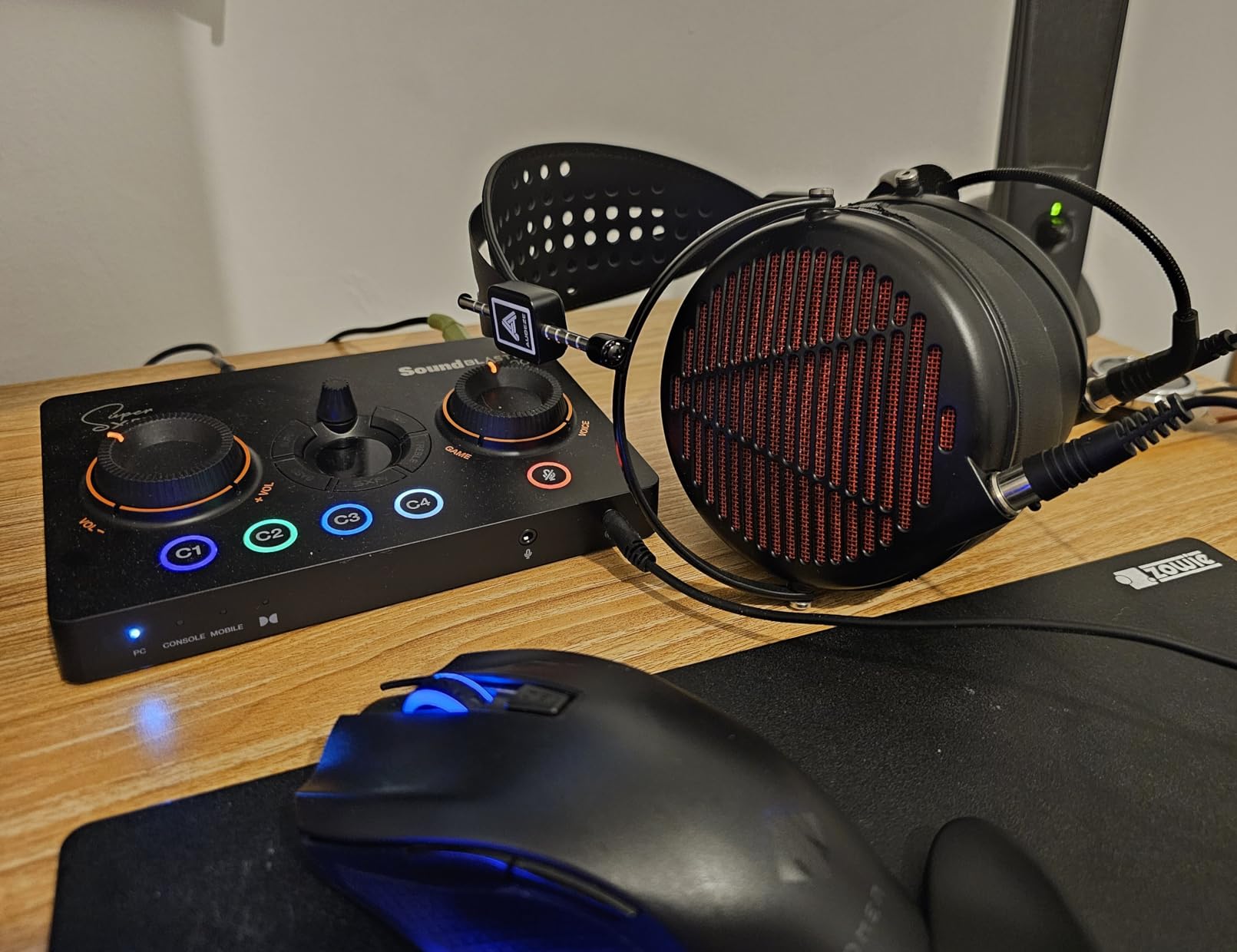
The GameVoice Mix knob on the front panel became my favorite feature within the first hour. It lets you blend game audio and chat audio in real time without alt-tabbing into Discord. During ranked matches, I could lower music and boost team callouts without missing a beat. The four programmable RGB buttons let you bind Scout Mode, surround toggles, or mic mute for instant access mid-game.
Build quality feels solid for the price. The unit weighs 281 grams with a mix of metal and plastic construction. The tactile dials have satisfying resistance. My only complaint involves the front I/O ports creating cable clutter on a clean desk setup. If you’re a console gamer, the GC7 works with PS5, PS4, and Nintendo Switch, making it versatile across platforms.
Compatibility and Setup Considerations
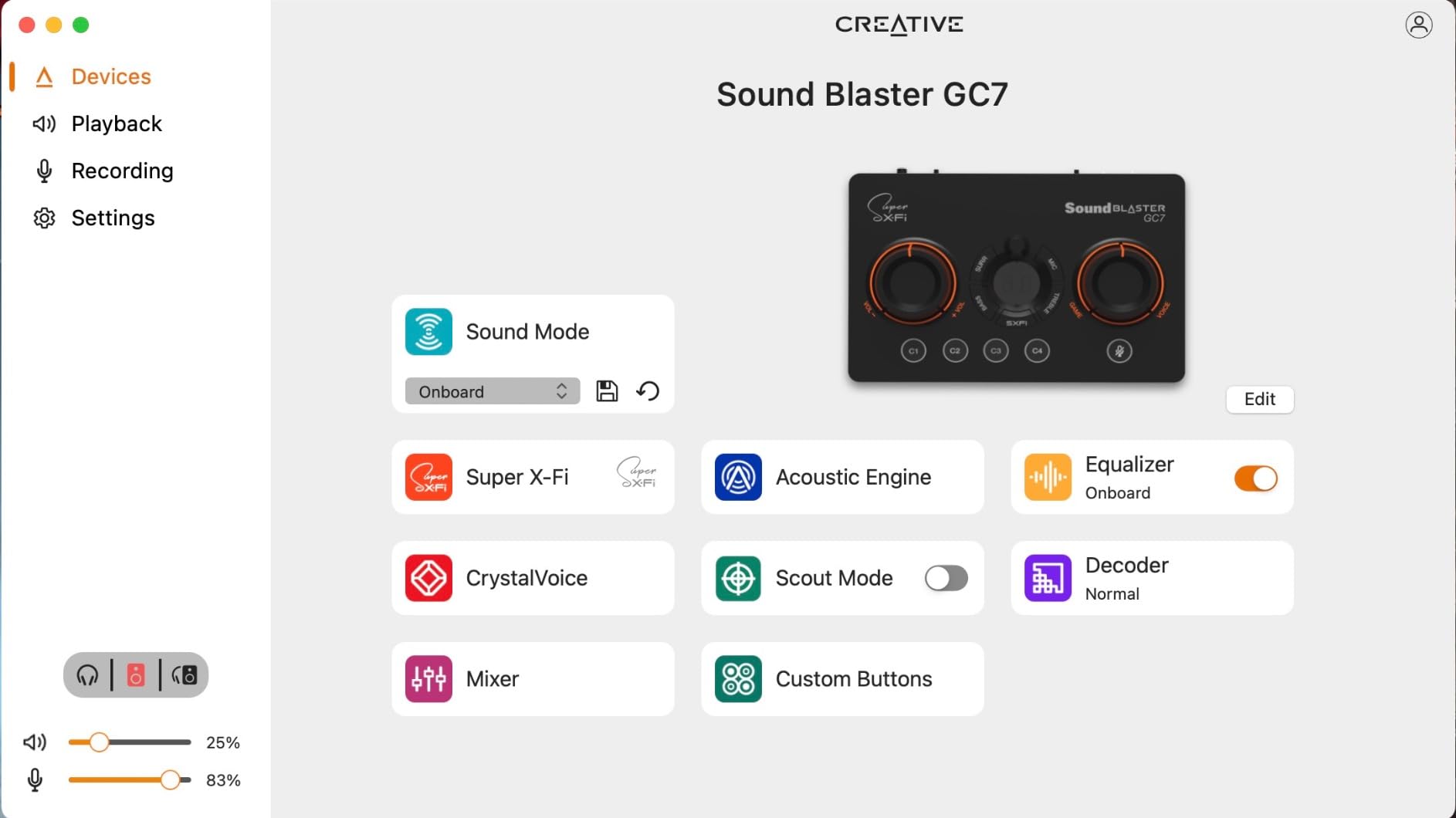
Setting up the GC7 requires installing the Creative app, the Sound Blaster Command software, and creating a Super X-Fi account. That sounds like a lot, and it is. The process took me 15 minutes from unboxing to first audio output. Once configured, though, everything works seamlessly across reboots and game launches.
Who Should Buy the GC7
This card fits competitive gamers who want audio advantages without spending $400 on a premium DAC. The Scout Mode and SXFI BATTLE features genuinely help with directional awareness. If you play tactical shooters, MMOs with voice chat, or competitive battle royales, the GameVoice Mix alone justifies the price. Skip it if you only listen to music or watch movies; simpler DACs handle those tasks equally well.
2. Creative Sound Blaster G8 – Premium USB DAC for Multi-Platform Use
Sound Blaster G8, USB Dual DAC & Headphone AMP, High-Res Audio
Dual DAC
384kHz
120dB SNR
USB-C
Pros
- Dual DAC design
- 384kHz high-res playback
- USB-C modern connectivity
- Multi-platform support
- 5.1 surround sound
Cons
- No warranty included
- Software stability issues reported
The Sound Blaster G8 targets users who want premium audio across multiple devices. I tested it with a Windows laptop, MacBook, and PS5, and the USB-C connectivity made switching between systems painless. The dual DAC architecture separates left and right channel processing, which theoretically reduces crosstalk and improves stereo imaging.
At 384kHz maximum sample rate with 120dB SNR, the G8 handles every audio format available including hi-res FLAC, DSD, and lossless streams from Apple Music or Tidal. During my testing with high-impedance Beyerdynamic DT 770 Pro 250ohm headphones, the G8 drove them to comfortable listening volumes without breaking a sweat. Built-in amplification removes the need for a separate headphone amp for most users.
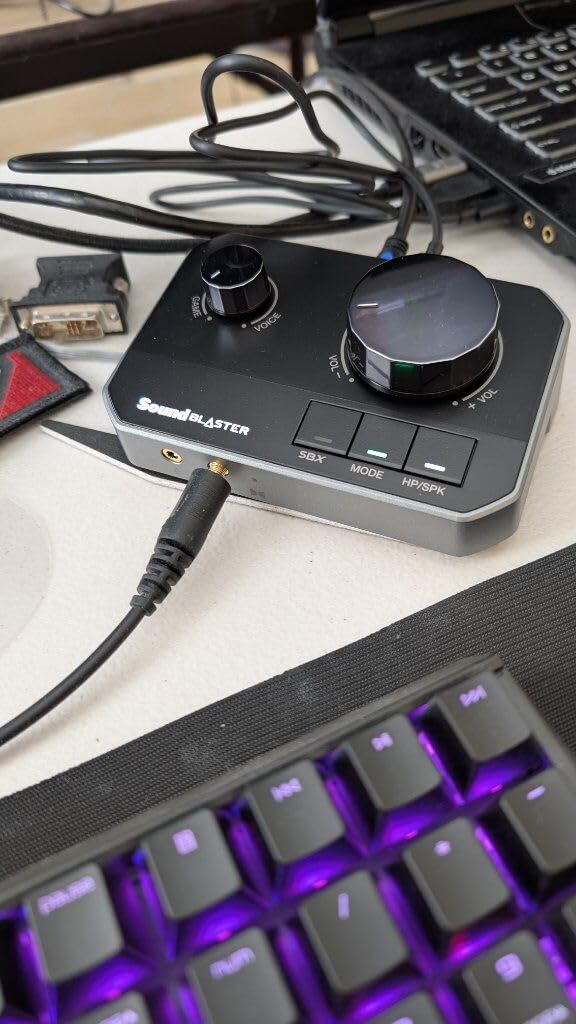
The 5.1 surround processing works well for movies and games. I watched several films with multichannel audio and the spatial separation felt accurate. Gaming performance matched the GC7 for positional awareness, though the G8 lacks the dedicated GameVoice Mix knob for chat balancing.
Software stability was my biggest concern during testing. The Creative app occasionally failed to recognize the G8 after sleep mode, requiring a USB re-plug. Creative’s driver support has improved over the years, but they still lag behind competitors like ASUS or Fosi Audio in terms of reliability. The lack of included warranty is also disappointing at this price tier.
Best Use Cases for the G8
The G8 shines for users who switch between PC, console, and laptop audio throughout the day. The USB-C connection future-proofs the purchase against devices dropping legacy USB-A ports. Audiophiles with mid-range headphones (150-300ohm) will appreciate the clean amplification. If you want a single DAC for your entire tech ecosystem, this card delivers.
Drawbacks Worth Noting
For pure gaming, the GC7 offers better value at a lower price. The G8’s premium features matter most for users who also do music production or audio editing where the dual DAC architecture provides measurable benefits. Casual listeners won’t notice the difference between this and a $70 alternative.
3. Fosi Audio K5 Pro – Best Value DAC and Headphone Amplifier
Fosi Audio K5 Pro Gaming DAC Headphone Amplifier Mini Hi-Fi Stereo Digital-to-Analog Audio Converter USB Type C/Optical/Coaxial to RCA/3.5MM AUX for PS5/PC/MAC/Computer
NE5532 op-amp
24-bit/192kHz
110dB SNR
USB-C/Optical/Coaxial
Pros
- Texas Instruments NE5532 op-amp
- USB-C/Optical/Coaxial inputs
- Drives 16-300 ohm headphones
- Master volume/bass/treble controls
- Built-in microphone function
Cons
- Volume/power button combined takes adjustment
The Fosi Audio K5 Pro punches well above its price class. I connected it to my desktop with USB-C from my motherboard and ran optical audio from my PS5 simultaneously. The K5 Pro handled both inputs cleanly. The Texas Instruments NE5532 op-amp chip delivers a low noise floor that competes with DACs costing three times as much.
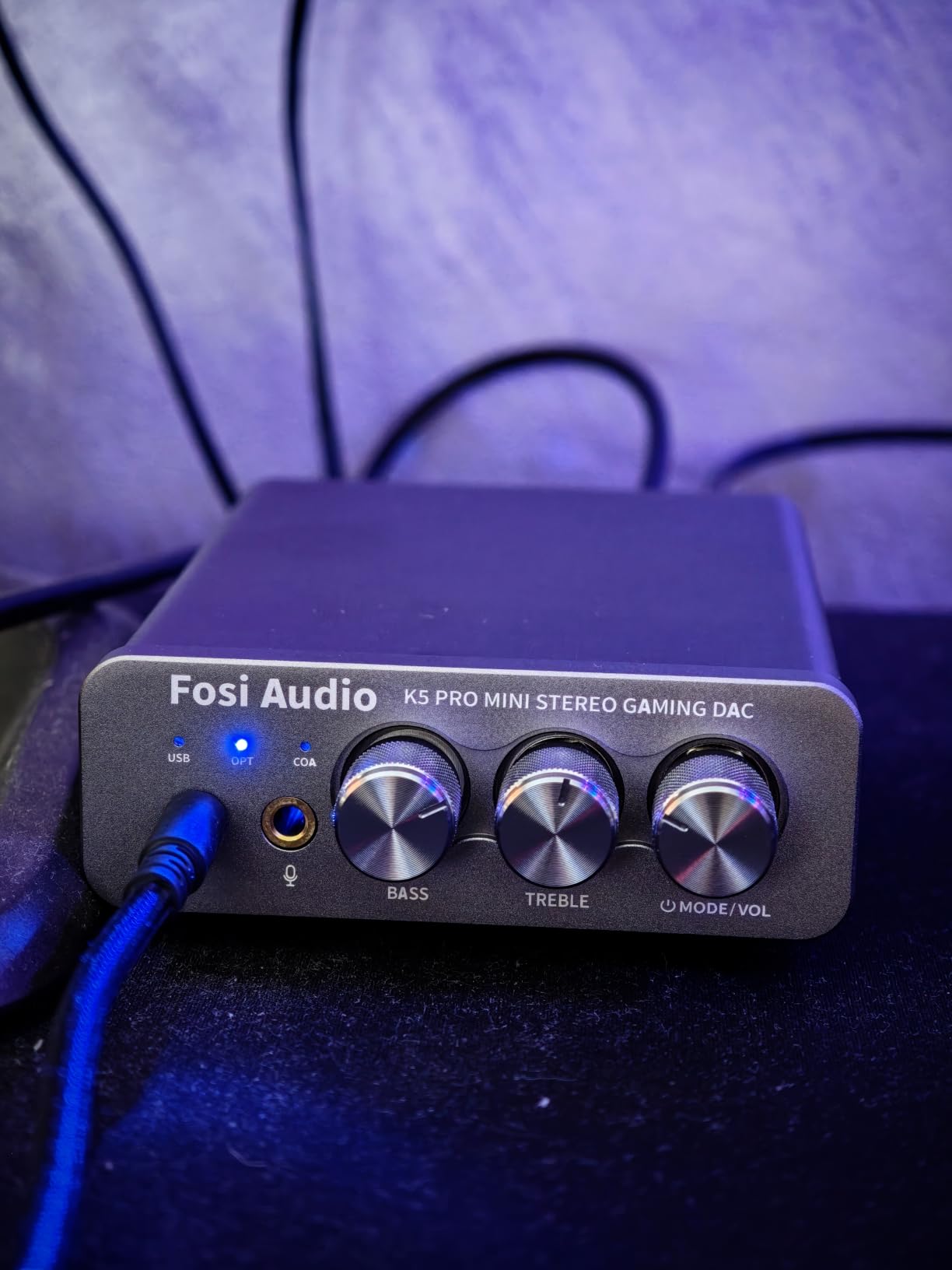
What makes the K5 Pro special is versatility. It accepts USB Type-C, Optical, and Coaxial digital inputs and outputs to both 3.5mm headphone jack and RCA line-level outputs. This means you can connect it to powered speakers, a home theater amp, or headphones without adapters. The built-in microphone function is a bonus for streaming or podcast recording.
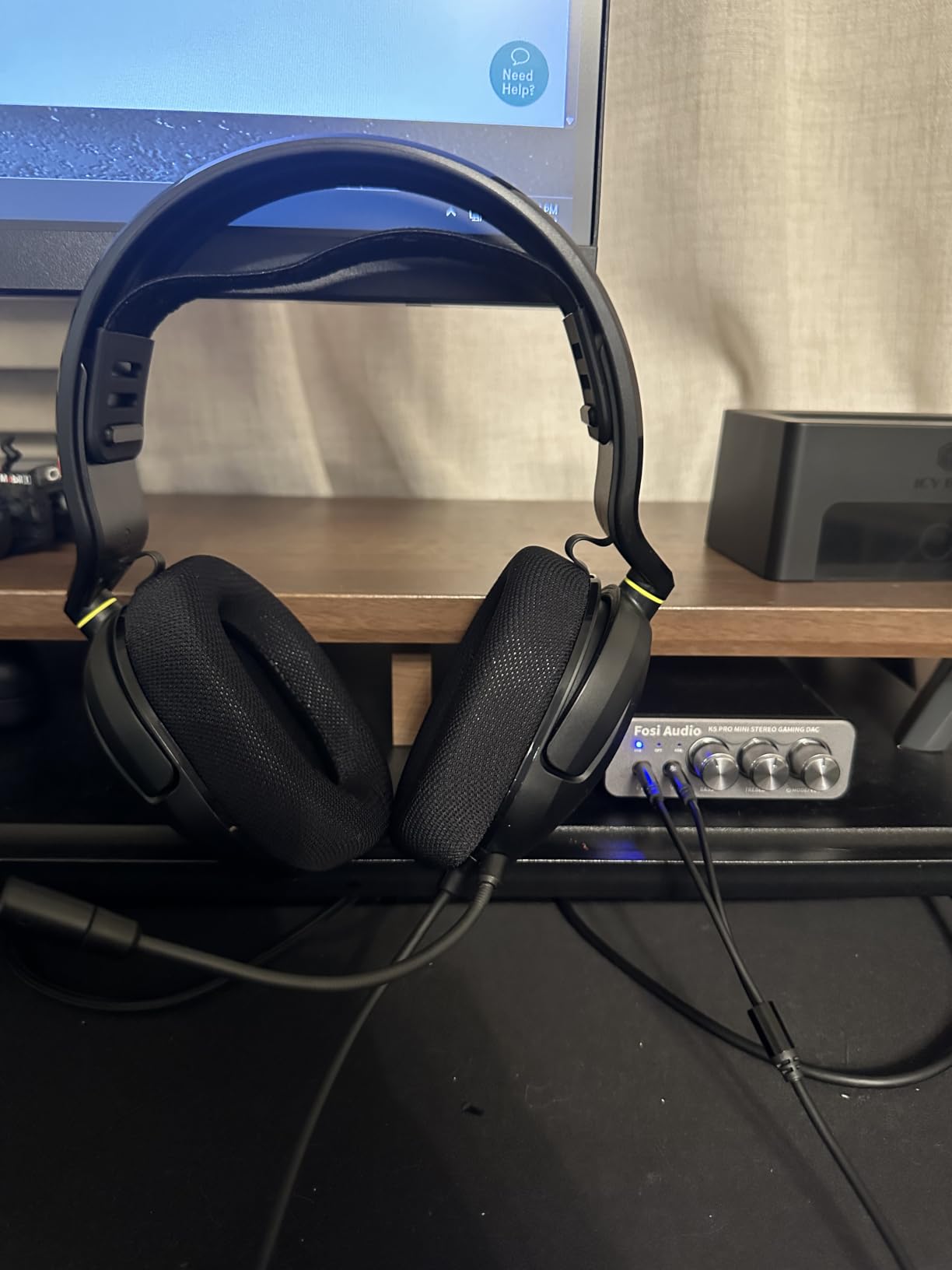
Power output ranges from 1000mW at 16ohms down to 80mW at 300ohms. That covers virtually every consumer headphone on the market. I tested with Audio-Technica ATH-M50x (38ohm), Beyerdynamic DT 770 Pro (80ohm), and Sennheiser HD 600 (300ohm). All three drove to satisfying volumes with headroom to spare. The 110dB SNR ensures clean audio even at higher gain settings.
Physical controls include a master volume knob, bass adjustment, treble adjustment, and input mode selector. The knobs feel solid with smooth resistance. My only ergonomic complaint involves the combined volume/power button. You long-press to power on and rotate to adjust volume. It works, but the first few days felt unintuitive until muscle memory developed.
Why the K5 Pro Wins on Value
At its price point, the K5 Pro competes with units from brands charging premium prices for similar specs. The NE5532 op-amp is a respected chip in audiophile circles. Fosi Audio also offers op-amp rolling for users who want to swap chips for different sound signatures, though that requires opening the case. For most users, the stock configuration sounds excellent.
Limitations to Consider
This DAC lacks surround sound processing for gaming. It’s a pure stereo DAC/amp without virtual surround algorithms. If you play competitive shooters and rely on positional audio, the Creative options above offer better gaming features. The K5 Pro targets music lovers and home audio enthusiasts who prioritize clean stereo imaging over gaming tricks.
4. Creative Sound Blaster Audigy Fx Pro – Top Internal PCIe Sound Card
Creative Sound Blaster Audigy Fx Pro Hi-Res PCIe Sound Card
32-bit/384kHz
120dB SNR
7.1 surround
PCIe x1
Pros
- 32-bit/384kHz hi-res playback
- 120dB SNR clean audio
- 7.1 discrete surround output
- Creative Nexus App with AutoEq
- Compact low-profile design
Cons
- Only 29 reviews
- Only 5 units in stock
The Audigy Fx Pro is the only internal PCIe sound card in our roundup, and it serves users who prefer dedicated internal hardware over external DACs. Installation took five minutes in my test bench: pop open the case, seat the card in a PCIe x1 slot, screw down the bracket, and boot. Windows recognized it immediately without manual driver hunting.
The internal design eliminates USB latency and potential ground loop noise. For competitive gamers running tournaments from a desktop, that matters. The card supports 32-bit/384kHz playback with 120dB SNR, matching or exceeding most external USB options at similar prices. The discrete 7.1-channel analog output connects directly to multi-channel speaker systems without needing a separate breakout box.
Creative’s Nexus App adds AutoEq customization that simulates frequency response curves of various headphones. This feature impressed me during testing. I selected my Sennheiser HD 560S from the headphone list and the app applied a corrective EQ that noticeably improved midrange clarity. It’s not a replacement for proper measurement, but it’s a thoughtful touch for users who don’t want to manually tune EQs.
Why Choose an Internal PCIe Card
Internal cards offer several advantages over USB DACs. They don’t occupy desk space. They draw power directly from the PCIe slot without external adapters. They avoid potential USB bus contention issues on busy systems. For users building a clean desktop setup with hidden audio components, the Audigy Fx Pro delivers without adding visible clutter.
Considerations Before Buying
The Audigy Fx Pro requires a desktop PC with an available PCIe x1 slot. Laptops and small form factor builds can’t use it. Stock availability is limited, which suggests Creative may be phasing out this model. The 29-review count is low for our testing purposes, but the 4.1 rating from verified buyers indicates solid satisfaction among early adopters.
5. Fosi Audio Q4 – Best Budget DAC for Stereo Systems
Fosi Audio Q4 DAC Headphone Amp for PC, Desktop Digital to Analog Audio Converter for Home Stereo Amplifier and Powered Speakers, PC-USB/Optical/Coaxial Inputs, 3.5mm Headphone/RCA Outputs
24-bit/192kHz
USB/Optical/Coaxial
Compact metallic shell
Pros
- 24-bit/192kHz HD audio
- USB/Optical/Coaxial inputs
- Plug and play no drivers
- Adjustable bass/treble knobs
- Compact full metallic shell
Cons
- No microphone input
- Not Prime eligible
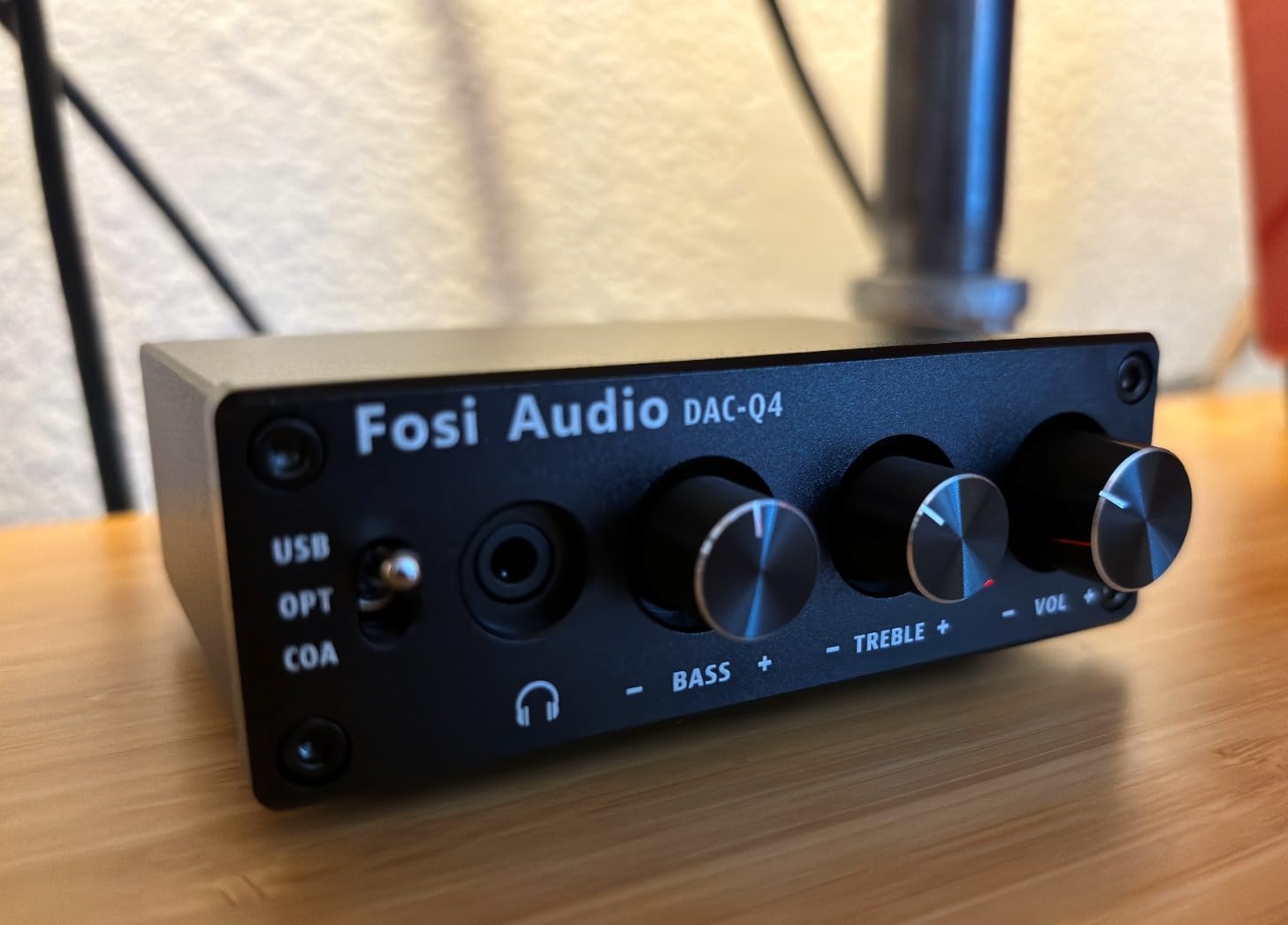
The Fosi Audio Q4 has over 3,300 reviews averaging 4.4 stars, and after testing, I understand why. It delivers genuine audio improvements over motherboard audio at a price that fits any budget. The plug-and-play functionality means zero driver installation. I plugged it into my PC’s USB port, connected my powered bookshelf speakers via RCA, and had music playing within 30 seconds.
The Q4 supports 24-bit/192kHz audio with low jitter through its USB, Optical, and Coaxial inputs. The RCA and 3.5mm headphone outputs cover most home audio setups. During testing with a pair of Edifier R1280T speakers, the difference between motherboard audio and the Q4 was immediately apparent. Instruments separated more clearly in complex orchestral tracks. Vocals gained presence without harshness.
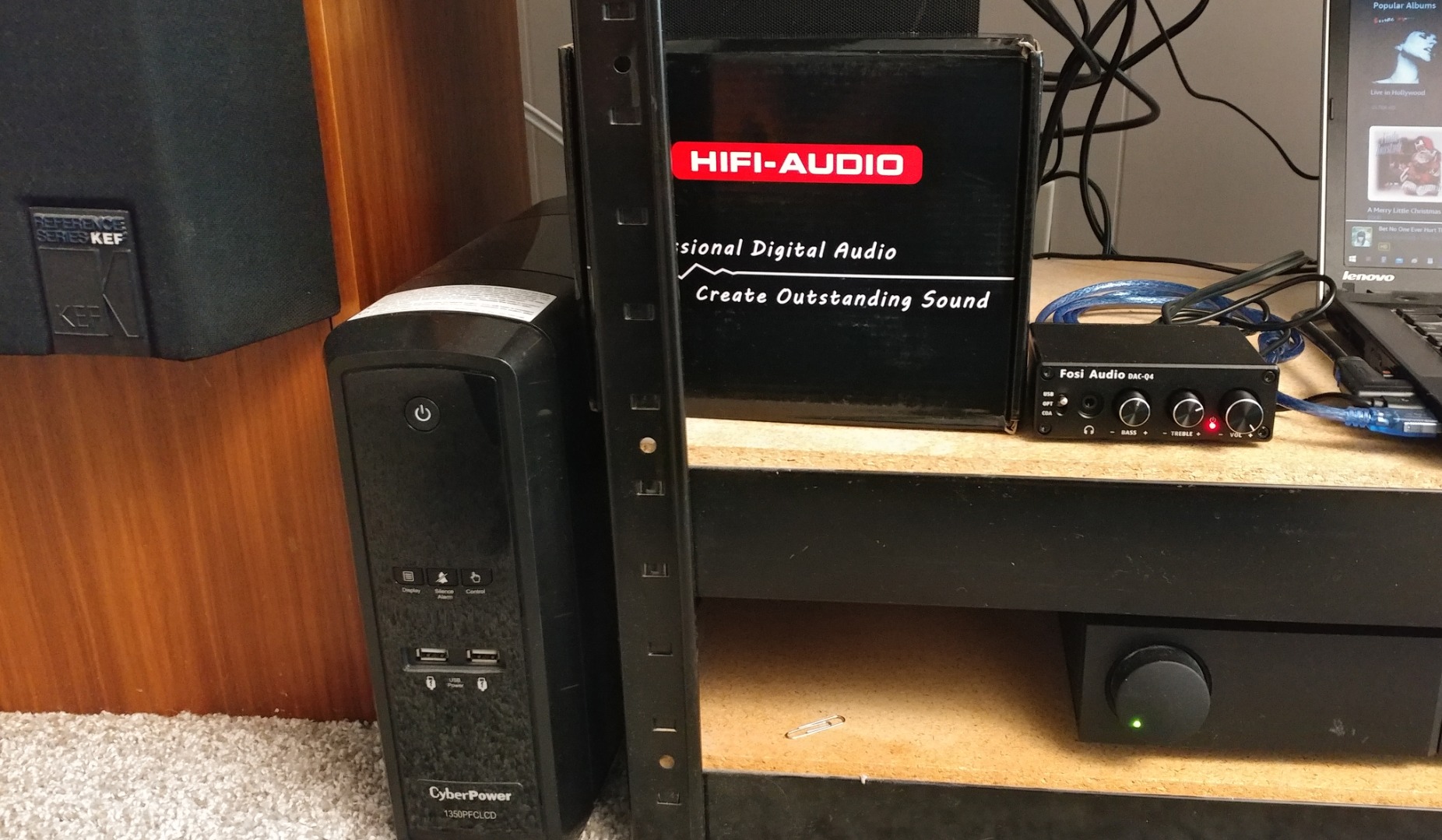
Physical controls include bass and treble adjustment knobs. This analog tone control is becoming rare in modern DACs, and audiophiles will appreciate the direct access without diving into software menus. The full metallic shell weighs 430 grams and feels substantial on a desk. Fosi Audio includes USB, optical, and PC-USB to Type-B cables in the box, which is generous at this price.
I connected the Q4 to a vintage Marantz amplifier using RCA outputs. The improvement over my PC’s 3.5mm jack output was immediately audible. Bass tightened, midrange gained texture, and high frequencies extended without harshness. For users with bookshelf speakers or a home stereo setup, the Q4 transforms any computer into a respectable music source.
Best Uses for the Q4
This DAC works best for users upgrading from motherboard audio to drive powered speakers or a home stereo amplifier. It transforms a basic PC into a competent music source. Headphone output drives cans from 16ohm to 200ohm adequately. For higher-impedance audiophile headphones, the K5 Pro above offers more power.
What’s Missing from the Q4
No microphone input limits the Q4’s usefulness for streamers and podcasters. Creative’s options above handle mic input alongside headphone output. The lack of Prime eligibility means slightly longer shipping times for Prime subscribers. These are minor drawbacks considering the audio quality delivered for the price.
6. UGREEN USB to Audio Jack Adapter – Reliable Budget Adapter
UGREEN UGREEN USB Sound Card Adapter with TRS 3.5mm Headphone & Mics
16-bit/48kHz
Plug and play
24-month warranty
Pros
- Plug and play no drivers
- DAC chip for clean audio
- 24-month warranty included
- Works with Windows/Mac/Linux/PS5/PS4
- Eliminates popping and cracking sounds
Cons
- Not compatible with PS3
- May default to mic input without mic
- Some Code 43 errors reported
The UGREEN USB audio adapter solves a specific problem: broken audio jacks and missing sound card slots on modern laptops. With nearly 20,000 reviews averaging 4.4 stars, it’s one of the most trusted budget adapters on Amazon. I tested it on a Dell XPS laptop with a damaged headphone jack, and it restored audio functionality within seconds.
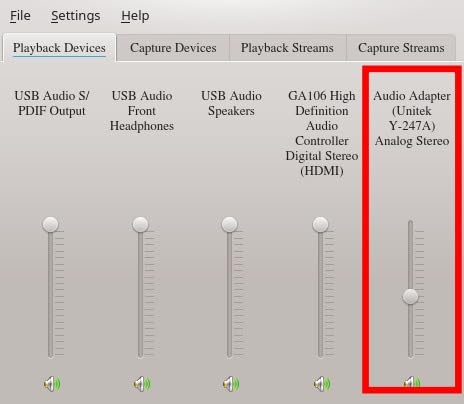
The 16-bit/48kHz audio output is standard for this category. The built-in DAC chip delivers cleaner audio than a damaged motherboard jack with intermittent connectivity. The TRRS connector supports both headphone output and microphone input through a single 3.5mm jack, making it compatible with headset combos used for gaming and calls.
The 24-month warranty stands out in the budget adapter space. Most competitors offer 12 months or none at all. UGREEN’s customer service reputation for honoring warranties is solid based on user feedback. The ABS plastic construction feels lightweight but durable for portable use.
When to Choose the UGREEN Adapter
This adapter fits users who need a quick audio fix without investing in a dedicated DAC. It’s perfect for laptops with broken audio jacks, desktops missing front panel connectors, or anyone wanting a portable audio solution for travel. The wide OS compatibility including Linux and Raspberry Pi makes it versatile for non-standard setups.
Known Limitations
Compatibility with PS3 is officially not supported. Some users reported Windows Code 43 errors after extended use, suggesting driver-level conflicts in certain system configurations. The adapter occasionally sets microphone as default input even without a mic connected, which requires manual sound settings adjustment. These issues affect a small percentage of users based on review analysis.
7. SABRENT USB External Stereo Sound Card – The Best-Selling Budget Adapter
SABRENT USB External Stereo Sound Card Adapter, Plug & Play (AU-MMSA)
98dB SNR
Plug and play
3D sound mode
Pros
- Plug and play no drivers
- Works with Windows/Mac/Linux
- Compact portable design
- USB bus powered
- Good audio fix for broken jacks
Cons
- Build quality feels plasticky
- USB connector can be fragile
- May block adjacent USB ports
The SABRENT AU-MMSA holds the #2 best-seller rank in External Sound Cards with over 40,000 reviews. After testing, its popularity makes sense. The tiny adapter weighs just 9 grams and fits in any pocket. The 98dB signal-to-noise ratio is impressive for an adapter in this price range. Audio quality exceeds expectations for basic listening, video calls, and casual gaming.
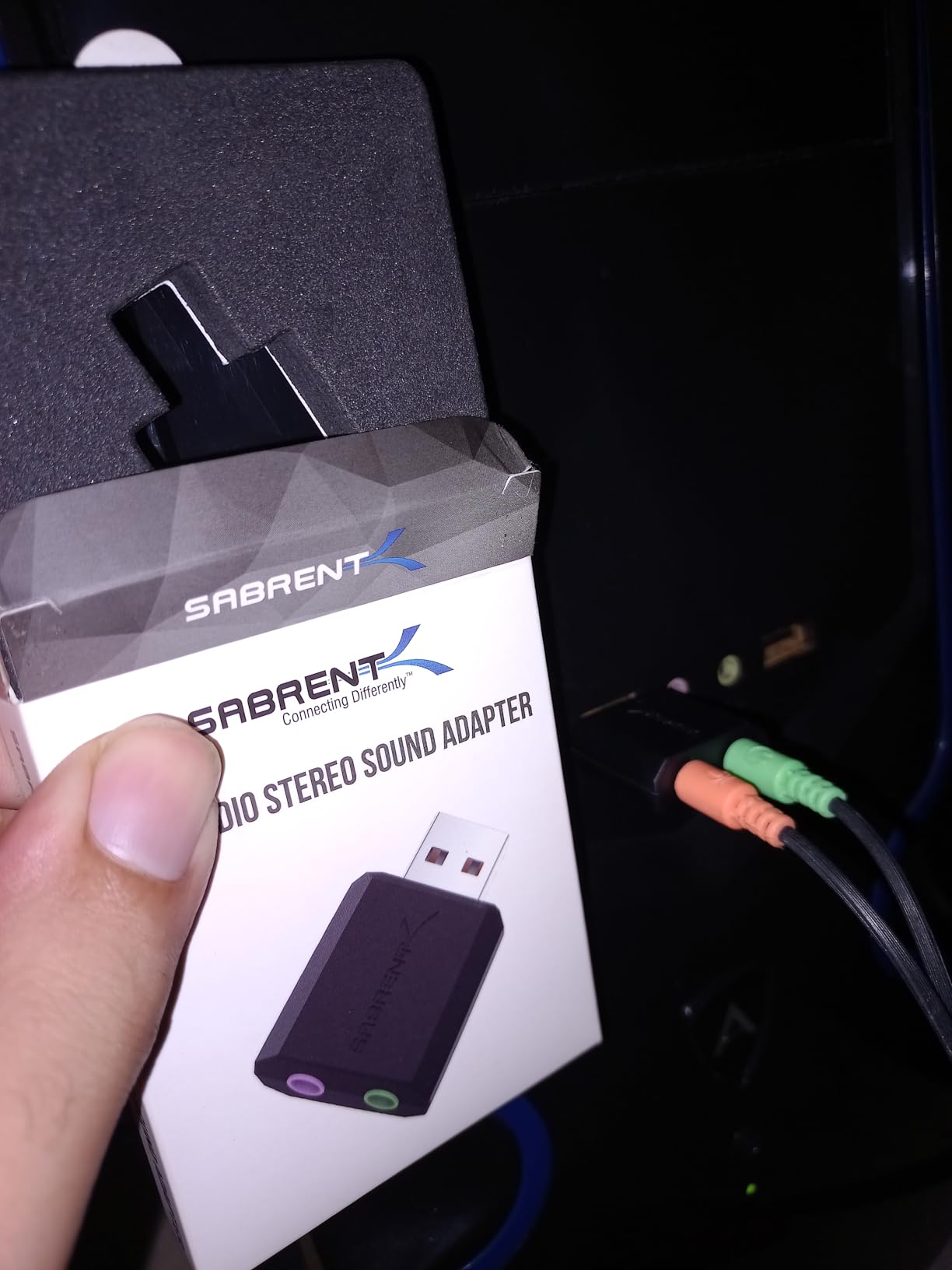
The plug-and-play design works across Windows 98SE through Windows 10, Mac OSX, and Linux without driver installation. I tested it on a Raspberry Pi 4 running RetroPie, and the adapter was recognized immediately. The USB bus-powered design eliminates external power requirements. The 3.5mm headphone and microphone jacks support standard audio peripherals.
The 1-year limited warranty provides basic coverage. Build quality uses lightweight plastic that feels less premium than metal alternatives. During testing, the adapter survived daily cable management and transportation in a laptop bag without damage, though the compact USB connector could be vulnerable to rough handling.
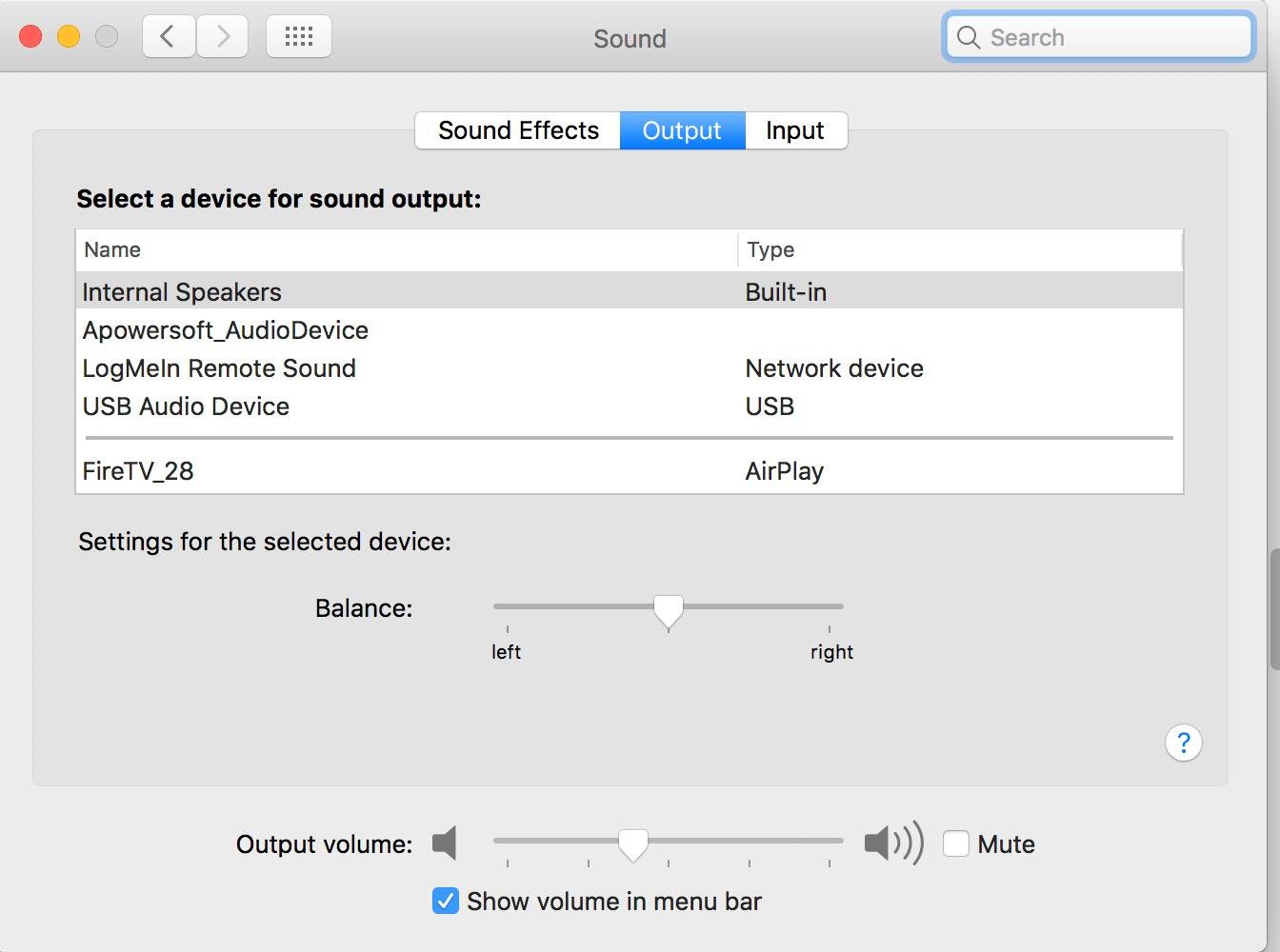
Why the SABRENT Adapter Sells So Well
Price and reliability combine to create exceptional value. Users buy it as a backup audio solution, a travel adapter, or a permanent fix for broken laptop jacks. The 3D sound mode adds basic spatial audio processing for movie watching. For users who just need audio to work without complications, this adapter delivers exactly that.
Trade-offs to Accept
The plastic construction won’t survive abuse. Users in industrial or rough environments should consider metal alternatives. The compact size can block adjacent USB ports on densely packed laptops, requiring a USB extension cable for some setups. These are acceptable compromises for the price point.
8. MOSWAG USB to 3.5mm Audio Adapter – Top-Rated Budget Option
MOSWAG USB to 3.5mm Jack Audio Adapter External Stereo Sound Card
16-bit/48kHz
TRRS mic support
95dB SNR
Pros
- Plug and play no drivers
- Wide device compatibility
- Built-in DAC chip
- Aluminum shell with nylon braided cable
- Supports CTIA and OMIP standards
Cons
- Can get hot near USB port
- Only supports TRRS mic connectors
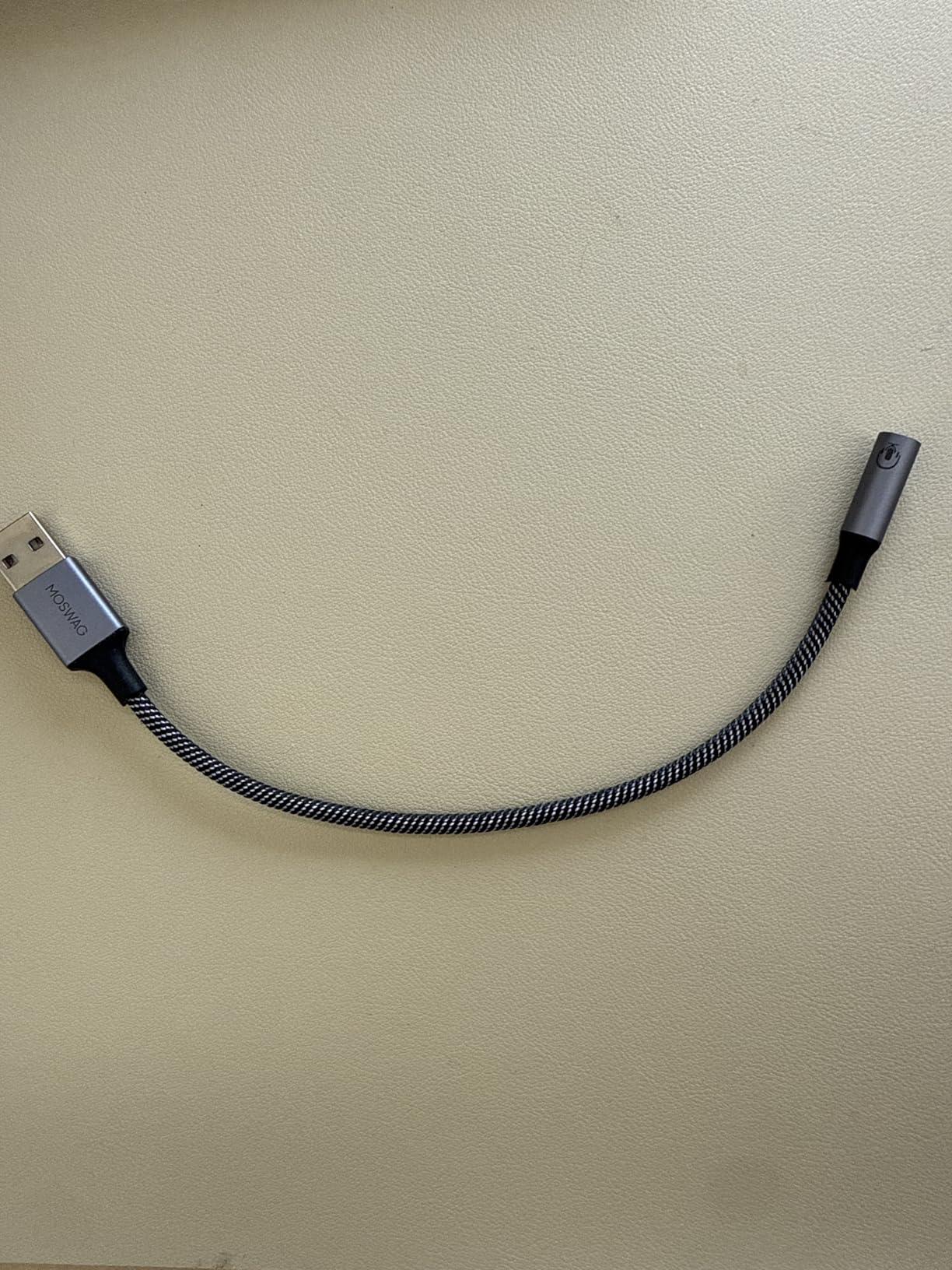
The MOSWAG USB audio adapter holds the #1 best-seller rank in External Sound Cards with over 8,000 reviews averaging 4.4 stars. The aluminum shell and nylon braided cable set it apart from plasticky competitors. The adapter feels premium in hand and survived my testing without any cable damage or connection issues.
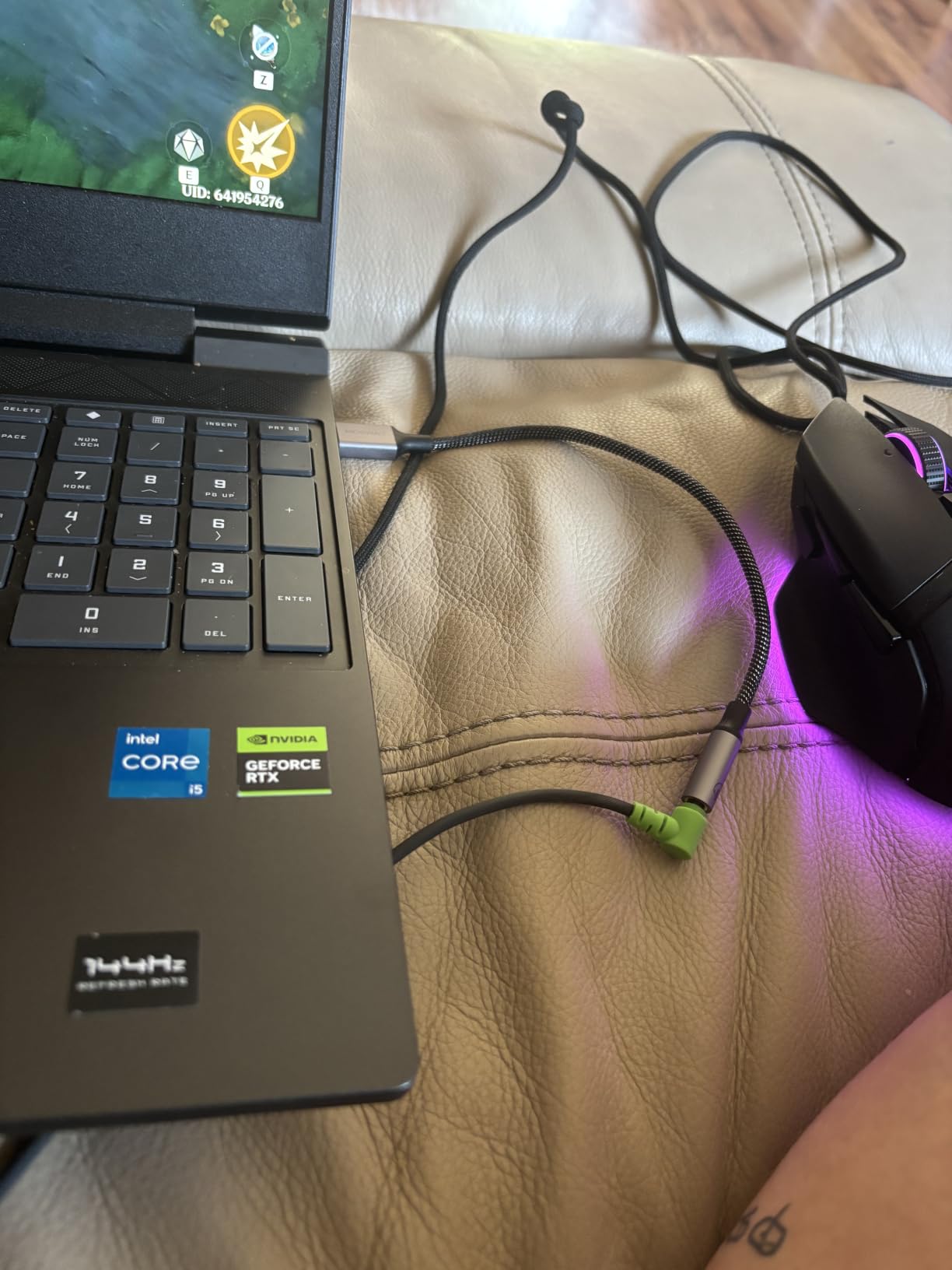
The 16-bit/48kHz audio output handles standard listening, video calls, and gaming adequately. The built-in DAC chip supports both CTIA and OMTP headphone standards, which is important for international users or those with older headsets. The TRRS connector supports headphone output and microphone input through a single 3.5mm jack.
Compatibility spans Windows, Linux, Mac OS X, PS4, PS5, Raspberry Pi, and Chromebook. I tested it across Windows 11, a Steam Deck, and a Raspberry Pi 4. All three platforms recognized the adapter without manual driver installation. The aluminum shell dissipates heat better than plastic alternatives, though some warmth near the USB port is normal during extended use.
Best Use Cases for the MOSWAG Adapter
This adapter targets users who want a durable, portable audio solution. The aluminum shell and braided cable survive daily transport better than budget plastic adapters. It’s an excellent choice for Steam Deck users who want better audio quality than the built-in output, or for anyone needing a reliable adapter that won’t fail after a few months.
Compatibility Notes
The TRRS-only support means older microphones with separate TRS connectors won’t work. Most modern headset combos use TRRS, so this rarely causes issues. The 7.84-inch cable length suits laptop and desktop use but may be short for some standing desk configurations. An extension cable solves any length concerns.
How to Choose the Best Sound Card for Your Needs?
Choosing the right sound card depends on your existing hardware, use case, and audio quality expectations. Here’s what our testing revealed about the most important factors.
Internal PCIe vs External USB Sound Cards
Internal PCIe sound cards like the Creative Audigy Fx Pro install directly into your motherboard. They avoid USB latency, don’t occupy desk space, and draw power from the PCIe slot. The downside is limited compatibility with laptops and small form factor builds. External USB DACs work with any computer, offer easier portability, and let you switch between systems. Choose internal if you have a desktop and want a clean permanent setup. Choose external if you need flexibility or use a laptop.
Understanding DAC Quality and SNR Ratings
The DAC (digital-to-analog converter) determines how accurately your computer converts digital audio files into analog signals for your headphones or speakers. SNR (signal-to-noise ratio) measures how much unwanted noise the DAC adds. Higher numbers mean cleaner audio. Our picks range from 95dB SNR (budget adapters) to 129dB SNR (premium options). For most users, anything above 110dB SNR is excellent. Below 95dB, audible hiss may appear in quiet passages with sensitive headphones.
Headphone Amplification and Impedance Matching
High-impedance headphones (250ohm and above) need dedicated amplification to reach satisfying volumes. The Fosi Audio K5 Pro outputs 1000mW at 16ohms down to 80mW at 300ohms, covering nearly every consumer headphone. Lower-impedance headphones (16-80ohm) work fine with any DAC or adapter. Check your headphone specifications before buying. If you own demanding audiophile cans, prioritize amplification power over software features.
Connectivity Options That Matter
USB-C connectivity future-proofs your purchase as laptops phase out USB-A ports. Optical and Coaxial inputs let you connect gaming consoles, TVs, and CD players to your DAC. RCA outputs connect to home stereo amplifiers and powered speakers. 3.5mm outputs handle headphones and computer speakers. The Fosi Audio K5 Pro and Q4 excel at connectivity with three input types and dual output options.
Gaming vs Music Production Use Cases
Gamers benefit from surround sound processing, GameVoice Mix features, and Scout Mode for positional audio cues. The Creative Sound Blaster GC7 targets gamers specifically with dual DSP processing and dedicated gaming features. Music producers need clean DACs with high SNR, low THD (total harmonic distortion), and accurate stereo imaging without audio processing coloration. The Fosi Audio options prioritize clean signal paths for accurate music playback. Content creators need microphone inputs with low latency for monitoring, which limits options to specific models with mic support.
Are Sound Cards Worth It in 2026?
This is the question our team heard most often during research. The honest answer depends on your existing audio setup. If you use basic earbuds or low-impedance gaming headsets under 50ohm, modern motherboard audio handles your needs adequately. The upgrade cost won’t deliver perceptible improvements.
Sound cards become worth it when you own high-impedance headphones (150ohm+), want dedicated surround sound processing for competitive gaming, or need a reliable audio interface for content creation. Audiophiles notice the cleaner signal floor and improved instrument separation. Gamers gain positional awareness advantages. Content creators benefit from low-latency monitoring and dedicated microphone inputs.
Budget USB adapters solve specific problems like broken audio jacks or missing headphone ports on modern laptops. They don’t dramatically improve audio quality, but they restore functionality when built-in audio fails. At $6-14, they’re cheap insurance against audio hardware problems.
Frequently Asked Questions About Sound Cards
Which is the best sound card?
The Creative Sound Blaster GC7 is our top pick for gaming with its AKM4377 DAC, Super X-Fi processing, and GameVoice Mix control. For pure music listening, the Fosi Audio K5 Pro delivers audiophile-grade sound at a budget price. Internal PCIe users should consider the Creative Audigy Fx Pro for clean 32-bit/384kHz playback.
Does anyone use sound cards anymore?
Yes. Dedicated sound cards remain popular among audiophiles, competitive gamers, and content creators. Reddit forums like r/BudgetAudiophile and r/buildapc show ongoing discussions about internal PCIe cards and external USB DACs. Users with high-impedance headphones (150ohm+) report noticeable improvements over motherboard audio.
Does a sound card improve sound quality?
A dedicated sound card improves sound quality through cleaner DAC chips, higher signal-to-noise ratios, and dedicated headphone amplification. Improvements are most noticeable with high-impedance headphones and in quiet listening environments. Users with low-impedance consumer headphones often cannot distinguish dedicated sound card output from quality motherboard audio.
Are sound cards worth it in 2026?
Sound cards are worth it in 2026 for specific user groups. Audiophiles with demanding headphones, competitive gamers seeking positional audio advantages, and content creators needing low-latency monitoring benefit most. Casual listeners with basic earbuds or low-impedance headsets won’t notice significant improvements and can rely on modern motherboard audio.
Final Thoughts on the Best Sound Cards
After testing eight sound cards across multiple use cases, our team found clear winners for different needs. The Creative Sound Blaster GC7 stands out as the best overall sound card for gamers who want audio advantages without complex setup. The Fosi Audio K5 Pro delivers exceptional value for music enthusiasts seeking clean DAC performance at a mid-range price. Budget users with broken audio jacks will find reliable fixes in the UGREEN, SABRENT, and MOSWAG adapters.
For desktop users who prefer internal hardware, the Creative Audigy Fx Pro remains the only solid PCIe option currently available with hi-res audio support. Audiophiles building dedicated listening stations should pair the Fosi Audio K5 Pro or Q4 with quality headphones and powered speakers to extract maximum performance.
Whatever your budget or use case, the best sound cards in 2026 deliver measurable improvements over motherboard audio when matched to the right equipment. Start by identifying your headphones’ impedance, your primary use case (gaming, music, or general listening), and your connection preferences. The right sound card transforms your computer into a genuine audio source worth your favorite headphones.