
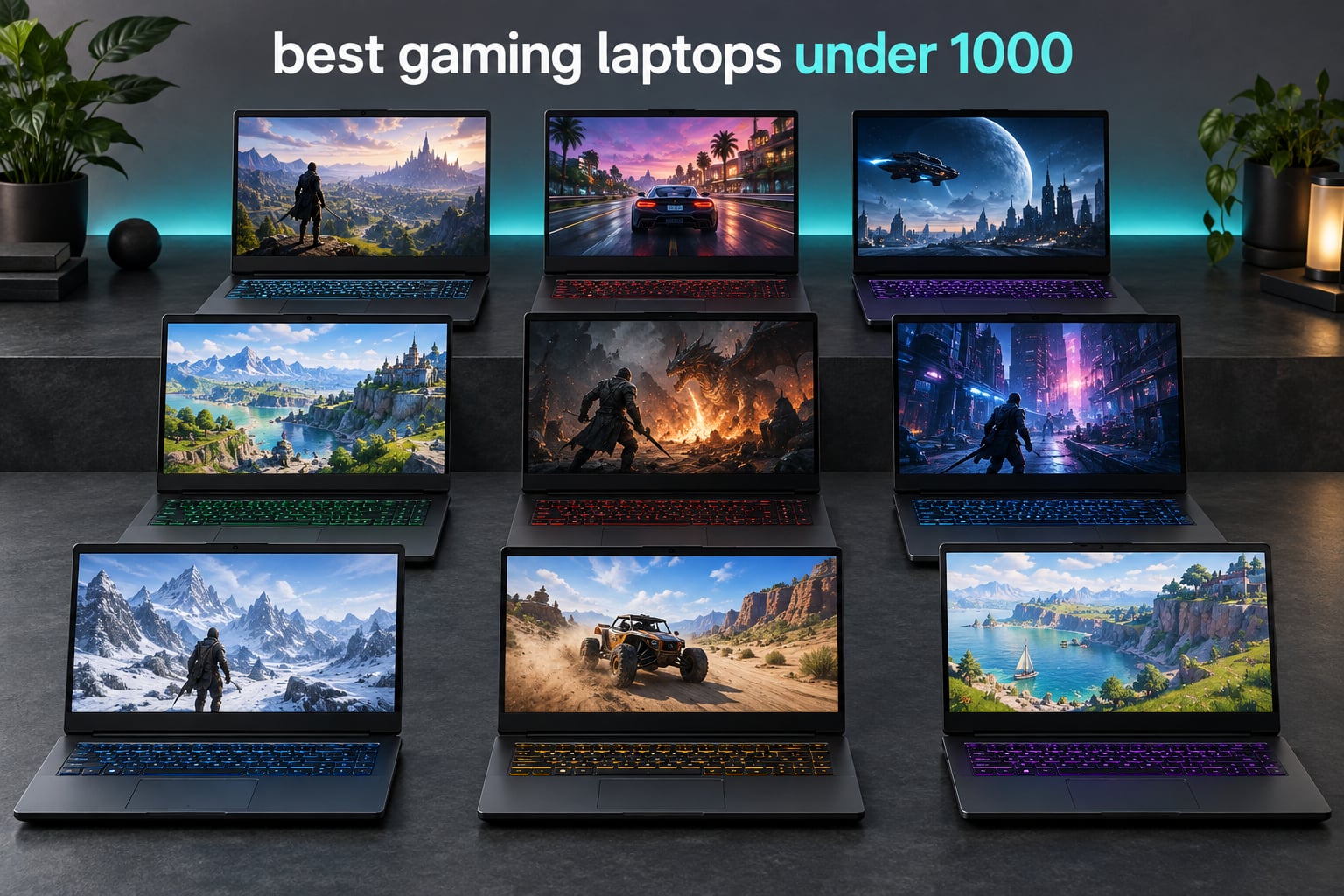
Choosing the best gaming laptops under 1000 in 2026 is harder than the spec sheets suggest, because the under-1000 tier is where good silicon meets bad configurations. You will find RTX 4050 and RTX 3050 Ti cards next to panels that never reach their refresh rate, and machines that list a good GPU but pair it with 8GB of memory. We spent weeks comparing every configuration currently sitting under the ceiling so you do not have to.
Here is the honest version first. A gaming laptop under 1000 will handle esports titles at high frame rates, will run most modern AAA games at 1080p on medium-to-high settings with upscaling enabled, and should cover the games you play today for the next few years. What it will not do is deliver high-refresh 1440p ray tracing, all-day battery life, or a silent chassis. Everything below is scoped to that ceiling, with the trade-offs named rather than buried.
Our team worked through nine machines that qualify, and the pattern that emerged is more useful than any single recommendation: the GPU decides your frame rate, the memory capacity decides whether you enjoy owning the laptop, and the display decides whether you can see the difference. Get those three right and the rest is preference. The picks below are ordered so the strongest all-round combination sits at the top, and we have included the exact configuration notes because the same model name often ships in three different variants.
Top 3 Picks for Gaming Laptops Under $1000 in 2026

Acer Nitro 5 AN515-58-525P
- 12th Gen Core i5-12500H
- RTX 3050 4GB
- 512GB PCIe Gen 4 SSD
- 15.6 inch 144Hz IPS


Those three cover the most common ways people buy at this budget. The Nitro 5 is the most balanced proposition, the Nitro V has the fastest panel and pairs it with a higher-class GPU in a light chassis, and the Victus is the one that arrives with 16GB of memory already fitted.
Best Gaming Laptops Under $1000 in 2026
| Product | Specifications | Action |
|---|---|---|
| Acer Nitro 5 AN515-58-525P |
|
Check Latest Price |
| Acer Nitro V ANV15-52-586Z |
|
Check Latest Price |
| HP Victus 15-fa1082wm |
|
Check Latest Price |
 Lenovo LOQ Essential i5-12450HX Lenovo LOQ Essential i5-12450HX |
|
Check Latest Price |
 MSI GF65 Thin 10UE MSI GF65 Thin 10UE |
|
Check Latest Price |
 Lenovo IdeaPad Gaming 3i i7-12700H Lenovo IdeaPad Gaming 3i i7-12700H |
|
Check Latest Price |
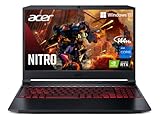 Acer Nitro 5 AN515-57-79TD Acer Nitro 5 AN515-57-79TD |
|
Check Latest Price |
 Lenovo IdeaPad Gaming 3 Ryzen 5 6600H Lenovo IdeaPad Gaming 3 Ryzen 5 6600H |
|
Check Latest Price |
 HP Victus 15-fa0025nr HP Victus 15-fa0025nr |
|
Check Latest Price |
Prices for this tier move week to week, so treat the ranking as a statement about hardware rather than about any single day of pricing. Check the current listing before you commit, and read the configuration line rather than the product title.
What to Look For in a Gaming Laptop Under 1000
Three thresholds decide whether a machine under this ceiling is worth buying. Ignore the rest until these are settled.
GPU: at least an NVIDIA GeForce RTX 4050. RTX 5050 and RTX 5060 configurations are preferred where they fit the budget, and RTX 3050 and RTX 3050 Ti machines are still viable for esports and 1080p play. Below RTX 3050, stop looking.
RAM: 16GB, or 8GB with user-accessible slots. Do not buy an 8GB configuration that also caps memory at 8GB. if it arrives with 8GB, check that you can reach 16GB or more yourself.
Storage: at least a 512GB SSD. A 256GB drive holds a handful of modern titles and no library. A second M.2 slot is worth more than a faster first drive.
Those three lines are the same ones we use when we filter listings. Everything else on this page exists to show you how the nine qualifying machines differ once those thresholds are met.
1. Acer Nitro 5 AN515-58-525P – The Best All-Round Pick
Acer Nitro 5 AN515-58-525P Gaming Laptop | Intel Core i5-12500H | NVIDIA GeForce RTX 3050 Laptop GPU | 15.6″ FHD 144Hz IPS Display | 8GB DDR4 | 512GB PCIe Gen 4 SSD | Killer Wi-Fi 6 | Backlit Keyboard
Core i5-12500H 12 threads
RTX 3050 4GB
512GB PCIe Gen 4 SSD
15.6 inch 144Hz IPS
Pros
- 12th Gen i5 with 12 threads
- Quad-exhaust dual-fan cooling
- Thunderbolt 4 and HDMI 2.1
- Upgradeable to 32GB across 2 slots
- Tied for the highest rating in the group
Cons
- RTX 3050 4GB VRAM is the weakest GPU here
- 8GB DDR4 is the base configuration
- 5.5 pounds is heavy for the class
The Nitro 5 AN515-58-525P is the machine we keep coming back to because the balance of components is the strongest here. The 12th Gen Core i5-12500H runs 12 threads and boosts to 4.5GHz, which is the headroom you want when a game is limited by CPU rather than graphics.
Buyers consistently single out the same two things: the 12th Gen performance and the cooling, which reviewers describe as a clear step up from earlier Nitro 5 models. The dual-fan chassis with dual intakes and a quad-exhaust design handles long sessions better than the single-fan designs that dominate cheaper machines.
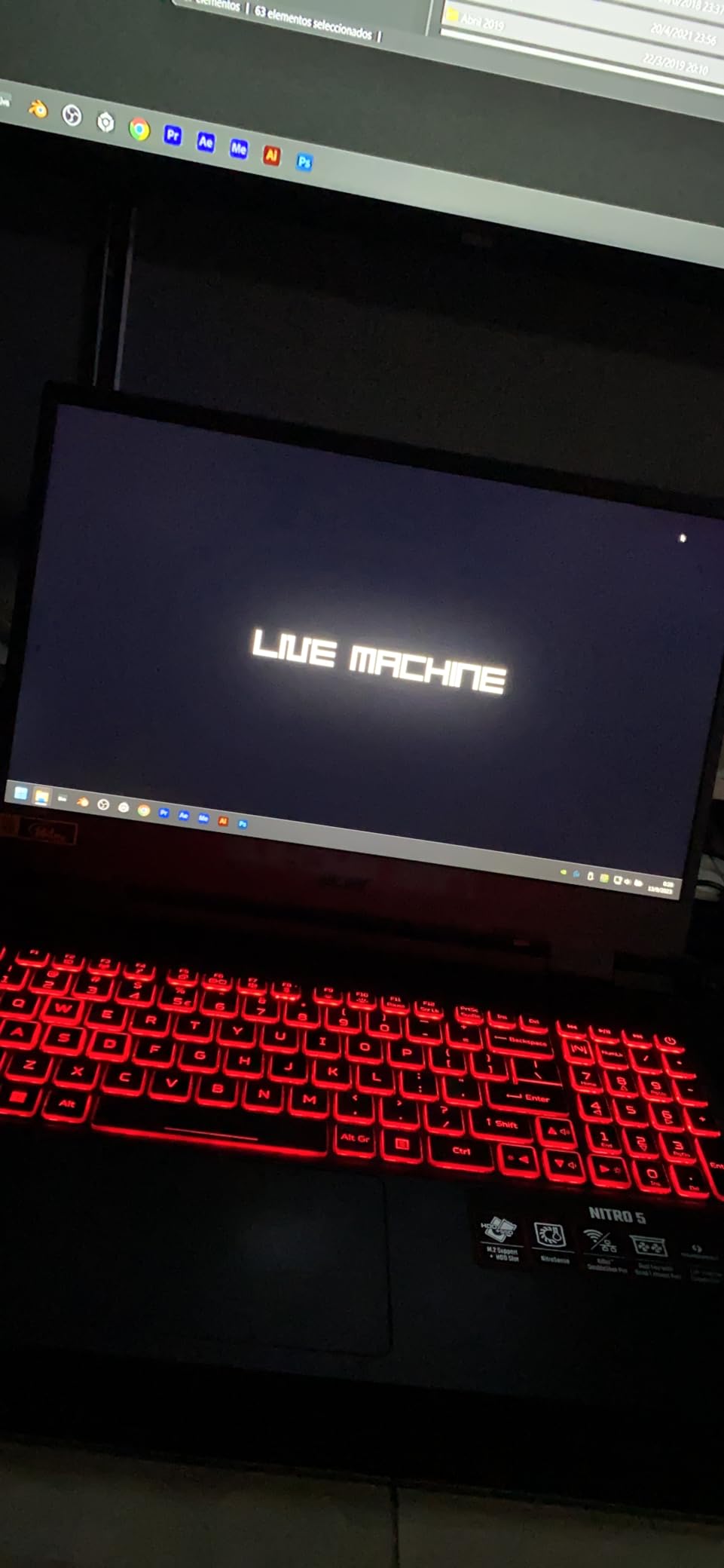
The port selection is unusually good for the money. You get Thunderbolt 4 with DisplayPort over USB Type-C, HDMI 2.1, and three USB 3.2 ports, so an external high-refresh display is a practical option rather than a theoretical one. Killer Wi-Fi 6 and Killer Ethernet round out a connectivity package most rivals cannot match at this level.
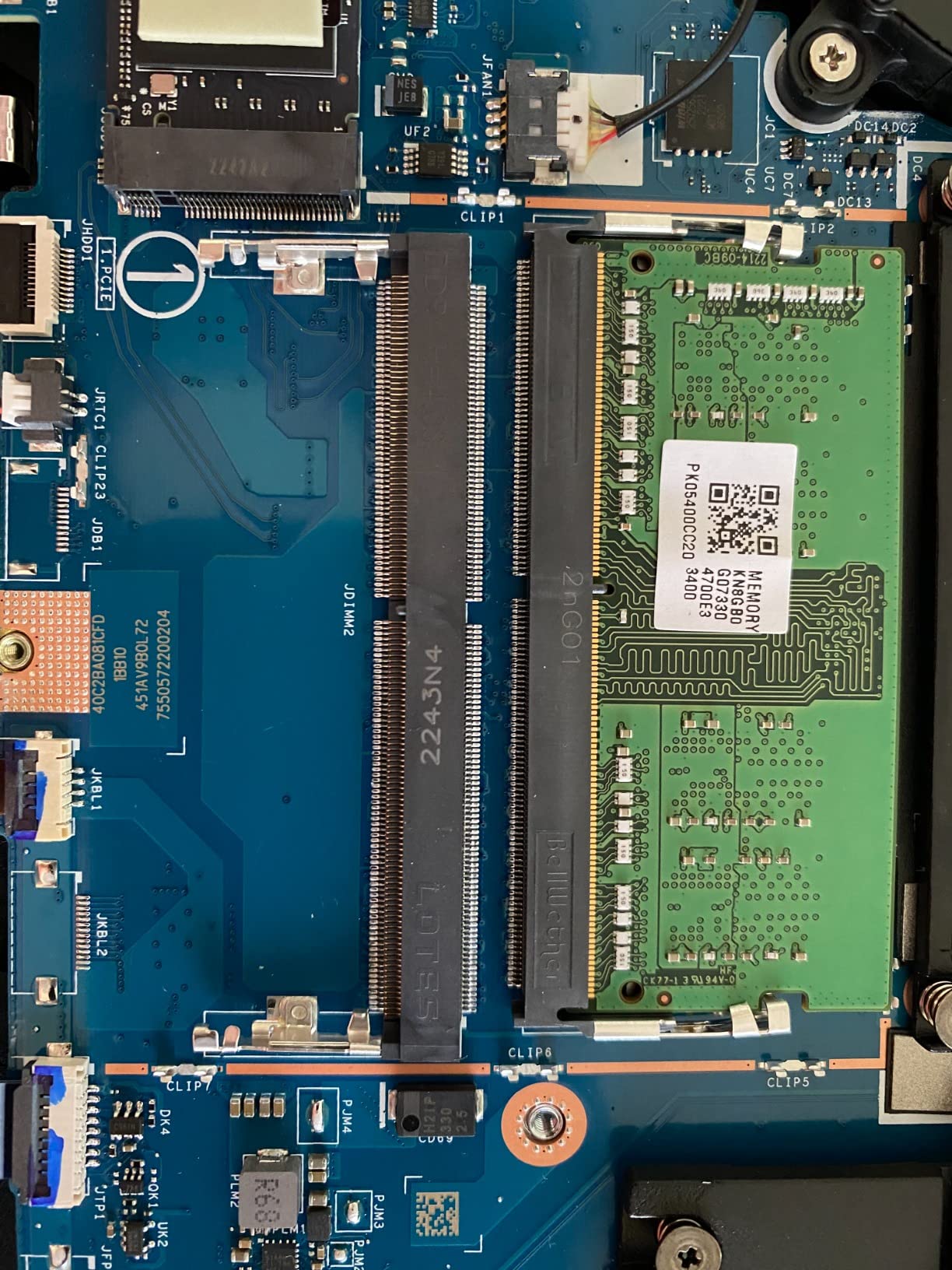
Memory and storage both open up. The 8GB of DDR4 3200MHz sits in two slots with support for up to 32GB, and the 512GB drive is PCIe Gen 4 with a second M.2 slot and a 2.5-inch bay behind it. Add memory and a second drive on day one and the machine behaves like a different product.
Why the processor carries this pick
Most machines at this budget pair a capable GPU with a processor that cannot feed it. This one does not. Twelve threads at up to 4.5GHz keeps simulation-heavy titles, strategy games and open-world streaming smooth where weaker chips stutter.
It is also one of the easier machines here to run cool for long sessions, because the quad-exhaust layout moves air out of four directions instead of two.
What you give up by choosing it
The RTX 3050 carries 4GB of VRAM, and that is the constraint. Modern titles at 1080p on high settings will lean on DLSS and upscaling to hold frame rate, and texture-heavy scenes will show it.
Compare it with a machine carrying an RTX 4050 and you are trading roughly one graphics class for CPU headroom. For competitive shooters, simulation and strategy play, that trade is worth making. For texture-heavy open worlds, weigh it carefully.
2. Acer Nitro V ANV15-52-586Z – The Only RTX 4050 With a 165Hz Panel
Acer Nitro V Gaming Laptop | Intel Core i5-13420H Processor | NVIDIA GeForce RTX 4050 Laptop GPU | 15.6″ FHD IPS 165Hz Display | 8GB DDR5 | 512GB Gen 4 SSD | Wi-Fi 6 | Backlit KB | ANV15-52-586Z
Core i5-13420H 8 threads
RTX 4050 6GB 194 AI TOPS
165Hz 300-nit IPS
4.7 pounds
Pros
- RTX 4050 with 6GB VRAM
- 165Hz is the fastest panel here
- 4.7 pounds
- DLSS 3.5 upscaling
- Sleeve and 135W adapter included
Cons
- 8GB RAM is the most common complaint
- Fans are loud in performance mode
- Some testers report slight ghosting
The Nitro V is the first machine here with an RTX 4050, and that single upgrade moves it into a different performance band. Six gigabytes of VRAM instead of four, and DLSS 3.5 support for AI-enhanced ray tracing at 1080p.
Reviewers widely report that this configuration delivers 1080p gaming above 120 FPS in many titles, a level the 3050 cards in this list do not reach. The 13th Gen Core i5-13420H boosts to 4.6GHz, and 8GB of DDR5 at 4800MHz runs faster than the DDR4 in the older Nitro 5 models.
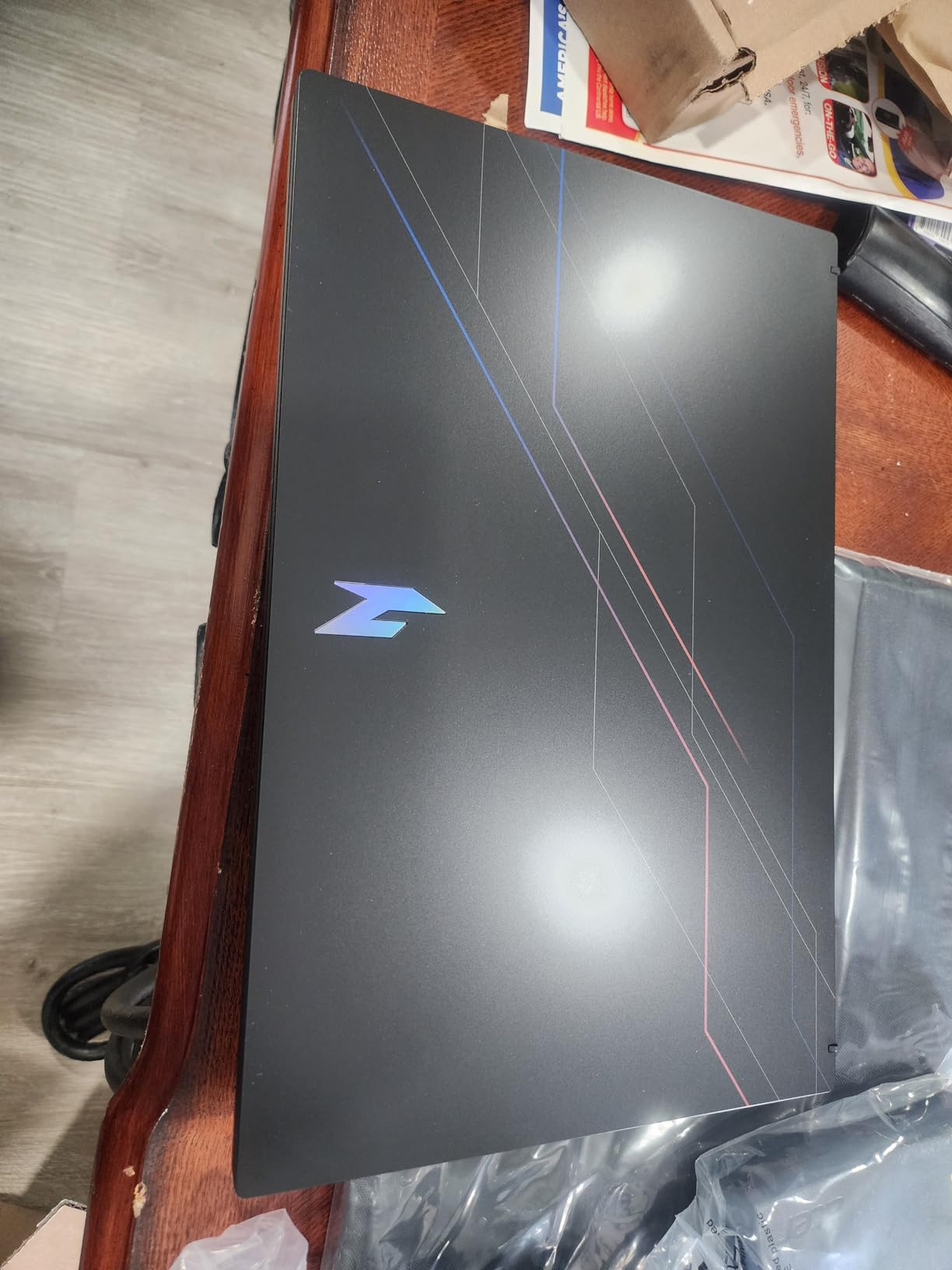
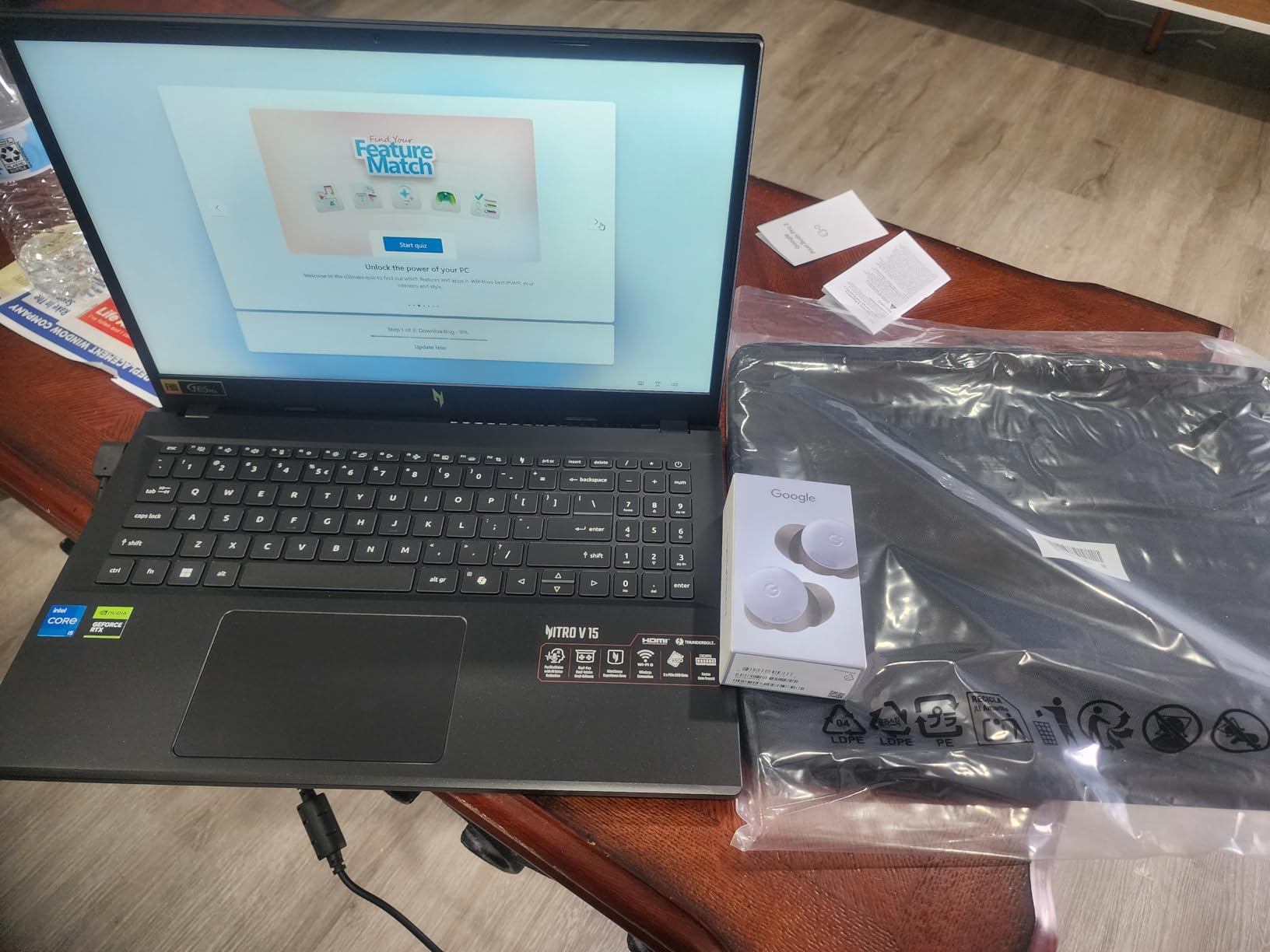
At 4.7 pounds it is one of the lighter options here, and the box includes a protective sleeve and a 135W AC adapter, which is more than most competitors bother with. Storage is a 512GB PCIe Gen 4 SSD and memory runs across two slots up to 32GB.
The display is the headline spec. A 15.6-inch matte IPS panel at 1920 x 1080, 165Hz, 300 nits, with 82.64% screen-to-body. That refresh rate is the fastest among the nine machines compared, and NitroSense plus the Intel graphics utility let you tune the fan curve, which is exactly what owners at this budget tend to do.
What a 165Hz panel is actually worth here
High refresh matters most in competitive shooters and any game where you track movement. On a 165Hz panel the frame rate difference between the RTX 4050 and an RTX 3050 is far more visible than on a 60Hz screen, because there are more frames to look at.
It also means the panel is not the bottleneck when you upgrade the memory. Several owners report brief frame-rate stutters that disappear once memory is expanded.
The memory ceiling is the one real complaint
Eight gigabytes is not enough for heavy multitasking alongside a game, and it is the most common complaint in the reviews. The fix is straightforward because there are two slots, but budget for the modules before you buy the laptop rather than after.
Be aware that the fans are loud in performance mode. NitroSense lets you shape the curve, and a quieter profile costs a few frames an hour. One buyer also reported data-loss problems traced to the factory Windows install, so a clean setup is worth doing on day one.
3. HP Victus 15-fa1082wm – The Only Pick That Arrives With 16GB
HP Victus 15.6 inch FHD 144Hz Gaming Laptop Intel Core i5-13420H NVIDIA GeForce RTX 4050 6GB – 16GB DDR4 512GB SSD Mica Silver (2024)
Core i5-13420H
RTX 4050 6GB GDDR6
16GB DDR4 3200MHz
144Hz anti-glare IPS
Pros
- The only pick here with 16GB fitted
- RTX 4050 with 6GB VRAM
- Second M.2 slot for storage
- Thunderbolt USB-C plus SD reader
- Strongest sales rank in the group
Cons
- Fully plastic chassis with visible flex
- OMEN Gaming Hub is described as bloatware
- Modest brightness and color gamut
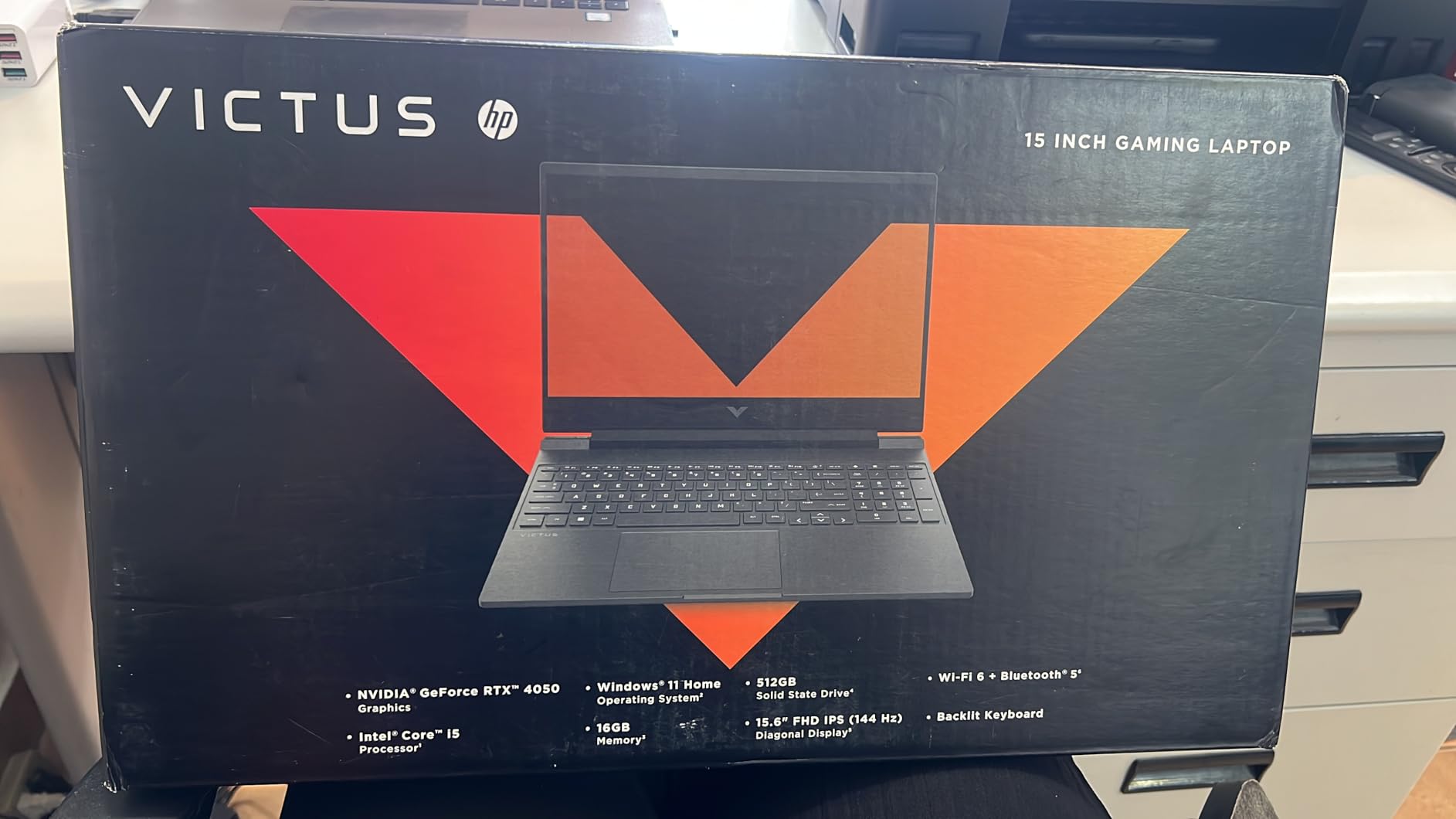
Every other machine on this list arrives with 8GB of memory and improves once you add more. The Victus 15-fa1082wm does not, and that single decision removes the largest recurring cost in this category. Sixteen gigabytes of DDR4 at 3200MHz is fitted from the factory, with headroom to 32GB.
Pair that with an RTX 4050 carrying 6GB of GDDR6 and a 13th Gen Core i5-13420H, and you have a strong graphics option in this group without a single upgrade. The 512GB drive is PCIe Gen 4 NVMe and a second M.2 slot allows storage expansion later.
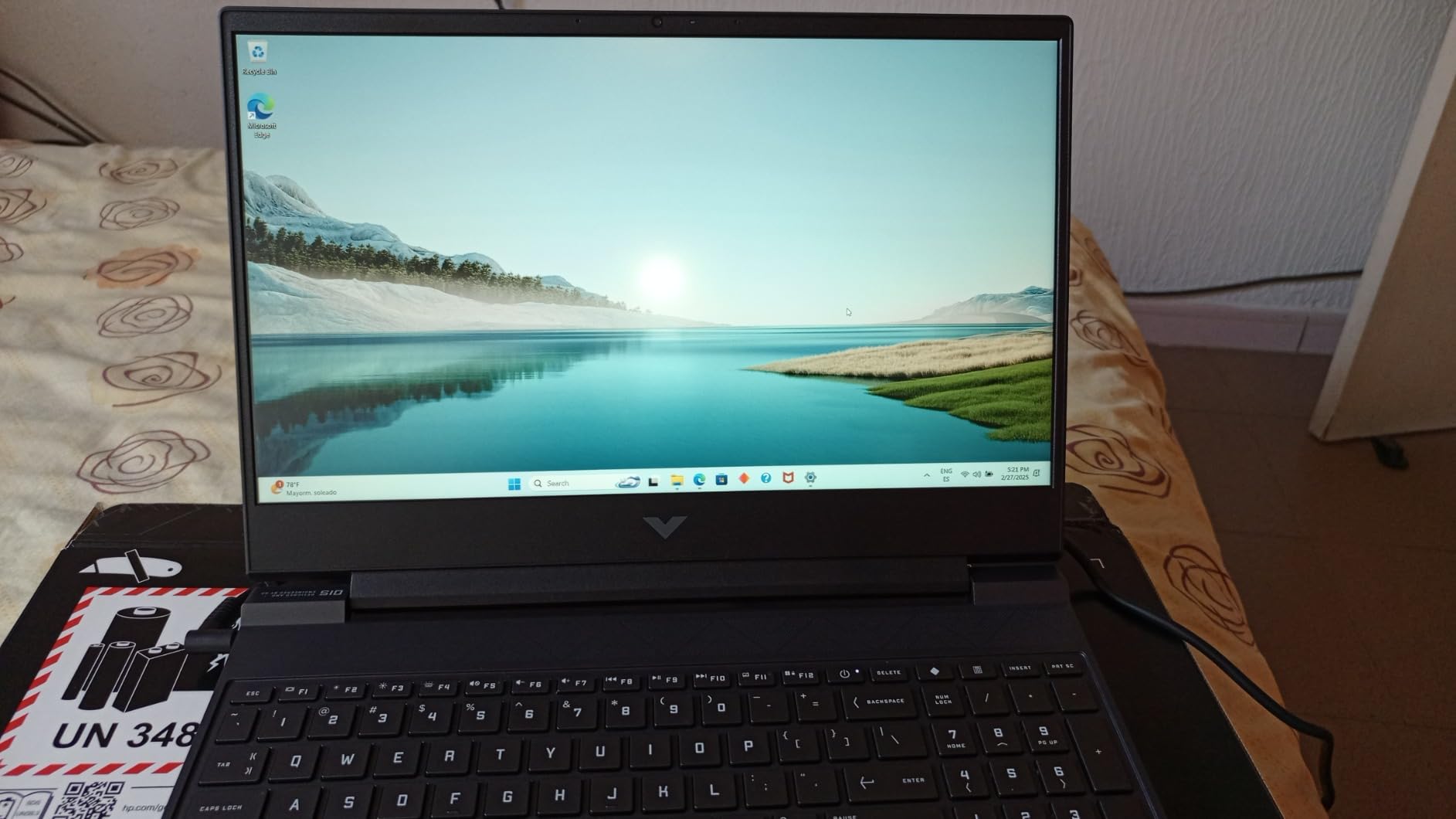
Reviewers call out the keyboard more than almost anything else. It is described as soft-touch, quiet and snappy, and it is one of the best in the budget class. The 15.6-inch Full HD IPS micro-edge anti-glare display runs at 144Hz, which suits the competitive titles this hardware is built for.
Port selection is strong for a laptop at this ceiling: Thunderbolt USB Type-C, HDMI 2.1, RJ-45 Ethernet, three USB-A ports and an SD card reader. Dual-band Wi-Fi 6 and Bluetooth are both present, and the 70Wh battery is rated for up to 8.5 hours of light use.
What 16GB from the factory actually saves you
On every other pick here you are budgeting for memory before anything else, and at this ceiling that cost can push a machine past your limit or force a compromise elsewhere. This one removes that step, which means the money you saved can go toward a larger SSD instead.
It also means the laptop holds up better in two to three years. Modern titles plus a browser, a video call and a launcher will exhaust 8GB long before they exhaust 16GB.
Where the build quality gives way
The chassis is fully plastic, with visible screen flex and some keyboard deck wobble, and there is a single hinge bar across the bottom that shows flex under pressure. That is the honest cost of buying this much hardware in a plastic shell.
The OMEN Gaming Hub software is widely described as bloatware, and the display brightness and color gamut are more modest than the Nitro V panel. The Ethernet port design is also flagged as fragile, so treat the cable gently.
4. Lenovo LOQ Essential – The Most Accurate Display at This Price
Lenovo LOQ Essential – AI-Powered Student Gaming Laptop – Intel® Core™i5-12450HX – 15.6″ FHD IPS Display – 144Hz Refresh Rate – NVIDIA® GeForce RTX™ 4050 – 8GB Memory – 512GB SSD Storage – Luna Grey
Core i5-12450HX
RTX 4050 Ada 8GB
144Hz 100% sRGB IPS
4.2 pounds
Pros
- 100% sRGB at 300 nits is rare here
- 8GB of VRAM on the RTX 4050
- 4.2 pounds is light for the class
- Large single 100mm fan
- Spill-resistant keyboard
Cons
- Only one memory slot
- Fan runs loud and heats quickly
- Several buyers report a missing backlit keyboard
Most budget panels cover sRGB adequately. This one is specified at 100% sRGB coverage and 300 nits on a 15.6-inch IPS panel running at 144Hz, which makes it the one to look at if colour accuracy matters to you alongside frame rate.
The graphics card is unusual for the tier. An RTX 4050 based on Ada Lovelace with 8GB of GDDR6 and DLSS 3 support, which carries more VRAM than the 6GB configuration used by the other RTX 4050 on this page. The Intel Core i5-12450HX is an HX-series part with 6MB of cache.
At 4.2 pounds it is one of the most portable machines we assessed, and the chassis stays under an inch thick. A fingerprint reader and a spill-resistant full-size keyboard with 1.3mm of key travel are both uncommon additions at this level, and three months of PC Game Pass with EA Play come in the box.
A single 100mm fan with 0.15mm blades serves both the CPU and the GPU, a deliberate choice at this size. Larger blades move more air than the small fans most budget laptops use, though sharing one fan means one hot component warms the whole system.
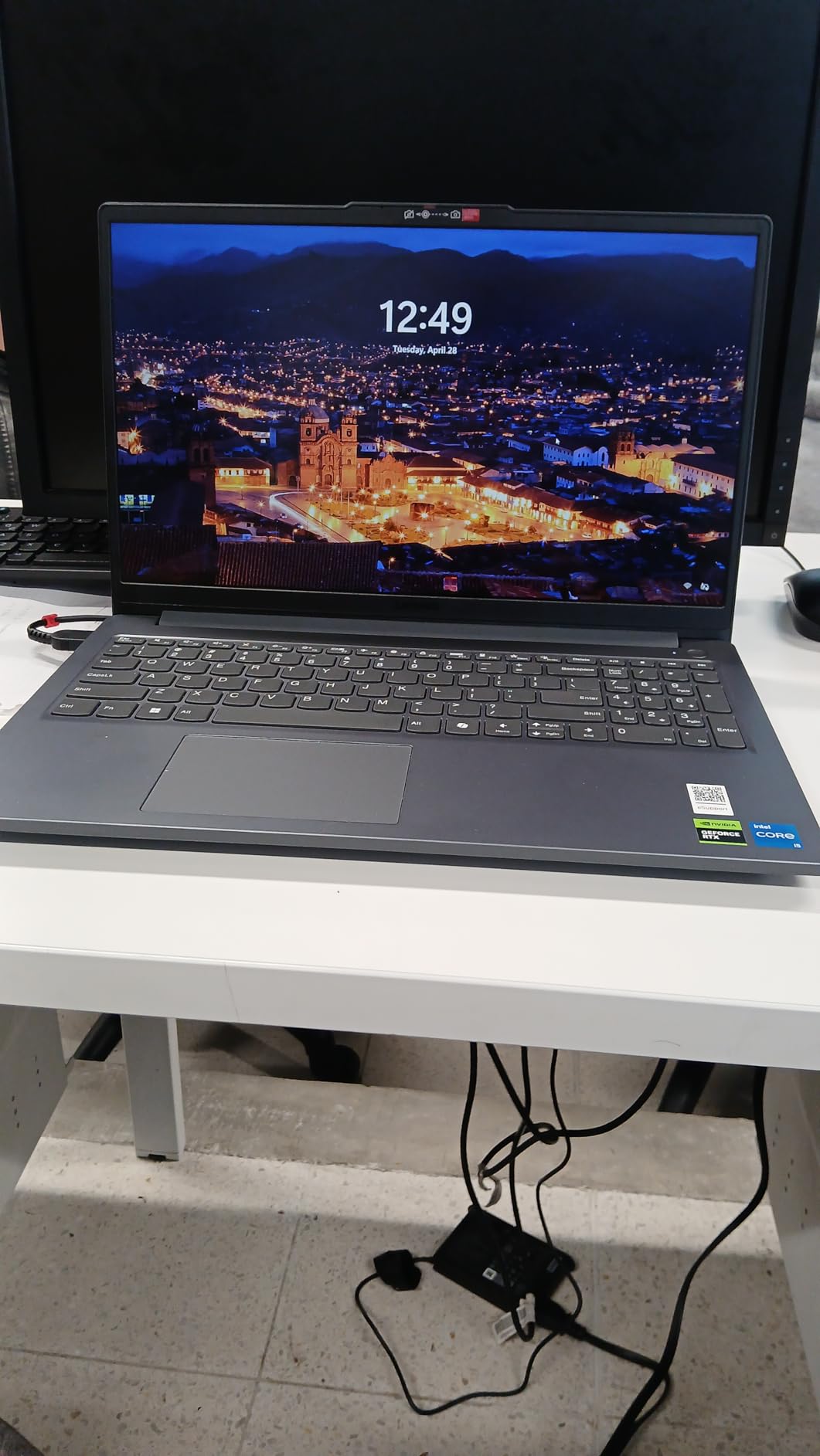
Why the panel is the reason to consider it
Specified 100% sRGB coverage is a hard number rather than a vague quality claim, and it means photos and videos on the machine look the way they do on a monitor calibrated to the same space. That matters if you edit, and it is why our picks for laptops for photo editing lean on panel quality first.
The 144Hz refresh rate and 300-nit brightness pair well with that panel, and the 16:9 aspect ratio keeps the frame rate maths simple at 1080p.
The single slot and the fan noise
There is only one memory slot with no soldered spare, so future upgrades mean replacing that module rather than adding to it, with a listed maximum of 32GB. That is a narrower path than the dual-slot machines here.
Multiple owners report the advertised keyboard backlighting missing from the box, which is a fulfilment problem rather than a design flaw but one worth checking on arrival. The single shared fan runs loud and heats quickly under gaming load, and the battery drains faster than expected. If you care about colour and portability more than quiet operation, this is still the machine to buy.
5. MSI GF65 Thin 10UE – A Light Chassis With a Large VRAM Buffer
MSI GF65 Thin 10UE Gaming Laptop: 15.6″ 144hz IPS-Level Screen, Intel 10th Gen i5-10500H, NVIDIA GeForce RTX3060, 512GB SSD, 8GB Memory, Black
RTX 3060 8GB GDDR4
Core i5-10500H 6 cores
15.6 inch 144Hz IPS
4.1 pounds
Pros
- 8GB VRAM with ray tracing
- Empty RAM slot and empty M.2 slot
- 0.84 inch thin chassis
- Owners report smooth 60 FPS in Elden Ring
Cons
- Oldest processor in the group
- Battery life around 2 hours at best
- Mediocre screen
- Chassis is difficult to open
If ray tracing and texture headroom are what you care about, the GF65 Thin is the outlier on this list. Its RTX 3060 carries 8GB of GDDR4, among the largest frame buffers of any machine we assessed, and it supports ray tracing natively.
For a card several generations old, that memory is still the practical advantage. Modern titles at 1080p with textures pushed are where 8GB pays off, and owners report smooth 60 FPS in Elden Ring after a memory upgrade. The card is not the limitation in this machine, and the 15.6-inch 144Hz IPS-level display is at least the right refresh rate to show it.
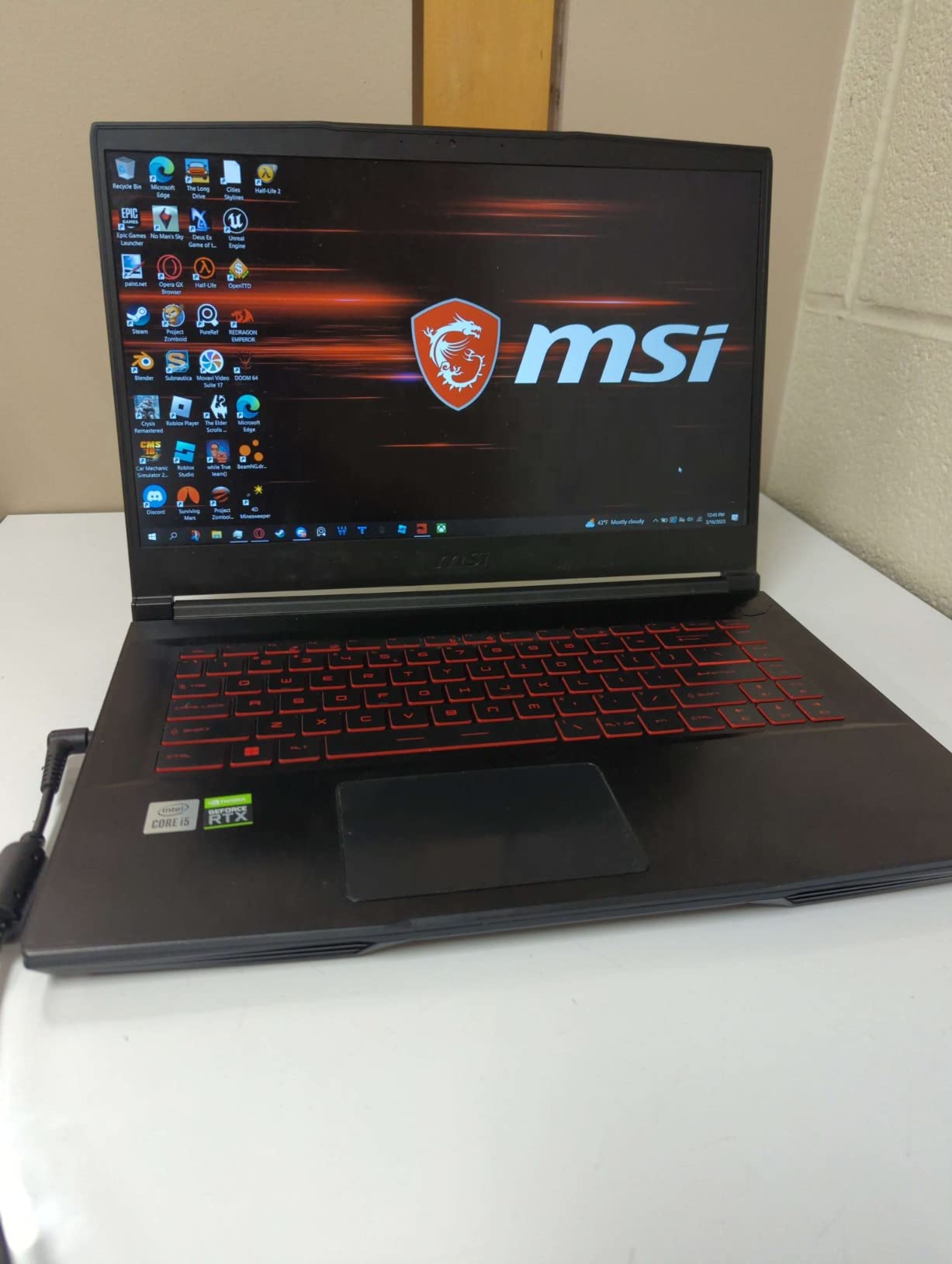
The upgrade path is genuinely good. The 8GB of DDR4 3200MHz comes with an empty second slot, and the 512GB SSD sits alongside an empty M.2 slot, so reaching 24GB of memory and 1TB of storage is straightforward in principle. The chassis measures just under an inch thick and weighs 4.1 pounds.
It is also one of the more compact gaming laptops we looked at, which is a real result for hardware that includes an RTX 3060. Cooler Boost fan mode is available through MSI’s software for when you want the fans to respond faster than the default curve.
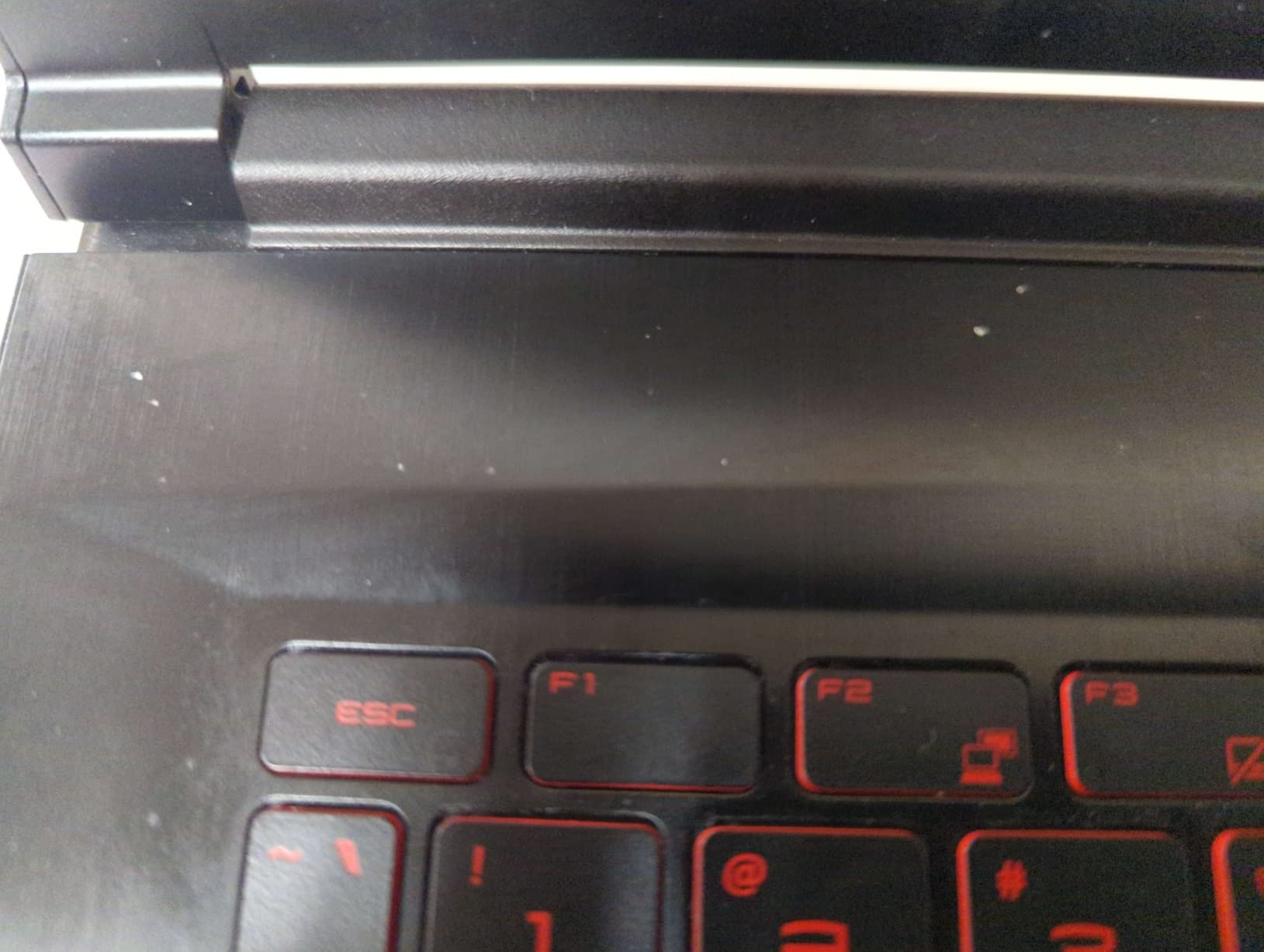
What 8GB of VRAM is still good for
Video memory is the constraint that bites hardest in modern AAA titles, and 8GB keeps texture-heavy scenes from stuttering while the rest of the system memory is in use. Combined with DLSS-style upscaling, that is how this machine reaches playable frame rates in demanding scenes.
Ray tracing is the other reason. Hardware ray tracing is available here, so you can enable it and let upscaling handle the resolution hit, which is not always possible on the lower-tier cards in this list.
Why the processor holds it back
The 10th Gen Core i5-10500H with six cores at 2.5GHz is the oldest processor here, and owners report it bottlenecking frame rates in open-world games. One review notes the machine sustaining only 45 FPS in demanding open-world scenes while running hot.
Battery life is poor, roughly two hours at best and under an hour when set up for gaming. The screen is described as mediocre, the bottom panel and battery cable make memory upgrades difficult to remove, and there is no DisplayPort or Thunderbolt so external displays are limited to HDMI. Some owners have needed keyboard, battery and power supply repairs within four years, so buy with a warranty mindset.
6. Lenovo IdeaPad Gaming 3i i7-12700H – A Core i7 Under the Ceiling
Lenovo IdeaPad Gaming 3i – 2022 – Everyday Gaming Laptop – NVIDIA GeForce RTX 3050Ti Graphics – 15.6″ FHD Display – 8GB Memory – 512GB Storage – Intel i7 12th Gen – Onyx Grey
Core i7-12700H 24MB cache
RTX 3050 Ti 4GB
512GB NVMe plus 2280 slot
45 Wh with Rapid Charge
Pros
- Quick Core i7-class processor
- RTX 3050 Ti adds Tensor and Ray cores
- Free full-size 2280 M.2 slot
- Rapid Charge adds 40% in 15 minutes
Cons
- 8GB DDR4 is effectively unusable before upgrading
- Battery life about 1.5 to 2 hours under load
- Screen colours are not impressive
- Mediocre speakers
The IdeaPad Gaming 3i puts a Core i7-12700H under the ceiling, with 24MB of cache and boost up to 4.5GHz. That is one of the quickest processors in this group, and it pairs with an RTX 3050 Ti that adds Tensor and Ray Tracing cores over the standard card.
What surprises people is how much the storage layout helps. The 512GB drive sits in the short 2242 M.2 slot, which leaves a full-size 2280 M.2 slot free, so you can add a large second drive without giving up the factory one.
Owners also confirm that memory upgrades well beyond the listed figure work reliably, which matters because 8GB is the factory configuration. Several long-term owners describe the machine as effectively unusable until upgraded, and nearly all of them report that moving to 32GB transforms it.
The build is better than the price suggests. Buyers report little wobble from a plastic chassis, and Lenovo added a 15% cooling improvement over the previous generation through larger vents and higher fan airflow, plus a rear I/O dashboard for cable management.
What a processor this strong changes
A fast CPU matters most in games with lots of simulation, strategy titles and open-world streaming, where frame rate is decided by the processor rather than the card. If you play those and frame rate is the priority, this is the pick.
It also stays relevant longer. A processor two classes ahead of the alternatives in a laptop tends to age more gracefully than a GPU that is already at the bottom of the range.
The battery and the factory memory
The 45Wh battery is small, and owners report poor life under load of roughly 1.5 to 2 hours of real use. Rapid Charge helps, adding 40% in 15 minutes, but this is a desktop-replacement machine that lives near a charger.
The screen colours are not impressive and are unsuitable for design or colour work, and the speakers are mediocre. Note also that this Intel-based model uses DDR4 while the Ryzen-based IdeaPad Gaming 3 uses DDR5, so do not assume memory is interchangeable across the family.
7. Acer Nitro 5 AN515-57-79TD – The Most Upgradeable Machine Here
Acer Nitro 5 AN515-57-79TD Gaming Laptop | Intel Core i7-11800H | NVIDIA GeForce RTX 3050 Ti Laptop GPU | 15.6″ FHD 144Hz IPS Display | 8GB DDR4 | 512GB NVMe SSD | Killer Wi-Fi 6 | Backlit Keyboard
Core i7-11800H 8 cores
RTX 3050 Ti 4GB
2 SODIMM slots and 2 M.2 slots
15.6 inch 144Hz IPS
Pros
- Eight-core processor
- Two SODIMM slots and two M.2 slots
- 144Hz IPS with thin bezels
- Killer DoubleShot Pro networking
Cons
- Older 11th Gen platform
- 8GB DDR4 is the base configuration
- 144Hz panel outruns the GPU in demanding titles
No other laptop on this list makes the upgrade path this clean. The AN515-57-79TD carries two SODIMM slots supporting up to 32GB, two PCIe M.2 slots, and a 2.5-inch drive bay, so memory and storage both expand without replacing what is already there.
The 11th Gen Core i7-11800H is an eight-core part boosting to 4.6GHz, and the RTX 3050 Ti brings 4GB of GDDR6 plus Tensor and Ray Tracing cores. The 15.6-inch Full HD IPS panel runs at 144Hz with an 80% screen-to-body ratio and thin bezels.
Killer Wi-Fi 6 AX1650 and Killer Ethernet E2600 with DoubleShot Pro let the wireless and wired connections work simultaneously, which is a genuine advantage for anyone running a wired connection on one device and a local network transfer on another. Acer CoolBoost raises fan speed by 10% and overall thermal performance by 25%, and NitroSense is reachable from a dedicated hotkey.
The result is a 4.3 average across more than a thousand reviews, with 72% at five stars. Owners value the Core i7 tier and the easy upgrade path, while pointing to 8GB of memory as the first thing worth improving.
Why the upgrade path matters more than the spec sheet
At this ceiling you will probably need more memory or more storage within two years. A machine with two memory slots and two M.2 slots lets you add what you need and keep the factory parts, which keeps cost down and avoids the data-transfer step entirely.
That also makes this a more future-proof machine than a cheaper one with everything soldered, even if the processor is a generation behind.
The generation gap and the panel mismatch
This is an 11th Gen platform, a generation behind current options, and the card is a 3050 Ti rather than an RTX 4050. The 144Hz panel refreshes faster than the GPU will deliver frames in demanding titles, so on AAA games you will rarely see the full refresh rate.
It is a mismatch worth accepting only if you value the eight-core processor and the upgrade freedom. If your priority is frames per second, one of the RTX 4050 machines further up this list serves you better.
8. Lenovo IdeaPad Gaming 3 Ryzen 5 6600H – DDR5 at an Entry Price
Lenovo IdeaPad Gaming 3 – Essential Gaming Laptop – 15.6″ FHD – 120Hz – AMD Ryzen 5 6600H – NVIDIA GeForce RTX 3050 – 8GB DDR5 RAM – 256GB NVMe Storage – Windows 11 Home
Ryzen 5 6600H 6 cores
RTX 3050 4GB
8GB DDR5 4800MHz
256GB NVMe SSD
Pros
- Heavily reviewed with 1522 ratings
- DDR5 memory at 4800MHz
- Ryzen 5 6600H hexa-core at 3.30GHz
- 120Hz anti-glare Full HD display
- 7 ports including USB Type-C
Cons
- 256GB storage is the smallest here
- 8GB is the entry floor
- 7.6 pounds is heavy
- 120Hz is the lowest refresh rate here
This machine carries the most review history of any laptop in the group, with 1522 ratings averaging 4.2. That volume matters at this budget because it is the closest thing to a long-term reliability record most buyers will find under the ceiling.
Buyers consistently point to the Ryzen 5 6600H hexa-core at 3.30GHz and the DDR5 memory as solid performers, and DDR5 at 4800MHz is faster than the DDR4 used in most competing budget gaming laptops. The RTX 3050 carries 4GB of dedicated GDDR6.
Connectivity is generous for the tier: HDMI, DisplayPort, USB 3.2, USB Type-C and Bluetooth across seven ports in total, plus Wi-Fi 6. The 15.6-inch Full HD LCD runs at 120Hz with an anti-glare coating, and the 45Wh battery is rated for up to eight hours of stated life.
Those stated hours are the weakest real-world claim in this group. Every gaming laptop here is effectively a desktop replacement, and the differences between them in that respect are smaller than the marketing suggests.
What DDR5 buys you at this price
DDR5 at 4800MHz transfers data faster than the DDR4 in most of the machines above, and it matters most on the 8GB configurations where memory bandwidth is a bottleneck. It also gives you a faster base to upgrade from, provided the slots accept it.
Wi-Fi 6 and a 45Wh battery complete a package that is quietly modern for a machine this affordable.
The storage and weight are the real limits
A 256GB NVMe drive is the smallest in this roundup and fills quickly with modern titles, and the listed maximum memory of 8GB means this configuration has the least headroom of anything we assessed. Both are reasons to keep looking unless this specific listing undercuts the others.
At 7.6 pounds it is one of the heaviest machines here, and the 120Hz display is among the slowest refresh rates in the group. You are buying CPU capability and DDR5 speed, not responsiveness or portability.
9. HP Victus 15-fa0025nr – The Largest Battery in the Group
HP Victus 15 Gaming Laptop, NVIDIA GeForce RTX 3050, 12th Gen Intel Core i5-12500H, 8 GB RAM, 512 GB SSD, Full HD Display, Windows 11 Home, Backlit Keyboard, Enhanced Thermals (15-fa0025nr, 2022)
Core i5-12500H 12 threads
RTX 3050 GDDR6
70 Wh battery
Full HD IPS with 178-degree angles
Pros
- 70 Wh is one of the larger batteries in the group
- 12 threads and 12MB L3 cache
- Fingerprint reader is unusual at this price
- Full-size backlit keyboard with numpad
- IPS panel with wide viewing angles
Cons
- Older Wi-Fi 5 rather than Wi-Fi 6
- Memory listed with a maximum of 8GB on some configurations
- 8GB DDR4 base
If your day involves moving between rooms, a classroom and a library, the Victus 15-fa0025nr has the largest battery in this group at 70Wh. Buyers highlight the value of a 12th Gen Core i5 at this position in the range, along with the Full HD IPS panel and the backlit keyboard with numpad.
The processor is the same i5-12500H found in our top pick, with 12 threads, a 12MB L3 cache and boost to 4.5GHz. The RTX 3050 runs on GDDR6, and the display offers 178-degree viewing angles, which is genuinely useful if you are moving the machine around.
The fingerprint reader is uncommon at this price, and the machine also adds enhanced thermals on top of Windows 11 Home, three USB ports, HDMI and gigabit Ethernet. A 4.3 average from 375 reviews with 67% at five stars puts it level with several newer configurations.
It is worth being clear about what that battery does and does not mean. A 70Wh cell buys you a normal school day of documents, browsing and video calls. It does not turn a gaming laptop into a portable console, because the GPU draws far more power than that cell can supply for long.
What a 70Wh battery actually buys
Roughly a full working day of light tasks away from a charger, which is more than any other pick here can promise. It changes the character of the machine from a desk-bound replacement into something you can carry between locations.
The 15.6-inch chassis at just over 5 pounds keeps that portability realistic rather than theoretical.
Where the compromises were made
The wireless is Wi-Fi 5 rather than Wi-Fi 6, which is the one specification here that is genuinely behind the curve. The memory is listed at a maximum of 8GB on some configurations, so confirm the upgrade path before you buy, and the 8GB base is the same factory compromise as most of this list.
Storage is a 512GB SSD, which is adequate, and the panel is an IPS with wide viewing angles but no high-refresh rating listed, so it is a poor choice for competitive shooters. Choose this one for endurance and for work that takes you away from a desk, not for competitive frame rates.
Buying Guide: How to Choose a Gaming Laptop Under 1000
The three specs that decide everything
Start with the GPU, because it determines frame rate. An RTX 4050 with 6GB is the practical floor for 1080p play in 2026, and it is the class that comfortably clears 120 FPS in many games. RTX 3050 and RTX 3050 Ti cards with 4GB still run esports titles and most AAA games on medium settings with upscaling, but you should expect settings compromises in texture-heavy scenes.
Then check memory. Sixteen gigabytes is the number to insist on, either fitted or reachable through user-accessible slots. Eight gigabytes works for a game running alone, and fails when a browser, a launcher and a voice chat are also open.
Finally, storage. A 512GB SSD is the minimum that keeps a modern library manageable, and a second M.2 slot turns a limitation into something you can fix later for a modest outlay.
The 8GB RAM trap and how to fix it
Listings under 1000 that come with 8GB are not a scam, they are a configuration problem, and the fix is usually simple. Buyers in budget gaming communities consistently report a single remedy: add memory yourself on day one for a modest outlay, typically one matched module.
Before you buy, find the maximum memory capacity on the spec page, not just the installed amount. If the maximum is 8GB, walk away. If it is 16GB or 32GB and the slots are accessible, the machine is fine once upgraded. Two slots is ideal, since a matched pair is faster than a single stick in most workloads.
Several machines in this roundup, including the Acer Nitro 5 models, list upgrade paths to 32GB across two slots, and the MSI GF65 Thin comes with an empty second slot.
Spec red flags and the listings to skip
Several red flags tell you a listing is not worth your time. A 1366p display, or any panel that is not at least 1080p, disqualifies the machine. A 60Hz panel wastes the GPU it is paired with. TN or WVA-grade panels produce washed-out colour and narrow viewing angles, so require IPS. A single SSD slot with soldered memory means the machine is finished the day you unbox it.
Be careful with brand names that appear repeatedly in shopping results without appearing in any credible roundup. NIMO, ACEMAGIC, NIPOGI and GeekBook occupy a large share of budget-tier listing slots, and their review counts are thin enough that the ratings carry little information. Check the specification line, the memory maximum and the warranty before considering any of them.
We also keep running comparisons in the same budget band, including 3D printers under 1000 and CNC routers under 1000, because the same rule applies everywhere at this budget: the specification line decides it, not the listing headline.
One more red flag is a listing that names a model but omits the GPU, the refresh rate or the memory maximum. That is how SKU confusion happens: the same family name ships with different cards, different power limits and different panels.
Where configurations change week to week
The same model name can ship in several variants, and which one reaches a given retailer changes constantly. This is the normal condition of the tier rather than an exception, and it is why we name the exact configuration for every pick above.
Owners on gaming forums compare what they paid against current listings frequently, and a recent thread on a Steam community forum opens with a buyer noting that a machine they considered a bargain has since gone up in price. Memory component costs have been a real headwind for entry-level machines, and the practical effect is that inventory at this ceiling clusters around major sale events. If your budget is firm and you are not in a hurry, waiting for one of those windows is the single highest-value thing you can do.
Gaming laptop or desktop at this budget
The honest comparison is that the same money spent on a used desktop with a dedicated graphics card will deliver more frames for several years, with a monitor and peripherals on top. A gaming laptop at this ceiling wins on portability and on being a single machine that does everything.
For most first-time buyers, the laptop is the right call because it is the only purchase you will need. For a student who mainly plays on a desk, a modest machine like the Victus with its 70Wh battery and a separate monitor later is a sensible compromise, and pairing it with a comfortable desk chair under 1000 makes long evening sessions far easier on your back.
Screen size and refresh rate
At this ceiling, 15.6-inch is the default and it is the right default. A 16-inch or 17-inch screen needs a larger, heavier chassis and a bigger battery to support it, and at this budget that comes out of the GPU. Spend the money on the graphics card instead and add a larger external display later if you need the space.
On refresh rate, treat 144Hz as the target and 120Hz as acceptable. The 165Hz panel on the Nitro V refreshes faster than its GPU can always push frames in demanding titles, which is not a criticism of the panel but a reminder that the GPU is the limit.
Frequently Asked Questions
Is a 1,000-dollar gaming laptop worth it?
Yes, with the right expectations. A gaming laptop under 1000 runs esports titles at high frame rates and most modern games at 1080p on medium-to-high settings with upscaling enabled. You will not get high-refresh 1440p ray tracing or all-day battery while gaming. Insist on an RTX 4050 or better, 16GB of RAM, and a 512GB SSD.
What is the best budget gaming laptop under 1000?
The Acer Nitro 5 AN515-58-525P is the best overall pick under the ceiling. It pairs a 12-thread Core i5-12500H with an RTX 3050, a 144Hz IPS panel, quad-exhaust cooling, Thunderbolt 4 and upgradeable memory and storage. If you want a faster GPU instead, the Acer Nitro V ANV15-52-586Z pairs an RTX 4050 with a 165Hz display.
What is the cheapest but best laptop for gaming?
The HP Victus 15-fa0025nr sits at the bottom of this range and still pairs a 12th Gen Core i5-12500H with a dedicated RTX 3050 and a 70Wh battery. Avoid anything cheaper that pairs a 1366p panel, Wi-Fi 5 only, or memory capped at 8GB. Those compromises cost more in daily use than the graphics card does in games.
How much RAM do I need for a gaming laptop?
16GB is the practical minimum today, with 32GB comfortable. Eight gigabytes runs a game on its own but struggles with a browser, launcher and voice chat open at the same time. If a listing ships with 8GB, check that user-accessible slots let you reach 16GB or more, and budget for the modules before you buy.
What laptop to stay away from under 1000?
Avoid any listing with a 1366p display, a 60Hz panel, TN or WVA-grade colour, memory capped at 8GB, or a single soldered storage slot. Treat NIMO, ACEMAGIC, NIPOGI and GeekBook listings cautiously, since their review counts are too thin to be informative. Also avoid any listing under 1000 whose RTX 3050 sits in a machine that cannot cool it properly.
Is RTX 4060 or RTX 5060 better for a budget laptop?
Both beat the RTX 3050 in this roundup, and either is preferable under a 1,000-dollar ceiling. The RTX 4060 and RTX 5060 add DLSS upscaling and frame generation, which let a budget card render at a lower internal resolution and reconstruct a higher-resolution image. Where an RTX 4050 configuration fits your budget, it is the stronger buy than an RTX 3050 at a similar outlay.
Final Verdict: Which Gaming Laptop Under 1000 Should You Buy?
The Acer Nitro 5 AN515-58-525P is our pick for the best gaming laptops under 1000 in 2026, and the reason is balance rather than any single headline number. It pairs a 12-thread processor with a 144Hz IPS panel, a quad-exhaust cooling design, Thunderbolt 4 and HDMI 2.1, and memory and storage that both expand. Add RAM and it is a machine that will serve you well past the point where the other picks feel strained.
If your priority is a bigger frame buffer for texture-heavy games, the MSI GF65 Thin’s RTX 3060 with 8GB is the route instead, and you accept an older processor to get it.
For fast frame rates and a responsive screen without giving up weight, the Acer Nitro V ANV15-52-586Z pairs an RTX 4050 with a 165Hz panel at 300 nits. Budget for the memory upgrade before you buy it.
If you would rather not open the lid on a screwdriver at all, the HP Victus 15-fa1082wm is the only pick that arrives with 16GB, paired with an RTX 4050 and a 144Hz display. You accept a plastic chassis with visible flex and a modest panel in exchange for owning a complete machine on day one.
Whichever route you take, verify the exact configuration before you pay. Model names in this tier repeat with different cards, different memory and different panels, and the specification line is the only thing that reliably tells you what you are buying. All nine picks on this page were last checked in September 2026, and we update the rankings when the hardware underneath them changes.