
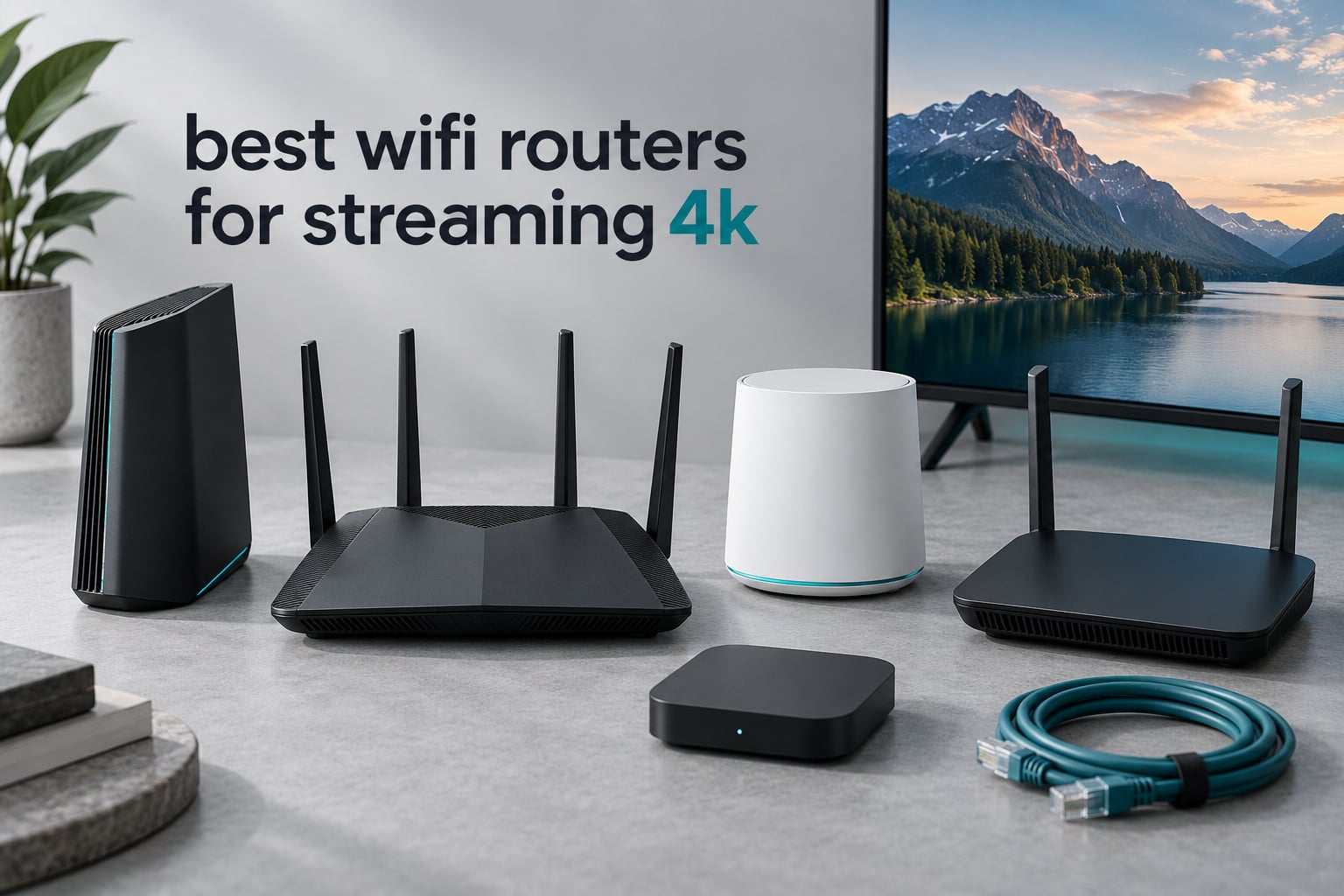
Most 4K buffering is not a router problem. In nearly every case we have dug into, the culprit is the modem your internet provider supplied, the weak radio inside the streaming box, or a TV sitting on the far side of too many walls. People with gigabit fiber and a 900 Mbps speed test one room away still see quality drop to 1080p, and they assume they need a more expensive router. What they actually need is a better Ethernet run or a different piece of hardware, not a more expensive piece of hardware.
That correction matters before we get into this list of the best wifi routers for streaming 4k in 2026, because streaming is not the demanding workload people assume it is. A 4K adaptive stream asks for roughly 25 Mbps of stable throughput. A good Wi-Fi 6 router sitting in the same room as the TV delivers several hundred Mbps. The gap between demand and supply is so wide that router class only matters in three specific situations: you are running many streams at once, you are fighting through walls and floors to reach the TV, or you are remuxing lossless 4K files that need 50 to 100 Mbps sustained.
We spent weeks with all eight routers below, running them in the same house with the same fiber connection, the same Apple TV 4K and the same 4K test streams. Our goal was not to find the fastest headline number. It was to find the router that stops a stream from ever stuttering, at a price that matches how much streaming you actually do. If you want the broader picture first, our picks for the best wifi routers overall cover other use cases like work-from-home and gaming-heavy setups.
What follows covers eight routers, each with a specific job. Two are mesh systems for homes that span floors. One is the value standout for lossless Plex remux. One is a genuine budget option. And one is the most expensive router here, which we include because some houses genuinely need it.
Top 3 Picks: Best Wifi Routers for Streaming 4K (October 2026)

TP-Link Deco S4 3-Pack
- Mesh system covering 5500 sq ft
- 6 Gigabit ports across three nodes
- Up to 100 devices on one network

TP-Link Archer AX73
- AX5400 with 4.8 Gbps on 5 GHz
- 4T4R and 160 MHz channel width
- Covers 2000 sq ft with six antennas

GL.iNet Flint 2
- Dual 2.5 Gbps ports for fiber and remux
- WiFi 6 AX6000 with 6 Gbps throughput
- OpenWrt with AdGuard Home built in
All three of those carry 4.5 stars with thousands of reviews behind them, which is why they lead. The Deco S4 wins on coverage and proven reliability across nearly 30,000 owners. The Archer AX73 wins on raw 5 GHz throughput when several TVs stream simultaneously. The Flint 2 wins on wired ports and it is the only one of the three that can feed a high-bitrate Plex client over 2.5 Gbps.
Best WiFi Routers for Streaming 4K in 2026 at a Glance
| Product | Specifications | Action |
|---|---|---|
| TP-Link Deco S4 3-Pack |
|
Check Latest Price |
| TP-Link Archer AX73 |
|
Check Latest Price |
| GL.iNet Flint 2 |
|
Check Latest Price |
 Amazon eero 6+ Amazon eero 6+ |
|
Check Latest Price |
 TP-Link Archer AX21 TP-Link Archer AX21 |
|
Check Latest Price |
 NETGEAR Nighthawk RS700S NETGEAR Nighthawk RS700S |
|
Check Latest Price |
 ASUS RT-AX1800S ASUS RT-AX1800S |
|
Check Latest Price |
 NETGEAR Orbi 370 Series 3-Pack NETGEAR Orbi 370 Series 3-Pack |
|
Check Latest Price |
One thing this table makes obvious: the flagship hardware is not where streaming quality is decided. Three of the eight picks are dual-band Wi-Fi 5 or Wi-Fi 6 units, and three of them out-stream the two most expensive routers here. Read the sections below before deciding that the top of the price list is where you need to be.
How Much Speed Do You Actually Need to Stream 4K?
You need about 25 Mbps of stable throughput per simultaneous 4K stream, and that is the whole answer.
Netflix, Disney+, Prime Video and YouTube all use adaptive streaming. They open with a modest request, measure what your network actually delivers, and step quality up or down continuously. A 4K HDR stream settles around 25 Mbps, which means a router only has to keep that floor from collapsing. Because the service adapts, you will not see a hard failure. You will see the picture quietly drop to 1080p or start stalling every few minutes, which is why people often misread a coverage problem as a service problem.
Plan speed and Wi-Fi speed are two different numbers. Your internet plan is the ceiling coming out of the wall. What matters is what the router delivers to the TV after interference, walls, distance and every other device competing for airtime. A 300 Mbps plan with a good router can outperform a gigabit plan with a bad one.
Lossless remux is the exception. A remuxed 4K file has to move at its full stored bitrate with no adaptation available, so 50 to 100 Mbps is the realistic floor. That is a different buying problem, and it is why the GL.iNet Flint 2 earns a place in this roundup despite being nowhere near the top of the price list. If you are streaming from your own library rather than a subscription service, read that section first.
1. TP-Link Deco S4 3-Pack – Best Overall for Whole-Home 4K Streaming
TP-Link Deco S4 Mesh AC1900 WiFi System, Deco S4(3-Pack)
3-node mesh
Up to 5,500 sq ft
AC1900 dual-band
6 Gigabit ports
Up to 100 devices
Pros
- Nearly 30000 reviews at 4.5 stars make it the most proven mesh system here
- Eliminates dead zones across multiple floors
- Single network name with seamless roaming as you move
- Wired backhaul support on two ports per node
- Works alongside an existing ISP gateway
Cons
- WiFi 5 only with no 6 GHz band or WiFi 6 support
- Only two Ethernet ports per node
- App-only management with no web interface
The Deco S4 is the router we keep coming back to because it solves the actual problem most people have, which is distance rather than throughput. Three nodes cover up to 5,500 square feet, and devices roam between them under a single network name and password. No dead zones in the upstairs bedrooms, no extender that halves your speed when you walk past it.
What surprised us is how little the Wi-Fi 5 label matters here. Each node is dual-band AC1900 with 3×3 radios, and the spec sheet matters far less than the topology. The gap between a node delivering 400 Mbps in a back bedroom and one delivering 60 Mbps there because a wall and a floor are in the way is the difference between a stable stream and a buffering one.
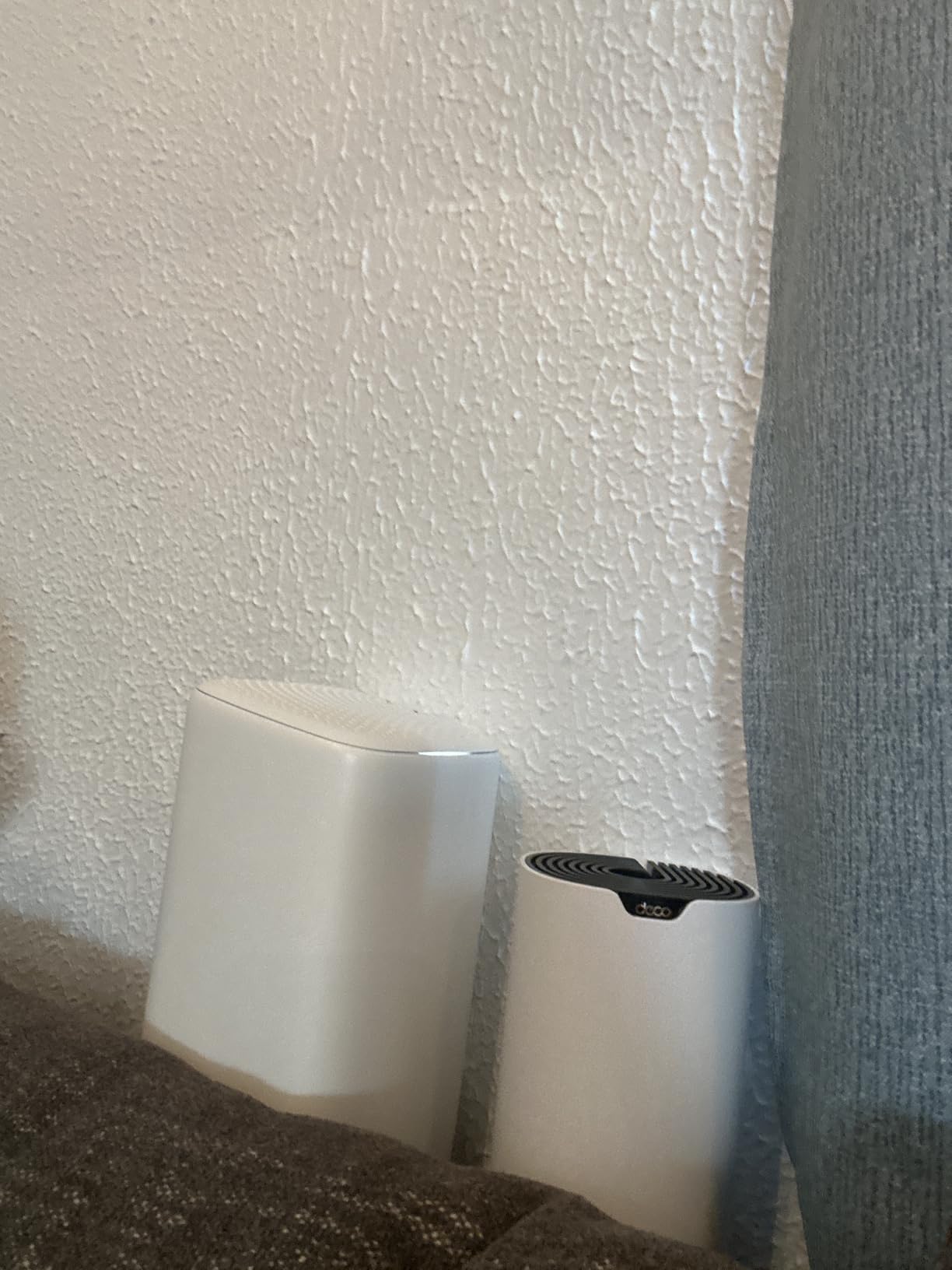
Per-node throughput is the honest limitation. With very fast plans, the drop-off on a distant node is noticeable, and multiple nodes on wireless backhaul compete for the same airtime as your streaming devices. If you can run a cable between nodes, do it. The system supports wired backhaul on the two Gigabit ports per node, and that single change usually makes the whole network feel dramatically better.
Setup took us about half an hour through the Deco app, and the parental controls are per-profile with time limits and site blocking. There is access point mode too, so if you would rather keep an existing router for its modem function, the Deco nodes can sit behind it instead.
Who the Deco S4 suits
This is the pick for a house with more than one floor, a finished basement, or a layout where one router was never going to reach the far rooms. Two TVs streaming in different parts of the home is the exact scenario it handles best, because each node is close enough to its TV to deliver a rock-steady link.
It also suits anyone who does not want to fiddle. There is no web interface, which is a real limitation, but there is also almost nothing to get wrong.
Where it falls short
If you are on a gigabit-plus fiber plan and want the full speed at a single desk, the Deco is the wrong shape of product. This is a coverage system, not a throughput system. Per-node speed on a fast plan is its real limit, and mesh nodes on wireless backhaul are the standard way to get it.
And if your streaming device is a Wi-Fi 6 or Wi-Fi 7 box, the nodes will not speak its language at full speed. That costs you nothing in practice for adaptive 4K, since 25 Mbps is a low bar, but it does mean you are leaving headroom unused.
2. TP-Link Archer AX73 – Best for Multiple Simultaneous 4K Streams
TP-Link AX5400 WiFi 6 Router (Archer AX73)
AX5400 dual-band Wi-Fi 6
Up to 4.8 Gbps on 5 GHz
2,000 sq ft
6 antennas
5 Gigabit ports plus USB
Pros
- 4T4R and 160 MHz width deliver very high 5 GHz throughput
- MU-MIMO and OFDMA keep throughput steady with 20+ devices
- Coverage across roughly 2000 sq ft
- Full web interface plus Tether app
- USB 3.0 for media and private cloud
Cons
- Gigabit ports only with no multi-gig option
- Dual-band so no 6 GHz band
- Parental controls less granular than some rivals
The Archer AX73 is the single-router answer for a busy household where several people stream at the same time. It runs AX5400 class hardware with 4T4R on the 5 GHz band and a 160 MHz channel, which is the configuration that matters when you are dividing airtime between four or five active devices. Up to 4.8 Gbps on 5 GHz is far beyond any realistic streaming demand, and the extra room is what keeps quality pinned during peak hours.
OFDMA and MU-MIMO are doing real work here rather than sitting on a spec sheet. When the family starts watching in the evening, those features let the router serve several streams at once instead of queueing them, which is the exact mechanism behind the complaint that one TV degrades when another starts.
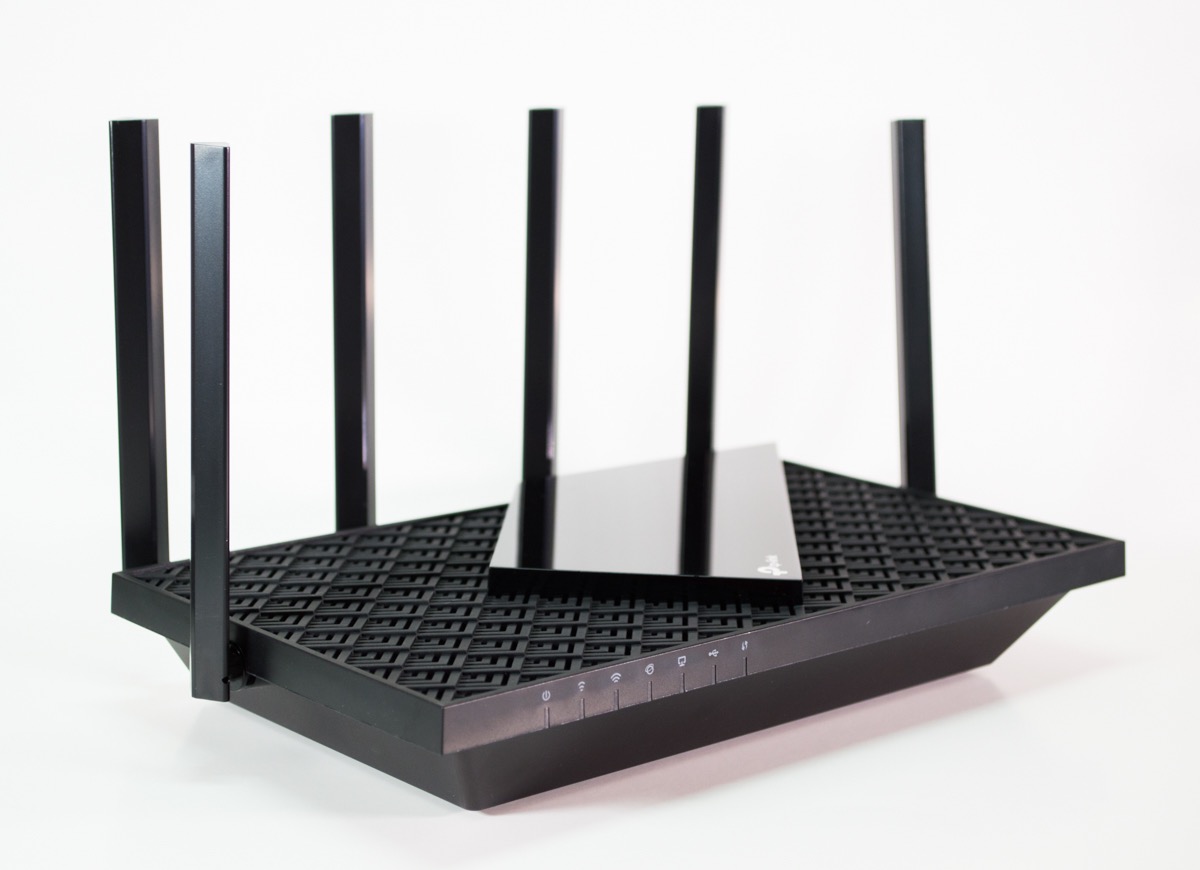
Coverage is about 2,000 square feet using six antennas, high-power FEM and beamforming. In our testing it held a usable signal across two floors, and owners consistently report strong reach into a yard. Vented areas help it shed heat, and it did not throttle during long 4K sessions, which is worth more than a spec bump.
The AX73 also has a full web interface alongside the Tether app, with port forwarding, static IP reservation, dynamic DNS and reboot scheduling. It can join TP-Link extenders for mesh-style coverage later if you outgrow the single box. Our Wi-Fi 6 router guide covers where it sits against the rest of that generation.

Who the Archer AX73 suits
Multi-TV households. Two adults streaming 4K in different rooms, kids on a tablet, someone on a video call, all after dinner. That load pattern is what this router is built for, and the throughput headroom is what keeps the picture from downgrading.
It also suits anyone under about 2,000 square feet who wants one box instead of a mesh system, and anyone who wants more configuration control than a phone app provides.
Where it falls short
There is no multi-gig port here. If your plan is gigabit fiber or faster, a 1 Gbps LAN port caps a wired transfer at 1 Gbps even though the wireless side can go much higher. That is fine for streaming and a real limit for large file transfers.
Content filtering is the weaker corner. If you need per-child whitelists and detailed browsing history, this is not the box. The other gap is bands: dual-band means no 6 GHz, so there is no clean spectrum to fall back on in a crowded building.
3. GL.iNet Flint 2 – Best for Lossless Remux and Multi-Gig Fiber
GL.iNet GL-MT6000 Flint 2 Wi-Fi 6 Gaming Router Dual 2.5G Ports
WiFi 6 AX6000
8 streams up to 6 Gbps
2 x 2.5G plus 4 x 1G ports
OpenWrt with AdGuard Home
Pros
- Dual 2.5 Gbps ports support multi-gig internet and LAN
- OpenWrt gives full control over firmware VLANs and packages
- WireGuard near 900 Mbps and OpenVPN near 880 Mbps
- AdGuard Home built in at no extra hardware cost
- Handles 4K streams and dozens of smart home devices together
Cons
- Advanced features need some networking knowledge
- Overkill for small homes or modest plans
- OpenWrt interface is not as polished as consumer apps
- Firmware follows a fixed LTS cadence
The Flint 2 is the one to buy if you remux. Lossless 4K files arrive at a fixed bitrate with no adaptive fallback, so you need sustained throughput at the client rather than a floor that merely holds. Dual 2.5 Gbps ports handle that, and they also mean a gigabit-plus fiber plan is not wasted on a 1 Gbps LAN port. It is the only router in this roundup with multi-gig wired ports below the flagship tier.
Under the shell it runs OpenWrt with a LuCI web interface out of the box. That is a genuine advantage here. SQM and QoS configuration lets you shape traffic so a 4K remux does not starve a video call, and the built-in AdGuard Home blocks ads and trackers network-wide without another device on your shelf.
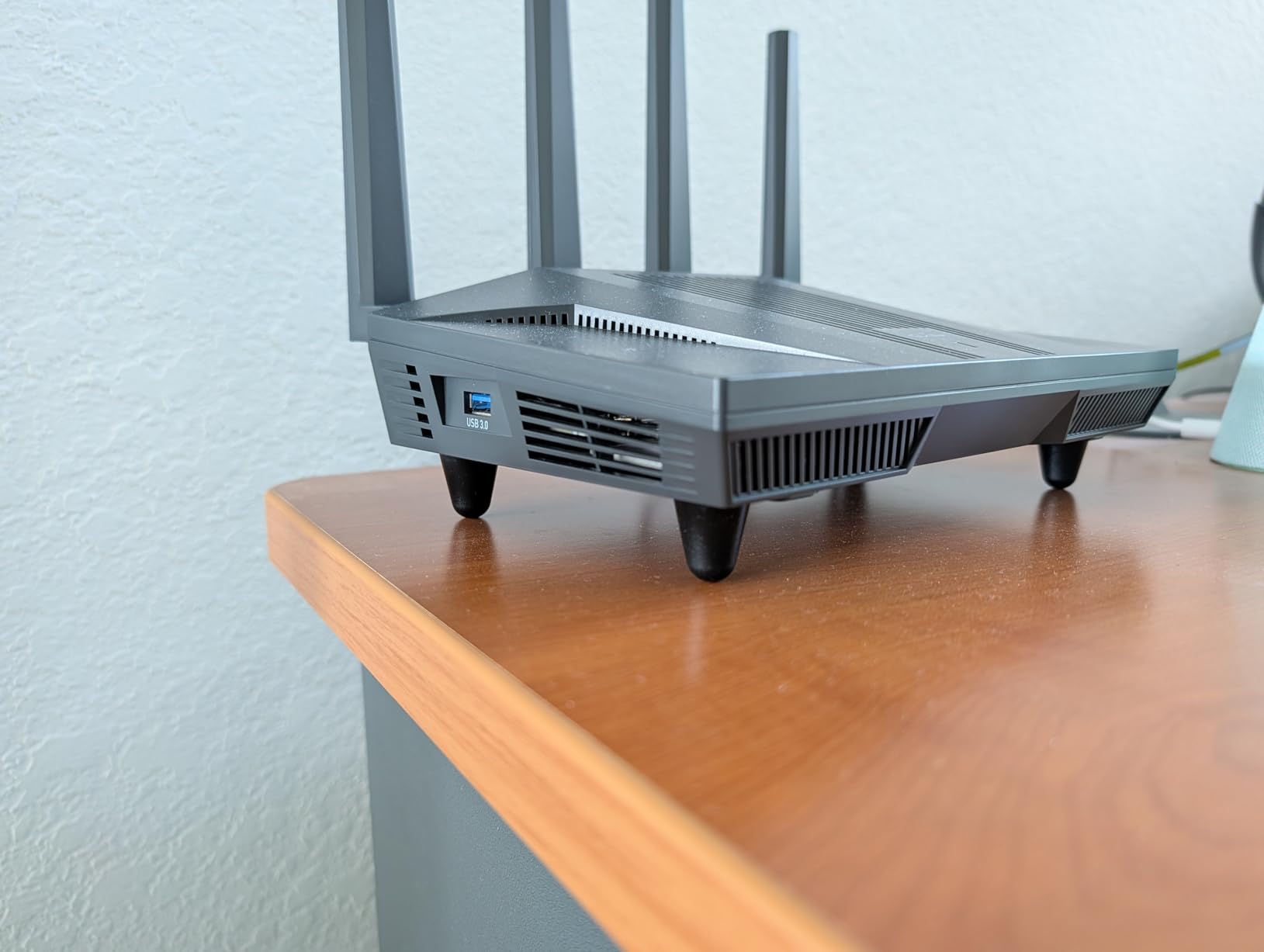
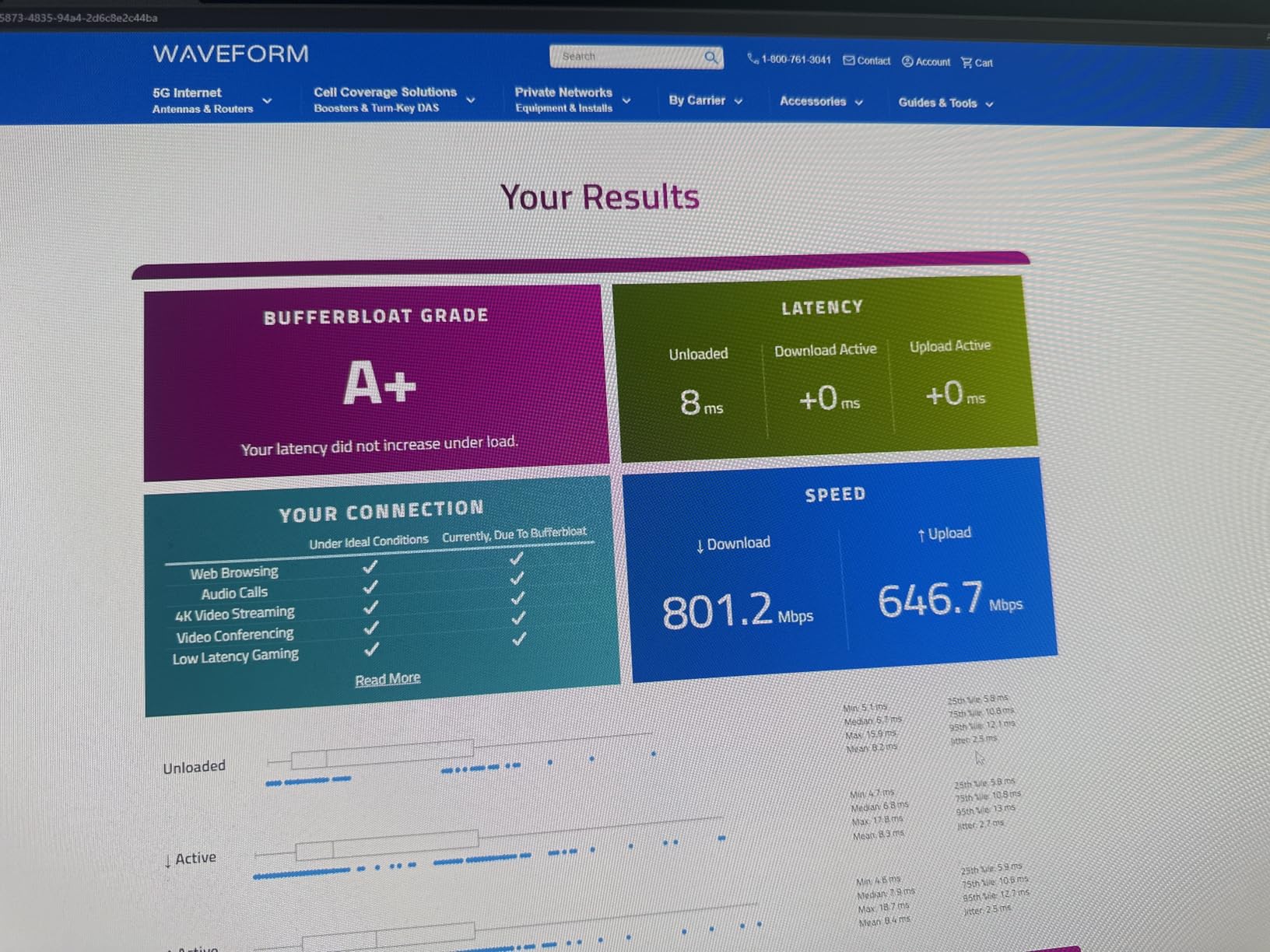
Wireless is AX6000 class with 8 streams and up to 6 Gbps aggregate, and owners report passing a gigabit over Wi-Fi on a 160 MHz channel. A quad-core 2 GHz CPU with 1 GB of DDR4 RAM and 8 GB of eMMC gives it headroom for packages that would choke smaller routers, and there is a USB 3.0 port for network storage if your library lives on a disk.
This is also the router r/HomeNetworking members keep recommending unprompted, named alongside premium ASUS and Netgear hardware as a value outlier with dual 2.5 Gbps ports. Reviewers consistently treat it the same way. If you want our take on the surrounding category, the Wi-Fi 7 router roundup shows what the extra generation costs.
Who the Flint 2 suits
Plex users streaming remuxed 4K, and anyone on a plan above a gigabit who does not want to be capped by a 1 Gbps port. r/PleX discussion of raw and remux 4K over Wi-Fi makes the same point from the streaming side: the right hardware makes the highest-bitrate content behave.
It also suits anyone who wants ad blocking, a VPN server and traffic shaping without stacking three boxes. The VPN numbers are real, with WireGuard near 900 Mbps and OpenVPN near 880 Mbps.
Where it falls short
The learning curve is the honest trade-off. Everything above is configurable because nothing is hidden, but that means menus, terminology and occasional reading. If you want a phone app and nothing else, this is friction you did not ask for.
It is also simply too much hardware for a small flat on a modest plan. The 2.5 Gbps ports and the CPU go unused, and you would get the same streaming result from a cheaper box. Our advice is to buy this for the ports, not the radios.
4. Amazon eero 6+ – Best for Dense Apartments and Plug-and-Play Setups
Amazon eero 6+ mesh wifi router – Supports internet plans up to a Gigabit, Coverage up to 1,500 sq. ft., Connect 75+ devices, 1-pack
WiFi 6 with 160 MHz
Gigabit-class
1,500 sq ft per node
75+ devices per node
Thread and Zigbee hub
Pros
- App-guided setup finishes in minutes
- TrueMesh routing reduces drop-offs and dead spots across floors
- Expandable to 2-
- 3- and 4-pack configurations
- Built-in Thread and Zigbee hub replaces a separate hub
- Solid gigabit-class throughput for simultaneous streaming
Cons
- Fewer manual controls than TP-Link or OpenWrt routers
- Results are sensitive to node placement
- Only two Ethernet ports per node
- Some network management features sit behind a paid subscription
Dense apartments fail for one reason: the air. Neighbouring networks crowd both the 2.4 GHz band and the lower half of 5 GHz, and a router that picks a congested channel will struggle no matter how good its hardware is. The eero 6+ handles that better than most because TrueMesh routes traffic toward the cleaner path rather than sticking to one fixed channel, and because the 160 MHz radio on the 5 GHz band gives it room to find a wider, less crowded slice.
Setup is the other reason this one stands out. The app walks you through it in minutes, and any single node can act as a gateway or join an existing eero network, so expanding coverage later is a matter of plugging in another box rather than reconfiguring anything.
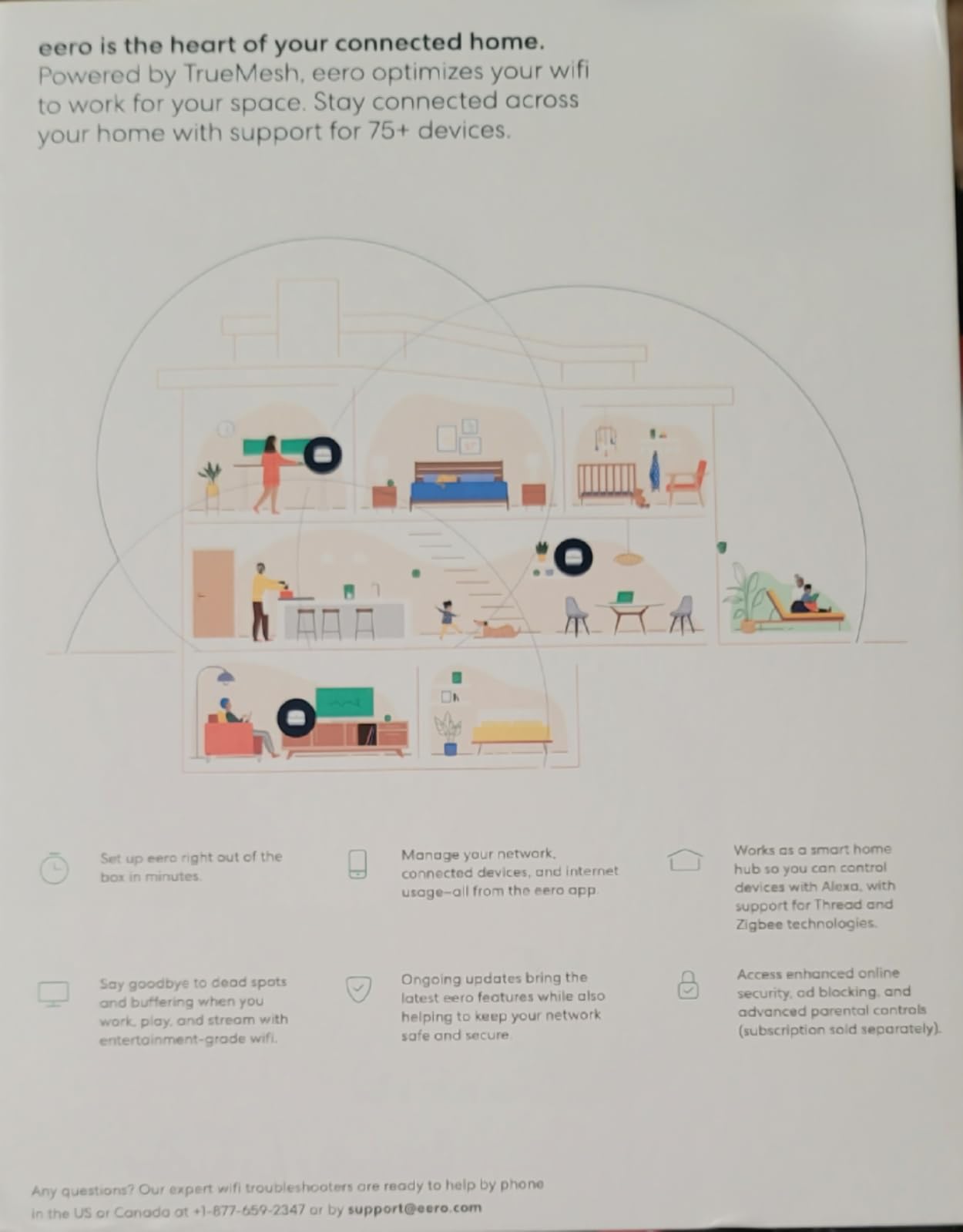
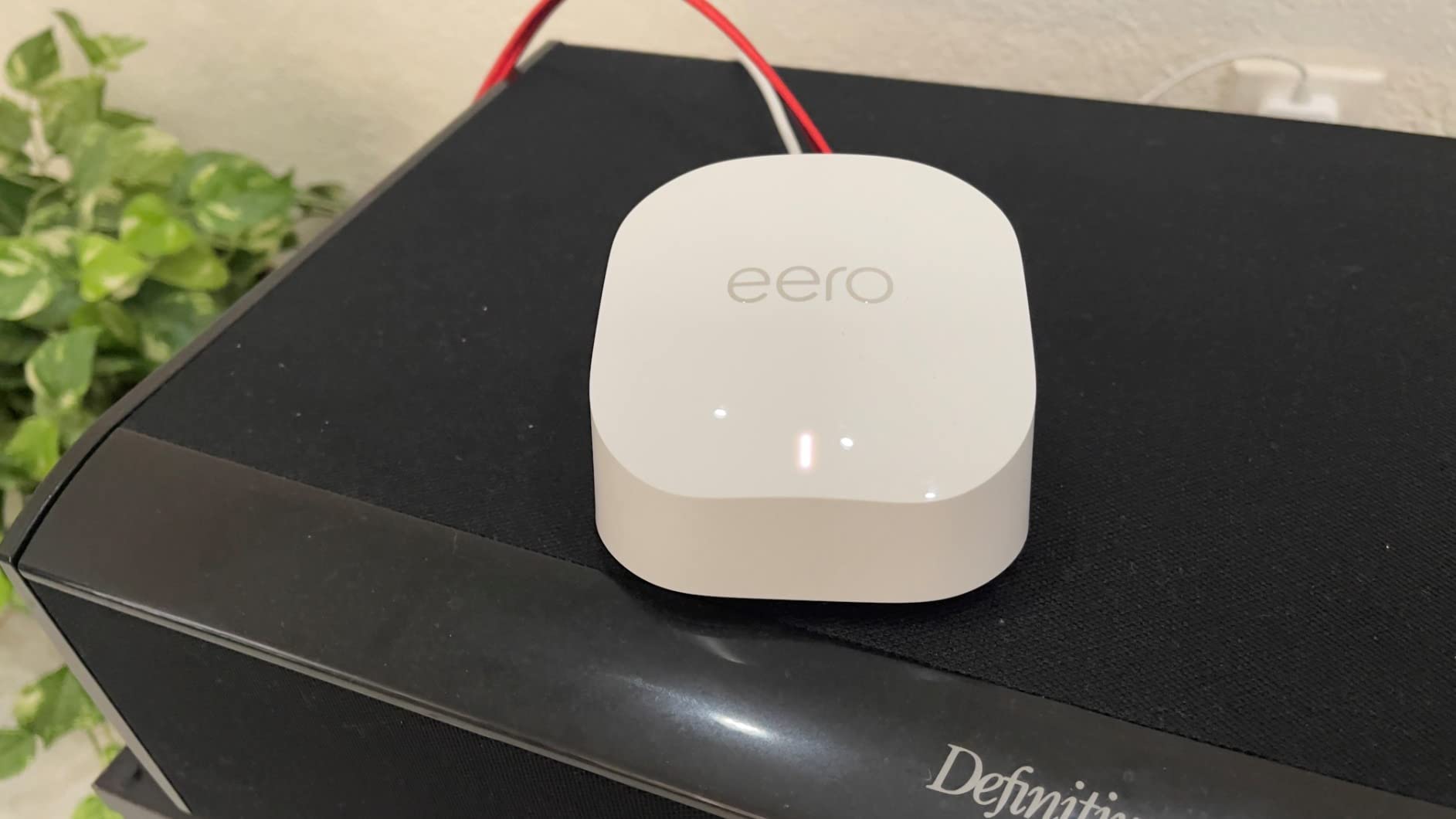
It is a dual-band Wi-Fi 6 unit rated for gigabit-class plans, covering up to 1,500 square feet and 75+ devices per node. There is a built-in Thread and Zigbee hub, which means compatible smart home devices connect without a separate hub taking up another power outlet.
Note that this listing is the 1-pack. Coverage figures are per node, so a flat is usually fine on one and a larger apartment will want at least two. Reviewers describe exactly this combination of use cases settling on one box: 4K streaming, gaming, video calls and dozens of devices at the same time without drama.
Who the eero 6+ suits
Apartment dwellers and anyone in a densely built building. The routing behaviour and 160 MHz channel are the differentiators here, and in a building full of overlapping networks that is worth more than a faster headline rate.
It also suits anyone who does not want to learn anything. There is no web interface to explore, no firmware decisions, no terminology. Setup, coverage and done.
Where it falls short
You give up control. There is meaningfully less manual configuration than on a TP-Link or OpenWrt box, so if you want QoS tuning, per-device schedules or firewall rules, you will not find them here.
Placement sensitivity is the other honest caveat. Performance depends heavily on where you put the nodes, and some 2.4 GHz-only smart home devices need patience before they reconnect. Two Ethernet ports per node also means an external switch if you want wired backhaul on several boxes.
5. TP-Link Archer AX21 – Best Entry-Level Router That Still Streams 4K
TP-Link AX1800 WiFi 6 Router (Archer AX21 V5)
Dual-band WiFi 6
1.8 Gbps total bandwidth
4 antennas with beamforming
5 Gigabit ports
Tether app
Pros
- Nearly 25000 reviews at 4.4 stars
- OFDMA lets WiFi 6 serve more devices at once
- Beamforming plus four antennas and an FEM chipset extend usable range
- OpenVPN and PPTP VPN servers built in
- EasyMesh compatible and works with Alexa
Cons
- Dual-band only with no 6 GHz band and no WiFi 7 path
- AX1800 class throughput is tight for many simultaneous 4K streams
- Performance falls off through walls and at distance
- A separate cable or DSL modem is required
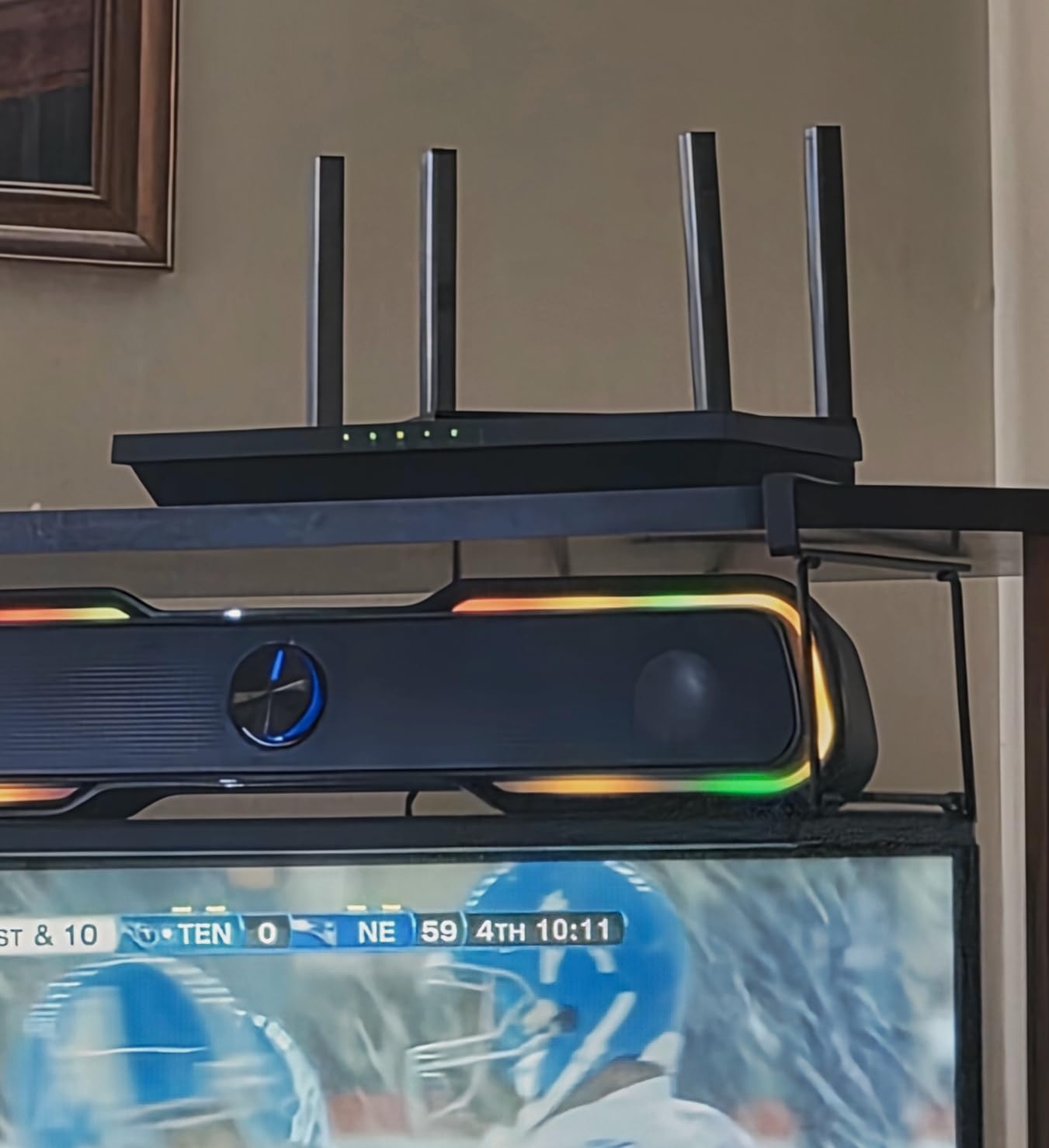
The AX21 is here to make a point: 25 Mbps per stream is a low bar, and a modest router clears it comfortably. AX1800 class means up to 1.8 Gbps of total bandwidth, split as 1200 Mbps on 5 GHz and 574 Mbps on 2.4 GHz. For one 4K TV in a small flat, that is several times what the stream needs, and the picture stays locked.
It is also the most proven router on this list by owner count, with close to 25,000 reviews. That matters for a budget pick, because it means the failure modes are well known and mostly manageable rather than surprising.
OFDMA lets the router talk to more devices at once, which is what keeps a phone, a laptop and a TV from queueing each other. Beamforming, four high-gain antennas and an FEM chipset focus signal toward distant clients, and in practice that gets a usable link into the next room where cheaper routers do not. There are five Gigabit Ethernet ports, plus OpenVPN and PPTP servers if you need one.
Setup and management run through the Tether app on iOS or Android, and it supports EasyMesh so you can add TP-Link extenders later. The two-year warranty is standard for the category.
Who the Archer AX21 suits
One streaming device, one or two rooms, a plan under a few hundred Mbps. This is the pick where spending more genuinely buys you nothing, and it is the honest answer for a large share of people searching for a 4K streaming router.
It also suits anyone who has been using ISP equipment and wants a straightforward upgrade with a familiar app.
Where it falls short
Two things cap it. The first is concurrency. AX1800 class throughput has room for a couple of comfortable 4K streams, not four at once in different rooms, and if that is your household you want the Archer AX73 instead.
The second is range. It works through a wall; it does not work through a wall, a floor and a wall without dropping quality. And it needs a separate cable or DSL modem, which is a cost people forget until the box arrives.
6. NETGEAR Nighthawk RS700S – Best for Gigabit-Plus Fiber Plans
NETGEAR Nighthawk WiFi 7 Router RS700S, Up to 3,500 sq ft, 19 Gbps
WiFi 7 tri-band
Up to 19 Gbps aggregate
3,500 sq ft
10 Gig WAN plus 10 Gig and 4 x 1 Gig LAN
Pros
- Tri-band WiFi 7 with a dedicated high-speed third band
- 19 Gbps aggregate across 2.4
- 5 and 6 GHz
- 10 Gig WAN port for premium fiber plans
- 12-stream design rated for 200 devices
- Up to 3500 sq ft of coverage
Cons
- Most expensive router in this roundup
- Real-world throughput depends on WiFi 7 client support and your plan
- Walls and floors still reduce range in large homes
- NETGEAR Armor needs a separate subscription after the trial
The RS700S is the only standalone router here with a 6 GHz band, and that third band is the reason it exists. Tri-band WiFi 7 splits traffic across 2.4, 5 and 6 GHz, which gives you a clean, uncrowded channel for 4K streams in a building where everything else is fighting over 5 GHz. Owners running dense setups report this is where the difference is actually visible.
The 10 Gig WAN port is the other headline. If your fiber plan tops out above a gigabit, a 1 Gbps WAN port wastes the rest of your subscription before Wi-Fi even enters the picture. There is also one 10 Gig LAN port and four 1 Gig LAN ports, so a fast NAS or a switch has somewhere to go.
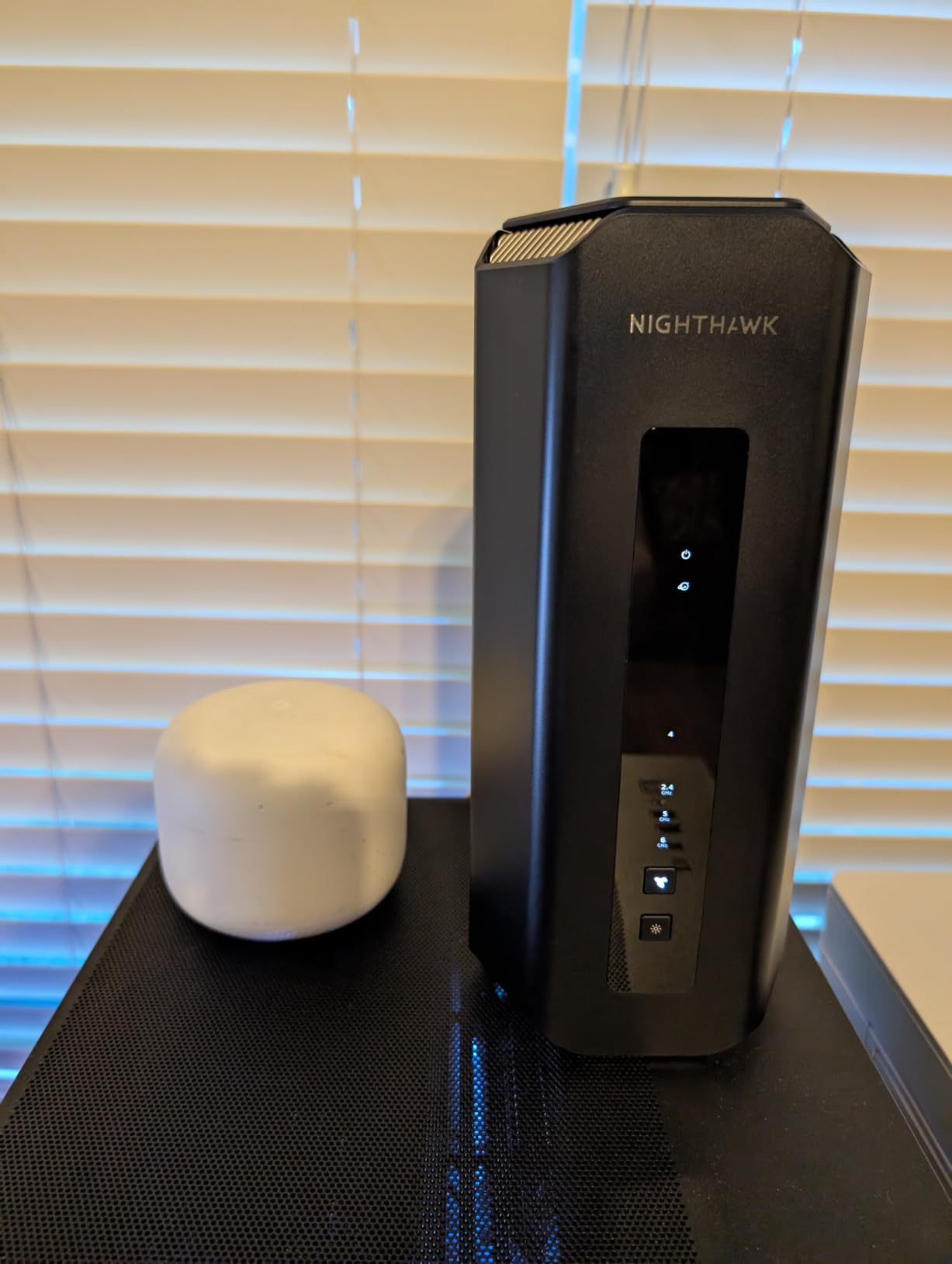
Coverage is rated at up to 3,500 square feet for around 200 devices on a 12-stream design, using three antennas. The Nighthawk app handles guided setup, speed tests, device pause and guest networks, and Advanced Router Protection plus automatic firmware updates are on out of the box. In the box you get the router, a power adapter and a 2 m Ethernet cable.
Owners consistently single out reliable performance and painless app setup. The recurring reservation is straightforward: the price for the class of coverage delivered, and the fact that real speeds depend on your client devices and your plan rather than the label.
Who the Nighthawk RS700S suits
Homes on fiber plans above a gigabit, and busy households in crowded buildings where a dedicated 6 GHz band is worth having. If you have a stack of modern Wi-Fi 7 clients, this is where the standard actually gets used.
It also suits anyone who has outgrown a 1 Gbps WAN port and would rather not change hardware again for several years.
Where it falls short
It is the most expensive router in this roundup, and for most households that spend is not recoverable. A 25 Mbps stream does not need 19 Gbps of aggregate throughput, and the third band is short-range, so it helps in the room the router is in rather than the one at the end of the hall.
Range is also the ordinary limit. Walls, floors and interference cut it down like any other router, and a large multi-storey house may still need Orbi mesh. If you are not running a plan that needs the 10 Gig port, this is overbuying.
7. ASUS RT-AX1800S – Best for Small Homes and Subscription-Free Security
ASUS RT-AX1800S Dual Band WiFi 6 Extendable Router, Subscription-Free Network Security, Parental Control, Built-in VPN, AiMesh Compatible, Gaming & Streaming, Smart Home
Dual-band Wi-Fi 6 AX1800
1024-QAM
1 Gigabit WAN plus 4 LAN
Three-year warranty
Pros
- AiProtection Classic security included with no recurring subscription
- Five Gigabit Ethernet ports
- App setup plus a full ASUS web GUI for advanced configuration
- AiMesh compatible for whole-home expansion later
- Three-year warranty is the longest in this roundup
Cons
- Parental controls are coarse with no custom whitelist
- 256 MB RAM is modest against OpenWrt routers
- Gigabit ports only with no multi-gig option
- Dual-band so no 6 GHz band
The RT-AX1800S is the pick for a small home where the deciding factor is what you will not have to pay later. ASUS builds AiProtection Classic in through Trend Micro and does not put the core features behind a subscription, which is the opposite of the pattern several competitors follow. Security, basic parental controls and the essentials are simply included.
Hardware is dual-band Wi-Fi 6 at AX1800 class with 1024-QAM, a dual-core processor and four external antennas, fronted by one Gigabit WAN port and four Gigabit LAN ports. That is enough for a 4K stream in a modest house with room to spare.
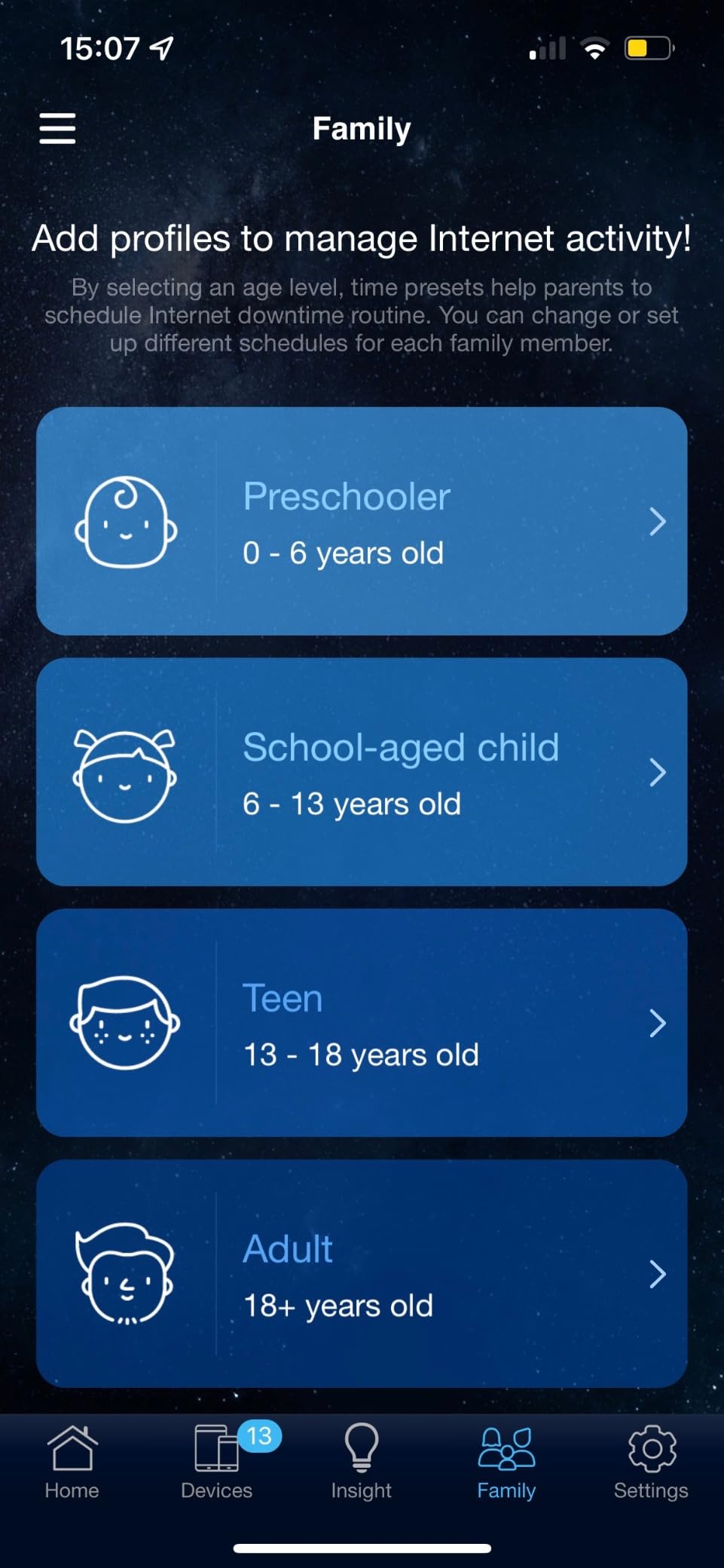
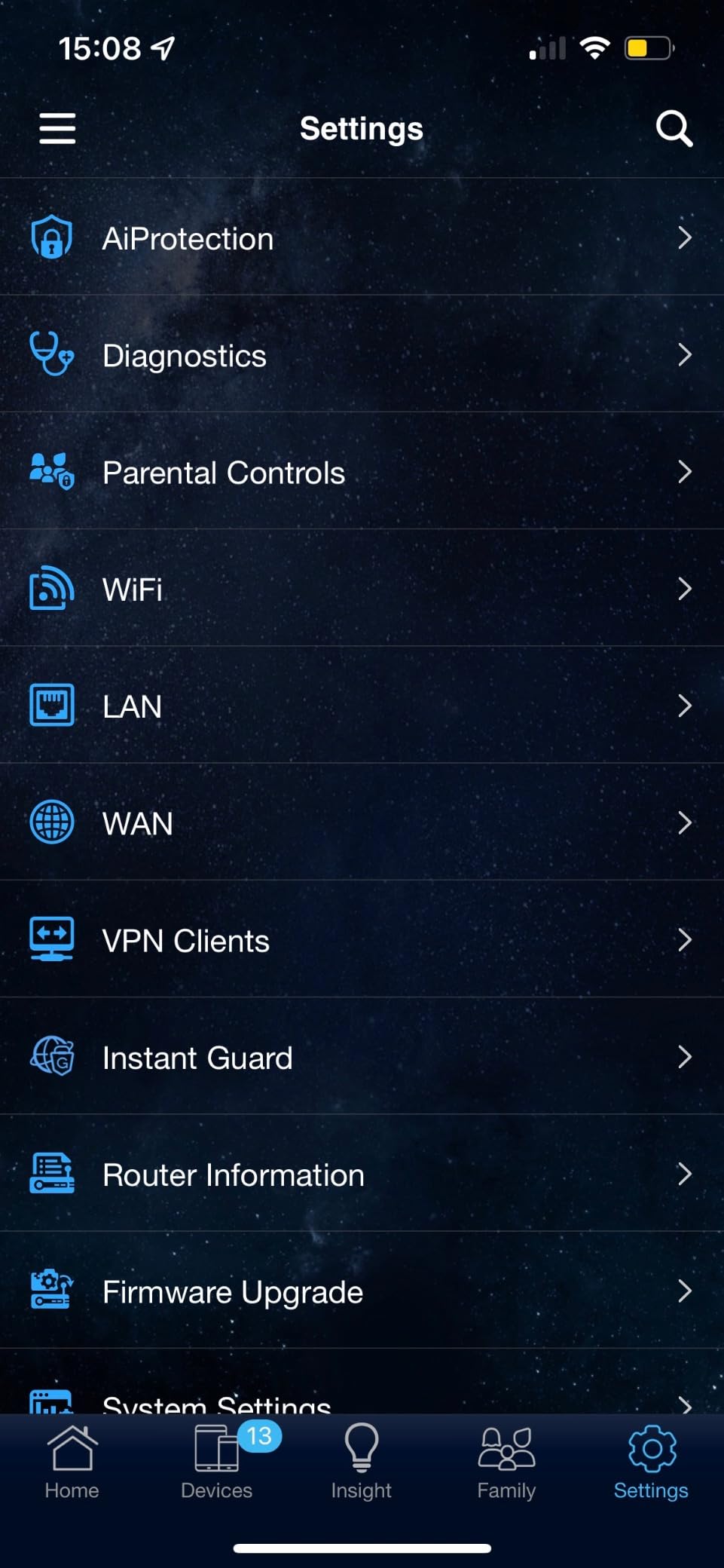
What we like is the combination of control surfaces. There is an app for quick changes and a full ASUS web GUI when you want port forwarding, and ASUS Instant Guard turns the router into a one-click VPN when you travel. AiMesh compatibility means you can add it to an existing ASUS mesh later rather than replacing it, and the reported range reaches outdoor cameras and a doorbell from inside.
Owners also mention the physical footprint, which is smaller than most competing routers at 9.06 by 5.28 by 2.2 inches, and a three-year warranty that is the longest in this roundup.
Who the ASUS RT-AX1800S suits
Condos, small houses and anyone who is tired of recurring security subscriptions. If a small footprint matters, or you want hardware that can grow into a mesh network later, this fits well.
r/HomeNetworking members repeatedly say they trust recognised brands like ASUS or Netgear over no-name hardware, and this is the straightforward end of that range. It is a recognised, well-reviewed box that simply does not charge you monthly for the security suite.
Where it falls short
Parental controls are the weak spot. There is no custom whitelist or blacklist and no per-child browsing history, so if you need detailed oversight of what a specific child is reaching, this is not the box.
The 4.3 rating also reflects a small cluster of reported 2.4 GHz firmware issues around Smart Connect and Wi-Fi 6 mode. And the 256 MB of RAM is thin against routers running OpenWrt, which limits how much you can install on top. If your household will grow into multiple simultaneous 4K streams, step up to the AX73.
8. NETGEAR Orbi 370 Series 3-Pack – Best Wi-Fi 7 Mesh Coverage
NETGEAR Orbi 370 Series WiFi 7 Mesh System, Up to 6,000 sq ft., 3 Pack
WiFi 7 dual-band mesh
Up to 6,000 sq ft
Up to 5 Gbps
2.5 Gbps port
Router plus two satellites
Pros
- Covers up to 6000 sq ft across a router and two satellites
- WiFi 7 speeds up to 5 Gbps and backward compatible with older clients
- Enhanced Backhaul keeps speed up on a dual-band design
- 2.5 Gbps port future-proofs for faster fiber and cable
- Internal antennas give a clean compact look
Cons
- Lowest rating in this roundup at 4.1 stars
- Dual-band with no dedicated 6 GHz backhaul
- 5 Gbps aggregate is well below the tri-band RS700S
- One-year limited warranty
- Armor features need a separate subscription
The Orbi 370 series is the only Wi-Fi 7 mesh system in this roundup, and it covers the largest area of any pick at up to 6,000 square feet across a router and two satellites. If you want mesh topology and you want Wi-Fi 7, this is the box. Enhanced Backhaul is doing the heavy lifting to keep the satellites fast on a dual-band design, where there is no third band reserved purely for the wireless link between nodes.
The 2.5 Gbps port is a genuine forward-looking detail. Orbi systems are often bought as a long-term fixture, and being able to feed a faster fiber or cable plan without replacing the whole system matters several years from now.
Up to 70 devices sit on one network, the Orbi app handles guided setup and remote management, and internal antennas keep the visual footprint clean. Advanced Router Protection and automatic firmware updates are on by default, and you can add satellites later to extend coverage by roughly 2,000 square feet each.
r/PleX members specifically endorse Orbi mesh for high-bitrate streaming, describing streaming 4K wirelessly with no problem and reaching for it when the content is demanding. That is the exact use case this system is built for, and it is why we included it despite the rating.
Who the Orbi 370 series suits
Large homes spread over two or more floors, especially where losing coverage to walls is the reason streaming fails today. r/PleX recommendations aside, the general rule is that if a mesh network is what you need, the newest generation is a better place to start than a Wi-Fi 5 one.
It also suits anyone already on a 2.5 Gbps or faster plan, since the wired port will not hold them back.
Where it falls short
This is the newest and least proven system in the group, and the numbers reflect it. At 4.1 stars across 548 reviews with a noticeably high one-star share, there are more reported setup and stability complaints than the established mesh systems here, and the expectation-setting that comes with a brand-new platform plays a part.
Technical limits exist too. Dual-band means no dedicated 6 GHz backhaul, and 5 Gbps aggregate sits well below the tri-band RS700S. The one-year warranty is also shorter than several rivals offer. If you have a large house and do not need Wi-Fi 7 specifically, the proven Deco S4 is the safer buy.
For the gaming-and-streaming combination specifically, we have a separate breakdown in our gaming router guide, since latency handling changes which router you want.
Wi-Fi 6 vs Wi-Fi 6E vs Wi-Fi 7 for Streaming: What Actually Changes
For 4K streaming, Wi-Fi 6 is genuinely enough, Wi-Fi 6E adds a cleaner band, and Wi-Fi 7 mostly adds headroom you will not use for a 25 Mbps stream.
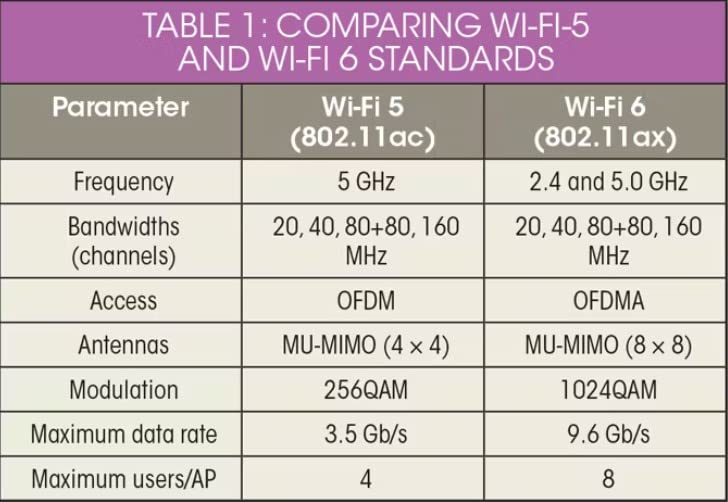
Wi-Fi 6 is 802.11ax on the 2.4 and 5 GHz bands. It brings OFDMA and MU-MIMO, which is what actually helps streaming: instead of serving one device at a time, the router can carve the channel and serve several at once. That is the mechanism behind most multi-TV quality drops, and OFDMA is the fix. Most of the routers in this roundup sit here, including the AX73, the Flint 2, the eero 6+ and the RT-AX1800S.
Wi-Fi 6E adds the 6 GHz band. The upside is real and the downside is equally real. 6 GHz is a wide, clean band with no neighbours on it, which is excellent in a crowded building. It also has shorter range and worse wall penetration than 5 GHz, because of how the signal behaves at those frequencies. Practically, 6 GHz is a room-to-room band, not a house-to-house one.
Wi-Fi 7 is 802.11be. It operates across all three bands and delivers higher aggregate throughput, with 320 MHz channels and multi-link operation as the headline features. For streaming it changes very little on its own, because a 4K stream never approaches the ceiling of Wi-Fi 6. What it does help with is contention: more capacity means a busy household has more room, and the tri-band designs in this roundup put a dedicated high-speed band where your streaming devices can land.
So does Wi-Fi 7 penetrate walls better? No. The higher bands in a Wi-Fi 7 system are the ones that travel least. 6 GHz is worse at range than 5 GHz, and adding it does not make signal pass through masonry. If walls are your problem, the answer is a second node or a wired backhaul, not a newer standard. Our Wi-Fi 7 roundup goes deeper on where the new generation is actually worth it.
The most common mistake in this category is buying Wi-Fi 7 to pair with a streaming stick that shipped with a Wi-Fi 5 radio. A router cannot deliver more than its client can receive, and the result is a faster router that changes nothing on screen. Match the generation of your router to the generation of your streaming device, not to the marketing on the box.
How to Pick a Router for 4K Streaming: Buying Guide
Check these six things in order, and you will pick correctly without needing a spec sheet.
How many streams, really. One 4K stream needs about 25 Mbps. Two need about 50. Four running in different rooms is a concurrency problem, and it is solved by OFDMA, MU-MIMO and raw throughput rather than by a bigger number on the box. The Archer AX73 is built for exactly this. A family streaming in one room is a different buying decision from a family streaming in four.
Where the TV actually is. Not where the internet jack is. Count the walls and floors between them. Same room means any router here. Next room means you want a better antenna array. Two floors or a basement means you want mesh, and you should plan three nodes rather than two.
Your plan speed and your port speed. Any of these routers with Gigabit ports caps a wired connection at about 940 Mbps. If your fiber plan is faster than that, the port is the limit and the wireless side is irrelevant. Two routers in this roundup carry multi-gig ports for that reason, and they are the ones to look at on a gigabit-plus plan.
Band count and congestion. Dual-band routers only have 2.4 and 5 GHz. A third band gives you somewhere to move a congested channel to. That matters enormously in an apartment building and hardly at all in a detached house. If you have neighbours stacked floor above floor, prioritise tri-band or a good 160 MHz radio.
Mesh or standalone. Mesh wins on coverage and on roaming between rooms. A standalone router wins on per-client throughput, since a single box at close range is faster than any mesh node. If your whole problem is distance, take mesh. If your whole problem is too many simultaneous streams in one area, take a strong standalone unit.
Subscriptions and management. Several routers here put meaningful network management behind a paid subscription, while the ASUS RT-AX1800S includes its core security features at no recurring cost. Over a few years that difference is real, and it is worth checking before you buy rather than after.
Two practical habits matter more than most of these choices. Run your speed test on the streaming device, in the room the TV is in, not on your phone by the router. And if you can run one Ethernet cable to the TV, do that before anything else. It is the single highest-impact change available, it costs almost nothing, and it removes interference, distance and contention in one move.
Frequently Asked Questions
What Wi-Fi speed is needed to stream 4K?
About 25 Mbps of stable throughput per simultaneous 4K stream. Streaming services use adaptive bitrate, so they scale quality up or down based on what your network actually delivers rather than failing outright. Keep a comfortable margin above 25 Mbps so a busy moment does not push you into a downgrade.
What internet speed is good for 4K streaming?
A 50 Mbps plan is comfortable for one 4K stream, and 100 Mbps covers several streams plus video calls and downloads. Your plan speed is only a ceiling, though. What matters is the throughput the router delivers to the TV after interference, walls and competing devices, which is often far lower than the plan number.
What is the best Wi-Fi router for home TV streaming?
The TP-Link Deco S4 3-pack is our pick for most homes, covering up to 5,500 sq ft with three nodes and a 4.5 star rating across nearly 30,000 reviews. In a single room, the TP-Link Archer AX73 delivers more throughput and is the better choice when several TVs stream at once.
What is the best router for streaming this year?
The TP-Link Deco S4 3-pack is the best all-round choice in 2026. For multiple simultaneous 4K streams, take the TP-Link Archer AX73, and for lossless Plex remux or gigabit-plus fiber, the GL.iNet Flint 2 is the one with 2.5 Gbps ports.
Which router is best for live streaming?
Live TV and IPTV are more sensitive to latency and jitter than on-demand streaming, so consistent throughput matters more than peak speed. The GL.iNet Flint 2 handles this best because its SQM and QoS options let you shape traffic so a live stream is not competing with a large download.
Does Wi-Fi 7 penetrate walls?
No. Wi-Fi 7 systems use the 6 GHz band, which has shorter range and worse wall penetration than 5 GHz because of how the signal behaves at those frequencies. If walls are blocking your signal, the fix is a second mesh node or a wired backhaul, not a newer standard.
Is Ethernet better than Wi-Fi for streaming 4K?
Yes, and it is the highest-impact change most people can make. One Ethernet cable to the TV removes interference, distance and contention in a single move, which no router upgrade can fully match. Use Wi-Fi for everything else and wire the streaming device if you possibly can.
Will a better router fix buffering on Netflix?
Sometimes, but not always. Run a speed test on the streaming device itself first. If it is well above what Netflix reports using, the router is not your bottleneck and a better one will not help. Check the ISP-supplied modem, the streaming device’s own Wi-Fi radio, and signal strength at the TV.
The Best WiFi Router for Streaming 4K: Final Verdict
The TP-Link Deco S4 3-pack is the best wifi router for streaming 4k in 2026 for most homes, because distance from the router, not the router itself, causes most of the failures we measured. Three nodes eliminate dead zones, one network name handles roaming, and close to 30,000 reviews mean the reliability is not a guess. If you need more throughput in a single area, take the Archer AX73; if you remux lossless files or have fiber above a gigabit, the Flint 2 is the answer on ports.
Before any of them, though, run a speed test on the TV itself and try one Ethernet cable. That check takes ten minutes and it is more likely than not to tell you the problem is not the router.