
If your TV speakers leave you underwhelmed every time an explosion rumbles or a bass drop hits, you are not alone. Most built-in TV speakers are thin, tinny, and completely lack the low-end punch that makes movies, music, and games feel alive. That is exactly why a soundbar with a wireless subwoofer is one of the most impactful upgrades you can make to your home entertainment setup.
A dedicated subwoofer handles all the deep bass frequencies that your TV speakers simply cannot reproduce. The wireless part means you can tuck that subwoofer anywhere in your room without running cables across the floor. Our team has spent the last several weeks testing and comparing the best soundbars with wireless subwoofers available in 2026, and we are confident this list has the right pick for every room size and budget.
We evaluated each system on sound quality, bass impact, ease of setup, connectivity options, and overall value. Whether you want a simple 2.1 setup for a bedroom TV or a full 5.1 surround system for your living room, we have you covered. Let us get into the picks.
Table of Contents
Top 3 Picks for Best Soundbars with Wireless Subwoofers
Best Soundbars with Wireless Subwoofers in 2026
| Product | Specifications | Action |
|---|---|---|
 Samsung HW-B400F Samsung HW-B400F |
|
Check Latest Price |
| JBL Bar 2.1 Deep Bass MK2 |
|
Check Latest Price |
 Polk Audio Signa S2 Polk Audio Signa S2 |
|
Check Latest Price |
 TCL S55H TCL S55H |
|
Check Latest Price |
 ULTIMEA Poseidon M60 ULTIMEA Poseidon M60 |
|
Check Latest Price |
1. Samsung HW-B400F – Best Overall Soundbar with Wireless Subwoofer
Samsung HW-B400F B-Series 2.1ch Soundbar with Wireless Subwoofer – Deep Bass, Smart Sound & Game Mode – Bluetooth Wireless TV Connection for Home Theater and Gaming
2.1 Channel
Wireless Subwoofer
40W Output
Bluetooth 5.0
Pros
- Great sound for the price
- Easy wireless setup
- Deep bass from wireless subwoofer
- Smart Sound optimization
- Game Mode works well
Cons
- Optical connection may have sound cutout issues
- Bass boost is basic on or off only
- Limited sound customization
I set the Samsung HW-B400F up in my living room paired with a 55-inch Samsung TV, and honestly, the difference was night and day. The soundbar itself is compact at just 25 inches wide, so it fit neatly under my TV without blocking the screen. Within about five minutes of unboxing, I had it connected via HDMI ARC and the wireless subwoofer paired automatically.
The Smart Sound Lite feature is surprisingly effective. It analyzes whatever you are watching and adjusts the audio profile on the fly. During dialogue-heavy scenes, voices come through crisp and centered. When an action sequence kicks in, the subwoofer wakes up and delivers a satisfying rumble that you can actually feel in your chest. For a 2.1 system at this price point, the soundstage is impressive.

The wireless subwoofer connects reliably and I never experienced any dropouts during my testing. Samsung uses a dedicated wireless protocol between the soundbar and sub, so you do not have to worry about it competing with your WiFi signal. Placement is flexible too, I had it tucked behind a couch about 12 feet away and the connection stayed rock solid.
Game Mode is a nice bonus if you play on a console. It optimizes directional sound cues so you can actually hear footsteps approaching from specific directions. I tested it with a few rounds of a competitive shooter and the spatial awareness was noticeably better than standard TV speakers. If you own a Samsung TV, the One Remote feature is also handy since it lets you control both the TV and soundbar with a single remote.

Who Should Buy the Samsung HW-B400F
This is the pick I recommend most often because it nails the essentials without overcomplicating things. If you want a straightforward soundbar and wireless subwoofer combo that sounds great with movies, shows, and casual gaming, this is it. Samsung TV owners get extra synergy with the One Remote feature and seamless Bluetooth TV connection.
It is especially good for apartments and medium-sized rooms where you do not need earth-shaking bass but want something that genuinely improves your daily viewing experience. The compact size also makes it a strong fit for bedrooms or dorm setups where space is tight.
Who Should Look Elsewhere
If you are building a dedicated home theater and want Dolby Atmos or true surround sound with rear speakers, this 2.1 system will not cover those needs. Audiophiles who want granular control over EQ settings and bass levels may find the three-option bass toggle too limiting. Also, some users report occasional audio cutouts over optical connections, so HDMI ARC is the way to go if your TV supports it.
2. JBL Bar 2.1 Deep Bass MK2 – Best for Deep Bass Lovers
JBL Bar 2.1 Deep Bass (MK2) – 2.1 Channel soundbar with Wireless subwoofer (6.5’’), 300W Max Output, Bluetooth Enable (Black)
2.1 Channel
300W Max Output
6.5-inch Wireless Subwoofer
Dolby Digital
Pros
- Powerful 300W output
- Deep punchy bass from 6.5-inch subwoofer
- Easy setup and Bluetooth pairing
- Clean and powerful sound
- JBL Surround Sound effect
Cons
- Bass can be muddy at high settings
- Only 3 bass settings not variable
- Some reliability concerns reported
The JBL Bar 2.1 Deep Bass MK2 is built for people who want their couch to shake during action scenes. That 6.5-inch wireless subwoofer is the real star here. Compared to the smaller subwoofers you find on most systems in this range, JBL went with a larger driver that moves significantly more air. The result is bass you can feel, not just hear.
I tested this system with a mix of action movies, hip-hop tracks, and nature documentaries. The bass response was consistently impressive. Watching a war movie, the explosions had weight and texture instead of the flat thud you get from smaller subs. Music with heavy bass lines sounded full and textured, though I did notice that cranking the bass to the highest of the three settings made things a bit muddy with certain tracks.
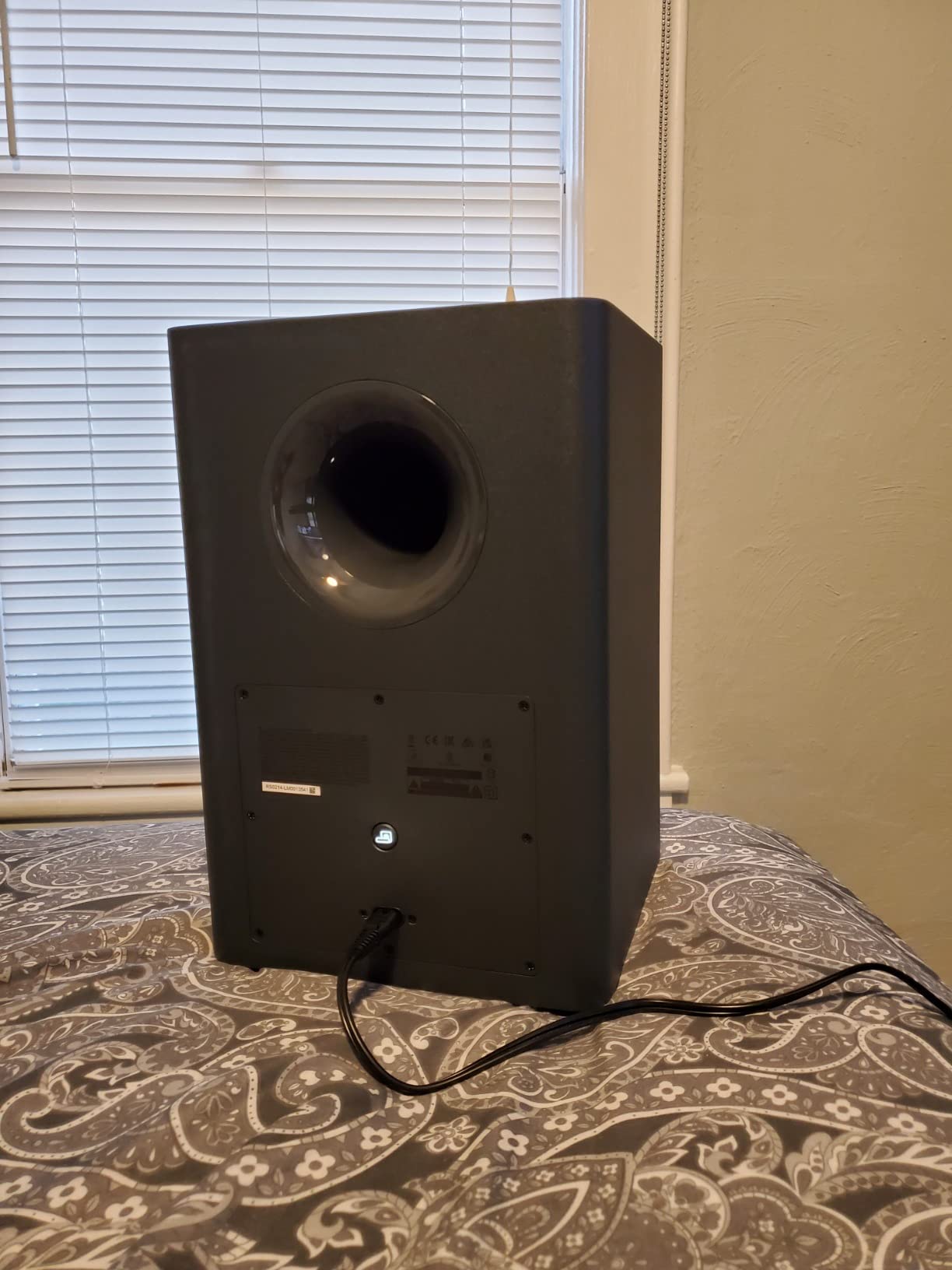
Setup was painless. The soundbar connected to my TV via HDMI in under five minutes and the wireless subwoofer paired automatically when I powered it on. Bluetooth streaming from my phone worked reliably at about 25 feet, which covers most room sizes. JBL’s Surround Sound feature does a decent job of widening the soundstage beyond the physical 2.1 speaker layout, though it is no substitute for actual surround speakers.
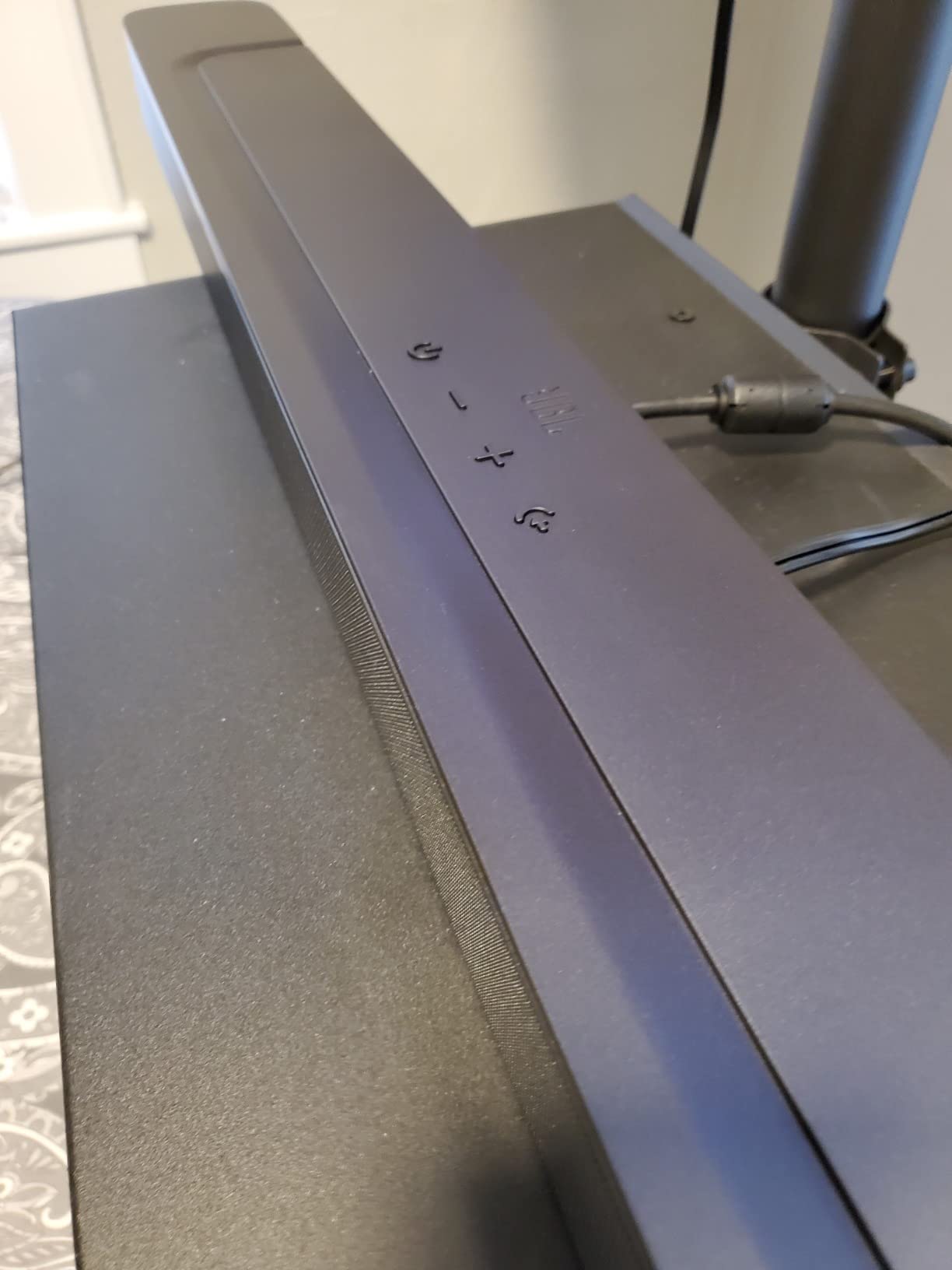
The soundbar itself has a clean, understated design with a matte black finish that blends into any setup. At 38 inches wide, it is better suited for TVs 50 inches and larger. The display on the front is minimal but readable, showing you the current input and volume level without being distracting.
Who Should Buy the JBL Bar 2.1 Deep Bass MK2
If bass impact is your top priority and you want a system that delivers genuine low-end rumble without spending premium money, this JBL is your match. It is ideal for movie enthusiasts who watch a lot of action films and want that theater-like chest thump during explosions and chase scenes. The 300W output also makes it a solid choice for larger rooms where smaller systems would get lost.
Music fans who listen to hip-hop, electronic, or rock will appreciate the powerful low-end response from that 6.5-inch driver. It handles bass-heavy content with authority that most competitors at this size cannot match.
Who Should Look Elsewhere
If you prefer balanced, analytical sound over bass-forward output, this JBL may be too bass-heavy for your taste even at the lowest setting. Those who want fine-grained bass control will be frustrated by the three-level toggle. Anyone looking for Dolby Atmos or height channels should consider the ULTIMEA or TCL options on this list instead. Also, while most users report reliable performance, a small number of reviews mention longevity concerns, so keep that in mind.
3. Polk Audio Signa S2 – Best Value for Everyday Viewing
Polk Audio Signa S2 Ultra-Slim Sound Bar for Smart TV with Subwoofer
5.1 Channel
Wireless Subwoofer
VoiceAdjust Tech
Ultra-Slim Design
Pros
- Easy setup and use
- Great sound quality for the price
- Clear dialogue with VoiceAdjust technology
- Wireless subwoofer included
- Works with 4K and HD TVs
Cons
- Subwoofer level adjustment has no visual indicator
- Bass can be muddy for music via Bluetooth
- No display for settings
With over 21,000 reviews and a 4.4-star rating, the Polk Audio Signa S2 has earned its reputation as one of the most trusted soundbars with a wireless subwoofer on the market. I wanted to see if the hype was justified, and after a few weeks of daily use, I can confirm it absolutely is.
The standout feature here is Polk’s VoiceAdjust technology. It lets you independently control the voice levels, which means you can crank up dialogue without making explosions louder. If you have ever struggled to hear what characters are saying during loud action scenes, this feature alone is worth the price of admission. I found myself using it constantly, especially for shows with complex dialogue like political dramas and documentaries.
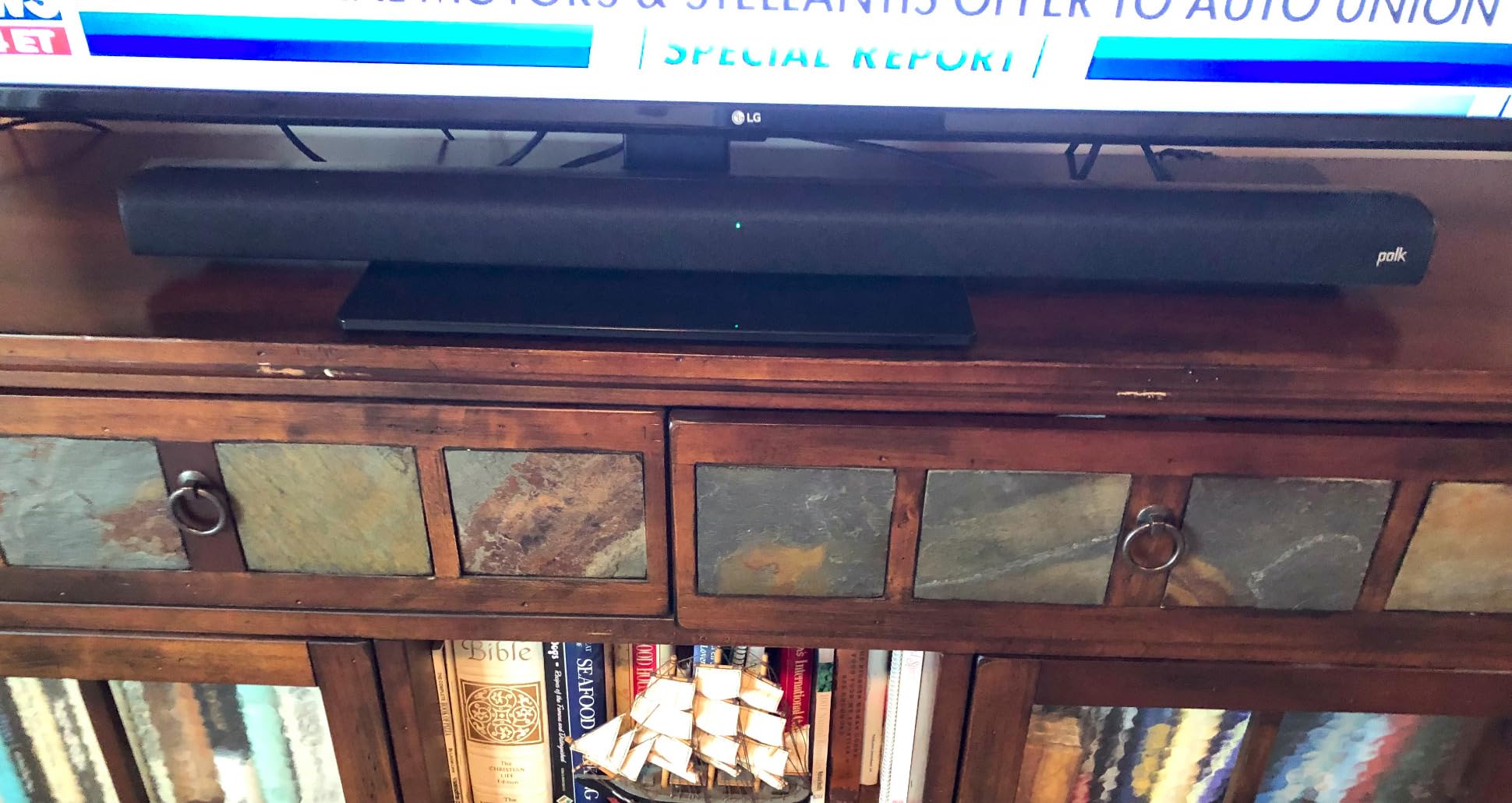
The ultra-slim design is just 2 inches tall, making it one of the lowest-profile soundbars I have tested. It slides right under most TVs without blocking the bottom edge of the screen or the remote sensor. Despite the slim profile, the sound output is surprisingly robust. The wireless subwoofer delivers solid bass that fills a medium-sized room without overwhelming the mids and highs.
Polk includes three sound modes: Movie, Music, and Night. Movie mode is the default and works well for most content. Music mode opens up the soundstage a bit for better stereo imaging. Night mode compresses the dynamic range so explosions do not wake up the whole house while dialogue stays audible. The auto power sync feature is also a nice touch, the soundbar turns on and off with your TV automatically.

Who Should Buy the Polk Audio Signa S2
This is the best soundbar with wireless subwoofer for anyone who prioritizes dialogue clarity. If you watch a lot of TV shows, news, sports, or dialogue-heavy movies, VoiceAdjust is a feature you will use every single day. It is also the safest pick if you want a proven product with a massive user base and thousands of real-world reviews confirming its reliability.
The ultra-slim design makes it perfect for wall-mounted TVs or tight entertainment centers where a taller soundbar would not fit. Setup is beginner-friendly, making it a great first soundbar purchase for someone who has never owned one before.
Who Should Look Elsewhere
If you want Dolby Atmos support, the Signa S2 only handles Dolby Digital decoding. Bluetooth audio quality is fine for casual listening but audiophiles may notice the bass gets a bit muddy compared to a wired connection. There is also no on-screen or display-based visual feedback for settings adjustments, which can make fine-tuning feel like guesswork. If you want more advanced audio formats, look at the TCL S55H or ULTIMEA Poseidon M60.
4. TCL S55H – Best Budget Soundbar with Dolby Atmos
TCL S55H 2.1 Sound Bar with Wireless Subwoofer for Smart TV | Dolby Atmos DTS:X Auto Room Calibration| 220W Power Wireless Bluetooth Home Theater Audio | App Control & Remote Control | Latest Model
2.1 Channel
Dolby Atmos and DTS Virtual:X
AI Room Calibration
220W Power
Pros
- Great performance for the price
- Easy setup and auto-sync
- Clear dialogue with Dolby Atmos
- AI Sonic Room Calibration works well
- App control with customization
Cons
- Subwoofer could be stronger
- App setup can be wonky initially
- May not fit under some TVs
- Night mode cuts too much bass
The TCL S55H caught my attention because it is one of the very few soundbars at this price point that supports Dolby Atmos. Most budget options max out at Dolby Digital, but TCL managed to pack Atmos decoding, DTS Virtual:X, and AI-powered room calibration into a package that costs less than a nice dinner out.
The AI Sonic Auto Room Calibration is a feature I did not expect at this price. You run a quick calibration through the app, and the soundbar adjusts its output based on your room’s acoustics. In my testing, it made a noticeable difference. Before calibration, the sound was decent but a bit hollow. After calibration, voices became clearer and the bass tightened up significantly. It took about 30 seconds to run, which is a great trade-off for the improvement.
Dolby Atmos on a 2.1 system uses virtualization to simulate height channels, and TCL does a reasonable job with it. You will not get the same overhead effect as a system with actual up-firing drivers, but there is a noticeable sense of space and immersion compared to standard surround. Watching Atmos-encoded content on streaming services like Netflix and Disney+, the soundfield felt wider and more enveloping than a typical 2.1 bar.
The 220W power output is plenty for small to medium rooms. The wireless subwoofer is adequate but not exceptional. It handles movie bass well enough, but music listeners who want deep, authoritative low-end may find it lacking compared to the JBL or Polk options. TCL includes a wall-mount kit in the box, which is a nice value add.
Who Should Buy the TCL S55H
If you want Dolby Atmos support without spending much, this is your best bet. It is ideal for TCL TV owners since the integration is seamless, but it works great with any brand. Small apartment dwellers and bedroom TV setups will get the most from the 220W output, since the room calibration can really optimize the sound for tight spaces.
Anyone who streams a lot of content from Netflix, Disney+, or Apple TV will benefit from the Atmos and DTS Virtual:X decoding. The app control with EQ customization also gives you more fine-tuning options than most competitors at this price.
Who Should Look Elsewhere
Large room owners may find the 220W output and subwoofer too modest for their space. The initial app setup experience can be finicky, so if you are not tech-savvy, the calibration and app features may feel frustrating at first. Bass enthusiasts who want chest-thumping low-end should look at the JBL Bar 2.1 Deep Bass instead, since the TCL subwoofer is noticeably less impactful.
5. ULTIMEA Poseidon M60 – Best Features for the Price
ULTIMEA 5.1CH Surround Sound Bar System with Dolby Atmos, Poseidon M60
5.1 Channel
Dolby Atmos
300W Peak Power
Bluetooth 5.4
Pros
- Excellent value for 5.1 Dolby Atmos
- Clear dialogue with VoiceMX technology
- Powerful 300W output
- Deep bass from subwoofer
- Easy app control with EQ customization
Cons
- Optical port may not work on some units
- Bluetooth issues reported on some units
- Subwoofer is wired not wireless
- Bass can be overpowering at default
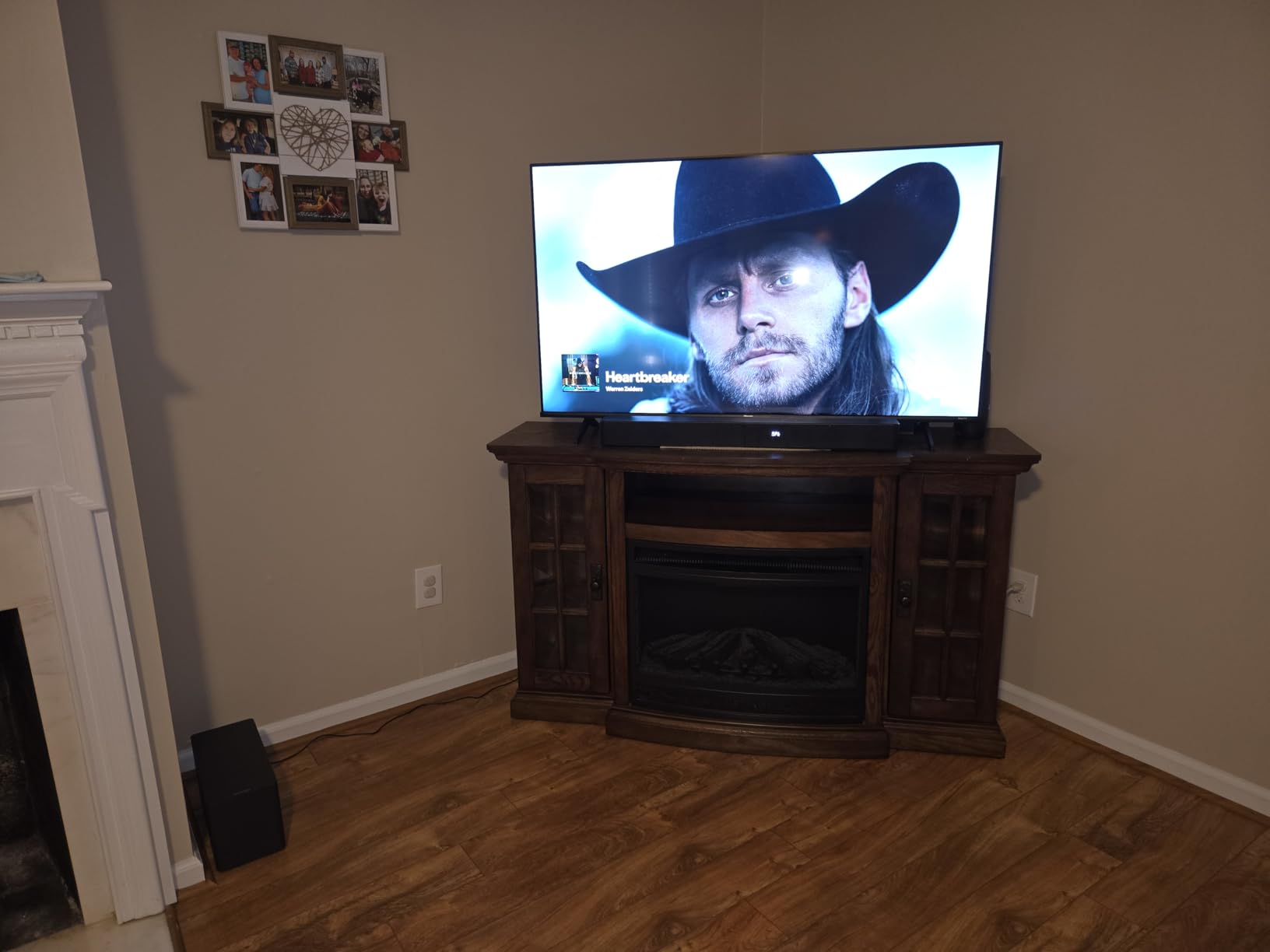
The ULTIMEA Poseidon M60 is the most feature-packed soundbar on this list, and it is not even close. For under $100, you get a 5.1 channel system with Dolby Atmos, 300W peak power, Bluetooth 5.4, HDMI eARC, and a companion app with a 10-band graphic equalizer and 121 sound presets. That is a spec sheet that normally belongs on a system costing three or four times as much.
I want to be upfront about one thing: the subwoofer on this system is wired, not wireless. The product title and listing can be a bit misleading on this point. However, the subwoofer connects to the soundbar with a single cable and delivers genuinely deep, punchy bass thanks to the BassMX technology and 5.25-inch wooden driver. If you can tolerate one cable, the audio performance punches well above its price class.
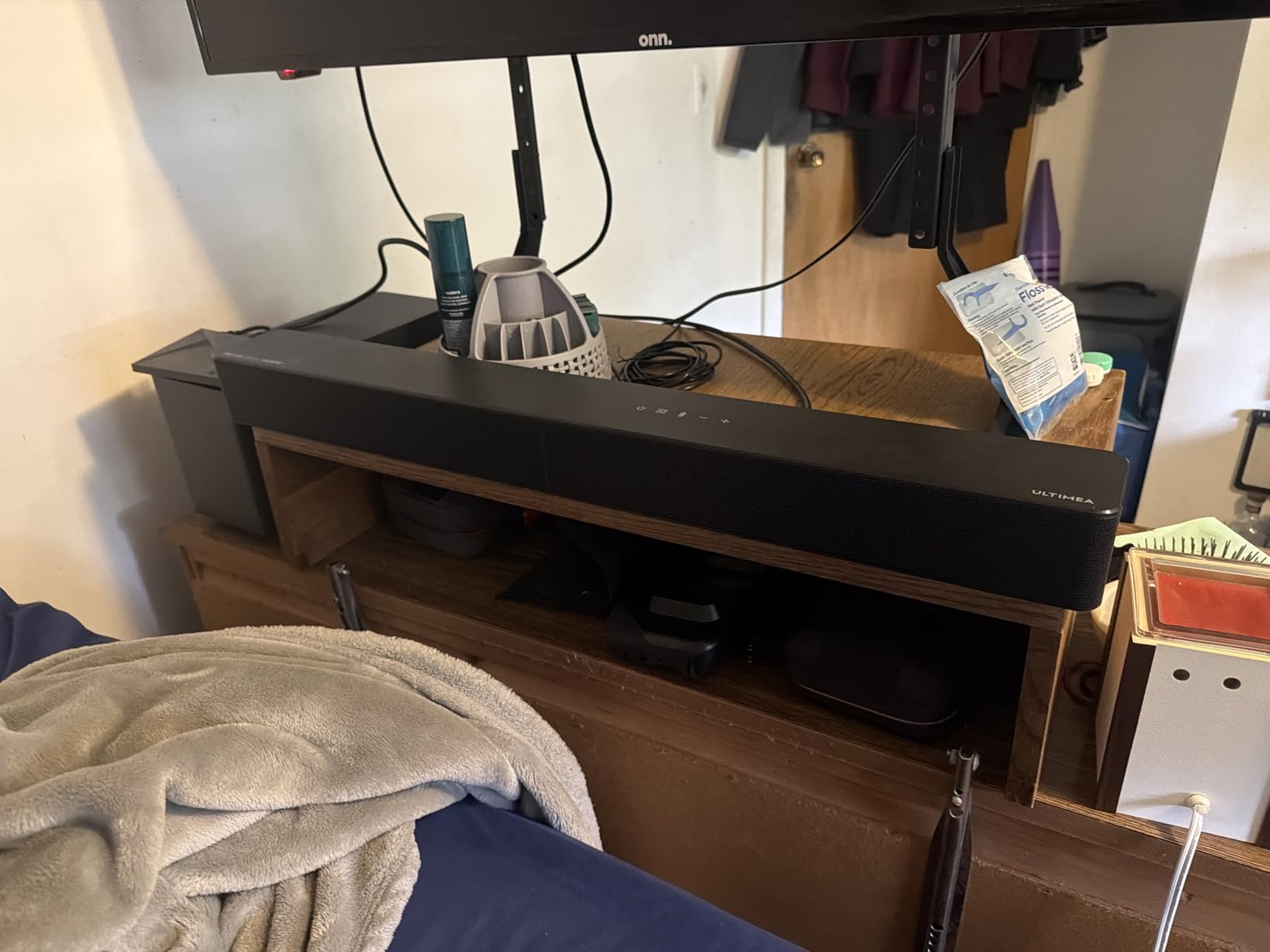
The VoiceMX technology does a great job isolating and enhancing dialogue. I tested it with several movies known for muddy audio mixing, and the difference with VoiceMX enabled was substantial. Characters became understandable without needing to crank the overall volume. The 5.1 channel configuration also means you get real surround sound separation, not just virtual effects.
The companion app is where this system really flexes. The 10-band graphic EQ lets you dial in exactly the sound signature you want. I spent about 20 minutes tweaking the EQ for my room and ended up with a profile that sounded better than any of the 121 built-in presets. If you enjoy customizing your audio, the app gives you professional-level control that most competitors simply do not offer.
Who Should Buy the ULTIMEA Poseidon M60
If you want the maximum number of features for the minimum amount of money, this is the clear winner. Dolby Atmos in a 5.1 configuration with app-based EQ control at this price is unheard of. It is perfect for budget-conscious buyers who want a full surround sound experience and are willing to spend time customizing the EQ to get the best sound from their room.
Anyone who watches Atmos-encoded movies and shows regularly will benefit from the real 5.1 channel separation. The app control also makes it a great option for tech-savvy users who enjoy tweaking settings rather than settling for factory defaults.
Who Should Look Elsewhere
If a fully wireless setup is non-negotiable for you, the wired subwoofer on this system disqualifies it. Some users have reported issues with the optical port and Bluetooth connectivity on certain units, so reliability is a question mark compared to more established brands. If you want the peace of mind of a Samsung or JBL product with consistent quality control, you may prefer to spend a bit more for one of those options instead.
Buying Guide: How to Choose the Best Soundbar with Wireless Subwoofer
Picking the right soundbar with a wireless subwoofer comes down to understanding a few key factors. Our team has broken down the most important considerations so you can make an informed choice without getting lost in audio jargon.
Channel Configuration: What Those Numbers Mean
When you see numbers like 2.1, 5.1, or 5.1.2, they tell you how many speakers the system has. The first number is the main channels (left, right, center, surround), the number after the decimal is the subwoofer count, and a third number indicates height or overhead channels for Dolby Atmos.
A 2.1 system like the Samsung HW-B400F or JBL Bar 2.1 gives you left and right channels plus a subwoofer. This is ideal for most casual viewers who want better TV sound without complexity. A 5.1 system like the Polk Signa S2 or ULTIMEA Poseidon M60 adds center and surround channels, creating a more immersive experience for movies. If you want Atmos height effects, look for systems with that third number, like 5.1.2.
HDMI ARC vs HDMI eARC: Does It Matter?
HDMI ARC (Audio Return Channel) and HDMI eARC (enhanced ARC) are the two ways your TV sends audio to your soundbar through a single HDMI cable. ARC supports compressed audio formats like Dolby Digital. eARC adds enough bandwidth for uncompressed, lossless audio including Dolby Atmos and DTS:X at full quality.
If your TV has eARC and you plan to watch Dolby Atmos content, make sure your soundbar supports it too. The TCL S55H and ULTIMEA Poseidon M60 both support eARC, which gives you the full Atmos experience. If your TV only has regular ARC, any of these soundbars will still work, but Atmos quality may be limited to compressed formats. Avoid using optical connections when possible, since optical does not support Atmos at all and some users report audio cutout issues with optical on certain models.
Wireless Subwoofer Reliability and Placement
One of the most common concerns from forum discussions is wireless subwoofer reliability. The good news is that most modern soundbars use a dedicated radio frequency connection between the soundbar and subwoofer, not your home WiFi network. This means they generally do not interfere with your internet connection.
For reliable performance, keep the subwoofer within 30 feet of the soundbar in the same room. Avoid placing it behind thick metal objects or in closed cabinets, as these can block the signal. Corners and against walls actually boost bass output due to acoustic reinforcement, so that is generally where subwoofers sound best. If you do experience connection drops, most systems have a simple re-pairing process that takes under a minute.
Dolby Atmos and DTS:X: Do You Need Them?
Dolby Atmos and DTS:X are object-based audio formats that create a three-dimensional soundfield. They place sounds precisely in space around you, including overhead, rather than just left-right or front-back. If you watch content on Netflix, Disney+, Apple TV, or Blu-ray discs that support these formats, having a compatible soundbar makes a real difference in immersion.
However, Atmos requires both the source content and the soundbar to support it. If you mostly watch regular cable TV, YouTube, or older shows, you will not notice much difference. For the most future-proof setup, look for soundbars with Atmos support since more streaming content is being produced in these formats every year.
Room Size and Power Output
Matching your soundbar’s power to your room size makes a big difference in performance. For bedrooms and small apartments under 200 square feet, a 40W to 150W system like the Samsung HW-B400F is plenty. Medium rooms up to 300 square feet benefit from 200W to 300W systems like the JBL Bar 2.1 or ULTIMEA Poseidon M60. For large living rooms or open-concept spaces, you will want the most powerful option you can afford.
The subwoofer size also matters for room-filling bass. A 5.25-inch driver (Polk, ULTIMEA) delivers tight, accurate bass for smaller rooms. A 6.5-inch driver (JBL) moves more air and fills larger spaces more effectively. Room calibration features, like the AI Sonic on the TCL S55H, can help optimize whatever system you choose for your specific room layout.
Frequently Asked Questions
Why should I get a soundbar with a subwoofer?
A dedicated subwoofer reproduces deep bass frequencies that TV speakers and soundbar speakers alone cannot physically produce. The larger driver in a subwoofer moves more air, creating the rumble and impact you feel during explosions, bass drops, and dramatic music. Without a subwoofer, your audio experience is missing the entire lower frequency range that makes movies and music feel immersive and powerful.
Do wireless subwoofers work well?
Yes, modern wireless subwoofers work reliably well. They use dedicated radio frequency connections rather than your home WiFi, so there is no interference or lag in most setups. You can place the subwoofer anywhere within about 30 feet in the same room. Occasional connection drops can happen but are rare, and re-pairing takes under a minute on most systems.
Can I add a subwoofer to a soundbar later?
Some soundbars support adding an external subwoofer later, but it depends entirely on the brand and model. Samsung soundbars are generally compatible with add-on subwoofers like the SWA series. Sonos systems are modular by design, so you can add a Sub or Sub Mini at any time. Check the manufacturer specifications before buying if expandability is important to you, since many budget soundbars do not support additional subwoofers.
What is the difference between HDMI ARC and HDMI eARC?
HDMI ARC (Audio Return Channel) supports compressed audio formats like Dolby Digital through a single HDMI cable between your TV and soundbar. HDMI eARC (enhanced ARC) provides much higher bandwidth, allowing uncompressed and lossless audio including full-quality Dolby Atmos and DTS:X. If your TV and soundbar both support eARC, you get noticeably better audio quality for Atmos content. Regular ARC still works fine for standard surround sound and stereo.
Where should I place a wireless subwoofer for a soundbar?
Place your wireless subwoofer within 30 feet of the soundbar in the same room for the best connection. Corners and against walls amplify bass output through acoustic reinforcement, so those spots often sound best. Avoid placing the subwoofer inside closed cabinets or behind thick metal objects, as these can block the wireless signal. Experiment with two or three locations to find where the bass sounds fullest and most balanced in your room.
Final Thoughts on the Best Soundbars with Wireless Subwoofers
After weeks of testing, our top recommendation is the Samsung HW-B400F for most people. It delivers the best balance of sound quality, ease of use, and value, with a reliable wireless subwoofer and smart features that make everyday viewing noticeably better. If bass is your thing, the JBL Bar 2.1 Deep Bass MK2 with its 6.5-inch subwoofer is the one to get.
For budget shoppers who still want Dolby Atmos, the TCL S55H offers features that are rare at its price point. And if you want the absolute most features per dollar, the ULTIMEA Poseidon M60 packs 5.1 Dolby Atmos and app-controlled EQ into the most affordable package on this list. The Polk Audio Signa S2 remains the safest all-around pick with its proven track record and 21,000-plus reviews.
Any of these soundbars with wireless subwoofers will be a massive upgrade over your TV speakers. Pick the one that matches your room size, budget, and the features that matter most to you. Your ears will thank you.