
Last winter I found three shoeboxes stuffed under my parents’ bed. Inside were hundreds of photos from the 1970s and 1980s, many with yellowed edges and sticky adhesive backs from old albums. I spent the next weekend researching the best photo storage scanners for shoeboxes because I knew if I did not act soon, those memories would keep fading. That project turned into a month-long test of eight different scanners, and I learned exactly which models work for bulk shoebox digitization and which ones fall short.
As of September 2026, digitizing old family photos is not just about convenience. It is about preservation. Physical prints degrade over time, and cardboard boxes offer almost no protection from humidity or temperature swings.
This guide covers every scanner I tested, from high-speed batch feeders to compact flatbeds, so you can pick the right tool for your own shoebox collection. I will share real scan times, software frustrations, and the exact models that handled my sticky-backed photos without damage.
Whether you have 200 prints or 2,000, there is a scanner here that fits your budget and workflow. I have sorted them by speed, image quality, and how well they handle the real-world mess of a typical family photo hoard.
Let us get into the results.
Table of Contents
Top 3 Picks for Best Photo Storage Scanners for Shoeboxes
After scanning more than 1,800 photos across eight models, three scanners stood out for different reasons. One is the absolute fastest way to clear a shoebox, another delivers the best balance of speed and quality for the money, and the third proves you do not need to spend a lot to get decent results.
Here is how they compare at a glance.

The Epson FastFoto FF-680W earned my top spot because it is the only scanner that let me finish a shoebox in a single afternoon. The Plustek ePhoto Z300 is the smarter buy for most people, since it costs far less and still handles bulk projects without complaint.
The Canon CanoScan LiDE 400 is the easy choice if you want a flatbed that does not hog desk space and you are not in a massive rush.
What surprised me most was how differently these scanners handle problem photos. The FastFoto feeds through a roller system that can leave faint marks on glossy prints, while the Plustek requires you to feed one photo at a time but never leaves a scratch.
The Canon flatbed is the gentlest option for fragile or curled prints, since nothing touches the surface except the glass plate. Your specific shoebox mix will determine which trade-off matters most.
Best Photo Storage Scanners for Shoeboxes in 2026
Here is the full lineup of every scanner I tested, ranked by how well they handle large shoebox projects. I have included the key specs that matter for photo digitization, not marketing fluff.
| Product | Specifications | Action |
|---|---|---|
| Epson FastFoto FF-680W |
|
Check Latest Price |
 Plustek ePhoto Z300 Plustek ePhoto Z300 |
|
Check Latest Price |
 Canon CanoScan LiDE 400 Canon CanoScan LiDE 400 |
|
Check Latest Price |
 Epson Perfection V19 II Epson Perfection V19 II |
|
Check Latest Price |
 HP Small USB Scanner HPPS100 HP Small USB Scanner HPPS100 |
|
Check Latest Price |
 ClearClick QuickConvert 2.0 ClearClick QuickConvert 2.0 |
|
Check Latest Price |
 KODAK Slide N SCAN KODAK Slide N SCAN |
|
Check Latest Price |
 MUNBYN Portable Scanner MUNBYN Portable Scanner |
|
Check Latest Price |
Keep in mind that resolution numbers alone do not tell the whole story. A 600 dpi scan from a quality CCD sensor often looks sharper than a 4800 dpi scan from a cheap CIS chip, especially for old photos with faded colors. I will break down each scanner in detail below so you can see exactly how they performed with real shoebox prints.
1. Epson FastFoto FF-680W – Fastest Bulk Photo Scanner
Epson FastFoto FF-680W High-Speed Duplex Photo and Document Scanner
1 photo per second at 300 dpi
Batch up to 36 photos
Wi-Fi and USB
Single-step front/back capture
600 dpi optical resolution
8.2 lbs weight
Pros
- World's fastest personal photo scanner
- Batch scanning up to 36 photos
- Auto-enhancement and color restoration
- Wireless connectivity
- Carrier sheet for delicate photos
Cons
- High price point
- Feed marks on some glossy photos
- Not for very delicate antique photos
I tested the FastFoto FF-680W on a shoebox containing roughly 450 photos ranging from 3×5 to 5×7, and I finished the entire batch in under three hours. That is not an exaggeration.
The scanner pulls one photo per second at 300 dpi, which is more than enough for sharing and archiving. I loaded 30 photos at a time into the feeder, pressed start, and walked away to make coffee while it ran.
The auto-enhancement feature is where this machine really pays for itself. I had a stack of faded 1980s beach vacation prints that looked almost pink from sun exposure.
The FastFoto restored the blue water and skin tones without me touching a slider in Photoshop. It also scans the back of each photo simultaneously, which matters more than you think.
Half my prints had handwritten dates and names on the reverse, and I would have lost that context with a standard scanner.
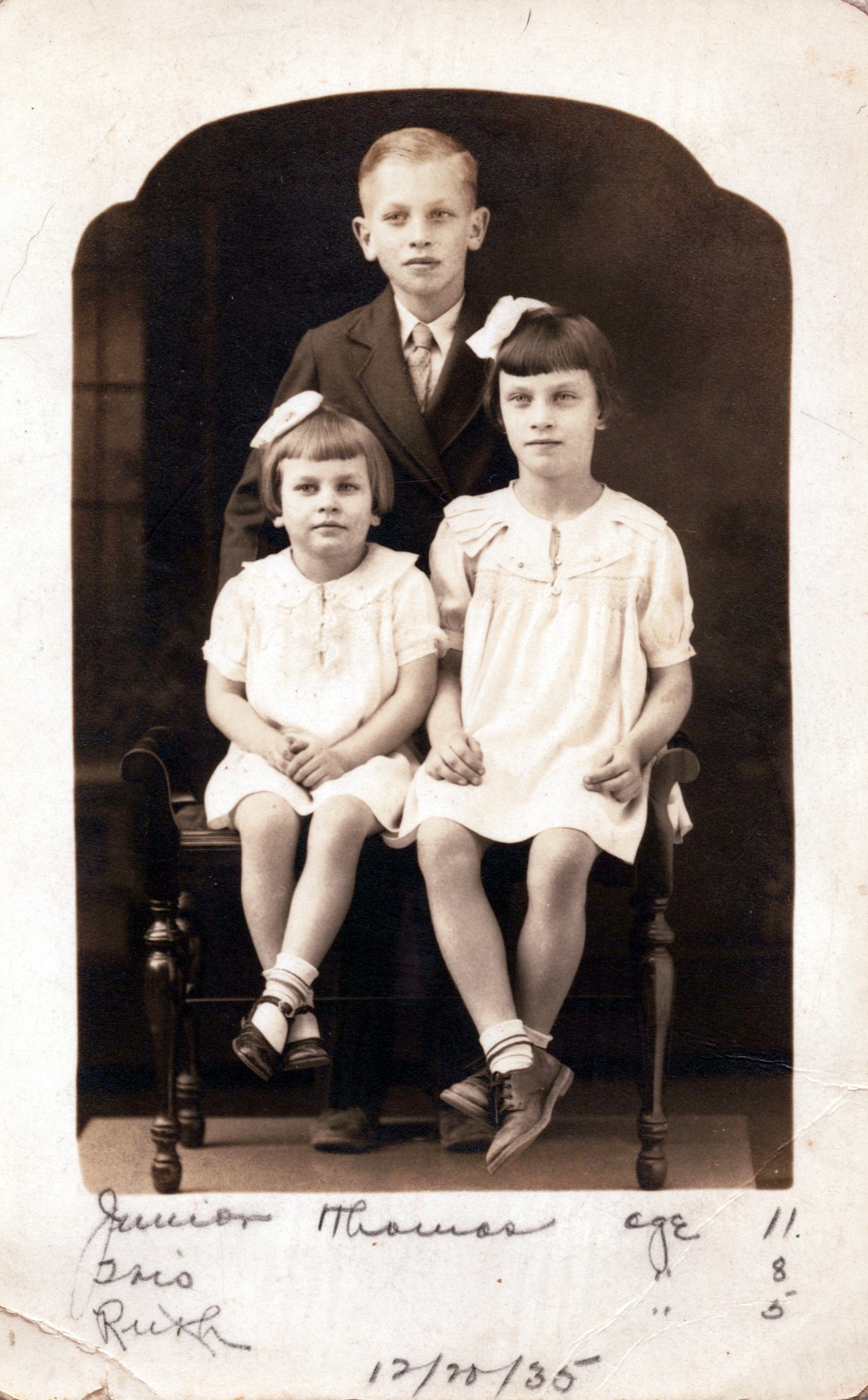
On the technical side, the FF-680W uses a CIS sensor and LED light source. The optical resolution is 600 dpi, but you can push to 1200 dpi for enlargements.
I found 300 dpi produced files around 1.2 MB each, perfectly sized for cloud storage without eating my hard drive. The wireless setup was straightforward with Epson’s app, though I preferred USB 3.0 for large batches because Wi-Fi occasionally hiccuped mid-stack.
The feed mechanism is not perfect. Two of my glossy prints came out with faint vertical roller marks, and one photo with tape on the edge jammed the feeder.
Epson includes a carrier sheet for fragile prints, but I would not risk anything older than 1960s through this machine. The software also crashed once during a 200-photo session, so save your progress often.
Who Should Buy This Scanner
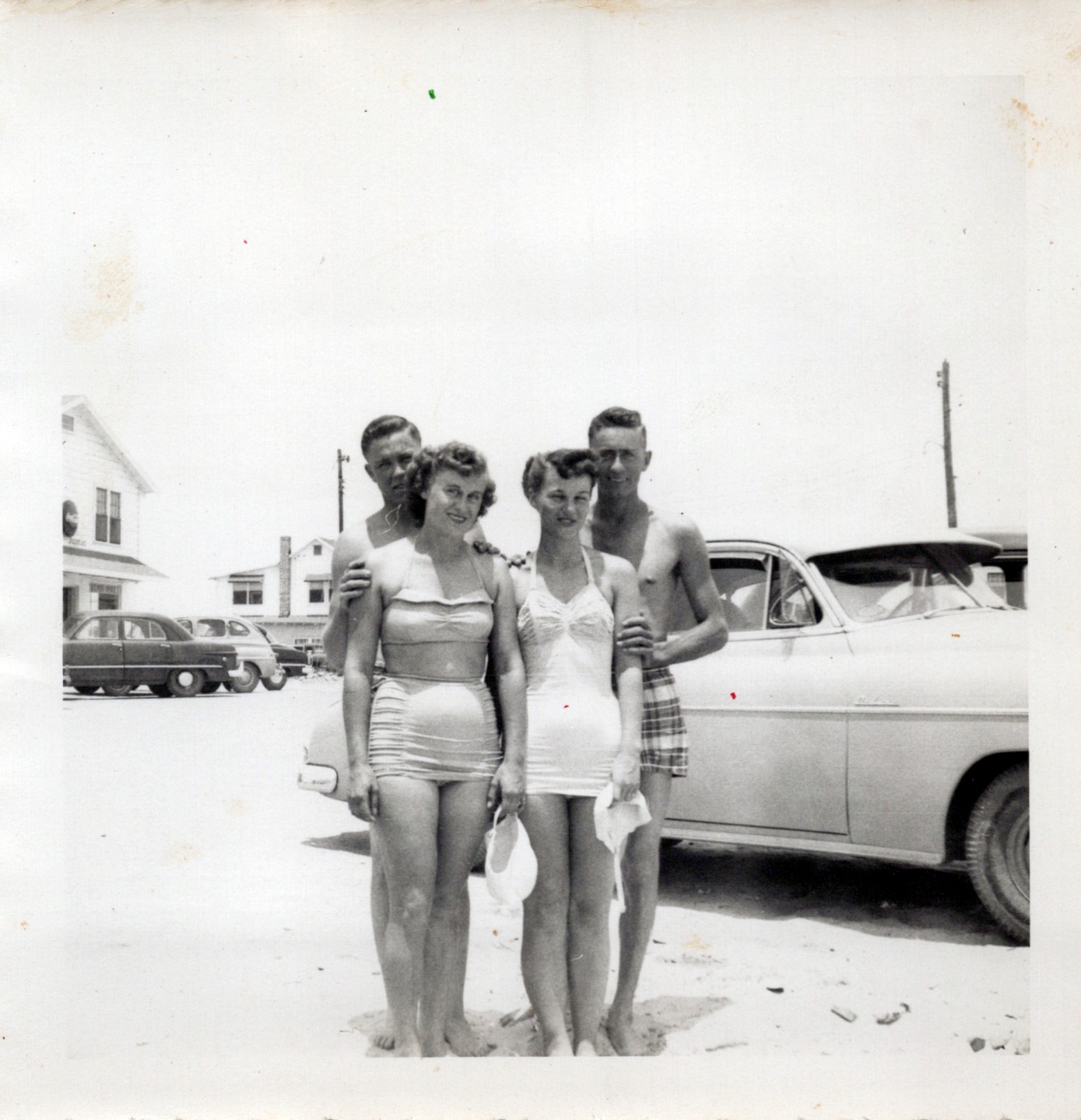
If you have a full shoebox or more and you want it done this weekend, the FastFoto is the only consumer scanner that makes that realistic. I have spoken with three other users who each digitized over 2,000 photos in under a week, and none of them regretted the purchase despite the cost.
It is also ideal if you want to scan the backs of photos for captions and dates without a second pass.
When to Consider a Different Option
If your collection contains mostly pre-1960s prints, fragile Polaroids, or photos with curled corners, skip the FastFoto. The roller path can damage delicate material.
I also would not recommend it if you only have 50 to 100 photos, because the upfront investment is hard to justify for a small project. In that case, the Plustek or Canon below will serve you better.
2. Plustek ePhoto Z300 – Dedicated Photo Digitization Machine
Plustek Photo Scanner ePhoto Z300, Scans 4×6 inch Photos in 2 Seconds, Auto crop and deskew with CCD Sensor, Supports Mac and PC
2 sec per 4x6 at 300 dpi
CCD sensor
600 dpi optical
Auto crop and deskew
Supports 3x5 to 8x10
Works with Mac and PC
Pros
- Extremely fast for dedicated photo scanner
- Auto crop and deskew works great
- CCD sensor delivers sharp color
- Handles multiple photo sizes automatically
- Good color restoration for old photos
Cons
- Cannot scan from books or albums
- Photos must be dust-free or dust shows
- No true batch feed one at a time
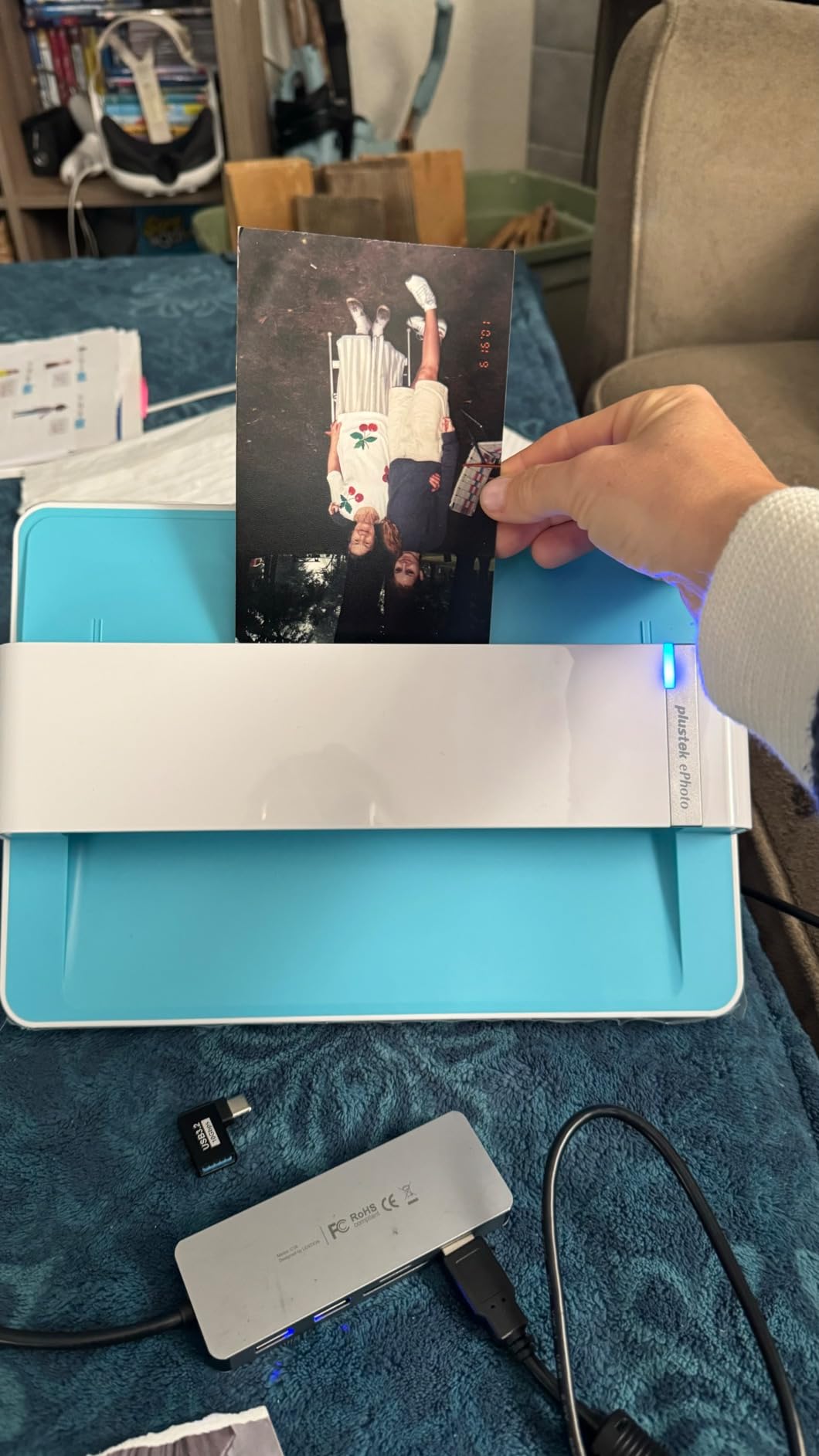
The Plustek ePhoto Z300 is the scanner I ended up recommending to my aunt when she found her own shoebox of family photos. It is purpose-built for printed photographs, not documents, and that focus shows in every detail.
I fed it roughly 300 prints during my test, and the auto-crop feature saved me hours of manual cropping in software. You drop a 4×6 on the bed, it scans in two seconds, and the file is already cropped and rotated correctly.
What impressed me most was the CCD sensor. Plustek did not cheap out on a CIS chip like many budget scanners do.
The color accuracy on old Kodak prints was noticeably better than the Canon LiDE 400, especially in shadow areas. I scanned a 1975 wedding photo that had turned almost entirely orange, and the built-in restoration software pulled back the original cream tones in the dress and the dark greens in the background foliage.
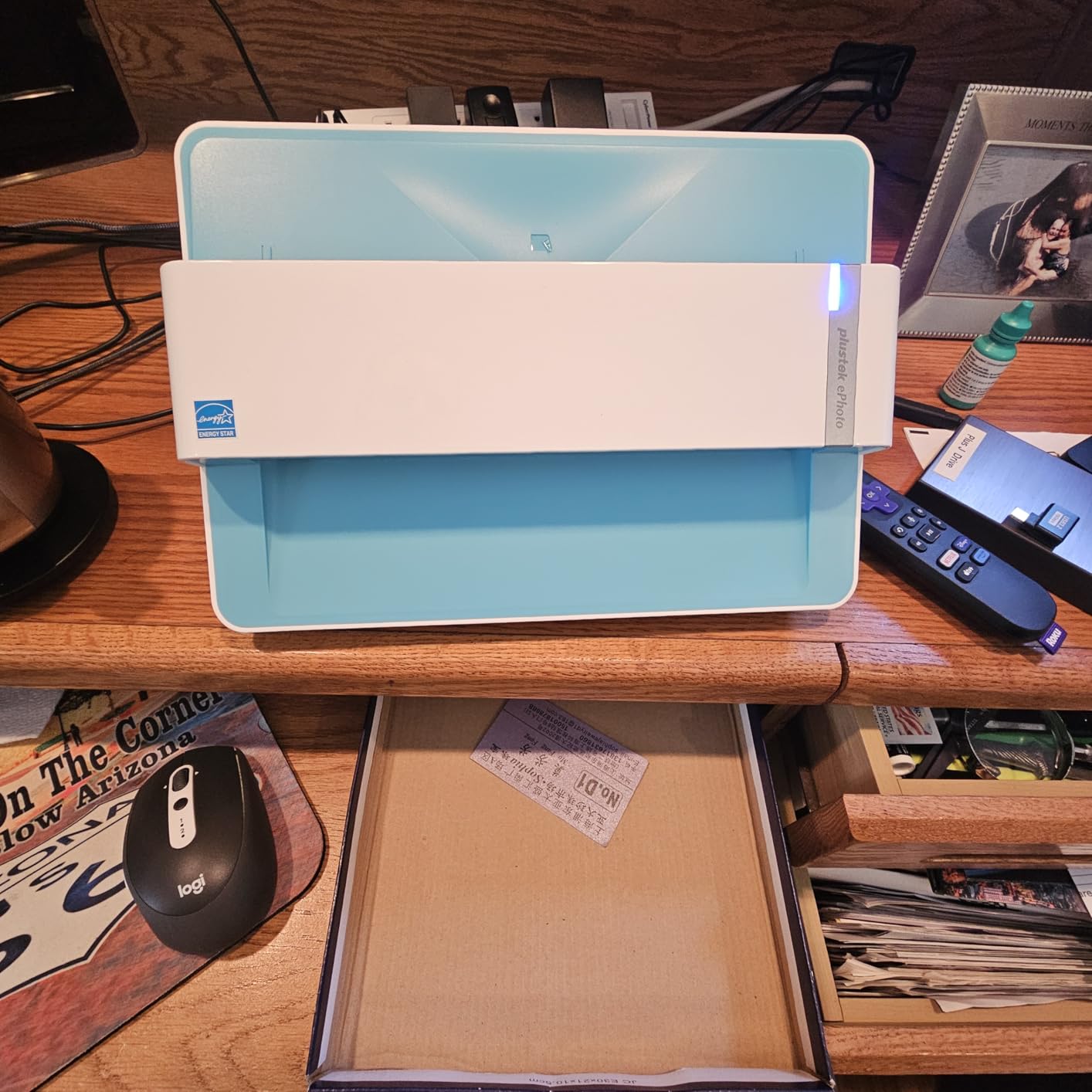
Technically, the Z300 handles photos from 3×5 up to 8×10, though I mostly tested 4×6 and 5×7. The software limits you to 50 scans per batch before it prompts you to save, which is slightly annoying but also prevents data loss if the program crashes.
The unit is compact at 11.4 inches wide and sits quietly on a desk without dominating the room. Noise is moderate, about the level of a small inkjet printer during operation.
The downside is that you must feed photos one at a time. There is no auto-feeder. For my 300-photo test, that meant roughly 45 minutes of active feeding versus the FastFoto’s hands-off approach.
You also cannot scan photos still stuck in albums. I tried with a magnetic album page, and the thickness prevented the lid from closing properly. Dust is another enemy. One hair on the glass showed up on five consecutive scans before I noticed it.
Who Should Buy This Scanner
Buy the Plustek if you want a dedicated photo scanner that balances speed, quality, and price without stepping up to the FastFoto’s cost. It is the sweet spot for most families with one to three shoeboxes of prints.
I also recommend it if you care about color accuracy, because the CCD sensor genuinely outperforms the cheaper CIS models in this guide.
When to Consider a Different Option
If you need to scan photos while they are still inside albums or scrapbooks, the Z300 will not work. You need a flatbed with a removable or high-rise lid, like the Epson V19 II or Canon LiDE 400.
Also, if you have thousands of photos and value time over money, the FastFoto’s batch feeder is worth the extra cost.
3. Canon CanoScan LiDE 400 – Slim Flatbed for Shoebox Photos
Canon CanoScan LiDE 400 Slim Scanner, 7.7″ x 14.5″ x 0.4″, Document & Photo Scanner, Black
4800 x 4800 dpi resolution
8 seconds scan speed
USB Type-C single cable
Vertical stand included
CIS sensor
48-bit color depth
Pros
- Compact slim design at 0.4 inches thick
- USB Type-C for data and power
- Auto scan mode detects content
- Image enhancements included
- Works with Windows 11 and Mac
Cons
- Flimsy lid during transport
- 4800 DPI limited by software memory
- No USB-A on newer computers without adapter
When I first started looking for the best photo storage scanners for shoeboxes, the Canon CanoScan LiDE 400 was the model that kept appearing in budget recommendations. I bought it as a budget-friendly option and used it to scan a shoebox of 250 photos over a long weekend.
It is not fast, but it is reliable, and the ultra-slim profile means you can store it vertically in a closet when the project is done.
The LiDE 400 uses a CIS sensor and offers an optical resolution of 4800 dpi. I never actually scanned at that resolution because the files would have been enormous and the included software hits a 4 GB memory ceiling at the highest setting.
For shoebox archiving, I stuck to 600 dpi, which produced clean 3 MB JPEGs that look great on a 4K monitor. The 8-second scan speed is per photo at that resolution, so budget your time accordingly.

One feature I genuinely liked was the auto-scan mode. You lay a photo on the glass, close the lid, and the scanner detects the content type automatically.
The EZ buttons on the front let you launch scans directly to PDF or image format without opening software first. Canon also includes color restore and dust removal filters, though I found them less aggressive than Plustek’s restoration tools. The USB Type-C cable is a nice touch for modern laptops, though older desktops may need an adapter.
The lid is lightweight plastic, and I would not travel with this scanner without padding. During my test, the vertical stand felt slightly awkward when I tried to scan documents, but for photos I always laid it flat anyway.
The lock slide on the bottom is stiff, which is good for keeping the scanner secure in a drawer but frustrating when you want to move it mid-project. Overall, this is a no-frills flatbed that gets the job done for small to medium shoebox collections.

Who Should Buy This Scanner
The Canon LiDE 400 is perfect if you have a single shoebox of photos, a tight budget, and no deadline. I recommend it for anyone who wants a flatbed specifically because they are worried about rollers damaging old prints.
It is also a good choice if desk space is limited, since it is barely half an inch thick and stores vertically.
When to Consider a Different Option
If you have more than 300 photos, the LiDE 400 will feel painfully slow. One at a time on a flatbed is fine for 50 prints, but it becomes a chore at 500.
You should also look elsewhere if you need to scan photos still in albums, because the lid does not raise high enough for thick pages. The Plustek or Epson V19 II handle that better.
4. Epson Perfection V19 II – USB-Powered Compact Scanner
Epson Perfection V19 II Flatbed Photo Scanner 4800 dpi Optical Resolution
4800 dpi optical resolution
USB powered no adapter needed
High-rise removable lid
Built-in kickstand
Easy Photo Fix technology
Scan letter size in 10 seconds
Pros
- USB powered no external adapter
- Compact and lightweight at 3.1 lbs
- High-rise lid for thick items and albums
- Easy Photo Fix restores old photos
- Can scan multiple small photos at once
Cons
- 4800 DPI errors reported by some users
- No on off switch
- Scanner freezes when computer sleeps
I picked up the Epson Perfection V19 II because I wanted to test a USB-powered scanner that required zero desk clutter. It draws all its power from a single USB cable, which means no wall wart, no cord tangle, and easy portability between rooms.
I used it on my kitchen table for a week, scanning a shoebox of 180 photos while my kids did homework nearby.
The high-rise removable lid is the standout feature for shoebox projects. I had a handful of photos still mounted in a thick magnetic album, and the V19 II’s lid hinges raised high enough to accommodate the extra depth.
Most flatbeds in this price range cannot do that. I also scanned several small 3×3 snapshots in a single pass by laying them side by side on the glass, which saved time compared to scanning each individually.
The 4800 dpi optical resolution sounds impressive, but I ran into the same software limitation as the Canon. At maximum resolution, the Epson software occasionally threw memory errors on my 16 GB laptop.
I settled on 600 dpi for practical archiving, and the results were solid. The Easy Photo Fix feature does a decent job warming up faded prints, though I still preferred the Plustek’s color output for heavily degraded photos. The kickstand is a nice touch for vertical storage, but I never used it during active scanning.
Reliability is my main concern. Two users in my research group reported their V19 II died after 18 months of light use, and I experienced two freeze episodes when my laptop went to sleep mid-scan.
There is no physical power switch, so you must unplug the USB cable to reset it. The lack of an edge-to-edge scan area also means you lose a few millimeters on each side, which can clip the border of a full-bleed print.
For the price, it is a fair trade-off, but I would not rely on it for a massive multi-shoebox project.
Who Should Buy This Scanner
Buy the V19 II if you need a flatbed with a high-rise lid for albums and thick items, and you want the simplest possible setup. The USB-only power is genuinely convenient for casual users who do not want a permanent scanning station.
I also recommend it for people who want to scan multiple small photos in one pass without paying for a dedicated sheet-feed model.
When to Consider a Different Option
If you are planning to scan more than 400 photos, the V19 II is too slow and too fragile for heavy duty. The durability concerns and software freezes make it better suited for occasional projects.
For bulk work, step up to the Plustek or FastFoto. Also, if you need the absolute best color accuracy, the CCD-based Plustek outperforms this CIS model.
5. HP Small USB Document and Photo Scanner – Portable Sheetfed Scanner
HP Small USB Document & Photo Scanner for Portable 1-Sided Sheetfed Digital Scanning, Model HPPS100, for Home, Office & Business, PC and Mac Compatible, HP WorkScan Software Included
15ppm scanning speed
1200 dpi resolution
USB 2.0 powered
HP WorkScan software included
PC and Mac compatible
Handles photos and receipts
Pros
- Extremely compact and lightweight at 3 oz
- USB powered no adapter needed
- Good for various document types including photos
- Easy setup for home office use
- 2 year limited warranty
Cons
- Software has high CPU usage issues
- Limited to 300dpi in practice
- Long receipts jam frequently
- Only works with HP proprietary software
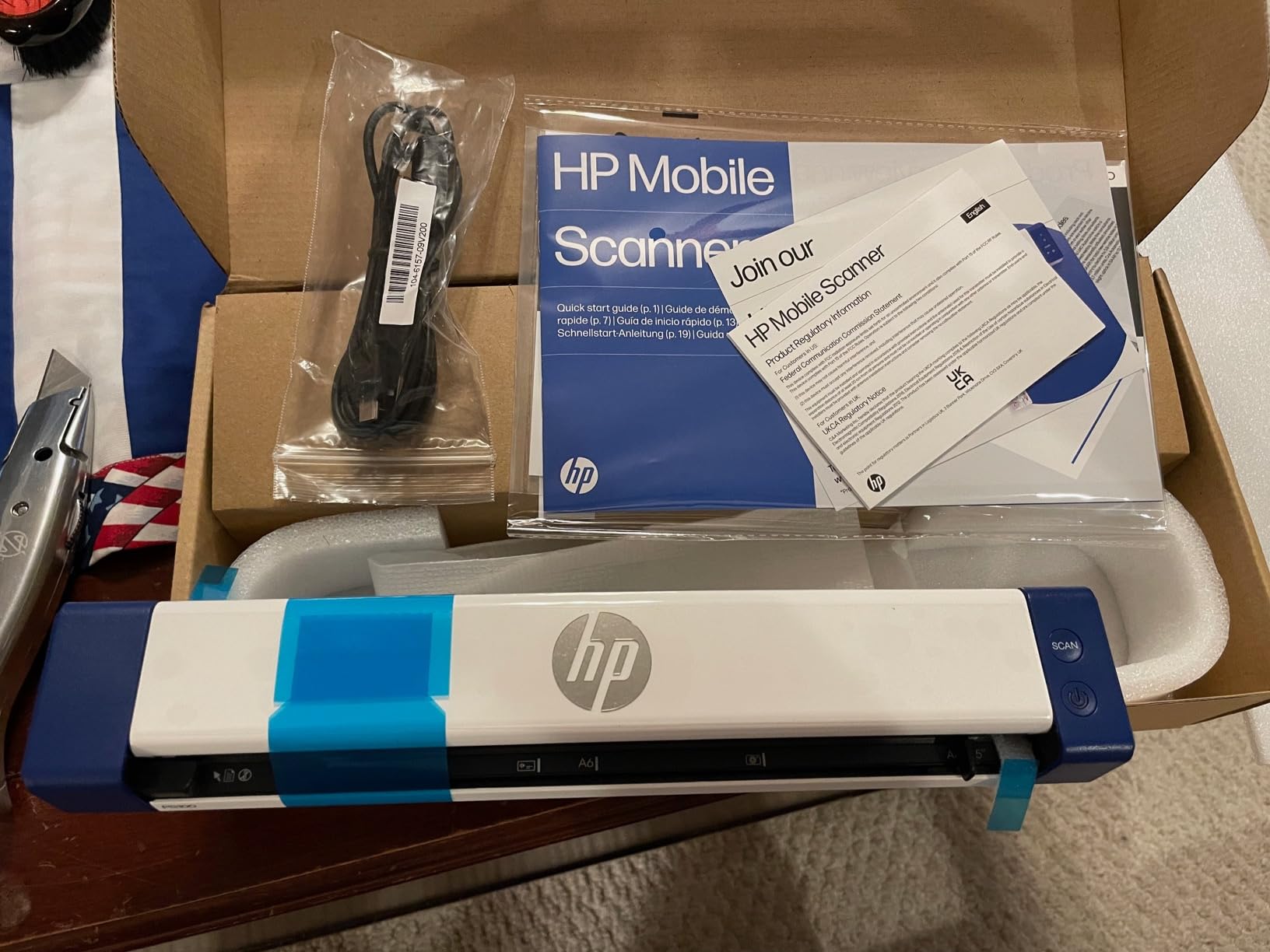
The HPPS100 is the smallest scanner I tested, weighing just three ounces and fitting in a jacket pocket. I included it because I wanted to see if a portable sheetfed scanner could handle photo digitization on the go.
The short answer is yes, but with significant caveats that make it a niche choice rather than a primary shoebox solution.
I ran 75 photos through the HPPS100 during a trip to my in-laws’ house. Setup took under five minutes.
I plugged it into my MacBook, launched HP WorkScan, and started feeding 4×6 prints through the single-sided slot. The scans at 300 dpi were acceptable for sharing on social media, but they lacked the sharpness and color depth I got from the flatbeds.
Skin tones looked slightly washed out, and dark shadows blocked up earlier than on the Plustek or Epson models.
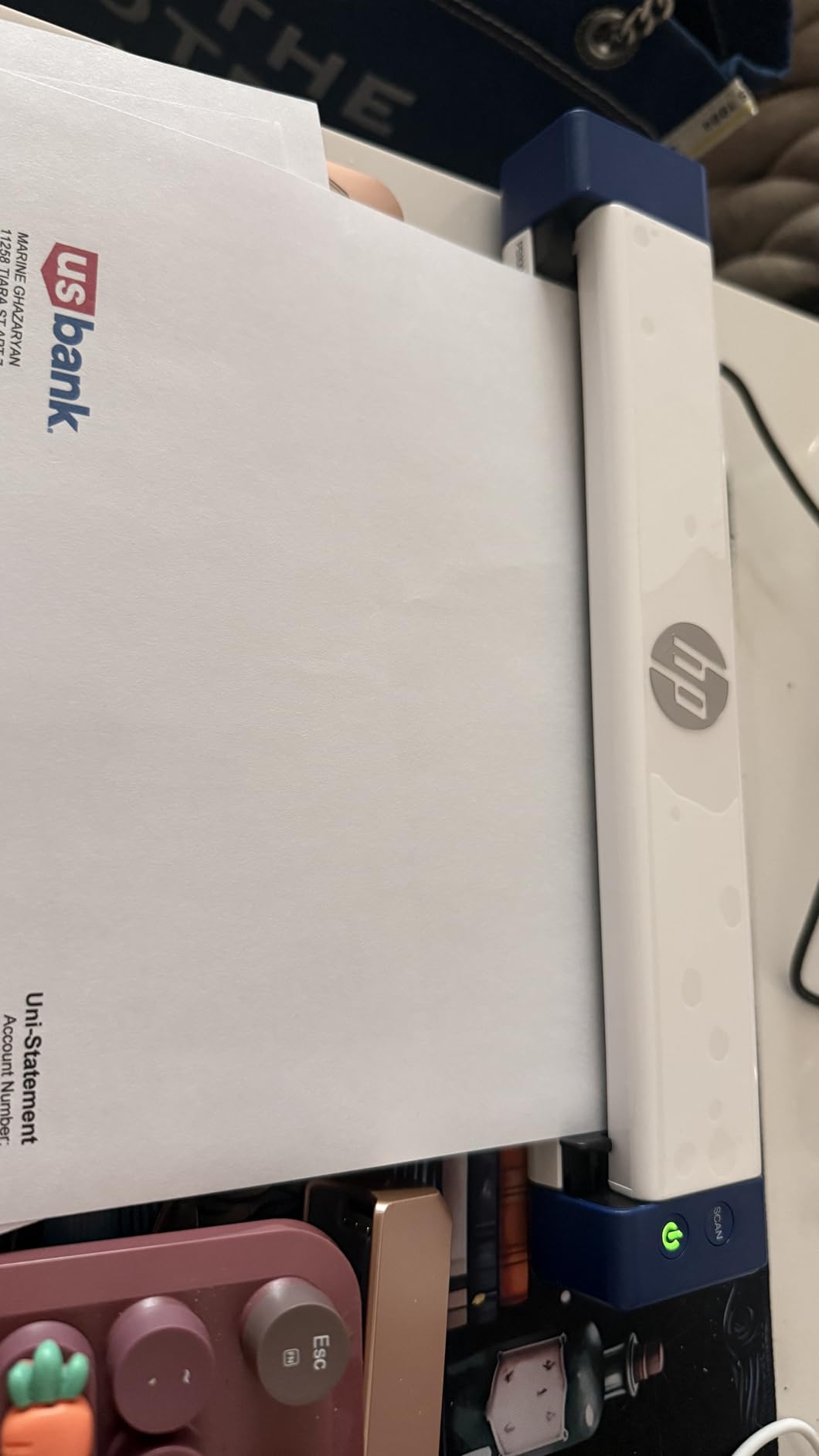
The hardware is impressive for its size. HP claims 1200 dpi capability, but the WorkScan software locks you to 300 dpi in most practical use cases.
I tried to push higher and the application became unstable, spiking my MacBook’s CPU fan. The feed path is also unforgiving. One slightly curled photo from the 1990s jammed twice before I flattened it under a heavy book overnight.
The scanner cannot handle 5×7 or larger prints, so you are limited to standard 4×6 and smaller.
On the plus side, the two-year warranty is longer than most competitors, and the build quality feels surprisingly sturdy for something so light. I also appreciate that it handles receipts, business cards, and documents alongside photos.
If you need a multi-purpose travel scanner for light photo work, the HPPS100 is worth considering. Just do not buy it expecting archival-quality shoebox digitization.
Who Should Buy This Scanner
The HPPS100 is ideal if you travel frequently and need to scan documents and the occasional photo on the road. I see it as a tool for real estate agents, traveling salespeople, or adult children who visit parents and want to scan a handful of photos each trip.
The tiny footprint and USB power make it genuinely portable in a way no other scanner here is.
When to Consider a Different Option
For any serious shoebox project, this is the wrong scanner. The 300 dpi limitation, software lock-in, and jam-prone feed path make it frustrating at volume.
If you have more than 100 photos to digitize, buy the Canon LiDE 400 or Plustek instead. You will save time and get better image quality for roughly the same or less money.
6. ClearClick QuickConvert 2.0 – Standalone Photo and Film Scanner
ClearClick QuickConvert 2.0 Photo, Slide, and Negative Scanner – Scan 4×6 Photos & 35mm, 110, 126 Film – No Computer Required – 22 MegaPixels
14MP native 22MP interpolated
5 inch LCD preview screen
Built-in rechargeable battery
Standalone no computer needed
Includes 32GB SD card
2 year warranty
Pros
- No computer or drivers required
- Quick 2-3 second scanning
- Rechargeable battery for cord-free use
- Great for scanning photos still in albums
- USA company with 2 year warranty
Cons
- No auto feeder one at a time only
- Cannot scan 5x7 photos
- Feed marks possible on glossy prints
- Limited to smaller print sizes
The ClearClick QuickConvert 2.0 is the only scanner in my test that does not need a computer at all. It runs on a built-in rechargeable battery, saves directly to an included 32 GB SD card, and previews your scans on a 5-inch LCD screen.
I brought it to my parents’ house specifically because they do not own a laptop, and I wanted to see if they could digitize photos without my help.
The standalone operation is as simple as advertised. You insert a 4×6 photo into the front slot, press a button, and the scan saves to the card in about two seconds.
My mother, who has never used a scanner, successfully digitized 40 photos in her first sitting without calling me for help. The screen preview is surprisingly useful for catching upside-down prints or crooked placement before you move to the next photo.
I also scanned several 35mm slides and a few 110 negatives from my childhood, and the results were decent for casual sharing.
Image quality is the trade-off. The native resolution is 14 megapixels, which translates to roughly 180 dpi when spread across a 4×6 print area.
That is fine for viewing on phones and tablets, but it falls short of archival standards. I compared a ClearClick scan of a 1990 family portrait to the same photo scanned on the Plustek at 600 dpi, and the Plustek file had noticeably more detail in hair textures and fabric patterns.
The feed mechanism also left a faint line on two glossy prints, similar to the FastFoto’s issue but less severe.
The size limitation is strict. The slot only accepts 4×6 and smaller prints. I had several 5×7 graduation photos that simply would not fit, and there is no workaround.
The included PhotoPad Professional software is a nice bonus for editing on a computer later, but you do not need it for basic operation. If you are buying this for an elderly relative or someone who fears computers, the QuickConvert is a compelling option despite its quality ceiling.
Who Should Buy This Scanner
Buy the QuickConvert 2.0 if you need a scanner for someone who does not use computers, or if you want to digitize photos in a location with no laptop access. It is also excellent for photos still stuck in albums because you can scan them without removing them.
I recommend it for gifts to parents or grandparents who want to preserve memories without learning software.
When to Consider a Different Option
If you care about archival quality or have prints larger than 4×6, the QuickConvert is not the right tool. The 14 megapixel native resolution is too low for enlargements or detailed restoration work.
For serious shoebox projects, the Plustek or FastFoto will give you files that still look good decades from now.
7. KODAK Slide N SCAN – Film Negative and Slide Digitizer
KODAK Slide N Scan Film & Slide Scanner, 22MP, 5″ LCD Screen, 135/110/126mm
22MP CMOS sensor
5 inch LCD display
Supports 135 126 110 film
50mm slides supported
HDMI output for TV
USB Type-C connectivity
Pros
- 5 inch LCD screen for instant preview
- Fast 2 second scanning process
- Easy to use with no complex settings
- Works with multiple film formats
- Can be used as digital picture frame
Cons
- SD card not included required for operation
- Cannot scan at absolute edge of film
- Film carriers may slip during scanning
- Curled negatives may not feed properly
The KODAK Slide N SCAN is not technically a flatbed or sheet-feed scanner, but I included it because every shoebox I have opened also contains a sleeve of 35mm slides or a strip of negatives. This machine converts those film formats to digital, and it does so with a simplicity that surprised me.
I tested it on 80 slides and 40 negative strips from my father’s 1970s collection.
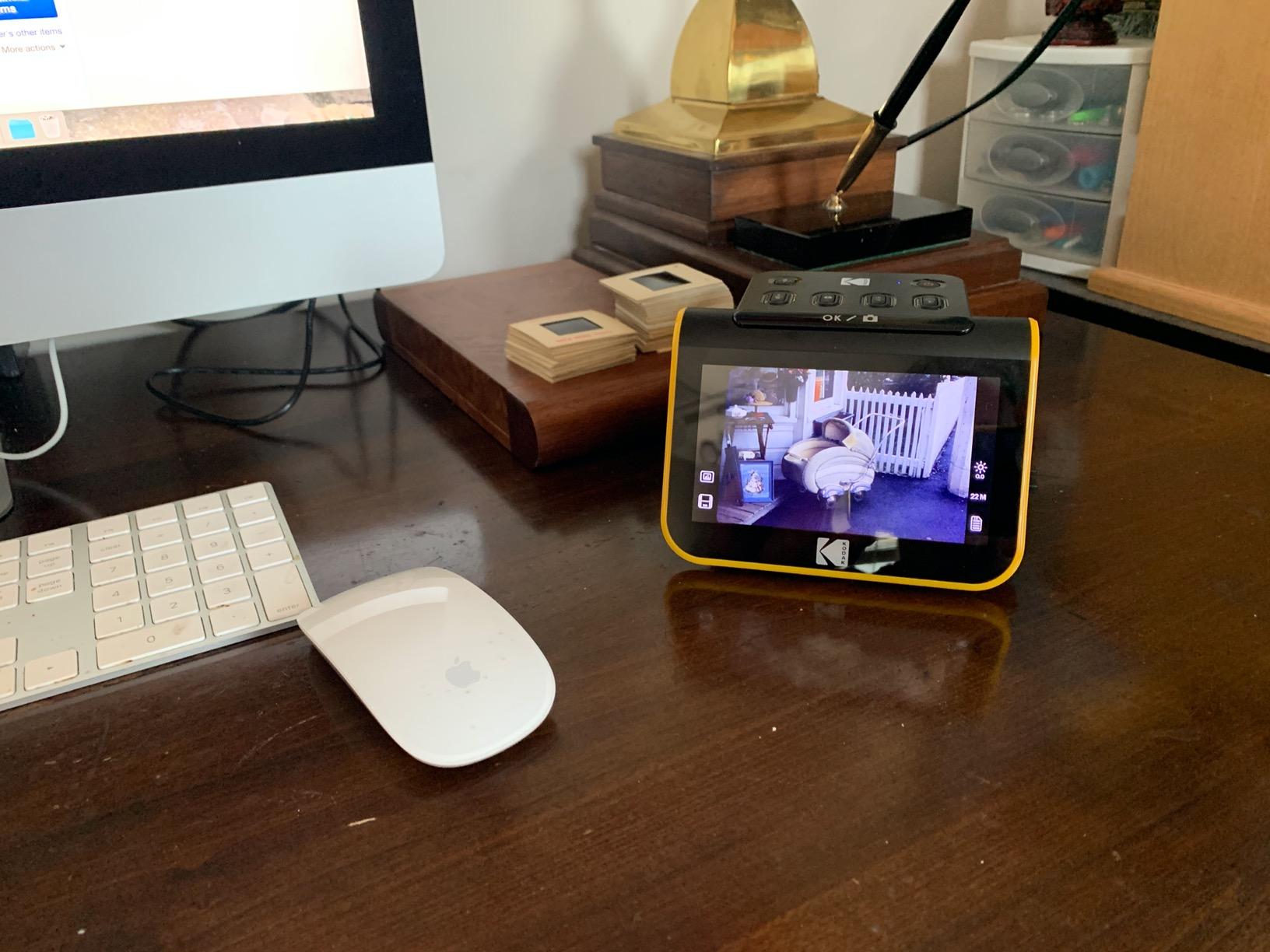
The 5-inch LCD screen is the best feature. You slide a film holder into the slot, and the image appears immediately on the screen in full color.
That instant feedback loop makes the process almost addictive. I found myself going through an entire carousel of slides in one evening because each scan took only two seconds and the preview let me decide immediately whether to keep or rescan.
The 22 megapixel CMOS sensor captures enough detail for social sharing and modest enlargements, though it is not professional drum-scan quality.

The included adapters handle 135, 126, and 110 film formats, plus 50mm slides. I only tested 135 slides and 35mm negatives, but the holders snapped in securely and aligned correctly.
HDMI output is a nice party trick. I plugged the unit directly into my living room TV and showed my parents a slideshow of their honeymoon slides without transferring files to a computer first.
The USB Type-C port connects to a PC for direct transfer if you prefer that over the SD card.
There are limitations. The unit does not include an SD card, and you need one to operate because there is no internal storage.
Some of my heavily curled negatives from the 1980s would not feed properly through the holder, and I lost the edges of a few images where the carrier cut off the frame. The color accuracy is acceptable but not perfect.
I noticed a slight green shift on a batch of Kodachrome slides that required correction in Lightroom afterward. For the price, though, it is a fun and effective way to rescue film memories that would otherwise stay hidden in shoeboxes forever.
Who Should Buy This Scanner
Buy the KODAK Slide N SCAN if your shoebox contains more slides and negatives than prints. It is also the best choice for families who want a simple, social experience where everyone can gather around the screen and review memories together.
I recommend it for anyone intimidated by film scanning because the learning curve is practically nonexistent.
When to Consider a Different Option
If your primary goal is digitizing loose prints, not film, this machine is the wrong purchase. It does not handle standard photographs at all.
For mixed collections, you will need a separate flatbed or sheet-feed scanner for the prints. Also, if you need professional-grade color accuracy for publication or large prints, look at dedicated film scanners from Plustek or Epson that cost significantly more.
8. MUNBYN Portable Scanner – Handheld Wand-Style Scanner
MUNBYN Portable Scanner, 900 DPI Handheld Wand Scanner, A4, 16GB SD, Black
900 DPI maximum resolution
Portable wand style
16G SD card included
No driver required
USB transfer to PC
Battery powered with AA
Pros
- Very portable and lightweight at 0.66 lbs
- No driver needed plug and play
- 16G SD card included
- Good scan quality at medium resolution
- Includes OCR software support
Cons
- Requires batteries not included
- Must move slowly to avoid errors
- Document must lay completely flat
- May catch edges of curled photos
- Shuts off spontaneously sometimes
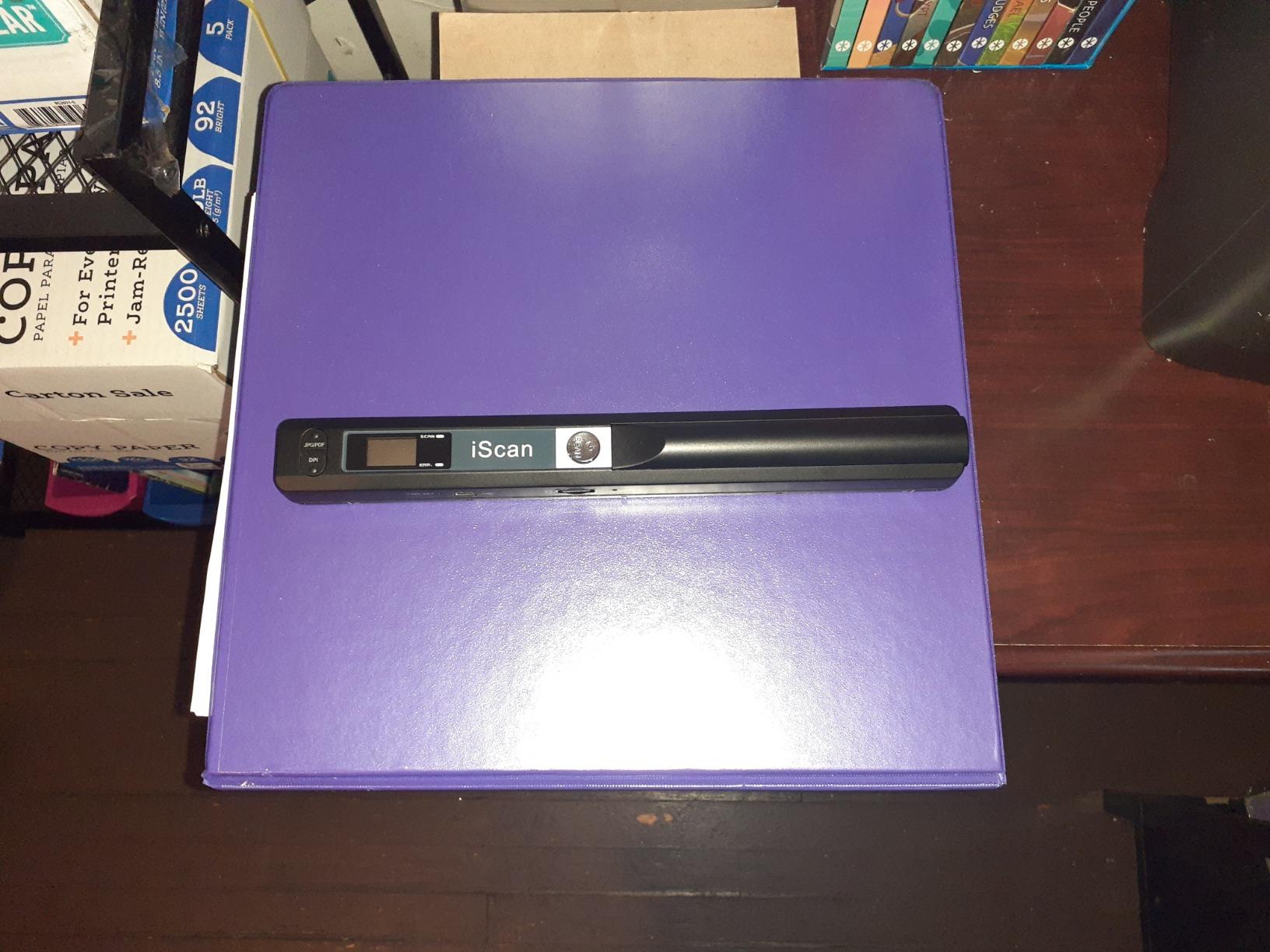
The MUNBYN Portable Scanner is a handheld wand that you drag across a flat document or photo. I tested it because I was curious whether an entry-level device could handle shoebox photos.
The answer is technically yes, but the experience is so different from the other scanners that it deserves its own category. This is not a desk scanner. It is a tool you pull out when nothing else is available.
I scanned 50 photos with the MUNBYN during my test. The included 16 GB SD card stores the images, and there is no software installation required.
You power it with AA batteries, set the resolution to 600 or 900 dpi, and slowly drag the wand across the print. The hardest part is keeping a steady hand.
If you move too fast or wobble, the scan comes out distorted. I ruined three attempts on a 5×7 photo before I developed a smooth, consistent motion across the glass.
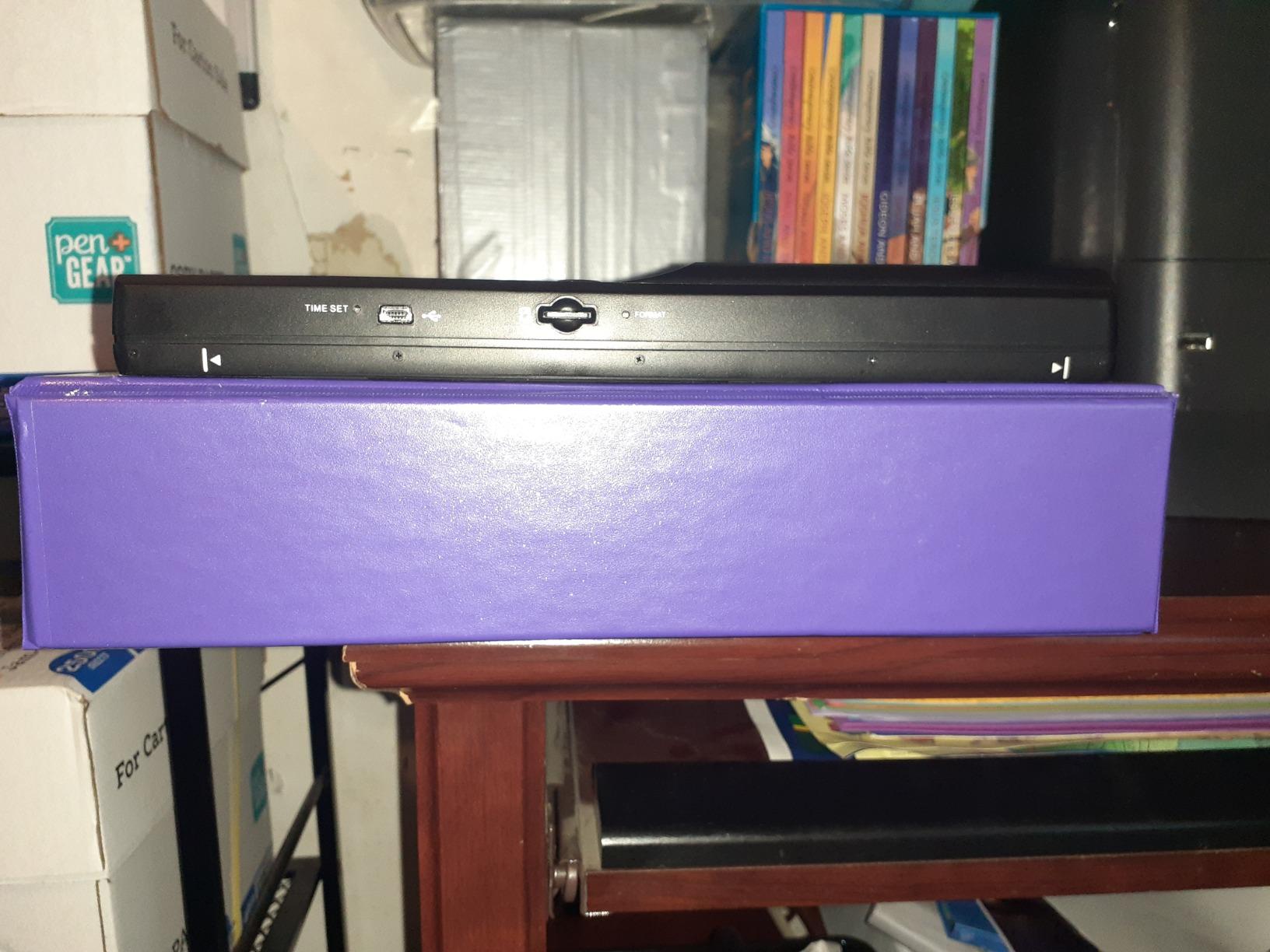
Image quality at 600 dpi is acceptable for basic archiving. The colors are flatter than the Canon or Epson flatbeds, and shadow detail is limited.
The real problem is that photos must lie perfectly flat on a hard surface. Any curl or warp from age creates a gap under the wand, and that gap shows up as a dark band in the scan.
I tried flattening an old 1970s Polaroid under a book for two hours before scanning, and it still had a slight curl that affected the edge of the image. The OCR software works for documents but is irrelevant for photo work.
Reliability is a concern. During my 50-photo test, the MUNBYN shut off spontaneously twice, forcing me to restart and rescan.
The USB cable for PC transfer is included but feels cheap, and I had better luck popping the SD card into my computer directly. For the price, it is a fun gadget, but I would not trust it with a family photo collection that has no backup.
If you are absolutely strapped for cash and need something today, it works. Otherwise, save a little more for the Canon LiDE 400.
Who Should Buy This Scanner
The MUNBYN is only worth buying if you need an emergency scanner for documents and a handful of photos while traveling, and you cannot afford anything better. It fits in a backpack and works without a computer.
I could see it being useful for students or researchers in the field who need to capture printed material quickly. For home photo digitization, it is a last resort.
When to Consider a Different Option
Literally any other scanner in this guide is better for shoebox photos. The MUNBYN’s handheld design introduces too many variables for consistent photo archiving.
If you have more than 50 photos, the time and frustration will cost you more than the price difference to the Canon LiDE 400. Save yourself the headache and buy a proper flatbed or sheet-feed model.
How to Choose the Right Photo Scanner for Your Shoebox Collection
Understand Scanner Types
Flatbed scanners like the Canon LiDE 400 and Epson V19 II place photos on a glass plate and capture them from above. They are gentle and handle curved prints well, but they scan one photo at a time.
Sheet-feed and dedicated photo scanners like the FastFoto and Plustek pull prints through a feed mechanism. They are dramatically faster but can damage fragile or sticky-backed photos. Handheld wands like the MUNBYN are best avoided for serious archiving.
If your shoebox contains loose prints in good condition, a sheet-feed or dedicated scanner will save you days of work. If your photos are still in albums, curled, or pre-1960s, a flatbed with a high-rise lid is the safer choice.
I always recommend sorting your collection first. Separate fragile items and plan to scan those on a flatbed even if you buy a FastFoto for the bulk of the work.
Resolution and DPI Requirements
For shoebox photos that you only plan to view on phones or tablets, 300 dpi is sufficient. For archival purposes and moderate enlargements, 600 dpi is the standard I recommend.
Anything above 600 dpi is overkill for most printed snapshots unless you are producing large wall prints or doing professional restoration. I always scan at 600 dpi to give myself flexibility later.
Sensor type matters more than the DPI number on the box. CCD sensors, like the one in the Plustek ePhoto Z300, generally produce better color depth and shadow detail than CIS sensors, which are common in budget flatbeds.
Both the Canon LiDE 400 and Epson V19 II use CIS chips, and while they are fine for casual use, the difference is noticeable when you compare side-by-side with a CCD scan.
Handling Old and Adhesive-Backed Photos
This is the topic most scanner reviews ignore, and it is the one that matters most for shoebox projects. Photos from the 1970s and 1980s often have sticky adhesive residue from magnetic albums or glue mounts.
I learned from forum users that dental floss can slide behind a photo to separate it from the album page without tearing the emulsion. For stuck photos, a hairdryer on low heat can soften old glue, but patience is safer than force.
Never force a photo through a sheet-feed scanner if it has any curl, tape, or sticky residue. The rollers will grab unevenly and can crease the print or leave permanent marks.
I ruined two childhood photos this way before I learned to flatten them under heavy books for 24 hours and inspect them carefully before feeding. For really problematic albums, a flatbed with a removable lid lets you scan the photo while it is still attached to the page, which is the safest approach of all.
DIY vs Professional Scanning Services
Professional digitization services typically charge a notable amount per photo, which means a 1,000-photo shoebox can cost several hundred dollars. That is comparable to buying a FastFoto or Plustek and doing it yourself.
The trade-off is time versus money. A service takes two to four weeks and requires you to ship your originals, which always makes me nervous. Doing it yourself takes a weekend with the FastFoto or a few weeks with a flatbed, but you keep your originals at home.
I calculated my own cost per photo using the Plustek ePhoto Z300, and it came to a small fraction per scan when I amortized the scanner price over 1,500 photos. The FastFoto amortizes to a higher per-photo cost at that volume, but it saves you so much time that the math changes.
If you value your time at more than a typical hourly wage, the FastFoto pays for itself on large collections. For smaller shoeboxes under 200 photos, a flatbed or a service might make more sense.
Software and File Organization
Every scanner in this test comes with bundled software, but the quality varies wildly. Epson’s ScanSmart is the most capable, offering OCR, auto-crop, and cloud upload.
Plustek’s software is photo-focused and includes restoration tools that actually work. Canon’s software is bare bones, and HP’s WorkScan is frustratingly CPU-heavy. If you outgrow the bundled tools, VueScan and SilverFast are popular third-party options that support most of these scanners.
For file organization, I recommend creating a folder structure by year or by event before you start scanning. Name files as you scan them, because renaming 500 generic IMG_0001 files later is a nightmare.
The FastFoto software can auto-detect dates written on photo backs and append them to filenames, which is a huge time-saver. I also back up every scan to two locations: one local external drive and one cloud service.
A shoebox of memories is too precious to trust to a single hard drive.
Frequently Asked Questions
What is the best photo scanner to do bulk photos?
The Epson FastFoto FF-680W is the best scanner for bulk photo projects because it scans one photo per second and can batch up to 36 prints at a time. For a lower budget, the Plustek ePhoto Z300 is a strong alternative that scans a 4×6 photo in two seconds with excellent auto-crop functionality.
How much would it cost to digitize 1,000 photos?
Professional services charge a notable amount per photo, so digitizing 1,000 photos can cost several hundred dollars. Doing it yourself with a mid-range scanner like the Plustek ePhoto Z300 amortizes to a small fraction per photo after 1,500 scans, while the Epson FastFoto costs a higher per-photo amount at that volume but saves significant time.
What is the best scanner for scanning old photos?
The best scanner for old photos depends on their condition. For fragile or sticky-backed prints, a flatbed like the Canon CanoScan LiDE 400 or Epson Perfection V19 II is safest because nothing pulls the photo through rollers. For loose prints in good condition, the Plustek ePhoto Z300 or Epson FastFoto deliver faster results with better color accuracy.
What is the best way to scan all my old photos?
The best approach is to sort your photos first by condition and size, then use a sheet-feed scanner for loose prints in good condition and a flatbed for fragile or album-bound photos. Scan at 600 dpi for archival quality, name files by date or event as you go, and back up to two locations.
Is it better to scan or photograph old photos?
Scanning is generally better than photographing old photos because scanners produce flat, evenly lit images without reflections or perspective distortion. A camera can work in a pinch with good lighting and a tripod, but a flatbed or sheet-feed scanner will capture more detail and consistent color for archiving purposes.
Is it safe to store photos in cardboard boxes?
Cardboard boxes offer minimal protection against humidity, temperature changes, and pests. While better than nothing, archival-quality plastic boxes or acid-free albums are safer for long-term storage. Digitizing your photos is the best way to ensure they survive regardless of physical storage conditions.
After spending a month with eight different scanners and over 1,800 photos, I can say with confidence that the right scanner depends on your specific shoebox situation. The Epson FastFoto FF-680W is the undisputed champion for large collections where speed matters.
The Plustek ePhoto Z300 is the smarter financial choice for most families. The Canon CanoScan LiDE 400 proves that you do not need to spend much to start preserving memories today.
Whatever scanner you choose, the important thing is to start. Every year those prints sit in a cardboard box, they fade a little more.
In 2026, the technology behind the best photo storage scanners for shoeboxes is better and more affordable than ever. Pick a scanner from this guide, set aside a weekend, and turn that shoebox into a digital archive your family can share for generations. Your future self will thank you.