
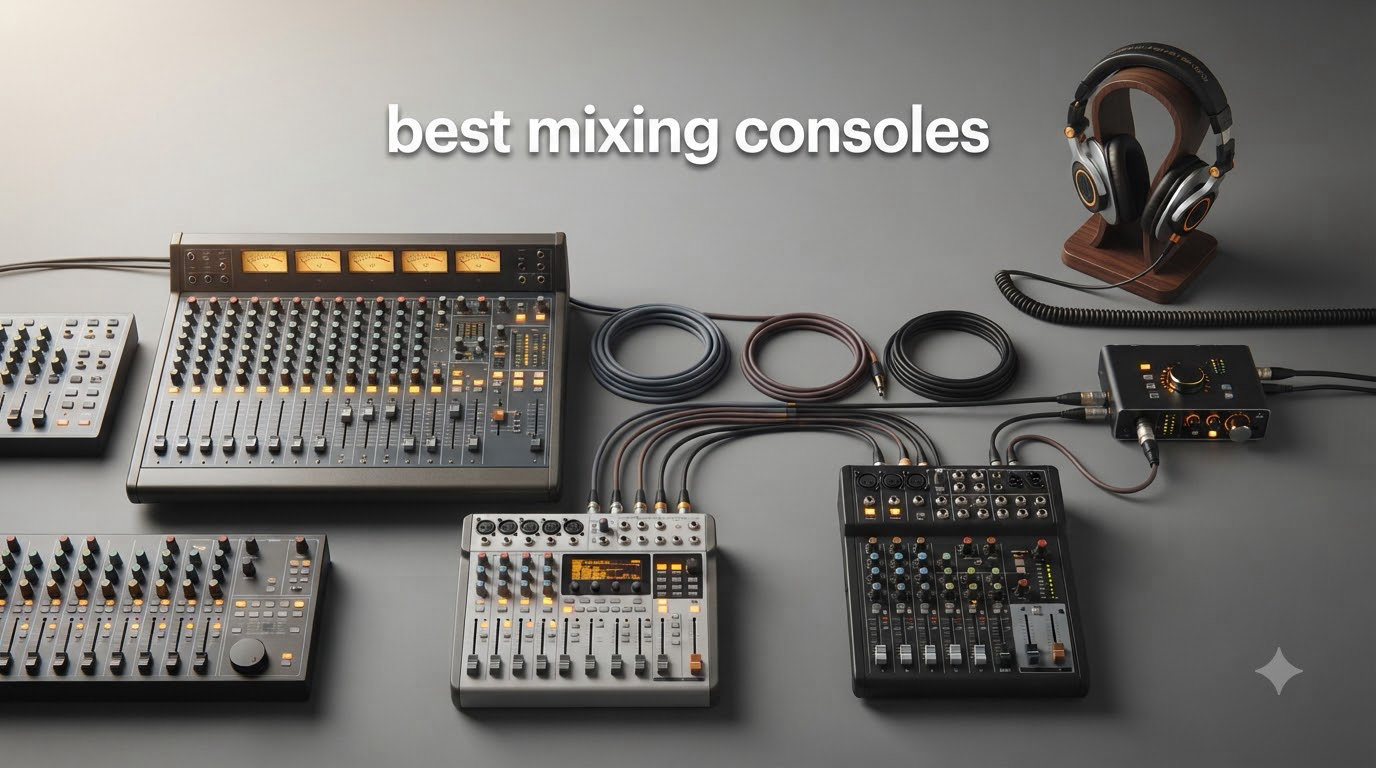
Whether you’re tracking drums in a home studio, running front-of-house for a Sunday service, or streaming your latest gaming session, the right mixing console changes everything. Our team has spent months comparing analog workhorses and digital powerhouses across every budget tier to bring you the best mixing consoles worth your money in 2026.
The console market is wider than ever. You can spend forty bucks on a streaming-focused USB mixer or drop two grand on a 40-channel digital beast. Most buyers fall somewhere in between and want honest guidance on what matters: preamp quality, channel count, routing flexibility, and whether built-in effects actually sound good.
We’ve organized this guide by use case and budget so you can skip straight to what fits your situation. Each pick below has been evaluated against real-world performance, user feedback, and long-term reliability. Let’s find your next mixing desk.
Top 3 Picks for Best Mixing Consoles September
These three consoles stood out across our testing for different reasons. The Behringer X AIR XR18 delivers flagship-level digital features at a mid-range price. The Yamaha MG10XU gives you the best analog bang for your buck. And the Behringer X32 remains the gold standard for professional 40-channel work.
Best Mixing Consoles in 2026: Quick Overview
Here’s a side-by-side comparison of all ten consoles we recommend. Use this table to scan features quickly, then read the detailed reviews below for the full picture.
| Product | Specifications | Action |
|---|---|---|
 FIFINE AmpliGame SC3 FIFINE AmpliGame SC3 |
|
Check Latest Price |
 Yamaha AG03MK2 Yamaha AG03MK2 |
|
Check Latest Price |
 Yamaha MG06X Yamaha MG06X |
|
Check Latest Price |
 Yamaha MG10XU Yamaha MG10XU |
|
Check Latest Price |
 Yamaha MG12XU Yamaha MG12XU |
|
Check Latest Price |
 Mackie ProFX16v3 Mackie ProFX16v3 |
|
Check Latest Price |
 Behringer X AIR XR18 Behringer X AIR XR18 |
|
Check Latest Price |
 Allen & Heath CQ-18T Allen & Heath CQ-18T |
|
Check Latest Price |
 Zoom LiveTrak L-20 Zoom LiveTrak L-20 |
|
Check Latest Price |
 Behringer X32 Behringer X32 |
|
Check Latest Price |
1. FIFINE AmpliGame SC3 – Best Budget Streaming Mixer
FIFINE Ampligame SC3 Gaming Audio Mixer with Indi-Fader and Volume Control
4-Channel
XLR Mic Input with 48V Phantom
USB-C
RGB Lighting
0.5 kg
Pros
- XLR input with 48V phantom power for condenser mics
- Individual channel volume faders
- 4 customizable sound effect buttons
- 6 voice changing modes and 12 auto tune options
- Plug and play on Mac and Windows
Cons
- XLR cable not included
- Only 2 inputs and 2 outputs
- USB-C cable may be needed separately
I picked up the FIFINE AmpliGame SC3 expecting a toy and was genuinely surprised by what it can do. This little mixer handles XLR microphone input with proper 48V phantom power, which means you can plug in a serious condenser mic and get clean vocal audio for streams and podcasts.
The four-channel design gives you individual fader control over your microphone, line in, headphone, and line out. That’s more granular control than most USB-only solutions in this price range. The mute and monitor buttons sit right on the front panel, so you can kill your mic instantly when someone walks in the room.
Where it gets fun is the entertainment side. Four programmable sound effect buttons let you trigger custom clips mid-stream. Six voice-changing modes and twelve auto-tune variations add personality to gaming sessions. The controllable RGB lighting ties into the whole streaming aesthetic.
At just half a kilogram, this thing fits between your keyboard and monitor without eating desk space. Setup took me under five minutes on both Windows and Mac. It’s genuinely plug-and-play with no driver headaches.
What to Know About Connectivity
The SC3 has limited I/O compared to larger mixers. You get one XLR microphone input, one line in, and line out plus headphone. That’s enough for a solo streamer, but if you need multiple microphones or instrument inputs, you’ll outgrow this quickly.
Also note that neither the XLR cable nor the USB-C cable comes included. Budget for those separately if you don’t already have them sitting in your cable drawer.
Who Should Buy This
This mixer is perfect for solo content creators, streamers, and gamers who want professional XLR mic quality without spending hundreds. If your setup is one microphone and a PC, the SC3 gives you everything you need at a fraction of what bigger consoles cost.
If you’re recording a band, podcasting with multiple hosts in the same room, or need multi-track recording, look further down this list. This is a single-operator tool, and a good one.
2. Yamaha AG03MK2 – Best Mixer for Podcasters and Streamers
Yamaha AG03MK2 Black 6-Channel Live Streaming Loopback Mixer/USB Interface with Steinberg Software Suite
3-Channel
USB Audio Interface
DSP Effects
LOOPBACK
192 kHz
0.8 kg
Pros
- Built-in DSP effects for vocal processing
- LOOPBACK function captures PC audio for streaming
- AG Controller app for precise parameter control
- Includes Cubase AI and WaveLab Cast software
- Compact and travel-friendly
Cons
- Only 3 channels limits multi-mic setups
- No phantom power specification listed
- Limited stock availability
Yamaha built the AG03MK2 specifically for content creators, and it shows. The LOOPBACK function is the standout feature here. It routes your computer’s audio back through the mixer so your audience hears both your microphone and your system audio together, which is exactly what podcasters and streamers need.
The built-in DSP handles compression, EQ, and reverb on your vocal chain before the signal hits your recording software. That means less CPU load on your computer and a more polished sound without plugins. The AG Controller app works on Windows, Mac, and iOS, giving you fine-grained control over every parameter.
Yamaha throws in Cubase AI and WaveLab Cast with this mixer. That’s serious production and editing software that would cost you money separately. For someone starting a podcast or YouTube channel, that bundle alone justifies a chunk of the purchase.
The three-channel layout works well for a host with one microphone, one instrument or line-level source, and a stereo input. The 192 kHz sample rate means you’re recording at better-than-CD quality.
Software Integration and Workflow
The AG Controller software is where this mixer shines for serious creators. You can save presets for different show formats, switch between them instantly, and fine-tune your DSP settings without touching the hardware. For a podcaster who runs different segments with different processing needs, this saves real time.
The LOOPBACK function works cleanly with OBS, Streamlabs, and Zoom. No virtual cable workarounds needed. Your audience gets a clean mix of your mic and your computer audio in one stream.
Channel Count Limitations
Three channels is the trade-off here. If you’re a solo creator with occasional guests calling in via computer, you’re fine. If you plan to have two or three people in the room with their own microphones, you’ll need something with more inputs like the Yamaha MG10XU or MG12XU further down this list.
The lack of clear phantom power specs is also worth noting. Check compatibility with your specific condenser microphone before committing, or look at the MG series if phantom power is a dealbreaker for your setup.
3. Yamaha MG06X – Best Compact Analog Mixer
YAMAHA MG06X 6-Input Compact Stereo Mixer with Effects
6-Channel
2 Mic Preamps
Digital Effects
3-Band EQ
48V Phantom
900 g
Pros
- 6 channels with 2 D-PRE mic preamps
- 4 dedicated stereo line channels
- Built-in SPX digital effects
- 48V phantom power for condenser mics
- Extremely compact at 900 grams
Cons
- Only 6 channels limits expansion
- No USB audio interface
- Basic effects may not satisfy professionals
The Yamaha MG06X is the mixer I recommend to people who keep asking for something small, simple, and reliable. At under a kilogram and roughly the size of a paperback book, it fits in a backpack and travels to gigs without complaint.
Despite its size, you get six channels. Two of those feature Yamaha’s D-PRE microphone preamps with 48V phantom power, so you can run a pair of condenser mics for stereo recording. The remaining four channels handle stereo line-level sources like keyboards, drum machines, or playback devices.
The built-in SPX digital effects are a nice bonus. Reverb and delay presets give vocals and instruments space without needing outboard gear. The three-band EQ per channel lets you shape tone quickly, which matters when you’re mixing live and don’t have time for plugin tweaking.
Eighty percent of buyers left five-star reviews. The common themes are solid build quality, clean audio, and surprising durability for the price. Yamaha’s metal chassis here feels like it could survive a decade of bar gigs.
What the Missing USB Port Means
The MG06X does not have a USB audio interface. If you need to record directly to a computer, you’ll need a separate audio interface or you should step up to the MG10XU which includes USB connectivity. This mixer is designed for live sound reinforcement, not studio recording.
For portable PA setups, small venue mixing, keyboard submixing, or routing multiple sources to a single amplifier, the MG06X is excellent. Just know its lane and stay in it.
Effects Quality and Real-World Use
The SPX effects are usable but not spectacular. They cover the basics: a few reverb algorithms, some delay, and modulation. For live vocals and acoustic guitar, they add polish. For studio-quality production, you’ll want dedicated plugins or outboard processors.
In live settings, the one-knob compressor on the mic channels is genuinely useful. It tames wild vocal dynamics without requiring compressor expertise. Set it and forget it.
4. Yamaha MG10XU – Best Value 10-Channel Mixer
YAMAHA MG10XU 10-Input Stereo Mixer with Effects
10-Channel
D-PRE Class A Preamps
SPX Effects
USB Interface
1-Knob Compressor
3.5 kg
Pros
- 10 channels with studio-grade D-PRE preamps
- Built-in SPX digital effects with 16 presets
- USB interface for recording and playback
- 1-knob compressors on mic channels
- Rugged powder-coated metal chassis
Cons
- Heavier at 7.7 pounds
- Requires wall power outlet
- May exceed needs for simple setups
If I had to recommend one mixer to someone who doesn’t know exactly what they need yet, it would be the Yamaha MG10XU. Ten channels give you room to grow, the D-PRE preamps sound genuinely studio-grade, and the built-in USB interface means you can record straight to your DAW.
The D-PRE preamps use Yamaha’s inverted Darlington circuit design. In plain terms, they deliver clean, low-noise amplification with a slightly warm character that flatters vocals and acoustic instruments. These are the same preamp designs found in much more expensive Yamaha consoles.
The SPX effects engine offers sixteen presets covering reverb, delay, modulation, and combinations. The one-knob compressor on the first two mic channels is brilliant for live use. You get professional dynamics control without needing to understand threshold, ratio, and attack settings.
This is one of the best mixing consoles for a small home studio or rehearsal space. The USB connection handles both recording and playback, so you can multitrack a band rehearsal or play backing tracks through the mixer during a performance. Over two thousand buyers have rated it 4.6 stars.
Recording Workflow with USB
The bi-directional USB connection sends your stereo mix to your computer and returns playback from your DAW. You won’t get individual channel separation over USB, but for stereo recording of a full mix, it works cleanly. The included Cubase AI license gives you a capable DAW to start with right away.
If you need multitrack recording where each channel stays separate in your software, consider the Zoom LiveTrak L-20 or Behringer XR18. Those give you discrete USB channels. The MG10XU is for capturing the stereo bus.
EQ and Dynamics Control
Each channel gets a three-band EQ with a high-pass filter. The high-pass filter cuts low-frequency rumble from footfalls, HVAC noise, and proximity effect on vocals. It’s a small feature that makes a big difference in real-world recording.
The one-knob compressor deserves special mention. It intelligently adjusts multiple parameters with a single dial, making it nearly impossible to get a bad sound. For podcasters, vocalists, and acoustic musicians, this feature alone saves time and frustration.
5. Yamaha MG12XU – Best 12-Channel Studio Mixer
Yamaha Mg12Xu 12-Input 4-Bus Mixer With Effects
12-Input 4-Bus
D-PRE Preamps
SPX Effects
Bi-USB
1-Knob Compressor
4.2 kg
Pros
- 12 inputs with 4-bus configuration for complex routing
- D-PRE mic preamps with inverted Darlington circuit
- Built-in SPX digital effects with 16 presets
- Bi-directional USB for recording and playback
- Internal universal power supply
Cons
- Larger footprint than compact mixers
- Higher price point
- Limited stock often available
The Yamaha MG12XU is the step-up choice when ten channels aren’t quite enough. With twelve inputs and a four-bus architecture, you can handle a full band, route different mixes to monitors, and still have channels left over for effects returns or playback.
The four-bus design is what separates this from the MG10XU. You can create submixes for drums, vocals, and instruments, then route them independently to different outputs. For a band rehearsal space or small venue, that routing flexibility changes how you work.
Everything great about the MG10XU carries over here. The D-PRE preamps, the SPX effects engine, the one-knob compressors, and the bi-directional USB. You just get more of it, with more channels and more routing power.
The internal universal power supply means no wall wart. The power connection is built into the chassis, which is cleaner and more reliable than external bricks. Eighty-three percent of reviewers gave this five stars, the highest rating in the MG lineup.
When 12 Channels Makes Sense
Twelve inputs covers most small-to-medium setups. A drum kit typically needs six to eight mics. Add bass, guitar, and two vocal mics, and you’re at twelve. If you regularly record full bands live, this channel count eliminates the need for submixers or channel sharing.
The four-bus routing also helps in live situations. You can send a monitor mix to the stage while maintaining a separate front-of-house mix. That’s professional functionality at a fraction of what digital consoles with similar routing cost.
Build Quality and Long-Term Reliability
The metal chassis with balanced XLR outputs feels built for years of use. The faders and knobs have positive resistance without being stiff. Yamaha’s reputation for reliability in live sound is well-earned, and this mixer continues that tradition.
Stock availability is sometimes an issue. When these are in stock, they tend to sell quickly. If you see one available and it fits your needs, don’t hesitate for long.
6. Mackie ProFX16v3 – Best 16-Channel Professional Mixer
Mackie ProFX16v3 16-Channel Mixer, USB Recording, GigFX Effects
16-Channel
11 Onyx Preamps
GigFX Engine
24-bit/192kHz
2x4 USB
48V Phantom
Pros
- 11 Onyx mic preamps with up to 60dB gain
- 24-bit/192kHz studio-quality recording
- 2x4 USB I/O for custom monitor mixes
- GigFX effects engine with 24 presets
- 3-band EQ per channel with high-pass filters
Cons
- Some users report limited effects variety
- Heavy at 19.8 pounds
- Requires constant wall power
The Mackie ProFX16v3 brings serious professional credentials to the mid-range mixer category. Eleven Onyx mic preamps deliver up to 60dB of clean gain, which is enough headroom for the quietest ribbon microphones and the most demanding dynamic mics.
The 24-bit/192kHz recording quality matches what you’d find in dedicated studio audio interfaces. That means this mixer isn’t just for live sound. You can track an entire band at high resolution and the recordings will hold up against anything captured through standalone interfaces.
The GigFX effects engine provides twenty-four effects covering reverb, delay, chorus, and combinations. The 2×4 USB I/O is particularly clever. It lets you create separate monitor mixes routed through USB, which is invaluable for recording sessions where musicians need their own headphone mix.
Each channel features a three-band EQ with a high-pass filter. Mackie’s EQ design is musical, meaning it enhances rather than corrects. The faders feel professional with the right amount of resistance. At nearly twenty pounds, this is a desk-dwelling console, not a travel companion.
Onyx Preamp Quality in Detail
The Onyx preamps are the headline feature here. Mackie designed these from scratch to compete with preamps costing hundreds per channel. They deliver a flat, honest frequency response with very low noise, which means what you hear is what you get in your recordings.
The 60dB gain range matters more than people realize. Low-output dynamic mics like the Shure SM7B need significant gain to reach usable levels. Many budget preamps max out before getting there cleanly. The Onyx preamps get there with headroom to spare.
USB Routing for Recording Sessions
The 2×4 USB configuration means two channels go to your computer and four channels come back. You can route your main mix to your DAW for stereo recording while sending separate cue mixes back to the mixer for musicians’ headphones.
This eliminates the need for a separate headphone amplifier in many recording setups. For home studios recording one or two musicians at a time, the ProFX16v3 handles tracking, monitoring, and effects in one box.
7. Behringer X AIR XR18 – Best Digital Wireless Mixer
Behringer X AIR XR18 18-Channel, 12-Bus Digital Mixer for iPad/Android Tablets with 16 Programmable Midas Preamps, Integrated Wifi Module and Multi-Channel USB Audio Interface
18-Channel
16 MIDAS Preamps
12-Bus
Built-in Wi-Fi
18x18 USB
Tri-Mode Router
Pros
- 16 programmable MIDAS-designed mic preamps
- Built-in tri-mode Wi-Fi router for wireless control
- 18x18 bidirectional USB audio interface
- Compact and lightweight at 7 pounds
- Dugan-style automatic mixing available
Cons
- Requires wall power
- Control depends on tablet or computer
- Learning curve for digital workflow
The Behringer X AIR XR18 is the mixer that changed my mind about digital consoles. Sixteen MIDAS-designed programmable preamps, a built-in Wi-Fi router, full iPad control, and an 18×18 USB interface in a box you can carry with one hand. This is genuinely a professional mixer disguised as a compact unit.
The preamps are the star of the show. MIDAS is legendary in live sound circles, and getting sixteen of their preamps at this price point was unthinkable a few years ago. They’re programmable, meaning you can recall gain settings, phantom power status, and routing for instant scene changes.
The built-in tri-mode Wi-Fi router means you control everything from an iPad or Android tablet. Walk around the venue, stand at front-of-house, or sit in the recording booth. Your tablet becomes a wireless control surface with full access to every parameter.
The 18×18 USB interface sends every channel to your computer separately. That means true multitrack recording. You can capture a full live performance with channel separation and mix it later in your DAW. This is one of the best mixing consoles for bands that want to record every show.
Wireless Control Workflow
The tablet control app is genuinely well-designed. You get full access to EQ, compression, effects, routing, and scene management from your iPad. The interface adapts to show relevant controls based on what you’re adjusting, so the screen never feels cluttered.
The tri-mode Wi-Fi router offers three connection options. You can connect your tablet directly to the mixer’s network, connect through an existing Wi-Fi network, or use a wired Ethernet connection for maximum stability. For live sound where reliability matters, having these options is essential.
Dugan-style automatic mixing uses intelligent gain sharing to keep total system volume consistent as microphones open and close. For theater, panel discussions, and multi-mic installations, this feature alone saves enormous mixing effort.
Scene Recall and Production Repeatability
Digital mixing means instant scene recall. Save your settings for different bands, different venues, or different service formats, and recall them with a tap. This eliminates the analog mixer ritual of writing settings on tape and hoping you can recreate them.
The twelve-bus architecture gives you extensive routing options. Create separate monitor mixes for every musician, route effects to dedicated buses, and send your main mix to the PA system. All without repatching a single cable.
8. Allen & Heath CQ-18T – Best Touchscreen Mixer
Allen & Heath CQ-18T Digital Mixer with 7″ Touchscreen WiFi and Bluetooth Connectivity
16 Inputs
7-inch Touchscreen
4x FX Engines
24x22 USB
Dual-Band Wi-Fi
Bluetooth
Pros
- 7-inch capacitive touchscreen for intuitive control
- Dual-band Wi-Fi and Bluetooth connectivity
- 24x22 USB interface and SD multitrack recording
- Four independent FX engines
- Allen and Heath build quality and reputation
Cons
- Not Prime eligible
- Higher price point
- Limited to 16 channels
The Allen & Heath CQ-18T represents where mixing console design is heading. A seven-inch capacitive touchscreen sits at the center of the interface, giving you direct visual access to every parameter. This is the most modern-feeling mixer in our roundup.
The touchscreen isn’t a gimmick. It shows real-time frequency analysis, lets you adjust EQ by dragging points on a graph, and displays your entire signal flow visually. For engineers who think visually, this interface dramatically reduces the time spent hunting for the right knob.
Sixteen mic and line inputs with eight combi jacks cover most small-to-medium venue and studio needs. The four FX engines run independently, so you can have reverb on vocals, delay on guitars, and chorus on keys simultaneously without sharing processing resources.
The 24×22 USB interface and SD card recording give you full multitrack capability. Record every input separately to an SD card with no computer needed, or connect via USB for direct-to-DAW recording. This is professional recording flexibility in a compact chassis.
Connectivity Beyond the Console
Dual-band Wi-Fi means you can control the mixer from a phone, tablet, or computer on either 2.4GHz or 5GHz networks. The 5GHz option provides more stable connections in environments crowded with wireless devices, which is increasingly important in modern venues.
Built-in Bluetooth lets you stream audio directly to the mixer from a phone or computer. For background music between sets, break music at corporate events, or playback from a phone without cables, this is genuinely useful in real-world situations.
Custom Control with SoftKeys and SoftRotaries
The three custom SoftKeys and three SoftRotaries let you assign your most-used functions to physical controls. Want instant access to a specific reverb parameter? Assign it to a SoftRotary. Need a mute-all button for emergencies? Program it to a SoftKey.
This customization means the mixer adapts to your workflow rather than forcing you to adapt to its layout. Over time, you build a personalized control scheme that speeds up your mixing significantly.
9. Zoom LiveTrak L-20 – Best Multitrack Recorder Mixer
Zoom LiveTrak L-20 Mixer/Recorder for Musicians & Podcasters
20-Input
22-Track SD Recording
6 Headphone Outputs
24-bit/96kHz
iOS Control
Pros
- 22-track recording at 24-bit/96kHz directly to SD card
- Six independent headphone outputs with individual mixes
- -128dBu EIN ultra-low-noise preamps
- 20 onboard effects
- iOS wireless control app
Cons
- Low stock availability often
- iOS device required for wireless control
- 220V power requirement
The Zoom LiveTrak L-20 is built for a specific purpose that no other mixer on this list does as well: multitrack recording without a computer. Twenty-two tracks of 24-bit/96kHz audio record directly to an SD card, giving you a complete live recording rig in a single box.
For bands that want to capture every show with channel separation, this is the answer. You don’t need a laptop, an audio interface, and a tangle of cables. Plug in your microphones, hit record, and walk away with a multitrack session ready to mix in your DAW.
The six independent headphone outputs are a producer’s dream. Every musician gets their own custom monitor mix, controlled from the mixer’s front panel. This eliminates the need for a separate headphone amplifier system in recording sessions.
The preamps achieve a -128dBu EIN rating, which is exceptionally quiet. At up to +60dB of gain, they handle everything from sensitive ribbon mics to demanding dynamic mics without introducing noise. Zoom included twenty onboard effects covering the essentials.
Recording Without a Computer
The SD card recording workflow is what makes this mixer special. Pop in a high-capacity SD card, arm your tracks, and record. No drivers, no DAW setup, no computer crashes mid-performance. When you’re done, transfer the SD card to your computer and open the files in any DAW.
This simplicity matters more than people expect. Many live recordings never happen because the recording setup is too complex. The L-20 removes that barrier entirely. If you can plug in microphones and press record, you can capture professional multitrack sessions.
Monitor Mixing for Recording Sessions
Six headphone outputs with individual mix controls means six musicians can each hear exactly what they need. The drummer wants more click track, the vocalist wants more reverb, the bassist wants more guitar. Everyone gets their own mix without affecting anyone else.
This feature transforms rehearsal and tracking sessions. Musicians perform better when they can hear themselves properly, and the L-20 makes that possible without external hardware. The iOS app lets you adjust monitor mixes wirelessly from anywhere in the room.
10. Behringer X32 – Best Professional Mixing Console
Behringer 32 40-Input 25-Bus Digital Mixing Console, Black (X32)
40-Input
25-Bus
32 MIDAS Preamps
25 Motorized Faders
16 XLR Outputs
LCD Scribble Strips
Pros
- 40 inputs and 25 buses for large-scale productions
- 32 MIDAS-designed programmable mic preamps
- 25 motorized 100mm faders for professional workflow
- 16 XLR outputs for extensive routing
- LCD scribble strips on every channel
Cons
- Heavy at over 45 pounds
- Not portable for mobile setups
- Higher investment level
The Behringer X32 is the console that democratised professional digital mixing. Forty inputs, twenty-five buses, thirty-two MIDAS preamps, and twenty-five motorized faders in a package that costs a fraction of what comparable consoles from other brands charge. Eighty-nine percent of buyers gave it five stars.
This is the mixer you’ll find in churches, theaters, mid-size venues, and serious recording studios. The forty-input architecture handles full bands with drum kits, multiple vocalists, and playback sources simultaneously. You won’t run out of channels.
The thirty-two MIDAS preamps deliver the quality that made MIDAS famous in the live sound world. Clean, quiet, and musical, they hold their own against preamps costing many times more. Being programmable, they recall instantly when you switch scenes.
Twenty-five motorized faders provide tactile control with visual feedback. When you recall a scene, the faders physically move to their saved positions. LCD scribble strips on every channel let you label inputs with names, colors, and icons, so you always know what each fader controls.
Motorized Faders and Scene Management
Motorized faders aren’t just about convenience. They’re about accuracy and repeatability. When you recall a scene for a different band, a different service segment, or a different act in a theatrical production, every fader moves to its exact saved position. You can trust your recalls.
The X32’s scene management system stores hundreds of scenes, each containing complete channel settings, routing, effects, and preamp configurations. For venues that host different acts nightly, this means setup time measured in seconds rather than hours.
Routing and Output Configuration
Sixteen XLR outputs plus six additional line inputs and outputs give you massive routing flexibility. Send different mixes to front-of-house, monitors, broadcast feeds, and recording systems simultaneously. The twenty-five-bus architecture means you’re unlikely to ever run out of routing options.
The talkback section lets the engineer communicate with musicians on stage through their monitor mixes. Two headphone connectors provide private monitoring at the console. Every feature you’d expect on a professional desk is present and well-implemented.
Buying Guide: How to Choose a Mixing Console?
Choosing among the best mixing consoles comes down to five key decisions. Get these right and you’ll end up with a mixer that fits your workflow instead of fighting it.
Digital vs Analog: Which Is Right for You?
Analog mixers like the Yamaha MG series and Mackie ProFX give you hands-on control with a knob or fader for every function. What you see is what you get. No menus, no layers, no recalling scenes. For live sound engineers who need to make adjustments quickly and intuitively, analog remains relevant and powerful.
Digital mixers like the Behringer XR18, Allen & Heath CQ-18T, and Behringer X32 offer scene recall, built-in effects processing, wireless control, and routing flexibility that analog can’t match. The trade-off is a learning curve and menu-based access to some functions. For complex productions, repeating shows, and multi-band setups, digital saves enormous time.
Many working engineers own both. An analog mixer for simple gigs where speed matters, and a digital console for productions where recall and routing matter. If you can only buy one, think about whether you value simplicity or flexibility more.
Channel Count: How Many Do You Really Need?
This is where buyers most commonly make mistakes. The forum consensus is clear: people underestimate how many channels they need. A drum kit alone can consume six to eight inputs. Add a bass, two guitars, three vocals, and playback, and you’re past a dozen channels.
Our rule of thumb is to buy at least thirty percent more channels than you currently need. That growth buffer saves you from outgrowing your mixer in a year. If you think you need eight channels, buy a ten or twelve-channel mixer. If you need sixteen, look at the eighteen or twenty-channel options.
Remember that stereo sources consume two channels each. A keyboard in stereo uses two inputs. A playback device in stereo uses two inputs. It adds up faster than people expect.
Preamp Quality: The Foundation of Your Sound
Preamps amplify the tiny signal from your microphones to a usable level. Their quality directly affects your noise floor, headroom, and tonal character. The preamps in the Yamaha D-PRE, Mackie Onyx, and MIDAS lines represent different design philosophies, each with loyal followers.
Listen for clean gain with low noise at high gain settings. Budget preamps get noisy when pushed hard. Quality preamps stay quiet even at maximum gain. If you record quiet sources like ribbon microphones or distant acoustic instruments, preamp noise becomes critical.
Phantom power (48V) is essential for condenser microphones. Every mixer on our list supports it, but verify the implementation. Some mixers apply phantom power globally, others per channel. Per-channel control is preferable.
Connectivity: USB, Wireless, and Recording
USB connectivity has become essential for modern mixing. Even analog mixers like the Yamaha MG10XU and Mackie ProFX16v3 include USB interfaces. The question is whether you need stereo USB (records the main mix only) or multichannel USB (records each input separately).
Stereo USB works for capturing rehearsals, podcasting, and streaming. Multichannel USB, found in the Behringer XR18, Allen & Heath CQ-18T, and Zoom L-20, lets you mix each channel separately in your DAW after recording. For serious production work, multichannel is worth the investment.
Wireless control via Wi-Fi or Bluetooth is increasingly common in digital mixers. The ability to walk the venue while mixing, adjust monitor mixes from the stage, or control the console from your phone adds real production value. Consider whether your workflow would benefit from mobility.
Built-in Effects: Do They Matter?
Quality built-in effects reduce your dependence on plugins and outboard processors. Yamaha’s SPX, Mackie’s GigFX, and the processing engines in digital consoles vary significantly in quality and variety. Read user reviews specific to the effects you’ll use most.
For live sound, reverb and delay are the workhorses. For studio recording, you might want more surgical processing. Digital consoles generally offer more effect types and more control over parameters than analog mixers with built-in effects.
Use Case Matching: Find Your Fit
For streaming and solo content creation, the FIFINE SC3 or Yamaha AG03MK2 cover your needs at accessible price points. For home studios recording one or two sources, the Yamaha MG10XU hits the sweet spot of channels, preamp quality, and USB recording.
For live bands and small venues, the Mackie ProFX16v3 or Yamaha MG12XU provide the channel count and hands-on control you need. For portable digital mixing, the Behringer XR18 is unmatched. For professional installations, the Behringer X32 delivers console-class capability at a working-engineer price.
The Zoom LiveTrak L-20 occupies a unique niche. If multitrack recording without a computer is your priority, nothing else does it as well. Match the tool to your actual workflow, not to features you might someday use.
Frequently Asked Questions
Is a mixing console worth it?
A mixing console is worth it if you regularly work with multiple audio sources that need simultaneous control. For solo podcasters using one microphone, a simple USB interface may suffice. But for bands, multi-microphone podcasts, live sound reinforcement, or anyone combining multiple inputs, a quality mixer provides preamp quality, routing flexibility, and hands-on control that software alone cannot match.
What mixer do most DJs use?
Most working DJs use compact digital mixers or dedicated DJ controllers rather than full mixing consoles. For DJ setups that incorporate live microphones, instruments, or multiple playback sources, mixers like the Yamaha MG10XU or Behringer XR18 provide the channel count and connectivity needed. Club installations typically feature professional digital consoles like the Behringer X32.
Which brand sound mixer is best?
The best mixing console brand depends on your use case. Yamaha offers reliable analog mixers with excellent D-PRE preamps. Mackie delivers professional Onyx preamps in mid-range mixers. Behringer provides digital power with MIDAS-designed preamps at competitive prices. Allen u0026amp; Heath is known for premium build quality and innovative interfaces. Each brand excels in different segments.
How many channels do I really need on a mixing console?
Count every microphone and stereo source you plan to connect, then add at least 30 percent for growth. A drum kit needs six to eight channels. Each vocal microphone uses one. Stereo keyboards and playback devices use two each. Most home studios need eight to twelve channels, while live bands typically need sixteen or more.
Conclusion
Finding the best mixing consoles in 2026 means matching the right feature set to your actual workflow. For most buyers, the Behringer X AIR XR18 delivers the best balance of professional preamps, digital flexibility, and wireless control. The Yamaha MG10XU remains the value champion for analog purists. And the Behringer X32 stands ready for anyone who needs serious professional capability without the five-figure price tag.
Buy the mixer that fits your channels, your preamp needs, and your working style. The best console is the one that gets out of your way and lets you focus on the sound.