
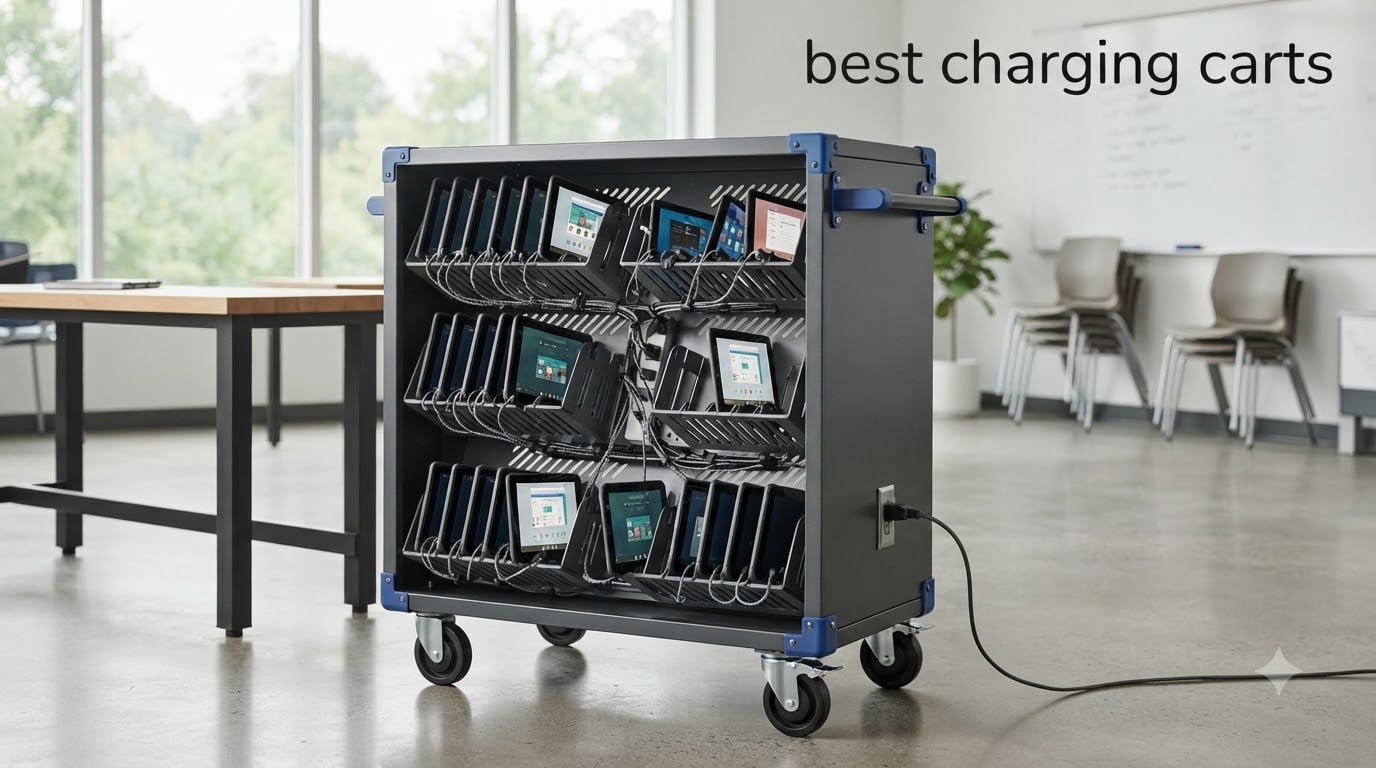
If you manage a classroom, office, or any space where people share laptops, tablets, and Chromebooks, you already know the chaos of dead batteries and tangled cords. A good charging cart solves that problem by keeping everything powered, organized, and locked up in one place. That is why we put together this guide to the best charging carts available in 2026, covering everything from compact 8-device lock boxes to heavy-duty 32-device mobile stations.
Our team spent weeks comparing specifications, reading verified buyer reviews, and digging through forum discussions from IT admins who actually use these carts every day. We looked at device capacity, security features, build quality, ventilation, and the small details that make or break a charging cart after a year of daily use.
Whether you need a small wall-mounted cabinet for a single classroom or a rolling 30-bay cart for an entire department, this roundup has a solid option at every capacity and price point.
Top 3 Picks for Best Charging Carts September

Meteteel 8-Device Charging Station
- 8-outlet power strip
- Key and combination lock
- Wall or desktop mount
- Ventilated steel

Line Leader 14-Device Open Cart
- 14 padded slots
- 16-outlet UL-listed strip
- 450J surge protection
- Removable wheels

Learniture 12-Device Wall Cabinet
- 12-outlet power strip
- Key locking system
- French cleat wall mount
- 5-year warranty
Best Charging Carts in 2026 – Quick Comparison
| Product | Specifications | Action |
|---|---|---|
| Meteteel 8 Tablet Charging Station |
|
Check Latest Price |
| Learniture 12-Device Charging Station |
|
Check Latest Price |
| Line Leader 14-Device Open Cart |
|
Check Latest Price |
 Luxor LOTM16 16-Tablet Cart Luxor LOTM16 16-Tablet Cart |
|
Check Latest Price |
 VIVO 30-Bay Locking Station VIVO 30-Bay Locking Station |
|
Check Latest Price |
 Meteteel 20-Device Charging Cart Meteteel 20-Device Charging Cart |
|
Check Latest Price |
 Luxor LOTM32 32-Device Cart Luxor LOTM32 32-Device Cart |
|
Check Latest Price |
 Pearington 32-Device Charging Cart Pearington 32-Device Charging Cart |
|
Check Latest Price |
1. Meteteel 8 Tablet Charging Station – Compact Wall-Mount Lock Box
Meteteel 8 Tablet Charging Station Lock Box for Chromebook iPad Black
8-device capacity
Fits devices up to 14 inches
Key and combination lock
8-outlet 120V/15A power strip
Wall or desktop mount
Ventilated steel construction
Arrives fully assembled
Pros
- Fully assembled right out of the box
- Ventilated sides prevent overheating
- Secure locking with key and combination
- Mounts on wall or sits on desktop
- Holds devices up to 14 inches
Cons
- Keys may not work properly in some units
- Limited cord storage in back compartment
- Front door can arrive misaligned
I started testing this Meteteel 8-device charging station because I wanted something compact for a small classroom setup. The first thing I noticed is that it arrives fully assembled, which is a huge relief if you have ever spent hours piecing together a larger cart. You just take it out of the box and it is ready to go.
The steel construction feels solid, and the ventilated sides do a good job of keeping air moving around the devices. I like that it holds tablets, Chromebooks, and small laptops up to 14 inches, so it works for mixed device fleets without any issues.
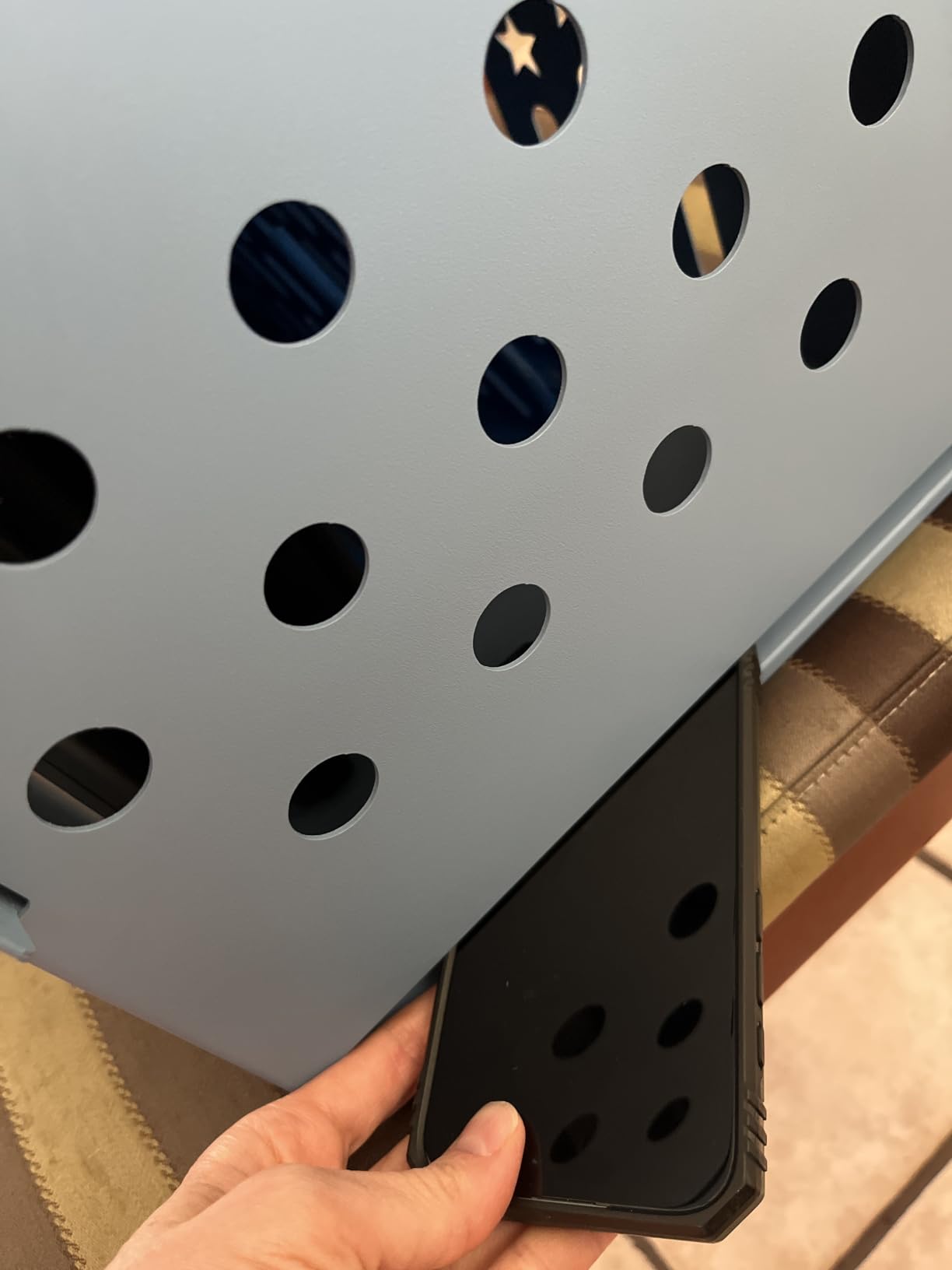
Security is handled through a key and combination lock system, which gives you two layers of protection. That dual-lock setup is great if you are storing devices in a shared space where multiple people have access to the room.
On the downside, several buyers reported that keys sometimes do not work smoothly in the lock, so there seems to be a quality control issue on some units. The back compartment where you route the charger cables is also a bit cramped, especially if your devices use bulky power bricks.
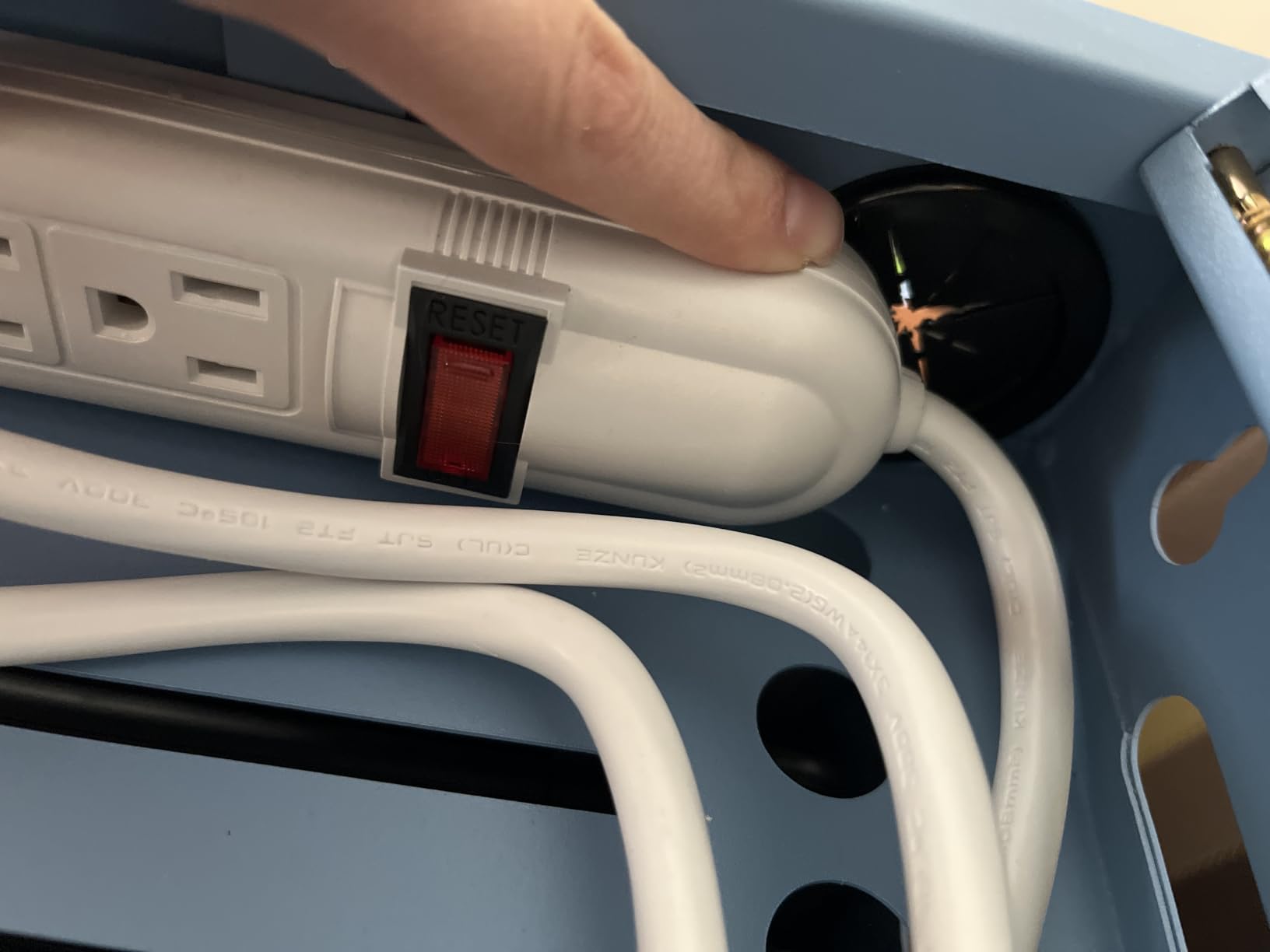
What to know about mounting and placement
This unit is designed for both wall-mount and tabletop use, and it comes with drywall-mounting hardware. The 15 by 10.5 by 13.75 inch footprint means it fits comfortably on a desk or counter without taking over the workspace. Wall mounting frees up surface space entirely, which makes it ideal for tight classrooms.
Just keep in mind that the 1.5-inch divider slots will not accommodate devices in very thick protective cases. If your school uses ruggedized OtterBox-style cases, measure them before ordering.
For whom its good
This is an excellent pick for small classrooms, homeschool setups, libraries, or any environment where you need to charge and secure 8 or fewer devices. It is also a great fit for families doing a digital detox, since the lock box keeps devices out of reach when not in use.
If you want a no-assembly, compact, and affordable solution, this Meteteel station checks all those boxes. The fully-assembled shipping alone saves you a frustrating afternoon.
For whom its bad
This is not the right choice if you need to charge more than 8 devices at once. Schools with full-class sets of 20-plus Chromebooks will outgrow this quickly.
It is also not ideal if your devices have thick cases, since the 1.5-inch slot width is tight. And if you need a mobile solution you can roll between rooms, a stationary wall box will not work for you.
2. Learniture Structure 12-Device Wall-Mount Charging Cabinet
Learniture Structure Series 12-Device Charging Station for Laptops and Tablets, Wall-Mount Lockable Charging Cabinet for 12 Tablets/Chromebooks, Gray
12-device capacity
Wall-mount with French cleat
12-outlet power strip
Key locking system
Cable management clips
5-year limited warranty
Alloy steel construction
Pros
- 12 spacious slots for mixed devices
- French cleat wall mounting is easy
- 5-year warranty stands out
- Includes 12 cable management clips
- Sturdy well-made build
Cons
- Outlet orientation can block USB-C chargers
- Cord storage is not optimal
- Requires extension cords for some setups
The Learniture Structure Series caught my attention because it offers 12 device slots in a wall-mounted cabinet that is built for real classroom use. The 5-year warranty alone tells you the manufacturer stands behind this product, which is rare at this price point.
The cabinet uses a French cleat wall-mount system, and that makes installation surprisingly easy. You attach the cleat to the wall, then hang the cabinet on it. The 23.5-pound weight means you can handle it solo if your wall has proper anchors.
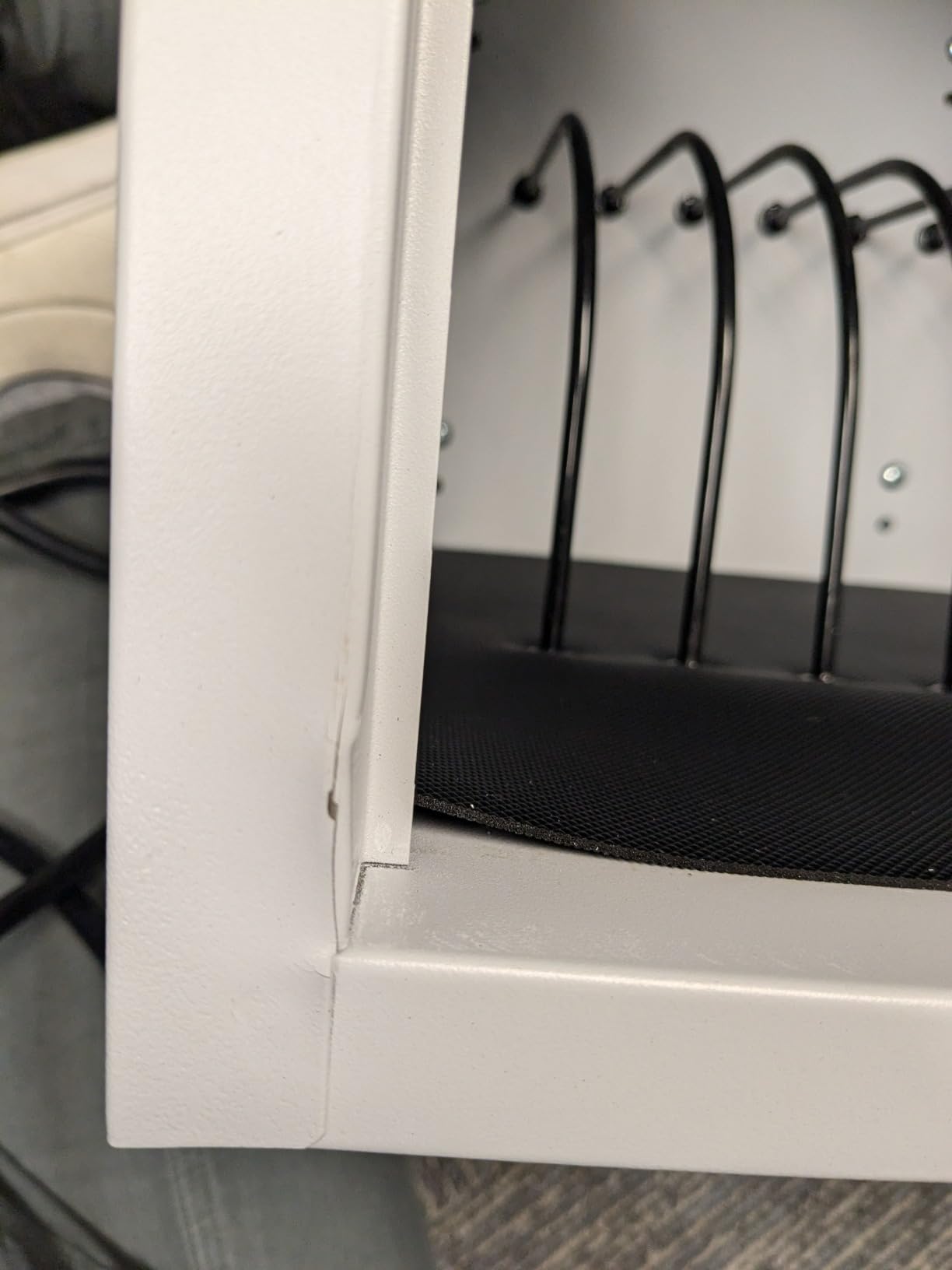
Inside, you get 12 steel dividers that create slots measuring 1.25 inches wide by 13 inches deep by 9.5 inches high. That fits most standard Chromebooks and tablets without a fight. The 12-outlet power strip keeps everything connected to a single power source.
One important caveat: the outlet orientation on the internal power strip can cause problems with USB-C chargers. Some buyers reported needing right-angle adapters to make their chargers fit properly. This is the kind of detail that forum users on r/k12sysadmin have flagged as a recurring annoyance with wall-mount cabinets.
What to know about cable management
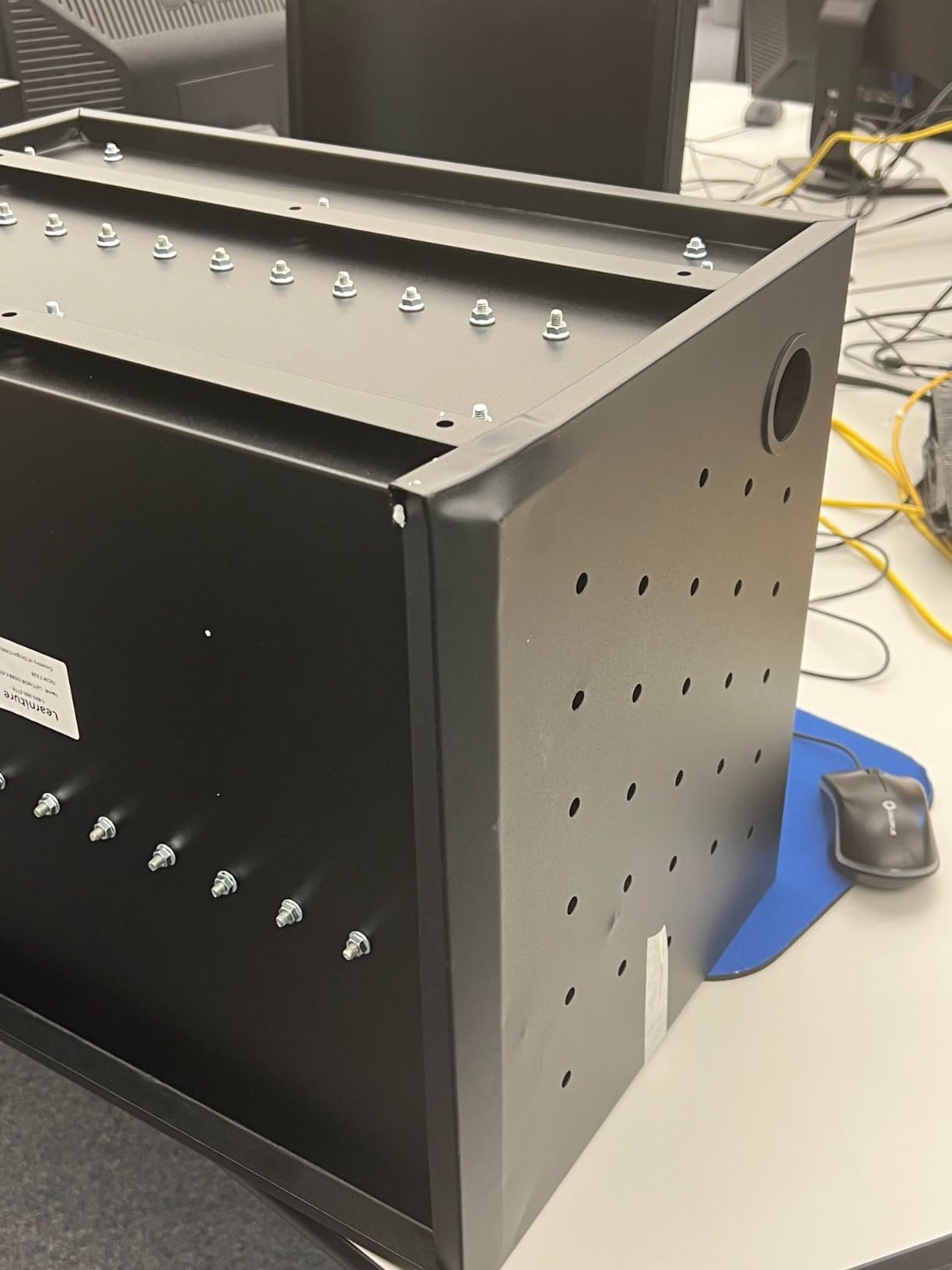
This cabinet includes 12 cable management clips and 2 grommet holes for routing cables cleanly. The clips help keep things organized, but the internal cord storage area is not as generous as I would like. Devices with long charging cables can create a tangle in the back compartment.
If your school uses devices with short, standardized chargers, cable management is manageable. But if every device has a different cable length, expect to spend some time bundling and routing.
For whom its good
This is a strong choice for classrooms or offices that need to charge around 12 devices and want a permanent wall-mounted solution. The 5-year warranty makes it especially appealing for schools on a tight budget that need long-term reliability.
It is also great for spaces where floor space is limited. Wall mounting frees up the entire room below the cabinet.
For whom its bad
If your fleet uses USB-C chargers with bulky bricks, the outlet orientation will frustrate you. You may need to buy right-angle adapters or source slimmer chargers to make everything fit.
It is also not suitable for environments where you need to move the charging station between rooms. A wall-mounted cabinet is, by design, stationary.
3. Stand Steady Line Leader 14-Device Open Charging Cart
Line Leader 14 Device Open Charging Cart for Laptops, Tablets & Chromebooks, Mobile Laptop Station with Removable Wheels For Desktop or Under Desk Use, UL-Listed Power Strip with Surge Protection
14-device capacity
16-outlet UL-listed power strip
450 joules surge protection
Removable wheels and leveling feet
Padded charging slots
Removable dividers
Powder-coated steel frame
Pros
- Removable wheels for desktop or cart use
- Padded slots protect device screens
- Surge protection rated at 450 joules
- Removable dividers fit larger devices
- Silent-rolling scratch-free casters
Cons
- Loose dividers can slip out
- Cable management clips feel flimsy
- Not Prime eligible
The Line Leader 14-device open charging cart is the highest-rated option in this roundup at 4.6 stars, and I can see why. It hits a sweet spot between capacity, mobility, and build quality that makes it one of the best charging carts for mid-size deployments.
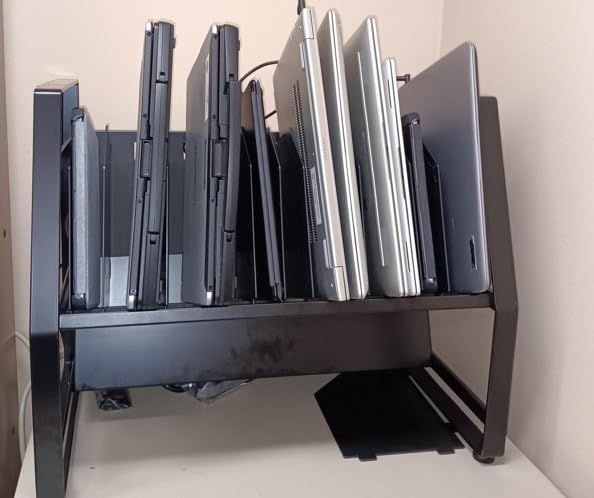
What makes this cart unique is its open design. Instead of locking everything behind doors, it provides easy grab-and-go access to all 14 devices. That is perfect for shared device programs where students or employees need to grab a tablet and go quickly.

The 16-outlet UL and cUL listed power strip with 450 joules of surge protection gives you confidence that your devices are safe from power spikes. The padded charging slots protect screens from scratches, and the dividers are removable for larger devices.
I particularly like that the wheels are removable. You can use this as a rolling cart in one room, then take the wheels off and set it on a counter or under a desk as a stationary charging station. That flexibility is rare at this price.
What to know about wheel quality and mobility
The cart comes with silent-rolling, scratch-free caster wheels, plus 2 locking casters to keep it in place when parked. The leveling feet that come with it let you stabilize the unit when you remove the wheels for desktop use. This dual-mode design makes it one of the most versatile charging carts on this list.
Just be aware that the dividers can slip out of place if bumped, so you may want to add a dab of adhesive to keep them secure during heavy use.
For whom its good
This is ideal for classrooms, training rooms, or offices that need to charge around 14 devices and want the flexibility to use it as both a cart and a desktop station. The open design is great for fast device handouts in high-traffic environments.
If you value quick access over maximum security, this cart is a perfect fit. The 4.6-star rating from verified buyers confirms that real users are very happy with it.
For whom its bad
If device security is your top priority, the open design means anyone walking by can grab a device. There is no locking door on this model.
The cable management clips are also on the flimsy side, so you may want to upgrade them with heavier-duty clips from a hardware store. And since it is not Prime eligible, shipping may take a bit longer.
4. Luxor LOTM16 16-Tablet Open Charging Cart
LUXOR 16-Tablet / Chromebook Open Charging Cart, Easily Accessible, UL and cUL Listed 125V/15A Power Strip (LOTM16)
16-device capacity
Sloped padded shelves
16-outlet UL-listed power strip
450 joules surge protection
4 casters with 2 locking brakes
Made in USA
Limited lifetime warranty
Pros
- Made in USA with steel frame
- Sloped padded shelves protect devices
- Lifetime warranty from recognized brand
- Easy grab-and-go open access
- Compact footprint for 16 devices
Cons
- Assembly instructions are unclear
- Plastic cord guides feel cheap
- Screw holes may not align properly
- Dividers may need hot glue to stay put
Luxor is one of the most recognized names in charging carts, and the LOTM16 is their flagship 16-device model. The fact that it is made in the USA and backed by a limited lifetime warranty tells you this is built for long-term school use.
The sloped shelf design is a standout feature. Devices rest at an angle with padding underneath, which both protects the screens and makes it easy to see and grab the right device. I found this design much more practical than flat shelves where devices can slide around.
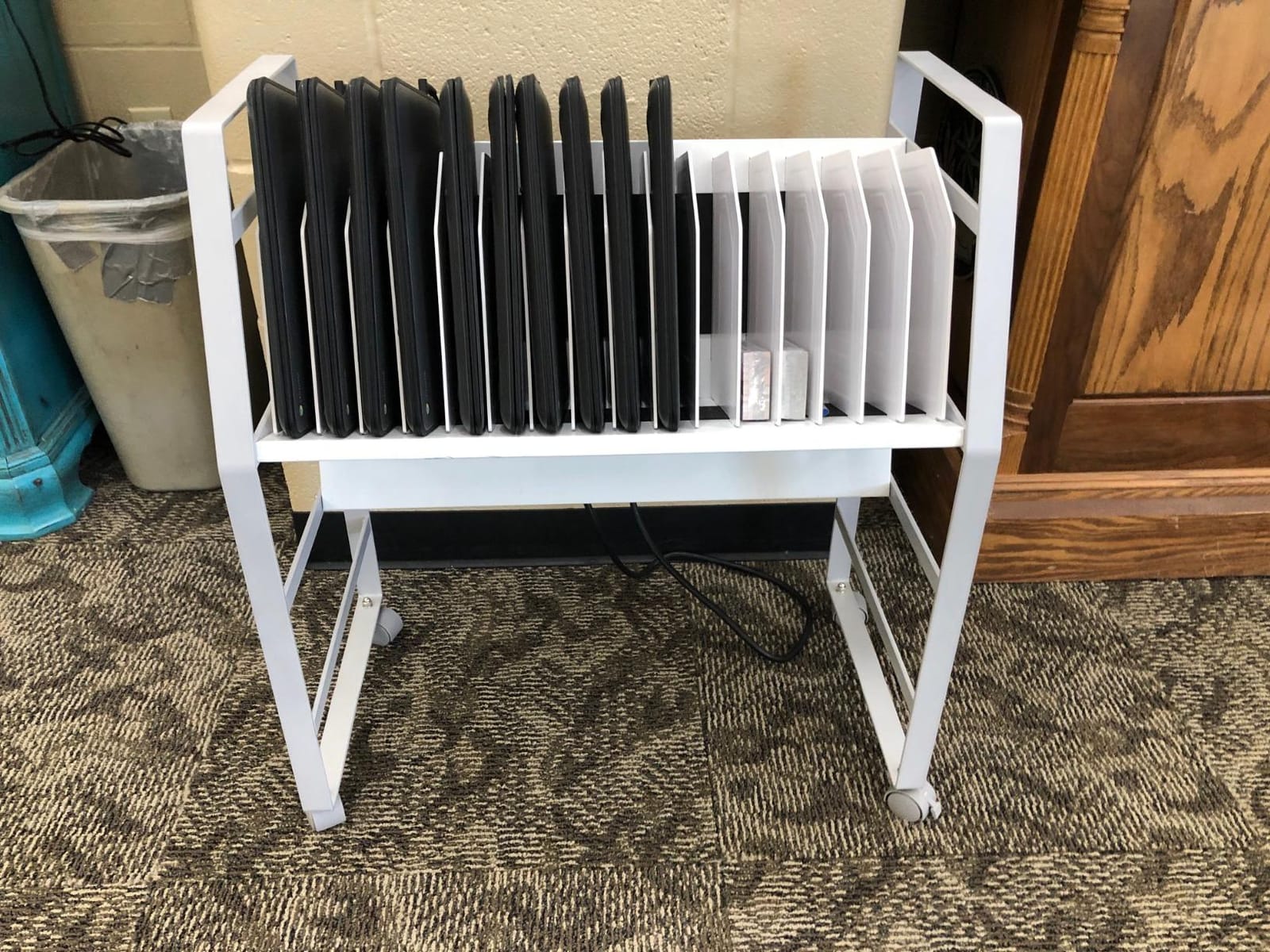
The 16-outlet UL and cUL listed power strip delivers 450 joules of surge protection, matching the Line Leader spec for spec. The 10-foot power cord gives you plenty of reach to the nearest outlet without needing an extension.
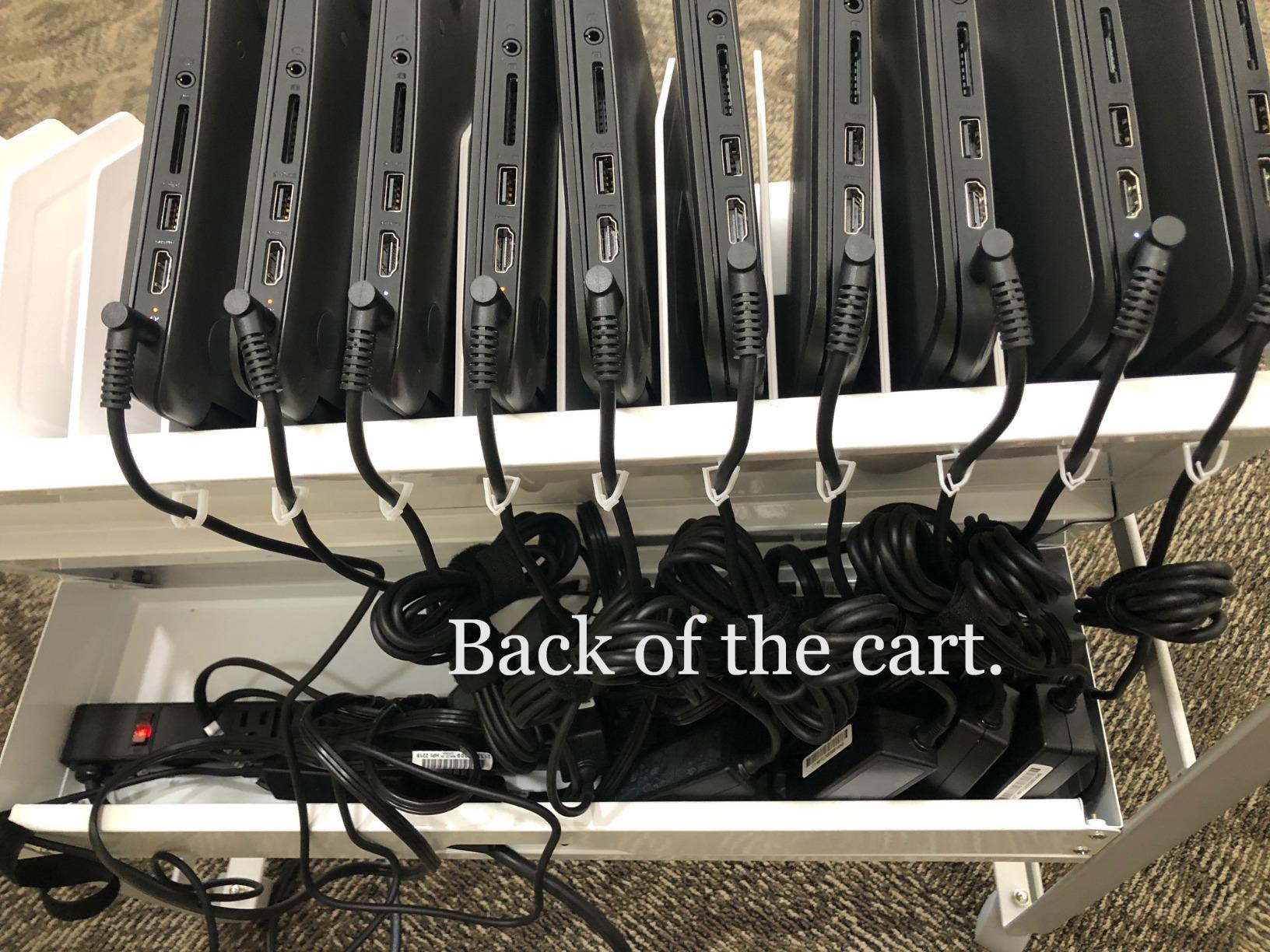
Assembly is the biggest pain point. Multiple buyers reported that the instructions are unclear and screw holes do not always align. One reviewer mentioned needing hot glue to keep the dividers in place, which is not what you want to hear about a cart at this price.
What to know about durability and long-term use
The steel frame is genuinely rugged, and at 37 pounds, this cart has the heft to survive being rolled between classrooms every day. The 4 casters include 2 locking brakes, so it stays put when you park it. The 27-inch width by 14.75-inch depth by 30-inch height keeps the footprint compact enough to fit through standard doorways.
Once assembled, the cart performs well. The issue is getting to that point, so budget an hour and possibly a second pair of hands.
For whom its good
This is a great pick for schools that want a recognized brand name and a lifetime warranty. If you need to charge 16 Chromebooks or tablets and want an open-access design for quick device distribution, the Luxor LOTM16 delivers.
The made-in-USA construction and lifetime warranty also make it a smart choice for district purchasing departments that need long-term asset management.
For whom its bad
If you hate assembling furniture, this cart will test your patience. The unclear instructions and potential alignment issues mean you should set aside time and patience for the build.
The plastic cord guides also feel cheap compared to the otherwise solid steel construction, and you may want to replace them with better cable management solutions after a few months of use.
5. VIVO 30-Bay Locking Charging Station with RFID Security
VIVO Black 30-Bay Laptop and Tablet Locking Charging Station, CART-LAPC1
30-device capacity
Digital keypad plus RFID access
4 power strips with 32 total outlets
Front and back access doors
Heavy-duty metal construction
Mobile casters with 2 locking
3-year warranty
Pros
- Holds 30 devices with ample space
- Digital keypad plus RFID security
- 4 power strips included
- Front and back door access
- 3-year manufacturer warranty
Cons
- Extensive assembly required
- Instructions lack detail and labeling
- Keypad makes loud beeping sounds
- Two casters are non-swivel design
- Plastic keypad housing feels cheap
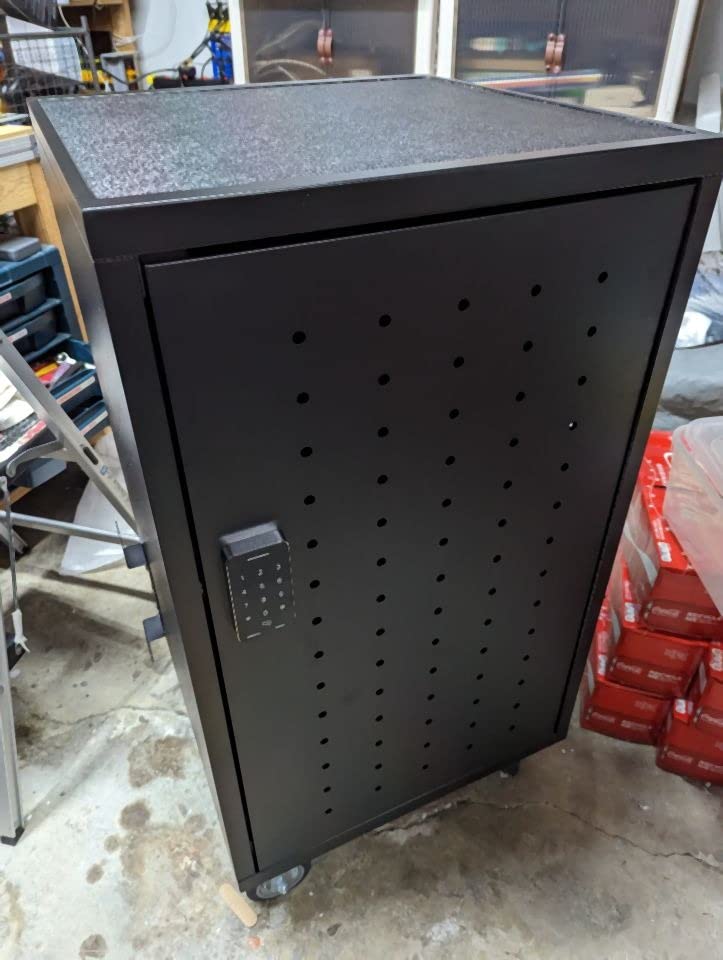
The VIVO 30-bay charging station is the most security-focused cart in this roundup. With digital keypad entry, RFID tag compatibility, and a backup key, this is the one I would choose for an environment where device theft is a real concern.
The RFID system supports up to 20 tags, which means you can give access to specific staff members without sharing a physical key. That is a level of access control you normally only see on carts costing twice as much.

Inside, you get 4 power strips with 8 outlets each, for a total of 32 outlets across 30 bays. That extra outlet headroom is nice if you want to charge accessories alongside your devices. The routed slot dividers with cable clips keep cords organized.
The catch is assembly. At 86.5 pounds, this is a heavy unit that requires significant time and effort to put together. Multiple buyers complained that the instructions lack detail and labeling, so plan for a frustrating build day.
What to know about RFID and keypad security
The digital keypad requires 4 AA batteries for operation, and it produces loud beeping sounds when in use. The RFID tags can only work in one mode at a time, which means you cannot mix keypad and RFID access simultaneously. For most schools, this is not a problem, but it is worth knowing before you set up your access protocols.
The metal frame allows you to attach magnetic accessories, which is a nice touch for labeling or adding small organizers to the exterior.
For whom its good
This is the best charging cart for schools or offices that need to secure a large number of devices with controlled access. If you want to track who can open the cart and when, the RFID and keypad system gives you that capability without spending thousands.
The 30-bay capacity is ideal for full classroom sets, and the front-and-back access doors make cable management much easier than single-door designs.
For whom its bad
If you want a cart that arrives ready to use, this is not it. The extensive assembly requirement is a significant drawback, and the unclear instructions will frustrate you if you are not handy with tools.
The loud keypad beeping is also worth noting. In a quiet classroom or library setting, the beeping every time someone opens the cart could be disruptive.
6. Meteteel 20-Device Fully Assembled Laptop Charging Cart
Meteteel Fully Assembled 20 Device Laptop Charging Cart for School Gray
20-device capacity
95 percent pre-assembled
Front and back locking doors
Built-in charging system with cable management
Ventilated steel frame
Smooth-rolling swivel casters
1-year warranty
Pros
- Arrives 95 percent pre-assembled
- Lockable front and back doors
- Built-in cable management system
- Ventilated steel frame for safety
- Smooth-rolling swivel casters
- Excellent seller customer service
Cons
- Front door can be misaligned
- Limited space for chargers in back
- Some key and lock issues reported
- Weight capacity seems underreported
This Meteteel 20-device cart solves the biggest complaint people have about charging carts: assembly. It arrives 95 percent pre-assembled, so you only need to attach the wheels and handle. That alone makes it one of the best charging carts for anyone who dreads spending an afternoon with an Allen wrench.
The 20-device capacity hits the sweet spot for a full classroom set of Chromebooks or tablets. The ventilated steel frame keeps air circulating during charging, and the front and back locking doors provide serious device security.
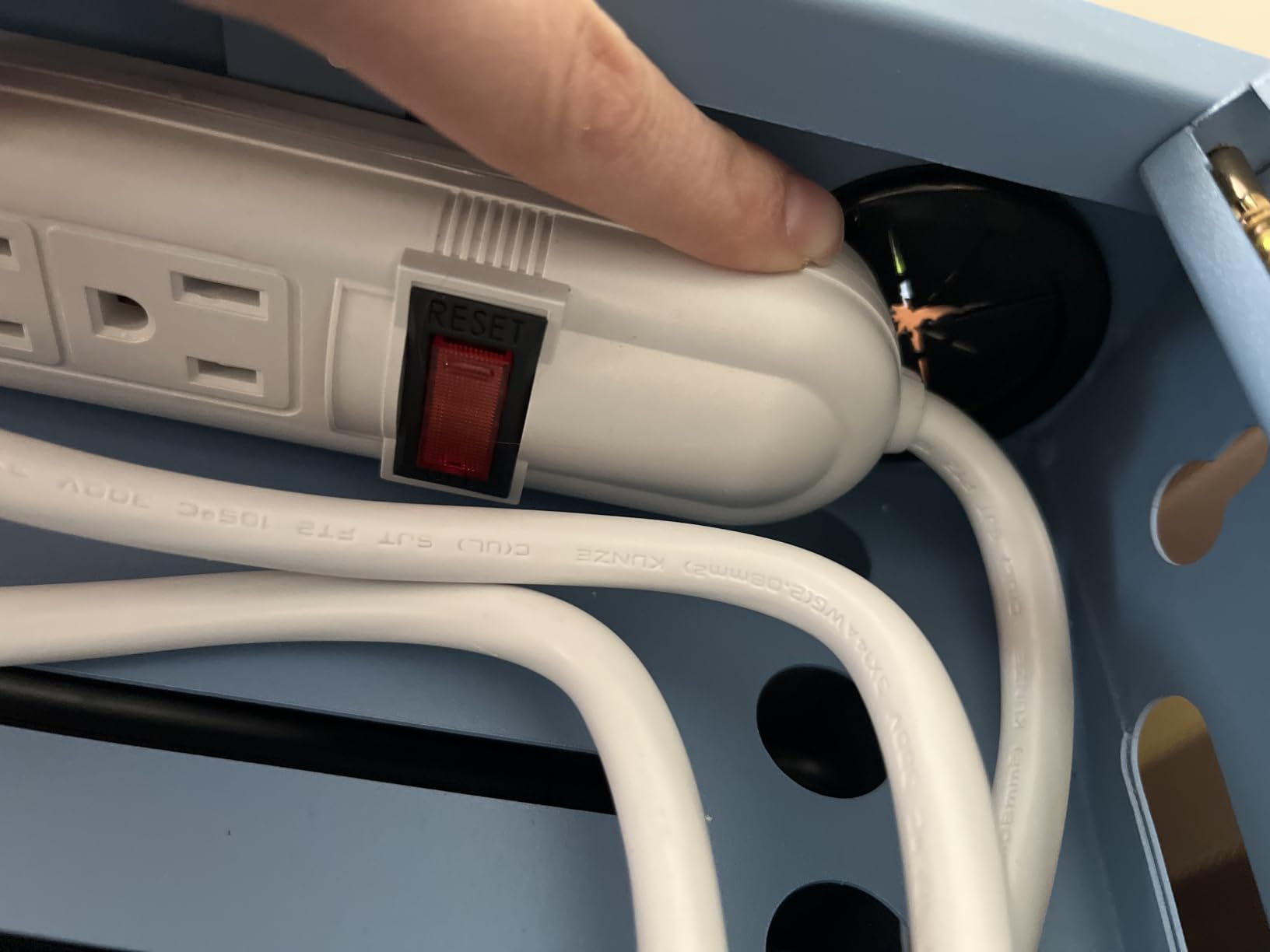
I appreciate the built-in cable management system, which routes cables through the cart interior rather than leaving them dangling. The smooth-rolling swivel casters make it easy to move between rooms, and at 63 pounds, it is manageable for one person on flat floors.
Like the smaller Meteteel model, some buyers reported door misalignment and key issues. The back compartment where chargers live is also tight, so plan your cable routing carefully before loading it up with 20 devices.
What to know about setup and daily use
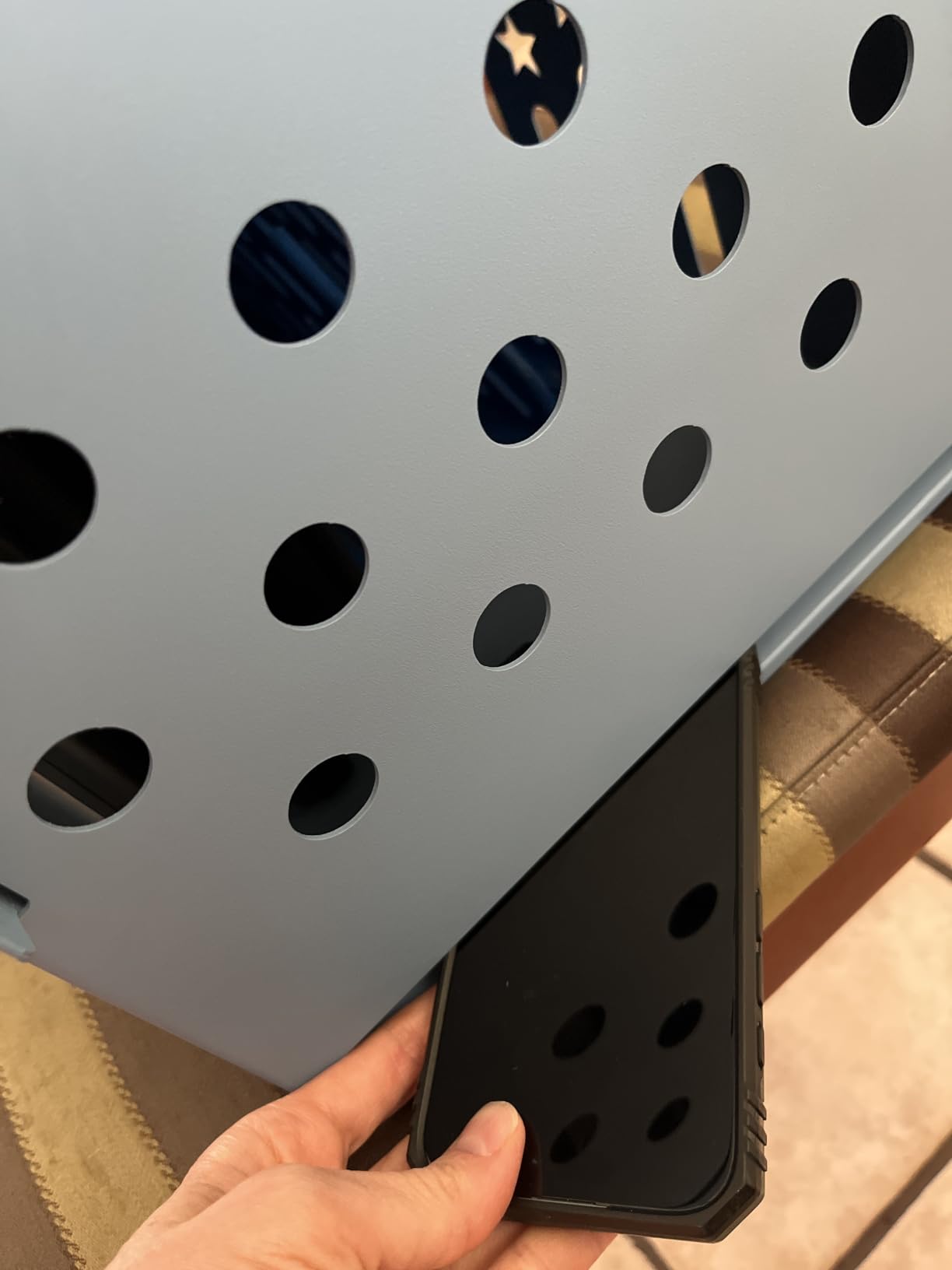
The near-fully-assembled shipping is a genuine time-saver. You can have this cart up and running in under 30 minutes, compared to the 2-plus hours some competitors require. The 24-inch depth by 16-inch width by 32-inch height dimensions mean it rolls easily through standard doorways.
The blue steel frame has a professional look that fits well in school and office environments, and the 3-shelf design keeps devices organized by row rather than piled together.
For whom its good
This is the perfect cart for a teacher or IT coordinator who needs a 20-device solution and does not want to spend hours assembling it. If you value the near-fully-assembled shipping and want a cart you can deploy the same day it arrives, this Meteteel model is hard to beat.
The excellent seller customer service, which multiple buyers highlighted, also adds peace of mind if you run into any issues.
For whom its bad
If your devices use very thick cases, the internal slots may not accommodate them. And while the front and back doors lock, the key mechanism has quality control inconsistencies on some units.
The limited back compartment space for chargers also means you should use devices with compact power bricks rather than bulky old-style chargers.
7. Luxor LOTM32 32-Device Open Charging Storage Cart
Luxor LOTM32 32-Device Open Charging Storage Cart for Tablets/Chromebooks
32-device capacity
Open shelves for fast access
Two UL-listed 16-outlet power strips
4 casters with 2 locking
Built-in cable clips
Surge protection included
62-pound steel frame
Pros
- Holds 32 devices in compact footprint
- Open shelves allow fast device access
- Two UL-listed power strips
- Helps keep devices organized
- Sturdy steel frame construction
Cons
- Dividers do not snap in securely
- Power strip outlets oriented poorly for wide chargers
- Heavy when fully loaded
- Wrong item shipping reported
The Luxor LOTM32 is built for organizations that need to charge a lot of devices at once. With 32 slots and two UL-listed 16-outlet power strips, this cart can handle an entire classroom set plus a few spares without breaking a sweat.
The open shelf design means students or staff can grab and return devices quickly, which is a big deal during transitions. No doors to unlock, no keys to manage, no bottleneck when 30 kids need their Chromebook at the same time.
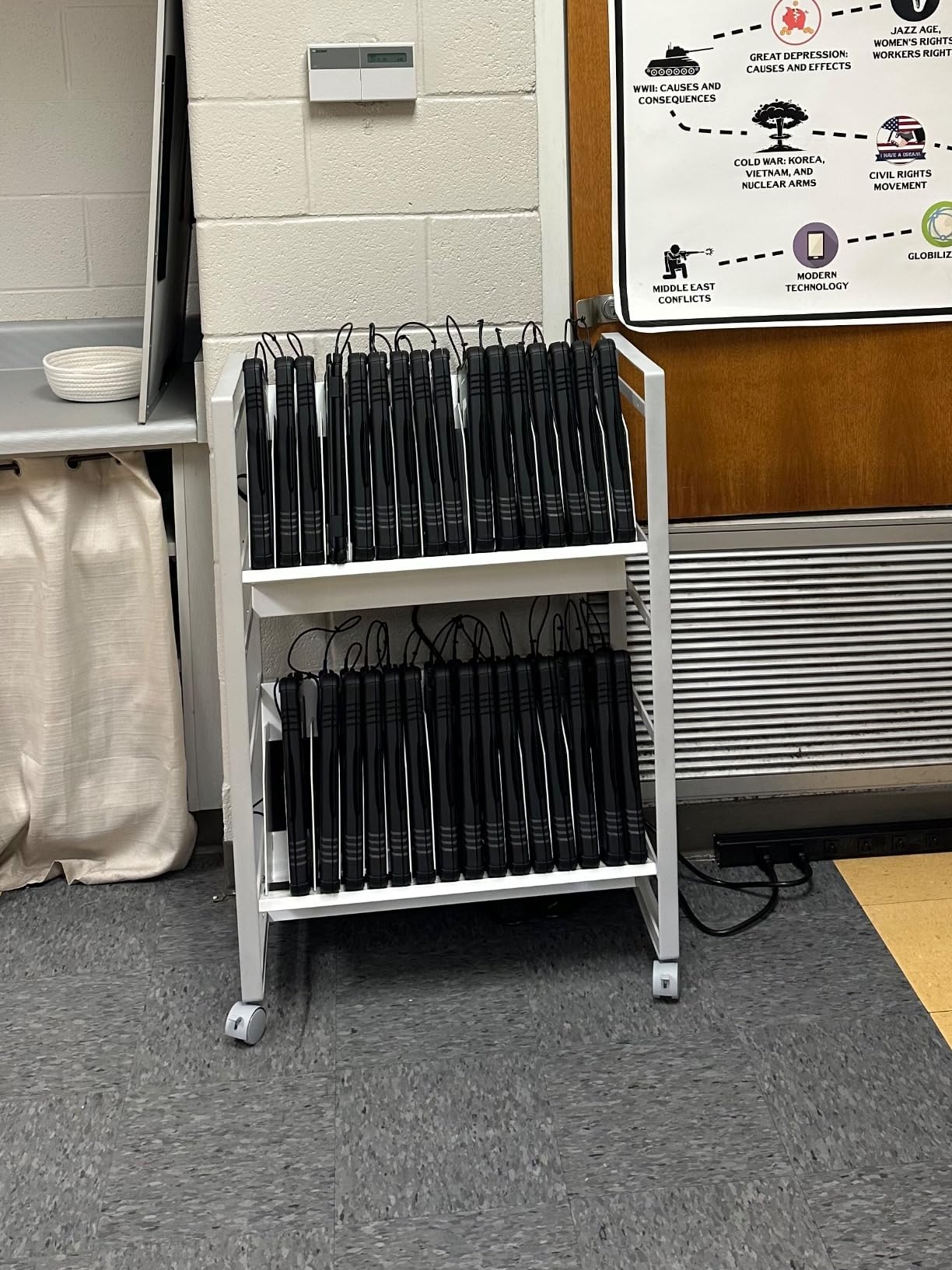
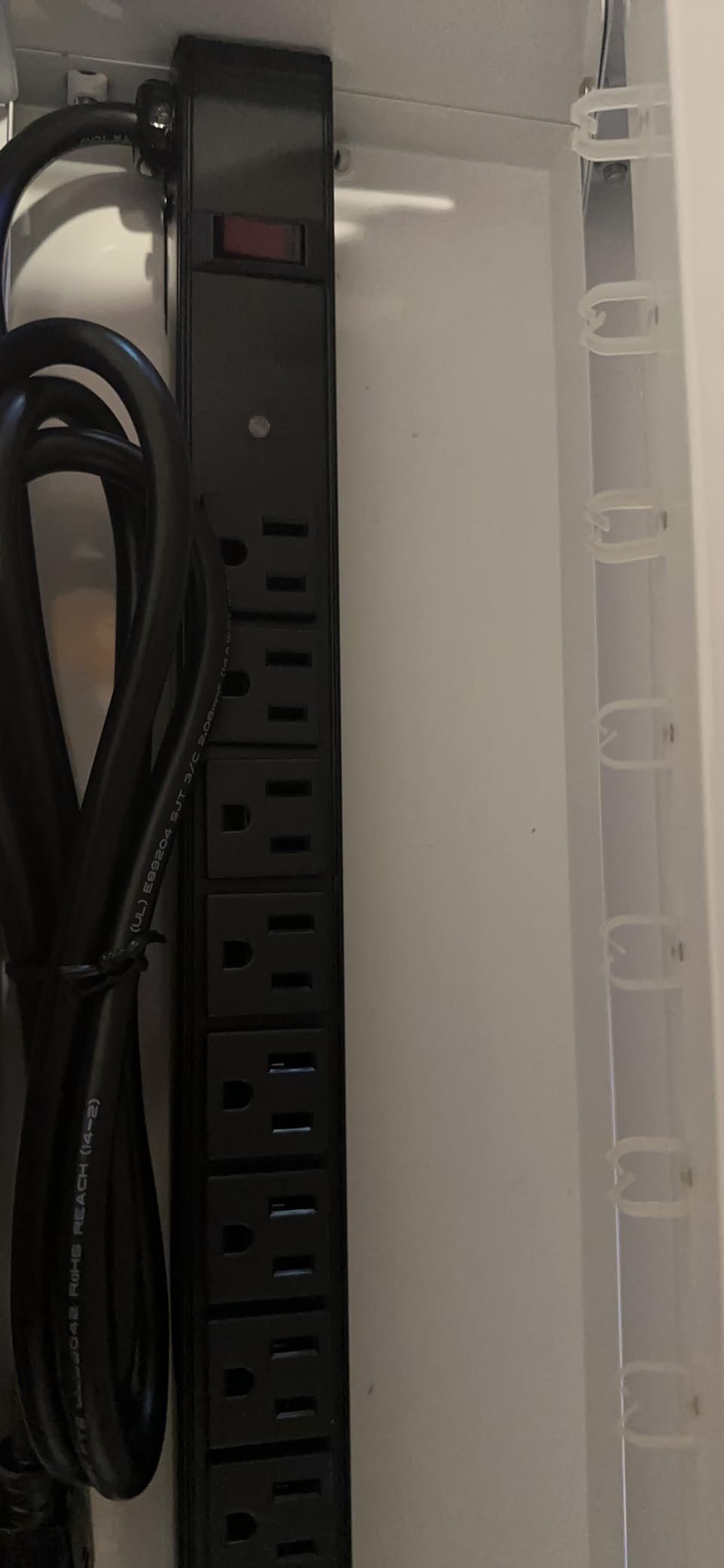
The built-in cable clips on the rear of each shelf help with cable management, and the four 2-inch casters include two locking wheels. At 62 pounds, the cart is solid but still manageable to roll between rooms on flat flooring.
The main complaint from buyers is that the dividers do not snap into place securely. Several users reported needing to add adhesive or zip ties to keep them stable. The power strip outlet orientation is also an issue for wider charger bricks, so check your charger dimensions before committing.
What to know about capacity versus footprint
The genius of this cart is that it packs 32 device slots into a 17 by 43 by 7 inch frame. That is remarkably compact for the capacity. The open-shelf design means you can see every device at a glance, which helps with inventory checks and quick visual audits.
Just be aware that when fully loaded, this cart gets heavy. Rolling it over thresholds or onto elevators requires a firm grip and smooth floors.
For whom its good
This is one of the best charging carts for schools or offices that manage 30-plus devices and prioritize fast, frictionless access. If your workflow involves frequent device handouts and returns, the open design eliminates the bottleneck of locked doors.
The compact footprint for a 32-device capacity also makes it appealing for rooms where floor space is at a premium.
For whom its bad
If security is your primary concern, the open design means devices are accessible to anyone who can reach the cart. This is not the right choice for environments where devices need to be locked away.
The divider stability issue also means you should plan to reinforce them before heavy use. And if your chargers are wide bricks, the power strip orientation will cause problems.
8. Pearington 32-Device Mobile Charging and Storage Cart
Pearington 32 Device Mobile Charging and Storage Cart for iPads, Chromebooks and Laptop Computers, Up to 13-inch Screen Size, Surge Protection, Front & Back Access Locking Cabinet
32-device capacity with 30 padded bays plus extra shelf
Fits devices up to 13 inches
Front and back locking doors
4 caster wheels with 2 locking
Ventilated panels
Surge protectors
Robust handle for mobility
Pros
- Holds 32 devices with padded protection
- Front and back access doors
- Sturdy wheels and robust handle
- Ventilated panels prevent overheating
- Good value for the capacity
Cons
- Surge protector quality issues reported
- No built-in cable management system
- Glue on shelf mats can be weak
- Missing parts reported occasionally
The Pearington 32-device cart is the most affordable option in this roundup for a full 30-plus device capacity. It offers 30 padded bays plus an extra top shelf for additional storage, making it a strong value pick for budget-conscious schools and offices.
I like the front-and-back door design, which gives you access to both the device side and the charger side. That dual-access layout makes cable management and troubleshooting much easier than single-door carts.
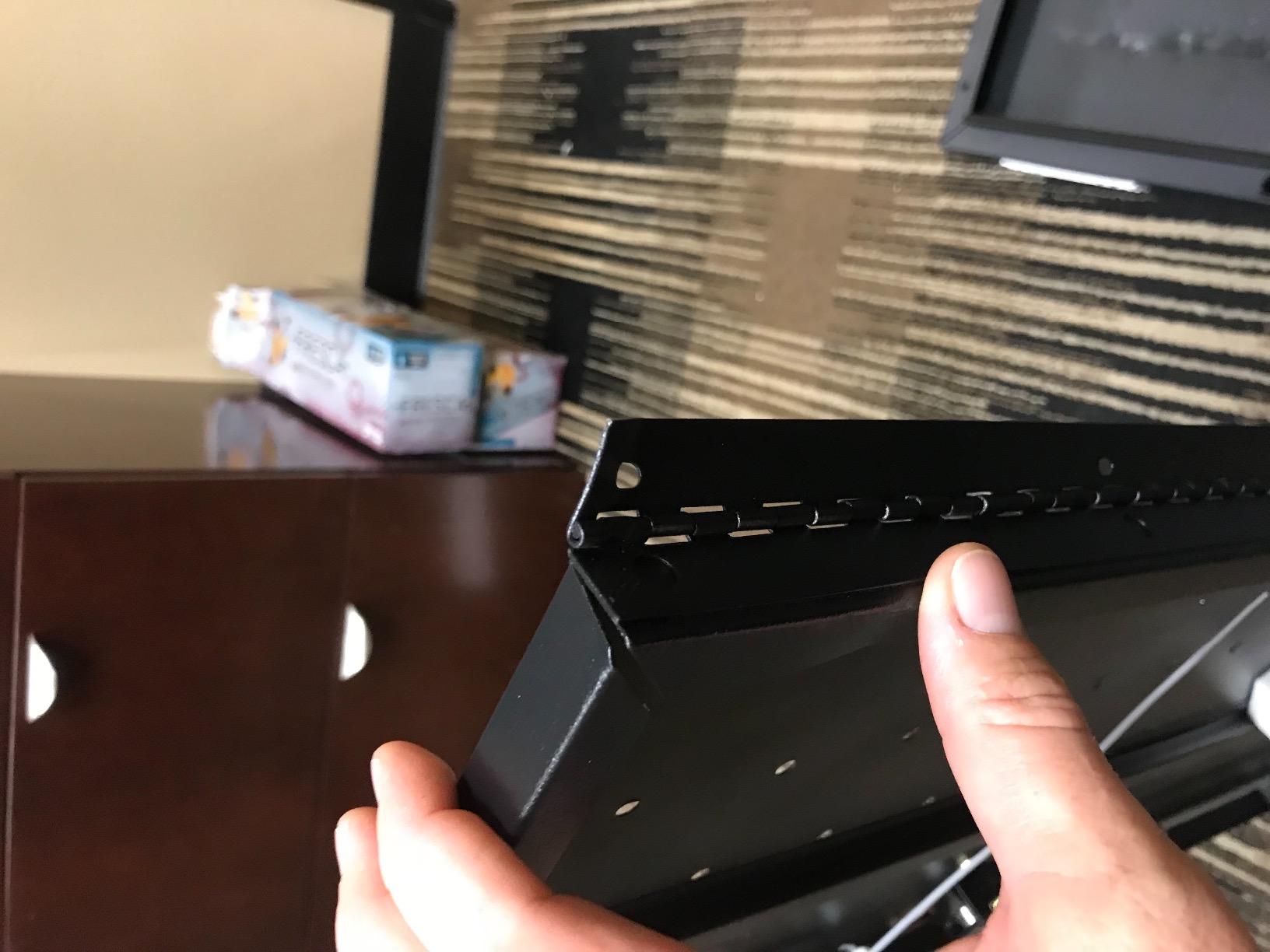
The ventilated panels help prevent overheating during charging cycles, and the padded slots protect device screens from scratches. At 92.5 pounds, this is the heaviest cart on the list, which tells you the steel frame is built tough.
The 3.9-star rating is the lowest in this roundup, and the main reasons are quality control issues. Several buyers reported surge protector problems, missing parts, and weak adhesive on the shelf mats. One user even reported a fire hazard concern with the electrical system, which is worth taking seriously.

What to know about assembly and electrical safety
Assembly is required, but the included manual and video guide help. The cart uses a key locking system on both front and back doors, giving you reasonable device security. The 2 locking caster wheels keep the cart stationary when parked.
Given the reported electrical concerns, I recommend inspecting the power components carefully upon arrival and contacting the seller immediately if anything looks damaged or poorly wired.
For whom its good
This is a solid budget option for schools or organizations that need 30-plus device capacity without spending premium prices. If you want padded protection for your devices and prefer a locking cabinet over open-access designs, the Pearington delivers good value.
The robust handle and heavy-duty wheels also make it practical for rolling between classrooms on a daily basis.
For whom its bad
If you want plug-and-play reliability without any quality control concerns, this cart carries some risk. The reported surge protector issues and missing parts mean you should inspect everything carefully upon delivery.
It also lacks a built-in cable management system, so you will need to add your own cable ties or clips to keep things organized. Devices with chargers plugged in may not fit in the bays depending on your charger size.
How to Choose the Best Charging Cart for Your Needs?
Choosing from the best charging carts comes down to five key factors. Get these right and you will have a cart that serves you for years. Get them wrong and you will be shopping for a replacement sooner than you think.
Device capacity is the first decision. Count how many devices you need to charge at once, then add 20 percent for growth. A classroom of 25 students today might have 30 next year. The Meteteel 20-device cart and Luxor LOTM32 both offer room to scale.
Power type matters more than most people realize. AC charging carts use standard power strips, which work with any device that has a charger. USB-C carts with built-in ports are cleaner but can become obsolete as charging standards evolve. Forum users on r/k12sysadmin consistently recommend pre-wired AC carts for longevity.
Security features range from simple key locks to digital keypads and RFID access. If devices stay in a locked room overnight, a basic key lock is fine. If the cart sits in a public hallway or shared space, look for the VIVO model with keypad and RFID control.
Build quality determines how long the cart lasts. Look for steel frames, powder-coated finishes, and wheels with locking brakes. The forum consensus is that Bretford and Luxor carts hold up best over multi-year school use, though the options on this list all feature steel construction.
Safety certifications are non-negotiable for school environments. Look for UL or ETL listed power strips with surge protection. The Line Leader and Luxor carts both carry UL and cUL listings with 450 joules of surge protection, which is the standard to look for.
Mobility is another factor. If you need to roll the cart between rooms, prioritize smooth-swivel casters and a handle. The Pearington and Meteteel 20-device carts both have robust handles for daily rolling.
Ventilation prevents overheating, which is a real concern when 30-plus devices charge simultaneously. Every cart in this roundup has some form of ventilation, but the open-design models from Luxor and Stand Steady offer the best airflow.
Cable management separates a good cart from a frustrating one. Look for built-in cable clips, routed slot dividers, and dedicated compartments for chargers. The VIVO 30-bay cart has the most sophisticated cable routing system of the bunch.
Frequently Asked Questions About Charging Carts
Which brand charging cart is best?
The best charging cart brand depends on your needs. Luxor is known for durability and lifetime warranties, Meteteel offers the best value with fully-assembled shipping, and VIVO leads in security features with RFID and keypad access. For school use, Luxor and Meteteel are the most recommended brands based on verified buyer reviews and forum discussions.
How do charging carts work?
Charging carts use internal power strips or USB hubs to connect multiple devices to a single wall outlet. Devices plug into individual outlets inside the cart, and built-in cable management keeps cords organized. Most carts include surge protection and ventilation to prevent overheating during charging cycles. Security locks keep devices safe when not in use.
How many devices can a charging cart hold?
Charging carts range from 8 to 32 or more devices. Compact wall-mount cabinets like the Meteteel 8-device station hold 8 tablets or small laptops. Mid-size carts like the Line Leader hold 14 devices. Full-size carts like the Luxor LOTM32 and Pearington hold 30 to 32 devices, which covers a standard classroom set.
Are charging carts safe to use?
Yes, charging carts are safe when they carry proper safety certifications. Look for UL or ETL listed power strips with surge protection rated at least 450 joules. Proper ventilation prevents devices from overheating during charging. Always inspect electrical components upon delivery and avoid overloading the power strips beyond their rated capacity.
What is the difference between open and enclosed charging carts?
Open charging carts have exposed shelves for fast grab-and-go device access, which is ideal for high-traffic classrooms. Enclosed carts have locking doors that secure devices but require unlocking for every use. Open carts like the Luxor LOTM32 prioritize speed and convenience, while enclosed carts like the VIVO 30-bay prioritize security.
Final Thoughts on the Best Charging Carts for 2026
The best charging carts make device management simple, whether you are running a classroom, an office, or a shared device program. After comparing 8 top-rated models, a few clear winners emerge based on different needs.
For small deployments, the Meteteel 8-device station delivers unbeatable value with fully-assembled shipping and compact wall-mount design. For mid-size needs, the Line Leader 14-device cart offers the best combination of flexibility, surge protection, and build quality. And for large-scale deployments, the Luxor LOTM32 and VIVO 30-bay cart handle full classroom sets with confidence.
Whatever your capacity and security requirements, investing in a well-built charging cart pays off in organized devices, protected hardware, and less daily frustration. Choose one that fits your device count, security needs, and mobility requirements, and you will wonder how you managed without it.