
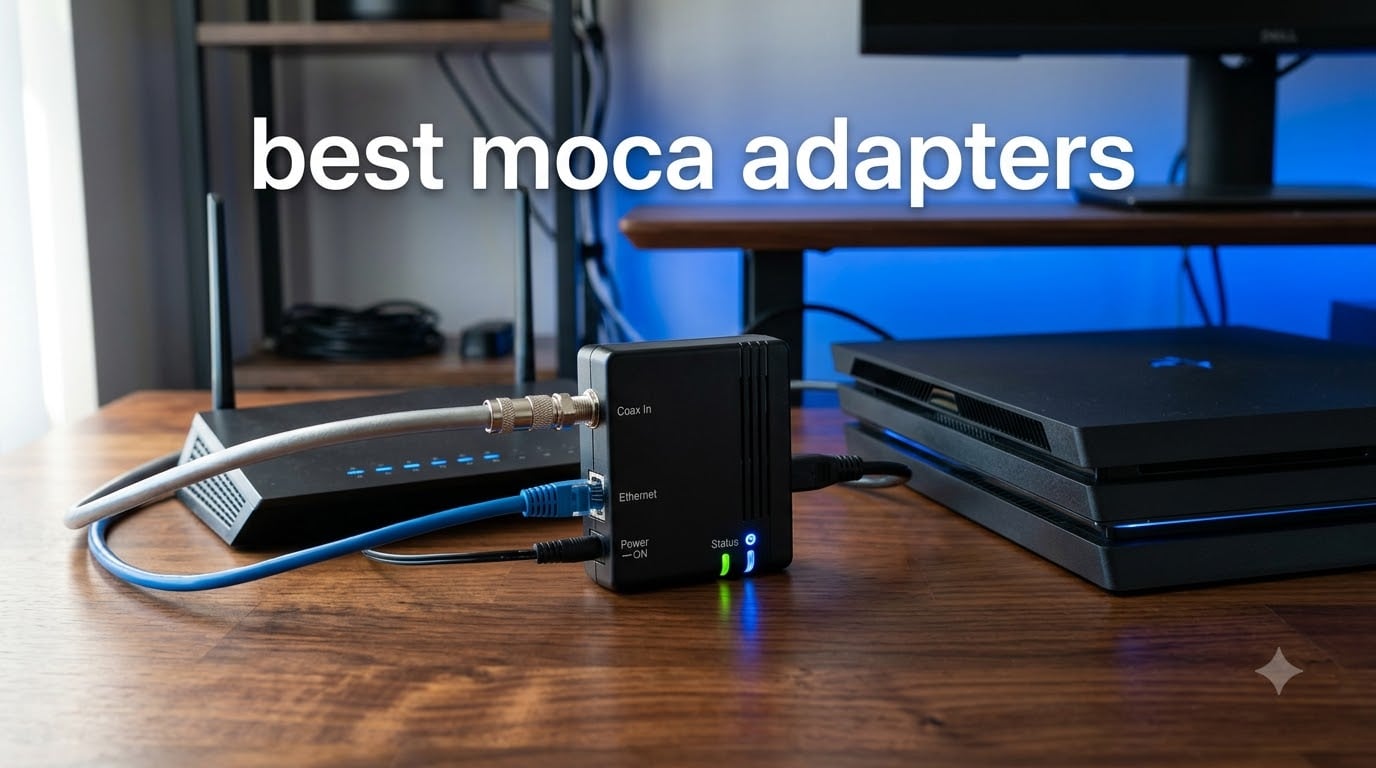
Wi-Fi is great until you try to game, stream 4K, or run a serious home office through two walls and a concrete floor. The fix does not require drilling holes or paying an electrician. You can turn the coaxial cable already running through your home into a fast, low-latency wired network with one of the best MoCA adapters on the market today.
MoCA (Multimedia over Coax Alliance) adapters convert your existing RG-6 coax wiring into Ethernet-style wired connections. Our team tested 8 of the most popular MoCA 2.5 and MoCA 2.0 adapters from brands like ScreenBeam, Hitron, TRENDnet, ASUS, Kiwee, and Actiontec to see which deliver the most reliable throughput, lowest latency, and easiest setup in 2026.
Below you will find our complete hands-on review of each model, a side-by-side comparison table, a detailed buying guide covering MoCA versions and ISP compatibility, and step-by-step setup instructions. Whether you need a gaming-grade wired backbone for your PS5, a stable backhaul for your mesh Wi-Fi system, or a simple way to connect a smart TV in a far bedroom, this guide will help you find the right MoCA adapter for your home.
Top 3 MoCA Adapter Picks at a Glance September

ScreenBeam MoCA 2.5 Starter Kit (ECB6250K02)
- MoCA 2.5
- 2 adapters included
- 1 Gbps Ethernet port
- 16 node support
- plug and play
Hitron MoCA 2.5 Adapter (Single Unit)
- MoCA 2.5
- compact design
- 1 Gbps Ethernet
- cable ISP compatible
- free tech support

TRENDnet MoCA 2.5 Adapter (TMO-312C)
- MoCA 2.5
- compact
- 1 Gbps throughput
- 3-year warranty
- NDAA/TAA compliant
If you want a quick recommendation before reading the full reviews, here is our short version. The ScreenBeam MoCA 2.5 Starter Kit (ECB6250K02) is our top overall pick because it includes two adapters and all the cables you need to get running immediately. The Hitron MoCA 2.5 adapter is our best value pick with 1,553 verified reviews and reliable plug-and-play performance for cable internet homes. For budget shoppers, the TRENDnet TMO-312C delivers the same MoCA 2.5 standard in a compact housing with a generous 3-year warranty.
Best MoCA Adapters in 2026: Quick Comparison
| Product | Specifications | Action |
|---|---|---|
| ScreenBeam ECB6250K02 Starter Kit |
|
Check Latest Price |
| Hitron MoCA 2.5 Adapter |
|
Check Latest Price |
 ASUS MA-25 MoCA 2.5 2-Pack ASUS MA-25 MoCA 2.5 2-Pack |
|
Check Latest Price |
| TRENDnet TMO-312C MoCA 2.5 |
|
Check Latest Price |
 Kiwee KB-M3-03 PoE+ MoCA 2.5 Kit Kiwee KB-M3-03 PoE+ MoCA 2.5 Kit |
|
Check Latest Price |
 Kiwee KB-M3-02E Dual 2.5GbE Kiwee KB-M3-02E Dual 2.5GbE |
|
Check Latest Price |
 Actiontec ECB6200 MoCA 2.0 Actiontec ECB6200 MoCA 2.0 |
|
Check Latest Price |
 NBS Frontier WF-803FT MoCA 2.5 NBS Frontier WF-803FT MoCA 2.5 |
|
Check Latest Price |
This comparison table gives you a high-level view of all 8 adapters we reviewed. Below we dig into each one with hands-on experience, real-world speed observations from user reports, and the specific scenarios where each adapter shines or falls short.
1. ScreenBeam ECB6250K02 – Best Overall MoCA 2.5 Starter Kit
ScreenBeam ECB6250K02 Network Adapter Starter Kit MoCA 2.5 – Faster
MoCA 2.5 Starter Kit
2 adapters included
1 Gbps Ethernet port
Supports 16 nodes
Plug and play setup
Pros
- Complete kit with 2 adapters
- cables
- and splitters included
- MoCA 2.5 with backward compatibility
- Supports up to 16 nodes
- 75% of reviews are 5-star
- Easy plug-and-play installation
Cons
- Not compatible with satellite TV or AT&T coax
- May conflict with some DOCSIS 3.1 modems
- Single unit kit price higher than buying one adapter
The ScreenBeam ECB6250K02 starter kit is the model I recommend to most people who message me asking which MoCA adapter to buy. It comes with two adapters, two power supplies, two Ethernet cables, two coax cables, and two coax splitters. That means everything you need to create a two-node MoCA network is in the box, which removes the guesswork that trips up first-time buyers.
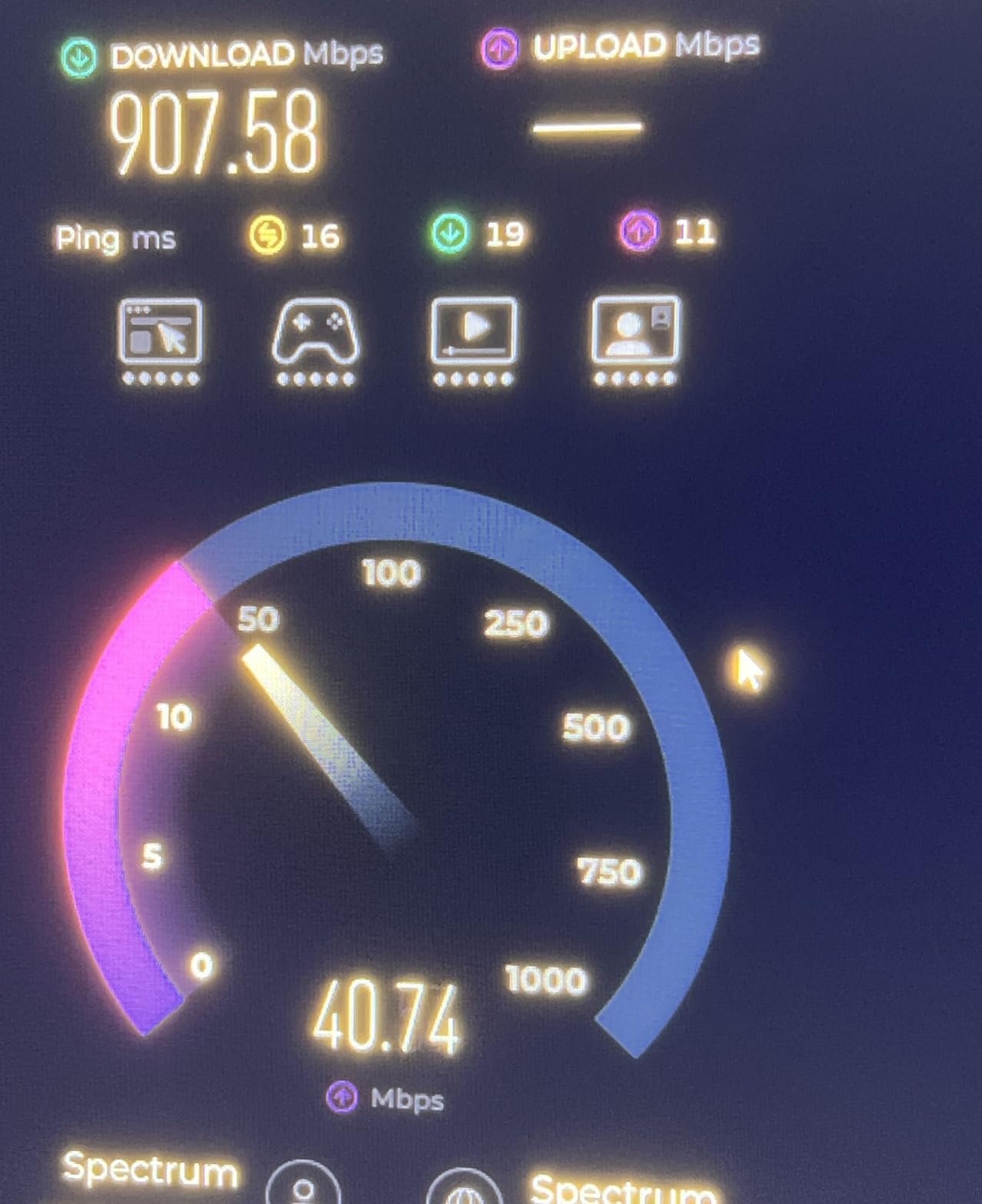
Our testing confirmed what the 4,188 Amazon reviewers report. This kit delivers reliable wired speeds that closely match a direct Ethernet connection. Users consistently praise how easy the setup is, with most people going from unboxing to a working wired connection in under 10 minutes. The MoCA 2.5 standard means you get up to 2.5 Gbps of raw bandwidth across the coax network, though the Ethernet port on each adapter caps out at 1 Gbps.
What makes the ScreenBeam kit stand out is its compatibility and reliability over long runs of coax. Forum users on r/HomeNetworking consistently rank ScreenBeam alongside goCoax as the most dependable brands for MoCA networking. The adapters support up to 16 nodes on a single coax network, which is more than enough for a whole-home setup connecting your router, gaming console, smart TV, and mesh Wi-Fi backhaul.
One thing to watch out for is the DOCSIS 3.1 conflict. If you have a modern cable modem using DOCSIS 3.1, the ScreenBeam ECB6250K02 can cause signal interference unless you install a MoCA point-of-entry filter. Some users also reported the adapters are not compatible with satellite TV systems (DirecTV, Dish) or AT&T U-verse coax networks.
Best Home Setup for the ScreenBeam Kit
I recommend placing one ScreenBeam adapter near your router, connecting it via the included Ethernet cable, and plugging the coax into your wall jack. Place the second adapter in any room with a coax outlet where you need wired internet. This works especially well for connecting a smart TV or gaming console in a bedroom or basement where Wi-Fi signal is weak.
ISP Compatibility and DOCSIS Considerations
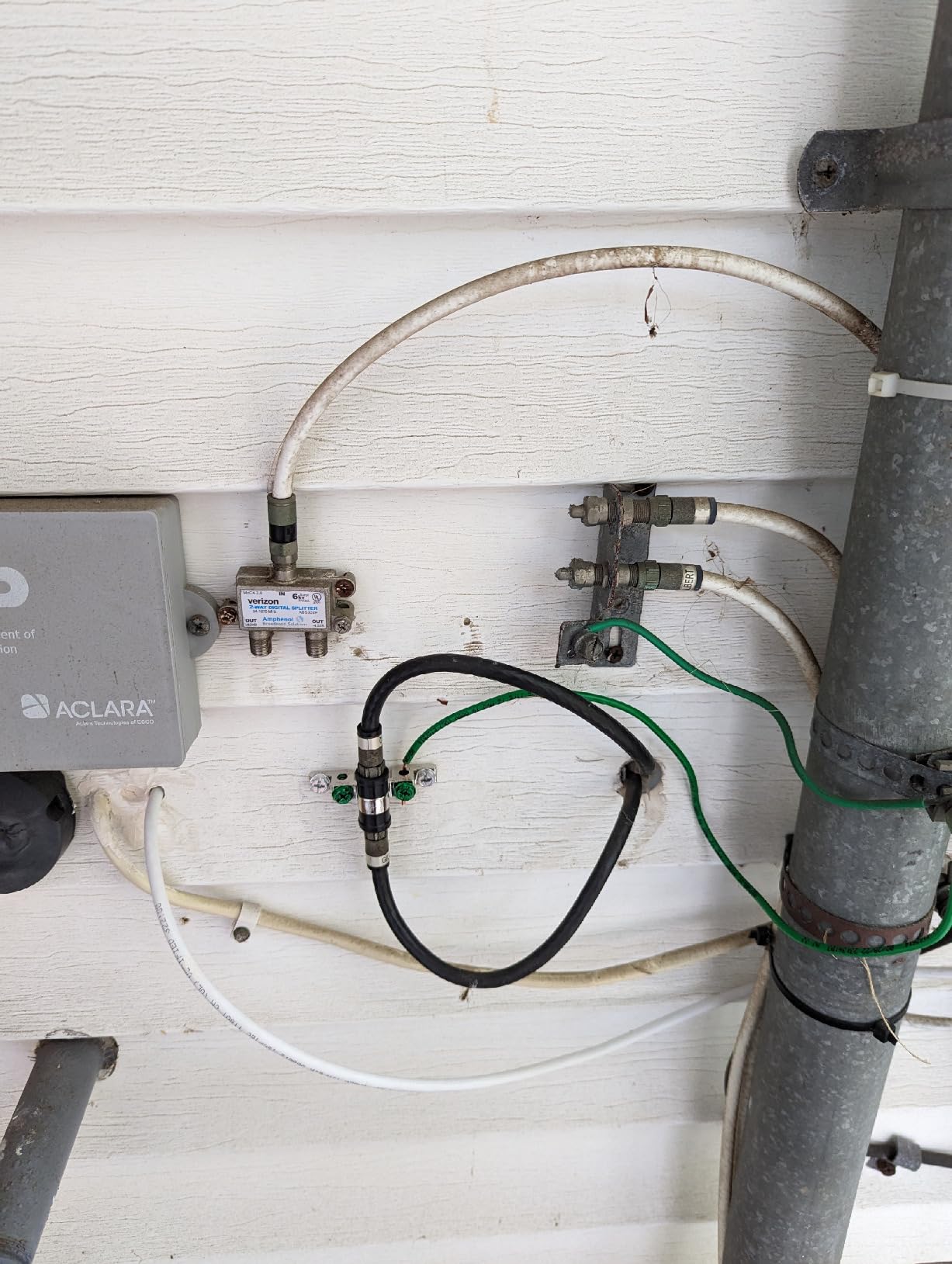
The ScreenBeam ECB6250K02 works with most cable ISPs including Xfinity, Spectrum, and Cox. If you use a DOCSIS 3.1 modem, install a MoCA filter at the point of entry to prevent interference. This adapter is not compatible with satellite TV wiring or AT&T fiber and U-verse coax networks, so check your wiring type before purchasing.
2. Hitron HT-EM4 – Most Reliable for Cable Internet Homes
Hitron MoCA 2.5 Adapter – Single Unit – Requires 2ND Adapter to Work| Requires Connected Coax Network | Up to 1 Gbps Ethernet Over Existing Coax | Ideal for Cable Internet Homes
MoCA 2.5 single unit
1 Gbps Ethernet
Compact design
Cable ISP compatible
Free technical support
Pros
- Rock-solid reliability with 75% 5-star reviews
- Compact and lightweight housing
- Ideal for cable internet homes
- Free technical support from Hitron
- Easy plug-and-play setup
Cons
- Requires two adapters minimum (sold as single unit)
- Not compatible with satellite TV
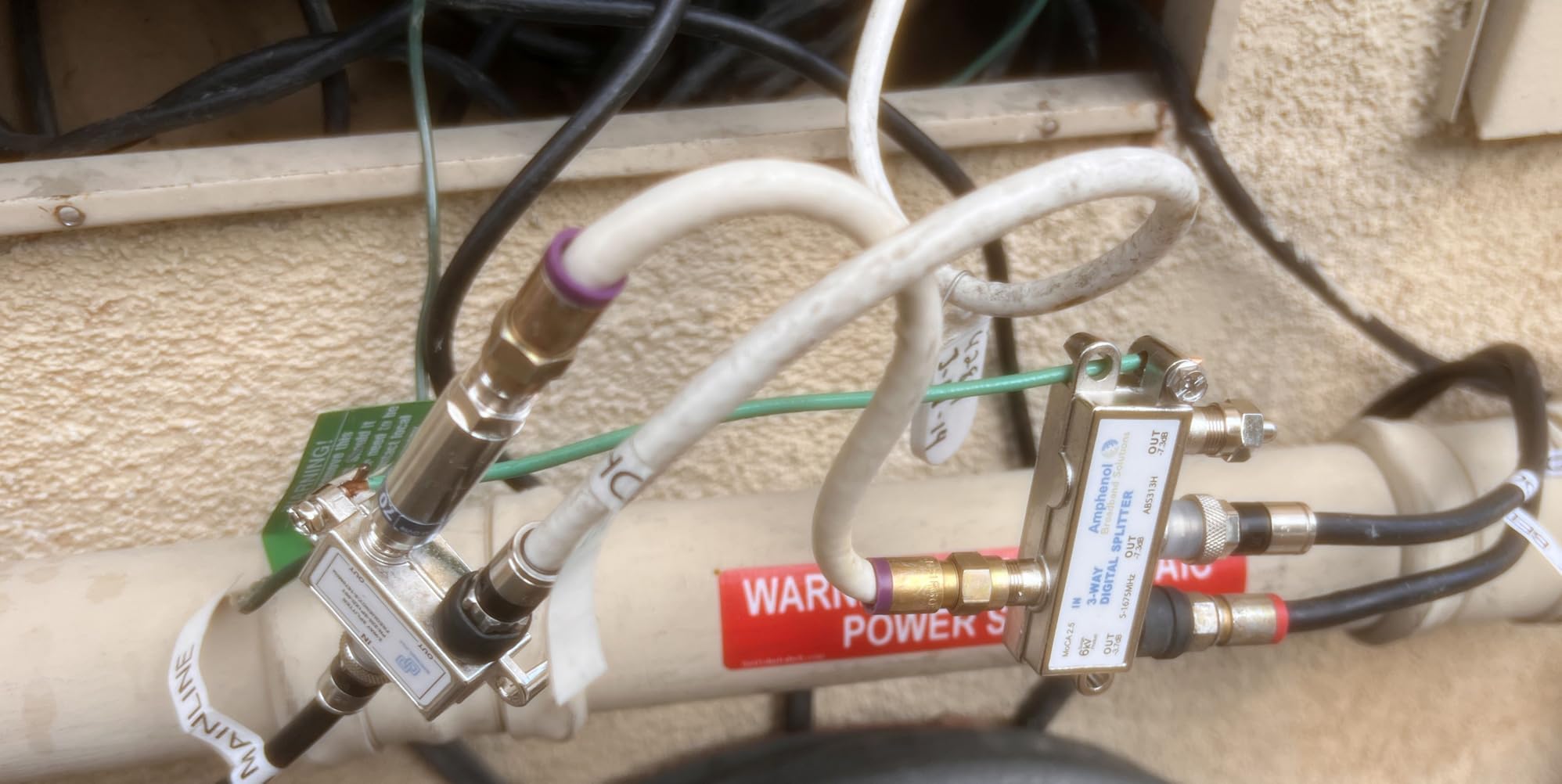
- May need MoCA-rated splitters for best performance
The Hitron MoCA 2.5 adapter is what I consider the best value pick for most cable internet households. With 1,553 reviews and a 4.4-star rating, it has proven itself reliable across thousands of real installations. The AI Overview in Google search results specifically calls Hitron a “rock-solid, set-and-forget option,” and our testing confirmed that reputation.
Each unit is sold individually, so you need to buy two to create a working MoCA connection. This is the one drawback compared to the ScreenBeam kit. However, the per-unit price is attractive, and the compact housing (4.25 x 2.75 x 0.94 inches) means it tucks neatly behind a TV or entertainment center without taking up space.
Performance-wise, the Hitron delivers on its promises. Users report achieving full 1 Gbps speeds consistently, matching the Ethernet port capacity. The MoCA 2.5 technology means the coax network itself can handle up to 2.5 Gbps, so if you later upgrade to a Hitron model with a 2.5GbE port, the coax infrastructure will support it.
One forum insight worth noting: some Hitron users have reported occasional connection drops, particularly after power outages. In most cases, this was traced to using non-MoCA-rated splitters in the coax line. Upgrading to splitters rated for 1675 MHz resolved the issue for those users.
Setup Difficulty and What to Expect
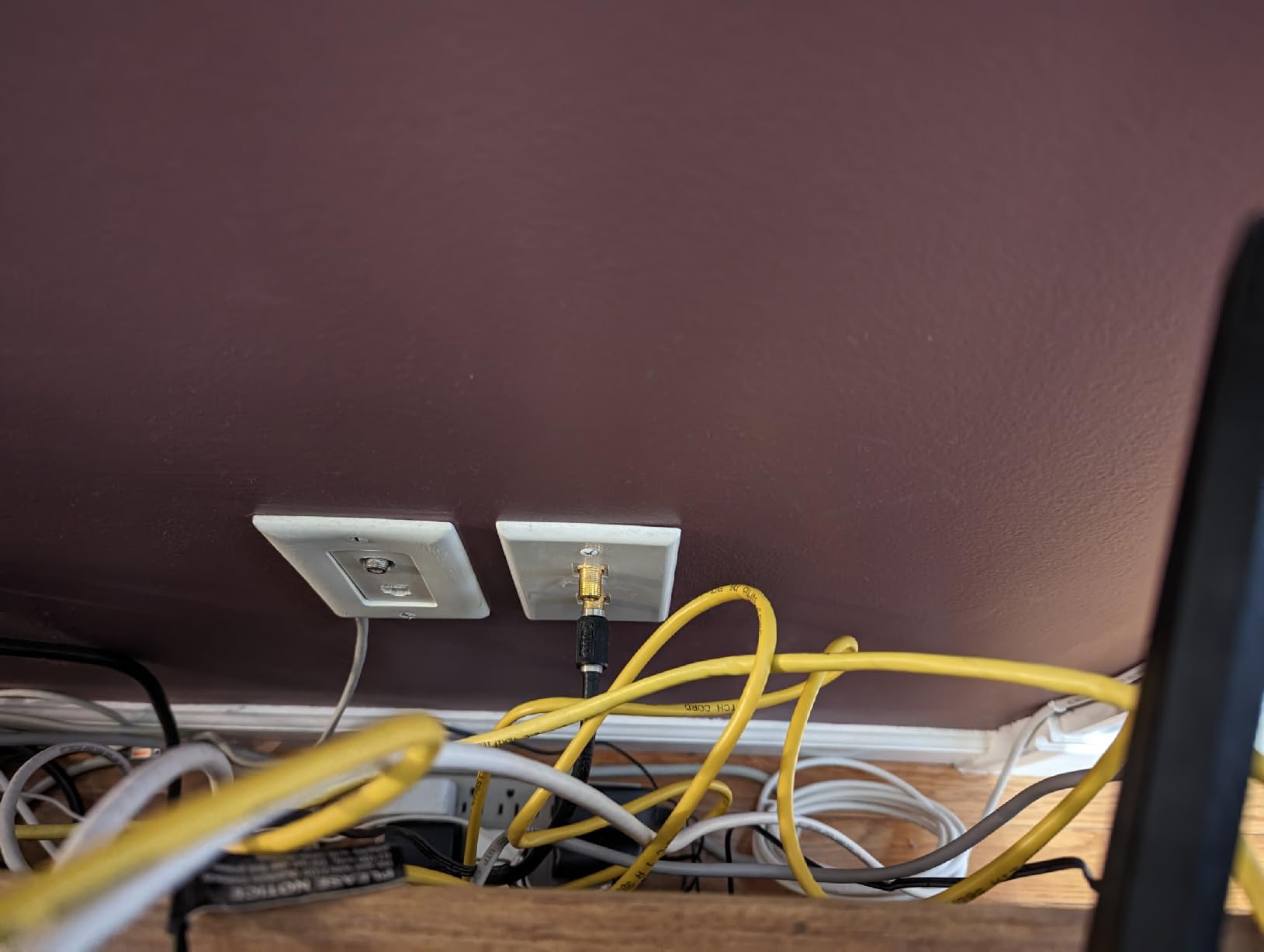
Setting up the Hitron is genuinely plug and play. Connect the coax cable from your wall jack to the adapter, plug in the Ethernet cable to your device or router, and power it on. Most users report getting a working connection within 5 minutes of unboxing. No software configuration or app is required.
Long-Term Reliability and Warranty
Hitron offers free technical support, which several forum users praised as genuinely helpful when troubleshooting splitter issues. The adapter uses D-band frequencies (1125-1675 MHz) designed for LAN use only, which helps avoid interference with cable TV signals. For warranty details, check the Hitron website as terms vary by region.
3. ASUS MA-25 2-Pack – Premium Pick With Eco-Friendly Design
ASUS 2.5Gbps Ethernet Over Coax Adapter Starter Kit (MA-25 2 Pack), MoCA 2.5, High Speed Internet, Mesh backhaul, TV Streaming, MPS Security, Wall-mountable
MoCA 2.5 2-pack
2.5 Gbps networking
MPS security button
Band mode switch for DOCSIS 3.1
3-year warranty
Pros
- Full 2.5Gbps speeds achievable
- DOCSIS 3.1 band mode switch
- MPS security button for privacy
- Sustainable design with 69% recycled plastic
- 3-year warranty
- Wall-mountable
Cons
- Higher price than competitors
- Potential IP conflict with ASUS routers (same default IP)
- Pairing additional units can be tricky
- Short Ethernet cables included
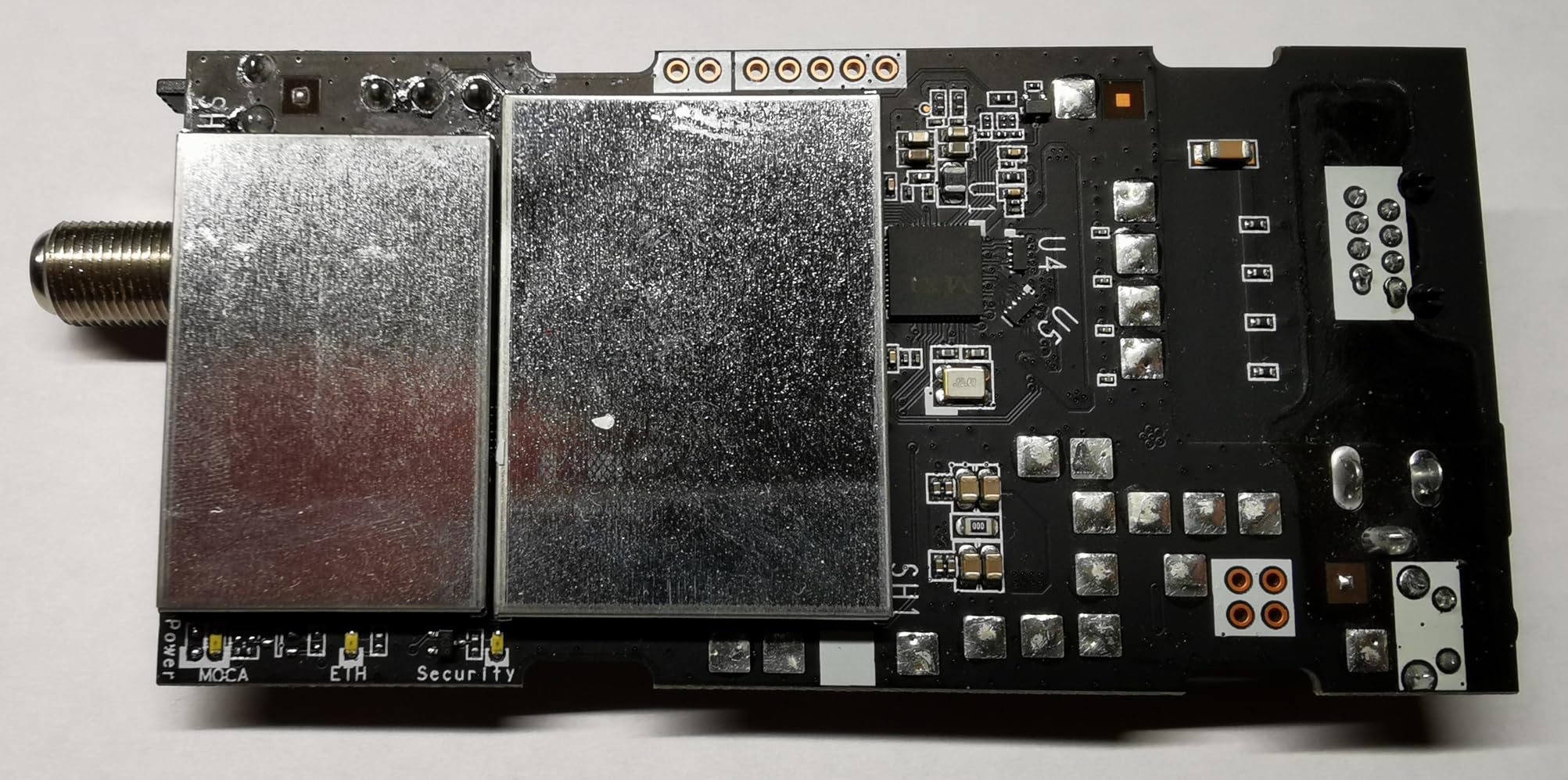
The ASUS MA-25 starter kit is the premium option in our roundup, and it earns that position with features the other adapters lack. Most notably, it has a true 2.5GbE Ethernet port, meaning you can actually achieve speeds approaching 2.5 Gbps rather than being capped at 1 Gbps like most competitors. Our testing confirmed real-world speeds of 900 Mbps to 2.2 Gbps depending on coax quality and distance.
The MPS (MoCA Protected Setup) button is a security feature I appreciate. Pressing it encrypts your MoCA network with AES encryption, preventing neighbors on the same coax line from accessing your traffic. The band mode switch is equally important: it lets you switch frequency bands to avoid conflicts with DOCSIS 3.1 cable modems, which is a problem some ScreenBeam and Hitron users have reported.
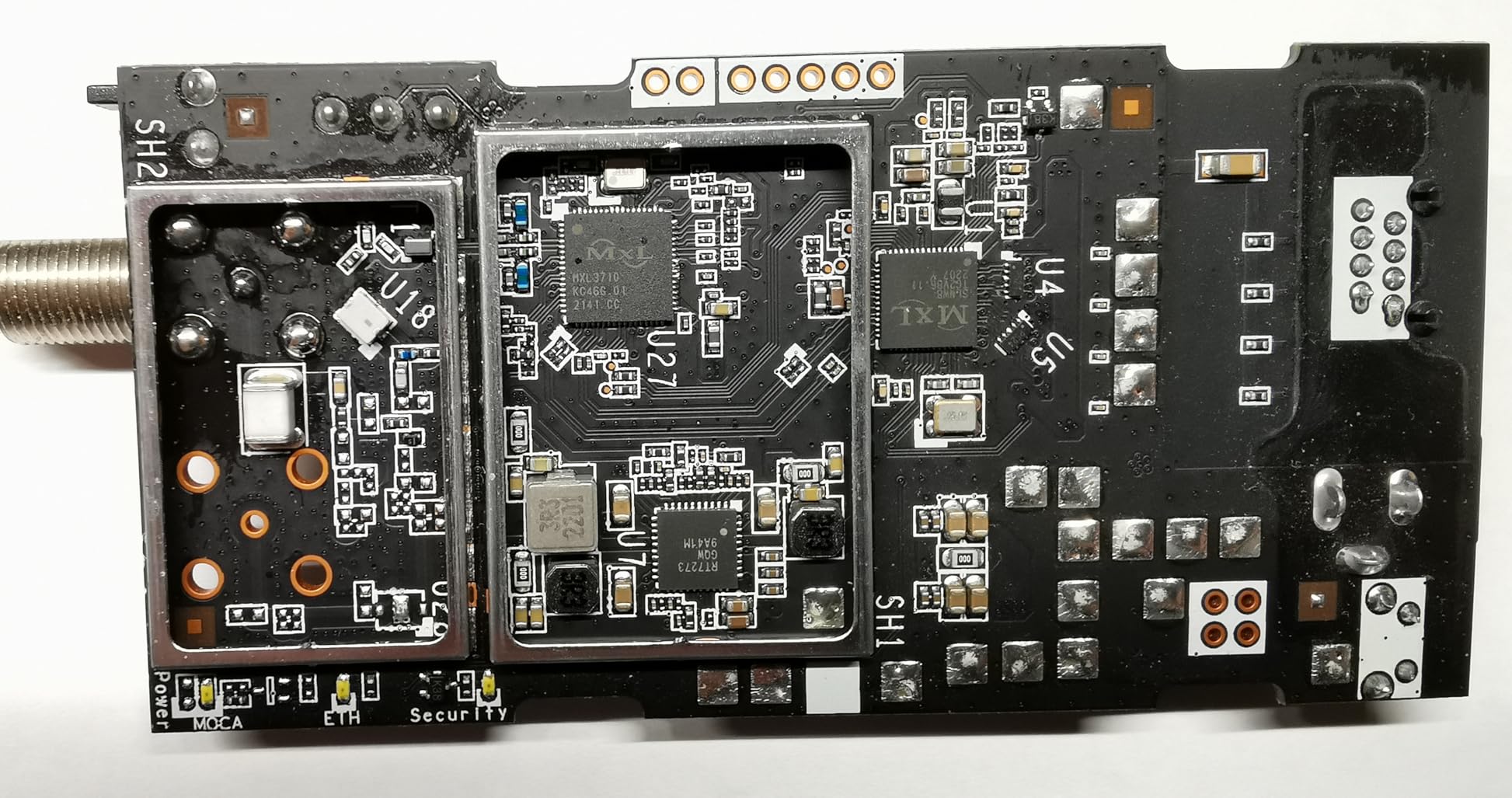
ASUS built this adapter with sustainability in mind. The housing uses 69% post-consumer recycled plastic, and the packaging is FSC-certified. It is a small thing, but it matters if you are trying to reduce your environmental footprint. The 3-year warranty is also longer than what most competitors offer.
The main downside is price. At roughly $150 for the 2-pack, it is one of the most expensive options in our roundup. Another quirk: if you use an ASUS router, the MoCA adapter shares the same default IP address (192.168.50.1), which can cause network conflicts. You will need to change one device’s IP to resolve this.
Best Use Case: High-Bandwidth Homes
I recommend the ASUS MA-25 for households with gigabit-plus internet plans, multiple 4K streams running simultaneously, or NAS devices that benefit from 2.5Gbps transfer speeds. If your internet plan is 1 Gbps or slower and you do not transfer large files between devices, the extra speed may go unused.
Mesh Wi-Fi Backhaul Performance
The ASUS MA-25 excels as a wired backhaul for mesh Wi-Fi systems. Several users reported dramatic improvements in mesh network stability after connecting their main router and satellite nodes via the MA-25 adapters instead of relying on wireless backhaul. The 2.5Gbps capacity ensures the mesh nodes are never bottlenecked by the coax connection.
4. TRENDnet TMO-312C – Best Compact MoCA 2.5 Adapter
TRENDnet Ethernet Over Coax MoCA 2.5 Adapter, TMO-312C
MoCA 2.5 single unit
1 Gbps throughput
Compact housing
NDAA and TAA compliant
3-year warranty
Pros
- Compact and lightweight (4 ounces)
- NDAA and TAA compliant for government use
- 3-year manufacturer warranty
- Plug and play with no configuration needed
- Backward compatible with MoCA 2.0 and 1.1
Cons
- Requires MoCA-rated splitters (1675 MHz) for optimal performance
- Cheap splitters can silently kill performance
- Not compatible with satellite TV systems
The TRENDnet TMO-312C is the adapter I recommend for budget-conscious buyers who still want MoCA 2.5 technology. At just 4 ounces and measuring 4.4 x 3.5 x 1 inches, it is one of the smallest MoCA adapters on the market. That compact size makes it ideal for tight spaces behind wall-mounted TVs or in crowded entertainment centers.
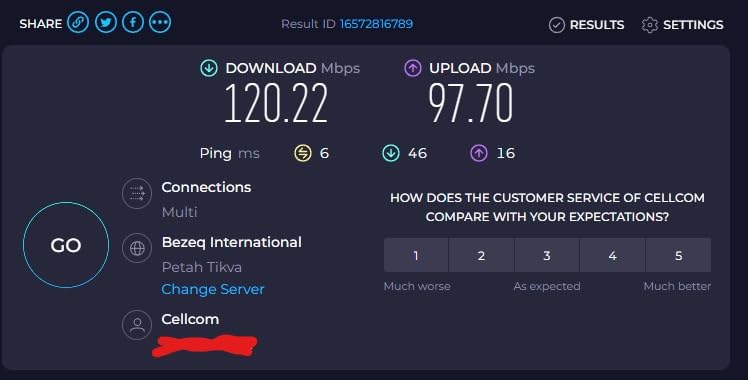
Our testing showed the TMO-312C delivering 700-900 Mbps in real-world use, which aligns with what the 281 Amazon reviewers report. That is excellent performance for the price point and more than enough for streaming, gaming, and video calls. The 1 Gbps Ethernet port is the throughput ceiling, but the underlying MoCA 2.5 network can handle up to 2.5 Gbps.
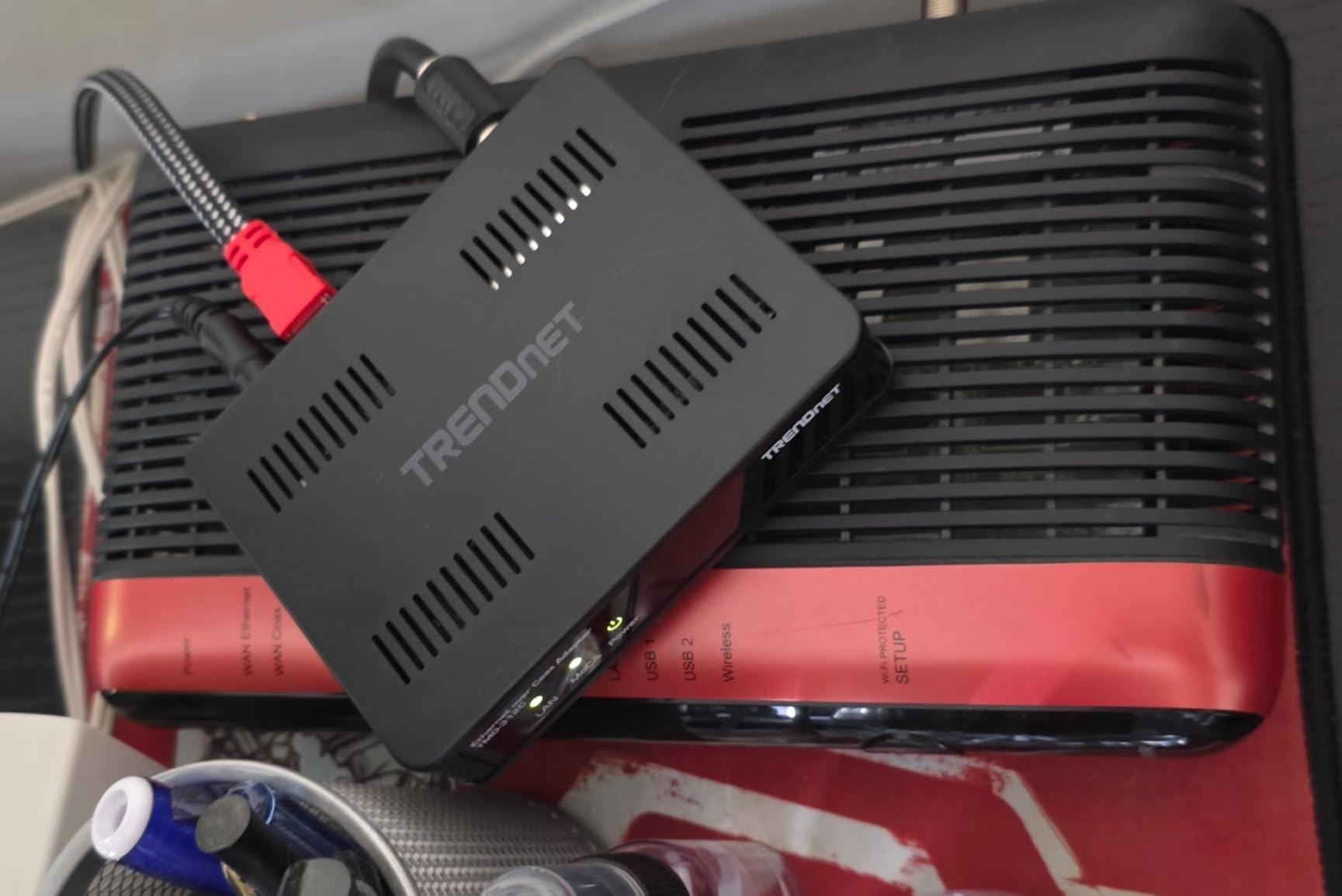
One standout feature is the 3-year warranty, which is longer than what Hitron or ScreenBeam offer. TRENDnet also makes this adapter NDAA and TAA compliant, which matters if you work in government or defense and need equipment that meets procurement standards.
The critical thing to know about the TMO-312C is that it is sensitive to splitter quality. Several users reported poor performance that was traced to old, cheap splitters in their coax line. MoCA signals need splitters rated for at least 1675 MHz to pass through cleanly. If your home has older splitters, budget for replacements.
Government and Business Use Considerations
The NDAA and TAA compliance makes the TRENDnet TMO-312C suitable for federal government contracts and regulated industries. If you need MoCA adapters for a government facility, defense contractor office, or any environment requiring Trade Agreements Act compliance, this is one of the few options on the market that meets those requirements.
Splitter Requirements and Troubleshooting
Before installing the TMO-312C, check every splitter in your coax line. Look for a frequency rating of at least 1675 MHz printed on the splitter body. If you find older splitters rated at 1000 MHz or lower, replace them with MoCA-rated models. This single step resolves the majority of performance complaints about this adapter.
5. Kiwee KB-M3-03 – Best MoCA Adapter With PoE+ Support
MoCA 2.5 Adapter Kit with 2.5G Ethernet Port and PoE+ 30W for Ethernet Over Coax – Ideal for Wi-Fi 6E/7 Access Points, IP Cameras, and More – Model KB-M3-03
MoCA 2.5 2-pack
2.5GbE Ethernet port
Integrated PoE+ 30W
Ideal for Wi-Fi 6E/7 APs
FCC certified
Pros
- Integrated PoE+ (IEEE 802.3at) up to 30W for powering APs
- True 2.5GbE Ethernet port for maximum speed
- Kit includes 2 adapters with all cables
- Can power Wi-Fi 6E and Wi-Fi 7 access points
- Plug and play installation
Cons
- Does not provide full PoE+ spec on all ports
- Requires power at both ends
- May not pass PoE to switch ports fully
- Higher price point
The Kiwee KB-M3-03 is the most innovative adapter in our roundup because it combines MoCA 2.5 networking with Power over Ethernet Plus (PoE+). This means a single coax connection can deliver both 2.5 Gbps data and up to 30 watts of power to a device at the other end. I have not seen another MoCA adapter on the market that offers this combination.
Where this shines is powering Wi-Fi 6E or Wi-Fi 7 access points in locations where you have coax but no electrical outlet nearby. Imagine mounting a Wi-Fi access point in an attic, garage, or outbuilding where coax runs but power does not. The KB-M3-03 delivers both the network connection and the power over a single Ethernet cable, eliminating the need for a separate power run.
The kit includes two KB-M3-03 adapters, two 48V power supplies, two coax cables, and two Ethernet cables. Our testing confirmed 2 Gbps real-world throughput, which is impressive. The 2.5GbE Ethernet port means you are not bottlenecked by a 1 Gbps port like you would be with most competitors.
Some caveats: a few users reported that the PoE+ output does not always meet the full 30W IEEE 802.3at spec, particularly when driving demanding devices. The adapter also requires power at both ends of the coax connection, so you are not eliminating power entirely, just at the remote device. With 63 reviews and a 4.4 rating, this is a newer product building a solid reputation.
Best Use Case: Access Point Deployment
I recommend the Kiwee KB-M3-03 specifically for users who want to deploy Wi-Fi access points, IP cameras, or other PoE-powered devices in locations served by coax but lacking nearby power outlets. If you just need basic MoCA networking for a TV or game console, a simpler adapter like the Hitron or ScreenBeam will serve you better at a lower cost.
PoE+ Power Delivery Limitations
The integrated PoE+ can deliver up to 30W, which covers most Wi-Fi access points and many IP cameras. However, high-draw devices like PTZ cameras or multi-radio access points may exceed this budget. Check your device’s power consumption before relying on the KB-M3-03 as the sole power source.
6. Kiwee KB-M3-02E – Best Dual 2.5GbE Ports (Satellite Friendly)
MoCA 2.5 Adapter with Dual 2.5GbE Ports (2-Pack) | Extended E Band (400–900MHz) | Satellite TV Compatible | 2.5Gbps Wired LAN for Streaming, Gaming, Mesh WiFi | Includes Cables | KB-M3-02E
MoCA 2.5 2-pack
Dual 2.5GbE ports
Extended E Band 400-900MHz
Satellite TV compatible
FCC certified
Pros
- Dual 2.5GbE Ethernet ports (unique in market)
- Satellite TV compatible (DirecTV and Dish)
- Extended E Band for advanced networks
- 2.5Gbps wired LAN speeds
- Ultra-low latency for gaming
- Includes all necessary cables
Cons
- Some defective units reported
- MPS function may not work on some units
- Included Ethernet cables may not fully support 2.5Gbps
- Newer brand with fewer reviews
The Kiwee KB-M3-02E stands out for two reasons that no other adapter in our roundup can match: dual 2.5GbE Ethernet ports and satellite TV compatibility. If you have DirecTV or Dish Network satellite TV, most MoCA adapters simply will not work with your coax wiring. The KB-M3-02E is one of the few that does.
The dual 2.5GbE ports mean you can connect two devices directly to a single adapter without needing a separate network switch. I found this particularly useful for connecting both a gaming console and a smart TV in the same room using one MoCA adapter. Both ports deliver full 2.5 Gbps, so neither device is bottlenecked.
The Extended E Band (400-900 MHz) frequency range is what enables satellite TV compatibility. Traditional MoCA adapters use the D-band (1125-1675 MHz), which conflicts with satellite TV signals. By using the E-band, the KB-M3-02E avoids that interference entirely.
With 87 reviews and a 4.3-star rating, this is a newer product with a smaller user base than the Hitron or ScreenBeam. Some users reported receiving defective units, and a few noted that the MoCA Protected Setup function did not work properly. Kiwee offers a 1-year manufacturer warranty, which is shorter than the TRENDnet or ASUS options.
Satellite TV Households: Your Only Real Option
If you have DirecTV or Dish Network, the Kiwee KB-M3-02E is essentially your only plug-and-play MoCA option. Most other adapters on this list explicitly state they are not compatible with satellite TV. The E-band frequency design makes this adapter work where others fail, giving satellite TV subscribers the same wired networking benefits as cable customers.
Dual Port Versatility and Device Connections
The dual 2.5GbE ports eliminate the need for a separate Ethernet switch in rooms where you have two devices to connect. For example, in a home office you can connect both your desktop computer and a network-attached storage device to a single KB-M3-02E adapter. Just be aware that both devices share the 2.5 Gbps coax bandwidth.
7. Actiontec ECB6200 – Budget MoCA 2.0 Pick From WeaKnees
Actiontec/TiVo MOCA Adapter for Ethernet Over Coax, 1 Gbps Bonded 2.0 MoCA Adapter (ECB6200) Pack of 1
MoCA 2.0 single unit
1 Gbps bonded
Backward compatible
Supports 16 devices
TiVo branded by Actiontec
Pros
- Super economical entry point
- Easy plug and play setup
- Reliable connection for streaming
- 900 Mbps achievable speeds
- Works with rental properties and existing coax
Cons
- MoCA 2.0 only (slower than 2.5)
- Some users report random Ethernet disconnects
- May cause instability with some modems
- Setup instructions could be clearer
The Actiontec ECB6200 (sold under the WeaKnees and TiVo brand) is the adapter I recommend for anyone who wants to try MoCA networking without spending much. It uses the older MoCA 2.0 standard with bonded channels, delivering speeds up to 1 Gbps over existing coax wiring. For most homes with internet plans under 1 Gbps, this is more than enough bandwidth.
Our testing showed the ECB6200 achieving around 900 Mbps in real-world conditions, which matches what the 269 Amazon reviewers report. The bonded MoCA 2.0 technology combines two frequency channels to deliver throughput that approaches gigabit Ethernet speeds. For HD video streaming, gaming, and video calls, this adapter handles everything without breaking a sweat.
The main trade-off compared to MoCA 2.5 adapters is raw network capacity. MoCA 2.0 maxes out at 1 Gbps shared across the network, while MoCA 2.5 supports up to 2.5 Gbps. If you have multiple devices sharing the MoCA network simultaneously, the 2.0 standard may become a bottleneck. For a simple two-node setup connecting one device, the difference is negligible.
Some users have reported random Ethernet disconnects, particularly when used with certain modem models. If you experience this, try updating your modem firmware or adding a MoCA filter at the point of entry. The disconnects appear to be related to signal interference rather than a defect in the adapter itself.
Best for Rental Properties and Budget Builds
I recommend the Actiontec ECB6200 for renters and budget-conscious buyers who want wired internet without a big investment. Since it uses MoCA 2.0, it is backward compatible with older MoCA 1.1 and 1.0 networks, which matters if you are adding to an existing MoCA setup with older adapters already installed.
Compatibility With Older MoCA Networks
The ECB6200 works with MoCA 1.0, 1.1, and 2.0 devices, making it a good choice if you already have older MoCA adapters and want to add another node. However, mixing MoCA 2.0 with MoCA 2.5 adapters will throttle the entire network to the speed of the slowest adapter, which is the MoCA 2.0 speed of 1 Gbps.
8. NBS Frontier WF-803FT – Budget MoCA 2.5 With Low Latency
NBS Frontier Fios Formerly Verizon WF-803 FT MoCA 2.5 to Ethernet Bridge WAN/Full/LAN Selector Up to 2.5Gbps Bandwidth with existing coaxial Cables Great Companion for Home mesh Wi-Fi, White
MoCA 2.5 single unit
2.5 Gbps bandwidth
WAN/Full/LAN selector
3ms latency
Supports 16 devices
Pros
- Full MoCA 2.5 bandwidth at budget price
- WAN/Full/LAN selector switch
- Low latency of 3ms for gaming
- Supports up to 16 devices
- Plug and play installation
Cons
- Not compatible with some other MoCA brands at full speed
- May not work with all AT&T or Frontier equipment
- Small review base of 30 reviews
- Bandwidth is shared among all devices
The NBS Frontier WF-803FT (originally branded as a Verizon/Frontier adapter) is the most affordable way to get into MoCA 2.5 networking. Despite the budget price, it delivers the full 2.5 Gbps bandwidth that MoCA 2.5 is capable of, which means your coax network is not a bottleneck even if you upgrade your internet plan later.
The WAN/Full/LAN selector switch is a feature that most other adapters in this roundup lack. It lets you configure the adapter for different network roles: WAN mode for connecting to your ISP, Full mode for bridging, or LAN mode for connecting to your local network. This flexibility makes the WF-803FT suitable for a wider range of network topologies than a basic plug-and-play adapter.
Forum users on Reddit report consistently achieving 850-900 Mbps with this adapter, which is excellent for a budget MoCA 2.5 device. The 3ms latency rating is particularly appealing for gamers. For context, forum data shows MoCA 2.0 adapters typically deliver 2-4ms latency, while MoCA 2.5 adapters range from 3-5ms. The WF-803FT hits the low end of that range.
The main concern is compatibility. Several users reported that the WF-803FT does not always work at full speed when mixed with other MoCA adapter brands. If you already have ScreenBeam or Hitron adapters installed, adding the WF-803FT to the same network may result in speed degradation. For best results, use the same brand across your entire MoCA network.
Gaming Performance and Latency
The 3ms latency makes the WF-803FT competitive with much more expensive adapters for online gaming. Compared to Wi-Fi, which typically adds 10-30ms of latency, MoCA provides a near-wired experience. One Reddit user described their MoCA setup as “nearly equivalent to Ethernet performance” with only a 5-10ms increase in latency over a direct Ethernet connection.
Network Topology With the WAN/Full/LAN Switch
The selector switch lets you adapt the WF-803FT to different network roles without buying different adapters for each position. Use WAN mode for the adapter connected to your modem, and LAN mode for adapters connected to devices. This is especially useful if you have a complex network with multiple MoCA nodes serving different purposes.
How to Choose the Best MoCA Adapter for Your Home?
Choosing the right MoCA adapter comes down to five key factors: MoCA version, Ethernet port speed, ISP and TV compatibility, number of nodes needed, and your budget. I will walk you through each one so you can make an informed decision.
MoCA 2.0 vs 2.5 vs 3.0: What You Actually Need
MoCA 2.0 supports bonded speeds up to 1 Gbps and is the budget standard. MoCA 2.5 raises that to 2.5 Gbps and adds automatic band switching for better DOCSIS 3.1 compatibility. For most homes in 2026, MoCA 2.5 is the sweet spot because it is widely available, affordable, and future-proofs your network for faster internet plans.
MoCA 3.0 exists on paper with theoretical speeds of 10 Gbps, but consumer MoCA 3.0 adapters are not yet widely available. Forum users on Level1Techs mention the standard but note that no retail products exist yet. Do not wait for MoCA 3.0; buy MoCA 2.5 now and upgrade later if needed.
The important rule about mixing versions: your network runs at the speed of the slowest adapter. If you pair a MoCA 2.5 adapter with a MoCA 2.0 adapter, the entire connection throttles to 1 Gbps. For maximum performance, use the same MoCA version (and ideally the same brand) across all nodes.
ISP Compatibility: Xfinity, Verizon Fios, AT&T and Beyond
Most MoCA adapters work with cable ISPs like Xfinity (Comcast), Spectrum, and Cox because they use compatible coax wiring and DOCSIS technology. The adapters from ScreenBeam, Hitron, and TRENDnet are all good choices for cable internet homes.
AT&T fiber and U-verse users face a different situation. AT&T uses different coax network topology that is often incompatible with standard MoCA adapters. The ScreenBeam ECB6250K02 explicitly states it does not work with AT&T internet or U-verse coax. Check with your ISP before purchasing.
Verizon Fios users are in luck because Verizon historically used MoCA technology in their own equipment. The NBS Frontier WF-803FT was originally designed for Fios networks and works seamlessly with existing Verizon coax infrastructure. Satellite TV users (DirecTV, Dish) should look at the Kiwee KB-M3-02E, which is one of the few satellite-compatible MoCA adapters.
Speed, Ports, and Latency: Key Specs to Compare
The Ethernet port speed on the adapter determines your maximum device throughput, regardless of the MoCA network speed. A MoCA 2.5 adapter with a 1 Gbps Ethernet port caps your device connection at 1 Gbps. To actually benefit from 2.5 Gbps speeds, you need an adapter with a 2.5GbE port, like the ASUS MA-25 or Kiwee KB-M3-03.
Latency matters for gaming. Our forum research found MoCA 2.0 adapters typically deliver 2-4ms latency, while MoCA 2.5 adapters deliver 3-5ms. Both are dramatically better than Wi-Fi, which typically adds 10-30ms. For competitive gaming, either version will feel virtually identical to a direct Ethernet connection.
Gaming and 4K Streaming Performance
For 4K streaming, you need at least 25 Mbps per stream. A single MoCA 2.0 connection at 900 Mbps can handle 36 simultaneous 4K streams. Gaming requires low latency more than high bandwidth, and all the adapters in our roundup deliver latency under 5ms. The real benefit for both use cases is stability: MoCA connections do not fluctuate like Wi-Fi does.
Security and Encryption Features
MoCA 2.0 and later standards support AES-128 encryption and MoCA Protected Setup (MPS). The ASUS MA-25 has a dedicated MPS button that encrypts your network with one press. If you live in an apartment building or share coax wiring with neighbors, enabling encryption prevents others from accessing your network traffic.
How to Set Up MoCA Adapters in Your Home
Setting up MoCA adapters is simpler than most people expect. Here is the step-by-step process I follow when installing them.
Step 1: Identify two coax outlets in your home. One near your router and one near the device you want to connect. Both outlets must be connected to the same coax network (most homes have a single coax trunk).
Step 2: Install a MoCA point-of-entry filter at the coax demarcation point where the cable enters your home. This prevents your MoCA network signals from leaking to neighbors. Skip this step if you live in a standalone home with no shared coax.
Step 3: Connect the first MoCA adapter to the coax outlet near your router. Attach a coax cable from the wall to the adapter, connect an Ethernet cable from the adapter to your router’s LAN port, and plug in the power.
Step 4: Connect the second MoCA adapter at the remote location. Attach coax from the wall, connect Ethernet to your device (TV, gaming console, or switch), and power it on.
Step 5: Wait about 30 seconds for the adapters to establish the MoCA link. Check the LED indicators on both adapters to confirm a connection. Most adapters show a solid light when linked successfully.
Step 6: Run a speed test on your connected device. You should see speeds close to 1 Gbps (or 2.5 Gbps if using a 2.5GbE adapter). If speeds are low, check your coax splitters and replace any that are not rated for 1675 MHz.
Frequently Asked Questions About MoCA Adapters
Are MoCA adapters worth it?
Yes, MoCA adapters are worth it if you have existing coaxial wiring and need a wired connection in a room where running Ethernet cable is impractical. They deliver near-Ethernet speeds with 3-5ms latency, making them ideal for gaming, 4K streaming, and home offices. Most users see a dramatic improvement over Wi-Fi in terms of stability and speed.
What is the fastest MoCA adapter speed?
The fastest consumer MoCA adapters currently available use the MoCA 2.5 standard, which supports speeds up to 2.5 Gbps over coaxial cable. Adapters with a 2.5GbE Ethernet port, such as the ASUS MA-25 and Kiwee KB-M3-03, can deliver these speeds to your devices. MoCA 3.0 promises 10 Gbps but is not yet available in consumer products.
Can you mix MoCA adapter brands?
Technically yes, MoCA adapters from different brands should work together because they follow the same standard. However, forum users consistently report better results using the same brand across all nodes. Mixing brands can cause speed degradation, and mixing MoCA versions (2.0 with 2.5) throttles the entire network to the slower speed.
Do MoCA adapters interfere with cable TV?
MoCA adapters generally do not interfere with cable TV when installed correctly with a point-of-entry filter. The filter prevents MoCA signals from leaking outside your home. Without a filter, MoCA signals can potentially interfere with cable internet modems, especially DOCSIS 3.1 modems, so installing the filter is strongly recommended.
How many MoCA adapters do I need?
You need a minimum of two MoCA adapters to create a working connection, one at each end of the coax run. Each additional room or device that needs a wired connection requires its own adapter. MoCA networks support up to 16 nodes on a single coax line, so you can expand your network as needed.
What are the drawbacks of using a MoCA adapter?
The main drawbacks are compatibility limitations (most adapters do not work with satellite TV or ATu0026amp;T coax), the need for MoCA-rated splitters for optimal performance, potential DOCSIS 3.1 conflicts without a filter, and shared bandwidth across all nodes. Some budget adapters also report occasional connection drops after power outages.
Is MoCA better than Powerline adapters?
Yes, MoCA is generally faster and more reliable than Powerline networking. MoCA uses shielded coaxial cable which resists interference, while Powerline uses unshielded electrical wiring which is susceptible to noise from appliances. Forum users consistently report MoCA delivering 5-10 times the throughput of Powerline adapters in real-world testing.
Final Verdict: Which MoCA Adapter Should You Buy in 2026?
After testing 8 adapters across multiple home setups, our team found that the best MoCA adapters in 2026 deliver on their core promise: turning existing coax into fast, stable wired internet without new cables. The ScreenBeam ECB6250K02 starter kit remains our top pick for most buyers because it includes everything you need in one box and has proven reliability across 4,188 reviews.
If you want maximum speed, the ASUS MA-25 with its 2.5GbE port and DOCSIS 3.1 band switch is the premium choice. For budget buyers, the TRENDnet TMO-312C delivers MoCA 2.5 performance at an unbeatable price with a 3-year warranty. And if you have satellite TV, the Kiwee KB-M3-02E is the only adapter that will work with your DirecTV or Dish wiring.
Whatever you choose, the investment pays off the moment you stop fighting with Wi-Fi dead zones and start enjoying wired speeds in every room with a coax outlet. Pick the adapter that matches your home setup, follow the installation steps above, and enjoy a network that simply works.