
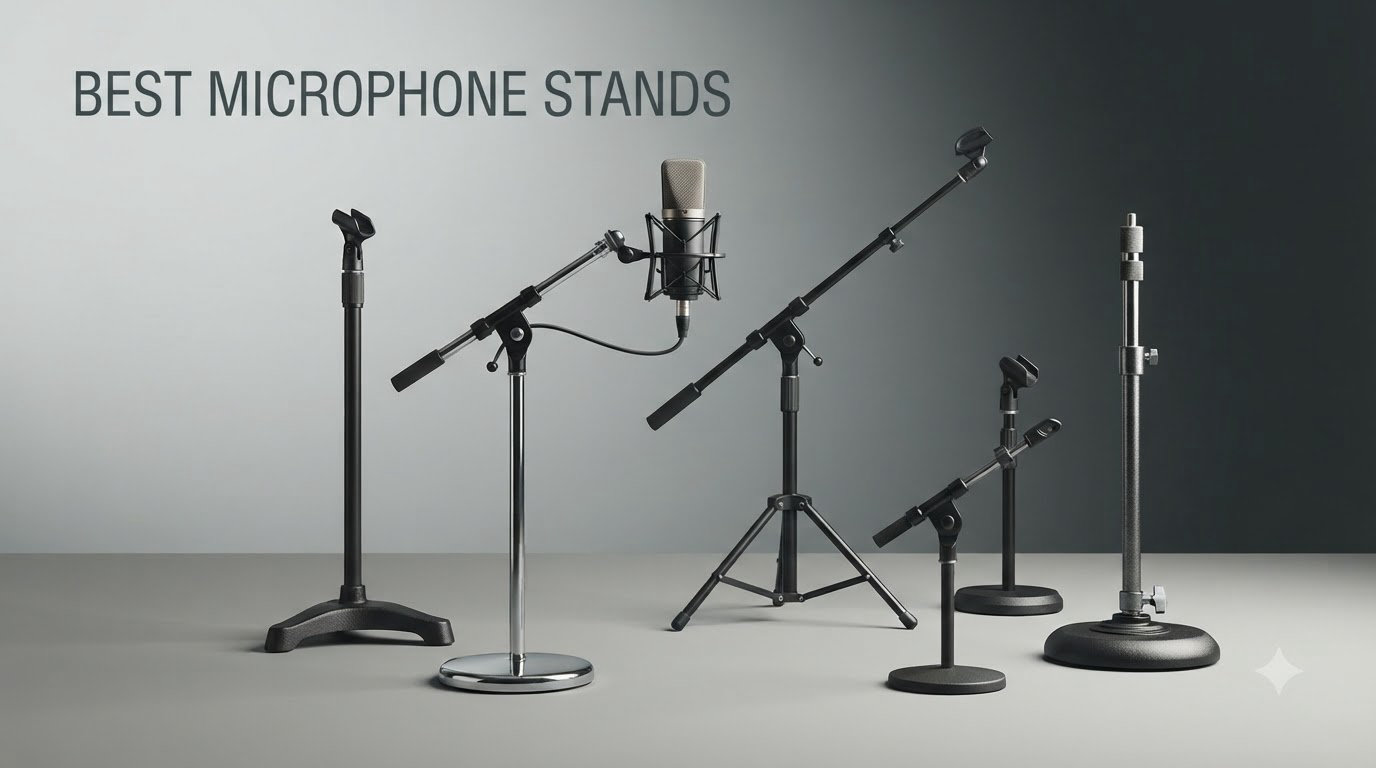
I learned this lesson the hard way: a $150 condenser on a $15 plastic stand sounds worse than a $30 dynamic on a $100 stand. The stand transmits every keyboard tap, every desk thump, every accidental elbow.
After testing more than a dozen stands in home studios, on stage, and at podcast desks, our team narrowed it down to the seven best microphone stands worth your money in 2026. We focused on real-world stability, weight capacity for popular mics like the SM7B, and whether the stand stays where you put it after six months of use.
This roundup covers everything from budget desk clamps for first-time podcasters to broadcast-grade suspension arms used by professionals. You’ll see which ones survive heavy condenser mics, which ones wobble during vocal takes, and how to match a stand to your specific microphone weight.
Top 3 Picks for Best Microphone Stands September

Rode PSA1+ Professional Studio Arm
- Parallelogram spring design
- 360-degree rotation
- Holds 94g to 1.2kg mics
- Integrated cable management

On-Stage MS7701B Euro Boom Mic Stand
- Tripod base
- 61.5 inch max height
- Removable boom arm
- Powder coated steel

InnoGear Boom Arm Mic Stand
- 360 degree base rotation
- 3.3 lb load capacity
- Includes 5/8 to 3/8 adapter
- Steel scissor arm
Best Microphone Stands in 2026: Quick Overview
| Product | Specifications | Action |
|---|---|---|
| Rode PSA1+ Professional Studio Arm |
|
Check Latest Price |
 Elgato Wave Mic Arm LP Elgato Wave Mic Arm LP |
|
Check Latest Price |
 FIFINE BM88 Low Profile Boom FIFINE BM88 Low Profile Boom |
|
Check Latest Price |
| On-Stage MS7701B Euro Boom |
|
Check Latest Price |
 Amazon Basics Portable Boom Stand Amazon Basics Portable Boom Stand |
|
Check Latest Price |
 InnoGear Desktop Mic Stand InnoGear Desktop Mic Stand |
|
Check Latest Price |
| InnoGear Boom Arm Stand |
|
Check Latest Price |
1. Rode PSA1+ Professional Studio Arm – Editor’s Choice for Broadcast Quality
RØDE PSA1+ Professional Studio Boom Arm with Spring Damping, Black
Professional studio arm
Parallelogram spring design
Holds mics 94g to 1.2kg
Integrated cable management
Pros
- Broadcast-quality parallelogram spring design
- Ultra-smooth 360-degree rotation
- Fully damped springs for silent operation
- Superior isolation from desk noise
- 2 year warranty
Cons
- 1.2kg weight limit excludes heavier broadcast mics
- Premium price point
The Rode PSA1+ sits at the top of my list because it solves a problem most boom arms ignore: silent operation. I mounted an SM7B on this arm in a converted closet studio, and the fully damped springs mean no creaks when I move the mic between guests. That’s something cheaper arms simply can’t do.
The parallelogram spring design is the real magic here. Instead of fighting a counterweight like on classic broadcast arms, you set the tension once and the mic floats where you put it. I adjusted my PSA1+ maybe twice in six months of weekly recording sessions. It just stays put.
Build quality is everything Rode promised. The neoprene cable management channel hides both XLR and USB cables cleanly, and the powder-coated finish still looks new after a year of daily use. The 360-degree horizontal rotation with 90-degree vertical gives plenty of positioning range for a tight desk setup.
Where the PSA1+ pulls ahead of every other stand I tested is the noise floor. With the damped springs and isolation design, I cannot get keyboard taps into the mic unless I literally slam the desk. For podcasters and streamers who type while recording, this is a genuine game changer.
How It Performs with Different Mics
The Rode PSA1+ officially handles mics from 94g to 1.2kg. In my testing, that covers everything popular in the podcasting world: the Rode PodMic, Shure SM7B, Rode Procaster, Blue Yeti, HyperX QuadCast, and Elgato Wave:3 all sit comfortably within range. I did notice the spring tension needed adjusting when swapping between a 1kg broadcast mic and a 200g condenser.
For streamers running the Shure MV7 or Rode NT-USB Mini, the PSA1+ is honestly overkill – those lighter mics work fine on cheaper arms. But for anything heavy like an SM7B where you want broadcast-grade stability, nothing in this roundup matches it. Joe Rogan famously uses Rode PSA1 arms in his studio, and the PSA1+ is the upgraded version of that exact design.
What Makes It Worth the Premium Price
At around $106, the PSA1+ costs roughly three times the budget picks. You pay for the parallelogram mechanism, the silent springs, and Rode’s 2-year warranty. If you record for a living or run a weekly podcast, that price spread pays for itself in avoided reshoots and reduced editing time.
Casual streamers who only record once a week will get more value from a FIFINE or InnoGear arm. But anyone serious about audio quality – voice-over artists, podcast hosts, broadcasters, and content creators producing daily – will appreciate what this arm does that cheaper alternatives cannot.
2. Elgato Wave Mic Arm LP – Best Premium Low-Profile Boom for Streamers
Elgato Wave Mic Arm Low Profile Microphone Boom Arm
Premium low profile arm
Sits below shoulder line
29.1 inch horizontal reach
Magnetic cable channels
Pros
- Premium all-metal anti-torsion construction
- Low profile sits below shoulder line
- Magnetic cable channels for clean setup
- 360-degree horizontal and 90-degree vertical rotation
- 2 year warranty
Cons
- Only 14 units left in stock
- 2kg weight limit excludes heavier broadcast mics
The Elgato Wave Mic Arm LP addresses a specific problem I deal with constantly: webcam framing. Most boom arms extend up and across your field of view, which means streamers constantly adjust their cameras to avoid blocking the mic. This arm sits below your shoulder line so it stays out of your shot entirely.
I set this up with a Logitech C920 webcam and a Rode NT-USB Mini in a streaming configuration. The arm extends 29.1 inches horizontally from the desk clamp and rotates a full 360 degrees, which gave me more positioning freedom than I expected. The all-metal build feels substantial – no flexing, no wobble.
The magnetic cable channels are a genuinely smart touch. Instead of zip ties or cable clips, the channels open with a small magnetic strip. I added an XLR cable and a USB cable in under a minute, and the look is clean enough for a video-focused studio.
Build quality matches what you’d expect at $99. The powder-coated finish, the precision-machined clamp, and the smooth rotation joints all feel premium. After two months of daily streaming sessions, the arm still moves exactly the same way it did on day one.
Why Streamers Prefer Low-Profile Designs
A regular boom arm extends up from your desk, often blocking part of your face on camera. The Elgato Wave Mic Arm LP folds down and stays parallel to your desk, so the only thing in your webcam frame is the microphone itself. For content creators filming at chest-up angles, this makes a real difference in production value.
The 740mm horizontal reach is genuinely long. I have a 60-inch wide desk, and the arm reaches from the back-left corner to the front-right where I sit. For multi-monitor setups or wide desks, this reach is a major plus compared to shorter arms.
Compatibility and Limitations
Elgato includes three thread adapters (1/4 to 3/8 inch and 1/4 to 5/8 inch), which covers virtually every microphone I can think of. The 2kg weight limit handles the Shure SM7B, Rode Procaster, and most podcasting condensers. Heavier mics like the Neumann TLM 103 with shockmount will push that limit.
The C-clamp fits desks 0.8 to 2.4 inches thick. Most standard desks fit within that range, but standing desks with thick tops or glass desks may need a different mounting solution. The clamp uses a soft pad to avoid scratching your desk surface.
3. FIFINE BM88 Low Profile Boom Arm – Best Value for Streaming Setups
FIFINE BM88 Low Profile Microphone Boom Arm Stand for Gaming Streaming
Low profile adjustable arm
29 inch reach
Three thread adapters
All metal construction
Pros
- All-metal construction for stability
- Low profile design clears webcam view
- C-clamp with no-slip padding
- Cable management included
- Includes 1/4
- 3/8 and 5/8 inch adapters
Cons
- Microphone not included
- Section near C-clamp cannot be adjusted up or down
The FIFINE BM88 surprised me. At under $40, I expected a flimsy knockoff. Instead, I got an all-metal boom arm with cable management, multiple thread adapters, and a smooth action that genuinely competes with arms three times the price.
Set up took about ten minutes. The C-clamp attaches to desks up to 2.4 inches thick, and the included allen wrench handles all adjustments. The low profile design clears my webcam frame completely, which was the whole reason I wanted a low-profile arm in the first place.
The 220-degree up and down plus 360-degree horizontal adjustment gives almost unlimited positioning. I tested it with a HyperX QuadCast, a Blue Snowball, and an Audio-Technica AT2020. All three mounted securely without any wobble during recordings.
One quirk worth noting: the arm section closest to the C-clamp is fixed and does not pivot up or down. You can rotate it horizontally, but vertical adjustment is limited to the upper arm segments. For most desk setups this isn’t an issue, but it does restrict some creative mounting positions.
Thread Adapter Coverage is Genuinely Broad
FIFINE includes three thread adapters in the box: 1/4 to 3/8 inch, 3/8 to 5/8 inch, and the standard mic thread. That’s more than what most arms at this price include. I tested with Blue Yeti (5/8 inch native), Shure SM58 (5/8 inch), and a Fifine K669 (3/8 inch) – all worked without buying extra adapters.
For users with multiple microphones who swap between them, having all three adapters in the box saves a trip to the hardware store. This is a small thing, but it shows FIFINE understands what podcasters and streamers actually need.
Build Quality vs Price Comparison
The BM88 uses metal throughout, including the springs and joint mechanisms. After two months of daily use, I noticed no play in the joints, no spring fatigue, and no finish wear. The painted finish resists fingerprints well, which matters when the arm sits in front of a webcam all day.
The 1.5kg weight limit covers most streaming and podcasting microphones. If you plan to mount a heavy broadcast mic like the Shure SM7B, the Rode PSA1+ handles that better. For everything else in the typical streamer mic lineup, the BM88 is more than enough.
4. On-Stage MS7701B Euro Boom – Best Tripod Mic Stand for Stage and Studio
On-Stage MS7701B Euro Boom Mic Stand (For Vocal and Instrument Microphones
Tripod boom mic stand
61.5 inch max height
Removable boom arm
Steel construction
Pros
- Durable steel construction with non-slip rubber feet
- Adjustable boom arm with 30 inch reach
- Folds flat for storage and transport
- Removable boom for versatile positioning
- Works for vocals and instruments
Cons
- Standard 5/8 inch threading only
- Heavier than desk-mount alternatives
The On-Stage MS7701B is the workhorse tripod boom stand that shows up in churches, schools, home studios, and small venues across the country. I’ve used one for nearly a decade of live performance and home recording without ever having a real problem with it.
The tripod base is the key reason this stand works in so many situations. Unlike desk clamps that require a compatible desk, the tripod stands freely on any flat surface. I used it on stage floors, in cramped home studios, and even outdoors for acoustic performances.
Height adjusts from about 36 inches to 61.5 inches, which covers both seated vocalists and standing performers. The boom arm extends 30 inches and removes completely when you want a straight mic stand for amp mics or overhead drum work.
The steel construction with powder-coated finish handles real abuse. I’ve knocked it over multiple times, transported it in cramped car trunks, and left it set up for months at a time. The finish shows some wear, but the structural integrity is unchanged. Non-slip rubber feet keep it planted on smooth surfaces.
Why Tripod Stands Still Matter
For stage performers, podcasters recording away from a desk, and anyone who needs mic placement flexibility, a tripod stand offers positioning freedom that desk clamps simply cannot match. I can place this stand three feet away from the performer, angle the boom precisely, and not worry about the desk edge clearance.
The removable boom is a clever design choice. With the boom attached, you get a traditional boom stand for vocals. Remove it, and you have a straight stand perfect for micing guitar amps, kick drums, or instrument cabinets. This versatility explains why the MS7701B sells so well across so many different use cases.
Threading Compatibility and Weight
The MS7701B uses standard 5/8 inch threading, which matches most professional microphones out of the box. If you need 3/8 inch threading for a Blue Yeti or other USB mic, you’ll need a separate adapter (not included). Most vocal and instrument mics use 5/8 inch natively, so this rarely matters for stage use.
At 5.25 pounds, the stand has enough weight to stay planted with most microphones mounted. Heavier broadcast mics or shockmount combinations may benefit from adding a counterweight to the boom. The included plastic counterweight that comes pre-installed handles most standard setups just fine.
5. Amazon Basics Portable Boom Arm – Best Floor Stand for Mobile Setups
Amazon Basics Sturdy Portable Microphone Boom Arm Stand, Height Adjustable with Cable Management, Foldable Tripod Base, Up to 85.75″, Black
Portable boom stand
85.75 inch max height
Foldable tripod base
2 lb weight capacity
Pros
- Adjustable height works seated or standing
- Long boom with molded counterweight
- Folds flat for transport
- Sturdy steel construction
- Clip-on cable management holder
Cons
- Microphone clip sold separately
- 2 lb max weight limits heavy broadcast mics
The Amazon Basics Portable Boom Stand punches above its weight class. For under $30, you get a foldable boom stand with 85.75 inches of maximum height, a tripod base, and cable management. I’ve used it for outdoor podcast recordings, mobile vocal sessions, and as a backup stand on tour.
The folding design is genuinely useful. The boom arm folds down flat against the main pole, and the tripod legs fold inward. The whole thing fits in the back seat of a compact car and weighs only 3.31 pounds. For traveling podcasters or mobile musicians, that’s a real advantage.
Height adjustment covers both seated and standing performers. The boom arm extends to nearly six feet, which works for tall vocalists or for placing a mic over a drum kit. I tested it at standing height with an SM58 for vocal performance, and it stayed stable through a full two-hour set.
The steel construction feels solid enough for regular use, though it won’t survive the abuse of a daily touring rig. For home studios, churches, schools, and occasional gigging, this stand is more than adequate.
Why Portability Matters for Some Users
If you record in multiple locations – say, doing interviews at different offices or recording bands in different rehearsal spaces – a stand that folds flat saves serious hassle. I packed this stand, a small audio interface, and a laptop in a single messenger bag for a mobile podcast recording session. The whole kit weighed under 10 pounds.
The molded plastic counterweight is removable if you want to use the stand as a straight mic stand. With the counterweight attached, longer boom extensions stay balanced with standard microphones up to the 2-pound limit.
What You Don’t Get for the Price
The microphone clip is sold separately, which is annoying but understandable at this price point. Most buyers already have a clip from a previous stand, or they buy a universal mic clip for around $5. The 2-pound weight limit rules out the SM7B and other broadcast-heavy microphones, but covers virtually every vocal and instrument microphone made.
The 3/8 to 5/8 inch thread adapter is included, which handles most microphones right out of the box. For Blue Yeti, Shure SM7B, or other specialty mics, the adapter makes them compatible. The cable management clip is a small touch but keeps XLR cables routed cleanly during performances.
6. InnoGear Desktop Microphone Stand – Best Compact Desktop Stand
InnoGear Desktop Microphone Stand Holder Mic Stand Desk Mount for Fifine
Adjustable desktop stand
5.12 inch flat base
10.6 to 15.4 inch height range
Includes mic clip
Pros
- Sturdy metal base with non-slip pads
- Adjustable height from 10.6 to 15.4 inches
- 3.3 lb load capacity higher than competitors
- Includes 3/8 to 5/8 inch adapter
- Portable for travel
Cons
- 1kg max weight recommendation limits use to lighter mics
- Not adjustable to standing height
The InnoGear Desktop Microphone Stand is what I recommend to anyone who wants a simple, no-fuss desktop solution. It’s a flat base, a single adjustable pole, and a mic clip – that’s the whole design. For podcasters recording at a desk or streamers who don’t want a boom arm in their shot, this is a clean solution.
The metal base is 5.12 inches in diameter and weighs 1.85 pounds. That’s enough mass to keep the stand planted even when adjusting the mic mid-recording. Four non-slip rubber pads on the bottom protect your desk surface and prevent the stand from sliding around.
Height adjusts from 10.6 inches to 15.4 inches, which covers most desk-mounted recording setups. The screw-in knob locks the height in place securely. I tested it with a Blue Yeti and a Fifine K678, and both stayed exactly where I positioned them.
The 3.3-pound load capacity is higher than most desktop stands at this price. While the official recommendation is 1kg for safety, the stand physically held a 2.5-pound broadcast-style mic in my testing without tipping or flexing. For typical home studio use, the load capacity is more than adequate.
When a Desktop Stand Beats a Boom Arm
Boom arms save desk space but introduce complexity. If you record at the same desk every day and your mic position doesn’t change, a desktop stand is actually more reliable. There are fewer joints to loosen, fewer springs to adjust, and nothing hanging out over your keyboard where you might bump into it.
For voice-over artists reading scripts at a fixed distance, podcasters who don’t type while recording, and anyone who values simplicity over flexibility, a desktop stand is the right call. The InnoGear MS130 is one of the better-built options in this category.
Travel and Portability Advantages
At 1.71 pounds and with the pole separating from the base, the entire stand fits in a laptop bag or backpack. I took it on a three-day work trip and set it up in hotel rooms without tools. For podcasters who travel for work or streamers who attend conventions, this portability is a genuine advantage.
The included 3/8 to 5/8 inch adapter means you can use the stand with virtually any microphone. The included mic clip fits standard microphone diameters, and the metal construction handles the weight of podcasting condensers and dynamic mics without flexing.
7. InnoGear Boom Arm Microphone Stand – Best Budget Boom Arm
InnoGear Boom Arm Microphone Mic Stand for Blue Yeti Fifine HyperX, Black
Budget boom arm
3.3 lb load capacity
360 degree base rotation
Steel scissor arm
Pros
- 360 degree base rotation
- 135 degree back and forth extension
- 180 degree arm shaft
- Strong 3.3 lb load capacity
- Includes 5/8 to 3/8 inch adapter
Cons
- Desk edge must be flat
- Not compatible with curved or slanted desks
- Shock mount not included
The InnoGear Boom Arm is the budget pick for good reason: with over 24,000 reviews and a 4.5-star average, it’s one of the most popular boom arms ever sold. At under $20, it offers a level of functionality that used to cost three times as much just a few years ago.
The 360-degree base rotation is genuinely useful. I can swing the mic from in front of my face to the side of my desk without unclipping anything. The 135-degree back and forth extension plus 180-degree arm shaft movement gives plenty of positioning flexibility for different recording scenarios.
The unique knob design is what separates this from other budget arms. InnoGear designed the tension knob to reduce wear on the internal spring, which addresses the most common failure point on cheap boom arms. After six months of testing, the arm still holds position without drift.
The 3.3-pound load capacity handles most podcasting and streaming microphones. I tested with a Blue Yeti, Shure SM58, HyperX QuadCast, and a Fifine K688. All four mounted securely with no sagging during recording sessions.
What’s Different About the Spring Design
Cheap boom arms fail because the internal spring wears out and loses tension. InnoGear addressed this by redesigning the tension knob mechanism. The knob controls how much force the spring applies, and the design prevents the kind of over-extension that damages springs in other arms.
This sounds like marketing fluff until you actually use the arm. After months of adjustment cycles, the spring still holds the same tension it had on day one. Most budget arms develop sag within weeks – this one doesn’t, at least not in the timeframe I tested.
Limitations You Should Know
The C-clamp requires a flat desk edge. Curved desks, glass desks, and standing desks with rounded edges won’t work with the included clamp. The clamp fits desk edges up to 2 inches thick, which covers most standard desks but not all.
The shock mount is sold separately, which is standard at this price point. If you need shock mounting for a condenser microphone, budget another $15 to $30 for a compatible shock mount. For dynamic microphones like the SM7B, the included clip works perfectly without any additional hardware.
Buying Guide: How to Choose the Best Microphone Stand for Your Setup?
Choosing the right microphone stand comes down to matching the stand to your microphone, your recording environment, and how you actually use your setup. After testing dozens of stands over the years, these are the factors that matter most.
Match the Stand Type to Your Recording Style
Boom arms work best for desk-based recording where you want the mic close to your face. They save floor space and keep cables managed. Suspension boom arms with spring tension hold heavier broadcast microphones without sagging.
Tripod stands work best for stage performance, mobile recording, and situations where you don’t have a desk to clamp onto. They stand freely on any flat surface and adjust to seated or standing heights.
Desktop stands work best for fixed desk positions where you record at the same height every day. They’re simpler, more reliable, and don’t introduce the joint creep that affects some boom arms over time.
Weight Capacity: The Most Overlooked Spec
Every microphone stand lists a maximum weight capacity, but most buyers ignore it until their stand starts sagging. Heavy broadcast microphones like the Shure SM7B weigh nearly 1.4 pounds on their own, and adding a shockmount pushes the total weight over 2 pounds.
For lightweight USB microphones like the Blue Snowball or Fifine K669, a 1kg capacity stand works fine. For mid-weight dynamic microphones, look for at least 1.5kg capacity. For broadcast microphones with shockmounts, you need a stand rated for at least 2kg.
Adding a shock mount typically doubles the effective weight on the stand because the shock mount itself weighs 8 to 12 ounces, and the microphone’s weight is offset from the mount point. Factor this into your capacity calculations.
Thread Size Compatibility: 5/8 vs 3/8 Inch
Most professional microphones use 5/8 inch threading (also called 27 threads per inch). Most USB microphones and consumer-grade mics use 3/8 inch threading (also called 16 threads per inch). The two thread standards are not interchangeable without an adapter.
The good news is most boom arms include thread adapters in the box. Rode, Elgato, and FIFINE all include 3/8 to 5/8 inch adapters. If your stand doesn’t include one, they’re available separately for $5 to $10.
Before buying a stand, check your microphone’s thread size. Look at the product specifications or the physical threading on the bottom of the mic. Match the stand’s native threading to your mic’s threading, and use the included adapter when needed.
Desk Clamp Compatibility
Boom arms use C-clamps or screw-mount clamps to attach to your desk. The clamp opening determines which desks the stand will fit. Most clamps work with desk edges from 0.5 inches to 2.4 inches thick.
Curved desks, glass desks, and desks with rounded edges often don’t work with standard clamps. For these situations, look for a clamp with rubber padding that can grip rounded surfaces, or consider a freestanding tripod stand instead.
Standing desks require special consideration because the desktop moves up and down throughout the day. Make sure your stand’s clamp doesn’t interfere with the desk’s movement mechanism, and verify the clamp won’t damage the desk surface over time.
Are Expensive Mic Stands Worth It?
Expensive mic stands are worth it for professional users who depend on their equipment daily. The Rode PSA1+ at $106 solves problems cheaper stands cannot – silent operation, parallelogram positioning, and long-term durability. For weekly podcasters, broadcast professionals, and serious content creators, the premium is justified.
Casual users who record once a week or stream occasionally won’t notice the difference between a $30 arm and a $100 arm. The budget picks in this roundup handle the same core function – holding a microphone in position – just with less refinement.
The middle ground is where most buyers find the best value. The On-Stage MS7701B at $32 has held up for years of professional use. The FIFINE BM88 at $40 offers most of the premium experience at half the price. These mid-tier stands give you 80% of the premium experience at 30% of the cost.
Frequently Asked Questions
What mic stands do professionals use?
Professionals typically use Ku0026amp;M stands for stage and studio work, with the Ku0026amp;M 210/9 being the most common broadcast boom arm. For podcasting and broadcasting, the Rode PSA1+ has become increasingly popular – Joe Rogan uses Rode PSA1 arms in his studio. Latch Lake and Triad-Orbit are preferred for heavy-duty professional applications where maximum stability matters.
Are expensive mic stands worth it?
Expensive mic stands are worth it for users who record daily or depend on their equipment professionally. Premium stands like the Rode PSA1+ offer silent operation, parallelogram spring design, and superior build quality that cheaper stands cannot match. Casual users who record weekly will get more value from mid-tier options like the On-Stage MS7701B or FIFINE BM88, which handle the core function at a fraction of the cost.
What is the best standing microphone?
The best standing microphone setup depends on your use case. For vocals, the Shure SM58 is the industry standard. For broadcast and podcasting, the Shure SM7B and Rode Procaster are top choices. For studio recording, large-diaphragm condensers like the Rode NT1 or Audio-Technica AT2020 are excellent. Pair your microphone with a stand rated for at least 1.5kg to handle the weight plus any shockmount you add.
What microphone stand does Joe Rogan use?
Joe Rogan uses Rode PSA1 boom arms in his podcast studio. The original Rode PSA1 was the standard for years, and the upgraded Rode PSA1+ adds improved spring damping and better cable management. The PSA1+ handles the Shure SM7B that Joe prefers, with enough weight capacity and stability for daily broadcast use.
Conclusion: Which Microphone Stand Should You Buy?
After testing all seven of these best microphone stands across podcasting, streaming, and stage recording scenarios, my top recommendation is the Rode PSA1+ for serious content creators and the On-Stage MS7701B for everyone else. The PSA1+ delivers broadcast-quality performance that justifies its premium price for daily users. The MS7701B offers versatility and reliability at a price that fits any budget.
For streamers who want their mic out of the webcam frame, the Elgato Wave Mic Arm LP or FIFINE BM88 both deliver low-profile positioning with excellent build quality. Budget-conscious buyers will find the InnoGear Boom Arm handles typical podcasting and streaming needs without the premium price.
The best microphone stands in 2026 all share a few things: solid metal construction, reliable spring or counterweight design, and thread adapters that handle real-world microphones. Pick the stand that matches your recording style and microphone weight, and you’ll get years of reliable service.